VARIABLE AND DATATYPES
VARIABLES
Used to store up temporary data to be used in our program’s runtime
DATA TYPES
Type of Data Inside the variable
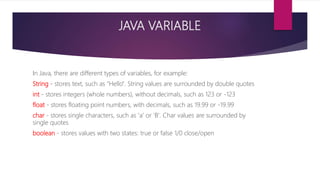
JAVA VARIABLE
In Java, there are different types of variables, for example:
String - stores text, such as "Hello". String values are surrounded by double quotes
int - stores integers (whole numbers), without decimals, such as 123 or -123
float - stores floating point numbers, with decimals, such as 19.99 or -19.99
char - stores single characters, such as 'a' or 'B'. Char values are surrounded by
single quotes
boolean - stores values with two states: true or false 1/0 close/open
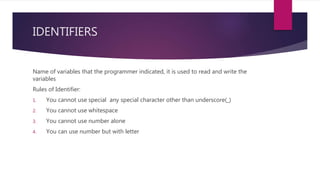
IDENTIFIERS
Name of variables that the programmer indicated, it is used to read and write the
variables
Rules of Identifier:
1. You cannot use special any special character other than underscore(_)
2. You cannot use whitespace
3. You cannot use number alone
4. You can use number but with letter
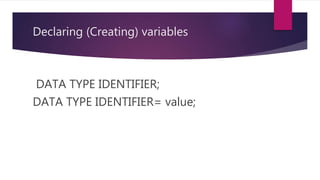
Declaring (Creating) variables
DATA TYPE IDENTIFIER;
DATA TYPE IDENTIFIER= value;
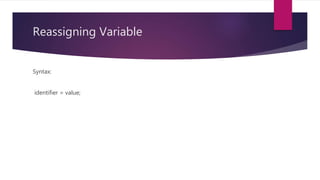
Reassigning Variable
Syntax:
identifier = value;
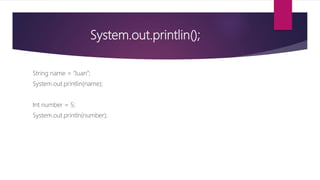
System.out.printlin();
String name = “Juan”;
System.out.printlin(name);
Int number = 5;
System.out.println(number);
Concatanation
The process of joining Strings together with the plus operator
Concatenation NOT Concatenation
“Hello” + “World” 2 + 3
“2” + “3” ‘a’ + 3
‘a’ =“b”
2 = “3”
You can concatenate inside the variable or on the print statement
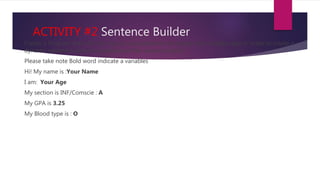
ACTIVITY #2 Sentence Builder
Create a Program that will only require a programmer to change the variable value in order to create a
dynamic sentence using the sentence on the sample output:
Please take note Bold word indicate a variables
Hi! My name is :Your Name
I am: Your Age
My section is INF/Comscie : A
My GPA is 3.25
My Blood type is : O
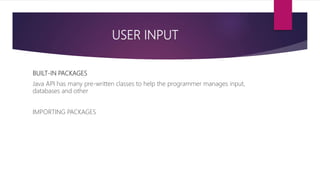
USER INPUT
BUILT-IN PACKAGES
Java API has many pre-written classes to help the programmer manages input,
databases and other
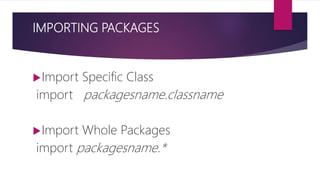
IMPORTING PACKAGES
IMPORTING PACKAGES
Import Specific Class
import packagesname.classname
Import Whole Packages
import packagesname.*
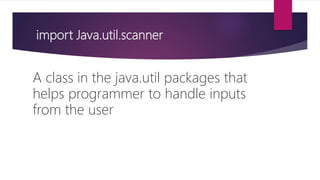
import Java.util.scanner
A class in the java.util packages that
helps programmer to handle inputs
from the user
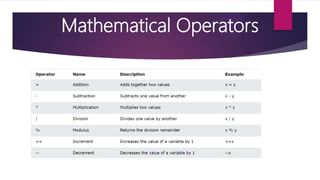
Mathematical Operators
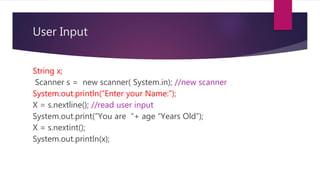
User Input
String x;
Scanner s = new scanner( System.in); //new scanner
System.out.println(“Enter your Name:”);
X = s.nextline(); //read user input
System.out.print(“You are “+ age “Years Old”);
X = s.nextint();
System.out.println(x);
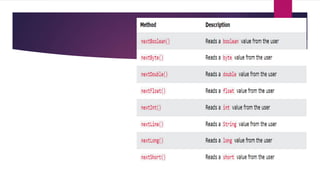
Input Types
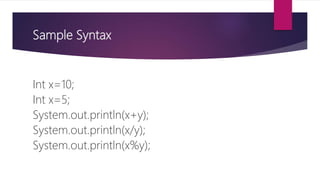
Sample Syntax
Int x=10;
Int x=5;
System.out.println(x+y);
System.out.println(x/y);
System.out.println(x%y);
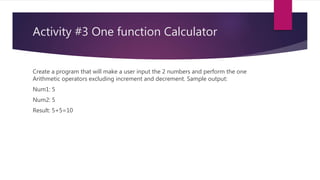
Activity #3 One function Calculator
Create a program that will make a user input the 2 numbers and perform the one
Arithmetic operators excluding increment and decrement. Sample output:
Num1: 5
Num2: 5
Result: 5+5=10

VARIABLE AND DATATYPES-JAVA.pptx

  • 1.
  • 2.
    VARIABLES Used to storeup temporary data to be used in our program’s runtime DATA TYPES Type of Data Inside the variable
  • 3.
    JAVA VARIABLE In Java,there are different types of variables, for example: String - stores text, such as "Hello". String values are surrounded by double quotes int - stores integers (whole numbers), without decimals, such as 123 or -123 float - stores floating point numbers, with decimals, such as 19.99 or -19.99 char - stores single characters, such as 'a' or 'B'. Char values are surrounded by single quotes boolean - stores values with two states: true or false 1/0 close/open
  • 4.
    IDENTIFIERS Name of variablesthat the programmer indicated, it is used to read and write the variables Rules of Identifier: 1. You cannot use special any special character other than underscore(_) 2. You cannot use whitespace 3. You cannot use number alone 4. You can use number but with letter
  • 5.
    Declaring (Creating) variables DATATYPE IDENTIFIER; DATA TYPE IDENTIFIER= value;
  • 6.
  • 7.
    System.out.printlin(); String name =“Juan”; System.out.printlin(name); Int number = 5; System.out.println(number);
  • 8.
    Concatanation The process ofjoining Strings together with the plus operator Concatenation NOT Concatenation “Hello” + “World” 2 + 3 “2” + “3” ‘a’ + 3 ‘a’ =“b” 2 = “3” You can concatenate inside the variable or on the print statement
  • 9.
    ACTIVITY #2 SentenceBuilder Create a Program that will only require a programmer to change the variable value in order to create a dynamic sentence using the sentence on the sample output: Please take note Bold word indicate a variables Hi! My name is :Your Name I am: Your Age My section is INF/Comscie : A My GPA is 3.25 My Blood type is : O
  • 10.
    USER INPUT BUILT-IN PACKAGES JavaAPI has many pre-written classes to help the programmer manages input, databases and other IMPORTING PACKAGES
  • 11.
    IMPORTING PACKAGES Import SpecificClass import packagesname.classname Import Whole Packages import packagesname.*
  • 12.
    import Java.util.scanner A classin the java.util packages that helps programmer to handle inputs from the user
  • 13.
  • 14.
    User Input String x; Scanners = new scanner( System.in); //new scanner System.out.println(“Enter your Name:”); X = s.nextline(); //read user input System.out.print(“You are “+ age “Years Old”); X = s.nextint(); System.out.println(x);
  • 15.
  • 16.
    Sample Syntax Int x=10; Intx=5; System.out.println(x+y); System.out.println(x/y); System.out.println(x%y);
  • 17.
    Activity #3 Onefunction Calculator Create a program that will make a user input the 2 numbers and perform the one Arithmetic operators excluding increment and decrement. Sample output: Num1: 5 Num2: 5 Result: 5+5=10