Web Applications Development using PHP & MYSQL
V Semester UT-II
M NAGA V VARA PRASAD, Assistant Professor, CS, BVRC (III Chem)
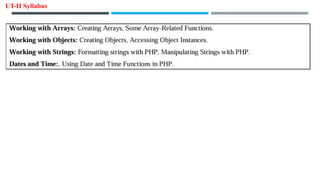
UT-II Syllabus
Introduction to Arrays:
Arrays: An array is a collection of similar types of data. It is used to hold multiple values of similar type in a single variable.
Advantage of PHPArray:
• Less Code: We don't need to define multiple variables.
• Easy to traverse: By the help of single loop, we can traverse all the elements of an array.
• Sorting: We can sort the elements of array.
TYPES OF ARRAYS IN PHP: There are 3 types of array in PHP.
1. Indexed Array
2. Associative Array
3. Multidimensional Array
1. Indexed Array: PHP indexed array is an array which is represented by an index number by default. All elements of array are
represented by an index number which starts from 0. PHP indexed array can store numbers, strings or any object. There are
two ways to define indexed array:
1st way:
Example:
<?php
$season=array("summer","winter","spring","autumn");
echo "Season are: $season[0], $season[1], $season[2] and $season[3]";
?>
Output: Season are: summer, winter, spring and autumn
2nd way:
Example:
<?php
$season[0]="summer";
$season[1]="winter";
$season[2]="spring";
$season[3]="autumn";
echo "Season are: $season[0], $season[1], $season[2] and $season[3]";
?>
Output: Season are: summer, winter, spring and autumn
2. Associative Array: PHP allows you to associate name/label with each array elements in PHP using => symbol. Such way, you
can easily remember the element because each element is represented by label than an incremented number. There are two
ways to define associative array:
1st way:
$salary=array("Sonoo"=>550000,"Vimal"=>250000,"Ratan"=>200000);
Example:
<?php
$salary=array("Sonoo"=>550000,"Vimal"=>250000,"Ratan"=>200000);
echo "Sonoo salary: ".$salary["Sonoo"]."<br>";
echo "Vimal salary: ".$salary["Vimal"]."<br>";
echo "Ratan salary: ".$salary["Ratan"]."<br>";
?>
Output:
Sonoo salary: 550000
Vimal salary: 250000
Ratan salary: 200000
2nd way:
Example:
<?php
$salary["Sonoo"]=550000;
$salary["Vimal"]=250000;
$salary["Ratan"]=200000;
echo "Sonoo salary: ".$salary["Sonoo"]."<br>";
echo "Vimal salary: ".$salary["Vimal"]."<br>";
echo "Ratan salary: ".$salary["Ratan"]."<br>";
?>
Output:
Sonoo salary: 550000
Vimal salary: 250000
Ratan salary: 200000
3. Multidimensional Array: PHP multidimensional array is also known as array of arrays. It allows you to store tabular data in
an array. PHP multidimensional array can be represented in the form of matrix which is represented by row * column.
Example:
<?php
$emp = array
(
array(1,"sonoo",400000),
array(2,"john",500000),
array(3,"rahul",300000)
);
for ($row = 0; $row < 3; $row++)
{
for ($col = 0; $col < 3; $col++)
{
echo $emp[$row][$col]." ";
}
echo "<br>";
}
?>
Output:
1 sonoo 400000
2 john 500000
3 rahul 300000
Php Array Functions:
Php provides various array functions to access and manipulate the elements of array. The important php array functions are
given below.
1) array_push( ): Adds one or more elements to the end of an array.
Syntax:
array_push($array, $val1, $val2, $val3....)
Example
<?php
$fruits = ["Apple", "Banana"];
array_push($fruits, "Cherry", "Date");
print_r($fruits);
?>
OUTPUT: Array ( [0] => Apple [1] => Banana [2] => Cherry [3] => Date )
2) array_pop( ): Removes the last element of an array.
Syntax:
array_pop($array)
Example
<?php
$fruits = ["Apple", "Banana", "Cherry", "Date"];
array_pop($fruits); // Removes "Date"
print_r($fruits);
?>
OUTPUT: Array ( [0] => Apple [1] => Banana [2] => Cherry)
3) array_shift( ): Removes the first element of an array.
Syntax:
array_shift($array); // Removes "Apple"
Example
<?php
$fruits = ["Apple", "Banana", "Cherry", "Date"];
array_shift($fruits); // Removes "Apple"
print_r($fruits);
?>
OUTPUT: Array ( [0] => Banana [1] => Cherry [2] => Date )
4) array_unshift( ): Adds one or more elements to the beginning of an array.
Syntax:
array_unshift($array, "element");
Example
<?php
$fruits = ["Apple", "Banana", "Cherry", "Date"];
array_unshift($fruits, "Orange");
print_r($fruits);
?>
OUTPUT: Array ( [0] => Orange [1] => Apple [2] => Banana [3] => Cherry [4] => Date )
5) sort( ): Sorts an indexed array in ascending order.
Syntax:
sort($array);
Example
<?php
$fruits = ["Cherry", "Apple", "Date", "Banana"];
sort($fruits);
print_r($fruits);
?>
OUTPUT: Array ( [0] => Apple [1] => Banana [2] => Cherry [3] => Date )
6) asort( ): Sorts an associative array in ascending order by values, maintaining the key-value pairs.
Syntax:
asort($array);
Example
<?php
$person = ["GFG" => 30, "Kriti"=> 25, "Ayushi" => 35];
asort($person);
print_r($person);
?>
OUTPUT: Sorted by value: ["Kriti" => 25, "GFG" => 30, "Ayushi" => 35]
7) ksort( ): Sorts an associative array by its keys in ascending order.
Syntax:
ksort($array);
Example
<?php
$person = ["name" => "GFG", "age" => 30, "city" => "India"];
ksort($person);
print_r($person);
?>
Output: Sorted by key: ["age" => 30, "city" => "India", "name" => "GFG"]
8) count( ): function counts all elements in an array.
Syntax:
count($array)
Example
<?php
$season=array("summer","winter","spring","autumn");
echo count($season);
?>
OUTPUT: 4
9) array_reverse( ): function returns an array containing elements in reversed order.
Syntax:
array_reverse ($array)
Example
<?php
$season=array("summer","winter","spring","autumn");
$reverseseason=array_reverse($season);
foreach( $reverseseason as $s )
{
echo "$s<br>";
}
?>
OUTPUT: autumn
spring
winter
summer
10) array_search( ): function searches the specified index of value in an array. It returns key if search is successful.
Syntax:
array_search ($value, $array)
Example
<?php
$season=array("summer","winter","spring","autumn");
$key=array_search("spring", $season);
echo $key;
?>
OUTPUT: 2
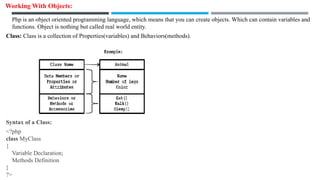
Working With Objects:
Php is an object oriented programming language, which means that you can create objects. Which can contain variables and
functions. Object is nothing but called real world entity.
Class: Class is a collection of Properties(variables) and Behaviors(methods).
Syntax of a Class:
<?php
class MyClass
{
Variable Declaration;
Methods Definition
}
?>
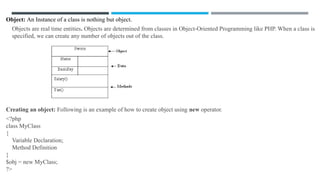
Object: An Instance of a class is nothing but object.
Objects are real time entities. Objects are determined from classes in Object-Oriented Programming like PHP. When a class is
specified, we can create any number of objects out of the class.
Creating an object: Following is an example of how to create object using new operator.
<?php
class MyClass
{
Variable Declaration;
Method Definition
}
$obj = new MyClass;
?>
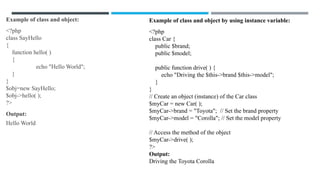
Example of class and object:
<?php
class SayHello
{
function hello( )
{
echo "Hello World";
}
}
$obj=new SayHello;
$obj->hello( );
?>
Output:
Hello World
Example of class and object by using instance variable:
<?php
class Car {
public $brand;
public $model;
public function drive( ) {
echo "Driving the $this->brand $this->model";
}
}
// Create an object (instance) of the Car class
$myCar = new Car( );
$myCar->brand = "Toyota"; // Set the brand property
$myCar->model = "Corolla"; // Set the model property
// Access the method of the object
$myCar->drive( );
?>
Output:
Driving the Toyota Corolla
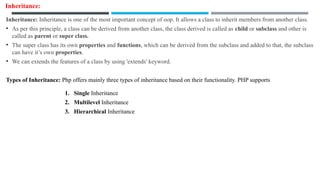
Inheritance:
Inheritance: Inheritance is one of the most important concept of oop. It allows a class to inherit members from another class.
• As per this principle, a class can be derived from another class, the class derived is called as child or subclass and other is
called as parent or super class.
• The super class has its own properties and functions, which can be derived from the subclass and added to that, the subclass
can have it’s own properties.
• We can extends the features of a class by using 'extends' keyword.
Types of Inheritance: Php offers mainly three types of inheritance based on their functionality. PHP supports
1. Single Inheritance
2. Multilevel Inheritance
3. Hierarchical Inheritance
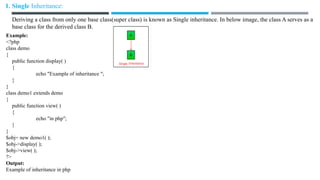
1. Single Inheritance:
Deriving a class from only one base class(super class) is known as Single inheritance. In below image, the class A serves as a
base class for the derived class B.
Example:
<?php
class demo
{
public function display( )
{
echo "Example of inheritance ";
}
}
class demo1 extends demo
{
public function view( )
{
echo "in php";
}
}
$obj= new demo1( );
$obj->display( );
$obj->view( );
?>
Output:
Example of inheritance in php
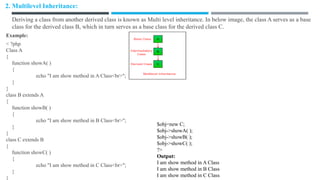
2. Multilevel Inheritance:
Deriving a class from another derived class is known as Multi level inheritance. In below image, the class A serves as a base
class for the derived class B, which in turn serves as a base class for the derived class C.
Example:
< ?php
Class A
{
function showA( )
{
echo "I am show method in A Class<br>";
}
}
class B extends A
{
function showB( )
{
echo "I am show method in B Class<br>";
}
}
class C extends B
{
function showC( )
{
echo "I am show method in C Class<br>";
}
}
$obj=new C;
$obj->showA( );
$obj->showB( );
$obj->showC( );
?>
Output:
I am show method in A Class
I am show method in B Class
I am show method in C Class
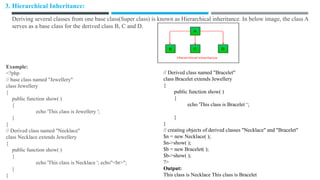
3. Hierarchical Inheritance:
Deriving several classes from one base class(Super class) is known as Hierarchical inheritance. In below image, the class A
serves as a base class for the derived class B, C and D.
Example:
<?php
// base class named "Jewellery"
class Jewellery
{
public function show( )
{
echo 'This class is Jewellery ';
}
}
// Derived class named "Necklace"
class Necklace extends Jewellery
{
public function show( )
{
echo 'This class is Necklace '; echo"<br>";
}
}
// Derived class named "Bracelet"
class Bracelet extends Jewellery
{
public function show( )
{
echo 'This class is Bracelet ‘;
}
}
// creating objects of derived classes "Necklace" and "Bracelet"
$n = new Necklace( );
$n->show( );
$b = new Bracelet( );
$b->show( );
?>
Output:
This class is Necklace This class is Bracelet
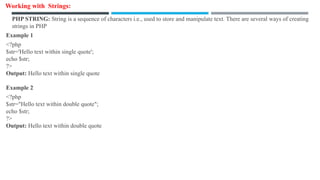
Working with Strings:
PHP STRING: String is a sequence of characters i.e., used to store and manipulate text. There are several ways of creating
strings in PHP
Example 1
<?php
$str='Hello text within single quote';
echo $str;
?>
Output: Hello text within single quote
Example 2
<?php
$str="Hello text within double quote";
echo $str;
?>
Output: Hello text within double quote
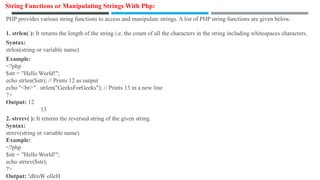
String Functions or Manipulating Strings With Php:
PHP provides various string functions to access and manipulate strings. A list of PHP string functions are given below.
1. strlen( ): It returns the length of the string i.e. the count of all the characters in the string including whitespaces characters.
Syntax:
strlen(string or variable name)
Example:
<?php
$str = "Hello World!";
echo strlen($str); // Prints 12 as output
echo "<br>" . strlen("GeeksForGeeks"); // Prints 13 in a new line
?>
Output: 12
13
2. strrev( ): It returns the reversed string of the given string.
Syntax:
strrev(string or variable name)
Example:
<?php
$str = "Hello World!";
echo strrev($str);
?>
Output: !dlroW olleH
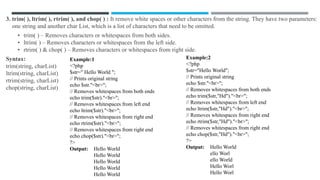
3. trim( ), ltrim( ), rtrim( ), and chop( ) : It remove white spaces or other characters from the string. They have two parameters:
one string and another char List, which is a list of characters that need to be omitted.
• trim( ) – Removes characters or whitespaces from both sides.
• ltrim( ) – Removes characters or whitespaces from the left side.
• rtrim( ) & chop( ) – Removes characters or whitespaces from right side.
Syntax:
trim(string, charList)
ltrim(string, charList)
rtrim(string, charList)
chop(string, charList)
Example:2
<?php
$str="Hello World";
// Prints original string
echo $str."<br>";
// Removes whitespaces from both ends
echo trim($str,"Hd")."<br>";
// Removes whitespaces from left end
echo ltrim($str,"Hd")."<br>";
// Removes whitespaces from right end
echo rtrim($str,"Hd")."<br>";
// Removes whitespaces from right end
echo chop($str,"Hd")."<br>";
?>
Output: Hello World
ello Worl
ello World
Hello Worl
Hello Worl
Example:1
<?php
$str=" Hello World ";
// Prints original string
echo $str."<br>";
// Removes whitespaces from both ends
echo trim($str)."<br>";
// Removes whitespaces from left end
echo ltrim($str)."<br>";
// Removes whitespaces from right end
echo rtrim($str)."<br>";
// Removes whitespaces from right end
echo chop($str)."<br>";
?>
Output: Hello World
Hello World
Hello World
Hello World
Hello World
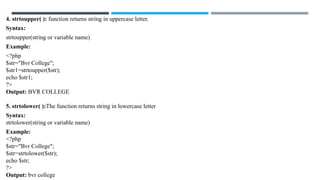
4. strtoupper( ): function returns string in uppercase letter.
Syntax:
strtoupper(string or variable name)
Example:
<?php
$str="Bvr College";
$str1=strtoupper($str);
echo $str1;
?>
Output: BVR COLLEGE
5. strtolower( ):The function returns string in lowercase letter
Syntax:
strtolower(string or variable name)
Example:
<?php
$str="Bvr College";
$str=strtolower($str);
echo $str;
?>
Output: bvr college
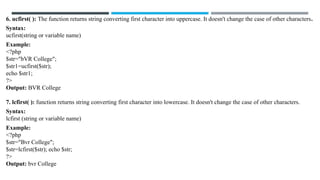
6. ucfirst( ): The function returns string converting first character into uppercase. It doesn't change the case of other characters.
Syntax:
ucfirst(string or variable name)
Example:
<?php
$str="bVR College";
$str1=ucfirst($str);
echo $str1;
?>
Output: BVR College
7. lcfirst( ): function returns string converting first character into lowercase. It doesn't change the case of other characters.
Syntax:
lcfirst (string or variable name)
Example:
<?php
$str="Bvr College";
$str=lcfirst($str); echo $str;
?>
Output: bvr College
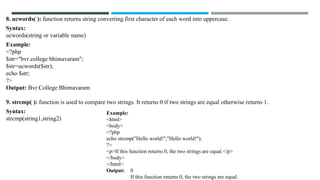
8. ucwords( ): function returns string converting first character of each word into uppercase.
Syntax:
ucwords(string or variable name)
Example:
<?php
$str="bvr college bhimavaram";
$str=ucwords($str);
echo $str;
?>
Output: Bvr College Bhimavaram
9. strcmp( ): function is used to compare two strings. It returns 0 if two strings are equal otherwise returns 1.
Syntax:
strcmp(string1,string2)
Example:
<html>
<body>
<?php
echo strcmp("Hello world!","Hello world!");
?>
<p>If this function returns 0, the two strings are equal.</p>
</body>
</html>
Output: 0
If this function returns 0, the two strings are equal.
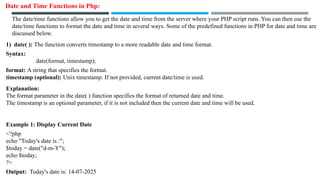
Date and Time Functions in Php:
The date/time functions allow you to get the date and time from the server where your PHP script runs. You can then use the
date/time functions to format the date and time in several ways. Some of the predefined functions in PHP for date and time are
discussed below.
1) date( ): The function converts timestamp to a more readable date and time format.
Syntax:
date(format, timestamp);
format: A string that specifies the format.
timestamp (optional): Unix timestamp. If not provided, current date/time is used.
Explanation:
The format parameter in the date( ) function specifies the format of returned date and time.
The timestamp is an optional parameter, if it is not included then the current date and time will be used.
Example 1: Display Current Date
<?php
echo "Today's date is :";
$today = date("d-m-Y");
echo $today;
?>
Output: Today's date is: 14-07-2025
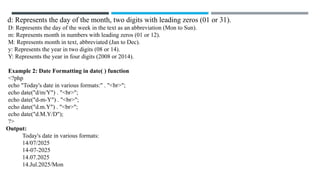
d: Represents the day of the month, two digits with leading zeros (01 or 31).
D: Represents the day of the week in the text as an abbreviation (Mon to Sun).
m: Represents month in numbers with leading zeros (01 or 12).
M: Represents month in text, abbreviated (Jan to Dec).
y: Represents the year in two digits (08 or 14).
Y: Represents the year in four digits (2008 or 2014).
Example 2: Date Formatting in date( ) function
<?php
echo "Today's date in various formats:" . "<br>";
echo date("d/m/Y") . "<br>";
echo date("d-m-Y") . "<br>";
echo date("d.m.Y") . "<br>";
echo date("d.M.Y/D");
?>
Output:
Today's date in various formats:
14/07/2025
14-07-2025
14.07.2025
14.Jul.2025/Mon
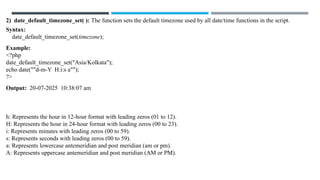
2) date_default_timezone_set( ): The function sets the default timezone used by all date/time functions in the script.
Syntax:
date_default_timezone_set(timezone);
Example:
<?php
date_default_timezone_set("Asia/Kolkata");
echo date(""d-m-Y H:i:s a"");
?>
Output: 20-07-2025 10:38:07 am
h: Represents the hour in 12-hour format with leading zeros (01 to 12).
H: Represents the hour in 24-hour format with leading zeros (00 to 23).
i: Represents minutes with leading zeros (00 to 59).
s: Represents seconds with leading zeros (00 to 59).
a: Represents lowercase antemeridian and post meridian (am or pm).
A: Represents uppercase antemeridian and post meridian (AM or PM).
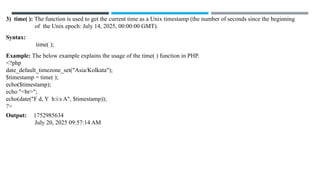
3) time( ): The function is used to get the current time as a Unix timestamp (the number of seconds since the beginning
of the Unix epoch: July 14, 2025, 00:00:00 GMT).
Syntax:
time( );
Example: The below example explains the usage of the time( ) function in PHP.
<?php
date_default_timezone_set("Asia/Kolkata");
$timestamp = time( );
echo($timestamp);
echo "<br>";
echo(date("F d, Y h:i:s A", $timestamp));
?>
Output: 1752985634
July 20, 2025 09:57:14 AM
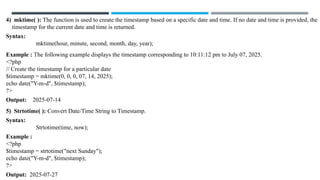
4) mktime( ): The function is used to create the timestamp based on a specific date and time. If no date and time is provided, the
timestamp for the current date and time is returned.
Syntax:
mktime(hour, minute, second, month, day, year);
Example : The following example displays the timestamp corresponding to 10:11:12 pm to July 07, 2025.
<?php
// Create the timestamp for a particular date
$timestamp = mktime(0, 0, 0, 07, 14, 2025);
echo date("Y-m-d", $timestamp);
?>
Output: 2025-07-14
5) Strtotime( ): Convert Date/Time String to Timestamp.
Syntax:
Strtotime(time, now);
Example :
<?php
$timestamp = strtotime("next Sunday");
echo date("Y-m-d", $timestamp);
?>
Output: 2025-07-27
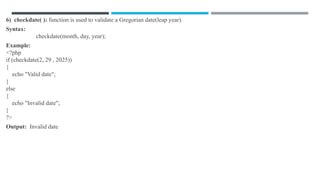
6) checkdate( ): function is used to validate a Gregorian date(leap year).
Syntax:
checkdate(month, day, year);
Example:
<?php
if (checkdate(2, 29 , 2025))
{
echo "Valid date";
}
else
{
echo "Invalid date";
}
?>
Output: Invalid date
7) getdate( ): The function return date/time information of a timestamp or the current local date/time.
Syntax:
getdate(timestamp);
Example:
<?php
print_r(getdate());
?>
Output:
Array
(
[seconds] => 40
[minutes] => 3
[hours] => 17
[mday] => 14 //Day of the month
[wday] => 1 // Day of the week(0=Sunday, 1=Monday,…)
[mon] => 7
[year] => 2025
[yday] => 194 // Day of the year
[weekday] => Monday // Name of the weekday
[month] => July
[0] => 1752512620 //Seconds since Unix Epoch
)
8) Date_parse( ): The function returns an associative array with detailed information about a specified date.
Syntax:
date_parse(date);
Example
<?php
print_r(date_parse("20-07-2025 10:38:07 am"));
?>
Output:
Array
(
[year] => 2025
[month] => 7
[day] => 20
[hour] => 10
[minute] => 38
[second] => 7
[fraction] => 0
[warning_count] => 0
[warnings] => Array ( )
[error_count] => 0
[errors] => Array ( )
[is_localtime] =>
)
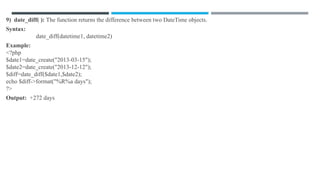
9) date_diff( ): The function returns the difference between two DateTime objects.
Syntax:
date_diff(datetime1, datetime2)
Example:
<?php
$date1=date_create("2013-03-15");
$date2=date_create("2013-12-12");
$diff=date_diff($date1,$date2);
echo $diff->format("%R%a days");
?>
Output: +272 days
Channels:
⮚ @sivatutorials747 –Pdf Material

UT-II Web Applications Development using PHP & MYSQL l.pptx

  • 1.
    Web Applications Developmentusing PHP & MYSQL V Semester UT-II M NAGA V VARA PRASAD, Assistant Professor, CS, BVRC (III Chem)
  • 2.
  • 3.
    Introduction to Arrays: Arrays:An array is a collection of similar types of data. It is used to hold multiple values of similar type in a single variable. Advantage of PHPArray: • Less Code: We don't need to define multiple variables. • Easy to traverse: By the help of single loop, we can traverse all the elements of an array. • Sorting: We can sort the elements of array. TYPES OF ARRAYS IN PHP: There are 3 types of array in PHP. 1. Indexed Array 2. Associative Array 3. Multidimensional Array 1. Indexed Array: PHP indexed array is an array which is represented by an index number by default. All elements of array are represented by an index number which starts from 0. PHP indexed array can store numbers, strings or any object. There are two ways to define indexed array: 1st way: Example: <?php $season=array("summer","winter","spring","autumn"); echo "Season are: $season[0], $season[1], $season[2] and $season[3]"; ?> Output: Season are: summer, winter, spring and autumn
  • 4.
    2nd way: Example: <?php $season[0]="summer"; $season[1]="winter"; $season[2]="spring"; $season[3]="autumn"; echo "Seasonare: $season[0], $season[1], $season[2] and $season[3]"; ?> Output: Season are: summer, winter, spring and autumn 2. Associative Array: PHP allows you to associate name/label with each array elements in PHP using => symbol. Such way, you can easily remember the element because each element is represented by label than an incremented number. There are two ways to define associative array: 1st way: $salary=array("Sonoo"=>550000,"Vimal"=>250000,"Ratan"=>200000); Example: <?php $salary=array("Sonoo"=>550000,"Vimal"=>250000,"Ratan"=>200000); echo "Sonoo salary: ".$salary["Sonoo"]."<br>"; echo "Vimal salary: ".$salary["Vimal"]."<br>"; echo "Ratan salary: ".$salary["Ratan"]."<br>"; ?>
  • 5.
    Output: Sonoo salary: 550000 Vimalsalary: 250000 Ratan salary: 200000 2nd way: Example: <?php $salary["Sonoo"]=550000; $salary["Vimal"]=250000; $salary["Ratan"]=200000; echo "Sonoo salary: ".$salary["Sonoo"]."<br>"; echo "Vimal salary: ".$salary["Vimal"]."<br>"; echo "Ratan salary: ".$salary["Ratan"]."<br>"; ?> Output: Sonoo salary: 550000 Vimal salary: 250000 Ratan salary: 200000
  • 6.
    3. Multidimensional Array:PHP multidimensional array is also known as array of arrays. It allows you to store tabular data in an array. PHP multidimensional array can be represented in the form of matrix which is represented by row * column. Example: <?php $emp = array ( array(1,"sonoo",400000), array(2,"john",500000), array(3,"rahul",300000) ); for ($row = 0; $row < 3; $row++) { for ($col = 0; $col < 3; $col++) { echo $emp[$row][$col]." "; } echo "<br>"; } ?> Output: 1 sonoo 400000 2 john 500000 3 rahul 300000
  • 7.
    Php Array Functions: Phpprovides various array functions to access and manipulate the elements of array. The important php array functions are given below. 1) array_push( ): Adds one or more elements to the end of an array. Syntax: array_push($array, $val1, $val2, $val3....) Example <?php $fruits = ["Apple", "Banana"]; array_push($fruits, "Cherry", "Date"); print_r($fruits); ?> OUTPUT: Array ( [0] => Apple [1] => Banana [2] => Cherry [3] => Date ) 2) array_pop( ): Removes the last element of an array. Syntax: array_pop($array) Example <?php $fruits = ["Apple", "Banana", "Cherry", "Date"]; array_pop($fruits); // Removes "Date" print_r($fruits); ?> OUTPUT: Array ( [0] => Apple [1] => Banana [2] => Cherry)
  • 8.
    3) array_shift( ):Removes the first element of an array. Syntax: array_shift($array); // Removes "Apple" Example <?php $fruits = ["Apple", "Banana", "Cherry", "Date"]; array_shift($fruits); // Removes "Apple" print_r($fruits); ?> OUTPUT: Array ( [0] => Banana [1] => Cherry [2] => Date ) 4) array_unshift( ): Adds one or more elements to the beginning of an array. Syntax: array_unshift($array, "element"); Example <?php $fruits = ["Apple", "Banana", "Cherry", "Date"]; array_unshift($fruits, "Orange"); print_r($fruits); ?> OUTPUT: Array ( [0] => Orange [1] => Apple [2] => Banana [3] => Cherry [4] => Date )
  • 9.
    5) sort( ):Sorts an indexed array in ascending order. Syntax: sort($array); Example <?php $fruits = ["Cherry", "Apple", "Date", "Banana"]; sort($fruits); print_r($fruits); ?> OUTPUT: Array ( [0] => Apple [1] => Banana [2] => Cherry [3] => Date ) 6) asort( ): Sorts an associative array in ascending order by values, maintaining the key-value pairs. Syntax: asort($array); Example <?php $person = ["GFG" => 30, "Kriti"=> 25, "Ayushi" => 35]; asort($person); print_r($person); ?> OUTPUT: Sorted by value: ["Kriti" => 25, "GFG" => 30, "Ayushi" => 35]
  • 10.
    7) ksort( ):Sorts an associative array by its keys in ascending order. Syntax: ksort($array); Example <?php $person = ["name" => "GFG", "age" => 30, "city" => "India"]; ksort($person); print_r($person); ?> Output: Sorted by key: ["age" => 30, "city" => "India", "name" => "GFG"] 8) count( ): function counts all elements in an array. Syntax: count($array) Example <?php $season=array("summer","winter","spring","autumn"); echo count($season); ?> OUTPUT: 4
  • 11.
    9) array_reverse( ):function returns an array containing elements in reversed order. Syntax: array_reverse ($array) Example <?php $season=array("summer","winter","spring","autumn"); $reverseseason=array_reverse($season); foreach( $reverseseason as $s ) { echo "$s<br>"; } ?> OUTPUT: autumn spring winter summer 10) array_search( ): function searches the specified index of value in an array. It returns key if search is successful. Syntax: array_search ($value, $array) Example <?php $season=array("summer","winter","spring","autumn"); $key=array_search("spring", $season); echo $key; ?> OUTPUT: 2
  • 12.
    Working With Objects: Phpis an object oriented programming language, which means that you can create objects. Which can contain variables and functions. Object is nothing but called real world entity. Class: Class is a collection of Properties(variables) and Behaviors(methods). Syntax of a Class: <?php class MyClass { Variable Declaration; Methods Definition } ?>
  • 13.
    Object: An Instanceof a class is nothing but object. Objects are real time entities. Objects are determined from classes in Object-Oriented Programming like PHP. When a class is specified, we can create any number of objects out of the class. Creating an object: Following is an example of how to create object using new operator. <?php class MyClass { Variable Declaration; Method Definition } $obj = new MyClass; ?>
  • 14.
    Example of classand object: <?php class SayHello { function hello( ) { echo "Hello World"; } } $obj=new SayHello; $obj->hello( ); ?> Output: Hello World Example of class and object by using instance variable: <?php class Car { public $brand; public $model; public function drive( ) { echo "Driving the $this->brand $this->model"; } } // Create an object (instance) of the Car class $myCar = new Car( ); $myCar->brand = "Toyota"; // Set the brand property $myCar->model = "Corolla"; // Set the model property // Access the method of the object $myCar->drive( ); ?> Output: Driving the Toyota Corolla
  • 15.
    Inheritance: Inheritance: Inheritance isone of the most important concept of oop. It allows a class to inherit members from another class. • As per this principle, a class can be derived from another class, the class derived is called as child or subclass and other is called as parent or super class. • The super class has its own properties and functions, which can be derived from the subclass and added to that, the subclass can have it’s own properties. • We can extends the features of a class by using 'extends' keyword. Types of Inheritance: Php offers mainly three types of inheritance based on their functionality. PHP supports 1. Single Inheritance 2. Multilevel Inheritance 3. Hierarchical Inheritance
  • 16.
    1. Single Inheritance: Derivinga class from only one base class(super class) is known as Single inheritance. In below image, the class A serves as a base class for the derived class B. Example: <?php class demo { public function display( ) { echo "Example of inheritance "; } } class demo1 extends demo { public function view( ) { echo "in php"; } } $obj= new demo1( ); $obj->display( ); $obj->view( ); ?> Output: Example of inheritance in php
  • 17.
    2. Multilevel Inheritance: Derivinga class from another derived class is known as Multi level inheritance. In below image, the class A serves as a base class for the derived class B, which in turn serves as a base class for the derived class C. Example: < ?php Class A { function showA( ) { echo "I am show method in A Class<br>"; } } class B extends A { function showB( ) { echo "I am show method in B Class<br>"; } } class C extends B { function showC( ) { echo "I am show method in C Class<br>"; } } $obj=new C; $obj->showA( ); $obj->showB( ); $obj->showC( ); ?> Output: I am show method in A Class I am show method in B Class I am show method in C Class
  • 18.
    3. Hierarchical Inheritance: Derivingseveral classes from one base class(Super class) is known as Hierarchical inheritance. In below image, the class A serves as a base class for the derived class B, C and D. Example: <?php // base class named "Jewellery" class Jewellery { public function show( ) { echo 'This class is Jewellery '; } } // Derived class named "Necklace" class Necklace extends Jewellery { public function show( ) { echo 'This class is Necklace '; echo"<br>"; } } // Derived class named "Bracelet" class Bracelet extends Jewellery { public function show( ) { echo 'This class is Bracelet ‘; } } // creating objects of derived classes "Necklace" and "Bracelet" $n = new Necklace( ); $n->show( ); $b = new Bracelet( ); $b->show( ); ?> Output: This class is Necklace This class is Bracelet
  • 19.
    Working with Strings: PHPSTRING: String is a sequence of characters i.e., used to store and manipulate text. There are several ways of creating strings in PHP Example 1 <?php $str='Hello text within single quote'; echo $str; ?> Output: Hello text within single quote Example 2 <?php $str="Hello text within double quote"; echo $str; ?> Output: Hello text within double quote
  • 20.
    String Functions orManipulating Strings With Php: PHP provides various string functions to access and manipulate strings. A list of PHP string functions are given below. 1. strlen( ): It returns the length of the string i.e. the count of all the characters in the string including whitespaces characters. Syntax: strlen(string or variable name) Example: <?php $str = "Hello World!"; echo strlen($str); // Prints 12 as output echo "<br>" . strlen("GeeksForGeeks"); // Prints 13 in a new line ?> Output: 12 13 2. strrev( ): It returns the reversed string of the given string. Syntax: strrev(string or variable name) Example: <?php $str = "Hello World!"; echo strrev($str); ?> Output: !dlroW olleH
  • 21.
    3. trim( ),ltrim( ), rtrim( ), and chop( ) : It remove white spaces or other characters from the string. They have two parameters: one string and another char List, which is a list of characters that need to be omitted. • trim( ) – Removes characters or whitespaces from both sides. • ltrim( ) – Removes characters or whitespaces from the left side. • rtrim( ) & chop( ) – Removes characters or whitespaces from right side. Syntax: trim(string, charList) ltrim(string, charList) rtrim(string, charList) chop(string, charList) Example:2 <?php $str="Hello World"; // Prints original string echo $str."<br>"; // Removes whitespaces from both ends echo trim($str,"Hd")."<br>"; // Removes whitespaces from left end echo ltrim($str,"Hd")."<br>"; // Removes whitespaces from right end echo rtrim($str,"Hd")."<br>"; // Removes whitespaces from right end echo chop($str,"Hd")."<br>"; ?> Output: Hello World ello Worl ello World Hello Worl Hello Worl Example:1 <?php $str=" Hello World "; // Prints original string echo $str."<br>"; // Removes whitespaces from both ends echo trim($str)."<br>"; // Removes whitespaces from left end echo ltrim($str)."<br>"; // Removes whitespaces from right end echo rtrim($str)."<br>"; // Removes whitespaces from right end echo chop($str)."<br>"; ?> Output: Hello World Hello World Hello World Hello World Hello World
  • 22.
    4. strtoupper( ):function returns string in uppercase letter. Syntax: strtoupper(string or variable name) Example: <?php $str="Bvr College"; $str1=strtoupper($str); echo $str1; ?> Output: BVR COLLEGE 5. strtolower( ):The function returns string in lowercase letter Syntax: strtolower(string or variable name) Example: <?php $str="Bvr College"; $str=strtolower($str); echo $str; ?> Output: bvr college
  • 23.
    6. ucfirst( ):The function returns string converting first character into uppercase. It doesn't change the case of other characters. Syntax: ucfirst(string or variable name) Example: <?php $str="bVR College"; $str1=ucfirst($str); echo $str1; ?> Output: BVR College 7. lcfirst( ): function returns string converting first character into lowercase. It doesn't change the case of other characters. Syntax: lcfirst (string or variable name) Example: <?php $str="Bvr College"; $str=lcfirst($str); echo $str; ?> Output: bvr College
  • 24.
    8. ucwords( ):function returns string converting first character of each word into uppercase. Syntax: ucwords(string or variable name) Example: <?php $str="bvr college bhimavaram"; $str=ucwords($str); echo $str; ?> Output: Bvr College Bhimavaram 9. strcmp( ): function is used to compare two strings. It returns 0 if two strings are equal otherwise returns 1. Syntax: strcmp(string1,string2) Example: <html> <body> <?php echo strcmp("Hello world!","Hello world!"); ?> <p>If this function returns 0, the two strings are equal.</p> </body> </html> Output: 0 If this function returns 0, the two strings are equal.
  • 25.
    Date and TimeFunctions in Php: The date/time functions allow you to get the date and time from the server where your PHP script runs. You can then use the date/time functions to format the date and time in several ways. Some of the predefined functions in PHP for date and time are discussed below. 1) date( ): The function converts timestamp to a more readable date and time format. Syntax: date(format, timestamp); format: A string that specifies the format. timestamp (optional): Unix timestamp. If not provided, current date/time is used. Explanation: The format parameter in the date( ) function specifies the format of returned date and time. The timestamp is an optional parameter, if it is not included then the current date and time will be used. Example 1: Display Current Date <?php echo "Today's date is :"; $today = date("d-m-Y"); echo $today; ?> Output: Today's date is: 14-07-2025
  • 26.
    d: Represents theday of the month, two digits with leading zeros (01 or 31). D: Represents the day of the week in the text as an abbreviation (Mon to Sun). m: Represents month in numbers with leading zeros (01 or 12). M: Represents month in text, abbreviated (Jan to Dec). y: Represents the year in two digits (08 or 14). Y: Represents the year in four digits (2008 or 2014). Example 2: Date Formatting in date( ) function <?php echo "Today's date in various formats:" . "<br>"; echo date("d/m/Y") . "<br>"; echo date("d-m-Y") . "<br>"; echo date("d.m.Y") . "<br>"; echo date("d.M.Y/D"); ?> Output: Today's date in various formats: 14/07/2025 14-07-2025 14.07.2025 14.Jul.2025/Mon
  • 27.
    2) date_default_timezone_set( ):The function sets the default timezone used by all date/time functions in the script. Syntax: date_default_timezone_set(timezone); Example: <?php date_default_timezone_set("Asia/Kolkata"); echo date(""d-m-Y H:i:s a""); ?> Output: 20-07-2025 10:38:07 am h: Represents the hour in 12-hour format with leading zeros (01 to 12). H: Represents the hour in 24-hour format with leading zeros (00 to 23). i: Represents minutes with leading zeros (00 to 59). s: Represents seconds with leading zeros (00 to 59). a: Represents lowercase antemeridian and post meridian (am or pm). A: Represents uppercase antemeridian and post meridian (AM or PM).
  • 28.
    3) time( ):The function is used to get the current time as a Unix timestamp (the number of seconds since the beginning of the Unix epoch: July 14, 2025, 00:00:00 GMT). Syntax: time( ); Example: The below example explains the usage of the time( ) function in PHP. <?php date_default_timezone_set("Asia/Kolkata"); $timestamp = time( ); echo($timestamp); echo "<br>"; echo(date("F d, Y h:i:s A", $timestamp)); ?> Output: 1752985634 July 20, 2025 09:57:14 AM
  • 29.
    4) mktime( ):The function is used to create the timestamp based on a specific date and time. If no date and time is provided, the timestamp for the current date and time is returned. Syntax: mktime(hour, minute, second, month, day, year); Example : The following example displays the timestamp corresponding to 10:11:12 pm to July 07, 2025. <?php // Create the timestamp for a particular date $timestamp = mktime(0, 0, 0, 07, 14, 2025); echo date("Y-m-d", $timestamp); ?> Output: 2025-07-14 5) Strtotime( ): Convert Date/Time String to Timestamp. Syntax: Strtotime(time, now); Example : <?php $timestamp = strtotime("next Sunday"); echo date("Y-m-d", $timestamp); ?> Output: 2025-07-27
  • 30.
    6) checkdate( ):function is used to validate a Gregorian date(leap year). Syntax: checkdate(month, day, year); Example: <?php if (checkdate(2, 29 , 2025)) { echo "Valid date"; } else { echo "Invalid date"; } ?> Output: Invalid date
  • 31.
    7) getdate( ):The function return date/time information of a timestamp or the current local date/time. Syntax: getdate(timestamp); Example: <?php print_r(getdate()); ?> Output: Array ( [seconds] => 40 [minutes] => 3 [hours] => 17 [mday] => 14 //Day of the month [wday] => 1 // Day of the week(0=Sunday, 1=Monday,…) [mon] => 7 [year] => 2025 [yday] => 194 // Day of the year [weekday] => Monday // Name of the weekday [month] => July [0] => 1752512620 //Seconds since Unix Epoch )
  • 32.
    8) Date_parse( ):The function returns an associative array with detailed information about a specified date. Syntax: date_parse(date); Example <?php print_r(date_parse("20-07-2025 10:38:07 am")); ?> Output: Array ( [year] => 2025 [month] => 7 [day] => 20 [hour] => 10 [minute] => 38 [second] => 7 [fraction] => 0 [warning_count] => 0 [warnings] => Array ( ) [error_count] => 0 [errors] => Array ( ) [is_localtime] => )
  • 33.
    9) date_diff( ):The function returns the difference between two DateTime objects. Syntax: date_diff(datetime1, datetime2) Example: <?php $date1=date_create("2013-03-15"); $date2=date_create("2013-12-12"); $diff=date_diff($date1,$date2); echo $diff->format("%R%a days"); ?> Output: +272 days
  • 34.