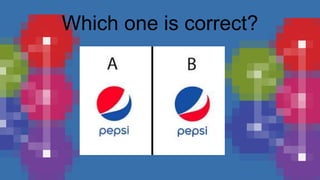
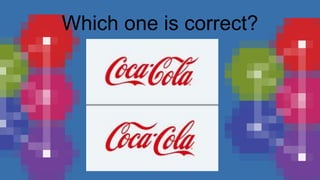
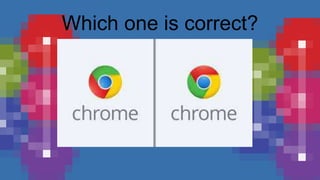
Which one is correct?
Using Multimedia Resources
when Presenting Information
Multimedia is a form of communication
that uses a combination of different
content forms such as text, audio, images,
animations, or video into a single
interactive presentation, in contrast to
traditional mass media, such as printed
material or audio recordings, which
features little to no interaction between
users.
Multimedia
Technology can be used to assist you
when you create your presentations. For
example, you can enhance your oral
presentations with audio, pictures,
diagrams, drawings, animation, and
or/video. Whenever those are combined ,
the result is multimedia.
You can create and arrange your
presentations using PowerPoint
Slides, sometimes video and
other types. In this lesson you
will know how to choose the
right multimedia resource to
your topic.
2nd speaker
Things to consider in creating your
presentation
Audience
Content
Organization
Avery Davis
Platform
Who will be listening to you?
First, you need to know who your
audience are and adjust your
presentation depending on them.
As you prepare, it is also important
to know if they have any
background knowledge about your
topic.
Audience
What material is interesting and
engaging that is also appropriate for
your topic or subject matter?
You should think multimedia as a
way to emphasize your point. Try to
connect your topic to the
experiences and interests of your
audience.
Content
What are the things that you
will add and remove? Create on
outline of your main and sub
points. You also need to indicate
the kind of multimedia that will
improve your point.
Organization
Remember:
• USE PHOTOS THAT HELP
ILLUSTRATE YOUR POINT OR
ENHANCE WHAT YOUR TEXT
SAYING.
• USE CHARTS , INFOGRAPHS,
AND DIAGRAMS TO HELP
EXPLAIN COMPLICATED
INFORMATION OR STATICS
TO YOUR AUDIENCE.
Organization
Remember:
• Use maps to allow your
audience to recognize a location
in your information.
• Use video and audio clips to add
life, and even emotion, to your
presentation like when
presenting speeches or news
stories
•
Organization
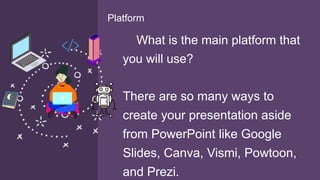
What is the main platform that
you will use?
There are so many ways to
create your presentation aside
from PowerPoint like Google
Slides, Canva, Vismi, Powtoon,
and Prezi.
Platform
Types of Multimedia
Elements
These are objects that move
or change like:
• VIDEO
• AUDIO
• ANIMATION
Dynamic Elements
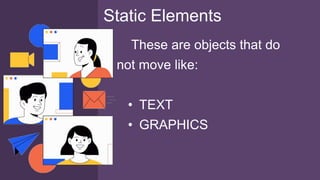
These are objects that do
not move like:
• TEXT
• GRAPHICS
Static Elements
Example of
Presentations used
multimedia
Learning Task 1
Now that have identified the multimedia resources used in the presentation,
answer the questions that follow. Write your answers on your paper.
1. What is the purpose of the presentation?
2. What type of multimedia elements are used-dynamic, static, or both?
Explain.
3. What multimedia resource/s make the biggest impact on the screen?
Why?
4. Are there resources that you found to be distracting on ineffective?
Explain.
5. How do these resources contribute to achieve the purpose of the
presentation?
Learning Task 2
Evaluate each of statement as valid or not. Draw smiley face ☺
If the statement is true and a sad face :( if the statement is false. Draw your
answer on your paper.
____1. Multimedia is a result of combining audio, still image, animation,video, and
interactivity.
___2. The basic elements of multimedia are text, graphics, animation, video, and
audio.
____3. Animation, video, and audio are examples of static elements.
____4. Music and speech can be stored in the computer as audio files.
____5. In creating your presentation, the first thing to consider is the platform that
you will be using, whether it is PowerPoint Google slides, or Canva.
Learning Task 2
In planning multimedia presentation, you can use
Storyboard to keep everything organized. It is good idea
to make a storyboard for each slide to plan the content
and layout of your presentation. You can sketch,write, or
paste into each slide. Include text, images, sounds or
music title, and other resources that you plan to use in
your presentation. Below is an example of storyboard on
COVID-19 presentation:
Learning Task 2
I
1. For your final task, choose one (1) from the topics below:
l Energy Conservation
Time and again, you hear tips for energy conservation. At
home, what do you do to help cut down your electric bills? List
your suggestions.
l Water Conservation
Look around you and observe how water is wasted (at home
and the neighborhood). List them and state some do’s and
don’ts to save water.
Learning Task 3
1. Next, create a multimedia presentation storyboard for
a minimum of 6 slides and maximum of 10 slides about
your chosen topic. Do this in a long paper orany
available paper.
Remember that you can sketch, write, or paste into
each slide. Include text, images sounds or music title,
and other multimedia resources that you plan to use in
your presentation.
Learning Task 3
I

Using multiedia resources when Prensenting Inforation

  • 3.
    Which one iscorrect?
  • 4.
    Which one iscorrect?
  • 5.
    Which one iscorrect?
  • 6.
    Which one iscorrect?
  • 7.
    Which one iscorrect?
  • 8.
    Which one iscorrect?
  • 9.
    Using Multimedia Resources whenPresenting Information
  • 10.
    Multimedia is aform of communication that uses a combination of different content forms such as text, audio, images, animations, or video into a single interactive presentation, in contrast to traditional mass media, such as printed material or audio recordings, which features little to no interaction between users. Multimedia
  • 11.
    Technology can beused to assist you when you create your presentations. For example, you can enhance your oral presentations with audio, pictures, diagrams, drawings, animation, and or/video. Whenever those are combined , the result is multimedia.
  • 12.
    You can createand arrange your presentations using PowerPoint Slides, sometimes video and other types. In this lesson you will know how to choose the right multimedia resource to your topic.
  • 13.
    2nd speaker Things toconsider in creating your presentation Audience Content Organization Avery Davis Platform
  • 14.
    Who will belistening to you? First, you need to know who your audience are and adjust your presentation depending on them. As you prepare, it is also important to know if they have any background knowledge about your topic. Audience
  • 15.
    What material isinteresting and engaging that is also appropriate for your topic or subject matter? You should think multimedia as a way to emphasize your point. Try to connect your topic to the experiences and interests of your audience. Content
  • 16.
    What are thethings that you will add and remove? Create on outline of your main and sub points. You also need to indicate the kind of multimedia that will improve your point. Organization
  • 17.
    Remember: • USE PHOTOSTHAT HELP ILLUSTRATE YOUR POINT OR ENHANCE WHAT YOUR TEXT SAYING. • USE CHARTS , INFOGRAPHS, AND DIAGRAMS TO HELP EXPLAIN COMPLICATED INFORMATION OR STATICS TO YOUR AUDIENCE. Organization
  • 18.
    Remember: • Use mapsto allow your audience to recognize a location in your information. • Use video and audio clips to add life, and even emotion, to your presentation like when presenting speeches or news stories • Organization
  • 19.
    What is themain platform that you will use? There are so many ways to create your presentation aside from PowerPoint like Google Slides, Canva, Vismi, Powtoon, and Prezi. Platform
  • 20.
  • 21.
    These are objectsthat move or change like: • VIDEO • AUDIO • ANIMATION Dynamic Elements
  • 22.
    These are objectsthat do not move like: • TEXT • GRAPHICS Static Elements
  • 23.
  • 25.
  • 26.
    Now that haveidentified the multimedia resources used in the presentation, answer the questions that follow. Write your answers on your paper. 1. What is the purpose of the presentation? 2. What type of multimedia elements are used-dynamic, static, or both? Explain. 3. What multimedia resource/s make the biggest impact on the screen? Why? 4. Are there resources that you found to be distracting on ineffective? Explain. 5. How do these resources contribute to achieve the purpose of the presentation? Learning Task 2
  • 27.
    Evaluate each ofstatement as valid or not. Draw smiley face ☺ If the statement is true and a sad face :( if the statement is false. Draw your answer on your paper. ____1. Multimedia is a result of combining audio, still image, animation,video, and interactivity. ___2. The basic elements of multimedia are text, graphics, animation, video, and audio. ____3. Animation, video, and audio are examples of static elements. ____4. Music and speech can be stored in the computer as audio files. ____5. In creating your presentation, the first thing to consider is the platform that you will be using, whether it is PowerPoint Google slides, or Canva. Learning Task 2
  • 28.
    In planning multimediapresentation, you can use Storyboard to keep everything organized. It is good idea to make a storyboard for each slide to plan the content and layout of your presentation. You can sketch,write, or paste into each slide. Include text, images, sounds or music title, and other resources that you plan to use in your presentation. Below is an example of storyboard on COVID-19 presentation: Learning Task 2
  • 29.
    I 1. For yourfinal task, choose one (1) from the topics below: l Energy Conservation Time and again, you hear tips for energy conservation. At home, what do you do to help cut down your electric bills? List your suggestions. l Water Conservation Look around you and observe how water is wasted (at home and the neighborhood). List them and state some do’s and don’ts to save water. Learning Task 3
  • 30.
    1. Next, createa multimedia presentation storyboard for a minimum of 6 slides and maximum of 10 slides about your chosen topic. Do this in a long paper orany available paper. Remember that you can sketch, write, or paste into each slide. Include text, images sounds or music title, and other multimedia resources that you plan to use in your presentation. Learning Task 3
  • 31.