Physician Relations
Made Easier with
Technology and CRM
Society for Healthcare Strategy and Market Development
Annual Conference – Orlando
October 1, 2009
Who We Are:
 Wake Forest University Baptist
Medical Center:
 Academic medical center
 Physician Relations
 Forte Partners, LLC
 Business development consultants
 Work with hospitals and physicians
2
Learning Objectives
1. Understand benefit/use of a CRM program.
2. Acquire basic knowledge of CRM systems
and their primary functionality including
issue tracking.
3. Case study
4. Learn essential investigation steps in
exploring CRM options.
5. Discuss value added to outreach
operations.
3
Overview of Customer
Relationship Management (CRM)
 What is CRM?
 Business process
 Strategy vs.
technology
4
CRM as a Business Process
 Many of your
organizations are
already involved
with CRM.
 May be using to
track referrals,
manage physician
recruitment or
outreach efforts.
5
Technology Can Enhance Your
Process
 More efficiency
 More consistency
 Central repository
 Greater access
 Historical tracking
 Easier analysis
6
A Bit of History
 CRM tools formerly expensive and only used
by large corporations.
 In earlier decade, CRM touted as
revolutionary -- would change the way
businesses interact with their customers.
 CRM prestige fell short of promise because it
requires people and processes to help it
deliver on value.
 Software and feature advances making CRM
tools more useful and accessible.
7
Basic Features in CRM Tools
 Contact mgmt
 Calendar interface
 Pending/tasks
 Activity tracking
 Centralized
information
 Field/office
8
CRM as a Physician Tracking Tool
 Architecture reinforcing physicians as
customers.
 Central physician database with distributed
access.
 Touch point documentation.
 Sales planning.
 Can integrate with other systems such as call
center.
9
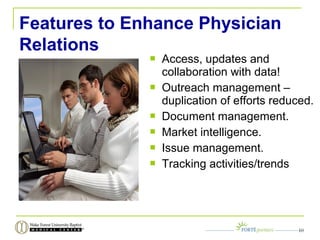
Features to Enhance Physician
Relations
 Access, updates and
collaboration with data!
 Outreach management –
duplication of efforts reduced.
 Document management.
 Market intelligence.
 Issue management.
 Tracking activities/trends
10
Added Organizational Benefits
 Enhanced relationship management.
 Real-time updates to physician database.
 Cost reductions -- the right things are being
done at the right time.
 Increased physician satisfaction.
 Spotlights trends and operational issues.
 Tracking progress against sales plan.
 Management reporting enhanced.
 Outreach process more efficient.
11
Overview of Various CRM Tools
1. Off-the-shelf programs
2. Installed or enterprise
software programs
--customizable or with
specific physician
relations features.
3. Web-based, vendor-
hosted systems
(SaaS)
12
Off-the-shelf Considerations
 “Off the shelf” doesn’t always mean
inexpensive.
 Most organizations need more than one
license.
 Many organizations like to have their off-the-
shelf programs “customized” or tailored to
their needs.
 No such thing as a fast solution.
 It is a process!
13
Installed, Enterprise Considerations
 Healthcare is unique.
 Niche market and vendor reputation.
 Enterprise CRM - sales, marketing, service,
and support staff can share information and
coordinate across the ENTIRE organization.
 IT capability of organization
 Scale flexibility
14
Lots of choices – demos free
 http://www.salesforce.com/
 http://www.rightnow.com/
 http://www.netsuite.com/portal/home.shtml
 http://www.maximizer.com/
 http://www.infusioncrm.com/
 http://www.highrisehq.com/
15
Hosted/SaaS/Web-based Considerations
 Entry cost can be lower.
 Depending on the vendor, implementation can be
fast and even easy.
 No need for hardware or IT support.
 Easily accessible – the internet.
 Security is a discussion point!
 Organization stability.
 Integration with Other Technologies
 Pay as you go but no ownership.
 Customization limited.
16
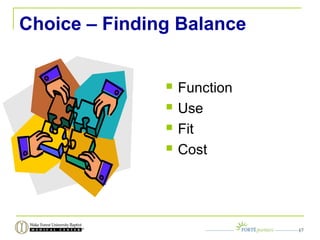
Choice – Finding Balance
 Function
 Use
 Fit
 Cost
17
More Parts of the Puzzle
 Access to the database – number and type of
users?
 Data integration considerations
 System hosting – especially if multiple sites
 Customization requirements
 Management reports
 Data security and data storage
 System administrator
 Training/support
18
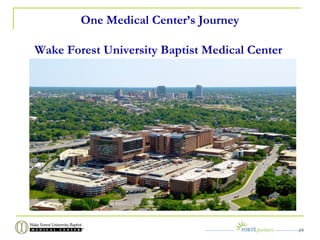
One Medical Center’s Journey
Wake Forest University Baptist Medical Center
19
Need for CRM Defined
 Not Most Customer-Friendly Model
 Practices visited by multiple people
 No single contact person for
institution
 Could not addresses needs
outside of their areas
 No global issue resolution process
- inefficient
20
Infrastructure and Support Tool
Needs
 Referral practice database
 Strategic outreach plan
 Sales plans
 Clear reporting relationship
 Contact management system
We needed help fast!!!
21
Outside Consultant Keeps the
Project Moving Forward
 Conducted internal interviews to assess needs
 Provided background information on CRM
 Provided recommendations based on needs
 Researched CRM technologies/companies
 Provided profiles of five companies
22
Cost Implications/Generalities
 Users?
 Customization?
 Solo or with a
consultant?
 Infrastructure impact?
 Hardware upgrades
 Data transfer?
 Training needs?
23
Key Points Underscored
 Don’t let great get in the way of good
 Obtain buy-in across organization for the
solution
 Outreach strategy should drive solution
24
Questions
 Suzanne Dewey
Forte Partners, LLC
sdewey@fortepartnersllc.com
25

Using CRM to Make Physician Referral Networking/Tracking Easier 10 09 Modified

  • 1.
    Physician Relations Made Easierwith Technology and CRM Society for Healthcare Strategy and Market Development Annual Conference – Orlando October 1, 2009
  • 2.
    Who We Are: Wake Forest University Baptist Medical Center:  Academic medical center  Physician Relations  Forte Partners, LLC  Business development consultants  Work with hospitals and physicians 2
  • 3.
    Learning Objectives 1. Understandbenefit/use of a CRM program. 2. Acquire basic knowledge of CRM systems and their primary functionality including issue tracking. 3. Case study 4. Learn essential investigation steps in exploring CRM options. 5. Discuss value added to outreach operations. 3
  • 4.
    Overview of Customer RelationshipManagement (CRM)  What is CRM?  Business process  Strategy vs. technology 4
  • 5.
    CRM as aBusiness Process  Many of your organizations are already involved with CRM.  May be using to track referrals, manage physician recruitment or outreach efforts. 5
  • 6.
    Technology Can EnhanceYour Process  More efficiency  More consistency  Central repository  Greater access  Historical tracking  Easier analysis 6
  • 7.
    A Bit ofHistory  CRM tools formerly expensive and only used by large corporations.  In earlier decade, CRM touted as revolutionary -- would change the way businesses interact with their customers.  CRM prestige fell short of promise because it requires people and processes to help it deliver on value.  Software and feature advances making CRM tools more useful and accessible. 7
  • 8.
    Basic Features inCRM Tools  Contact mgmt  Calendar interface  Pending/tasks  Activity tracking  Centralized information  Field/office 8
  • 9.
    CRM as aPhysician Tracking Tool  Architecture reinforcing physicians as customers.  Central physician database with distributed access.  Touch point documentation.  Sales planning.  Can integrate with other systems such as call center. 9
  • 10.
    Features to EnhancePhysician Relations  Access, updates and collaboration with data!  Outreach management – duplication of efforts reduced.  Document management.  Market intelligence.  Issue management.  Tracking activities/trends 10
  • 11.
    Added Organizational Benefits Enhanced relationship management.  Real-time updates to physician database.  Cost reductions -- the right things are being done at the right time.  Increased physician satisfaction.  Spotlights trends and operational issues.  Tracking progress against sales plan.  Management reporting enhanced.  Outreach process more efficient. 11
  • 12.
    Overview of VariousCRM Tools 1. Off-the-shelf programs 2. Installed or enterprise software programs --customizable or with specific physician relations features. 3. Web-based, vendor- hosted systems (SaaS) 12
  • 13.
    Off-the-shelf Considerations  “Offthe shelf” doesn’t always mean inexpensive.  Most organizations need more than one license.  Many organizations like to have their off-the- shelf programs “customized” or tailored to their needs.  No such thing as a fast solution.  It is a process! 13
  • 14.
    Installed, Enterprise Considerations Healthcare is unique.  Niche market and vendor reputation.  Enterprise CRM - sales, marketing, service, and support staff can share information and coordinate across the ENTIRE organization.  IT capability of organization  Scale flexibility 14
  • 15.
    Lots of choices– demos free  http://www.salesforce.com/  http://www.rightnow.com/  http://www.netsuite.com/portal/home.shtml  http://www.maximizer.com/  http://www.infusioncrm.com/  http://www.highrisehq.com/ 15
  • 16.
    Hosted/SaaS/Web-based Considerations  Entrycost can be lower.  Depending on the vendor, implementation can be fast and even easy.  No need for hardware or IT support.  Easily accessible – the internet.  Security is a discussion point!  Organization stability.  Integration with Other Technologies  Pay as you go but no ownership.  Customization limited. 16
  • 17.
    Choice – FindingBalance  Function  Use  Fit  Cost 17
  • 18.
    More Parts ofthe Puzzle  Access to the database – number and type of users?  Data integration considerations  System hosting – especially if multiple sites  Customization requirements  Management reports  Data security and data storage  System administrator  Training/support 18
  • 19.
    One Medical Center’sJourney Wake Forest University Baptist Medical Center 19
  • 20.
    Need for CRMDefined  Not Most Customer-Friendly Model  Practices visited by multiple people  No single contact person for institution  Could not addresses needs outside of their areas  No global issue resolution process - inefficient 20
  • 21.
    Infrastructure and SupportTool Needs  Referral practice database  Strategic outreach plan  Sales plans  Clear reporting relationship  Contact management system We needed help fast!!! 21
  • 22.
    Outside Consultant Keepsthe Project Moving Forward  Conducted internal interviews to assess needs  Provided background information on CRM  Provided recommendations based on needs  Researched CRM technologies/companies  Provided profiles of five companies 22
  • 23.
    Cost Implications/Generalities  Users? Customization?  Solo or with a consultant?  Infrastructure impact?  Hardware upgrades  Data transfer?  Training needs? 23
  • 24.
    Key Points Underscored Don’t let great get in the way of good  Obtain buy-in across organization for the solution  Outreach strategy should drive solution 24
  • 25.
    Questions  Suzanne Dewey FortePartners, LLC sdewey@fortepartnersllc.com 25

Editor's Notes

  • #3 Welcome
  • #4 Objectives – overview of CRM (history/types/functions) What to look for in CRM tool, WFUBMC case, how add value
  • #5 Application and strategy. Application is ASSIST for mkting, sales, service and reporting. UNIFYING customer interactions
  • #6 ? How many employing some type of CRM? Various formats (paper files, excel, outlook) National Survey w/ CHG and Strat HC Mkting in 2007 – top applications (Excel 26%, ACT 21%, home grown 21%, paper system 14% and Access 13% Satisfaction == same survey only 1/3 had strong satisfaction ?? How many satisfied if have system – what want it to do?? Write down on flip chart
  • #7 Organizations = good people Story of Mary, the physician liaison and the courted physician who needed special service Value of each item -- explain
  • #8 Lots of promise Silver bullet No integration of strategy w/ reality 1980sdatabase mkting 1990sbecame two-way, proliferation of Frequent Flier 2000scontinously update customer preferences/needs silo redux great customer knowledge == listening == not giving lip service…
  • #9 Explain functions Power of centralized information == example of lab complaint
  • #10 CRM == patients, physicians Tracking Tool == live, up to date, detailed rolodex you can’t remember it all Accumulation of info to see patterns, make assessments
  • #11 Issues Mgmt Mkt intelligence Document mgmt Training tool for new liaisons Data integration and collaboration
  • #12 ??? Do you know which physicians prefer consulting reports via email/fax/phone/letter? Pri care seeking more choice w/ orthopedics IMAGINE THE DIFFERENCE service to phy based on profile good news with recruit personal detail of office mgr. CRM == feel special and wanted
  • #13 Right Now Technologies, SalesForce.com, Microsoft Dynamics CRM, Oracle, NetSuite, ACT, Zoho, Sage, Eloquo, Sugar CRM, Silverpop === so much choice Essentially 3 types but these lines getting blurred Each category – own benefits Know your needs upfrontIT resources??use across organization?? Questions to ask? will db be shared?Access to data from mobile platforms?Shared corporate calendar? Automated follow-up system? Tracking of issues mgmt?Shared knowledge base?
  • #14 Pkg apps remove some risk Development time can be reduced Don’t need to know lines of code to reconfigure May still need guidance beyond hospital IT for report tailoring, issues mgmt protocol
  • #15 In HC, complicated – customer portfolio complex – patient & physician when add HIPPA regs == endeavors more complicated Value of using solution specifically designed to hc or at least with vendors who are knowledgeable of hc In addition to slide points – don’t start learning to drive w/ a Farrari build incrementally Data conversions == Buxton example == procured system but didn’t realized had data conversion issue
  • #16 Value in sampling website info testimonials demos on-line chat A few independent CRM resources that provide reviews CRMforecast.com Forrester.com == paid info
  • #17 Consider total cost of ownership when making comparisons enterprise will cost more because it does more Save hard-ware costs if not housed on own internal system and accessed via web User accessibility important BIDMC and CITRIX example Real-time updates vs. lag Pay as you go – no ownership -- cost examples later
  • #18 Slide summarizes issues in nutshell == solution not necessarily better – it is how works w/ your organization FUNCTIONALITY – what are you going to do?track service satisfaction?collect and profile mkt intel? monitor and enhance business dev?Create must have vs. nice to have DETERMINE NEEDS FIRST USE – driving metaphor of Ferrari – BUXTON – little dept that thought it could… SHOULD MAKE LIFE EASIER for end-user == litmus test training and end-user considerations – ADVOCATE example (GM vs. Access) FIT – vendor (tenure, other clients, how handle ur data, security, prior hc experience, data conversion process, how do you feel about them? COST – an obvious factor that we get into more detail in a bit
  • #19 Cost last for a reason == low price vs. low cost Examine cost w/ other key issues Price can be tricky – try to see total cost (training, data issues, on-going support/maintenance, upgrades Have overview in general terms – WFUBMC Case Study -- specifcs
  • #24 Finding balance of nutshell issues (function, use, fit and cost) unique to each org. Plan it out first before looking in earnest – integrate w/ call center right off? Physician recruitment module? Work w/ patients? Great resources here – exhibitors MktWare, Microsoft Dynamics CRM (Software Solutions Group) – other vendors that have CRM w/ mkting or other twist include Reach3, CPM Marketing, Kontact Intelligence.
  • #25 Top 3 reason to use CRM provides internal communication and cohesion for phy rels (silo busting) supports retention efforts – svc and mechanism for issue tracking and reporting reinforces phys rels program value via reporting features