Using Cookies and Sessions
By
Sana Mateen
Cookie vs session
cookie
• A cookie is a small piece of text stored
on a user's computer by their browser.
Common uses for cookies are
authentication, storing of site
preferences, shopping cart items, and
server session identification.
• Each time the users' web browser
interacts with a web server it will pass
the cookie information to the web
server. Only the cookies stored by the
browser that relate to the domain in
the requested URL will be sent to the
server. This means that cookies that
relate to www.example.com will not be
sent to www.exampledomain.com.
• In essence, a cookie is a great way of
linking one page to the next for a user's
interaction with a web site or web
application.
session
• A session can be defined as a server-
side storage of information that is
desired to persist throughout the
user's interaction with the web site or
web application.
• Instead of storing large and constantly
changing information via cookies in
the user's browser, only a unique
identifier is stored on the client side
(called a "session id"). This session id
is passed to the web server every time
the browser makes an HTTP request
(ie a page link or AJAX request). The
web application pairs this session id
with it's internal database and
retrieves the stored variables for use
by the requested page.
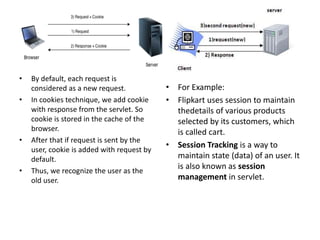
• By default, each request is
considered as a new request.
• In cookies technique, we add cookie
with response from the servlet. So
cookie is stored in the cache of the
browser.
• After that if request is sent by the
user, cookie is added with request by
default.
• Thus, we recognize the user as the
old user.
• For Example:
• Flipkart uses session to maintain
thedetails of various products
selected by its customers, which
is called cart.
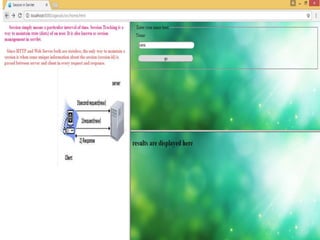
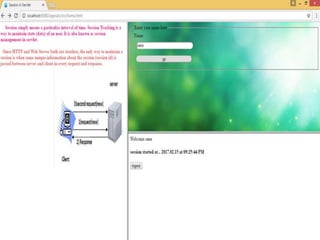
• Session Tracking is a way to
maintain state (data) of an user. It
is also known as session
management in servlet.
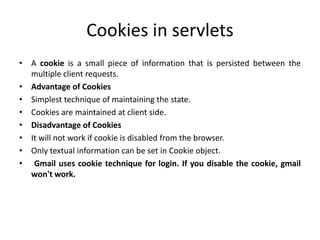
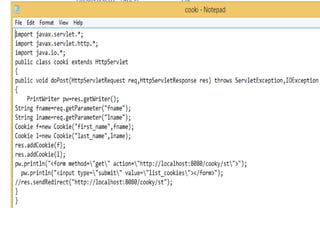
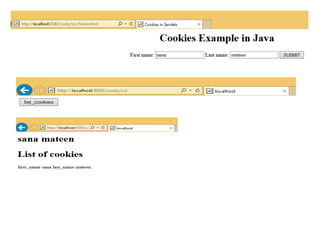
Cookies in servlets
• A cookie is a small piece of information that is persisted between the
multiple client requests.
• Advantage of Cookies
• Simplest technique of maintaining the state.
• Cookies are maintained at client side.
• Disadvantage of Cookies
• It will not work if cookie is disabled from the browser.
• Only textual information can be set in Cookie object.
• Gmail uses cookie technique for login. If you disable the cookie, gmail
won't work.
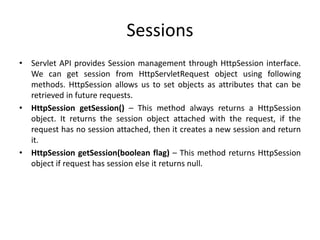
Sessions
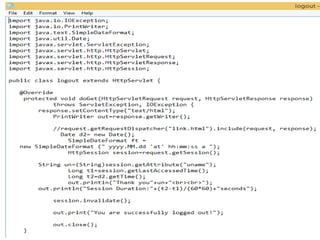
• Servlet API provides Session management through HttpSession interface.
We can get session from HttpServletRequest object using following
methods. HttpSession allows us to set objects as attributes that can be
retrieved in future requests.
• HttpSession getSession() – This method always returns a HttpSession
object. It returns the session object attached with the request, if the
request has no session attached, then it creates a new session and return
it.
• HttpSession getSession(boolean flag) – This method returns HttpSession
object if request has session else it returns null.
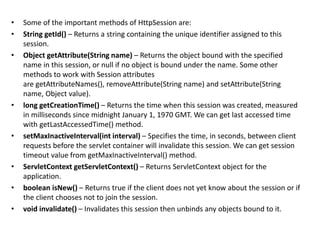
• Some of the important methods of HttpSession are:
• String getId() – Returns a string containing the unique identifier assigned to this
session.
• Object getAttribute(String name) – Returns the object bound with the specified
name in this session, or null if no object is bound under the name. Some other
methods to work with Session attributes
are getAttributeNames(), removeAttribute(String name) and setAttribute(String
name, Object value).
• long getCreationTime() – Returns the time when this session was created, measured
in milliseconds since midnight January 1, 1970 GMT. We can get last accessed time
with getLastAccessedTime() method.
• setMaxInactiveInterval(int interval) – Specifies the time, in seconds, between client
requests before the servlet container will invalidate this session. We can get session
timeout value from getMaxInactiveInterval() method.
• ServletContext getServletContext() – Returns ServletContext object for the
application.
• boolean isNew() – Returns true if the client does not yet know about the session or if
the client chooses not to join the session.
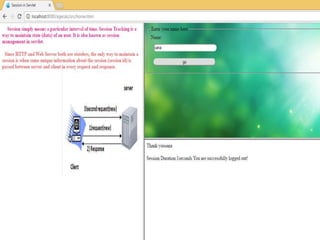
• void invalidate() – Invalidates this session then unbinds any objects bound to it.
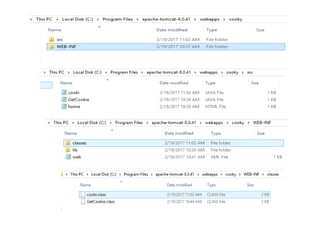
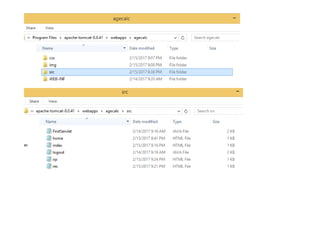
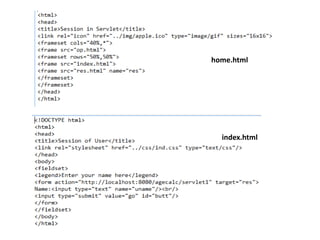
home.html
index.html
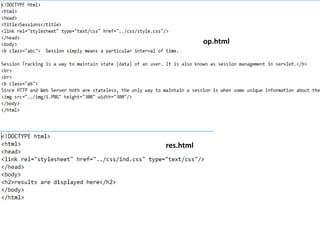
op.html
res.html
Using cookies and sessions

Using cookies and sessions

  • 1.
    Using Cookies andSessions By Sana Mateen
  • 2.
    Cookie vs session cookie •A cookie is a small piece of text stored on a user's computer by their browser. Common uses for cookies are authentication, storing of site preferences, shopping cart items, and server session identification. • Each time the users' web browser interacts with a web server it will pass the cookie information to the web server. Only the cookies stored by the browser that relate to the domain in the requested URL will be sent to the server. This means that cookies that relate to www.example.com will not be sent to www.exampledomain.com. • In essence, a cookie is a great way of linking one page to the next for a user's interaction with a web site or web application. session • A session can be defined as a server- side storage of information that is desired to persist throughout the user's interaction with the web site or web application. • Instead of storing large and constantly changing information via cookies in the user's browser, only a unique identifier is stored on the client side (called a "session id"). This session id is passed to the web server every time the browser makes an HTTP request (ie a page link or AJAX request). The web application pairs this session id with it's internal database and retrieves the stored variables for use by the requested page.
  • 3.
    • By default,each request is considered as a new request. • In cookies technique, we add cookie with response from the servlet. So cookie is stored in the cache of the browser. • After that if request is sent by the user, cookie is added with request by default. • Thus, we recognize the user as the old user. • For Example: • Flipkart uses session to maintain thedetails of various products selected by its customers, which is called cart. • Session Tracking is a way to maintain state (data) of an user. It is also known as session management in servlet.
  • 4.
    Cookies in servlets •A cookie is a small piece of information that is persisted between the multiple client requests. • Advantage of Cookies • Simplest technique of maintaining the state. • Cookies are maintained at client side. • Disadvantage of Cookies • It will not work if cookie is disabled from the browser. • Only textual information can be set in Cookie object. • Gmail uses cookie technique for login. If you disable the cookie, gmail won't work.
  • 10.
    Sessions • Servlet APIprovides Session management through HttpSession interface. We can get session from HttpServletRequest object using following methods. HttpSession allows us to set objects as attributes that can be retrieved in future requests. • HttpSession getSession() – This method always returns a HttpSession object. It returns the session object attached with the request, if the request has no session attached, then it creates a new session and return it. • HttpSession getSession(boolean flag) – This method returns HttpSession object if request has session else it returns null.
  • 11.
    • Some ofthe important methods of HttpSession are: • String getId() – Returns a string containing the unique identifier assigned to this session. • Object getAttribute(String name) – Returns the object bound with the specified name in this session, or null if no object is bound under the name. Some other methods to work with Session attributes are getAttributeNames(), removeAttribute(String name) and setAttribute(String name, Object value). • long getCreationTime() – Returns the time when this session was created, measured in milliseconds since midnight January 1, 1970 GMT. We can get last accessed time with getLastAccessedTime() method. • setMaxInactiveInterval(int interval) – Specifies the time, in seconds, between client requests before the servlet container will invalidate this session. We can get session timeout value from getMaxInactiveInterval() method. • ServletContext getServletContext() – Returns ServletContext object for the application. • boolean isNew() – Returns true if the client does not yet know about the session or if the client chooses not to join the session. • void invalidate() – Invalidates this session then unbinds any objects bound to it.
  • 13.
  • 14.