Javascript Event Handling
Chapter 9
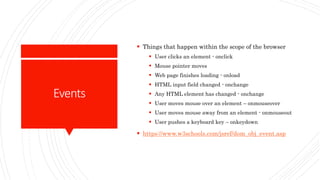
Events
 Things that happen within the scope of the browser
 User clicks an element - onclick
 Mouse pointer moves
 Web page finishes loading - onload
 HTML input field changed - onchange
 Any HTML element has changed - onchange
 User moves mouse over an element – onmouseover
 User moves mouse away from an element - onmouseout
 User pushes a keyboard key – onkeydown
 https://www.w3schools.com/jsref/dom_obj_event.asp
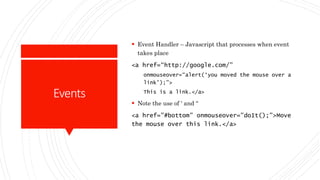
Events
 Event Handler – Javascript that processes when event
takes place
<a href=“http://google.com/”
onmouseover=“alert(‘you moved the mouse over a
link’);”>
This is a link.</a>
 Note the use of ‘ and “
<a href="#bottom" onmouseover="doIt();">Move
the mouse over this link.</a>
LiveCode
 Write a javascript program that allows the user to
enter text into an input field. Hit a button that checks
to see if the text is a palindrome. Display an
appropriate message.
LiveCode  Display random numbers
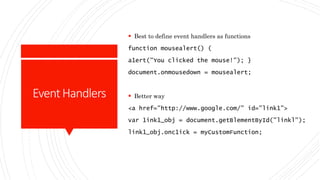
EventHandlers
 Best to define event handlers as functions
function mousealert() (
a1ert("You clicked the mouse!"); }
document.onmousedown = mousealert;
 Better way
<a href="http://www.google.com/" id="link1">
var 1ink1_obj = document.getBlementById("linkl");
link1_obj.onc1ick = myCustomFunction;
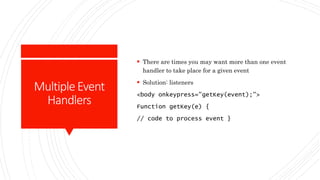
MultipleEvent
Handlers
 There are times you may want more than one event
handler to take place for a given event
 Solution: listeners
<body onkeypress="getKey(event);">
Function getKey(e) {
// code to process event }
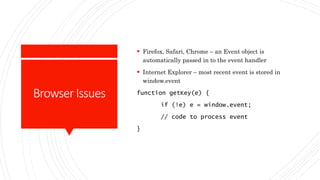
BrowserIssues
 Firefox, Safari, Chrome – an Event object is
automatically passed in to the event handler
 Internet Explorer – most recent event is stored in
window.event
function getKey(e) {
if (!e) e = window.event;
// code to process event
}

Upstate CSCI 450 WebDev Chapter 9

  • 1.
  • 2.
    Events  Things thathappen within the scope of the browser  User clicks an element - onclick  Mouse pointer moves  Web page finishes loading - onload  HTML input field changed - onchange  Any HTML element has changed - onchange  User moves mouse over an element – onmouseover  User moves mouse away from an element - onmouseout  User pushes a keyboard key – onkeydown  https://www.w3schools.com/jsref/dom_obj_event.asp
  • 3.
    Events  Event Handler– Javascript that processes when event takes place <a href=“http://google.com/” onmouseover=“alert(‘you moved the mouse over a link’);”> This is a link.</a>  Note the use of ‘ and “ <a href="#bottom" onmouseover="doIt();">Move the mouse over this link.</a>
  • 4.
    LiveCode  Write ajavascript program that allows the user to enter text into an input field. Hit a button that checks to see if the text is a palindrome. Display an appropriate message.
  • 5.
    LiveCode  Displayrandom numbers
  • 6.
    EventHandlers  Best todefine event handlers as functions function mousealert() ( a1ert("You clicked the mouse!"); } document.onmousedown = mousealert;  Better way <a href="http://www.google.com/" id="link1"> var 1ink1_obj = document.getBlementById("linkl"); link1_obj.onc1ick = myCustomFunction;
  • 7.
    MultipleEvent Handlers  There aretimes you may want more than one event handler to take place for a given event  Solution: listeners <body onkeypress="getKey(event);"> Function getKey(e) { // code to process event }
  • 8.
    BrowserIssues  Firefox, Safari,Chrome – an Event object is automatically passed in to the event handler  Internet Explorer – most recent event is stored in window.event function getKey(e) { if (!e) e = window.event; // code to process event }