Unlocking the Cloud:A Practical Guide to Cloud
Computing
Explore the fundamentals of cloud computing, its diverse service models, deployment strategies, and real-world
applications. This document provides a comprehensive overview for students and early-career IT professionals.
2.
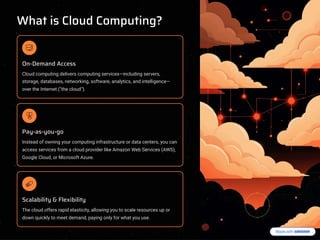
What is CloudComputing?
On-Demand Access
Cloud computing delivers computing services4including servers,
storage, databases, networking, software, analytics, and intelligence4
over the Internet ("the cloud").
Pay-as-you-go
Instead of owning your computing infrastructure or data centers, you can
access services from a cloud provider like Amazon Web Services (AWS),
Google Cloud, or Microsoft Azure.
Scalability & Flexibility
The cloud offers rapid elasticity, allowing you to scale resources up or
down quickly to meet demand, paying only for what you use.
3.
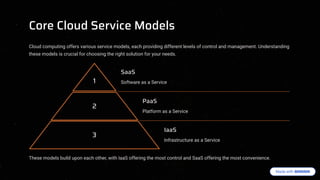
Core Cloud ServiceModels
Cloud computing offers various service models, each providing different levels of control and management. Understanding
these models is crucial for choosing the right solution for your needs.
1
SaaS
Software as a Service
2
PaaS
Platform as a Service
3
IaaS
Infrastructure as a Service
These models build upon each other, with IaaS offering the most control and SaaS offering the most convenience.
4.
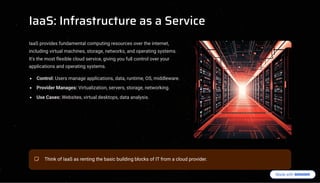
IaaS: Infrastructure asa Service
IaaS provides fundamental computing resources over the internet,
including virtual machines, storage, networks, and operating systems.
It's the most flexible cloud service, giving you full control over your
applications and operating systems.
Control: Users manage applications, data, runtime, OS, middleware.
Provider Manages: Virtualization, servers, storage, networking.
Use Cases: Websites, virtual desktops, data analysis.
Think of IaaS as renting the basic building blocks of IT from a cloud provider.
5.
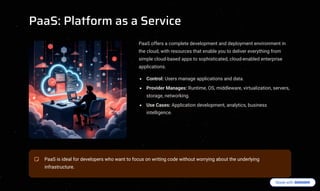
PaaS: Platform asa Service
PaaS offers a complete development and deployment environment in
the cloud, with resources that enable you to deliver everything from
simple cloud-based apps to sophisticated, cloud-enabled enterprise
applications.
Control: Users manage applications and data.
Provider Manages: Runtime, OS, middleware, virtualization, servers,
storage, networking.
Use Cases: Application development, analytics, business
intelligence.
PaaS is ideal for developers who want to focus on writing code without worrying about the underlying
infrastructure.
6.
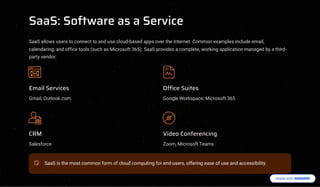
SaaS: Software asa Service
SaaS allows users to connect to and use cloud-based apps over the Internet. Common examples include email,
calendaring, and office tools (such as Microsoft 365). SaaS provides a complete, working application managed by a third-
party vendor.
Email Services
Gmail, Outlook.com
Office Suites
Google Workspace, Microsoft 365
CRM
Salesforce
Video Conferencing
Zoom, Microsoft Teams
SaaS is the most common form of cloud computing for end-users, offering ease of use and accessibility.
7.
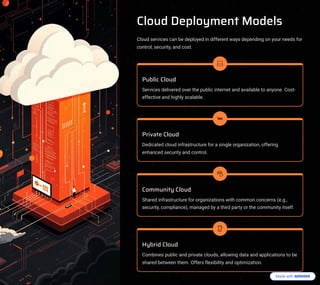
Cloud Deployment Models
Cloudservices can be deployed in different ways depending on your needs for
control, security, and cost.
Public Cloud
Services delivered over the public internet and available to anyone. Cost-
effective and highly scalable.
Private Cloud
Dedicated cloud infrastructure for a single organization, offering
enhanced security and control.
Community Cloud
Shared infrastructure for organizations with common concerns (e.g.,
security, compliance), managed by a third party or the community itself.
Hybrid Cloud
Combines public and private clouds, allowing data and applications to be
shared between them. Offers flexibility and optimization.
8.
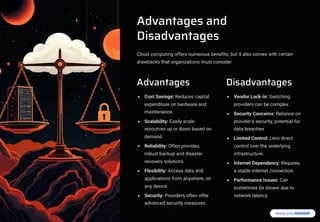
Advantages and
Disadvantages
Cloud computingoffers numerous benefits, but it also comes with certain
drawbacks that organizations must consider.
Advantages
Cost Savings: Reduces capital
expenditure on hardware and
maintenance.
Scalability: Easily scale
resources up or down based on
demand.
Reliability: Often provides
robust backup and disaster
recovery solutions.
Flexibility: Access data and
applications from anywhere, on
any device.
Security: Providers often offer
advanced security measures.
Disadvantages
Vendor Lock-in: Switching
providers can be complex.
Security Concerns: Reliance on
provider's security, potential for
data breaches.
Limited Control: Less direct
control over the underlying
infrastructure.
Internet Dependency: Requires
a stable internet connection.
Performance Issues: Can
sometimes be slower due to
network latency.
9.
Popular Cloud ServiceProviders
The cloud market is dominated by several major players, each offering a comprehensive suite of services.
These providers continuously innovate, offering diverse solutions for compute, storage, networking, machine learning, and
more.
10.
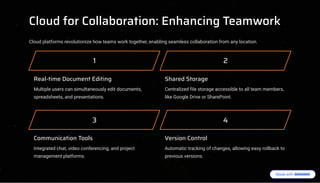
Cloud for Collaboration:Enhancing Teamwork
Cloud platforms revolutionize how teams work together, enabling seamless collaboration from any location.
1
Real-time Document Editing
Multiple users can simultaneously edit documents,
spreadsheets, and presentations.
2
Shared Storage
Centralized file storage accessible to all team members,
like Google Drive or SharePoint.
3
Communication Tools
Integrated chat, video conferencing, and project
management platforms.
4
Version Control
Automatic tracking of changes, allowing easy rollback to
previous versions.