Introduction to Typography in UI/UX Design
Typography plays a crucial role in UI/UX design, shaping how users interact with digital interfaces. This
presentation will explore the significance of typography, strategies for choosing the right typeface, and best
practices for creating visually appealing and readable designs.
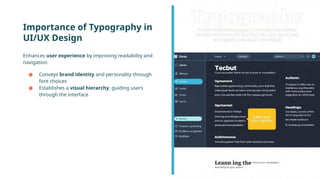
Importance of Typography in
UI/UX Design
Enhances user experience by improving readability and
navigation
● Conveys brand identity and personality through
font choices
● Establishes a visual hierarchy, guiding users
through the interface
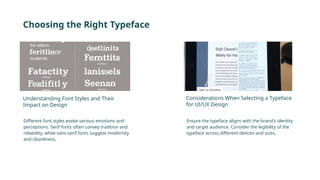
Choosing the Right Typeface
Different font styles evoke various emotions and
perceptions. Serif fonts often convey tradition and
reliability, while sans-serif fonts suggest modernity
and cleanliness.
Ensure the typeface aligns with the brand's identity
and target audience. Consider the legibility of the
typeface across different devices and sizes.
Understanding Font Styles and Their
Impact on Design
Considerations When Selecting a Typeface
for UI/UX Design
Establishing Hierarchy with Typography
Use varying font sizes and weights to distinguish headings,
subheadings, and body text. A clear hierarchy helps users navigate
content effortlessly.
Employ typography strategically to draw attention to key
elements, such as calls to action or important information. Utilize
contrast in font styles to make critical content stand out.
Creating Visual Hierarchy with Font Size
and Weight
Using Typography to Guide User Attention
Creating Readable Texts
Aim for a line length of 50-75 characters for optimal reading
comfort. Adequate line spacing enhances readability and
prevents text from feeling cramped.
Ensure sufficient contrast between text and background
colors for better legibility. Choose colors that are easy on
the eyes to maintain user engagement.
Optimal Line Length and Spacing for Improved
Readability
Contrast and Legibility Considerations in UI/UX
Design
Combining Fonts Effectively
Limit font combinations to two or three typefaces
to maintain consistency. Pair complementary fonts
that enhance the overall aesthetic without clashing.
Use contrasting styles (e.g., serif with sans-serif) to
create visual interest. Ensure that the paired fonts
share similar characteristics for a cohesive look.
Guidelines for Pairing Typefaces in UI/UX
Design
Creating Contrast and Harmony with Font
Combinations
Utilizing Typography for Branding
Select typefaces that reflect the brand's values and
personality. Typography should resonate with the target
audience and enhance brand recall.
Maintain consistent typography across all digital platforms
to strengthen brand identity. Establish a typography style
guide to ensure uniformity in font usage.
Incorporating Brand Personality Through
Typography
Creating Consistency in Typography Across
Platforms
Considerations for Responsive Typography
Use responsive design principles to adjust font sizes and styles for
various devices. Test typography on multiple screen sizes to
ensure optimal user experience.
Implement fluid typography that scales smoothly across different
resolutions. Define breakpoints to adjust typography settings
based on screen size.
Adapting Typography for Different Screen
Sizes and Resolutions
Fluid Typography and Breakpoints in
Responsive UI/UX Design
Typography and Accessibility in UI/UX Design
Prioritize accessibility by choosing fonts that are
easy to read for all users. Consider users with
visual impairments when selecting typefaces and
colors.
Follow established guidelines for font size,
contrast, and spacing to enhance readability.
Regularly test designs with diverse user groups to
ensure inclusivity.
Designing Inclusive Experiences with
Accessible Typography
Guidelines for Optimal Readability for All
Users
Conclusion and Key
Takeaways
In conclusion, effective typography is essential for
creating stunning UI/UX designs. By understanding its
importance, choosing the right typeface, establishing
hierarchy, ensuring readability, and considering
accessibility, designers can create interfaces that are not
only visually appealing but also enhance the overall user
experience.

Typography Tips for Stunning UI/UX Design

  • 1.
    Introduction to Typographyin UI/UX Design Typography plays a crucial role in UI/UX design, shaping how users interact with digital interfaces. This presentation will explore the significance of typography, strategies for choosing the right typeface, and best practices for creating visually appealing and readable designs.
  • 2.
    Importance of Typographyin UI/UX Design Enhances user experience by improving readability and navigation ● Conveys brand identity and personality through font choices ● Establishes a visual hierarchy, guiding users through the interface
  • 3.
    Choosing the RightTypeface Different font styles evoke various emotions and perceptions. Serif fonts often convey tradition and reliability, while sans-serif fonts suggest modernity and cleanliness. Ensure the typeface aligns with the brand's identity and target audience. Consider the legibility of the typeface across different devices and sizes. Understanding Font Styles and Their Impact on Design Considerations When Selecting a Typeface for UI/UX Design
  • 4.
    Establishing Hierarchy withTypography Use varying font sizes and weights to distinguish headings, subheadings, and body text. A clear hierarchy helps users navigate content effortlessly. Employ typography strategically to draw attention to key elements, such as calls to action or important information. Utilize contrast in font styles to make critical content stand out. Creating Visual Hierarchy with Font Size and Weight Using Typography to Guide User Attention
  • 5.
    Creating Readable Texts Aimfor a line length of 50-75 characters for optimal reading comfort. Adequate line spacing enhances readability and prevents text from feeling cramped. Ensure sufficient contrast between text and background colors for better legibility. Choose colors that are easy on the eyes to maintain user engagement. Optimal Line Length and Spacing for Improved Readability Contrast and Legibility Considerations in UI/UX Design
  • 6.
    Combining Fonts Effectively Limitfont combinations to two or three typefaces to maintain consistency. Pair complementary fonts that enhance the overall aesthetic without clashing. Use contrasting styles (e.g., serif with sans-serif) to create visual interest. Ensure that the paired fonts share similar characteristics for a cohesive look. Guidelines for Pairing Typefaces in UI/UX Design Creating Contrast and Harmony with Font Combinations
  • 7.
    Utilizing Typography forBranding Select typefaces that reflect the brand's values and personality. Typography should resonate with the target audience and enhance brand recall. Maintain consistent typography across all digital platforms to strengthen brand identity. Establish a typography style guide to ensure uniformity in font usage. Incorporating Brand Personality Through Typography Creating Consistency in Typography Across Platforms
  • 8.
    Considerations for ResponsiveTypography Use responsive design principles to adjust font sizes and styles for various devices. Test typography on multiple screen sizes to ensure optimal user experience. Implement fluid typography that scales smoothly across different resolutions. Define breakpoints to adjust typography settings based on screen size. Adapting Typography for Different Screen Sizes and Resolutions Fluid Typography and Breakpoints in Responsive UI/UX Design
  • 9.
    Typography and Accessibilityin UI/UX Design Prioritize accessibility by choosing fonts that are easy to read for all users. Consider users with visual impairments when selecting typefaces and colors. Follow established guidelines for font size, contrast, and spacing to enhance readability. Regularly test designs with diverse user groups to ensure inclusivity. Designing Inclusive Experiences with Accessible Typography Guidelines for Optimal Readability for All Users
  • 10.
    Conclusion and Key Takeaways Inconclusion, effective typography is essential for creating stunning UI/UX designs. By understanding its importance, choosing the right typeface, establishing hierarchy, ensuring readability, and considering accessibility, designers can create interfaces that are not only visually appealing but also enhance the overall user experience.