Content Layout
TransportLayer
Functions
Services provided to the layers
Assigning port Number
Multiplexing and Demultiplexing
Transport Layer Protocols
Transport Layer:
Thetransport layer is the fourth layer in the OSI model and the
second layer in the TCP/IP model.
The transport layer provides with end to end connection between
the source and the destination and reliable delivery of the services.
Therefore transport layer is known as the end-to-end layer.
The transport layer takes the services from its upward layer which
is the application layer and provides it to the network layer.
6.
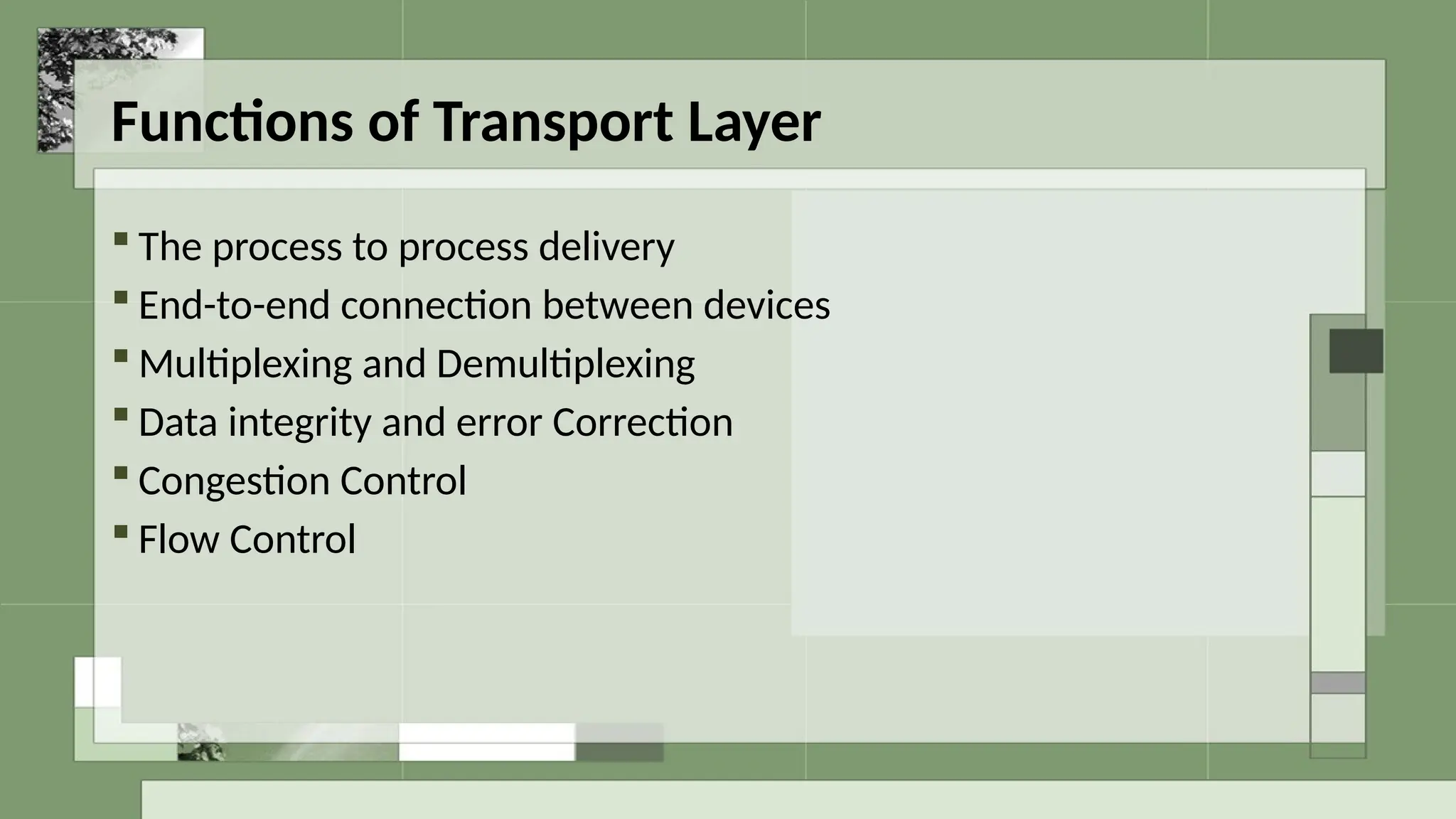
Functions of TransportLayer
The process to process delivery
End-to-end connection between devices
Multiplexing and Demultiplexing
Data integrity and error Correction
Congestion Control
Flow Control
7.
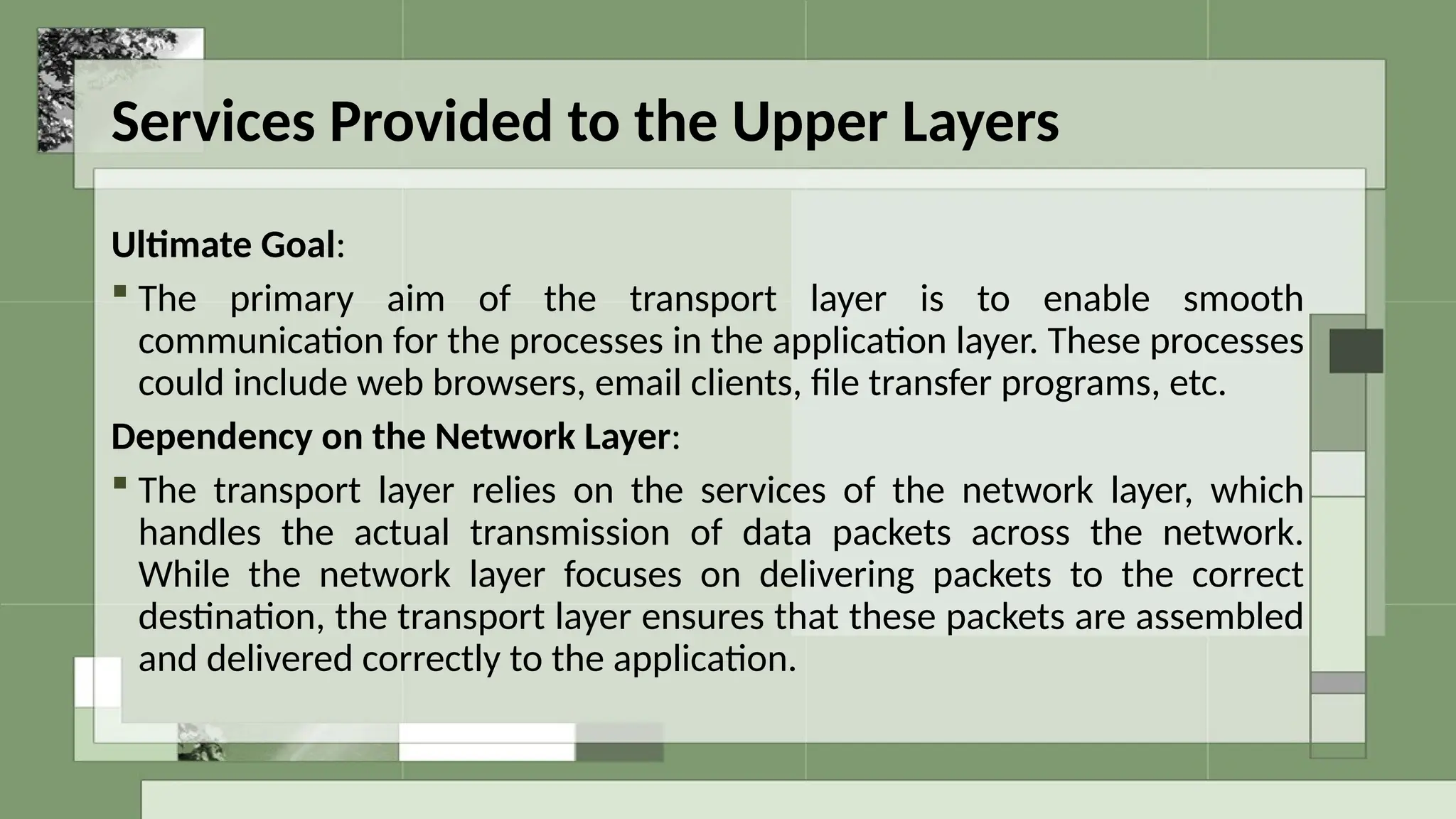
Services Provided tothe Upper Layers
Ultimate Goal:
The primary aim of the transport layer is to enable smooth
communication for the processes in the application layer. These processes
could include web browsers, email clients, file transfer programs, etc.
Dependency on the Network Layer:
The transport layer relies on the services of the network layer, which
handles the actual transmission of data packets across the network.
While the network layer focuses on delivering packets to the correct
destination, the transport layer ensures that these packets are assembled
and delivered correctly to the application.
8.
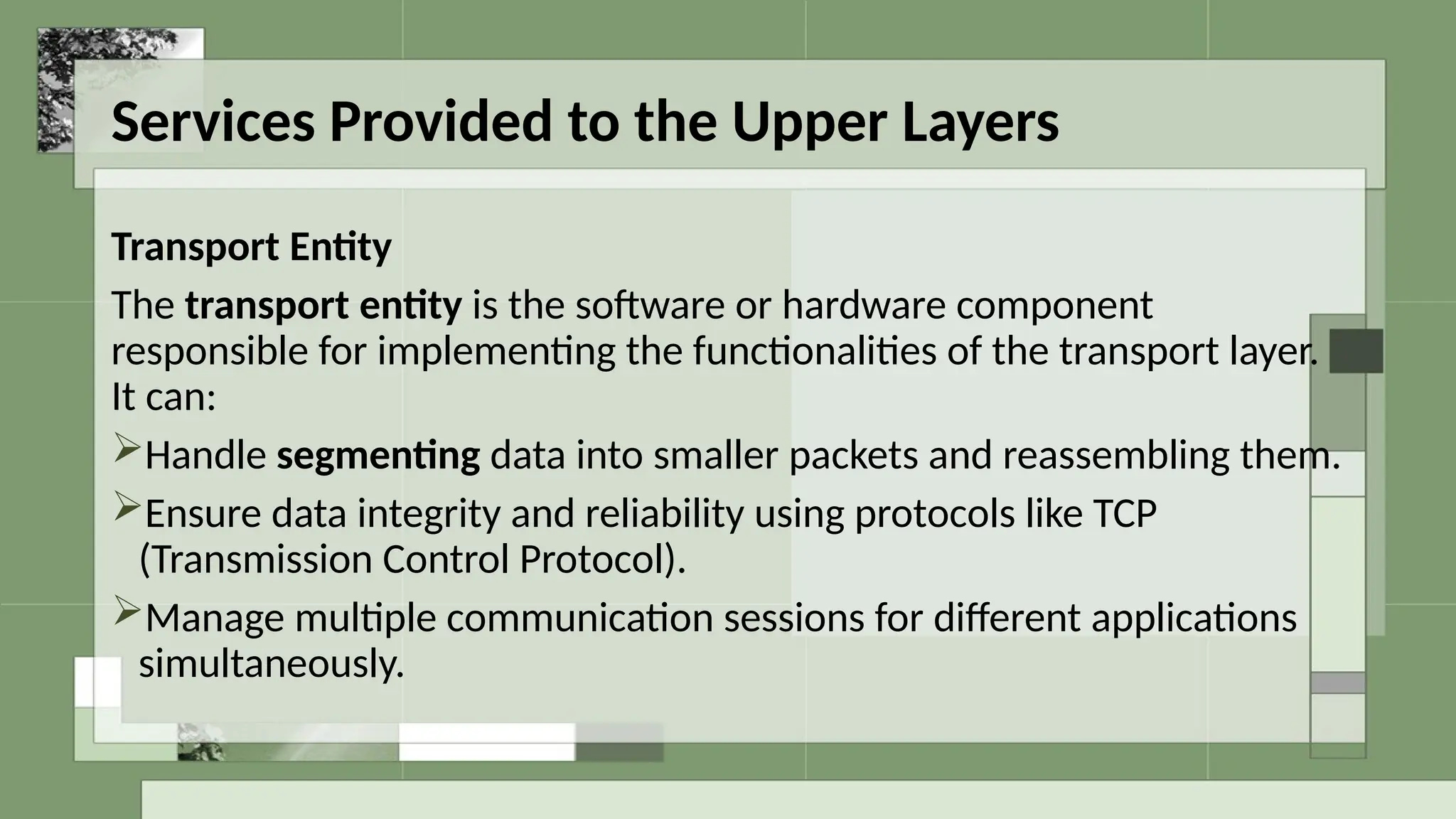
Services Provided tothe Upper Layers
Transport Entity
The transport entity is the software or hardware component
responsible for implementing the functionalities of the transport layer.
It can:
Handle segmenting data into smaller packets and reassembling them.
Ensure data integrity and reliability using protocols like TCP
(Transmission Control Protocol).
Manage multiple communication sessions for different applications
simultaneously.
Working of TransportLayer:
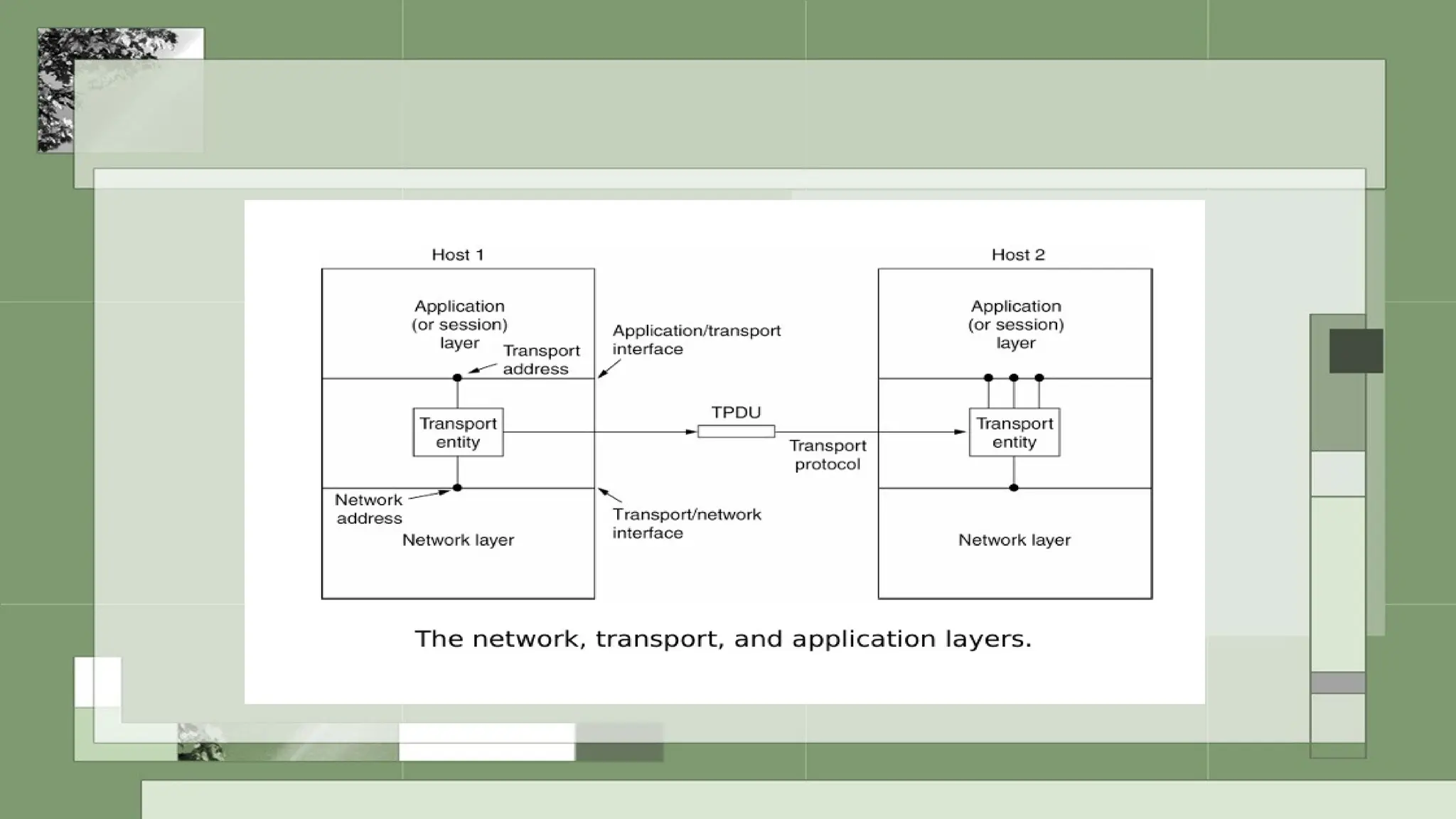
Responsible for reliable data delivery between applications running
on Host 1 and Host 2.
Transport Entity: A component (software or hardware) that
manages the transport layer's tasks, such as segmentation, error
checking, and reassembly of data.
TPDU (Transport Protocol Data Unit): The unit of data exchanged
at the transport layer. It encapsulates the data received from the
application layer and prepares it for transmission to the network
layer.
12.
Interfaces
Application/Transport Interface:
This is where the application layer hands off data to the transport layer for
delivery.
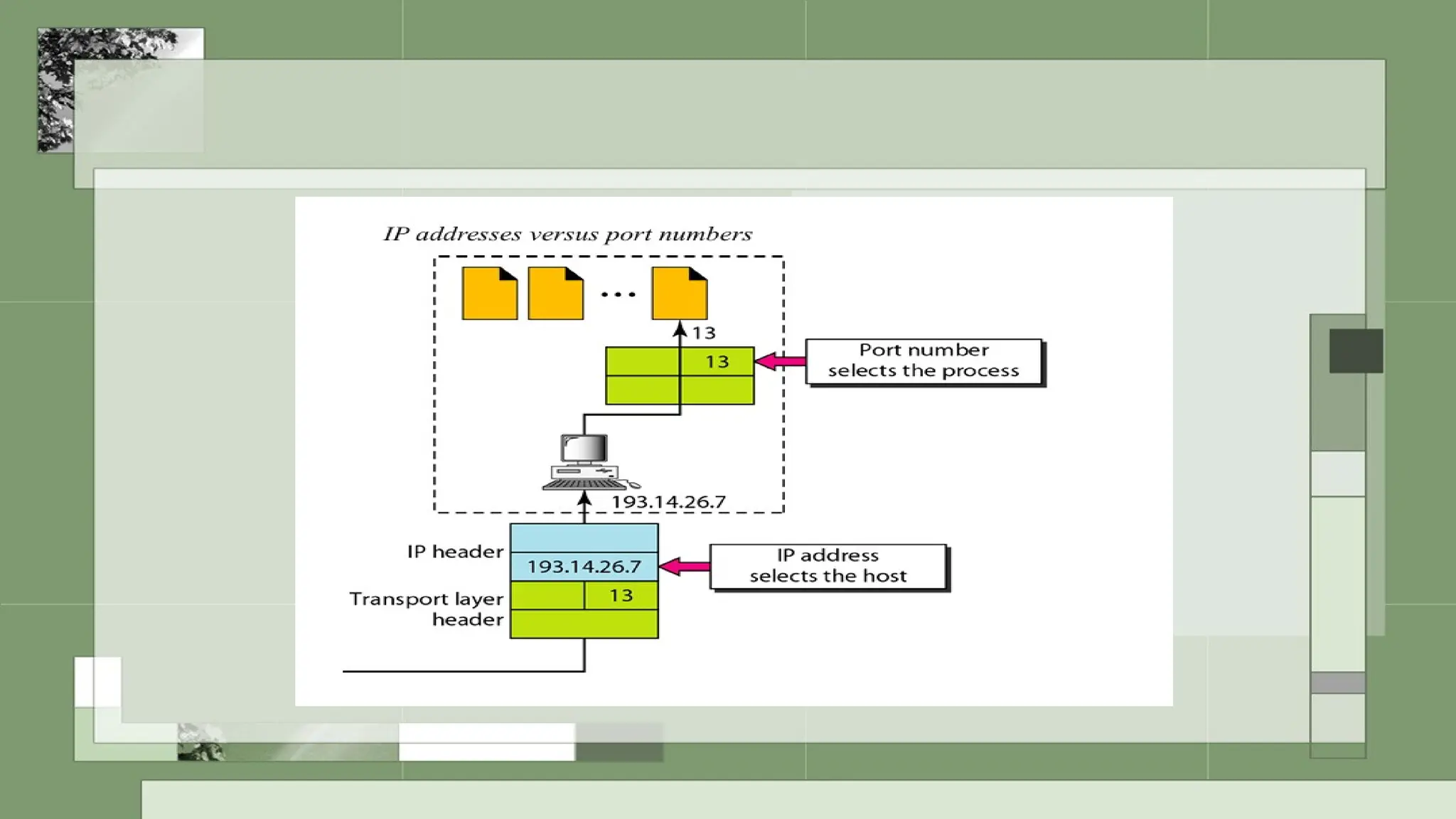
The transport layer assigns a transport address (e.g., port number) to
ensure the correct application receives the data.
Transport/Network Interface:
The transport layer sends the encapsulated TPDU to the network layer for
further processing, such as routing and delivery to the correct host.
The network layer uses the network address to ensure the data reaches
the correct destination host.
Key Concepts:
IP Address:
The IP address identifies the specific host (computer or device) on the
network.
Port Number:
The port number identifies the specific process (application) running on
the host.
Headers:
IP Header: Contains the IP address to ensure the data packet reaches the
correct host.
Transport Layer Header: Contains the port number to ensure the data is
delivered to the correct process within the host.
16.
How It Works
SendingData:
•A process (e.g., an application) on the sender's device generates
data.
•The transport layer attaches a transport layer header with a
port number (13 in this case), identifying the intended process on
the receiving host.
•The network layer adds an IP header with the destination IP
address (193.14.26.7), identifying the host where the data is to be
delivered.
17.
How It Works
ReceivingData:
The data packet arrives at the receiving host identified by the
IP address in the IP header.
Once the data reaches the host, the transport layer reads the
port number in the transport layer header to determine which
process (application) should handle the data.
Multiplexing
Definition:
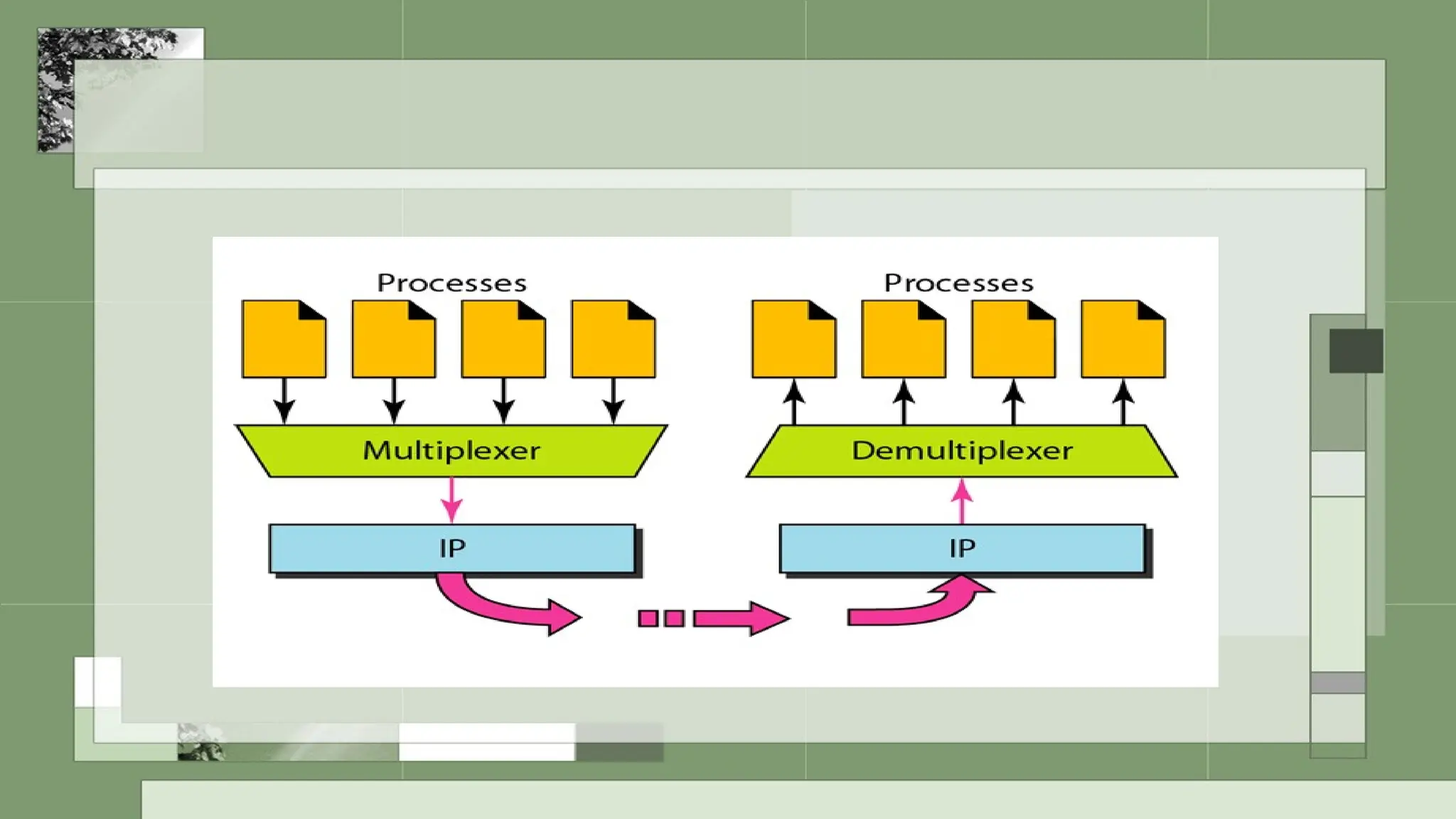
Multiplexing isthe process of combining data from multiple applications (e.g.,
web browsing, video streaming, email) into a single stream before sending it
over a network.
How it works:
Each application on the sending host is assigned a unique port number. The
transport layer (e.g., TCP/UDP) tags each segment of data with this port
number, enabling identification of the application it belongs to.
Purpose:
Efficient use of network resources by sharing the communication channel.
Ensures that data from different applications can coexist on the same transport medium.
20.
Demultiplexing
Definition:
Demultiplexing isthe reverse process, where the transport layer at the
receiving host separates the combined stream into individual data
streams for the corresponding applications.
How it works:
The transport layer reads the port number in the incoming segment to
determine the application it is intended for and delivers it accordingly.
Purpose:
Ensures that the correct data reaches the correct application.
Prevents cross-communication between applications.
22.
Example:
Multiplexing (Sending Data):
Different applications (YouTube, WhatsApp, email) send data, each tagged
with a port number.
The transport layer combines all this data into one stream for transmission.
Demultiplexing (Receiving Data):
At the receiver's side, the transport layer reads the port numbers and
delivers the data to the correct application:
YouTube’s video packets go to the YouTube app.
WhatsApp messages go to WhatsApp.
Emails go to the email app.
Transport layer protocols
Transportlayer protocols are the rules and
standards that govern how data is transmitted,
managed, and delivered between devices in the
transport layer of a network. These protocols
ensure reliable or efficient communication between
applications running on different devices.
TCP (Transmission ControlProtocol)
TCP is one of the main protocols of the
transport layer in the TCP/IP suite. It is widely
used for reliable, ordered, and error-checked
delivery of data over the network.
27.
Key Features ofTCP
Connection-Oriented:
Before data is transmitted, TCP establishes a connection between the sender
and the receiver using a process called the three-way handshake.
Reliable Data Transmission:
Ensures that data reaches the destination without errors, duplication, or loss.
Uses acknowledgments (ACK) and retransmissions to achieve reliability.
Data Segmentation and Reassembly:
Breaks large chunks of data into smaller segments.
Each segment is numbered, so they can be reassembled correctly at the
destination.
28.
Key Features ofTCP
Flow Control:
Prevents the sender from overwhelming the receiver by
adjusting the data transmission rate.
Error Detection and Correction:
Uses checksums to detect errors in data and requests
retransmission if errors are found.
Congestion Control:
Adapts the sending rate based on the network's capacity to
avoid congestion.
Establishing a Connection(Three-Way
Handshake):
Step 1: Sender sends a SYN (synchronize) message to
initiate a connection.
Step 2: Receiver replies with a SYN-ACK (synchronize +
acknowledgment).
Step 3: Sender sends an ACK to confirm the connection is
established.
31.
Data Transmission:
Data isdivided into segments and sent to the
receiver.
Each segment includes a sequence number for
proper reassembly.
Receiver sends acknowledgments (ACK) for
received data.
32.
Closing the Connection(Four-Way Handshake):
Step 1: Sender sends a FIN (finish) message to
indicate it has finished sending data.
Step 2: Receiver acknowledges with an ACK and
sends its own FIN.
Step 3: Sender sends a final ACK, and the
connection is terminated.
33.
Example Use Casesfor TCP:
Web Browsing (HTTP/HTTPS):
Ensures web pages load completely and in the correct order.
Email (SMTP, IMAP, POP):
Guarantees that emails are delivered accurately without
duplication.
File Transfers (FTP):
Ensures files are transferred without corruption.
UDP (User DatagramProtocol)
UDP is a transport layer protocol in the TCP/IP suite
designed for fast, lightweight, and connectionless
communication. It is commonly used for applications
that prioritize speed over reliability.
36.
Key Features ofUDP
Connectionless:
UDP does not establish a connection before sending data. Each message
(datagram) is sent independently, without setup or teardown processes.
Unreliable:
UDP does not guarantee data delivery, ordering, or error correction. If
packets are lost or arrive out of order, no retransmission is performed.
Lightweight:
Because it skips the overhead of connection management and
acknowledgment, UDP is faster and requires fewer resources compared to
TCP.
Data Transmission
Data isdivided into packets called datagrams.
Each datagram includes a source port, destination port,
length, checksum, and the payload (data).
Packets are sent to the receiver without prior setup or
acknowledgment.
39.
Receiving Data
The receiveraccepts packets based on their
destination port.
No mechanism exists to check for missing or out-
of-order packets.
40.
Example Use Casesfor UDP
Video Streaming (YouTube, Netflix):
Small data losses don’t significantly impact the quality of a video stream,
and retransmissions would cause delays.
Online Gaming:
Games prioritize real-time interaction over perfect delivery. A dropped
packet doesn’t stop gameplay, as new data constantly arrives.
Voice over IP (VoIP):
Ensures low latency for phone calls or video conferences, even at the cost
of occasional packet loss.
SCTP (Stream ControlTransmission Protocol)
SCTP is a transport layer protocol that combines the best
features of both TCP (Transmission Control Protocol) and
UDP (User Datagram Protocol). It was designed to handle
the limitations of TCP, particularly in real-time and
telecommunication applications. SCTP is a reliable,
message-oriented protocol with some advanced features
that make it suitable for specific applications like VoIP,
video conferencing, and telecommunication signaling.
43.
Key Features ofSCTP
Connection-Oriented:
Like TCP, SCTP establishes a connection before sending data, ensuring reliable
communication.
Message-Oriented:
SCTP works with messages rather than byte streams, which is different from
TCP. This is more efficient for applications that transmit data in distinct units
(like packets or frames).
Multi-Homing Support:
SCTP can support multiple network paths between the sender and receiver,
which means if one path fails (e.g., a network outage), the data can still be
delivered through an alternate path. This provides higher reliability and fault
tolerance.
44.
Key Features ofSCTP
Multi-Streaming:
SCTP allows for the transmission of multiple streams within a single
connection. This means that even if one stream experiences a delay or
packet loss, the other streams can continue without being affected.
For example, in a video call, one stream can carry video data and another
can carry audio data, allowing them to operate independently.
Reliable Data Delivery:
Like TCP, SCTP provides error checking, acknowledgment, and
retransmission of lost packets.
It guarantees that data will be delivered in order and without loss,
ensuring the integrity of the communication.
45.
Key Features ofSCTP
Congestion Control:
SCTP implements congestion control mechanisms similar to
TCP, which help manage the flow of data and prevent network
congestion.
Four-Way Handshake for Connection Setup:
SCTP uses a four-way handshake to establish a connection,
unlike TCP’s three-way handshake. This extra step enhances
security and reliability.
Establishing a Connection(Four-Way
Handshake):
Step 1: The initiating device sends a SYN message to the
receiver to start the connection.
Step 2: The receiver acknowledges the request with a SYN-
ACK.
Step 3: The sender sends a COOKIE-ECHO message,
containing a unique identification number.
Step 4: The receiver responds with a COOKIE-ACK,
completing the connection.
48.
Data Transmission:
SCTP sendsdata in chunks (messages), and it can
use multiple streams to transmit different types of
data in parallel.
If one stream faces issues (like packet loss), the
others continue unaffected.
49.
Connection Termination:
Similar toTCP, SCTP performs a graceful
shutdown by exchanging termination
messages to ensure that both sides are
finished transmitting data.
50.
Example Use Casesfor SCTP:
Telecommunication Networks (e.g., Signaling):
SCTP is widely used in telephony signaling (e.g., for establishing
and controlling phone calls) due to its reliability and multi-
homing support.
Voice over IP (VoIP):
In VoIP applications, SCTP can maintain multiple streams of
voice and data, ensuring high-quality calls without interruption.