Top Trends Guiding
Tech Use in Your
Career Practice
Dr. Melissa A. Venable
Dr. Debra S. Osborn
TechnologyTwins.com
@TechnologyTwins
GCDA 2017
In this session:
• Identify current trends technology + career
counseling settings
• Discover devices and applications driving the
future of technology + career development
• Prepare to make decisions about the use of
tech-driven tools in your work
What is Career Counseling?
The process of assisting individuals in the
development of a life-career with focus on the
definition of the worker role and how that role
interacts with other life roles. (NCDA)
What do we do?
Help clients …
• Learn more about themselves
• Gain educatioal and occupational information
• Learn about decision making and career
planning
• Conduct a job search
• Apply to graduate/professional schools and
training programs
• Cope with career challenges and transition
issues (NCDA)
CURRENT TRENDS IN TECH AND
CAREER COUNSELING
Top Tech Trends
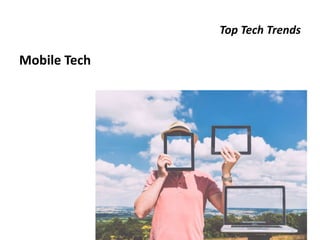
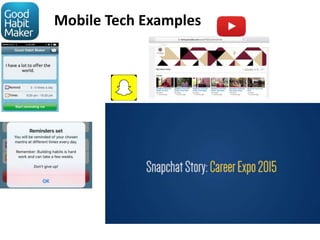
Mobile Tech
Mobile Tech Examples
Implications
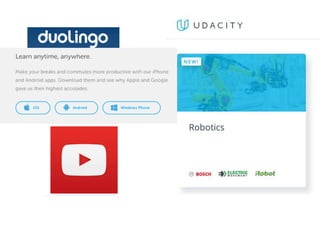
• Constant connection-any time, anywhere, always
on
– Clients connecting to you
– You connecting to clients (e.g., live streaming)
– Need to be nimble (responsivity to alerts,
notifications, in the moment)
• App-ortunity
• Remote learning (e.g., youtube channels)
• Need to integrate into overall service delivery
plan
Top Tech Trends
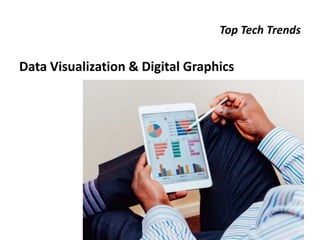
Data Visualization & Digital Graphics
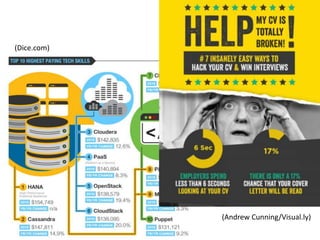
(Dice.com)
(Andrew Cunning/Visual.ly)
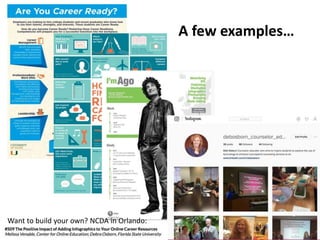
A few examples…
Want to build your own? NCDA in Orlando:
Implications
• Reporting data with graphs, charts, etc.
• Using digital graphics tools, e.g. infographics
– Easel.ly, Piktochart, Canva, Venngage, Dipity,
Wordle, Infogram, Visme…
• Creating visually interesting content for
center/office websites, outreach materials
• Helping clients do the same
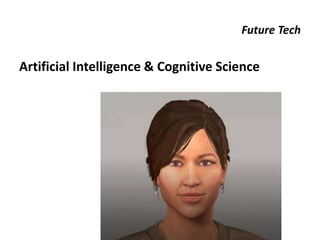
Future Tech
Artificial Intelligence & Cognitive Science
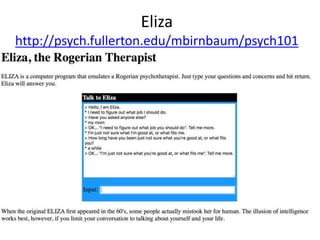
Eliza
http://psych.fullerton.edu/mbirnbaum/psych101
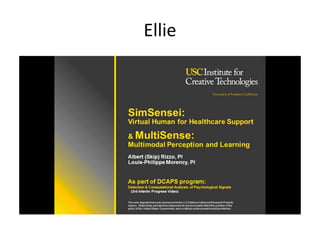
Ellie
Implications
• Changing counselor roles:
– Initial contact w/clients to assess and coordinate a
plan for services and interaction
– Refer to automated resources and “computerized
counselors”
– Work with programmers to design and develop
smarter, more intuitive systems
– Assess and evaluate effectiveness of AI systems
– Provide guidance and standards related to ethics
use of these systems
(Counseling Today, ACA)
(Futurism.com)
Top Tech Trends
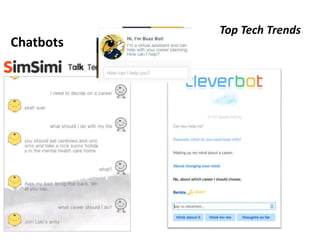
Chatbots
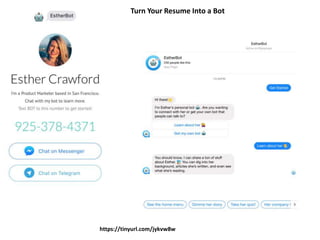
https://tinyurl.com/jykvw8w
Turn Your Resume Into a Bot
Implications
• Software applications that interact with
people through text chat
– After-hours access to assistance
– Job application process
– Recruiting
• Still a ways to go
• Wide range of data science and user interface
– tech career paths
Top Tech Trends
Digital Literacy
Implications
• Need for a Continuous Learning Approach
• Counselors and Career Offices
– So many options! Applications, devices, etc.
– Narrowing the field and making appropriate
selections for use with your audience
• Students and Clients
– Skills required beyond social media, in courses, job
search, professional communication
Career Information Literacy
• Recognize that career information is needed, followed by
the capacity to locate, evaluate, and effectively use the
information.
• Evaluating - a core element of digital literacy. Involves
capacity to:
– Understand the nature of career information online,
– Analyze the origins of the career information, and
– Consider the usefulness of the career information
• We have a responsibility to teach individuals and clients to
be critical consumers of all information.
Top Tech Trends
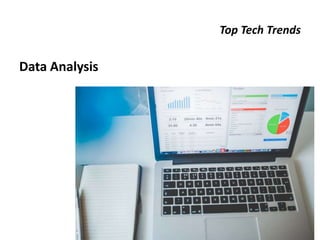
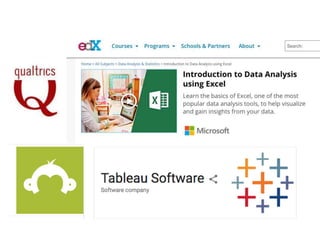
Data Analysis
Implications
• Building skills in data collection, analysis, and
reporting – discover patterns
– Making informed decisions making about
websites, career courses, services
– Personalizing learning and working environments
– Sharing your data/trends with different audiences
• Interpreting reports, national trends (e.g., BLS,
Gartner’s)
Top Tech Trends
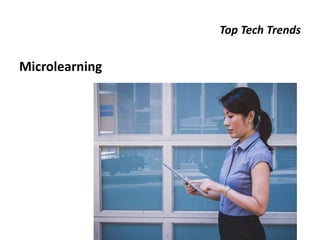
Microlearning
Implications
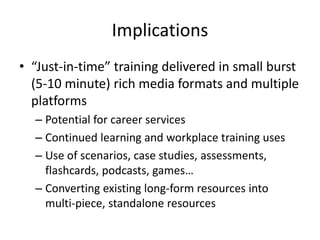
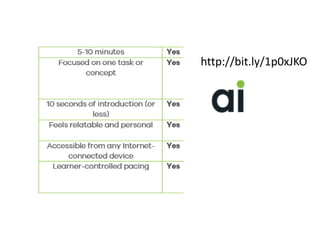
• “Just-in-time” training delivered in small burst
(5-10 minute) rich media formats and multiple
platforms
– Potential for career services
– Continued learning and workplace training uses
– Use of scenarios, case studies, assessments,
flashcards, podcasts, games…
– Converting existing long-form resources into
multi-piece, standalone resources
http://bit.ly/1p0xJKO
Top Tech Trends
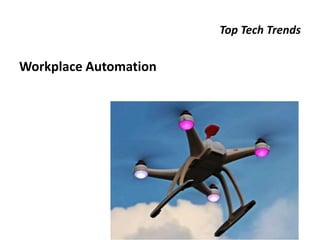
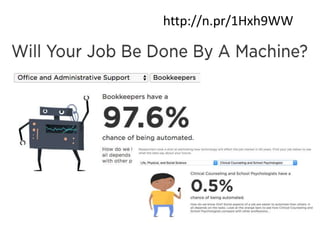
Workplace Automation
Implications
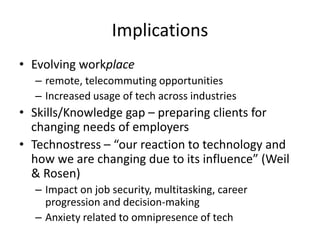
• Evolving workplace
– remote, telecommuting opportunities
– Increased usage of tech across industries
• Skills/Knowledge gap – preparing clients for
changing needs of employers
• Technostress – “our reaction to technology and
how we are changing due to its influence” (Weil
& Rosen)
– Impact on job security, multitasking, career
progression and decision-making
– Anxiety related to omnipresence of tech
http://n.pr/1Hxh9WW
Top Tech Trends
Cybersecurity
Implications
• Confidentiality & Privacy Concerns
– Data collection, storage, sharing?
– Use/recommend apps with privacy protections
• Client Verification
• Social media policy
• Records/Documentation
– Creating, maintaining, storing, disposing
• Licensure considerations:
– Some insurance companies consider apps as telemental
health.
– Most consider counseling as occurring in the state where
the client resides. (Know the law).
Implications (cont.)
– How to lock mobile device, Computer/laptop
– How to erase/lock/find device if lost or stolen
– How to handle requests from apps for permissions
to share information, access private information,
etc.
• Keep up with … updates!
– Software, apps, operating systems
Top Tech Trends
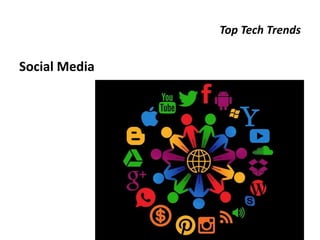
Social Media
Implications
• Who’s using what?
• What’s hot, what’s not?
• What do I want to share?
• Where do I spend my time?
• Why am I connecting?
• How often do I want to post/tweet/share?
• How will I know if it’s worth it?
DEVICES AND APPLICATIONS
DRIVING THE FUTURE
Future Tech
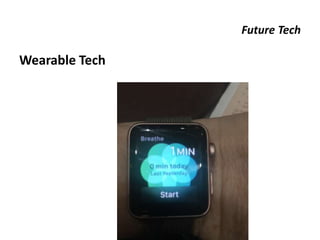
Wearable Tech
Implications
• Reaching clients-reminders, announcements
• Interacting during events (workshops, job fairs)
• It’s mobile, but more
– Synching
– Always-on connection
– Monitoring, data collection, feedback
– Smaller size
– In direct physical contact with you (not just in your
pocket or bag)
”Today, 65% of American adults own a smartphone,
but less than 2% own a wearable.”
– Experitest.com
Future Tech
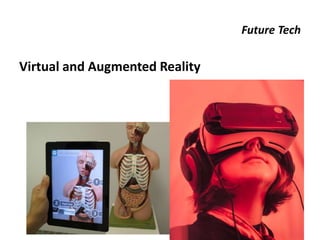
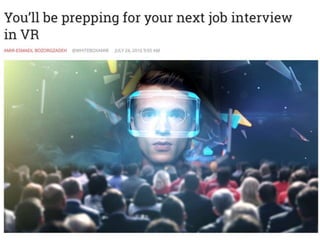
Virtual and Augmented Reality
Public Speaking Anxiety
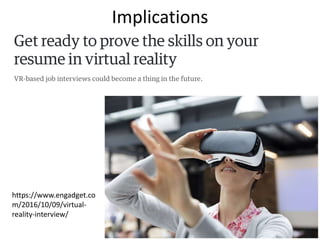
Implications
https://www.engadget.co
m/2016/10/09/virtual-
reality-interview/
Virtual Job Search Interview for Google Hardware
Future Tech
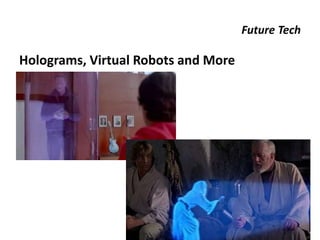
Holograms, Virtual Robots and More
Virtual Home Robot
Pepper’s Ghost
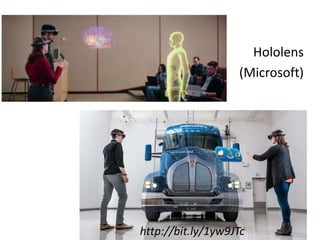
Hololens
(Microsoft)
http://bit.ly/1yw9JTc
Implications
• Distance counseling opportunities
• You to them, or they come to you – clients,
guest speakers…
• Mock interviews/practice
• Emerging career fields and technology skill
sets
• Teaching and learning potential
PREPARING TO MAKE TECH
DECISIONS
Tech Decisions
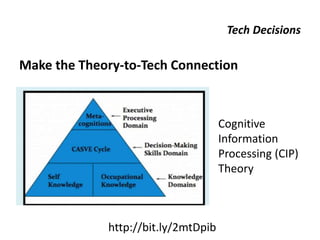
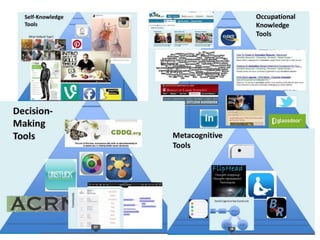
Make the Theory-to-Tech Connection
http://bit.ly/2mtDpib
Cognitive
Information
Processing (CIP)
Theory
Tech Decisions
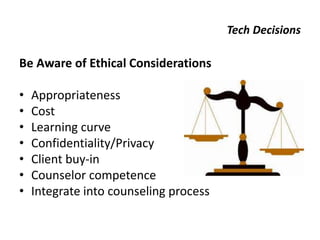
Be Aware of Ethical Considerations
• Appropriateness
• Cost
• Learning curve
• Confidentiality/Privacy
• Client buy-in
• Counselor competence
• Integrate into counseling process
Tech Decisions
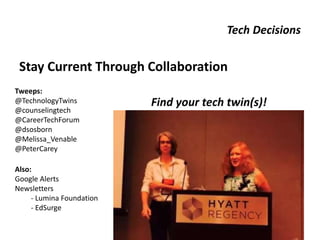
Stay Current Through Collaboration
Find your tech twin(s)!
Tweeps:
@TechnologyTwins
@counselingtech
@CareerTechForum
@dsosborn
@Melissa_Venable
@PeterCarey
Also:
Google Alerts
Newsletters
- Lumina Foundation
- EdSurge
Tech Decisions
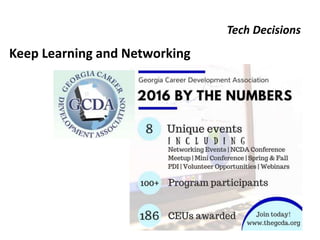
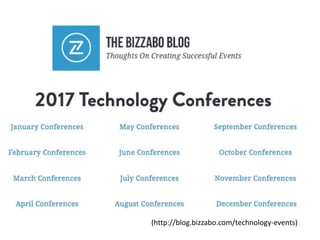
Keep Learning and Networking
(http://blog.bizzabo.com/technology-events)
Tech Decisions
Take a Tech Break
Thank you!
Top Trends Guiding
Tech Use in Your Career Practice
Dr. Debra S. Osborn
Dr. Melissa A. Venable
TechnologyTwins.com - @TechnologyTwins
GCDA 2017

Top Trends Guiding Tech Use in Your Career Practice

  • 1.
    Top Trends Guiding TechUse in Your Career Practice Dr. Melissa A. Venable Dr. Debra S. Osborn TechnologyTwins.com @TechnologyTwins GCDA 2017
  • 3.
    In this session: •Identify current trends technology + career counseling settings • Discover devices and applications driving the future of technology + career development • Prepare to make decisions about the use of tech-driven tools in your work
  • 4.
    What is CareerCounseling? The process of assisting individuals in the development of a life-career with focus on the definition of the worker role and how that role interacts with other life roles. (NCDA)
  • 5.
    What do wedo? Help clients … • Learn more about themselves • Gain educatioal and occupational information • Learn about decision making and career planning • Conduct a job search • Apply to graduate/professional schools and training programs • Cope with career challenges and transition issues (NCDA)
  • 6.
    CURRENT TRENDS INTECH AND CAREER COUNSELING
  • 7.
  • 8.
  • 9.
    Implications • Constant connection-anytime, anywhere, always on – Clients connecting to you – You connecting to clients (e.g., live streaming) – Need to be nimble (responsivity to alerts, notifications, in the moment) • App-ortunity • Remote learning (e.g., youtube channels) • Need to integrate into overall service delivery plan
  • 10.
    Top Tech Trends DataVisualization & Digital Graphics
  • 11.
  • 12.
    A few examples… Wantto build your own? NCDA in Orlando:
  • 13.
    Implications • Reporting datawith graphs, charts, etc. • Using digital graphics tools, e.g. infographics – Easel.ly, Piktochart, Canva, Venngage, Dipity, Wordle, Infogram, Visme… • Creating visually interesting content for center/office websites, outreach materials • Helping clients do the same
  • 14.
  • 15.
  • 16.
  • 17.
    Implications • Changing counselorroles: – Initial contact w/clients to assess and coordinate a plan for services and interaction – Refer to automated resources and “computerized counselors” – Work with programmers to design and develop smarter, more intuitive systems – Assess and evaluate effectiveness of AI systems – Provide guidance and standards related to ethics use of these systems (Counseling Today, ACA) (Futurism.com)
  • 18.
  • 19.
  • 20.
    Implications • Software applicationsthat interact with people through text chat – After-hours access to assistance – Job application process – Recruiting • Still a ways to go • Wide range of data science and user interface – tech career paths
  • 21.
  • 22.
    Implications • Need fora Continuous Learning Approach • Counselors and Career Offices – So many options! Applications, devices, etc. – Narrowing the field and making appropriate selections for use with your audience • Students and Clients – Skills required beyond social media, in courses, job search, professional communication
  • 23.
    Career Information Literacy •Recognize that career information is needed, followed by the capacity to locate, evaluate, and effectively use the information. • Evaluating - a core element of digital literacy. Involves capacity to: – Understand the nature of career information online, – Analyze the origins of the career information, and – Consider the usefulness of the career information • We have a responsibility to teach individuals and clients to be critical consumers of all information.
  • 24.
  • 26.
    Implications • Building skillsin data collection, analysis, and reporting – discover patterns – Making informed decisions making about websites, career courses, services – Personalizing learning and working environments – Sharing your data/trends with different audiences • Interpreting reports, national trends (e.g., BLS, Gartner’s)
  • 27.
  • 28.
    Implications • “Just-in-time” trainingdelivered in small burst (5-10 minute) rich media formats and multiple platforms – Potential for career services – Continued learning and workplace training uses – Use of scenarios, case studies, assessments, flashcards, podcasts, games… – Converting existing long-form resources into multi-piece, standalone resources
  • 29.
  • 31.
  • 32.
    Implications • Evolving workplace –remote, telecommuting opportunities – Increased usage of tech across industries • Skills/Knowledge gap – preparing clients for changing needs of employers • Technostress – “our reaction to technology and how we are changing due to its influence” (Weil & Rosen) – Impact on job security, multitasking, career progression and decision-making – Anxiety related to omnipresence of tech
  • 33.
  • 34.
  • 35.
    Implications • Confidentiality &Privacy Concerns – Data collection, storage, sharing? – Use/recommend apps with privacy protections • Client Verification • Social media policy • Records/Documentation – Creating, maintaining, storing, disposing • Licensure considerations: – Some insurance companies consider apps as telemental health. – Most consider counseling as occurring in the state where the client resides. (Know the law).
  • 36.
    Implications (cont.) – Howto lock mobile device, Computer/laptop – How to erase/lock/find device if lost or stolen – How to handle requests from apps for permissions to share information, access private information, etc. • Keep up with … updates! – Software, apps, operating systems
  • 37.
  • 38.
    Implications • Who’s usingwhat? • What’s hot, what’s not? • What do I want to share? • Where do I spend my time? • Why am I connecting? • How often do I want to post/tweet/share? • How will I know if it’s worth it?
  • 39.
  • 40.
  • 41.
    Implications • Reaching clients-reminders,announcements • Interacting during events (workshops, job fairs) • It’s mobile, but more – Synching – Always-on connection – Monitoring, data collection, feedback – Smaller size – In direct physical contact with you (not just in your pocket or bag) ”Today, 65% of American adults own a smartphone, but less than 2% own a wearable.” – Experitest.com
  • 42.
    Future Tech Virtual andAugmented Reality
  • 43.
  • 44.
  • 46.
    Virtual Job SearchInterview for Google Hardware
  • 47.
  • 48.
  • 49.
  • 50.
  • 51.
    Implications • Distance counselingopportunities • You to them, or they come to you – clients, guest speakers… • Mock interviews/practice • Emerging career fields and technology skill sets • Teaching and learning potential
  • 52.
    PREPARING TO MAKETECH DECISIONS
  • 54.
    Tech Decisions Make theTheory-to-Tech Connection http://bit.ly/2mtDpib Cognitive Information Processing (CIP) Theory
  • 56.
    Tech Decisions Be Awareof Ethical Considerations • Appropriateness • Cost • Learning curve • Confidentiality/Privacy • Client buy-in • Counselor competence • Integrate into counseling process
  • 57.
    Tech Decisions Stay CurrentThrough Collaboration Find your tech twin(s)! Tweeps: @TechnologyTwins @counselingtech @CareerTechForum @dsosborn @Melissa_Venable @PeterCarey Also: Google Alerts Newsletters - Lumina Foundation - EdSurge
  • 58.
  • 60.
  • 61.
  • 62.
    Thank you! Top TrendsGuiding Tech Use in Your Career Practice Dr. Debra S. Osborn Dr. Melissa A. Venable TechnologyTwins.com - @TechnologyTwins GCDA 2017

Editor's Notes

  • #3 FIRST – For those of you who have mot met Deb and me – we REALLY like technology! We’re always game to try the next new thing and do what we can to stay aware of the latest and greatest. We do know, however, that technology shouldn’t drive our decisions. The next “shiny new object” is always around the corner to distract us from our job, which is to identify a gap, need, or problem in our career practice and then select the best tool/solution for the job. It’s important to take control of these decisions, and become more informed about the options that are out there. That being said ….
  • #4 … today we want to share with you a wide range of technologies we think will have an impact on how we solve problems, and help clients solve problems in the future. You’ll see some overlap as we go – bear with us as we attempt to interpret trends and translate buzzwords, so that you have resources that help you take control of tech integration in your context and make the best decisions possible
  • #6 These are the activities we engage in, and thus, technologies we choose should support these.
  • #10 App-ortunity – to reinforce what we are doing in session (cognitive restructuring, journaling, reminders) Nimble – respond in time
  • #13 Infographics, instagram
  • #15 Intelligence exhibited by machines.
  • #18 https://futurism.com/uscs-new-ai-ellie-has-more-success-than-actual-therapists/ http://ct.counseling.org/2015/03/the-end-of-counseling-as-we-know-it/
  • #21 Casual, conversational tone Give the option to not interact with a bot (automated phone directory system- no one likes those)
  • #27 Discover patterns, trends, to find new opportunities and make the most efficient use of resources. Big data: the vast amount of data that is now being generated and captured in a variety of formats and from a number of disparate sources …for enhanced insight, decision making, and process optimization.
  • #32 http://www.npr.org/sections/money/2015/05/21/408234543/will-your-job-be-done-by-a-machine
  • #36 how to protect privacy how to lock mobile device how to erase data if device is stolen how to handle requests from apps for permissions to share information, access private information, etc.
  • #38 (lead in to the afternoon session) – last, but certainly not least in this section of our presentation on current trends … social media is still going strong.
  • #39 We’ll move into more detail, and provide a few suggestions for how you can work to answer these questions in our session later today.
  • #40 More forward thinking, actual hardware
  • #42 Replacing the smartphone?
  • #47 https://vimeo.com/164452934
  • #48 Hololens (Microspft ) and Mixed Reality https://www.microsoft.com/microsoft-hololens/en-us
  • #49 Make your own: https://www.youtube.com/watch?v=7YWTtCsvgvg
  • #50 The basic trick involves a stage that is specially arranged into two rooms, one that people can see into or the stage as a whole, and a second that is hidden to the side, the "blue room". A plate of glass (plexiglass or plastic film) is placed somewhere in the main room at an angle that reflects the view of the blue room towards the audience. Generally this is arranged with the blue room to one side of the stage, and the plate on the stage rotated around its vertical axis at 45 degrees. Care must be taken to make the glass as invisible as possible, normally hiding the lower edge in patterning on the floor and ensuring lights do not reflect off it.
  • #51 Hololens (Microspft ) and Mixed Reality https://www.microsoft.com/microsoft-hololens/en-us Video?
  • #52 http://www.cultofmac.com/384576/how-to-turn-your-iphone-into-a-hologram-projector/
  • #54 Back to CONTROL – we’ve got control over the resources and tools we use everyday in our offices and with our students and clients. It can be overwhelming. Take a deep breath and know that you are not alone in making these decisions …
  • #57 (Our story – how it works) The power of collaborating, finding a “co-conspirator” or “partner in crime” to try things and create a safe space to ask questions Consider – people in and outside your current organization
  • #58 (Our story – how it works) The power of collaborating, finding a “co-conspirator” or “partner in crime” to try things and create a safe space to ask questions Consider – people in and outside your current organization
  • #59 (Our story – how it works) The power of collaborating, finding a “co-conspirator” or “partner in crime” to try things and create a safe space to ask questions Consider – people in and outside your current organization
  • #61 Look at locations – scan the sites – step outside your usual event schedule to learn more about tech, counseling, and the workforce
  • #62 It’s Okay! And probably a good idea