JJaavvaa TThhrreeaaddss 
&& 
SSyynncchhrroonniizzaattiioonn 
Gaurav
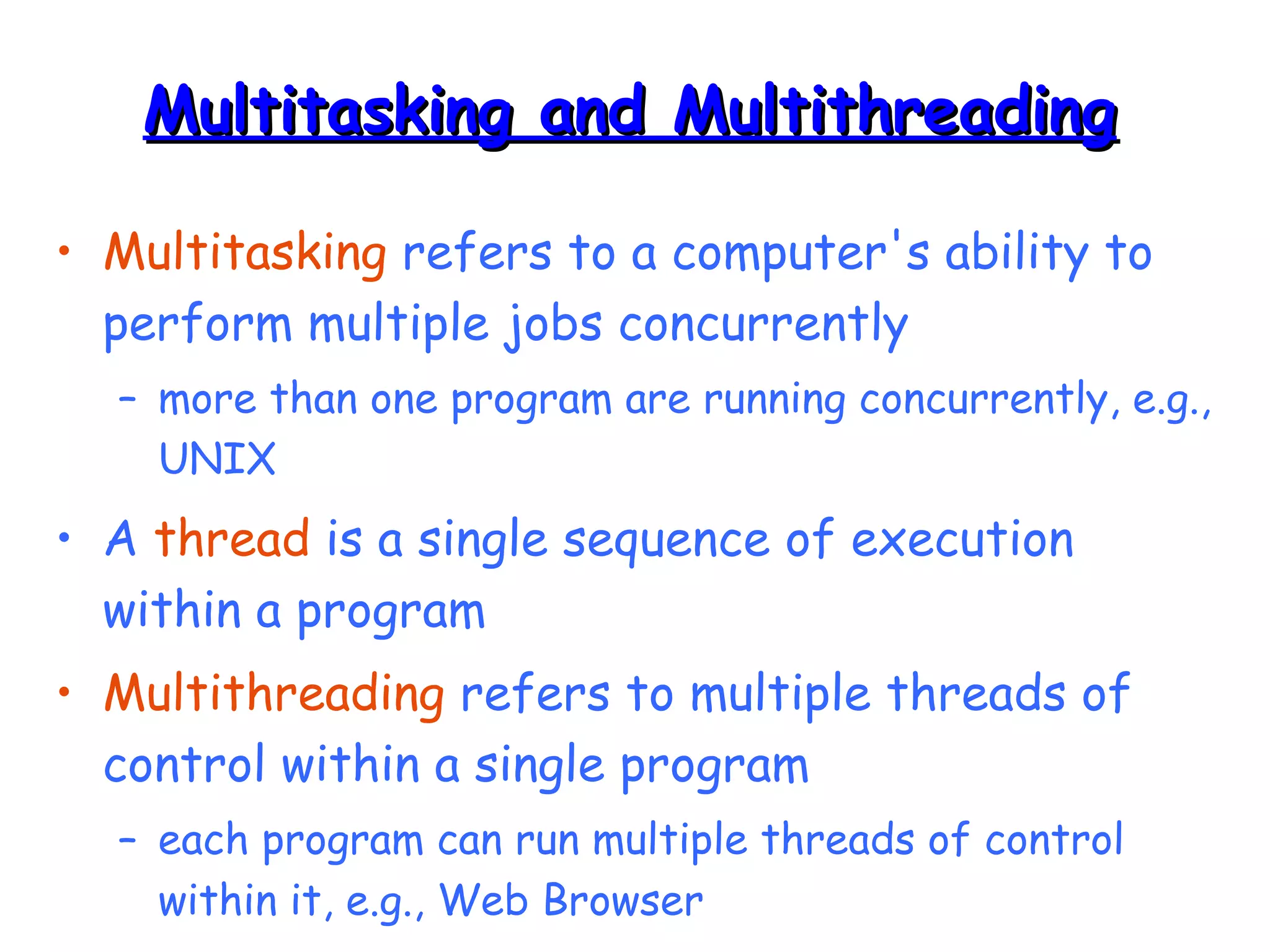
MMuullttiittaasskkiinngg aanndd MMuullttiitthhrreeaaddiinngg 
• Multitasking refers to a computer's ability to 
perform multiple jobs concurrently 
– more than one program are running concurrently, e.g., 
UNIX 
• A thread is a single sequence of execution 
within a program 
• Multithreading refers to multiple threads of 
control within a single program 
– each program can run multiple threads of control 
within it, e.g., Web Browser
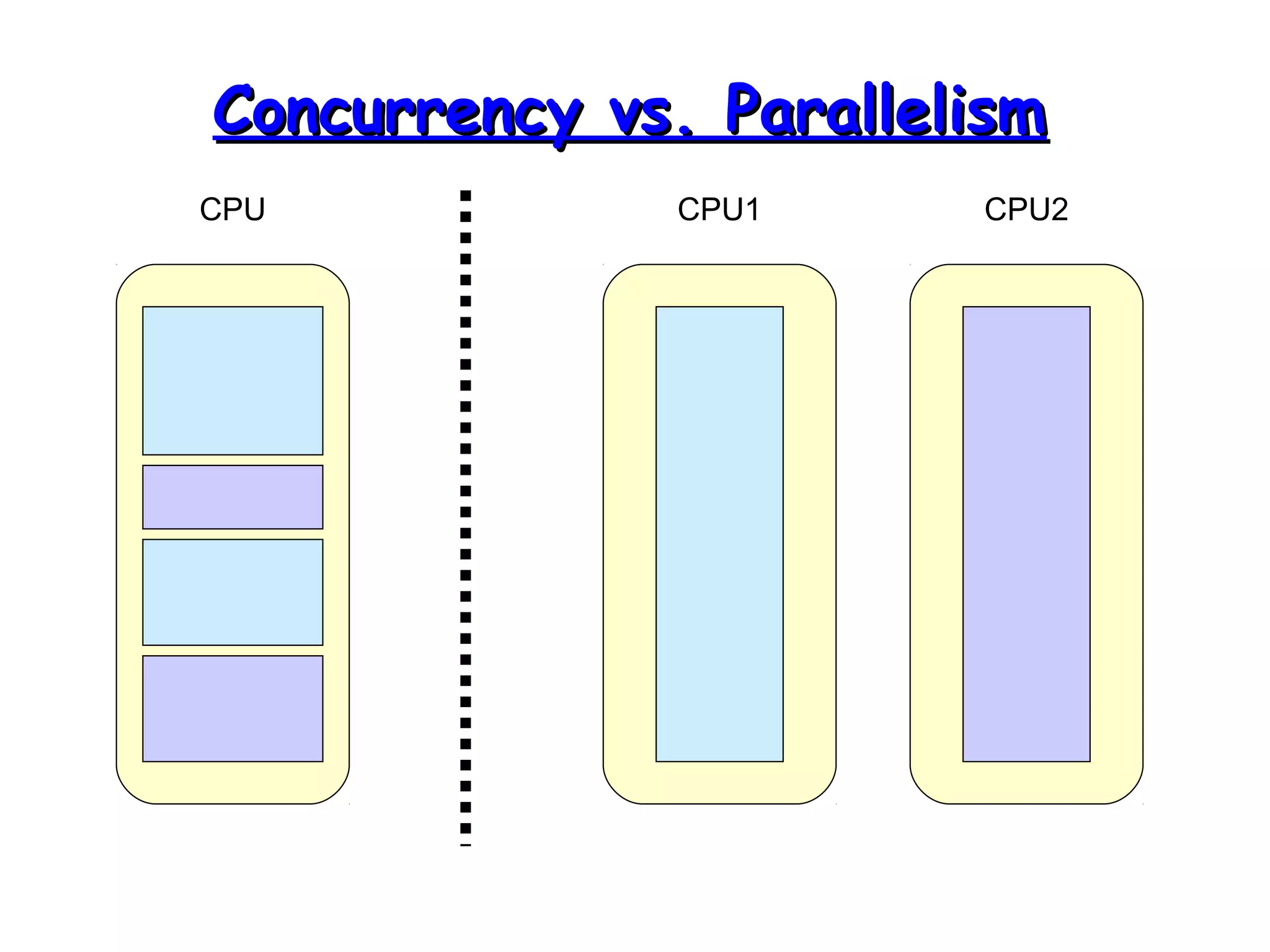
CCoonnccuurrrreennccyy vvss.. PPaarraalllleelliissmm 
CPU CPU1 CPU2
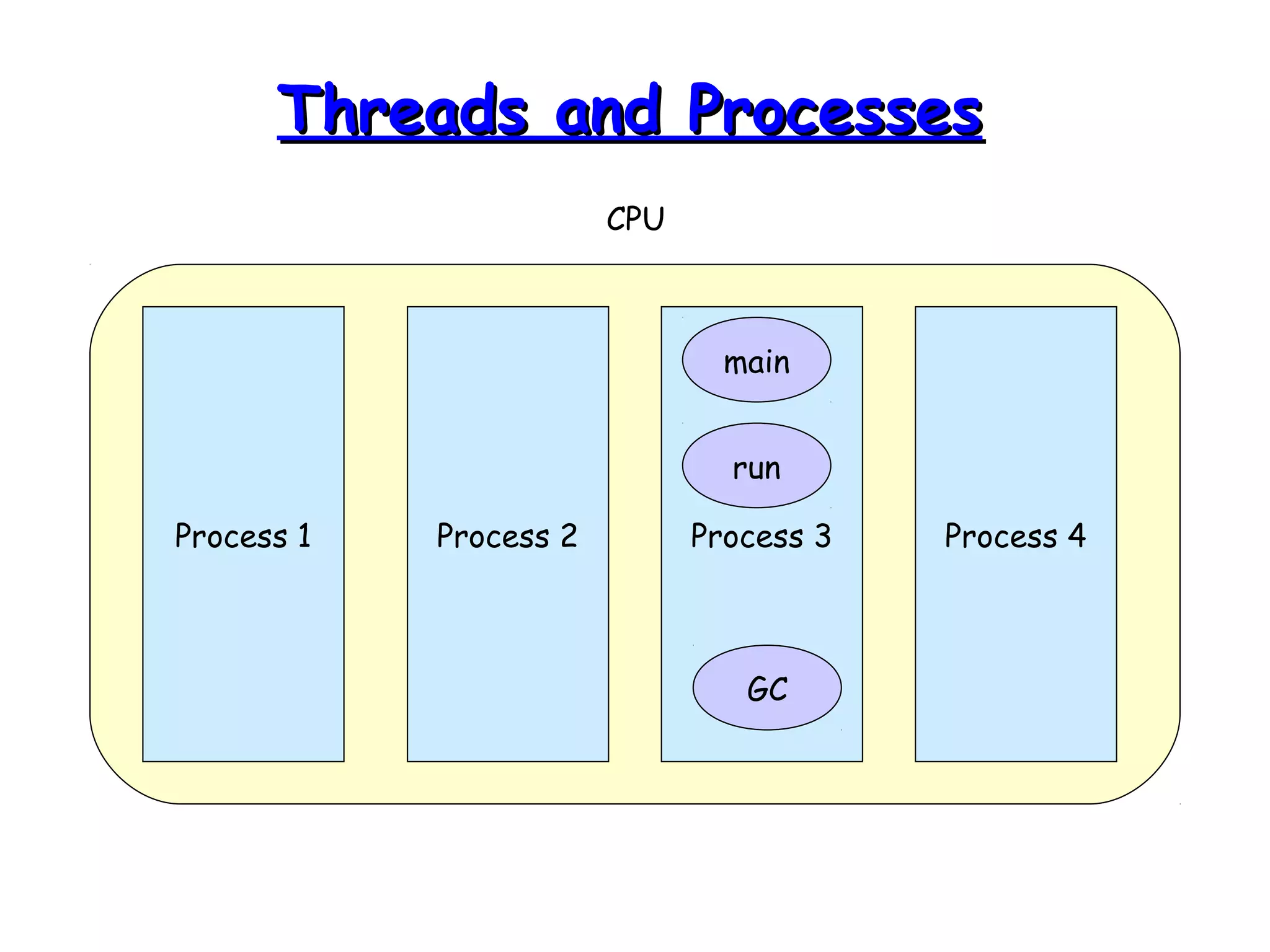
TThhrreeaaddss aanndd PPrroocceesssseess 
CPU 
main 
run 
Process 1 Process 2 Process 3 Process 4 
GC
WWhhaatt aarree TThhrreeaaddss GGoooodd FFoorr?? 
• To maintain responsiveness of an 
application during a long running task. 
• To enable cancellation of separable tasks. 
• To monitor status of some resource.
AApppplliiccaattiioonn TThhrreeaadd 
• When we execute an application: 
– The JVM creates a Thread object whose task 
is defined by the main() method 
– It starts the thread 
– The thread executes the statements of the 
program one by one until the method returns 
and the thread dies
MMuullttiippllee TThhrreeaaddss iinn aann 
AApppplliiccaattiioonn 
• Each thread has its private run-time stack 
• If two threads execute the same method, each 
will have its own copy of the local variables the 
methods uses 
• However, all threads see the same dynamic 
memory (heap) 
• Two different threads can act on the same 
object and same static fields concurrently
CCrreeaattiinngg TThhrreeaaddss 
• There are two ways to create our own 
Thread object 
1. Subclassing the Thread class and 
instantiating a new object of that class 
2. Implementing the Runnable interface 
• In both cases the run() method should be 
implemented
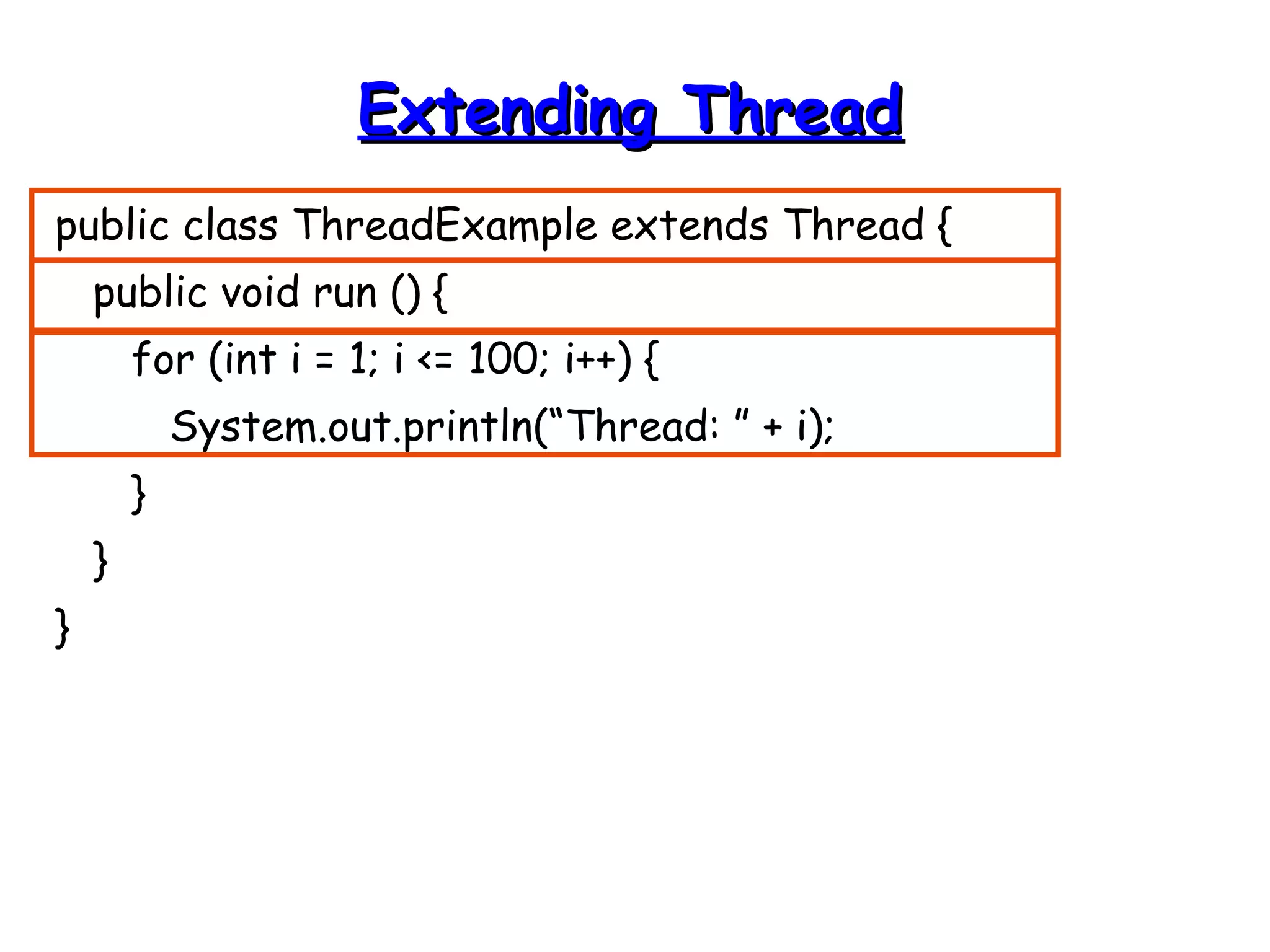
EExxtteennddiinngg TThhrreeaadd 
public class ThreadExample extends Thread { 
public void run () { 
for (int i = 1; i <= 100; i++) { 
System.out.println(“Thread: ” + i); 
} 
} 
}
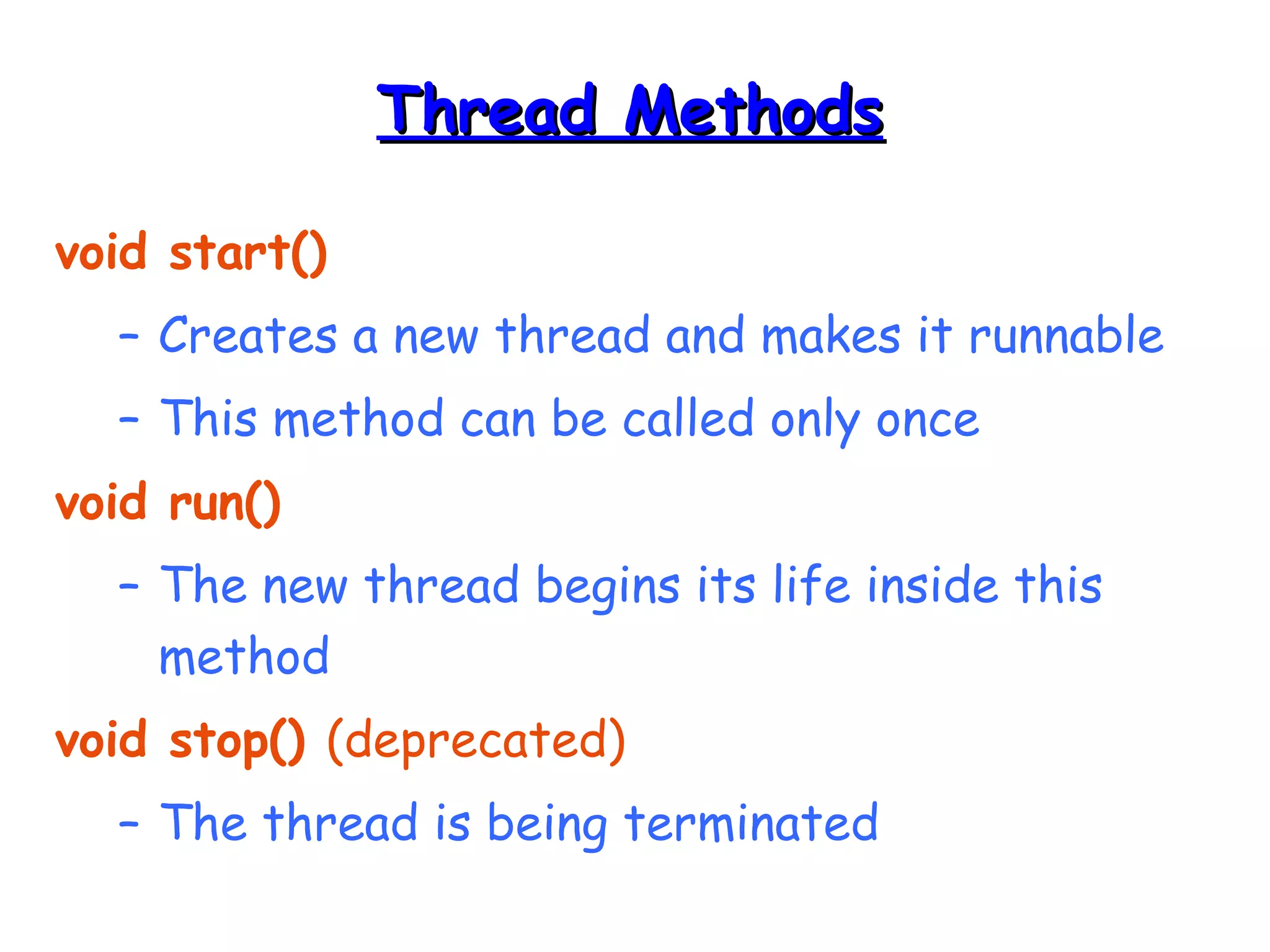
TThhrreeaadd MMeetthhooddss 
void start() 
– Creates a new thread and makes it runnable 
– This method can be called only once 
void run() 
– The new thread begins its life inside this 
method 
void stop() (deprecated) 
– The thread is being terminated
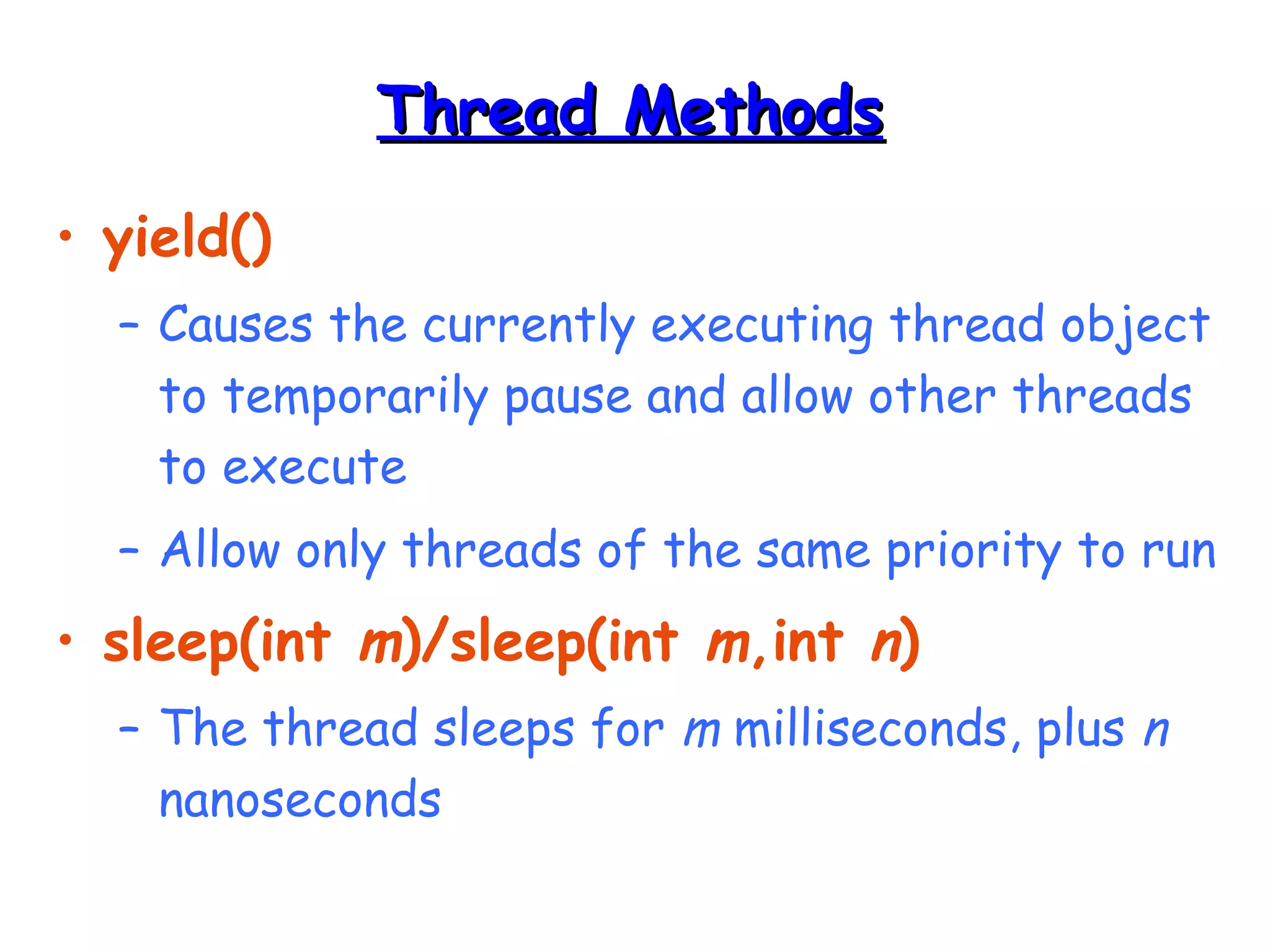
TThhrreeaadd MMeetthhooddss 
• yield() 
– Causes the currently executing thread object 
to temporarily pause and allow other threads 
to execute 
– Allow only threads of the same priority to run 
• sleep(int m)/sleep(int m,int n) 
– The thread sleeps for m milliseconds, plus n 
nanoseconds
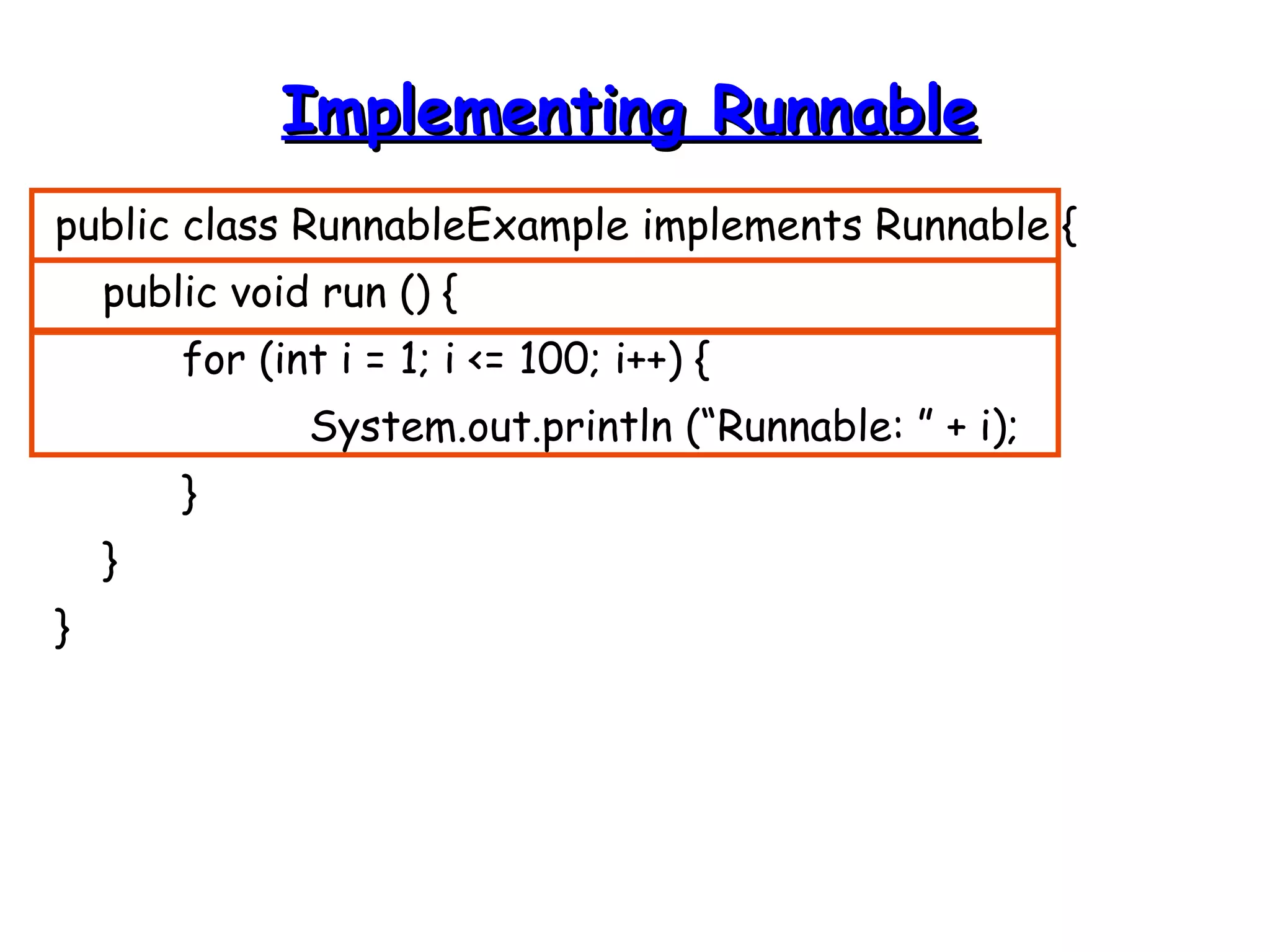
IImmpplleemmeennttiinngg RRuunnnnaabbllee 
public class RunnableExample implements Runnable { 
public void run () { 
for (int i = 1; i <= 100; i++) { 
System.out.println (“Runnable: ” + i); 
} 
} 
}
AA RRuunnnnaabbllee OObbjjeecctt 
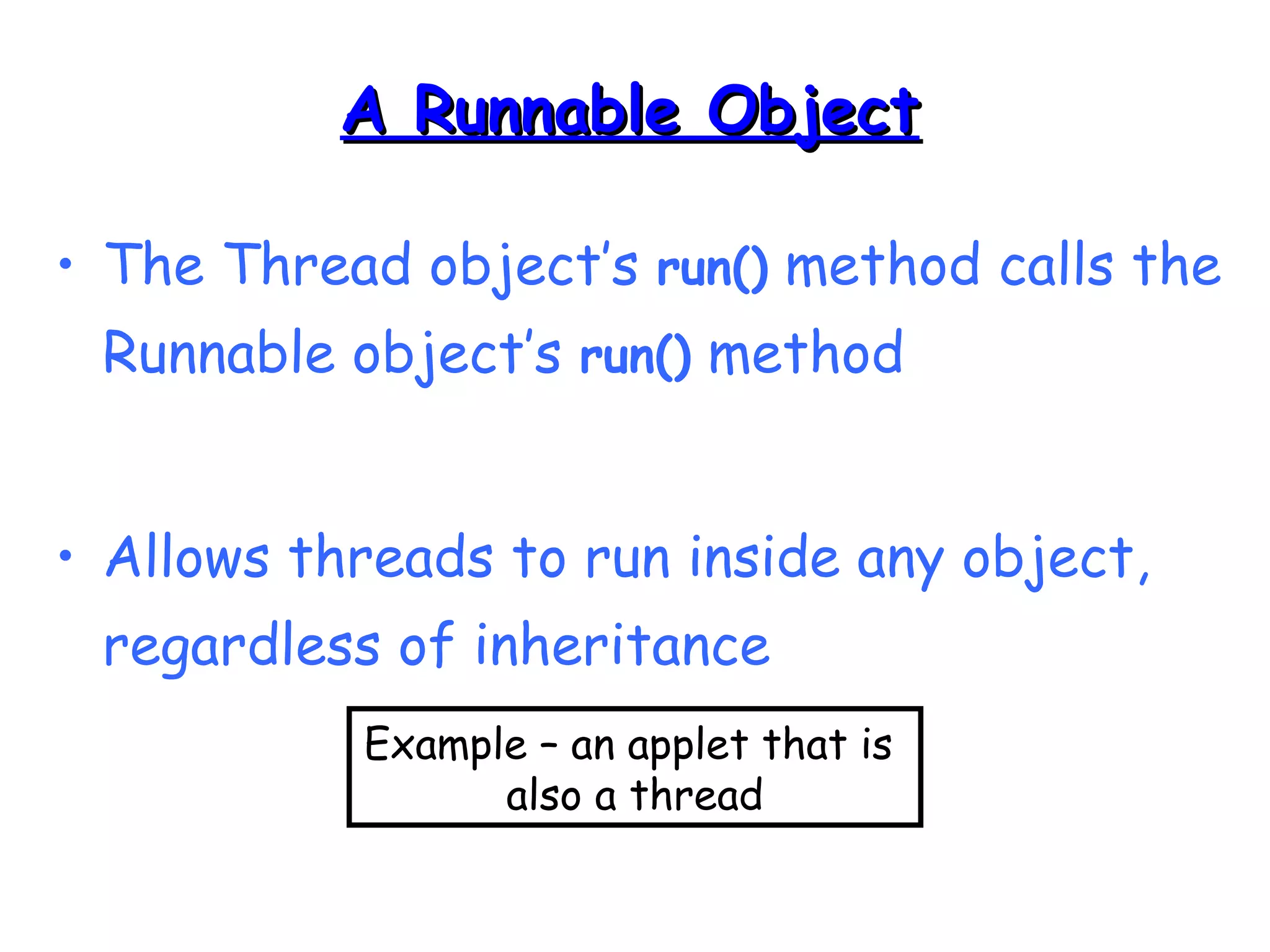
• The Thread object’s run() method calls the 
Runnable object’s run() method 
• Allows threads to run inside any object, 
regardless of inheritance 
Example – an applet that is 
also a thread
SSttaarrttiinngg tthhee TThhrreeaaddss 
public class ThreadsStartExample { 
public static void main (String argv[]) { 
new ThreadExample ().start (); 
new Thread(new RunnableExample ()).start (); 
} 
}
SScchheedduulliinngg TThhrreeaaddss 
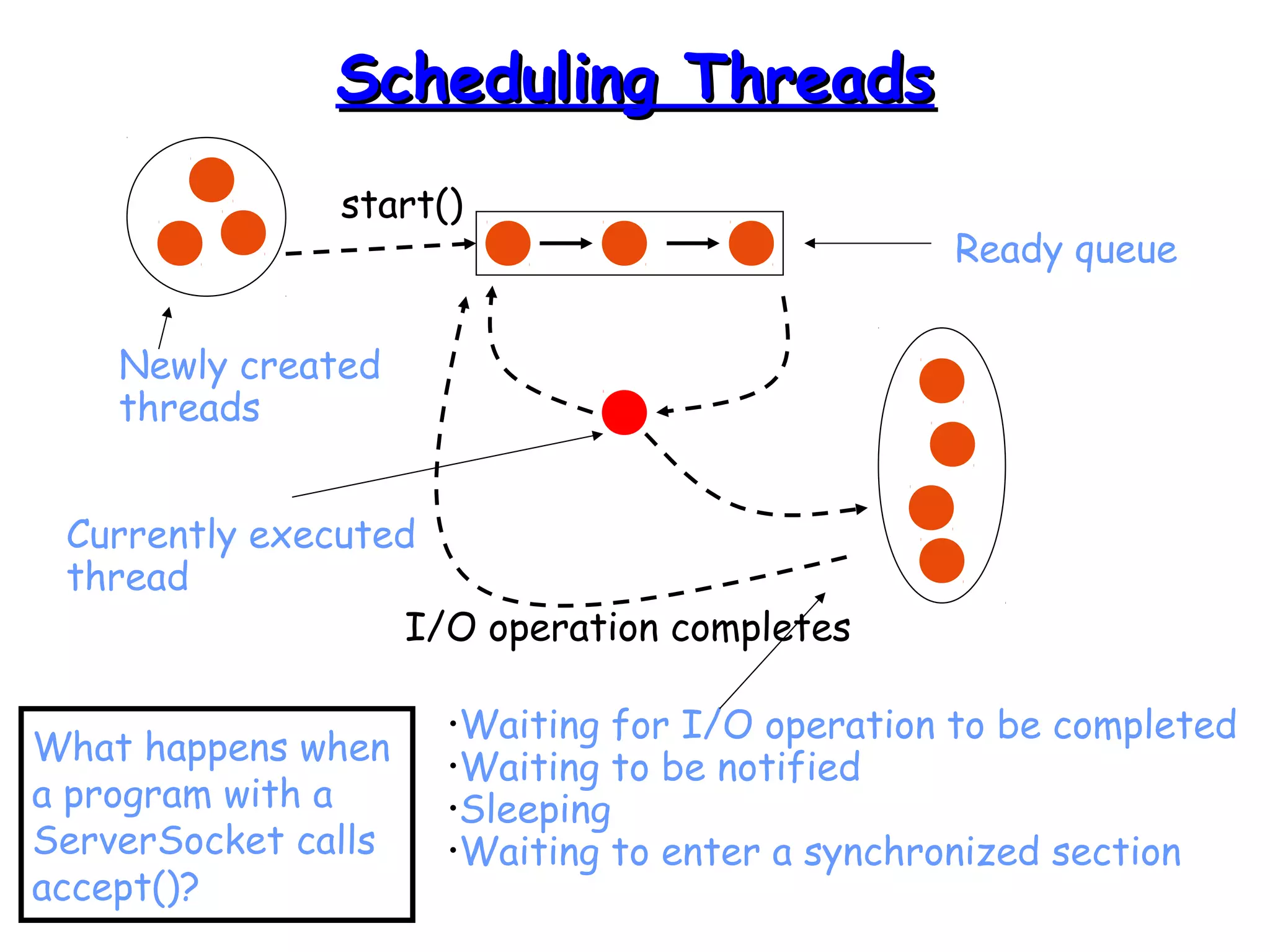
start() 
Currently executed 
thread 
I/O operation completes 
Ready queue 
•Waiting for I/O operation to be completed 
•Waiting to be notified 
•Sleeping 
•Waiting to enter a synchronized section 
Newly created 
threads 
What happens when 
a program with a 
ServerSocket calls 
accept()?
TThhrreeaadd SSttaattee DDiiaaggrraamm 
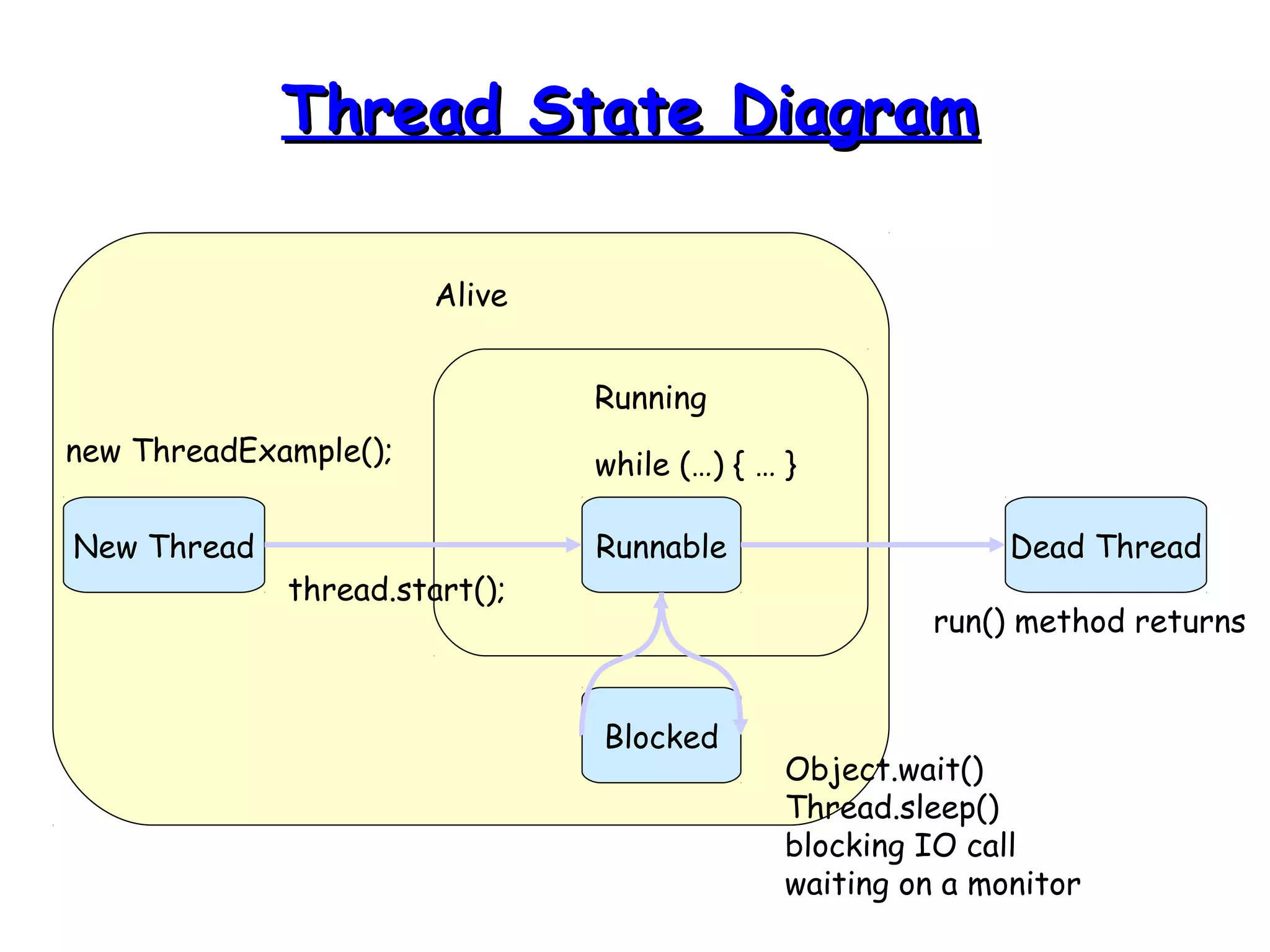
Alive 
Running 
New Thread Runnable 
Dead Thread 
new ThreadExample(); 
run() method returns 
while (…) { … } 
Blocked 
Object.wait() 
Thread.sleep() 
blocking IO call 
waiting on a monitor 
thread.start();
EExxaammppllee 
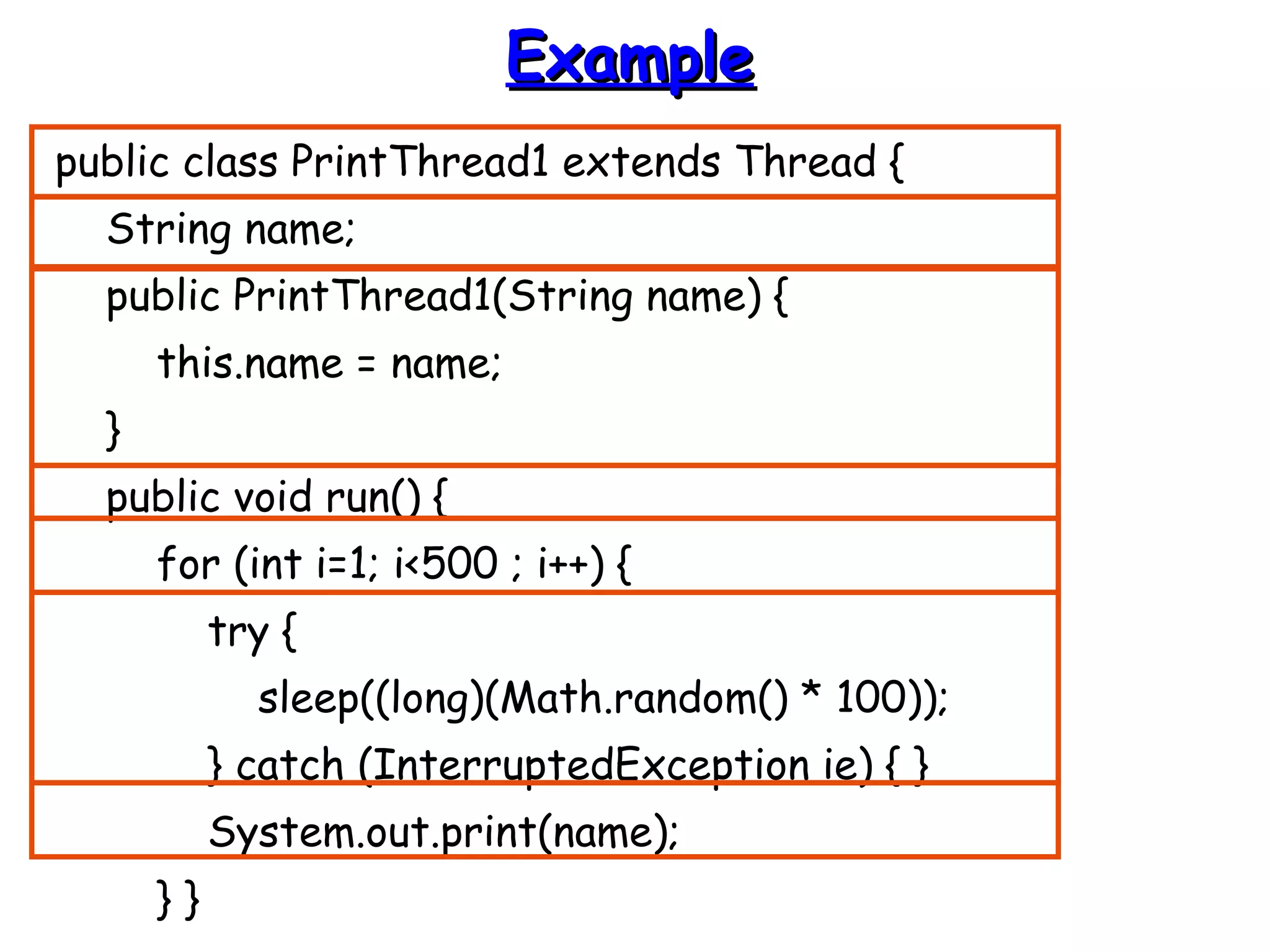
public class PrintThread1 extends Thread { 
String name; 
public PrintThread1(String name) { 
this.name = name; 
} 
public void run() { 
for (int i=1; i<500 ; i++) { 
try { 
sleep((long)(Math.random() * 100)); 
} catch (InterruptedException ie) { } 
System.out.print(name); 
} }
EExxaammppllee ((ccoonntt)) 
public static void main(String args[]) { 
PrintThread1 a = new PrintThread1("*"); 
PrintThread1 b = new PrintThread1("-"); 
PrintThread1 c = new PrintThread1("="); 
a.start(); 
b.start(); 
c.start(); 
} 
}
SScchheedduulliinngg 
• Thread scheduling is the mechanism used 
to determine how runnable threads are 
allocated CPU time 
• A thread-scheduling mechanism is either 
preemptive or nonpreemptive
PPrreeeemmppttiivvee SScchheedduulliinngg 
• Preemptive scheduling – the thread scheduler 
preempts (pauses) a running thread to allow 
different threads to execute 
• Nonpreemptive scheduling – the scheduler never 
interrupts a running thread 
• The nonpreemptive scheduler relies on the 
running thread to yield control of the CPU so 
that other threads may execute
SSttaarrvvaattiioonn 
• A nonpreemptive scheduler may cause 
starvation (runnable threads, ready to be 
executed, wait to be executed in the CPU 
a lot of time, maybe even forever) 
• Sometimes, starvation is also called a 
livelock
TTiimmee--SSlliicceedd SScchheedduulliinngg 
• Time-sliced scheduling – the scheduler allocates 
a period of time that each thread can use the 
CPU 
– when that amount of time has elapsed, the scheduler 
preempts the thread and switches to a different 
thread 
• Nontime-sliced scheduler – the scheduler does 
not use elapsed time to determine when to 
preempt a thread 
– it uses other criteria such as priority or I/O status
JJaavvaa SScchheedduulliinngg 
• Scheduler is preemptive and based on 
priority of threads 
• Uses fixed-priority scheduling: 
– Threads are scheduled according to their 
priority w.r.t. other threads in the ready 
queue
JJaavvaa SScchheedduulliinngg 
• The highest priority runnable thread is always selected 
for execution above lower priority threads 
• When multiple threads have equally high priorities, only 
one of those threads is guaranteed to be executing 
• Java threads are guaranteed to be preemptive-but not 
time sliced
TThhrreeaadd PPrriioorriittyy 
• Every thread has a priority 
• When a thread is created, it inherits 
the priority of the thread that 
created it 
• The priority values range from 1 to 
10, in increasing priority
TThhrreeaadd PPrriioorriittyy ((ccoonntt..)) 
• The priority can be adjusted subsequently using 
the setPriority() method 
• The priority of a thread may be obtained using 
getPriority() 
• Priority constants are defined: 
– MIN_PRIORITY=1 
– MAX_PRIORITY=10 
– NORM_PRIORITY=5
DDaaeemmoonn TThhrreeaaddss 
• Daemon threads are “background” threads, that 
provide services to other threads, e.g., the 
garbage collection thread 
• The Java VM will not exit if non-Daemon 
threads are executing 
• The Java VM will exit if only Daemon threads 
are executing 
• Daemon threads die when the Java VM exits
CCoonnccuurrrreennccyy 
• An object in a program can be changed by 
more than one thread 
• Q: Is the order of changes that were 
preformed on the object important?
RRaaccee CCoonnddiittiioonn 
• A race condition – the outcome of a 
program is affected by the order in which 
the program's threads are allocated CPU 
time 
• Two threads are simultaneously modifying 
a single object 
• Both threads “race” to store their value
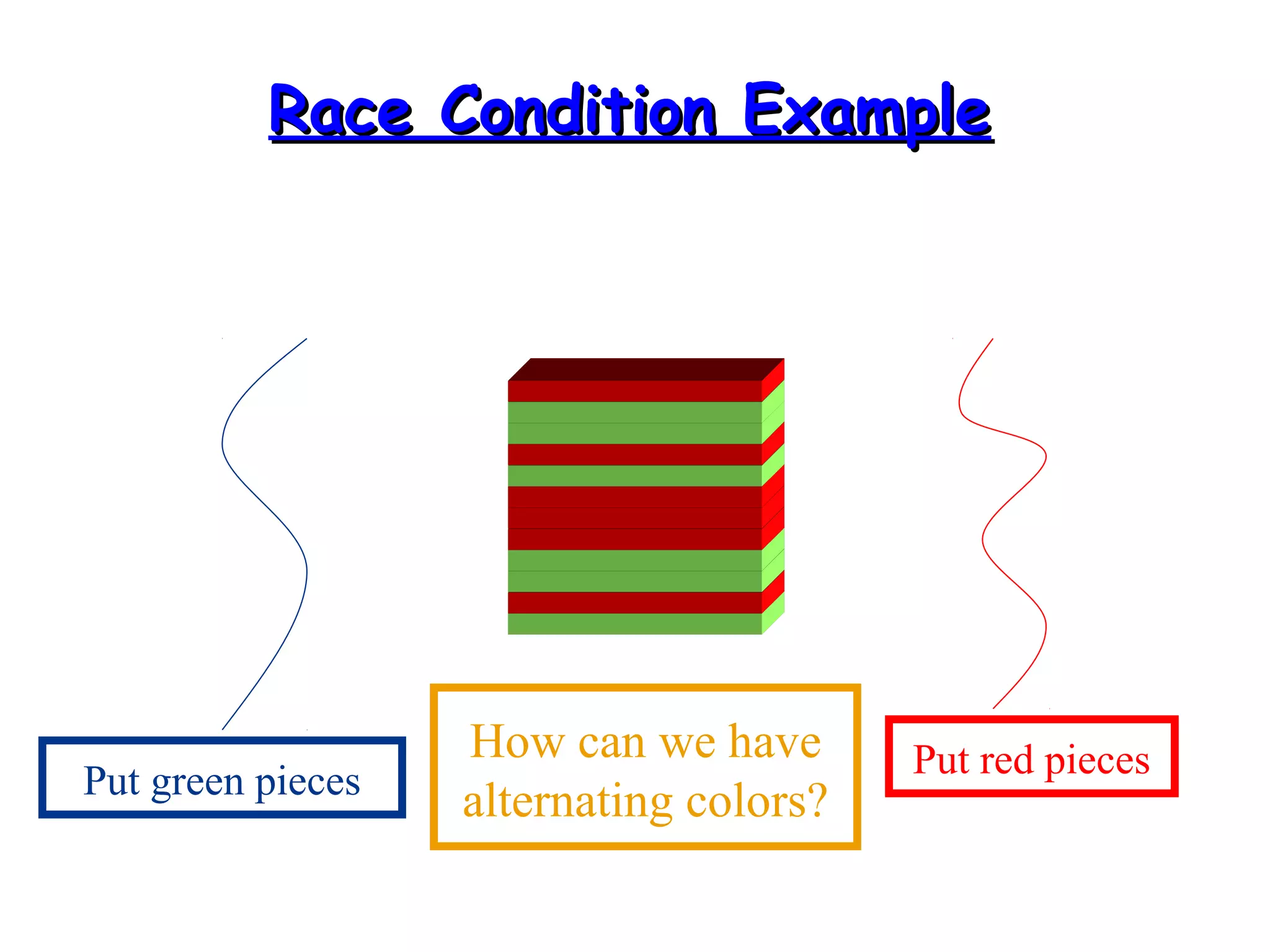
RRaaccee CCoonnddiittiioonn EExxaammppllee 
Put green pieces Put red pieces How can we have 
alternating colors?
MMoonniittoorrss 
• Each object has a “monitor” that is a token used 
to determine which application thread has 
control of a particular object instance 
• In execution of a synchronized method (or 
block), access to the object monitor must be 
gained before the execution 
• Access to the object monitor is queued
MMoonniittoorr ((ccoonntt..)) 
• Entering a monitor is also referred to as 
locking the monitor, or acquiring 
ownership of the monitor 
• If a thread A tries to acquire ownership 
of a monitor and a different thread has 
already entered the monitor, the current 
thread (A) must wait until the other 
thread leaves the monitor
CCrriittiiccaall SSeeccttiioonn 
• The synchronized methods define critical 
sections 
• Execution of critical sections is mutually 
exclusive. Why?
EExxaammppllee 
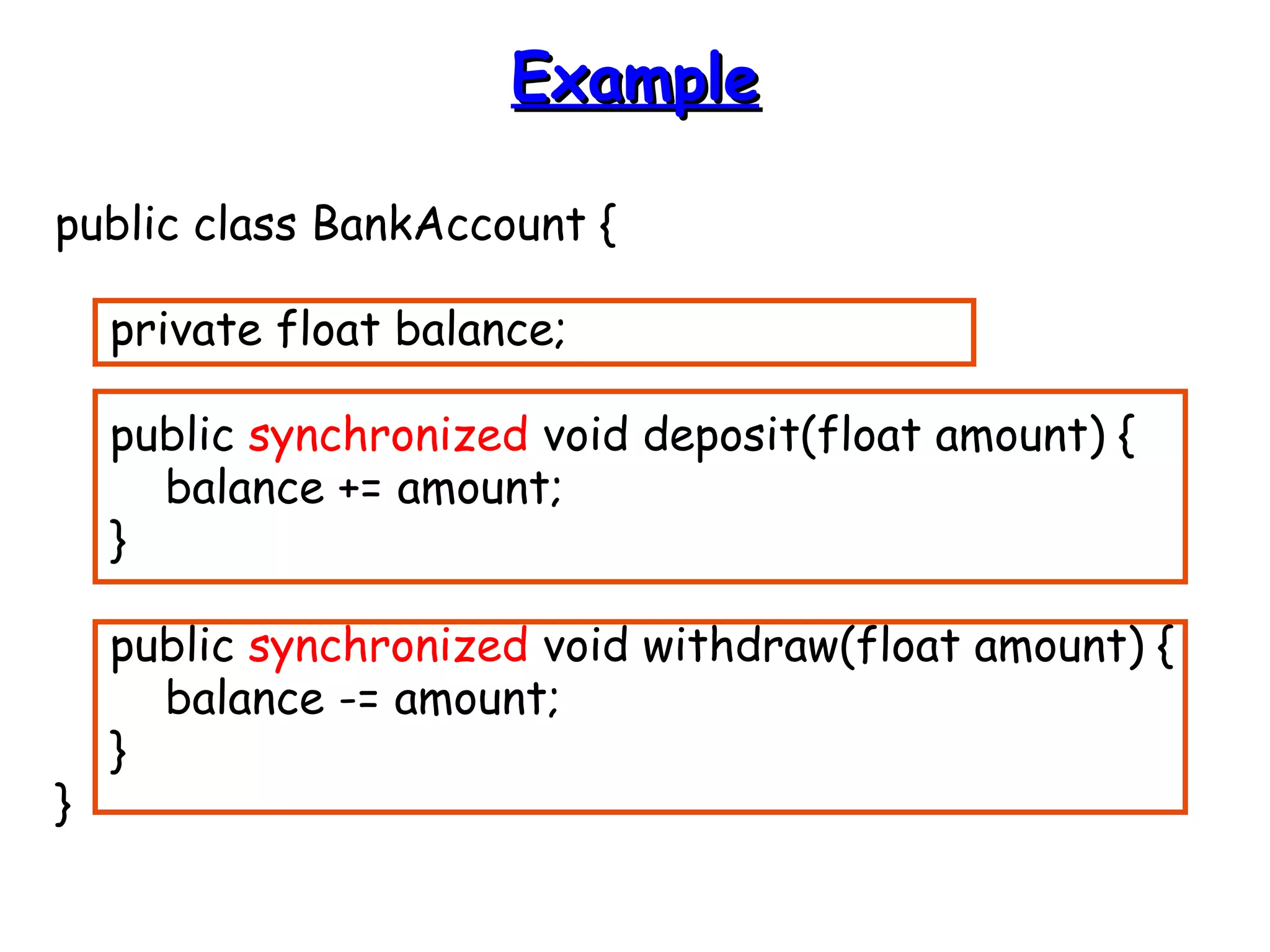
public class BankAccount { 
private float balance; 
public synchronized void deposit(float amount) { 
balance += amount; 
} 
public synchronized void withdraw(float amount) { 
balance -= amount; 
} 
}
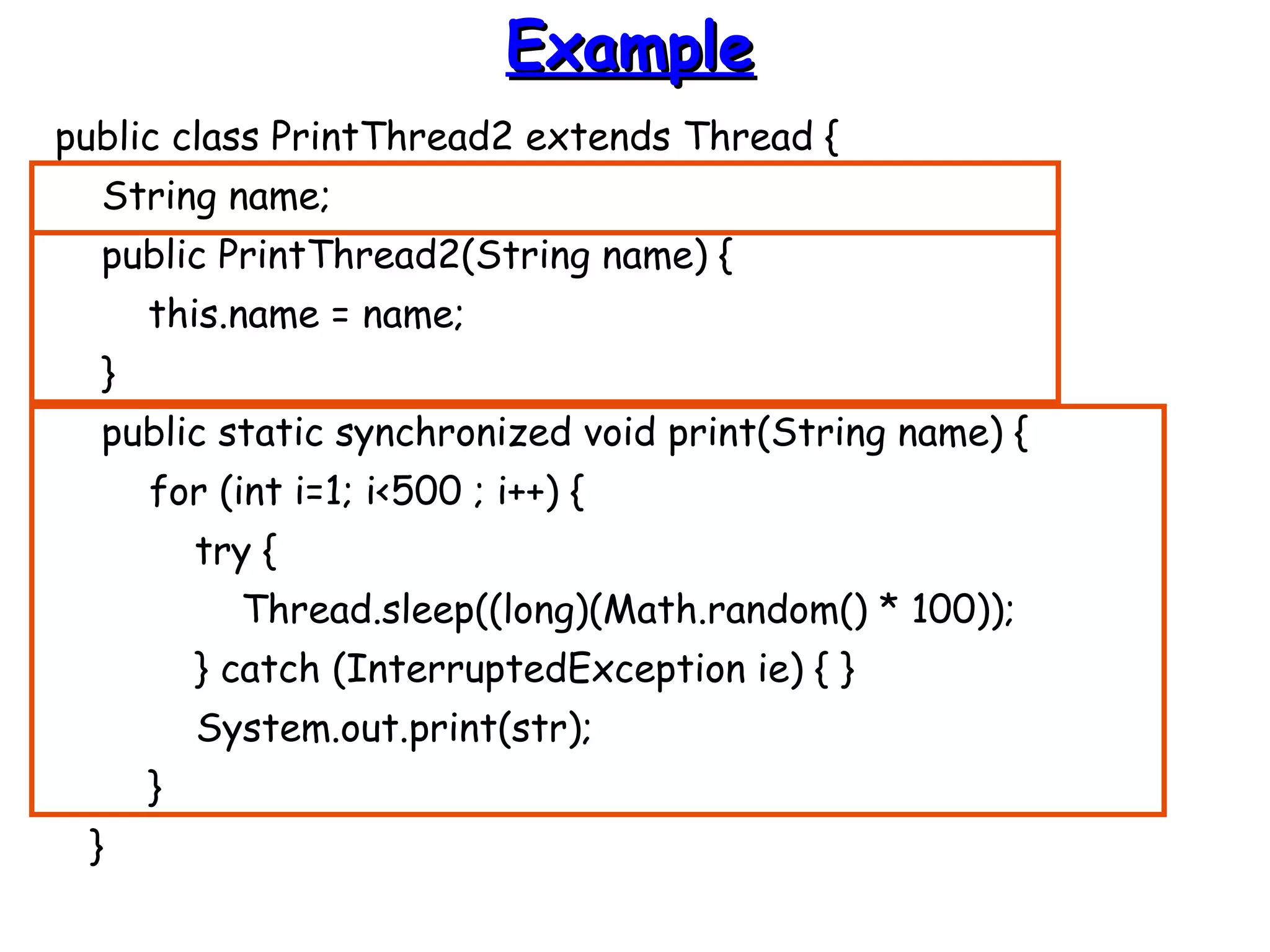
SSttaattiicc SSyynncchhrroonniizzeedd MMeetthhooddss 
• Marking a static method as synchronized, 
associates a monitor with the class itself 
• The execution of synchronized static 
methods of the same class is mutually 
exclusive.
EExxaammppllee 
public class PrintThread2 extends Thread { 
String name; 
public PrintThread2(String name) { 
this.name = name; 
} 
public static synchronized void print(String name) { 
for (int i=1; i<500 ; i++) { 
try { 
Thread.sleep((long)(Math.random() * 100)); 
} catch (InterruptedException ie) { } 
System.out.print(str); 
} 
}
EExxaammppllee ((ccoonntt)) 
public void run() { 
print(name); 
} 
public static void main(String args[]) { 
PrintThread2 a = new PrintThread2("*“); 
PrintThread2 b = new PrintThread2("-“); 
PrintThread2 c = new PrintThread2("=“); 
a.start(); 
b.start(); 
c.start(); 
} 
} 
RESULT
DDeeaaddlloocckk 
• What is deadlock?
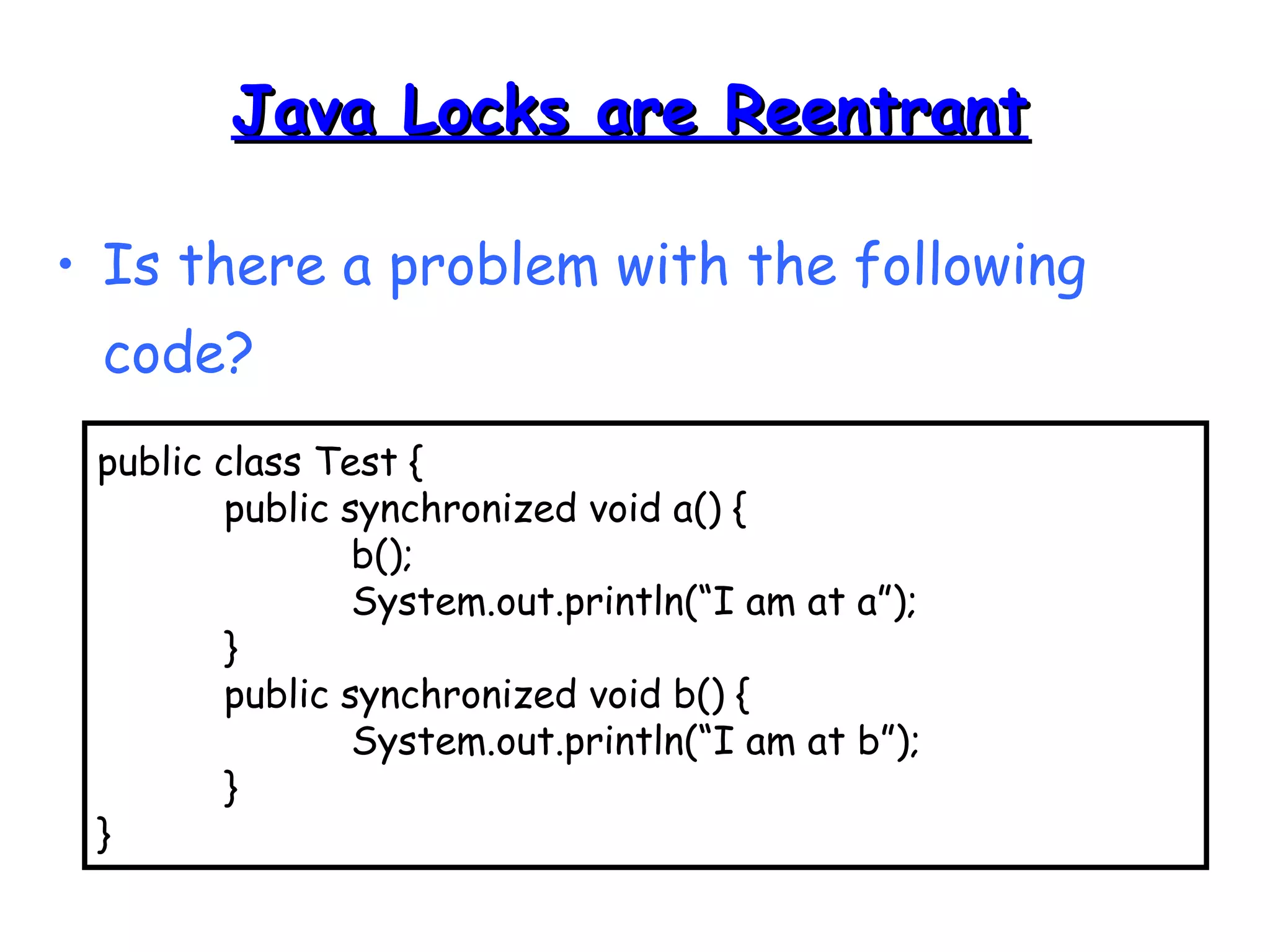
JJaavvaa LLoocckkss aarree RReeeennttrraanntt 
• Is there a problem with the following 
code? 
public class Test { 
public synchronized void a() { 
b(); 
System.out.println(“I am at a”); 
} 
public synchronized void b() { 
System.out.println(“I am at b”); 
} 
}
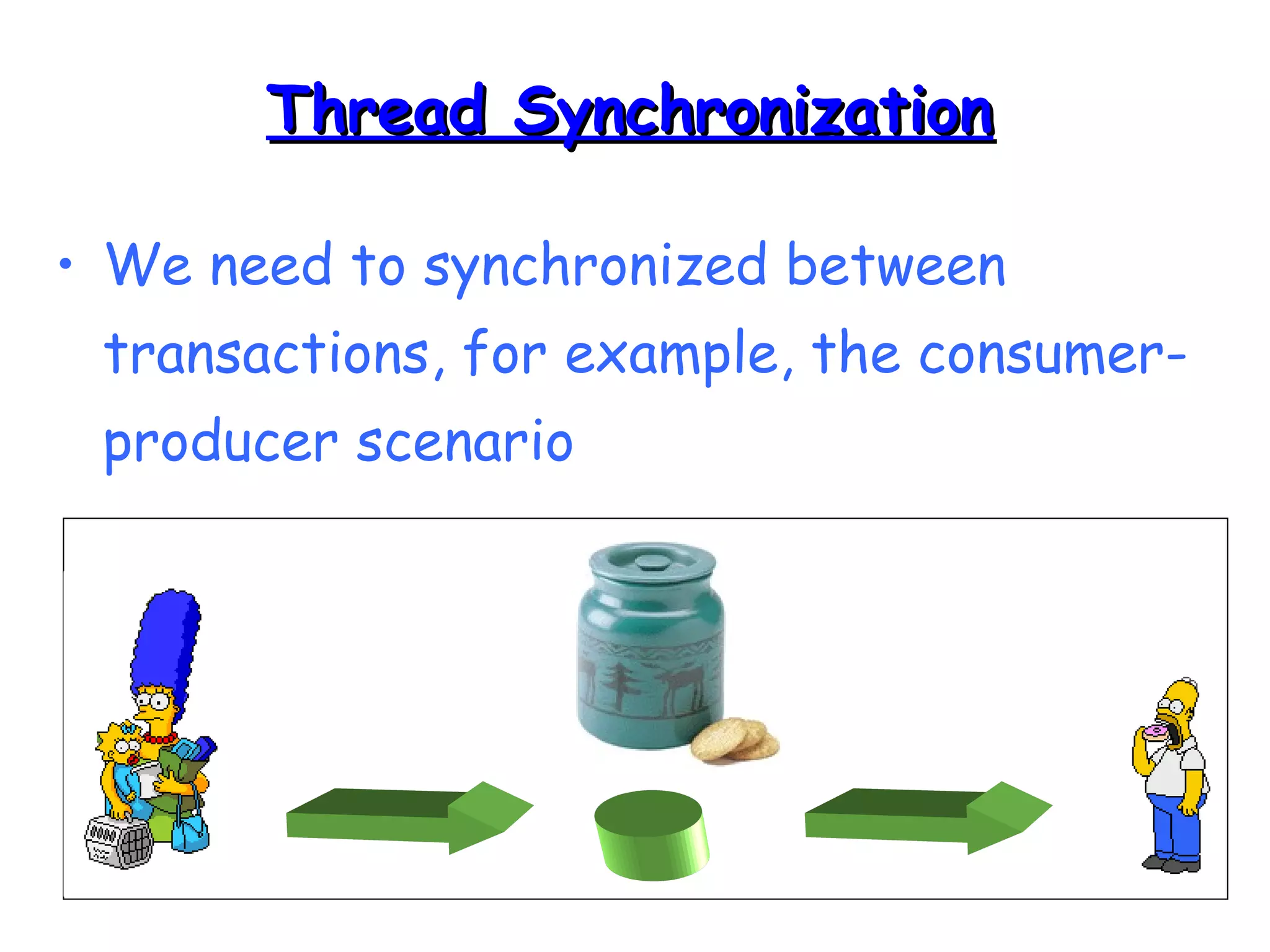
TThhrreeaadd SSyynncchhrroonniizzaattiioonn 
• We need to synchronized between 
transactions, for example, the consumer-producer 
scenario
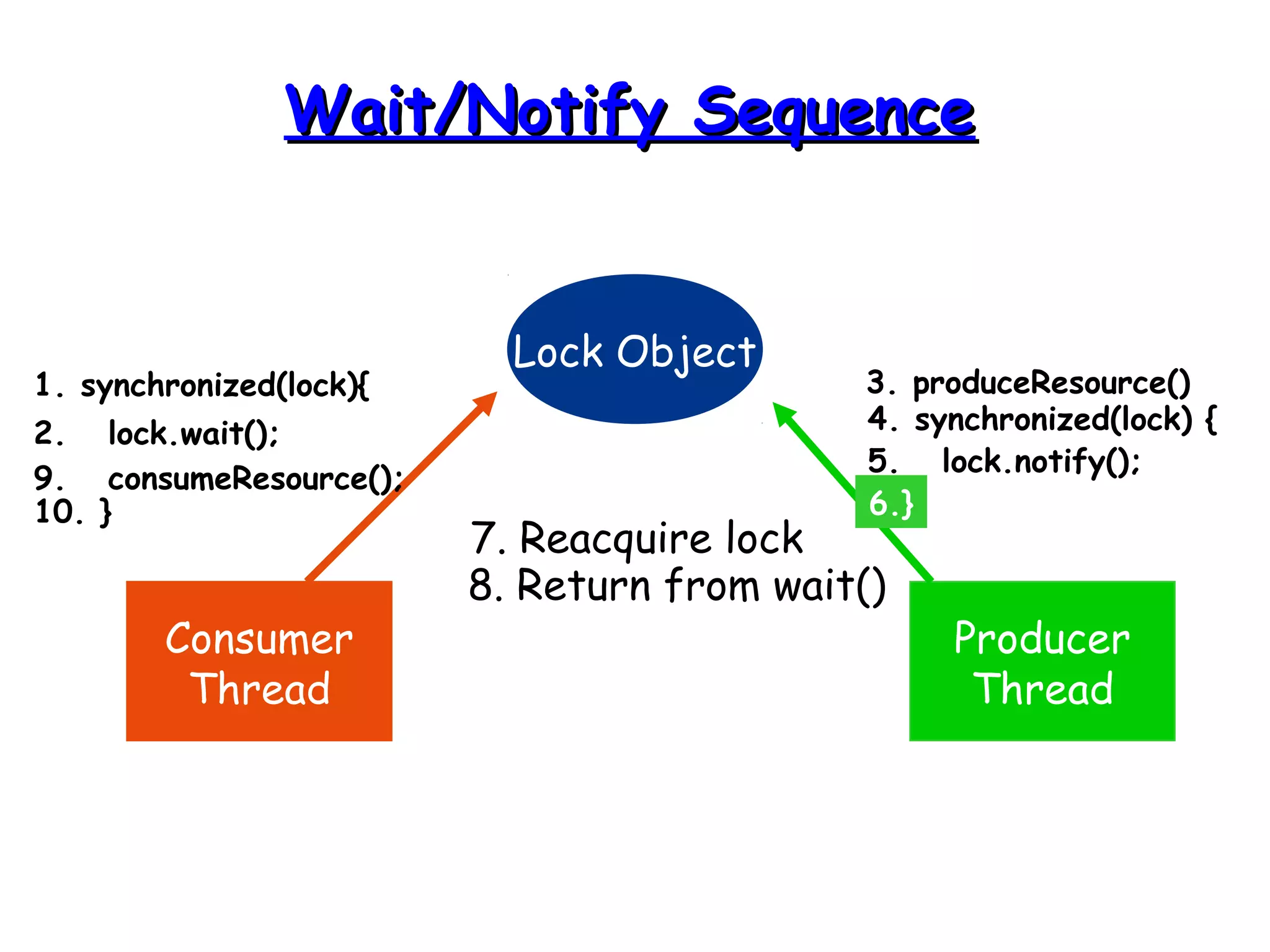
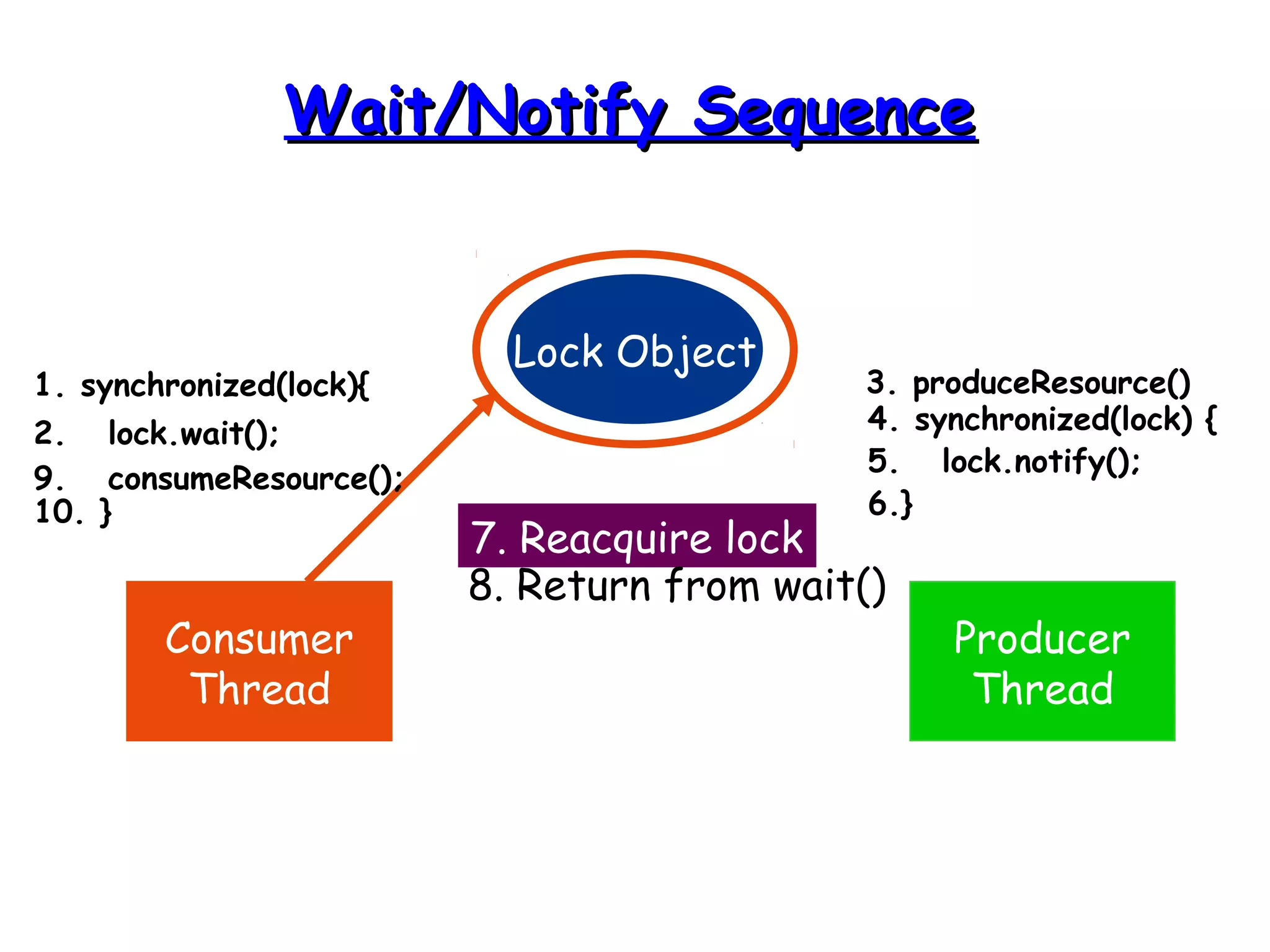
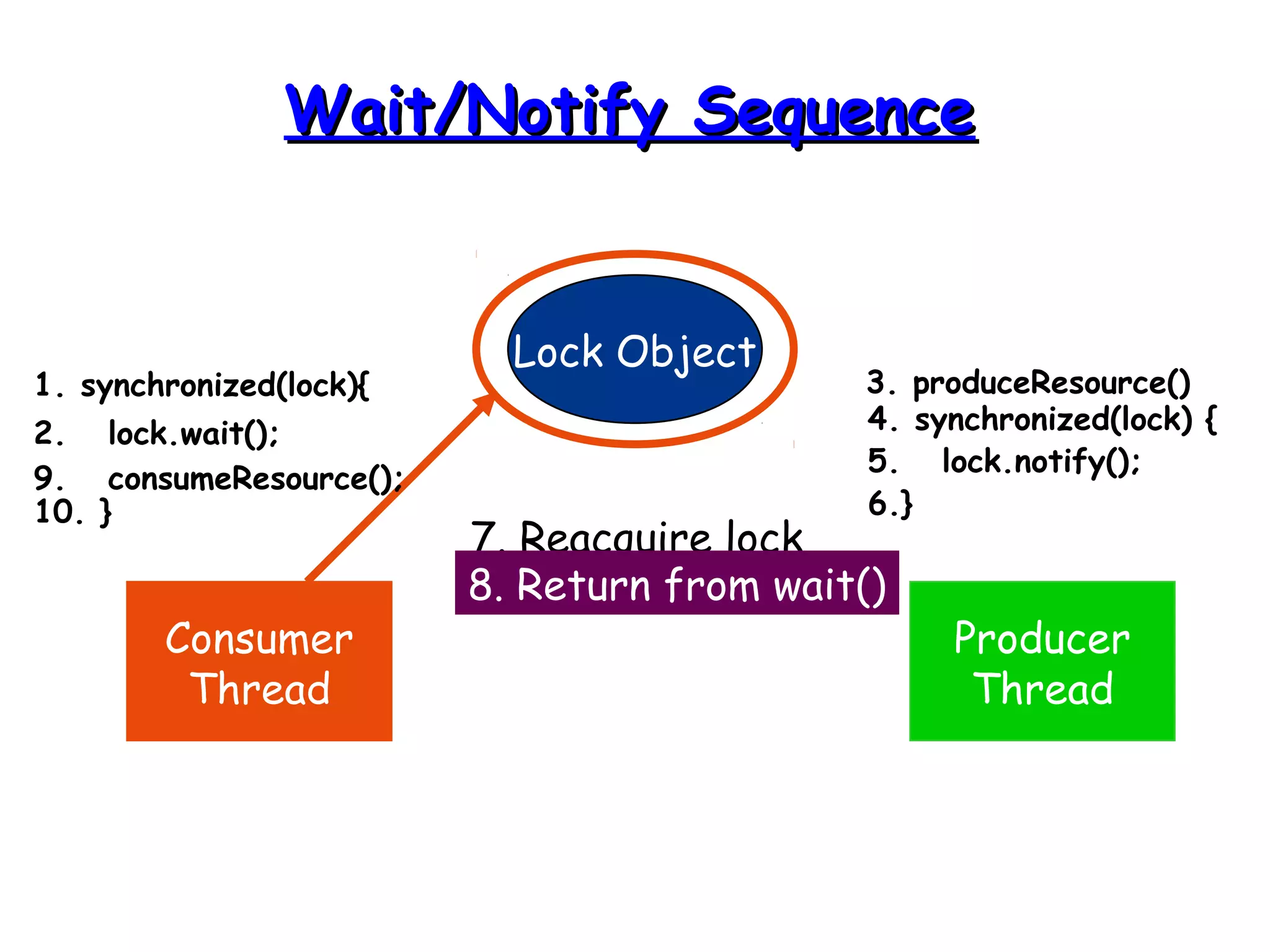
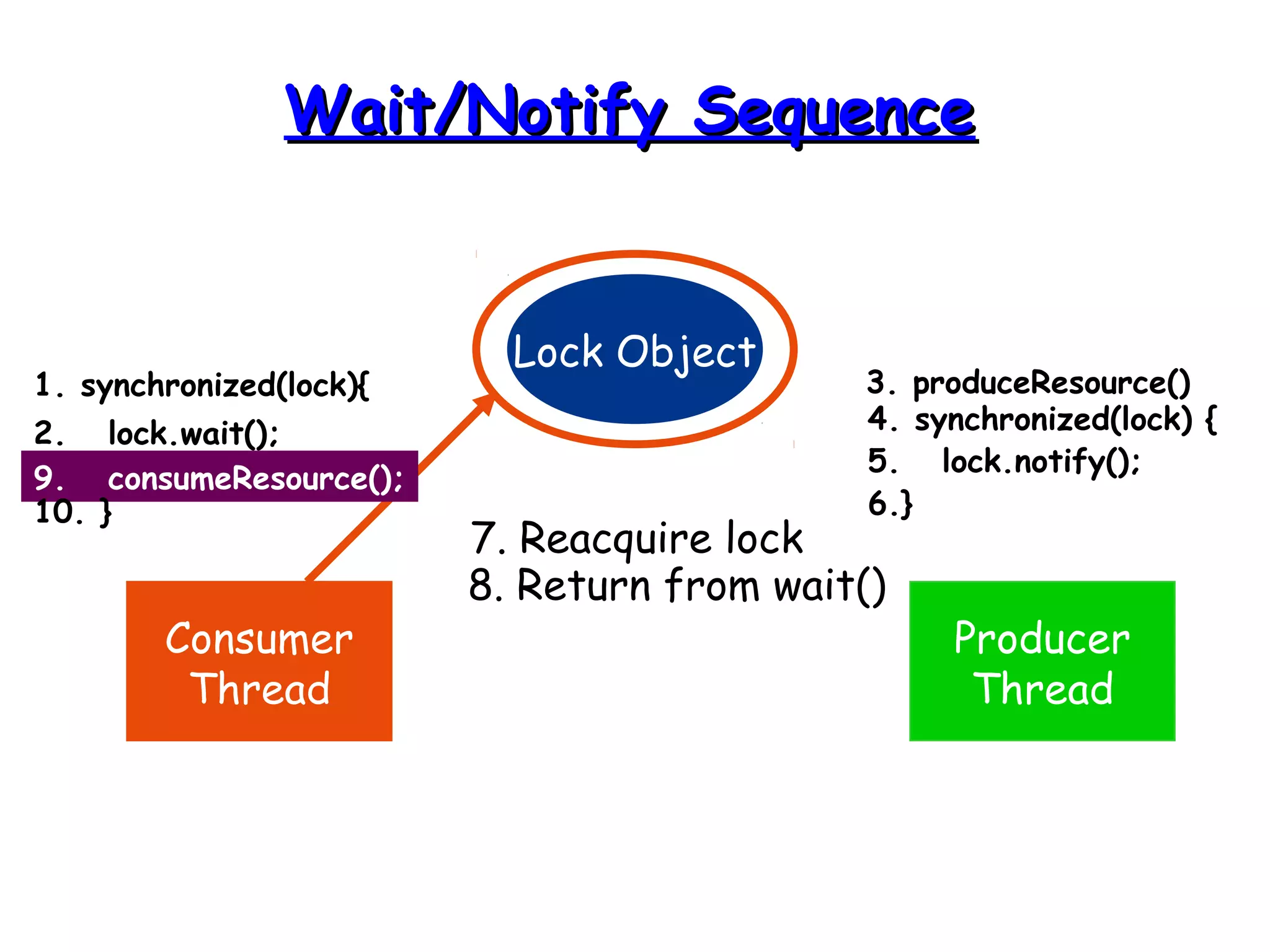
WWaaiitt aanndd NNoottiiffyy 
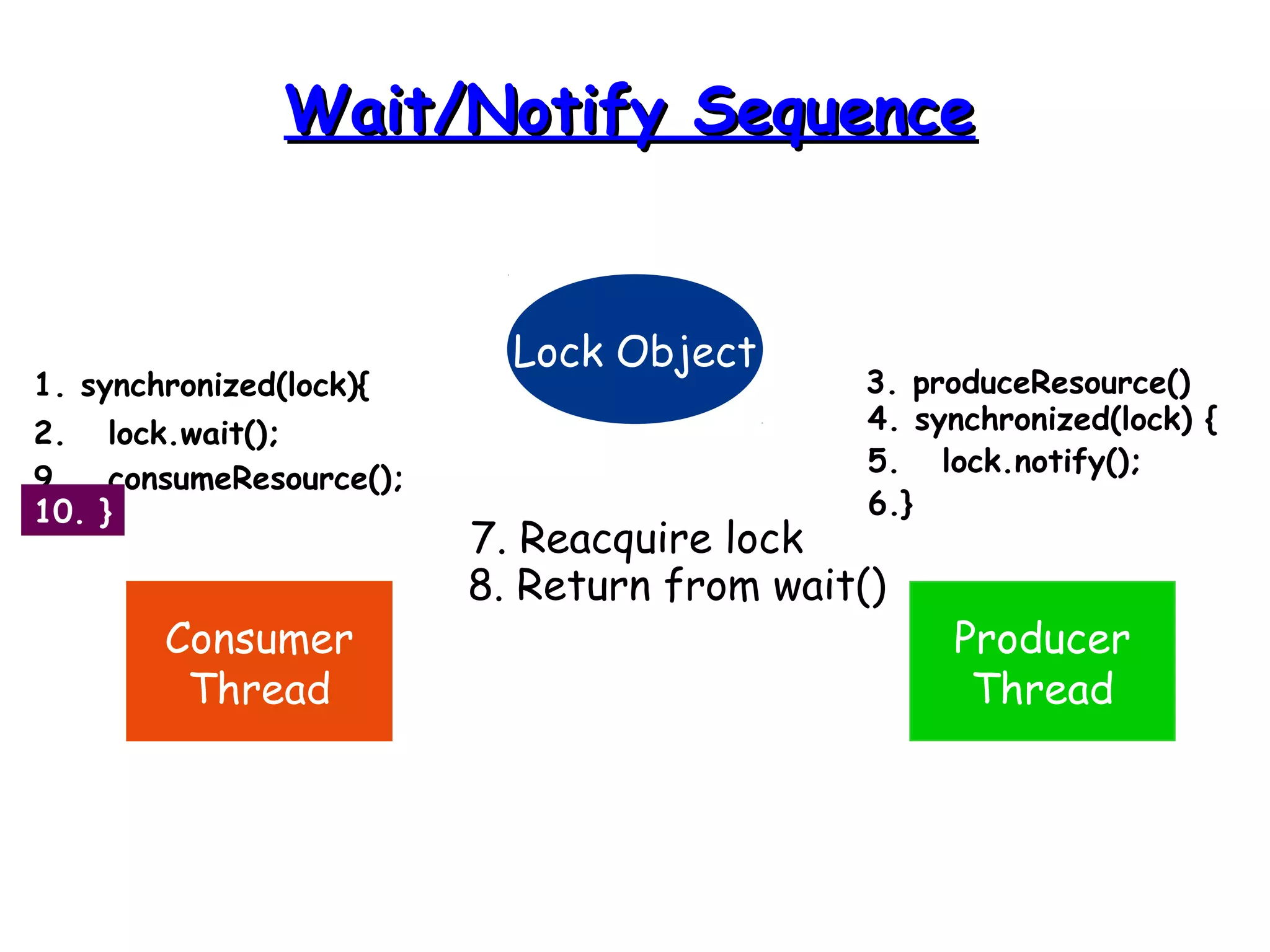
• Allows two threads to cooperate 
• Based on a single shared lock object 
– Producer put a cookie wait and notify 
Consumer 
– Consumer eat a cookie wait and notify 
Producer
TThhee wwaaiitt(()) MMeetthhoodd 
• The wait() method is part of the 
java.lang.Object interface 
• It requires a lock on the object’s monitor 
to execute 
• It must be called from a synchronized 
method, or from a synchronized segment 
of code.
TThhee wwaaiitt(()) MMeetthhoodd 
• wait() causes the current thread to wait 
until another thread invokes the notify() 
method or the notifyAll() method for this 
object 
• Upon call for wait(), the thread releases 
ownership of this monitor and waits until 
another thread notifies the waiting 
threads of the object
TThhee wwaaiitt(()) MMeetthhoodd 
• wait() is also similar to yield() 
– Both take the current thread off the 
execution stack and force it to be 
rescheduled 
• However, wait() is not automatically put 
back into the scheduler queue 
– notify() must be called in order to get a 
thread back into the scheduler’s queue
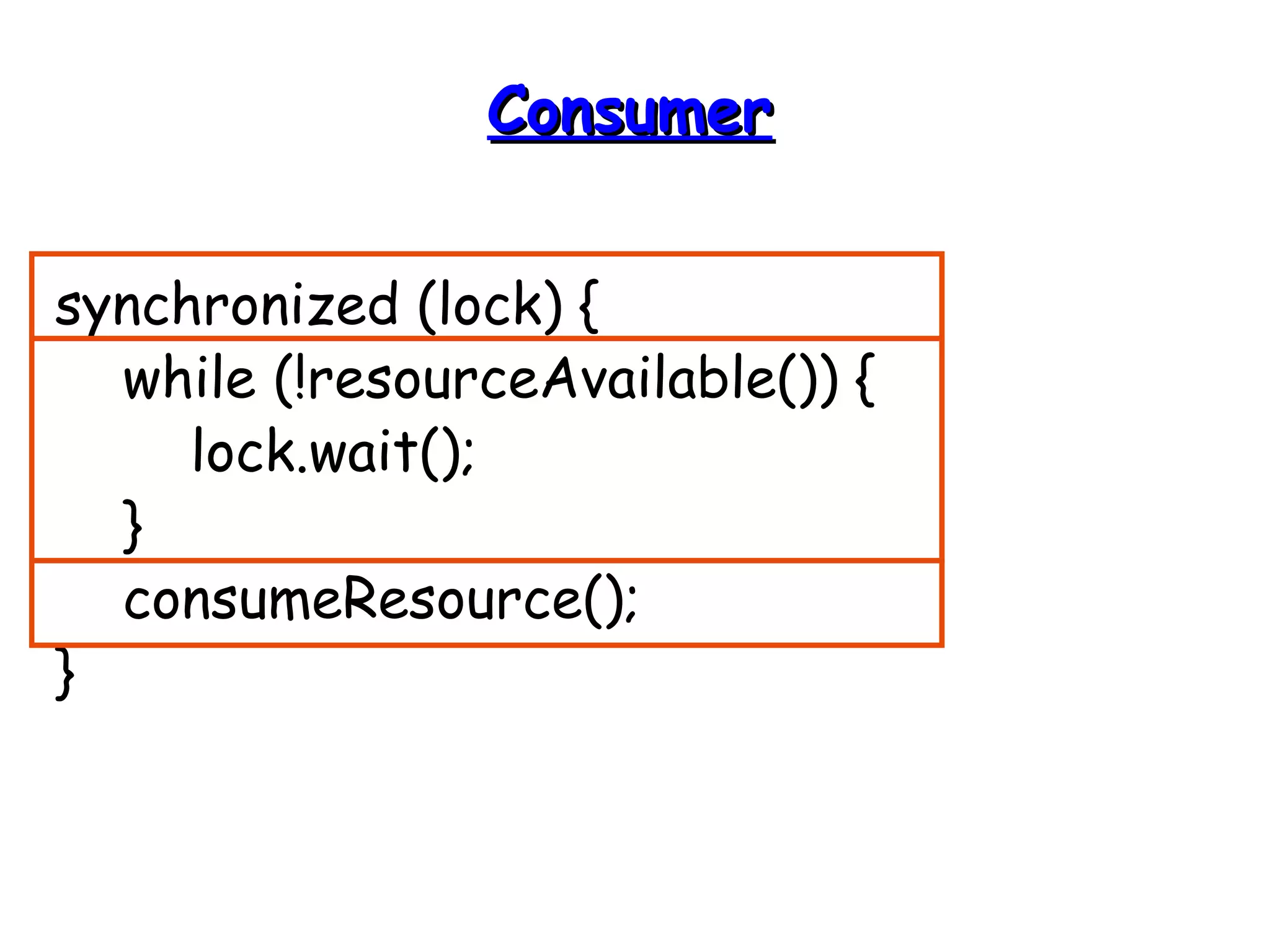
CCoonnssuummeerr 
synchronized (lock) { 
while (!resourceAvailable()) { 
lock.wait(); 
} 
consumeResource(); 
}
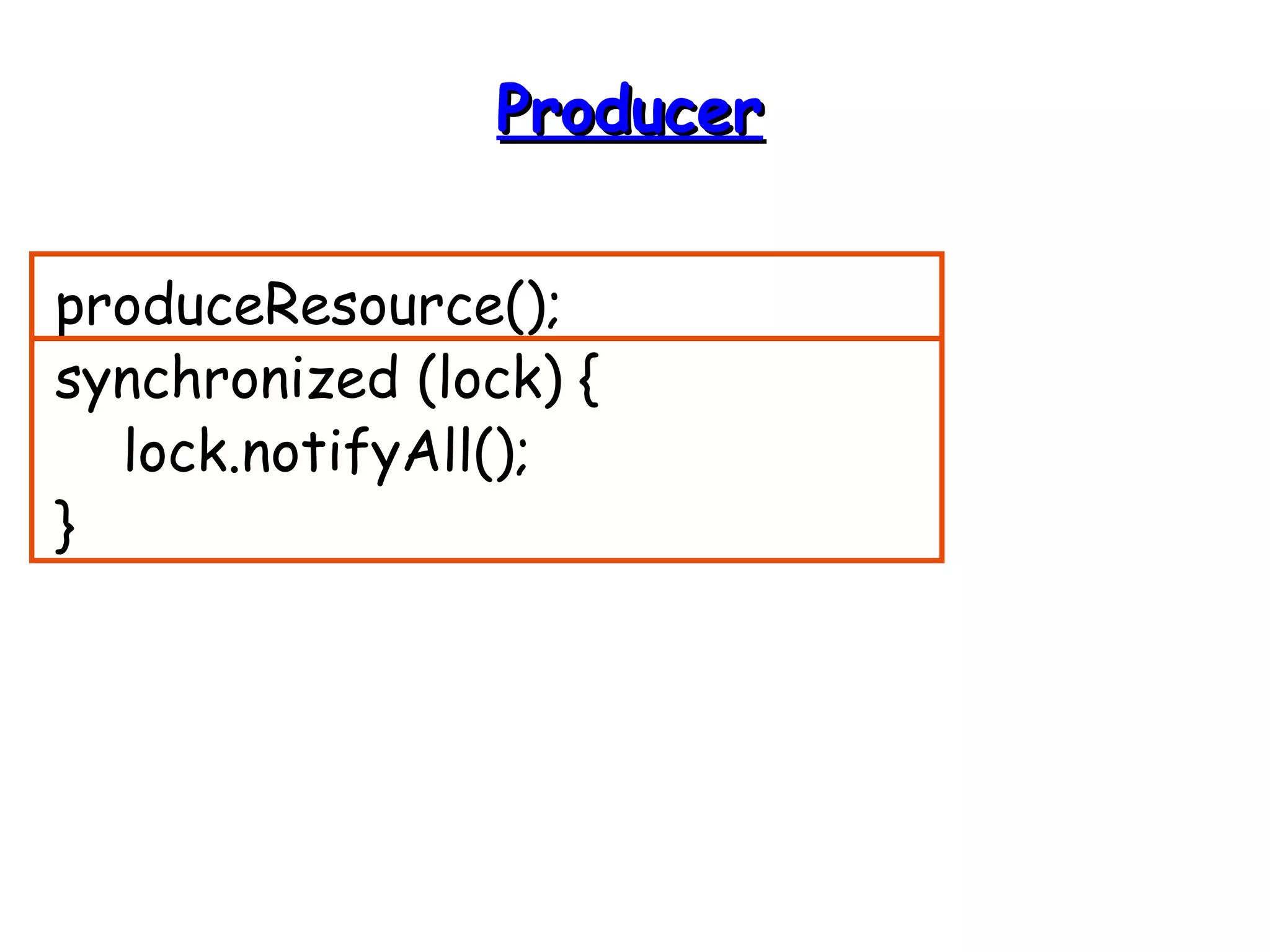
PPrroodduucceerr 
produceResource(); 
synchronized (lock) { 
lock.notifyAll(); 
}
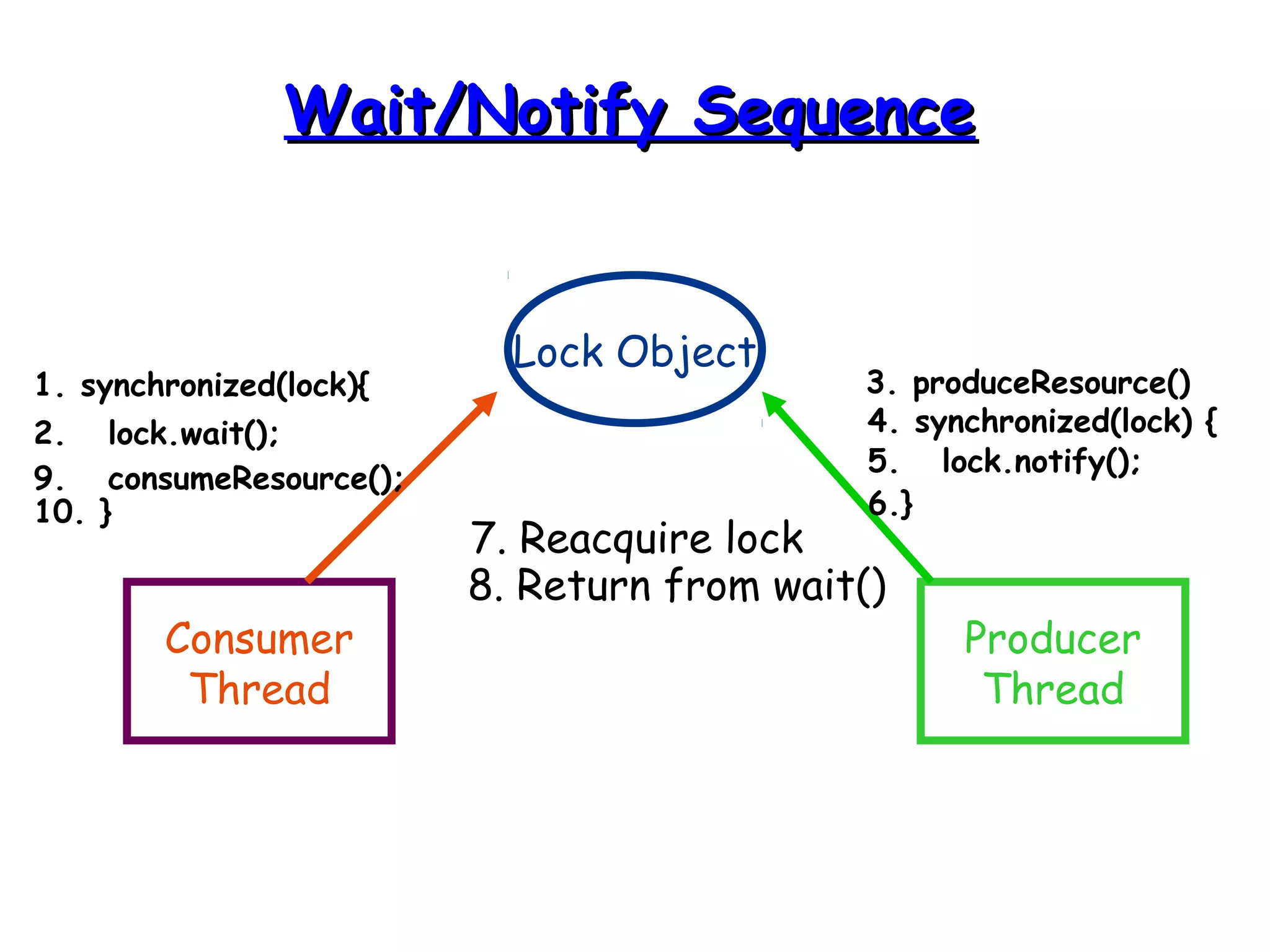
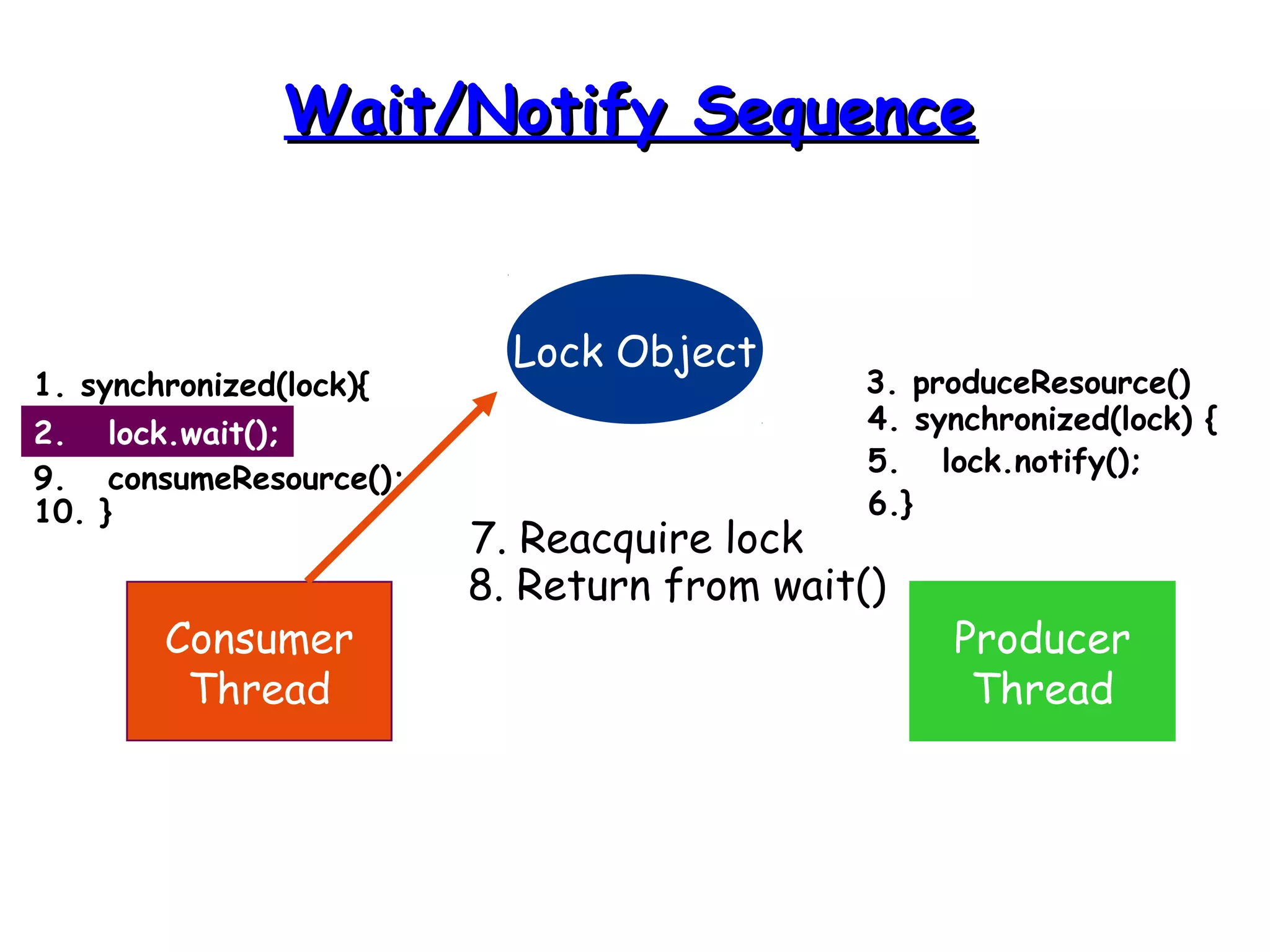
WWaaiitt//NNoottiiffyy SSeeqquueennccee 
Lock Object 
Consumer 
Thread 
Producer 
Thread 
1. synchronized(lock){ 
2. lock.wait(); 
3. produceResource() 
4. synchronized(lock) { 
5. lock.notify(); 
6.} 
7. Reacquire lock 
8. Return from wait() 
9. consumeResource(); 
10. }
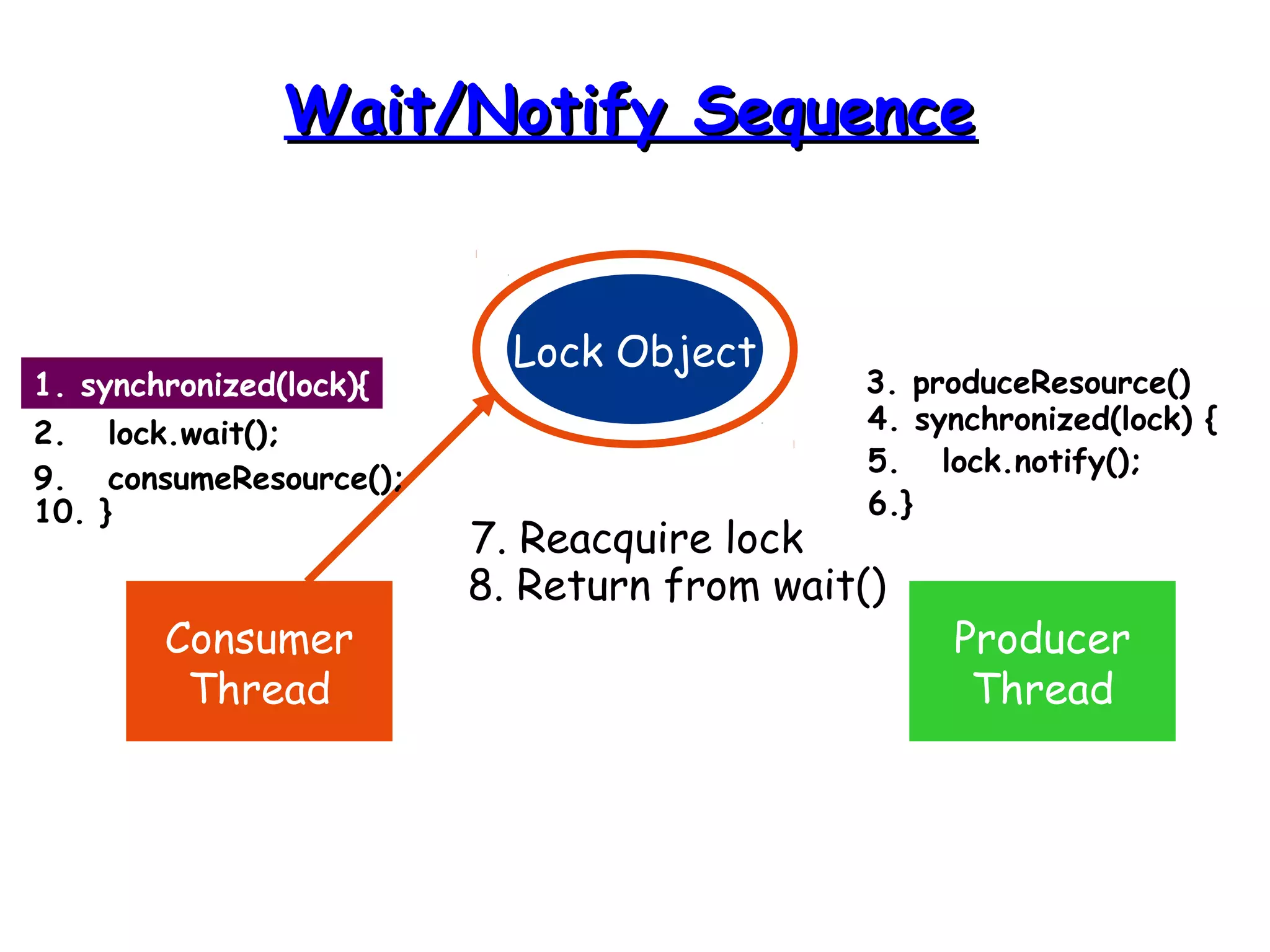
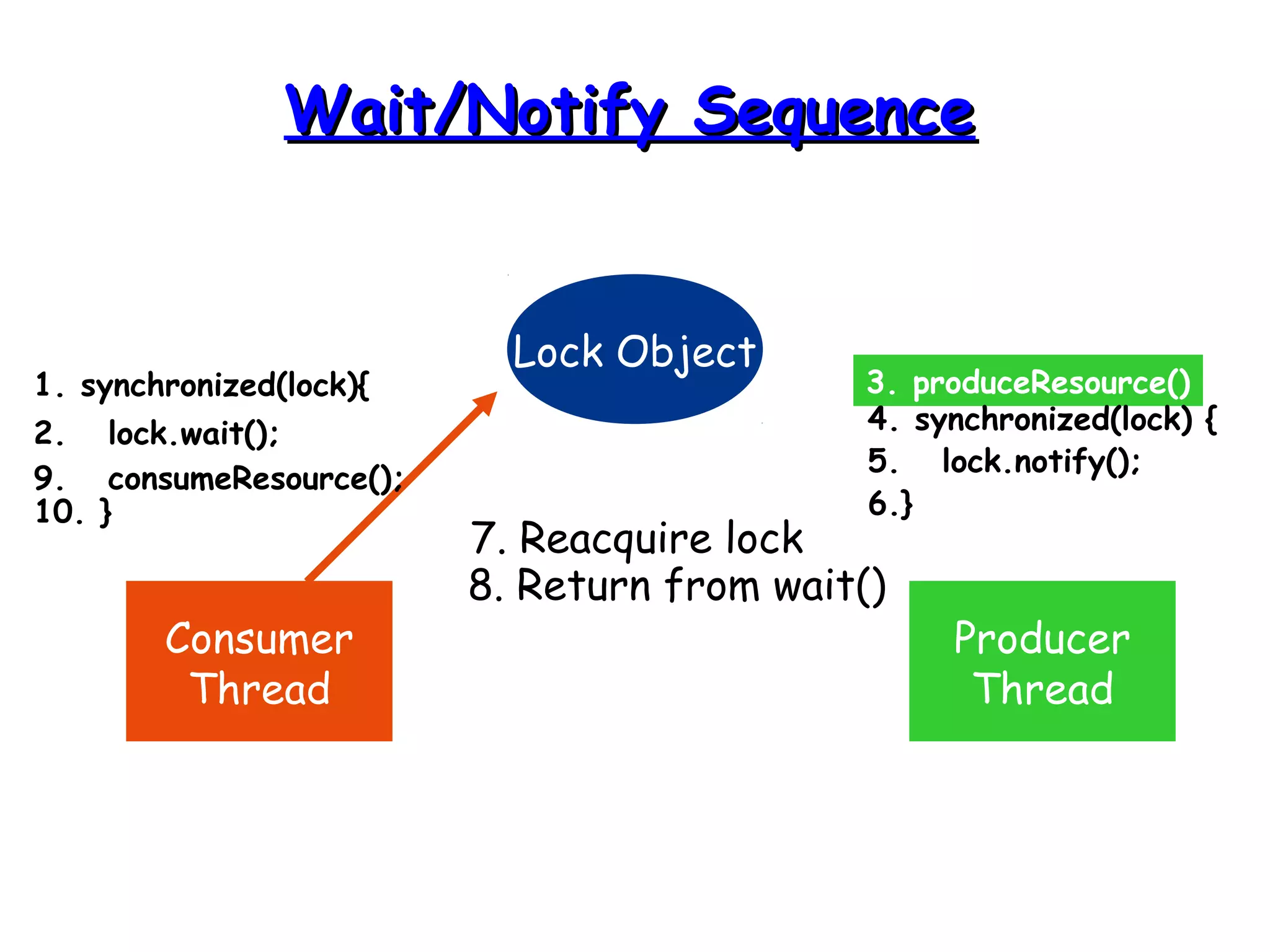
WWaaiitt//NNoottiiffyy SSeeqquueennccee 
Lock Object 
Consumer 
Thread 
Producer 
Thread 
1. synchronized(lock){ 
2. lock.wait(); 
3. produceResource() 
4. synchronized(lock) { 
5. lock.notify(); 
6.} 
7. Reacquire lock 
8. Return from wait() 
9. consumeResource(); 
10. }
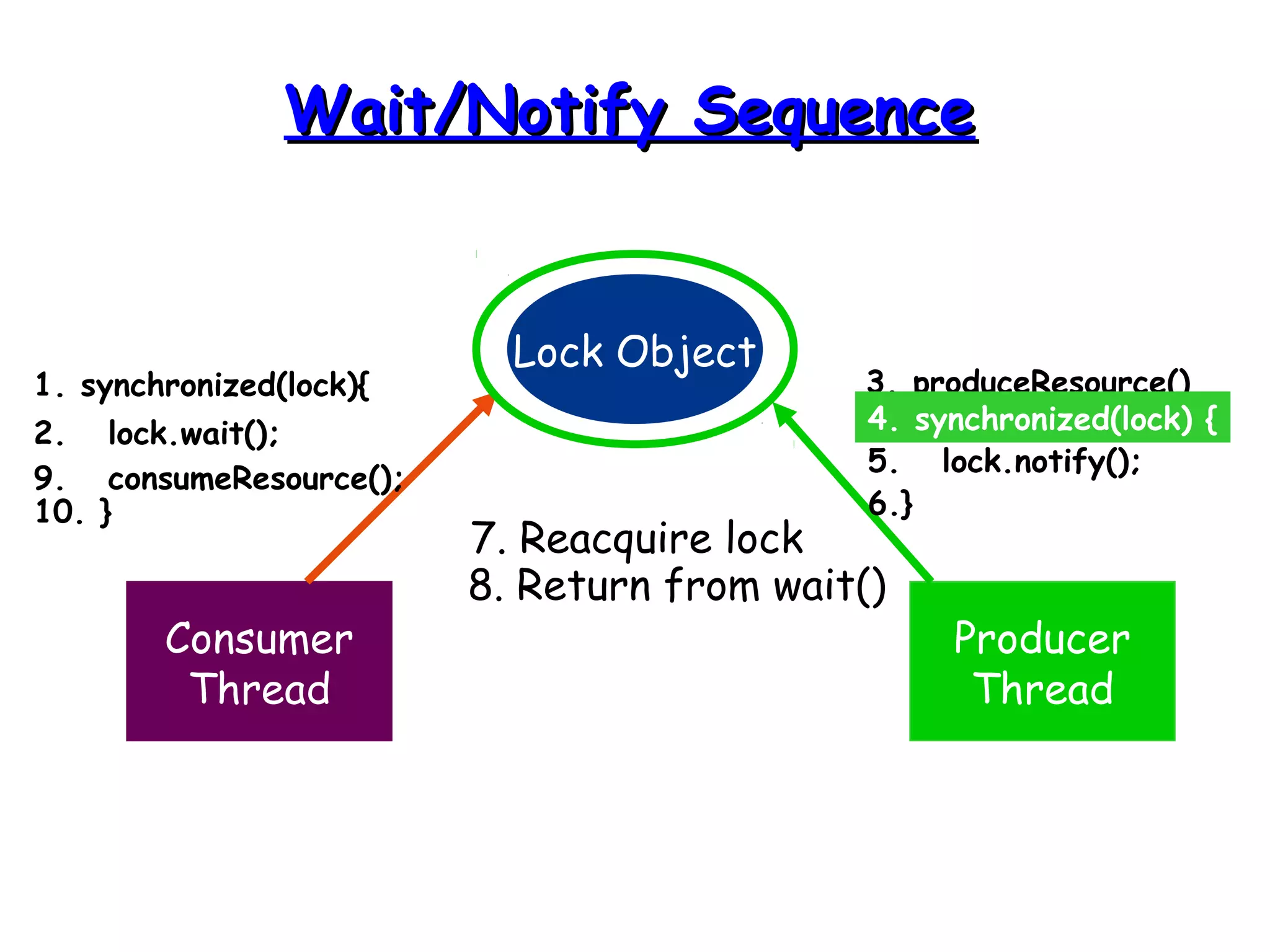
WWaaiitt//NNoottiiffyy SSeeqquueennccee 
Lock Object 
Consumer 
Thread 
Producer 
Thread 
1. synchronized(lock){ 
2. lock.wait(); 
3. produceResource() 
4. synchronized(lock) { 
5. lock.notify(); 
6.} 
7. Reacquire lock 
8. Return from wait() 
9. consumeResource(); 
10. }
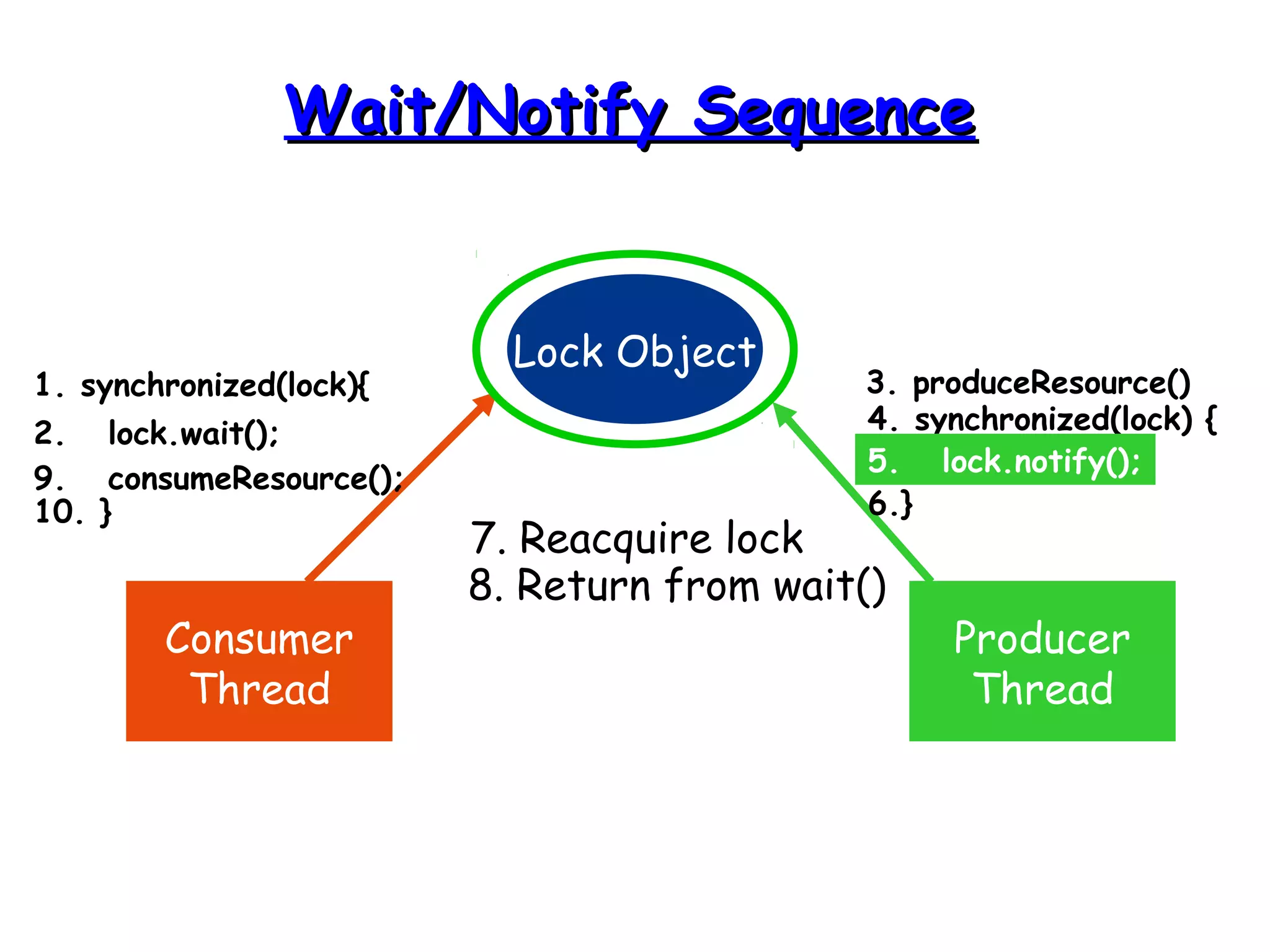
WWaaiitt//NNoottiiffyy SSeeqquueennccee 
Lock Object 
Consumer 
Thread 
Producer 
Thread 
1. synchronized(lock){ 
2. lock.wait(); 
3. produceResource() 
4. synchronized(lock) { 
5. lock.notify(); 
6.} 
7. Reacquire lock 
8. Return from wait() 
9. consumeResource(); 
10. }
WWaaiitt//NNoottiiffyy SSeeqquueennccee 
Lock Object 
Consumer 
Thread 
Producer 
Thread 
1. synchronized(lock){ 
2. lock.wait(); 
3. produceResource() 
4. synchronized(lock) { 
5. lock.notify(); 
6.} 
7. Reacquire lock 
8. Return from wait() 
9. consumeResource(); 
10. }
WWaaiitt//NNoottiiffyy SSeeqquueennccee 
Lock Object 
Consumer 
Thread 
Producer 
Thread 
1. synchronized(lock){ 
2. lock.wait(); 
3. produceResource() 
4. synchronized(lock) { 
5. lock.notify(); 
6.} 
7. Reacquire lock 
8. Return from wait() 
9. consumeResource(); 
10. }
WWaaiitt//NNoottiiffyy SSeeqquueennccee 
Lock Object 
Consumer 
Thread 
Producer 
Thread 
1. synchronized(lock){ 
2. lock.wait(); 
3. produceResource() 
4. synchronized(lock) { 
5. lock.notify(); 
6.} 
7. Reacquire lock 
8. Return from wait() 
9. consumeResource(); 
10. }
WWaaiitt//NNoottiiffyy SSeeqquueennccee 
Lock Object 
Consumer 
Thread 
Producer 
Thread 
1. synchronized(lock){ 
2. lock.wait(); 
3. produceResource() 
4. synchronized(lock) { 
5. lock.notify(); 
6.} 
7. Reacquire lock 
8. Return from wait() 
9. consumeResource(); 
10. }
WWaaiitt//NNoottiiffyy SSeeqquueennccee 
Lock Object 
Consumer 
Thread 
Producer 
Thread 
1. synchronized(lock){ 
2. lock.wait(); 
3. produceResource() 
4. synchronized(lock) { 
5. lock.notify(); 
6.} 
7. Reacquire lock 
8. Return from wait() 
9. consumeResource(); 
10. }
WWaaiitt//NNoottiiffyy SSeeqquueennccee 
Lock Object 
Consumer 
Thread 
Producer 
Thread 
1. synchronized(lock){ 
2. lock.wait(); 
3. produceResource() 
4. synchronized(lock) { 
5. lock.notify(); 
6.} 
7. Reacquire lock 
8. Return from wait() 
9. consumeResource(); 
10. }
WWaaiitt//NNoottiiffyy SSeeqquueennccee 
Lock Object 
Consumer 
Thread 
Producer 
Thread 
1. synchronized(lock){ 
2. lock.wait(); 
3. produceResource() 
4. synchronized(lock) { 
5. lock.notify(); 
6.} 
7. Reacquire lock 
8. Return from wait() 
9. consumeResource(); 
10. }
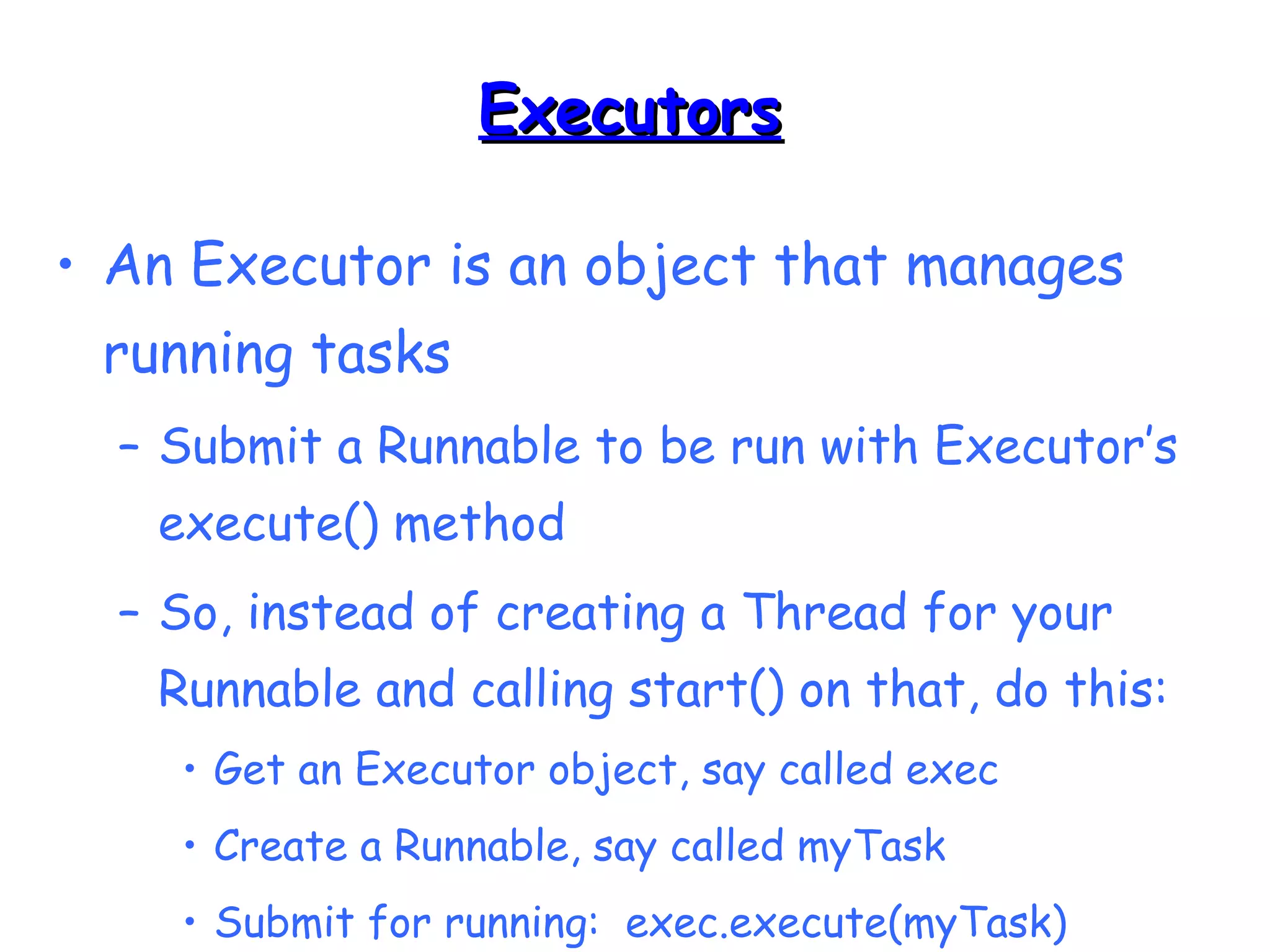
EExxeeccuuttoorrss 
• An Executor is an object that manages 
running tasks 
– Submit a Runnable to be run with Executor’s 
execute() method 
– So, instead of creating a Thread for your 
Runnable and calling start() on that, do this: 
• Get an Executor object, say called exec 
• Create a Runnable, say called myTask 
• Submit for running: exec.execute(myTask)
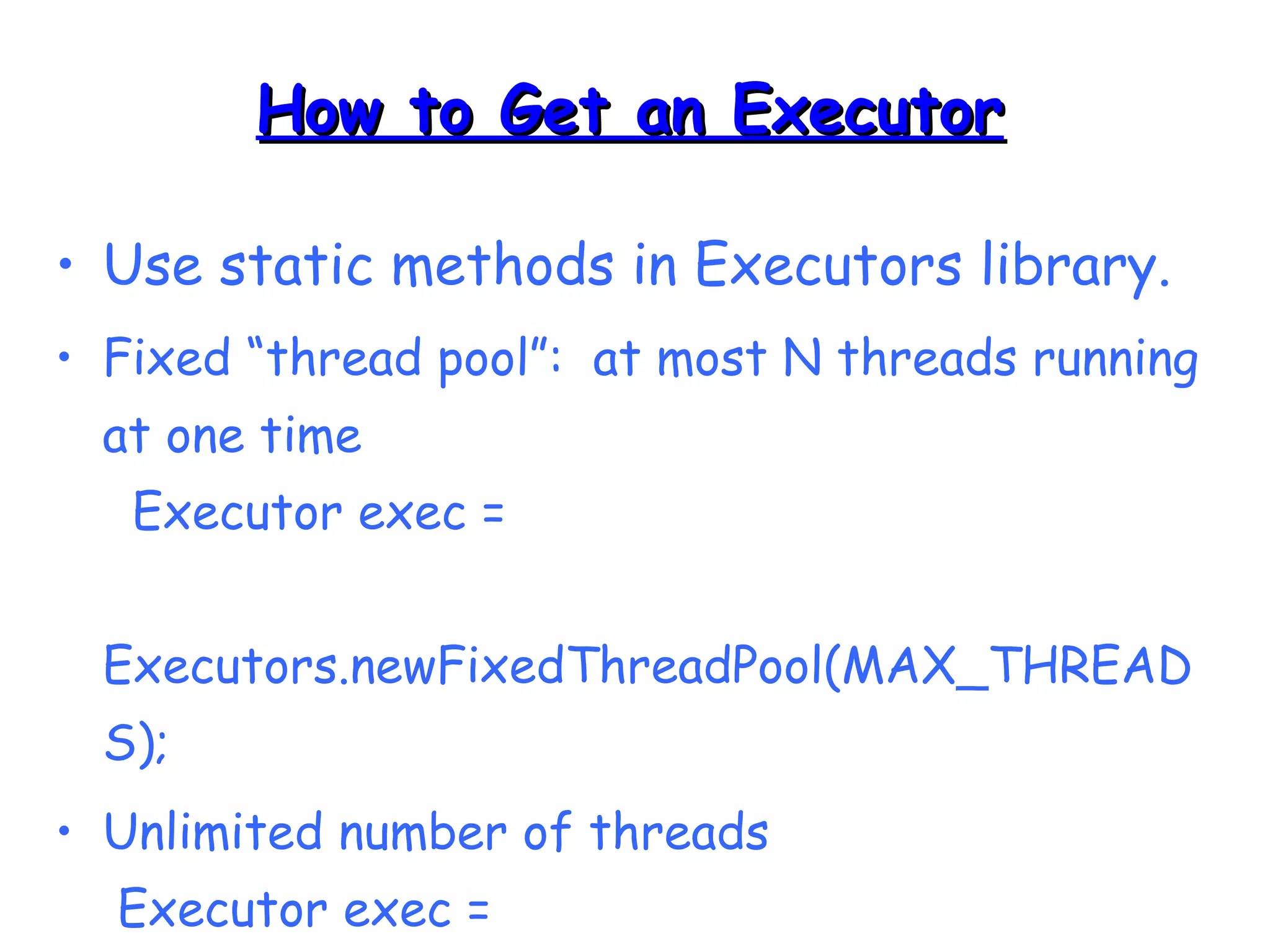
HHooww ttoo GGeett aann EExxeeccuuttoorr 
• Use static methods in Executors library. 
• Fixed “thread pool”: at most N threads running 
at one time 
Executor exec = 
Executors.newFixedThreadPool(MAX_THREAD 
S); 
• Unlimited number of threads 
Executor exec = 
Executors.newCachedThreadPool();
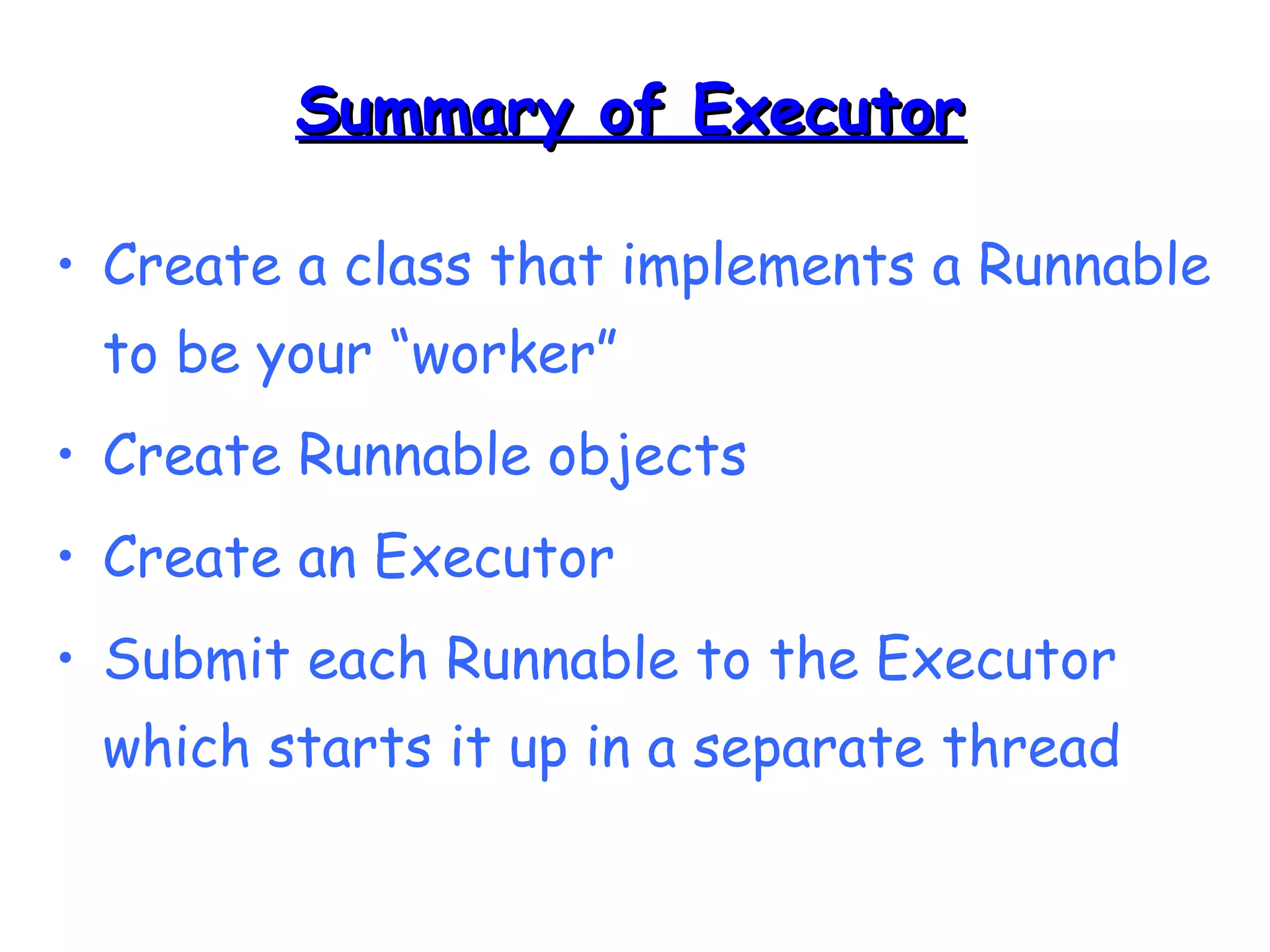
SSuummmmaarryy ooff EExxeeccuuttoorr 
• Create a class that implements a Runnable 
to be your “worker” 
• Create Runnable objects 
• Create an Executor 
• Submit each Runnable to the Executor 
which starts it up in a separate thread
TTiimmeerrss aanndd TTiimmeerrTTaasskk 
• The classes Timer and TimerTask are part 
of the java.util package 
• Useful for 
– performing a task after a specified delay 
– performing a sequence of tasks at constant 
time intervals
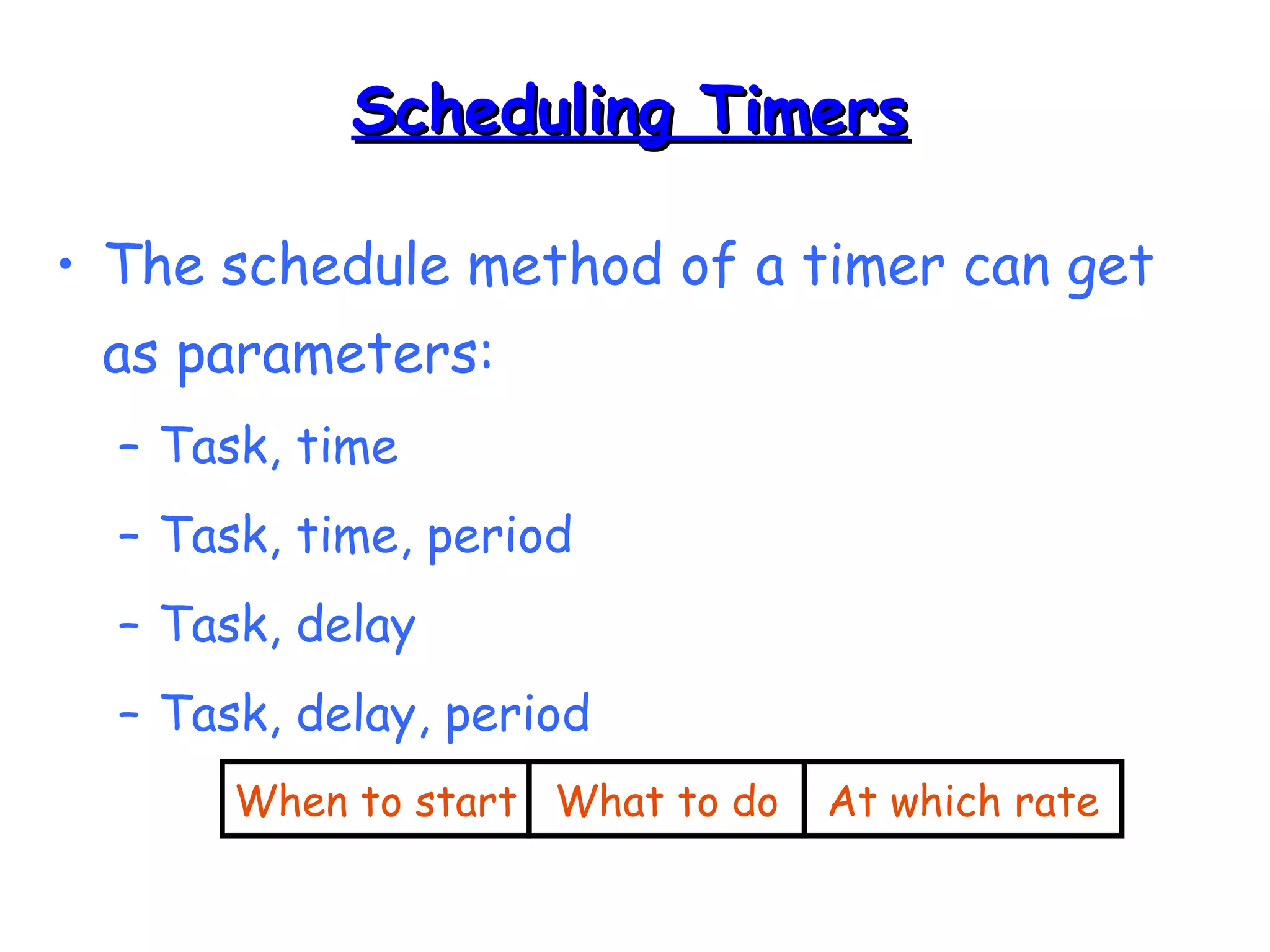
SScchheedduulliinngg TTiimmeerrss 
• The schedule method of a timer can get 
as parameters: 
– Task, time 
– Task, time, period 
– Task, delay 
– Task, delay, period 
When to start What to do At which rate
import java.util.*; 
public class MinchaTask extends TimerTask { 
public void run() { 
System.out.println(“Time for Mincha!!!!”); 
} 
public static void main(String args[]) { 
Timer timer = new Timer(); 
long day = 1000 * 60 * 60 * 24; 
timer.scheduleAtFixedRate(new MinchaTask(), 
new Date(), day); 
} 
} 
TTiimmeerr EExxaammppllee
SSttooppppiinngg TTiimmeerrss 
• A Timer thread can be stopped in the 
following ways: 
– Apply cancel() on the timer 
– Make the thread a daemon 
– Remove all references to the timer after all 
the TimerTask tasks have finished 
– Call System.exit()

Threads in Java

  • 1.
    JJaavvaa TThhrreeaaddss && SSyynncchhrroonniizzaattiioonn Gaurav
  • 2.
    MMuullttiittaasskkiinngg aanndd MMuullttiitthhrreeaaddiinngg • Multitasking refers to a computer's ability to perform multiple jobs concurrently – more than one program are running concurrently, e.g., UNIX • A thread is a single sequence of execution within a program • Multithreading refers to multiple threads of control within a single program – each program can run multiple threads of control within it, e.g., Web Browser
  • 3.
  • 4.
    TThhrreeaaddss aanndd PPrroocceesssseess CPU main run Process 1 Process 2 Process 3 Process 4 GC
  • 5.
    WWhhaatt aarree TThhrreeaaddssGGoooodd FFoorr?? • To maintain responsiveness of an application during a long running task. • To enable cancellation of separable tasks. • To monitor status of some resource.
  • 6.
    AApppplliiccaattiioonn TThhrreeaadd •When we execute an application: – The JVM creates a Thread object whose task is defined by the main() method – It starts the thread – The thread executes the statements of the program one by one until the method returns and the thread dies
  • 7.
    MMuullttiippllee TThhrreeaaddss iinnaann AApppplliiccaattiioonn • Each thread has its private run-time stack • If two threads execute the same method, each will have its own copy of the local variables the methods uses • However, all threads see the same dynamic memory (heap) • Two different threads can act on the same object and same static fields concurrently
  • 8.
    CCrreeaattiinngg TThhrreeaaddss •There are two ways to create our own Thread object 1. Subclassing the Thread class and instantiating a new object of that class 2. Implementing the Runnable interface • In both cases the run() method should be implemented
  • 9.
    EExxtteennddiinngg TThhrreeaadd publicclass ThreadExample extends Thread { public void run () { for (int i = 1; i <= 100; i++) { System.out.println(“Thread: ” + i); } } }
  • 10.
    TThhrreeaadd MMeetthhooddss voidstart() – Creates a new thread and makes it runnable – This method can be called only once void run() – The new thread begins its life inside this method void stop() (deprecated) – The thread is being terminated
  • 11.
    TThhrreeaadd MMeetthhooddss •yield() – Causes the currently executing thread object to temporarily pause and allow other threads to execute – Allow only threads of the same priority to run • sleep(int m)/sleep(int m,int n) – The thread sleeps for m milliseconds, plus n nanoseconds
  • 12.
    IImmpplleemmeennttiinngg RRuunnnnaabbllee publicclass RunnableExample implements Runnable { public void run () { for (int i = 1; i <= 100; i++) { System.out.println (“Runnable: ” + i); } } }
  • 13.
    AA RRuunnnnaabbllee OObbjjeecctt • The Thread object’s run() method calls the Runnable object’s run() method • Allows threads to run inside any object, regardless of inheritance Example – an applet that is also a thread
  • 14.
    SSttaarrttiinngg tthhee TThhrreeaaddss public class ThreadsStartExample { public static void main (String argv[]) { new ThreadExample ().start (); new Thread(new RunnableExample ()).start (); } }
  • 15.
    SScchheedduulliinngg TThhrreeaaddss start() Currently executed thread I/O operation completes Ready queue •Waiting for I/O operation to be completed •Waiting to be notified •Sleeping •Waiting to enter a synchronized section Newly created threads What happens when a program with a ServerSocket calls accept()?
  • 16.
    TThhrreeaadd SSttaattee DDiiaaggrraamm Alive Running New Thread Runnable Dead Thread new ThreadExample(); run() method returns while (…) { … } Blocked Object.wait() Thread.sleep() blocking IO call waiting on a monitor thread.start();
  • 17.
    EExxaammppllee public classPrintThread1 extends Thread { String name; public PrintThread1(String name) { this.name = name; } public void run() { for (int i=1; i<500 ; i++) { try { sleep((long)(Math.random() * 100)); } catch (InterruptedException ie) { } System.out.print(name); } }
  • 18.
    EExxaammppllee ((ccoonntt)) publicstatic void main(String args[]) { PrintThread1 a = new PrintThread1("*"); PrintThread1 b = new PrintThread1("-"); PrintThread1 c = new PrintThread1("="); a.start(); b.start(); c.start(); } }
  • 19.
    SScchheedduulliinngg • Threadscheduling is the mechanism used to determine how runnable threads are allocated CPU time • A thread-scheduling mechanism is either preemptive or nonpreemptive
  • 20.
    PPrreeeemmppttiivvee SScchheedduulliinngg •Preemptive scheduling – the thread scheduler preempts (pauses) a running thread to allow different threads to execute • Nonpreemptive scheduling – the scheduler never interrupts a running thread • The nonpreemptive scheduler relies on the running thread to yield control of the CPU so that other threads may execute
  • 21.
    SSttaarrvvaattiioonn • Anonpreemptive scheduler may cause starvation (runnable threads, ready to be executed, wait to be executed in the CPU a lot of time, maybe even forever) • Sometimes, starvation is also called a livelock
  • 22.
    TTiimmee--SSlliicceedd SScchheedduulliinngg •Time-sliced scheduling – the scheduler allocates a period of time that each thread can use the CPU – when that amount of time has elapsed, the scheduler preempts the thread and switches to a different thread • Nontime-sliced scheduler – the scheduler does not use elapsed time to determine when to preempt a thread – it uses other criteria such as priority or I/O status
  • 23.
    JJaavvaa SScchheedduulliinngg •Scheduler is preemptive and based on priority of threads • Uses fixed-priority scheduling: – Threads are scheduled according to their priority w.r.t. other threads in the ready queue
  • 24.
    JJaavvaa SScchheedduulliinngg •The highest priority runnable thread is always selected for execution above lower priority threads • When multiple threads have equally high priorities, only one of those threads is guaranteed to be executing • Java threads are guaranteed to be preemptive-but not time sliced
  • 25.
    TThhrreeaadd PPrriioorriittyy •Every thread has a priority • When a thread is created, it inherits the priority of the thread that created it • The priority values range from 1 to 10, in increasing priority
  • 26.
    TThhrreeaadd PPrriioorriittyy ((ccoonntt..)) • The priority can be adjusted subsequently using the setPriority() method • The priority of a thread may be obtained using getPriority() • Priority constants are defined: – MIN_PRIORITY=1 – MAX_PRIORITY=10 – NORM_PRIORITY=5
  • 27.
    DDaaeemmoonn TThhrreeaaddss •Daemon threads are “background” threads, that provide services to other threads, e.g., the garbage collection thread • The Java VM will not exit if non-Daemon threads are executing • The Java VM will exit if only Daemon threads are executing • Daemon threads die when the Java VM exits
  • 28.
    CCoonnccuurrrreennccyy • Anobject in a program can be changed by more than one thread • Q: Is the order of changes that were preformed on the object important?
  • 29.
    RRaaccee CCoonnddiittiioonn •A race condition – the outcome of a program is affected by the order in which the program's threads are allocated CPU time • Two threads are simultaneously modifying a single object • Both threads “race” to store their value
  • 30.
    RRaaccee CCoonnddiittiioonn EExxaammppllee Put green pieces Put red pieces How can we have alternating colors?
  • 31.
    MMoonniittoorrss • Eachobject has a “monitor” that is a token used to determine which application thread has control of a particular object instance • In execution of a synchronized method (or block), access to the object monitor must be gained before the execution • Access to the object monitor is queued
  • 32.
    MMoonniittoorr ((ccoonntt..)) •Entering a monitor is also referred to as locking the monitor, or acquiring ownership of the monitor • If a thread A tries to acquire ownership of a monitor and a different thread has already entered the monitor, the current thread (A) must wait until the other thread leaves the monitor
  • 33.
    CCrriittiiccaall SSeeccttiioonn •The synchronized methods define critical sections • Execution of critical sections is mutually exclusive. Why?
  • 34.
    EExxaammppllee public classBankAccount { private float balance; public synchronized void deposit(float amount) { balance += amount; } public synchronized void withdraw(float amount) { balance -= amount; } }
  • 35.
    SSttaattiicc SSyynncchhrroonniizzeedd MMeetthhooddss • Marking a static method as synchronized, associates a monitor with the class itself • The execution of synchronized static methods of the same class is mutually exclusive.
  • 36.
    EExxaammppllee public classPrintThread2 extends Thread { String name; public PrintThread2(String name) { this.name = name; } public static synchronized void print(String name) { for (int i=1; i<500 ; i++) { try { Thread.sleep((long)(Math.random() * 100)); } catch (InterruptedException ie) { } System.out.print(str); } }
  • 37.
    EExxaammppllee ((ccoonntt)) publicvoid run() { print(name); } public static void main(String args[]) { PrintThread2 a = new PrintThread2("*“); PrintThread2 b = new PrintThread2("-“); PrintThread2 c = new PrintThread2("=“); a.start(); b.start(); c.start(); } } RESULT
  • 38.
  • 39.
    JJaavvaa LLoocckkss aarreeRReeeennttrraanntt • Is there a problem with the following code? public class Test { public synchronized void a() { b(); System.out.println(“I am at a”); } public synchronized void b() { System.out.println(“I am at b”); } }
  • 40.
    TThhrreeaadd SSyynncchhrroonniizzaattiioonn •We need to synchronized between transactions, for example, the consumer-producer scenario
  • 41.
    WWaaiitt aanndd NNoottiiffyy • Allows two threads to cooperate • Based on a single shared lock object – Producer put a cookie wait and notify Consumer – Consumer eat a cookie wait and notify Producer
  • 42.
    TThhee wwaaiitt(()) MMeetthhoodd • The wait() method is part of the java.lang.Object interface • It requires a lock on the object’s monitor to execute • It must be called from a synchronized method, or from a synchronized segment of code.
  • 43.
    TThhee wwaaiitt(()) MMeetthhoodd • wait() causes the current thread to wait until another thread invokes the notify() method or the notifyAll() method for this object • Upon call for wait(), the thread releases ownership of this monitor and waits until another thread notifies the waiting threads of the object
  • 44.
    TThhee wwaaiitt(()) MMeetthhoodd • wait() is also similar to yield() – Both take the current thread off the execution stack and force it to be rescheduled • However, wait() is not automatically put back into the scheduler queue – notify() must be called in order to get a thread back into the scheduler’s queue
  • 45.
    CCoonnssuummeerr synchronized (lock){ while (!resourceAvailable()) { lock.wait(); } consumeResource(); }
  • 46.
  • 47.
    WWaaiitt//NNoottiiffyy SSeeqquueennccee LockObject Consumer Thread Producer Thread 1. synchronized(lock){ 2. lock.wait(); 3. produceResource() 4. synchronized(lock) { 5. lock.notify(); 6.} 7. Reacquire lock 8. Return from wait() 9. consumeResource(); 10. }
  • 48.
    WWaaiitt//NNoottiiffyy SSeeqquueennccee LockObject Consumer Thread Producer Thread 1. synchronized(lock){ 2. lock.wait(); 3. produceResource() 4. synchronized(lock) { 5. lock.notify(); 6.} 7. Reacquire lock 8. Return from wait() 9. consumeResource(); 10. }
  • 49.
    WWaaiitt//NNoottiiffyy SSeeqquueennccee LockObject Consumer Thread Producer Thread 1. synchronized(lock){ 2. lock.wait(); 3. produceResource() 4. synchronized(lock) { 5. lock.notify(); 6.} 7. Reacquire lock 8. Return from wait() 9. consumeResource(); 10. }
  • 50.
    WWaaiitt//NNoottiiffyy SSeeqquueennccee LockObject Consumer Thread Producer Thread 1. synchronized(lock){ 2. lock.wait(); 3. produceResource() 4. synchronized(lock) { 5. lock.notify(); 6.} 7. Reacquire lock 8. Return from wait() 9. consumeResource(); 10. }
  • 51.
    WWaaiitt//NNoottiiffyy SSeeqquueennccee LockObject Consumer Thread Producer Thread 1. synchronized(lock){ 2. lock.wait(); 3. produceResource() 4. synchronized(lock) { 5. lock.notify(); 6.} 7. Reacquire lock 8. Return from wait() 9. consumeResource(); 10. }
  • 52.
    WWaaiitt//NNoottiiffyy SSeeqquueennccee LockObject Consumer Thread Producer Thread 1. synchronized(lock){ 2. lock.wait(); 3. produceResource() 4. synchronized(lock) { 5. lock.notify(); 6.} 7. Reacquire lock 8. Return from wait() 9. consumeResource(); 10. }
  • 53.
    WWaaiitt//NNoottiiffyy SSeeqquueennccee LockObject Consumer Thread Producer Thread 1. synchronized(lock){ 2. lock.wait(); 3. produceResource() 4. synchronized(lock) { 5. lock.notify(); 6.} 7. Reacquire lock 8. Return from wait() 9. consumeResource(); 10. }
  • 54.
    WWaaiitt//NNoottiiffyy SSeeqquueennccee LockObject Consumer Thread Producer Thread 1. synchronized(lock){ 2. lock.wait(); 3. produceResource() 4. synchronized(lock) { 5. lock.notify(); 6.} 7. Reacquire lock 8. Return from wait() 9. consumeResource(); 10. }
  • 55.
    WWaaiitt//NNoottiiffyy SSeeqquueennccee LockObject Consumer Thread Producer Thread 1. synchronized(lock){ 2. lock.wait(); 3. produceResource() 4. synchronized(lock) { 5. lock.notify(); 6.} 7. Reacquire lock 8. Return from wait() 9. consumeResource(); 10. }
  • 56.
    WWaaiitt//NNoottiiffyy SSeeqquueennccee LockObject Consumer Thread Producer Thread 1. synchronized(lock){ 2. lock.wait(); 3. produceResource() 4. synchronized(lock) { 5. lock.notify(); 6.} 7. Reacquire lock 8. Return from wait() 9. consumeResource(); 10. }
  • 57.
    WWaaiitt//NNoottiiffyy SSeeqquueennccee LockObject Consumer Thread Producer Thread 1. synchronized(lock){ 2. lock.wait(); 3. produceResource() 4. synchronized(lock) { 5. lock.notify(); 6.} 7. Reacquire lock 8. Return from wait() 9. consumeResource(); 10. }
  • 58.
    EExxeeccuuttoorrss • AnExecutor is an object that manages running tasks – Submit a Runnable to be run with Executor’s execute() method – So, instead of creating a Thread for your Runnable and calling start() on that, do this: • Get an Executor object, say called exec • Create a Runnable, say called myTask • Submit for running: exec.execute(myTask)
  • 59.
    HHooww ttoo GGeettaann EExxeeccuuttoorr • Use static methods in Executors library. • Fixed “thread pool”: at most N threads running at one time Executor exec = Executors.newFixedThreadPool(MAX_THREAD S); • Unlimited number of threads Executor exec = Executors.newCachedThreadPool();
  • 60.
    SSuummmmaarryy ooff EExxeeccuuttoorr • Create a class that implements a Runnable to be your “worker” • Create Runnable objects • Create an Executor • Submit each Runnable to the Executor which starts it up in a separate thread
  • 61.
    TTiimmeerrss aanndd TTiimmeerrTTaasskk • The classes Timer and TimerTask are part of the java.util package • Useful for – performing a task after a specified delay – performing a sequence of tasks at constant time intervals
  • 62.
    SScchheedduulliinngg TTiimmeerrss •The schedule method of a timer can get as parameters: – Task, time – Task, time, period – Task, delay – Task, delay, period When to start What to do At which rate
  • 63.
    import java.util.*; publicclass MinchaTask extends TimerTask { public void run() { System.out.println(“Time for Mincha!!!!”); } public static void main(String args[]) { Timer timer = new Timer(); long day = 1000 * 60 * 60 * 24; timer.scheduleAtFixedRate(new MinchaTask(), new Date(), day); } } TTiimmeerr EExxaammppllee
  • 64.
    SSttooppppiinngg TTiimmeerrss •A Timer thread can be stopped in the following ways: – Apply cancel() on the timer – Make the thread a daemon – Remove all references to the timer after all the TimerTask tasks have finished – Call System.exit()