The Why Behind PHP
Frameworks
Kirk Madera
Director, Technology @ Robofirm
About Me
• Zend Framemwork 2 Certified
• Magento Certified Plus
• Zend PHP 5.5 Certified Engineer
• Married with two kids
• Metalhead
• Coding experience rooted in C++
• Writing PHP for 10+ years
Objective
Start with a simple HTML site and transform it by solving one problem
at a time into something that resembles a modern day framework.
Overview
• Distribute virtual machines (Virtual Box or VMWare)
• Hands on coding with explanations at each step
• Git tags that map to each step
(Use “git clean -xf; git reset --hard {tagname}” if you get behind)
• Ticket sales site is used as our test site
• Don’t judge my design work
Let’s get started!
1.0: Review plain HTML and discuss issues
• What if you ran a plain HTML site?
• Every artist and show would require a new html file
• A rescheduled show requires multiple file edits
• Duplication causes human error
• Dynamic lists like “Most Popular” maintained in HTML
2.0: Reduce duplication through require statements
• So we need php. Skip to git tag 2.0 to get all files converted to PHP.
• require() for head, header, footer, and before body end
• How to deal with title since it’s dynamic? Global variable?
• Problems with global variables.
• Referring to templates from diff directories (e.g. artists/ vs. /)
• How to deal with links in title?
3.0 Encapsulation – Fixing the global variable problem
• Encapsulation is a big word for containing all logic and data for
something in a single place
• We need classes for this
• We’ll start off simple by making a single class in index.php
3.1 Encapsulation – Apply to shows.php and artists.php
• We’ll apply the same idea to shows.php and artists.php
• What if we had to keep going to all php files in artists and shows?
• And wait a second… duplication is back…
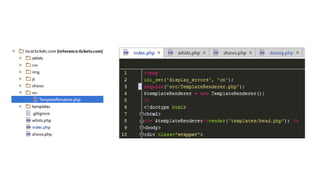
3.2 Encapsulation - Reusing classes
• We need index.php, shows.php, artists.php and all other pages to use
the same TemplateRenderer class
• Start by moving it to it’s own file
4.0 Bootstrapping
• Notice the code at the top of each file is growing
• All pages need a lot of the same things to happen
• Additional examples:
• Set error reporting
• Set a BASE_PATH constant
• Set the cwd() to make working with files easier
• Set an environment based variable like DEVELOPER_MODE
• Create bootstrap.php
• Also add BASE_PATH
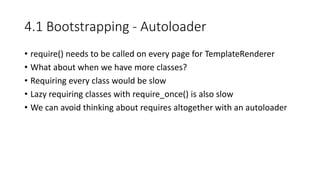
4.1 Bootstrapping - Autoloader
• require() needs to be called on every page for TemplateRenderer
• What about when we have more classes?
• Requiring every class would be slow
• Lazy requiring classes with require_once() is also slow
• We can avoid thinking about requires altogether with an autoloader
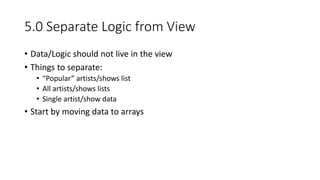
5.0 Separate Logic from View
• Data/Logic should not live in the view
• Things to separate:
• “Popular” artists/shows list
• All artists/shows lists
• Single artist/show data
• Start by moving data to arrays
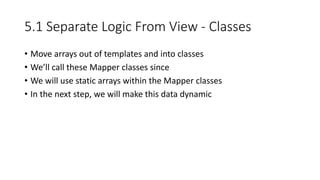
5.1 Separate Logic From View - Classes
• Move arrays out of templates and into classes
• We’ll call these Mapper classes since
• We will use static arrays within the Mapper classes
• In the next step, we will make this data dynamic
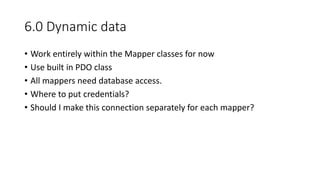
6.0 Dynamic data
• Work entirely within the Mapper classes for now
• Use built in PDO class
• All mappers need database access.
• Where to put credentials?
• Should I make this connection separately for each mapper?
7.0 Routing and Controllers
• Routing lets us have pretty URLs
• E.g. “/shows/metallica-gexa-pavilion-2016-05-04” instead of
“/shows.php?id=1”
• Front Controller Pattern – All requests go to index.php. Router routes
to the right controller
• Make these URLs functional “/”, “/shows”, “/artists”
• Delete shows.php and artists.php
7.1 Routing and Controllers - Artist and show pages
• Repeat previous step but for view pages
• How to deal with ids in URL?
• We have ugly URLs now… like “artist.php?id=4”
7.2 Routing and Controllers – Pretty URLs
• Change URLs from “artist.php?id=1” to “artist/metallica”
• URL alias mapper
8.0 Move all views into templates – Clean up TemplateRenderer
• Remove the need to specify full template path and file extension
8.1 Move all views into templates
• Move all views into controllers for now
• The old separate PHP top level files are the equivalent of controllers
9.0 App class – Encapsulate bootstrap and run
• This makes it easier to have multiple entry points to your app
• For example, a shell script entry point or an API
10.0 Service Locator - Invokables
• Shh.. This is Dependency Injection
• This is just an easier way to understand it
• We are improving reusability and testability here
10.1 Service Locator - Factories
• Creating dependencies which have their own dependencies
10.2 ReflectionFactory
• Doing it automatically
• Avoid making factories for everything
• Reflection in PHP 7 is fast enough that this is viable
• A production strategy of caching a compiled factory built by reflection
works also. (Magento 2 does something similar)
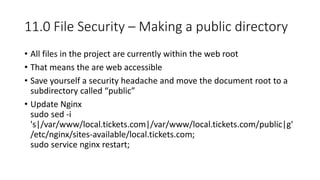
11.0 File Security – Making a public directory
• All files in the project are currently within the web root
• That means the are web accessible
• Save yourself a security headache and move the document root to a
subdirectory called “public”
• Update Nginx
sudo sed -i
's|/var/www/local.tickets.com|/var/www/local.tickets.com/public|g'
/etc/nginx/sites-available/local.tickets.com;
sudo service nginx restart;
12.0 Config
• Configuration should be separate from code
• Move configuration from public/index.php to config/app.php
• Many strategies could be used for collecting configuration
• This is especially important when you get to more complicated
modular code
13.0 Blocks
• Move logic related to grabbing the data for the view into Block classes
• Thins out the controllers
Compare to Other Frameworks
• Zend Framework 2:
https://github.com/zendframework/ZendSkeletonApplication
• Symfony:
https://github.com/symfony/symfony-standard
• Laravel:
https://github.com/hyfn/laravel-skeleton/tree/master/public
Why use a framework?
• Don’t reinvent the wheel
• Benefit from others’ experience
• Spend time on the core purpose of your site
Resources
• Code:
https://bitbucket.org/robofirm/tickets.com-tutorial
• Site URL:
http://local.tickets.com/
• VM:
https://robofirm.box.com/s/ip0xg5gw2gjomu4nr64col7rjiwnx760
• This Slideshow:
http://www.slideshare.net/KirkMadera/they-why-behind-php-
frameworks

They why behind php frameworks

  • 1.
    The Why BehindPHP Frameworks Kirk Madera Director, Technology @ Robofirm
  • 2.
    About Me • ZendFramemwork 2 Certified • Magento Certified Plus • Zend PHP 5.5 Certified Engineer • Married with two kids • Metalhead • Coding experience rooted in C++ • Writing PHP for 10+ years
  • 3.
    Objective Start with asimple HTML site and transform it by solving one problem at a time into something that resembles a modern day framework.
  • 4.
    Overview • Distribute virtualmachines (Virtual Box or VMWare) • Hands on coding with explanations at each step • Git tags that map to each step (Use “git clean -xf; git reset --hard {tagname}” if you get behind) • Ticket sales site is used as our test site • Don’t judge my design work
  • 5.
  • 6.
    1.0: Review plainHTML and discuss issues • What if you ran a plain HTML site? • Every artist and show would require a new html file • A rescheduled show requires multiple file edits • Duplication causes human error • Dynamic lists like “Most Popular” maintained in HTML
  • 7.
    2.0: Reduce duplicationthrough require statements • So we need php. Skip to git tag 2.0 to get all files converted to PHP. • require() for head, header, footer, and before body end • How to deal with title since it’s dynamic? Global variable? • Problems with global variables. • Referring to templates from diff directories (e.g. artists/ vs. /) • How to deal with links in title?
  • 8.
    3.0 Encapsulation –Fixing the global variable problem • Encapsulation is a big word for containing all logic and data for something in a single place • We need classes for this • We’ll start off simple by making a single class in index.php
  • 9.
    3.1 Encapsulation –Apply to shows.php and artists.php • We’ll apply the same idea to shows.php and artists.php • What if we had to keep going to all php files in artists and shows? • And wait a second… duplication is back…
  • 10.
    3.2 Encapsulation -Reusing classes • We need index.php, shows.php, artists.php and all other pages to use the same TemplateRenderer class • Start by moving it to it’s own file
  • 12.
    4.0 Bootstrapping • Noticethe code at the top of each file is growing • All pages need a lot of the same things to happen • Additional examples: • Set error reporting • Set a BASE_PATH constant • Set the cwd() to make working with files easier • Set an environment based variable like DEVELOPER_MODE • Create bootstrap.php • Also add BASE_PATH
  • 13.
    4.1 Bootstrapping -Autoloader • require() needs to be called on every page for TemplateRenderer • What about when we have more classes? • Requiring every class would be slow • Lazy requiring classes with require_once() is also slow • We can avoid thinking about requires altogether with an autoloader
  • 14.
    5.0 Separate Logicfrom View • Data/Logic should not live in the view • Things to separate: • “Popular” artists/shows list • All artists/shows lists • Single artist/show data • Start by moving data to arrays
  • 15.
    5.1 Separate LogicFrom View - Classes • Move arrays out of templates and into classes • We’ll call these Mapper classes since • We will use static arrays within the Mapper classes • In the next step, we will make this data dynamic
  • 16.
    6.0 Dynamic data •Work entirely within the Mapper classes for now • Use built in PDO class • All mappers need database access. • Where to put credentials? • Should I make this connection separately for each mapper?
  • 17.
    7.0 Routing andControllers • Routing lets us have pretty URLs • E.g. “/shows/metallica-gexa-pavilion-2016-05-04” instead of “/shows.php?id=1” • Front Controller Pattern – All requests go to index.php. Router routes to the right controller • Make these URLs functional “/”, “/shows”, “/artists” • Delete shows.php and artists.php
  • 18.
    7.1 Routing andControllers - Artist and show pages • Repeat previous step but for view pages • How to deal with ids in URL? • We have ugly URLs now… like “artist.php?id=4”
  • 19.
    7.2 Routing andControllers – Pretty URLs • Change URLs from “artist.php?id=1” to “artist/metallica” • URL alias mapper
  • 20.
    8.0 Move allviews into templates – Clean up TemplateRenderer • Remove the need to specify full template path and file extension
  • 21.
    8.1 Move allviews into templates • Move all views into controllers for now • The old separate PHP top level files are the equivalent of controllers
  • 22.
    9.0 App class– Encapsulate bootstrap and run • This makes it easier to have multiple entry points to your app • For example, a shell script entry point or an API
  • 23.
    10.0 Service Locator- Invokables • Shh.. This is Dependency Injection • This is just an easier way to understand it • We are improving reusability and testability here
  • 24.
    10.1 Service Locator- Factories • Creating dependencies which have their own dependencies
  • 25.
    10.2 ReflectionFactory • Doingit automatically • Avoid making factories for everything • Reflection in PHP 7 is fast enough that this is viable • A production strategy of caching a compiled factory built by reflection works also. (Magento 2 does something similar)
  • 26.
    11.0 File Security– Making a public directory • All files in the project are currently within the web root • That means the are web accessible • Save yourself a security headache and move the document root to a subdirectory called “public” • Update Nginx sudo sed -i 's|/var/www/local.tickets.com|/var/www/local.tickets.com/public|g' /etc/nginx/sites-available/local.tickets.com; sudo service nginx restart;
  • 27.
    12.0 Config • Configurationshould be separate from code • Move configuration from public/index.php to config/app.php • Many strategies could be used for collecting configuration • This is especially important when you get to more complicated modular code
  • 28.
    13.0 Blocks • Movelogic related to grabbing the data for the view into Block classes • Thins out the controllers
  • 29.
    Compare to OtherFrameworks • Zend Framework 2: https://github.com/zendframework/ZendSkeletonApplication • Symfony: https://github.com/symfony/symfony-standard • Laravel: https://github.com/hyfn/laravel-skeleton/tree/master/public
  • 30.
    Why use aframework? • Don’t reinvent the wheel • Benefit from others’ experience • Spend time on the core purpose of your site
  • 31.
    Resources • Code: https://bitbucket.org/robofirm/tickets.com-tutorial • SiteURL: http://local.tickets.com/ • VM: https://robofirm.box.com/s/ip0xg5gw2gjomu4nr64col7rjiwnx760 • This Slideshow: http://www.slideshare.net/KirkMadera/they-why-behind-php- frameworks