Eclipse
Layout
Kernel


Jan Köhnlein
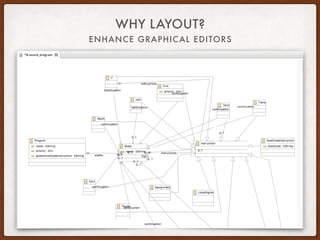
ENHANCE GRAPHICAL EDITORS
WHY LAYOUT?
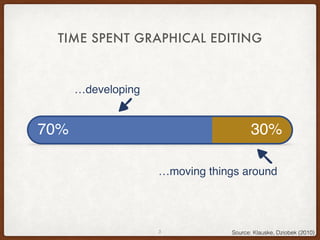
TIME SPENT GRAPHICAL EDITING
3 Source: Klauske, Dziobek (2010)
70%
…developing
…moving things around
70% 30%
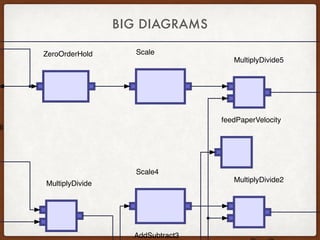
BIG DIAGRAMS
feedPaperVelocity
Scale
Scale4
ZeroOrderHold
MultiplyDivide2
MultiplyDivide5
MultiplyDivide
ll
AddSubtract3
WHAT IS LAYOUT?
• Graph layout consists of
• Node positioning
• Edge routing with crossing minimization
• Label placement
• Involves aesthetics, suggestion, and domain knowledge
• Auto-layout: Almost all algorithmic steps are NP-hard
ECLIPSE LAYOUT KERNEL
• Originates in the KIELER project (Uni Kiel)
• High-quality layout algorithms
• Numerous options for fine-tuning
• Flexible infrastructure for integration
• Open-source at Eclipse
• Current release 0.3.0
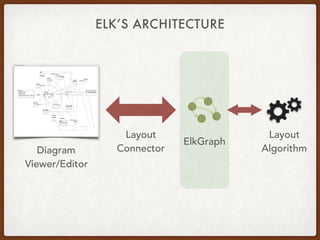
ELK’S ARCHITECTURE
ElkGraph
Diagram
Viewer/Editor
Layout
Algorithm
Layout
Connector
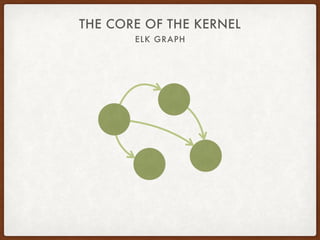
ELK GRAPH
THE CORE OF THE KERNEL
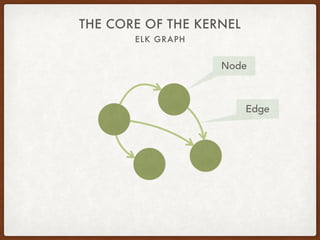
ELK GRAPH
THE CORE OF THE KERNEL
Node
Edge
ELK GRAPH
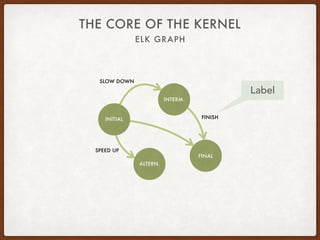
THE CORE OF THE KERNEL
INITIAL
INTERM.
ALTERN.
FINAL
Label
FINISH
SPEED UP
SLOW DOWN
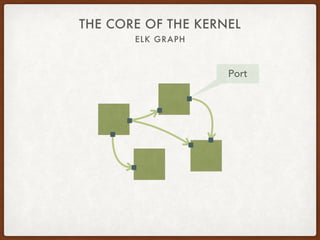
ELK GRAPH
THE CORE OF THE KERNEL
Port
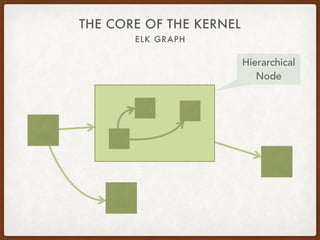
ELK GRAPH
THE CORE OF THE KERNEL
Hierarchical
Node
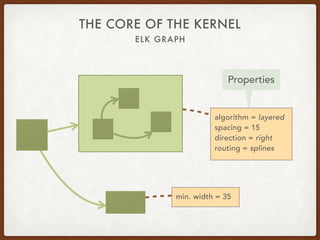
ELK GRAPH
THE CORE OF THE KERNEL
Properties
algorithm = layered
spacing = 15
direction = right
routing = splines
min. width = 35
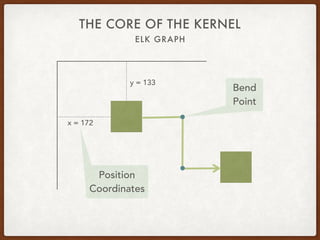
ELK GRAPH
THE CORE OF THE KERNEL
Position
Coordinates
y = 133
x = 172
Bend
Point
DEMO
https://rtsys.informatik.uni-kiel.de/elklive
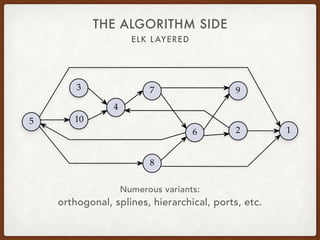
ELK LAYERED
THE ALGORITHM SIDE
10
12
3
4
5
6
7
8
9
Numerous variants:
orthogonal, splines, hierarchical, ports, etc.
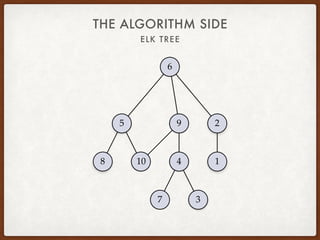
ELK TREE
THE ALGORITHM SIDE
10 1
2
3
4
5
6
7
8
9
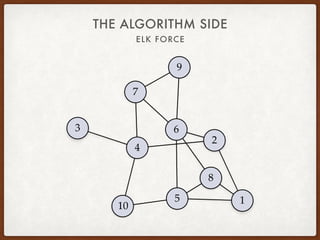
ELK FORCE
THE ALGORITHM SIDE
10
1
2
3
4
5
6
7
8
9
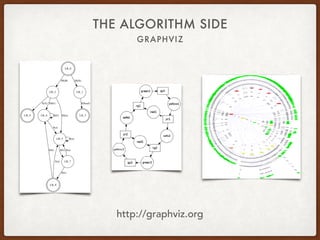
GRAPHVIZ
THE ALGORITHM SIDE
����
����
�����
����
�����
��������
����
����
����
����
����
���� �����
�����
�������
����
����
����
����
����
����
����
http://graphviz.org
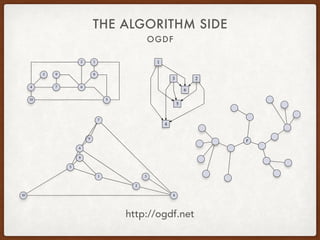
OGDF
THE ALGORITHM SIDE
http://ogdf.net
10
12
3
4
5
67
89
1
23
4
5
6
r
10
1
2
3
4
5
6
7
8
9
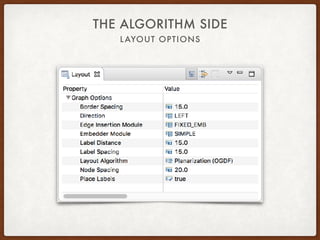
LAYOUT OPTIONS
THE ALGORITHM SIDE
DEMO
ELK in Sirius
HOW TO INVOKE A LAYOUT
THE APPLICATION SIDE
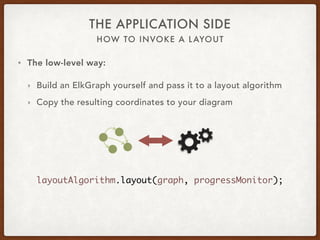
• The low-level way:
‣ Build an ElkGraph yourself and pass it to a layout algorithm
‣ Copy the resulting coordinates to your diagram
layoutAlgorithm.layout(graph, progressMonitor);
HOW TO INVOKE A LAYOUT
THE APPLICATION SIDE
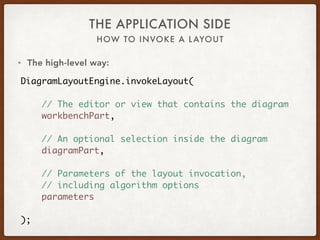
DiagramLayoutEngine.invokeLayout(
// The editor or view that contains the diagram
workbenchPart,
// An optional selection inside the diagram
diagramPart,
// Parameters of the layout invocation,
// including algorithm options
parameters
);
• The high-level way:
HOW TO CONNECT YOUR DIAGRAM
THE APPLICATION SIDE
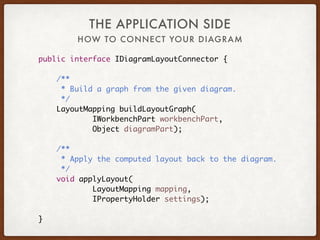
public interface IDiagramLayoutConnector {
/**
* Build a graph from the given diagram.
*/
LayoutMapping buildLayoutGraph(
IWorkbenchPart workbenchPart,
Object diagramPart);
/**
* Apply the computed layout back to the diagram.
*/
void applyLayout(
LayoutMapping mapping,
IPropertyHolder settings);
}
HOW TO CONNECT YOUR DIAGRAM
THE APPLICATION SIDE
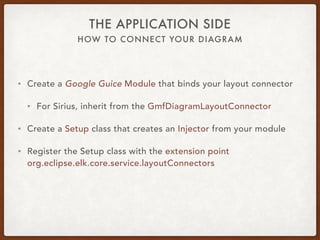
• Create a Google Guice Module that binds your layout connector
• For Sirius, inherit from the GmfDiagramLayoutConnector
• Create a Setup class that creates an Injector from your module
• Register the Setup class with the extension point
org.eclipse.elk.core.service.layoutConnectors
http://www.eclipse.org/elk
Credits to
Miro Spönemann (TypeFox)
Christoph Daniel Schulze (CAU)
No animals were harmed
during the making of this talk.

The Eclipse Layout Kernel sirius con 2017