Test Driven Development
with Behat and Silex
Dionysios Tsoumas
Developer at Zoottle
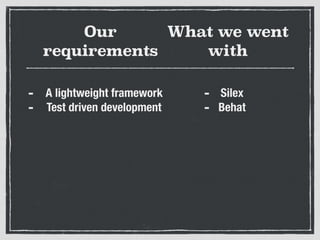
Our
requirements
- A lightweight framework
- Test driven development
What we went
with
- Silex
- Behat
Silex
A PHP micro-framework based on Symfony components
Behat
Behat
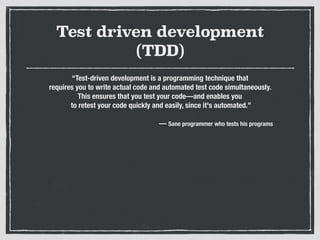
Test driven development
(TDD)
“Test-driven development is a programming technique that
requires you to write actual code and automated test code simultaneously.
This ensures that you test your code—and enables you
to retest your code quickly and easily, since it's automated.”
— Sane programmer who tests his programs
Behaviour driven
development (BDD)
With BDD, you write human-readable stories
that describe the behaviour of your application
That sounds cool!
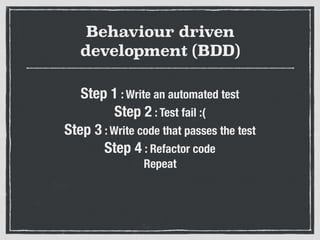
Behaviour driven
development (BDD)
Step 1 : Write an automated test
Step 2 : Test fail :(
Step 3 : Write code that passes the test
Step 4 : Refactor code
Repeat
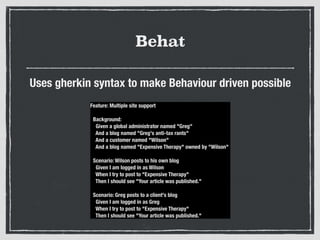
Behat
Uses gherkin syntax to make Behaviour driven possible
Feature: Multiple site support
Background:
Given a global administrator named "Greg"
And a blog named "Greg's anti-tax rants"
And a customer named "Wilson"
And a blog named "Expensive Therapy" owned by "Wilson"
Scenario: Wilson posts to his own blog
Given I am logged in as Wilson
When I try to post to "Expensive Therapy"
Then I should see "Your article was published."
Scenario: Greg posts to a client's blog
Given I am logged in as Greg
When I try to post to "Expensive Therapy"
Then I should see "Your article was published."
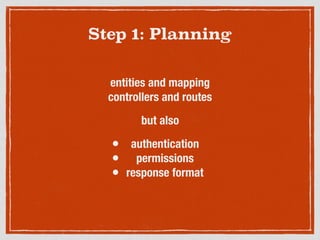
Step 1: Planning
entities and mapping
controllers and routes
but also
• authentication
• permissions
• response format
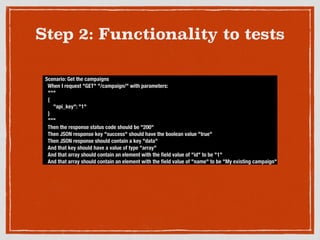
Step 2: Functionality to tests
Scenario: Get the campaigns
When I request "GET" "/campaign/" with parameters:
"""
{
"api_key": "1"
}
"""
Then the response status code should be "200"
Then JSON response key "success" should have the boolean value "true"
Then JSON response should contain a key "data"
And that key should have a value of type "array"
And that array should contain an element with the field value of "id" to be "1"
And that array should contain an element with the field value of "name" to be "My existing campaign"
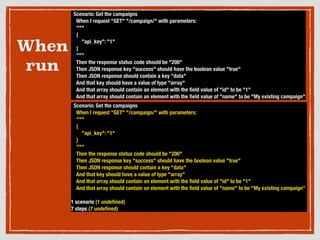
When
run
Scenario: Get the campaigns
When I request "GET" "/campaign/" with parameters:
"""
{
"api_key": "1"
}
"""
Then the response status code should be "200"
Then JSON response key "success" should have the boolean value "true"
Then JSON response should contain a key "data"
And that key should have a value of type "array"
And that array should contain an element with the field value of "id" to be "1"
And that array should contain an element with the field value of "name" to be "My existing campaign"
Scenario: Get the campaigns
When I request "GET" "/campaign/" with parameters:
"""
{
"api_key": "1"
}
"""
Then the response status code should be "200"
Then JSON response key "success" should have the boolean value "true"
Then JSON response should contain a key "data"
And that key should have a value of type "array"
And that array should contain an element with the field value of "id" to be "1"
And that array should contain an element with the field value of "name" to be "My existing campaign”
1 scenario (1 undefined)
7 steps (7 undefined)
Step 3: Gherkin syntax to unit tests
/**
* @When /^I request "([^"]*)" "([^"]*)" with parameters:$/
*/
public function iRequestWithParameters($requestMethod, $pageUrl, PyStringNode $postParametersStringNode)
{
$pageUrl = "http://" . self::$recommendUsApp["url"] . $pageUrl;
$parameters = json_decode($postParametersStringNode->getRaw(), true);
if ($requestMethod === "GET") {
$response = self::$client->get($pageUrl . "?" . http_build_query($parameters));
} else if ($requestMethod === "POST") {
$response = self::$client->post($pageUrl, array("body" => $parameters));
} else if ($requestMethod === "PUT") {
$response = self::$client->put($pageUrl, array("body" => $parameters));
}
$this->response = $response;
}
Example 1
Step 3: Gherkin syntax to unit tests
/**
* @Then /^the response status code should be "([^"]*)"$/
*/
public function responseStatusIs($statusCode)
{
assertEquals($statusCode, $this->response->getStatusCode());
}
Example 2
Step 4 : Write actual code
..finally
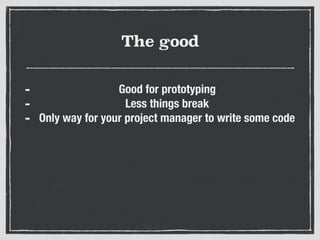
The good
- Good for prototyping
- Less things break
- Only way for your project manager to write some code
The bad
- We had to rewrite core asserts
The ugly
- We forgot to test every case
- Too time consuming
- Is it much better than what we currently had?
So how was it?
- Testing with Selenium would be exactly the same
- Possibly better suited for bigger teams

Test driven development with behat and silex

  • 1.
    Test Driven Development withBehat and Silex Dionysios Tsoumas Developer at Zoottle
  • 2.
    Our requirements - A lightweightframework - Test driven development What we went with - Silex - Behat
  • 3.
    Silex A PHP micro-frameworkbased on Symfony components
  • 4.
  • 5.
  • 6.
    Test driven development (TDD) “Test-drivendevelopment is a programming technique that requires you to write actual code and automated test code simultaneously. This ensures that you test your code—and enables you to retest your code quickly and easily, since it's automated.” — Sane programmer who tests his programs
  • 7.
    Behaviour driven development (BDD) WithBDD, you write human-readable stories that describe the behaviour of your application That sounds cool!
  • 8.
    Behaviour driven development (BDD) Step1 : Write an automated test Step 2 : Test fail :( Step 3 : Write code that passes the test Step 4 : Refactor code Repeat
  • 9.
    Behat Uses gherkin syntaxto make Behaviour driven possible Feature: Multiple site support Background: Given a global administrator named "Greg" And a blog named "Greg's anti-tax rants" And a customer named "Wilson" And a blog named "Expensive Therapy" owned by "Wilson" Scenario: Wilson posts to his own blog Given I am logged in as Wilson When I try to post to "Expensive Therapy" Then I should see "Your article was published." Scenario: Greg posts to a client's blog Given I am logged in as Greg When I try to post to "Expensive Therapy" Then I should see "Your article was published."
  • 10.
    Step 1: Planning entitiesand mapping controllers and routes but also • authentication • permissions • response format
  • 11.
    Step 2: Functionalityto tests Scenario: Get the campaigns When I request "GET" "/campaign/" with parameters: """ { "api_key": "1" } """ Then the response status code should be "200" Then JSON response key "success" should have the boolean value "true" Then JSON response should contain a key "data" And that key should have a value of type "array" And that array should contain an element with the field value of "id" to be "1" And that array should contain an element with the field value of "name" to be "My existing campaign"
  • 12.
    When run Scenario: Get thecampaigns When I request "GET" "/campaign/" with parameters: """ { "api_key": "1" } """ Then the response status code should be "200" Then JSON response key "success" should have the boolean value "true" Then JSON response should contain a key "data" And that key should have a value of type "array" And that array should contain an element with the field value of "id" to be "1" And that array should contain an element with the field value of "name" to be "My existing campaign" Scenario: Get the campaigns When I request "GET" "/campaign/" with parameters: """ { "api_key": "1" } """ Then the response status code should be "200" Then JSON response key "success" should have the boolean value "true" Then JSON response should contain a key "data" And that key should have a value of type "array" And that array should contain an element with the field value of "id" to be "1" And that array should contain an element with the field value of "name" to be "My existing campaign” 1 scenario (1 undefined) 7 steps (7 undefined)
  • 13.
    Step 3: Gherkinsyntax to unit tests /** * @When /^I request "([^"]*)" "([^"]*)" with parameters:$/ */ public function iRequestWithParameters($requestMethod, $pageUrl, PyStringNode $postParametersStringNode) { $pageUrl = "http://" . self::$recommendUsApp["url"] . $pageUrl; $parameters = json_decode($postParametersStringNode->getRaw(), true); if ($requestMethod === "GET") { $response = self::$client->get($pageUrl . "?" . http_build_query($parameters)); } else if ($requestMethod === "POST") { $response = self::$client->post($pageUrl, array("body" => $parameters)); } else if ($requestMethod === "PUT") { $response = self::$client->put($pageUrl, array("body" => $parameters)); } $this->response = $response; } Example 1
  • 14.
    Step 3: Gherkinsyntax to unit tests /** * @Then /^the response status code should be "([^"]*)"$/ */ public function responseStatusIs($statusCode) { assertEquals($statusCode, $this->response->getStatusCode()); } Example 2
  • 15.
    Step 4 :Write actual code ..finally
  • 16.
    The good - Goodfor prototyping - Less things break - Only way for your project manager to write some code
  • 17.
    The bad - Wehad to rewrite core asserts
  • 18.
    The ugly - Weforgot to test every case - Too time consuming - Is it much better than what we currently had?
  • 19.
    So how wasit? - Testing with Selenium would be exactly the same - Possibly better suited for bigger teams