System	
  performance	
  as	
  user	
  
experience	
  catastrophe	
  

best	
  and	
  worst	
  prac.ces	
  for	
  interac.on	
  designers	
  and	
  
programmers	
  

Michael	
  Klein	
  
Interac.on	
  designer,	
  developer	
  and	
  UI	
  connoisseur	


h<p://gplus.to/michaelklein27,	
  h<p://www.linkedin.com/in/michaelklein3,	
  @mischkl	
  
System	
  performance	
  as	
  user	
  
experience	
  catastrophe	
  

best	
  and	
  worst	
  prac.ces	
  for	
  interac.on	
  designers	
  and	
  
programmers	
  

What	
  am	
  I	
  talking	
  about?	
  
What	
  am	
  I	
  talking	
  about?	
  

Let’s	
  take	
  a	
  look	
  at	
  some	
  examples	
  

h<p://www.youtube.com/watch?v=HyA6UXi0v6g	
  
What	
  am	
  I	
  talking	
  about?	


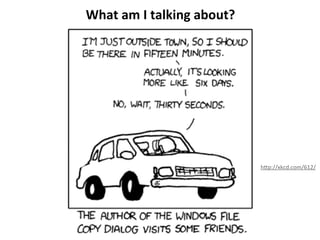
h<p://xkcd.com/612/	
  
What	
  am	
  I	
  talking	
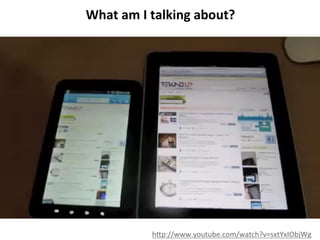
  about?	


h<p://www.youtube.com/watch?v=sxtYxIObjWg	
  
What	
  am	
  I	
  talking	
  about?	


h<p://www.youtube.com/watch?v=nfnM_8JBmmA	
  
What	
  am	
  I	
  talking	
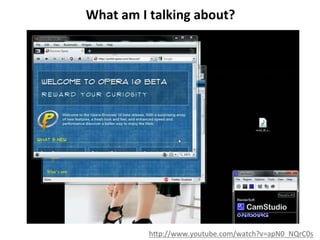
  about?	


h<p://www.youtube.com/watch?v=apN0_NQrC0s	
  
What	
  do	
  all	
  these	
  examples	
  have	
  in	
  common?	


What	
  do	
  all	
  these	
  examples	
  have	
  in	
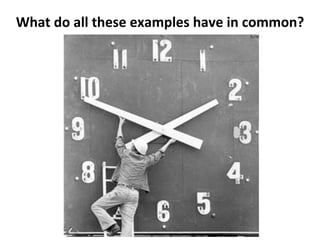
  common?	


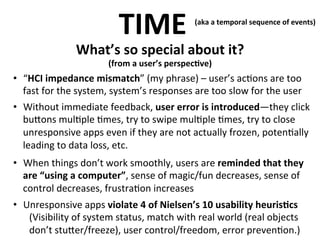
TIME	
  

(aka	
  a	
  temporal	
  sequence	
  of	
  events)	


What’s	
  so	
  special	
  about	
  it?	


(from	
  a	
  user’s	
  perspec>ve)

•  “HCI	
  impedance	
  mismatch”	
  (my	
  phrase)	
  –	
  user’s	
  ac.ons	
  are	
  too	


fast	
  for	
  the	
  system,	
  system’s	
  responses	
  are	
  too	
  slow	
  for	
  the	
  user	
  
•  Without	
  immediate	
  feedback,	
  user	
  error	
  is	
  introduced—they	
  click	
  
bu<ons	
  mul.ple	
  .mes,	
  try	
  to	
  swipe	
  mul.ple	
  .mes,	
  try	
  to	
  close	
  
unresponsive	
  apps	
  even	
  if	
  they	
  are	
  not	
  actually	
  frozen,	
  poten.ally	
  
leading	
  to	
  data	
  loss,	
  etc.	
  
•  When	
  things	
  don’t	
  work	
  smoothly,	
  users	
  are	
  reminded	
  that	
  they	
  
are	
  “using	
  a	
  computer”,	
  sense	
  of	
  magic/fun	
  decreases,	
  sense	
  of	
  
control	
  decreases,	
  frustra.on	
  increases	
  
•  Unresponsive	
  apps	
  violate	
  4	
  of	
  Nielsen’s	
  10	
  usability	
  heuris>cs	
  
(Visibility	
  of	
  system	
  status,	
  match	
  with	
  real	
  world	
  (real	
  objects	
  
don’t	
  stu<er/freeze),	
  user	
  control/freedom,	
  error	
  preven.on.)	
  
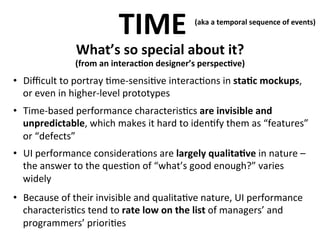
TIME	
  

(aka	
  a	
  temporal	
  sequence	
  of	
  events)	


What’s	
  so	
  special	
  about	
  it?	


(from	
  an	
  interac>on	
  designer’s	
  perspec>ve)


•  Difficult	
  to	
  portray	
  .me-­‐sensi.ve	
  interac.ons	
  in	
  sta>c	
  mockups,	
  
or	
  even	
  in	
  higher-­‐level	
  prototypes	
  
•  Time-­‐based	
  performance	
  characteris.cs	
  are	
  invisible	
  and	
  
unpredictable,	
  which	
  makes	
  it	
  hard	
  to	
  iden.fy	
  them	
  as	
  “features”	
  
or	
  “defects”	
  
•  UI	
  performance	
  considera.ons	
  are	
  largely	
  qualita>ve	
  in	
  nature	
  –	
  
the	
  answer	
  to	
  the	
  ques.on	
  of	
  “what’s	
  good	
  enough?”	
  varies	
  
widely	
  
•  Because	
  of	
  their	
  invisible	
  and	
  qualita.ve	
  nature,	
  UI	
  performance	
  
characteris.cs	
  tend	
  to	
  rate	
  low	
  on	
  the	
  list	
  of	
  managers’	
  and	
  
programmers’	
  priori.es	
  
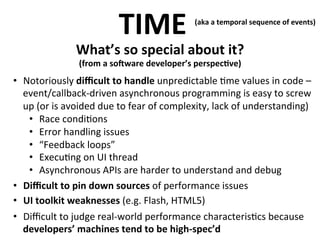
TIME	
  

(aka	
  a	
  temporal	
  sequence	
  of	
  events)	


What’s	
  so	
  special	
  about	
  it?	


(from	
  a	
  soMware	
  developer’s	
  perspec>ve)

•  Notoriously	
  difficult	
  to	
  handle	
  	
   npredictable	
  .me	
  values	
  in	
  code	
  –
u
event/callback-­‐driven	
  asynchronous	
  programming	
  is	
  easy	
  to	
  screw	
  
up	
  (or	
  is	
  avoided	
  due	
  to	
  fear	
  of	
  complexity,	
  lack	
  of	
  understanding)	
  
•  Race	
  condi.ons	
  
•  Error	
  handling	
  issues	
  
•  “Feedback	
  loops”	
  
•  Execu.ng	
  on	
  UI	
  thread	
  
•  Asynchronous	
  APIs	
  are	
  harder	
  to	
  understand	
  and	
  debug	
  
•  Difficult	
  to	
  pin	
  down	
  sources	
  of	
  performance	
  issues	
  
•  UI	
  toolkit	
  weaknesses	
  (e.g.	
  Flash,	
  HTML5)	
  
•  Difficult	
  to	
  judge	
  real-­‐world	
  performance	
  characteris.cs	
  because	
  
developers’	
  machines	
  tend	
  to	
  be	
  high-­‐spec’d	
  
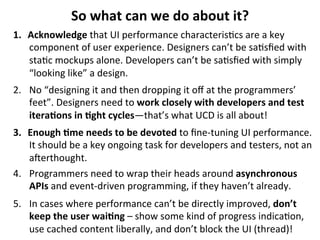
So	
  what	
  can	
  we	
  do	
  about	
  it?	
  
1.  Acknowledge	
  that	
  UI	
  performance	
  characteris.cs	
  are	
  a	
  key	
  
component	
  of	
  user	
  experience.	
  Designers	
  can’t	
  be	
  sa.sfied	
  with	
  
sta.c	
  mockups	
  alone.	
  Developers	
  can’t	
  be	
  sa.sfied	
  with	
  simply	
  
“looking	
  like”	
  a	
  design.	
  
2.  No	
  “designing	
  it	
  and	
  then	
  dropping	
  it	
  off	
  at	
  the	
  programmers’	
  
feet”.	
  Designers	
  need	
  to	
  work	
  closely	
  with	
  developers	
  and	
  test	
  
itera>ons	
  in	
  >ght	
  cycles—that’s	
  what	
  UCD	
  is	
  all	
  about!	
  
3.  Enough	
  >me	
  needs	
  to	
  be	
  devoted	
  to	
  fine-­‐tuning	
  UI	
  performance.	
  
It	
  should	
  be	
  a	
  key	
  ongoing	
  task	
  for	
  developers	
  and	
  testers,	
  not	
  an	
  
aqerthought.	
  
4.  Programmers	
  need	
  to	
  wrap	
  their	
  heads	
  around	
  asynchronous	
  
APIs	
  and	
  event-­‐driven	
  programming,	
  if	
  they	
  haven’t	
  already.	
  
5.  In	
  cases	
  where	
  performance	
  can’t	
  be	
  directly	
  improved,	
  don’t	
  
keep	
  the	
  user	
  wai>ng	
  –	
  show	
  some	
  kind	
  of	
  progress	
  indica.on,	
  
use	
  cached	
  content	
  liberally,	
  and	
  don’t	
  block	
  the	
  UI	
  (thread)!	
  	
  
Thanks	
  for	
  listening!	
  

and	
  now	
  it’s	
  .me	
  for	
  some	
  Q&A	
  /	
  discussions!	
  

Michael	
  Klein	
  
michaelklein27@gmail.com	
  
h<p://gplus.to/michaelklein27	
  
h<p://www.linkedin.com/in/michaelklein3	
  
@mischkl	
  
Links	
  
Jakob	
  Nielsen,	
  Response	
  Times:	
  The	
  3	
  Important	
  Limits	
  
h<p://www.nngroup.com/ar.cles/response-­‐.mes-­‐3-­‐important-­‐limits/	
  
Jakob	
  Nielsen,	
  Website	
  Response	
  Times	
  
h<p://www.nngroup.com/ar.cles/website-­‐response-­‐.mes/	
  
Steven	
  Seow,	
  Designing	
  and	
  Engineering	
  Time	
  (Book)	
  
h<p://www.engineering.me.com	
  
Steven	
  Seow,	
  User	
  Interface	
  Timing	
  Cheatsheet	
  
h<p://www.stevenseow.com/papers/UI%20Timing%20Cheatsheet.pdf	
  
GNOME	
  Human	
  Interface	
  Guidelines	
  2.2.2,	
  Characteris>cs	
  of	
  Responsive	
  Applica>ons	
  
h<p://developer.gnome.org/hig-­‐book/3.5/feedback-­‐responsiveness.html	
  

System performance en-2

  • 1.
    System  performance  as  user   experience  catastrophe   best  and  worst  prac.ces  for  interac.on  designers  and   programmers   Michael  Klein   Interac.on  designer,  developer  and  UI  connoisseur     h<p://gplus.to/michaelklein27,  h<p://www.linkedin.com/in/michaelklein3,  @mischkl  
  • 2.
    System  performance  as  user   experience  catastrophe   best  and  worst  prac.ces  for  interac.on  designers  and   programmers   What  am  I  talking  about?  
  • 3.
    What  am  I  talking  about?   Let’s  take  a  look  at  some  examples   h<p://www.youtube.com/watch?v=HyA6UXi0v6g  
  • 4.
    What  am  I  talking  about?     h<p://xkcd.com/612/  
  • 5.
    What  am  I  talking  about?     h<p://www.youtube.com/watch?v=sxtYxIObjWg  
  • 6.
    What  am  I  talking  about?     h<p://www.youtube.com/watch?v=nfnM_8JBmmA  
  • 7.
    What  am  I  talking  about?     h<p://www.youtube.com/watch?v=apN0_NQrC0s  
  • 8.
    What  do  all  these  examples  have  in  common?    
  • 9.
    What  do  all  these  examples  have  in  common?    
  • 10.
    TIME   (aka  a  temporal  sequence  of  events)     What’s  so  special  about  it?     (from  a  user’s  perspec>ve) •  “HCI  impedance  mismatch”  (my  phrase)  –  user’s  ac.ons  are  too     fast  for  the  system,  system’s  responses  are  too  slow  for  the  user   •  Without  immediate  feedback,  user  error  is  introduced—they  click   bu<ons  mul.ple  .mes,  try  to  swipe  mul.ple  .mes,  try  to  close   unresponsive  apps  even  if  they  are  not  actually  frozen,  poten.ally   leading  to  data  loss,  etc.   •  When  things  don’t  work  smoothly,  users  are  reminded  that  they   are  “using  a  computer”,  sense  of  magic/fun  decreases,  sense  of   control  decreases,  frustra.on  increases   •  Unresponsive  apps  violate  4  of  Nielsen’s  10  usability  heuris>cs   (Visibility  of  system  status,  match  with  real  world  (real  objects   don’t  stu<er/freeze),  user  control/freedom,  error  preven.on.)  
  • 11.
    TIME   (aka  a  temporal  sequence  of  events)     What’s  so  special  about  it?     (from  an  interac>on  designer’s  perspec>ve)   •  Difficult  to  portray  .me-­‐sensi.ve  interac.ons  in  sta>c  mockups,   or  even  in  higher-­‐level  prototypes   •  Time-­‐based  performance  characteris.cs  are  invisible  and   unpredictable,  which  makes  it  hard  to  iden.fy  them  as  “features”   or  “defects”   •  UI  performance  considera.ons  are  largely  qualita>ve  in  nature  –   the  answer  to  the  ques.on  of  “what’s  good  enough?”  varies   widely   •  Because  of  their  invisible  and  qualita.ve  nature,  UI  performance   characteris.cs  tend  to  rate  low  on  the  list  of  managers’  and   programmers’  priori.es  
  • 12.
    TIME   (aka  a  temporal  sequence  of  events)     What’s  so  special  about  it?     (from  a  soMware  developer’s  perspec>ve) •  Notoriously  difficult  to  handle     npredictable  .me  values  in  code  – u event/callback-­‐driven  asynchronous  programming  is  easy  to  screw   up  (or  is  avoided  due  to  fear  of  complexity,  lack  of  understanding)   •  Race  condi.ons   •  Error  handling  issues   •  “Feedback  loops”   •  Execu.ng  on  UI  thread   •  Asynchronous  APIs  are  harder  to  understand  and  debug   •  Difficult  to  pin  down  sources  of  performance  issues   •  UI  toolkit  weaknesses  (e.g.  Flash,  HTML5)   •  Difficult  to  judge  real-­‐world  performance  characteris.cs  because   developers’  machines  tend  to  be  high-­‐spec’d  
  • 13.
    So  what  can  we  do  about  it?   1.  Acknowledge  that  UI  performance  characteris.cs  are  a  key   component  of  user  experience.  Designers  can’t  be  sa.sfied  with   sta.c  mockups  alone.  Developers  can’t  be  sa.sfied  with  simply   “looking  like”  a  design.   2.  No  “designing  it  and  then  dropping  it  off  at  the  programmers’   feet”.  Designers  need  to  work  closely  with  developers  and  test   itera>ons  in  >ght  cycles—that’s  what  UCD  is  all  about!   3.  Enough  >me  needs  to  be  devoted  to  fine-­‐tuning  UI  performance.   It  should  be  a  key  ongoing  task  for  developers  and  testers,  not  an   aqerthought.   4.  Programmers  need  to  wrap  their  heads  around  asynchronous   APIs  and  event-­‐driven  programming,  if  they  haven’t  already.   5.  In  cases  where  performance  can’t  be  directly  improved,  don’t   keep  the  user  wai>ng  –  show  some  kind  of  progress  indica.on,   use  cached  content  liberally,  and  don’t  block  the  UI  (thread)!    
  • 14.
    Thanks  for  listening!   and  now  it’s  .me  for  some  Q&A  /  discussions!   Michael  Klein   michaelklein27@gmail.com   h<p://gplus.to/michaelklein27   h<p://www.linkedin.com/in/michaelklein3   @mischkl  
  • 15.
    Links   Jakob  Nielsen,  Response  Times:  The  3  Important  Limits   h<p://www.nngroup.com/ar.cles/response-­‐.mes-­‐3-­‐important-­‐limits/   Jakob  Nielsen,  Website  Response  Times   h<p://www.nngroup.com/ar.cles/website-­‐response-­‐.mes/   Steven  Seow,  Designing  and  Engineering  Time  (Book)   h<p://www.engineering.me.com   Steven  Seow,  User  Interface  Timing  Cheatsheet   h<p://www.stevenseow.com/papers/UI%20Timing%20Cheatsheet.pdf   GNOME  Human  Interface  Guidelines  2.2.2,  Characteris>cs  of  Responsive  Applica>ons   h<p://developer.gnome.org/hig-­‐book/3.5/feedback-­‐responsiveness.html