Syncfusion
Dashboard Platform SDK
Software Development Kit for integrating
dashboards into your applications
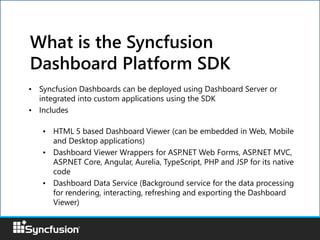
• Syncfusion Dashboards can be deployed using Dashboard Server or
integrated into custom applications using the SDK
• Includes
• HTML 5 based Dashboard Viewer (can be embedded in Web, Mobile
and Desktop applications)
• Dashboard Viewer Wrappers for ASP.NET Web Forms, ASP.NET MVC,
ASP.NET Core, Angular, Aurelia, TypeScript, PHP and JSP for its native
code
• Dashboard Data Service (Background service for the data processing
for rendering, interacting, refreshing and exporting the Dashboard
Viewer)
What is the Syncfusion
Dashboard Platform SDK
Architecture
Customer/Web application
Dashboard
Viewer
Dashboard Data
Service
Database
Hardware & Software
Requirements
Hardware:
Processor - Dual Core 32-bit CPU (x86)
Hard disk - 2 GB
RAM - 2 GB
Software:
Operating System - Windows 7, 8+
Microsoft Visual Studio 2012 or later
IIS Express
Browser - Internet Explorer 9+, Microsoft Edge, Mozilla Firefox 22+, Chrome 17+,
Opera 12+, Safari 5+
Development Platforms
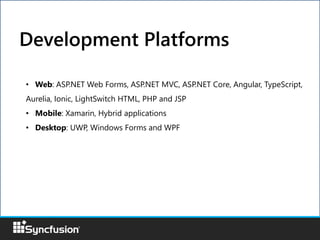
• Web: ASP.NET Web Forms, ASP.NET MVC, ASP.NET Core, Angular, TypeScript,
Aurelia, Ionic, LightSwitch HTML, PHP and JSP
• Mobile: Xamarin, Hybrid applications
• Desktop: UWP, Windows Forms and WPF
• Embed the dashboard in your application with
modified connection settings or filter settings
based on use case.
• Interact the dashboard viewer through its API
• Customize the dashboard appearance based on
the Customer/Main application theme
• Customize the viewer by add/removing the
widgets
• Localize the dashboard viewer
SDK Features
Dashboard Platform SDK controls the below features
on the fly in Dashboard Viewer:
• Connection Settings
• Filter and Dashboard Parameters
• Filter Panel Settings
• Refresh Settings
• Exporting operations
• Add/Remove an widget on dashboard
• Dashboard Linking (or Navigation)
Refer, How to section for more detail.
SDK Features (continued)
Dashboard Viewer Integration
Dashboard Viewer and external elements in application can communicate through
API. Refer, API Reference in detail.
Dashboard Viewer Application elements
• Dashboard Viewer can be customized using custom theme settings API.
• More details, refer to the UG.
Custom Theme
• Dashboard Viewer can be customized by adding/removing the widgets and
or changing properties of widgets at runtime
• Refer online sample
Add/remove widget in dashboard
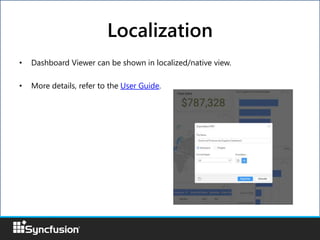
• Dashboard Viewer can be shown in localized/native view.
• More details, refer to the User Guide.
Localization
• Integrating the Dashboard Viewer in to
ASP.NET Web/MVC/Core applications with
extension support
• More frameworks like Electron.
• HTML5 based component for Dashboard
Designer
Road Map
More Information
• Documentation
https://help.syncfusion.com/dashboard-
platform/dashboard-sdk
• Samples
http://dashboardsdkdemo.syncfusion.com

Syncfusion Dashboard Platform SDK

  • 1.
    Syncfusion Dashboard Platform SDK SoftwareDevelopment Kit for integrating dashboards into your applications
  • 2.
    • Syncfusion Dashboardscan be deployed using Dashboard Server or integrated into custom applications using the SDK • Includes • HTML 5 based Dashboard Viewer (can be embedded in Web, Mobile and Desktop applications) • Dashboard Viewer Wrappers for ASP.NET Web Forms, ASP.NET MVC, ASP.NET Core, Angular, Aurelia, TypeScript, PHP and JSP for its native code • Dashboard Data Service (Background service for the data processing for rendering, interacting, refreshing and exporting the Dashboard Viewer) What is the Syncfusion Dashboard Platform SDK
  • 3.
  • 4.
    Hardware & Software Requirements Hardware: Processor- Dual Core 32-bit CPU (x86) Hard disk - 2 GB RAM - 2 GB Software: Operating System - Windows 7, 8+ Microsoft Visual Studio 2012 or later IIS Express Browser - Internet Explorer 9+, Microsoft Edge, Mozilla Firefox 22+, Chrome 17+, Opera 12+, Safari 5+
  • 5.
    Development Platforms • Web:ASP.NET Web Forms, ASP.NET MVC, ASP.NET Core, Angular, TypeScript, Aurelia, Ionic, LightSwitch HTML, PHP and JSP • Mobile: Xamarin, Hybrid applications • Desktop: UWP, Windows Forms and WPF
  • 6.
    • Embed thedashboard in your application with modified connection settings or filter settings based on use case. • Interact the dashboard viewer through its API • Customize the dashboard appearance based on the Customer/Main application theme • Customize the viewer by add/removing the widgets • Localize the dashboard viewer SDK Features
  • 7.
    Dashboard Platform SDKcontrols the below features on the fly in Dashboard Viewer: • Connection Settings • Filter and Dashboard Parameters • Filter Panel Settings • Refresh Settings • Exporting operations • Add/Remove an widget on dashboard • Dashboard Linking (or Navigation) Refer, How to section for more detail. SDK Features (continued)
  • 8.
    Dashboard Viewer Integration DashboardViewer and external elements in application can communicate through API. Refer, API Reference in detail. Dashboard Viewer Application elements
  • 9.
    • Dashboard Viewercan be customized using custom theme settings API. • More details, refer to the UG. Custom Theme
  • 10.
    • Dashboard Viewercan be customized by adding/removing the widgets and or changing properties of widgets at runtime • Refer online sample Add/remove widget in dashboard
  • 11.
    • Dashboard Viewercan be shown in localized/native view. • More details, refer to the User Guide. Localization
  • 12.
    • Integrating theDashboard Viewer in to ASP.NET Web/MVC/Core applications with extension support • More frameworks like Electron. • HTML5 based component for Dashboard Designer Road Map
  • 13.