@joshwcorbett
Josh Corbett Swipe
Supercharge
Your
Branding
With
Stylescapes.
Interfaces
Images
1
What's a
Stylescape?
A stylescape is a design deliverable that helps to present
the visual direction of a project.
This is accomplished by searching for pre-existing design
works, graphics, logos, etc. and combining them into one
large graphic that share a similar art direction.
Fonts
Physical Elements
Stylescapes
are not
Mood boards
or Mockups
2
Brief
Stylescapes
Mockups
Approval
3
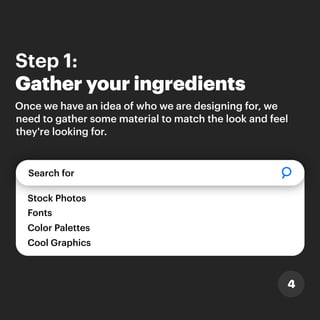
Step 1:
Gather your ingredients
4
Search for
Stock Photos
Color Palettes
Fonts
Cool Graphics
Once we have an idea of who we are designing for, we
need to gather some material to match the look and feel
they're looking for.
5
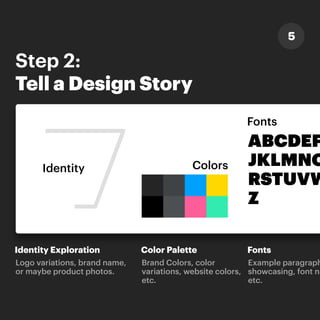
Step 2:
Tell a Design Story
Identity Colors
Fonts
Identity Exploration Color Palette
Logo variations, brand name,
or maybe product photos.
Brand Colors, color
variations, website colors,
etc.
ABCDEF
JKLMNO
RSTUVW
Z
Fonts
Example paragraph
showcasing, font na
etc.
FGHI
OPQ
WXY
hs,
font
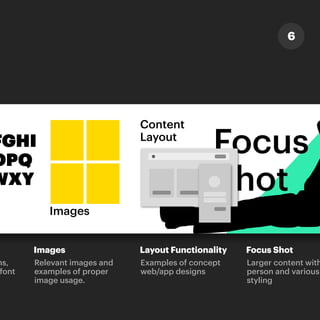
Images
Content
Layout
Focus
Shot
Images Layout Functionality Focus Shot
Relevant images and
examples of proper
image usage.
Examples of concept
web/app designs
Larger content with
person and various
styling
6
h a
Step 3:
Make it Artful
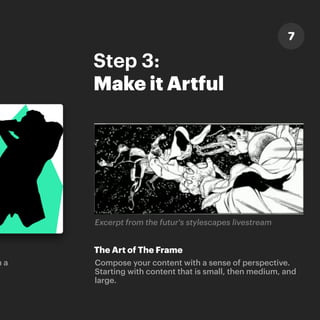
The Art of The Frame
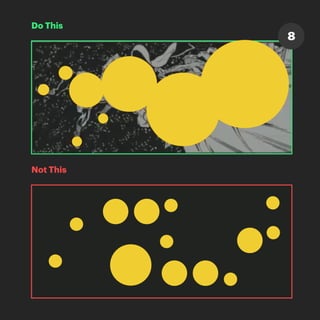
Compose your content with a sense of perspective.
Starting with content that is small, then medium, and
large.
Excerpt from the futur's stylescapes livestream
7
Do This
Not This
8
Follow
Thanks For
Reading!
For Design Tips,Tricks,and UX Cases,
please consider following @joshwcorbett.
@joshwcorbett
Josh Corbett

Supercharge Your Branding with Stylescapes.