Dynamic Memory
Allocation:
• Thememory allocation that we have done till now was static memory
allocation. The memory that could be used by the program was
fixed
i.e. we could not increase or decrease the size of memory during the
execution of program.
• In many applications it is not possible to predict how much memory
would be needed by the program at run time.
• For example if we declare an array of integers
int emp_no[200];
• In an array, it is must to specify the size of array while declaring, so
the size of this array will be fixed during runtime.
3.
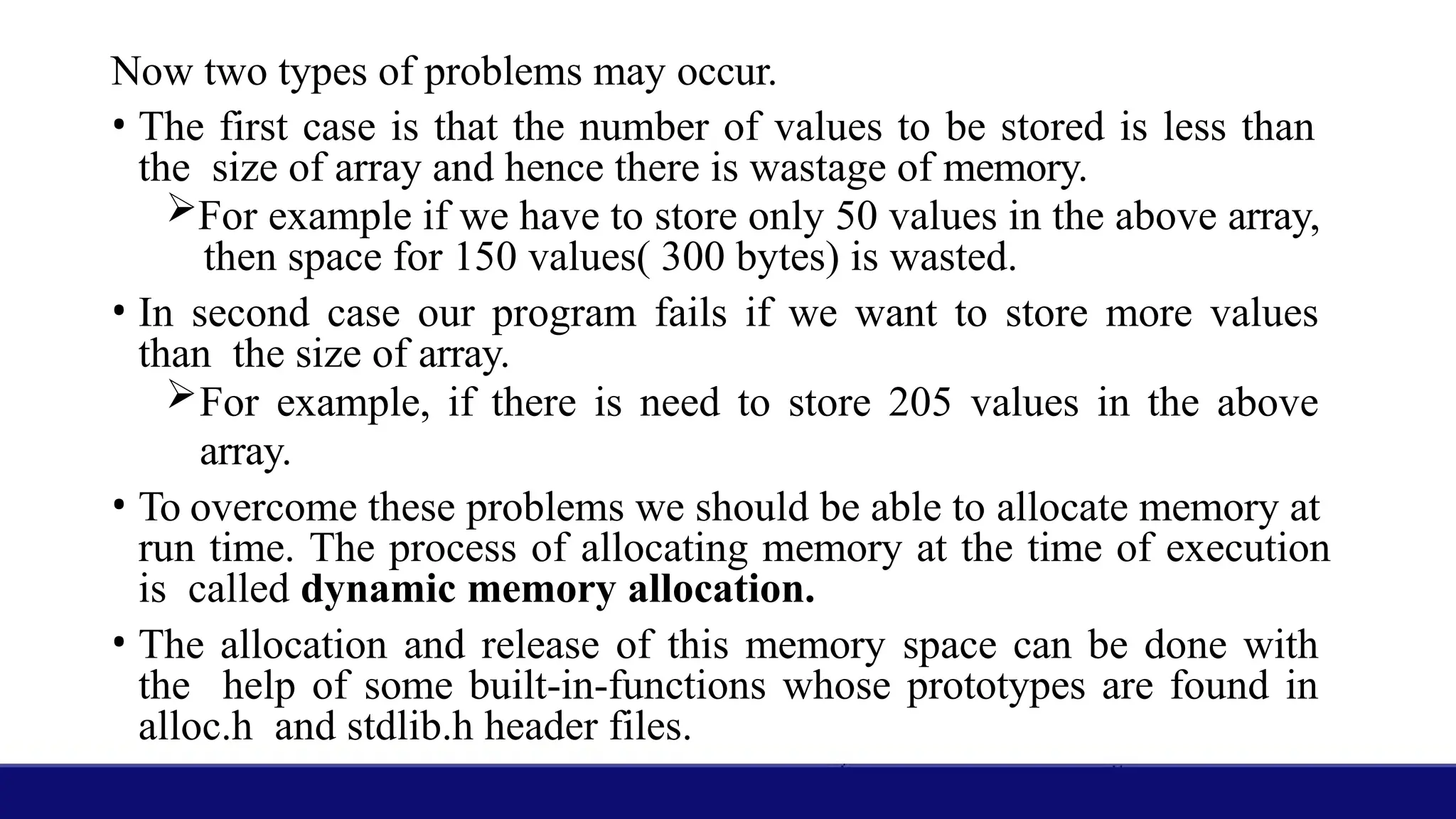
Now two typesof problems may occur.
• The first case is that the number of values to be stored is less than
the size of array and hence there is wastage of memory.
For example if we have to store only 50 values in the above array,
then space for 150 values( 300 bytes) is wasted.
• In second case our program fails if we want to store more values
than the size of array.
For example, if there is need to store 205 values in the above
array.
• To overcome these problems we should be able to allocate memory at
run time. The process of allocating memory at the time of execution
is called dynamic memory allocation.
• The allocation and release of this memory space can be done with
the help of some built-in-functions whose prototypes are found in
alloc.h and stdlib.h header files.
4.
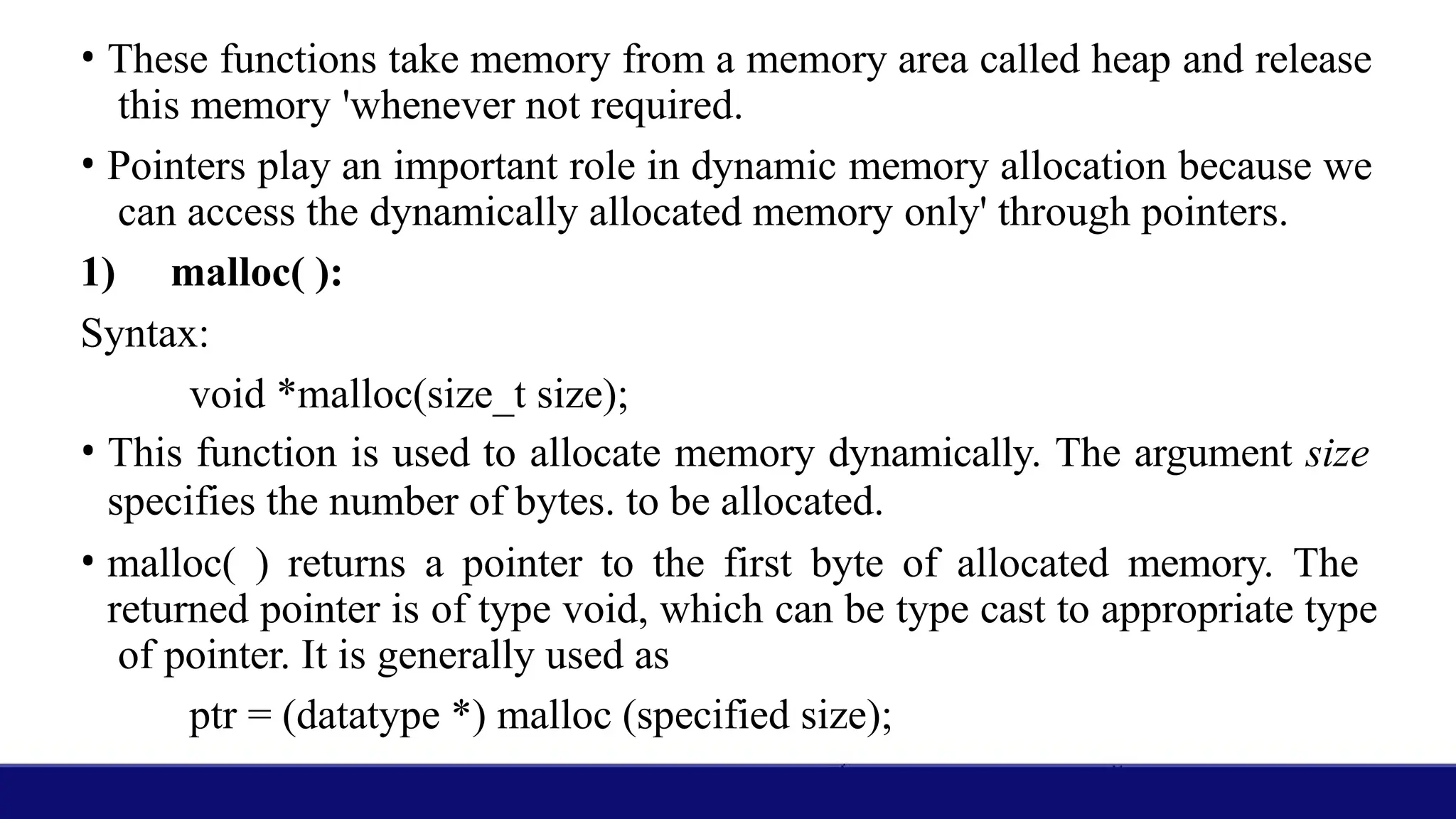
• These functionstake memory from a memory area called heap and release
this memory 'whenever not required.
• Pointers play an important role in dynamic memory allocation because we
can access the dynamically allocated memory only' through pointers.
1) malloc( ):
Syntax:
void *malloc(size_t size);
• This function is used to allocate memory dynamically. The argument size
specifies the number of bytes. to be allocated.
• malloc( ) returns a pointer to the first byte of allocated memory. The
returned pointer is of type void, which can be type cast to appropriate type
of pointer. It is generally used as
ptr = (datatype *) malloc (specified size);
5.
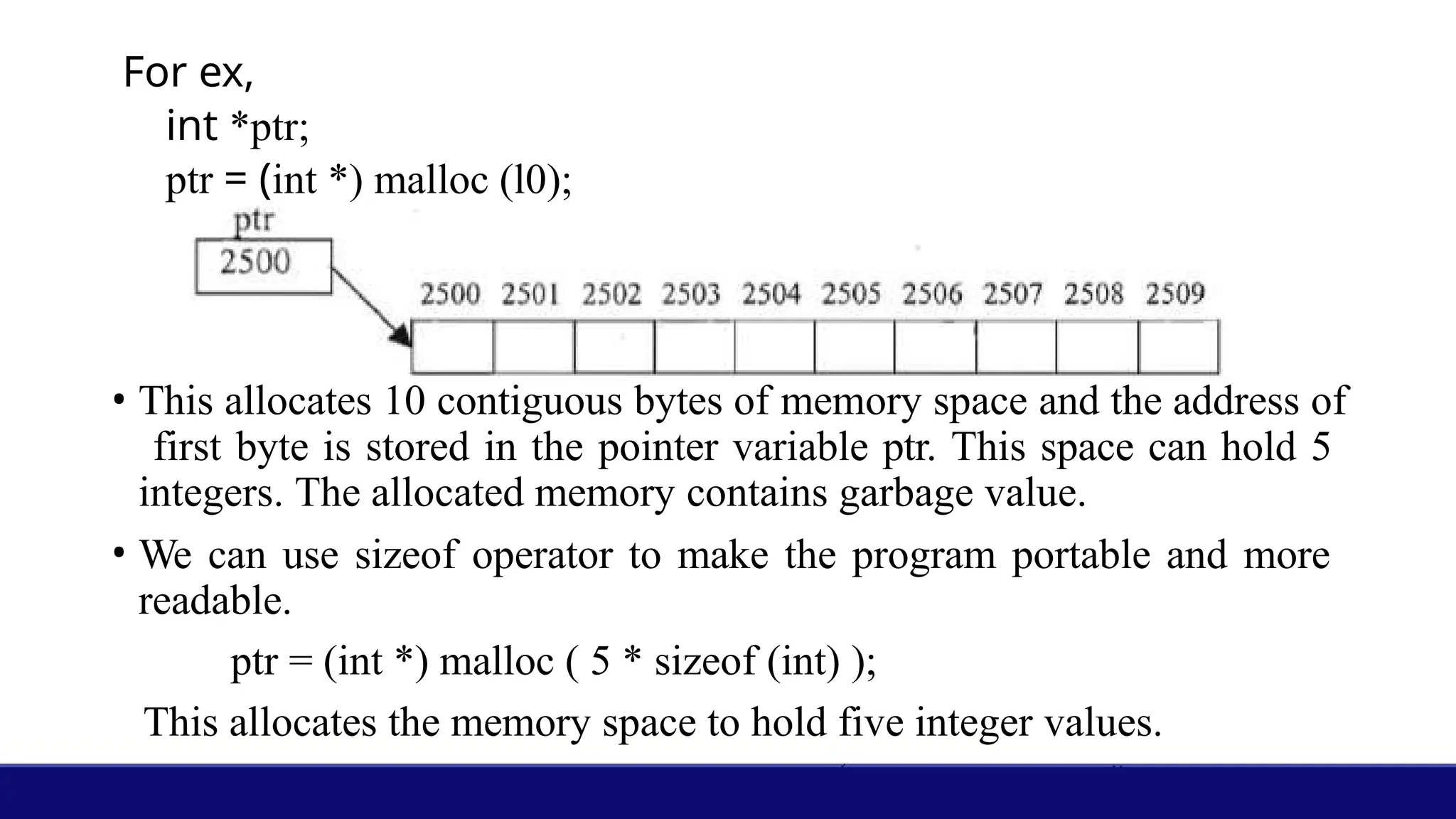
For ex,
int *ptr;
ptr= (int *) malloc (l0);
• This allocates 10 contiguous bytes of memory space and the address of
first byte is stored in the pointer variable ptr. This space can hold 5
integers. The allocated memory contains garbage value.
• We can use sizeof operator to make the program portable and more
readable.
ptr = (int *) malloc ( 5 * sizeof (int) );
This allocates the memory space to hold five integer values.
6.
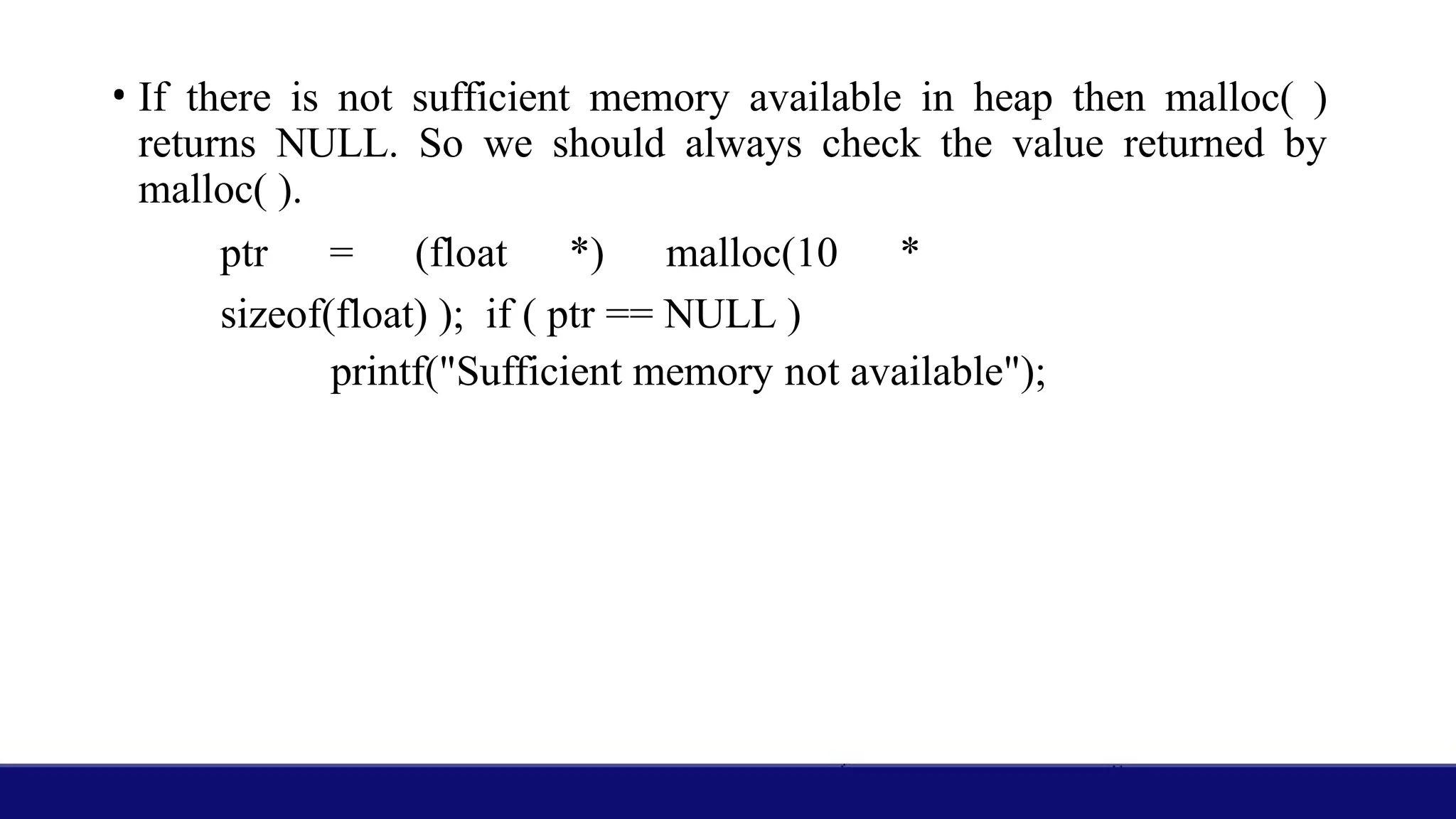
• If thereis not sufficient memory available in heap then malloc( )
returns NULL. So we should always check the value returned by
malloc( ).
ptr = (float *) malloc(10 *
sizeof(float) ); if ( ptr == NULL )
printf("Sufficient memory not available");
7.
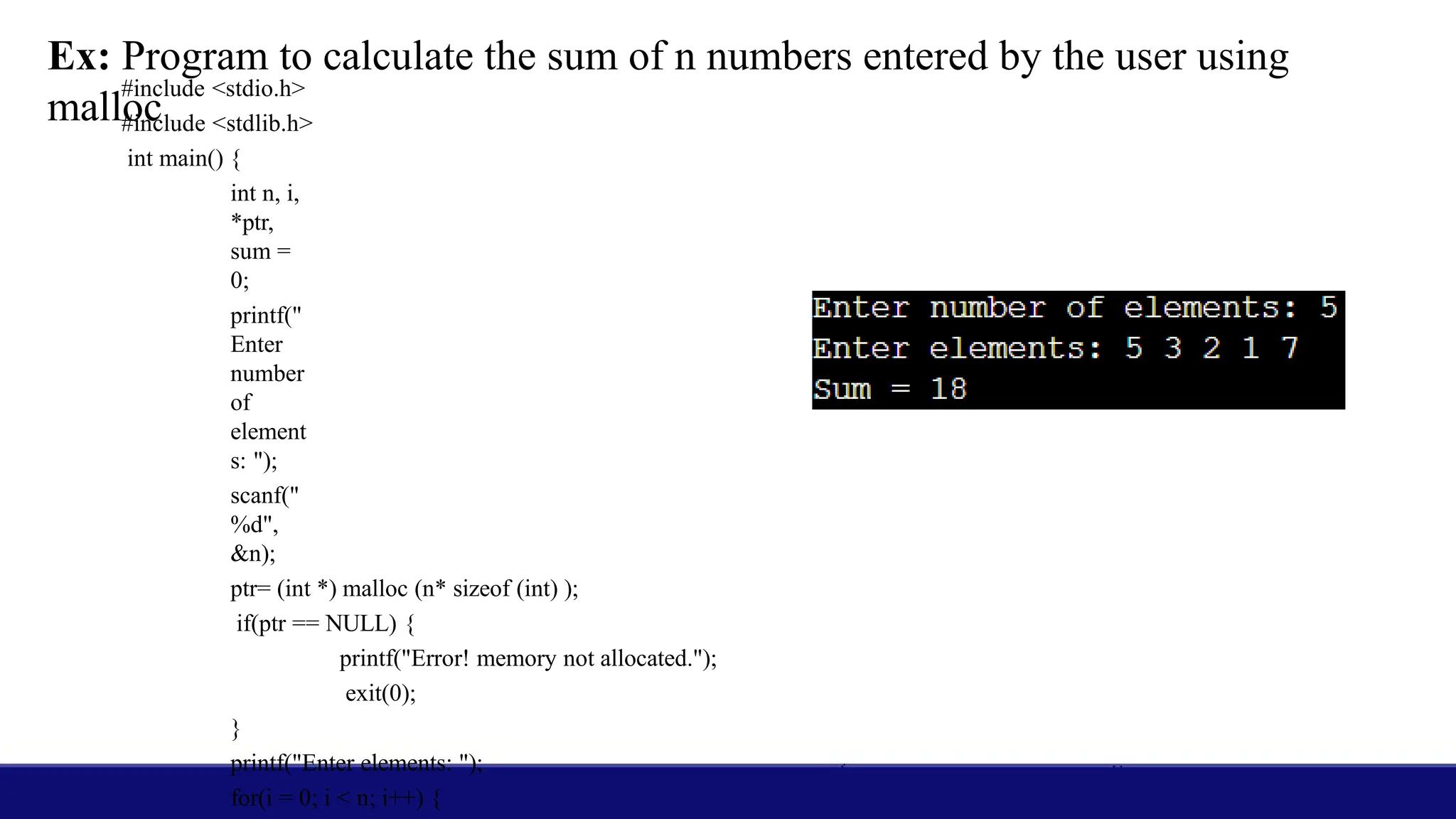
Ex: Program tocalculate the sum of n numbers entered by the user using
malloc
#include <stdio.h>
#include <stdlib.h>
int main() {
int n, i,
*ptr,
sum =
0;
printf("
Enter
number
of
element
s: ");
scanf("
%d",
&n);
ptr= (int *) malloc (n* sizeof (int) );
if(ptr == NULL) {
printf("Error! memory not allocated.");
exit(0);
}
printf("Enter elements: ");
for(i = 0; i < n; i++) {
8.
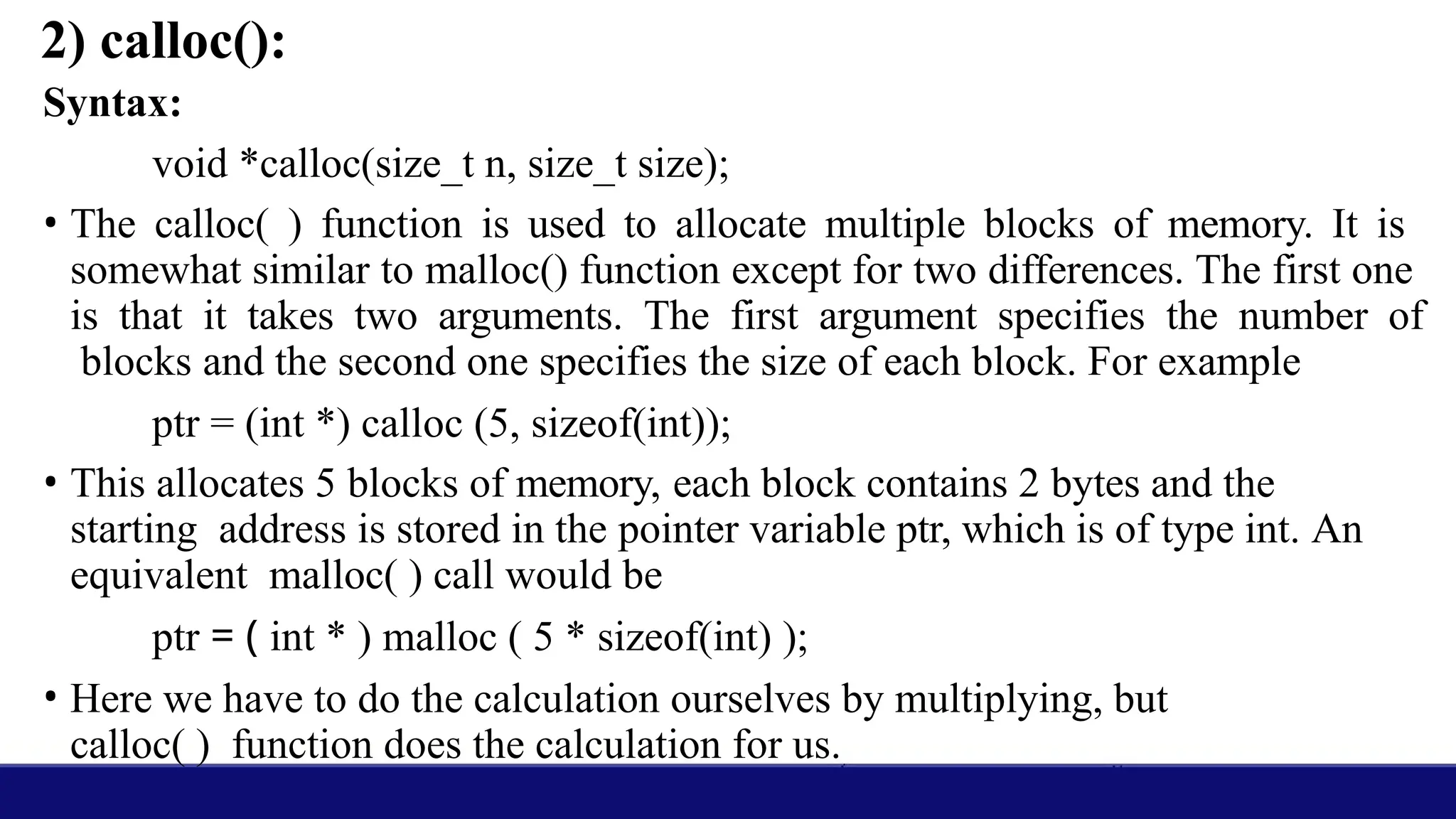
2) calloc():
Syntax:
void *calloc(size_tn, size_t size);
• The calloc( ) function is used to allocate multiple blocks of memory. It is
somewhat similar to malloc() function except for two differences. The first one
is that it takes two arguments. The first argument specifies the number of
blocks and the second one specifies the size of each block. For example
ptr = (int *) calloc (5, sizeof(int));
• This allocates 5 blocks of memory, each block contains 2 bytes and the
starting address is stored in the pointer variable ptr, which is of type int. An
equivalent malloc( ) call would be
ptr = ( int * ) malloc ( 5 * sizeof(int) );
• Here we have to do the calculation ourselves by multiplying, but
calloc( ) function does the calculation for us.
9.
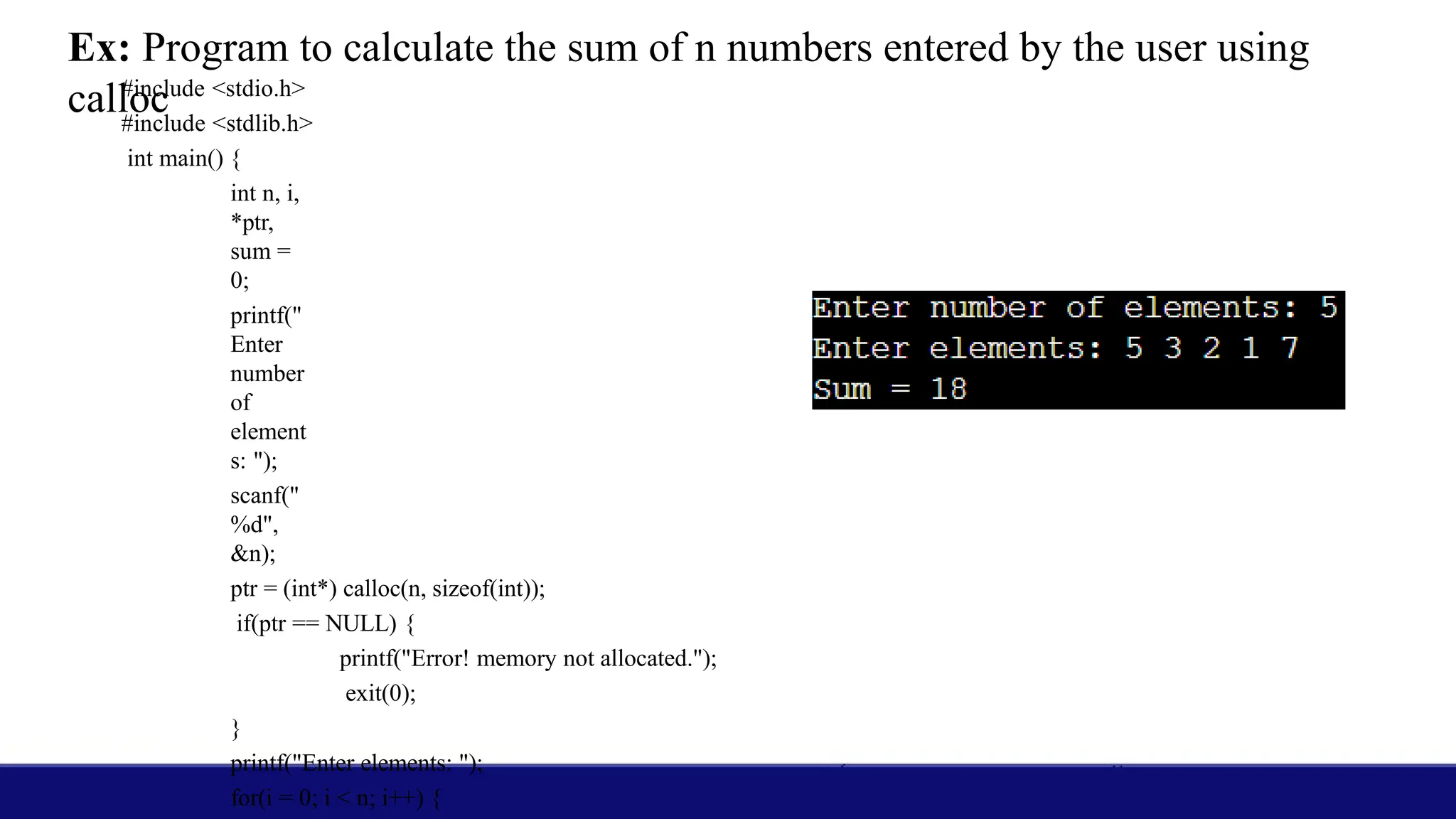
Ex: Program tocalculate the sum of n numbers entered by the user using
calloc
#include <stdio.h>
#include <stdlib.h>
int main() {
int n, i,
*ptr,
sum =
0;
printf("
Enter
number
of
element
s: ");
scanf("
%d",
&n);
ptr = (int*) calloc(n, sizeof(int));
if(ptr == NULL) {
printf("Error! memory not allocated.");
exit(0);
}
printf("Enter elements: ");
for(i = 0; i < n; i++) {
10.
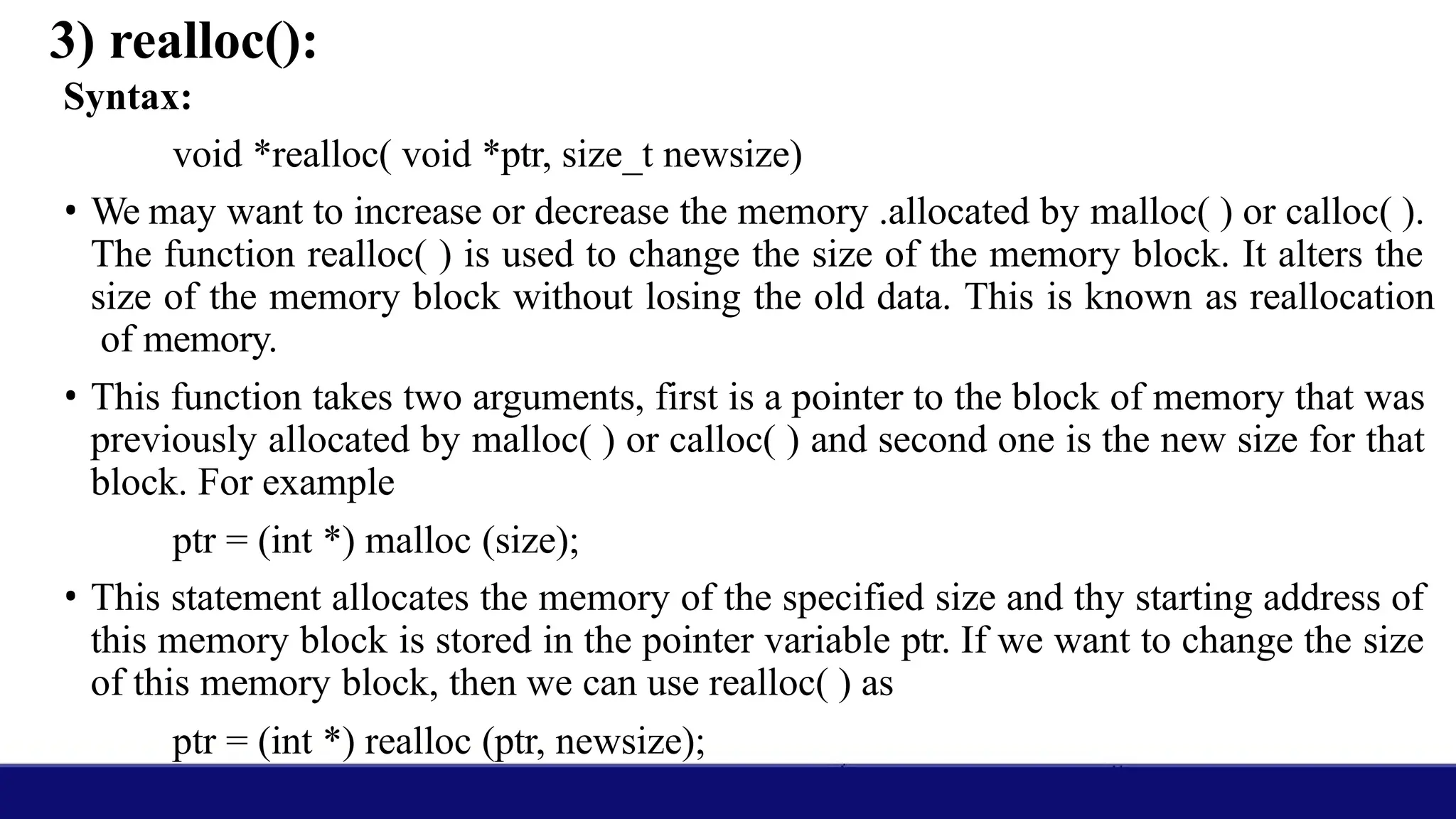
3) realloc():
Syntax:
void *realloc(void *ptr, size_t newsize)
• We may want to increase or decrease the memory .allocated by malloc( ) or calloc( ).
The function realloc( ) is used to change the size of the memory block. It alters the
size of the memory block without losing the old data. This is known as reallocation
of memory.
• This function takes two arguments, first is a pointer to the block of memory that was
previously allocated by malloc( ) or calloc( ) and second one is the new size for that
block. For example
ptr = (int *) malloc (size);
• This statement allocates the memory of the specified size and thy starting address of
this memory block is stored in the pointer variable ptr. If we want to change the size
of this memory block, then we can use realloc( ) as
ptr = (int *) realloc (ptr, newsize);
11.
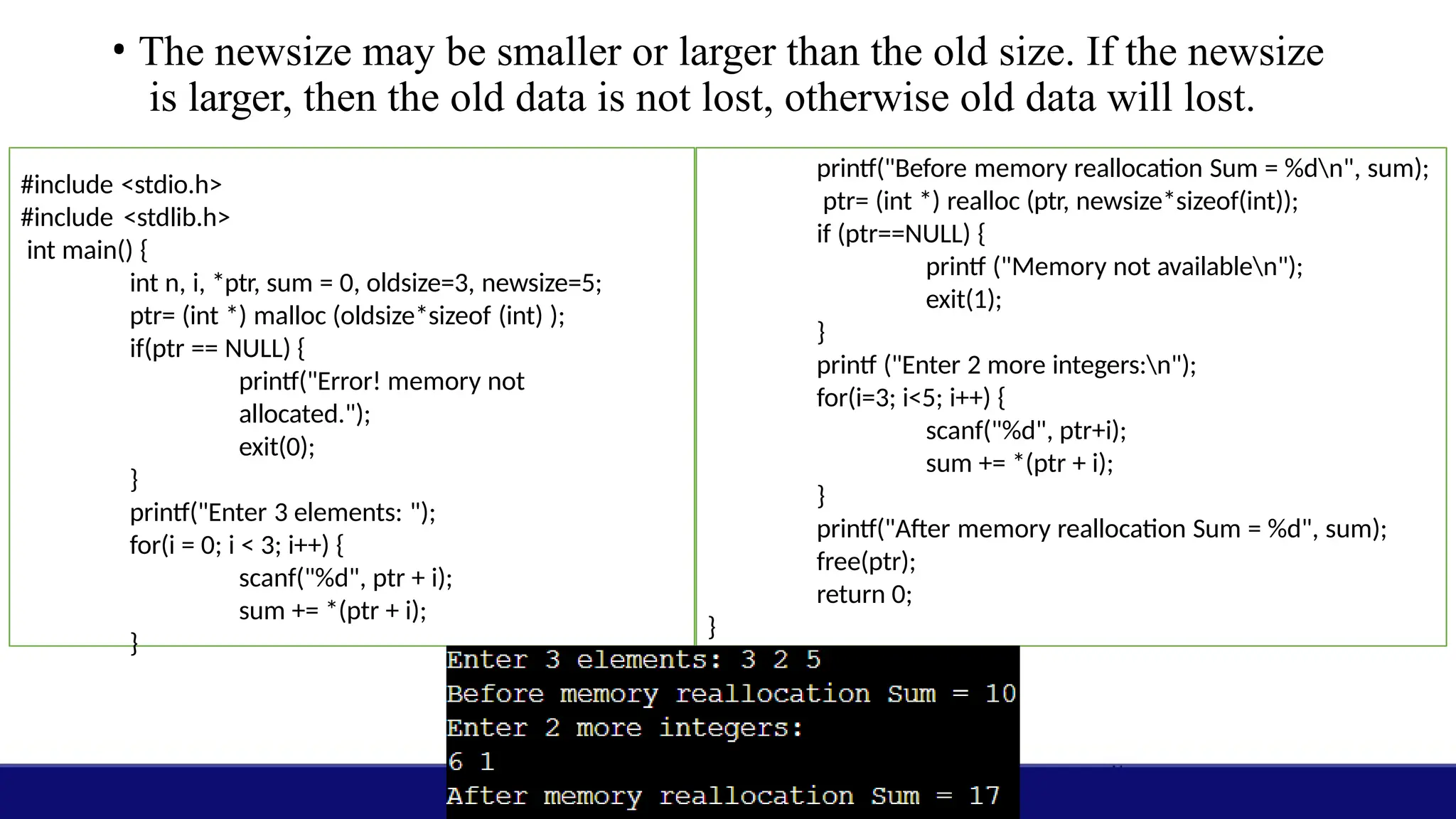
• The newsizemay be smaller or larger than the old size. If the newsize
is larger, then the old data is not lost, otherwise old data will lost.
#include <stdio.h>
#include <stdlib.h>
int main() {
int n, i, *ptr, sum = 0, oldsize=3, newsize=5;
ptr= (int *) malloc (oldsize*sizeof (int) );
if(ptr == NULL) {
printf("Error! memory not
allocated.");
exit(0);
}
printf("Enter 3 elements: ");
for(i = 0; i < 3; i++) {
scanf("%d", ptr + i);
sum += *(ptr + i);
}
printf("Before memory reallocation Sum = %dn", sum);
ptr= (int *) realloc (ptr, newsize*sizeof(int));
if (ptr==NULL) {
printf ("Memory not availablen");
exit(1);
}
printf ("Enter 2 more integers:n");
for(i=3; i<5; i++) {
scanf("%d", ptr+i);
sum += *(ptr + i);
}
printf("After memory reallocation Sum = %d", sum);
free(ptr);
return 0;
}
12.
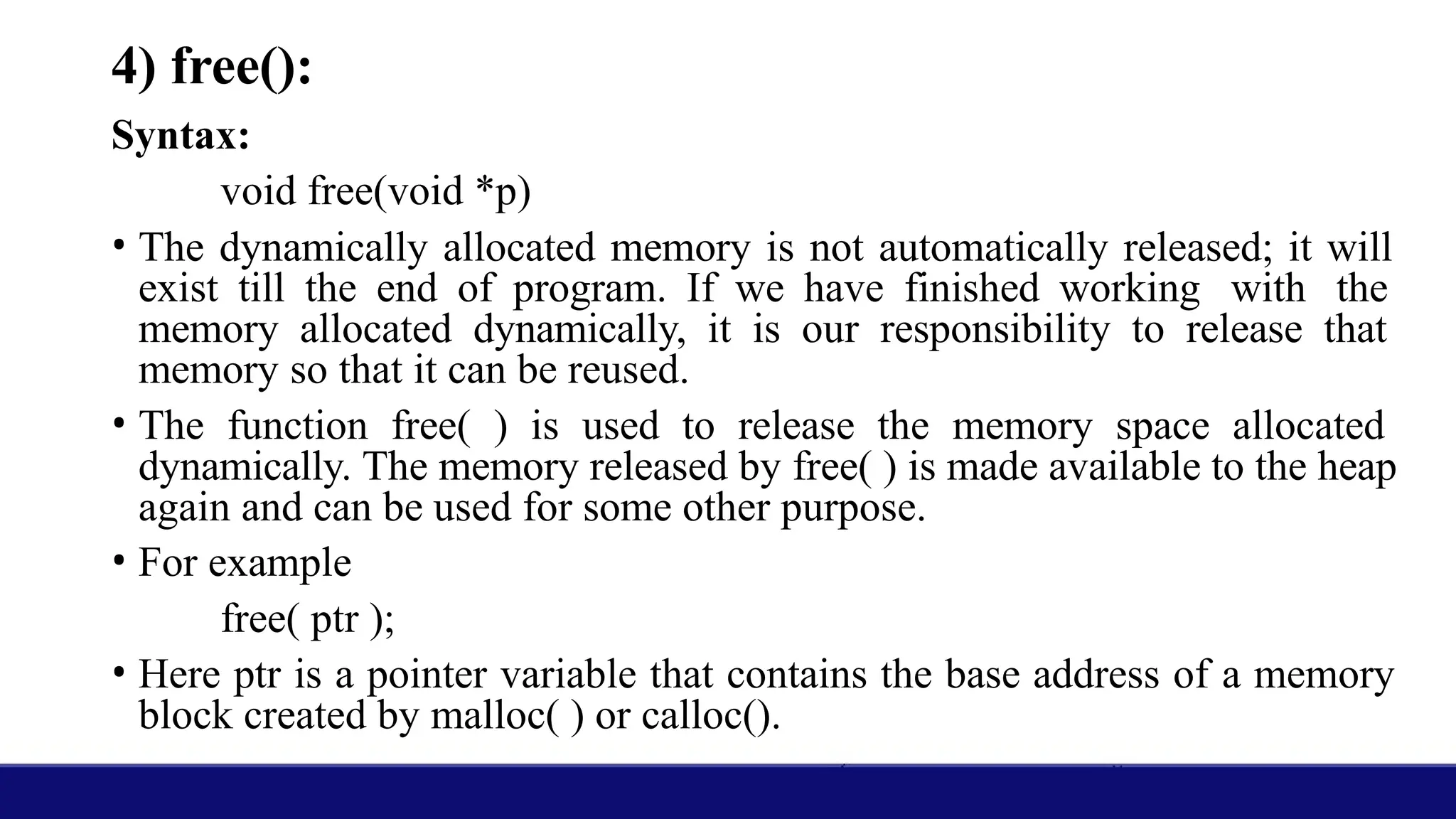
4) free():
Syntax:
void free(void*p)
• The dynamically allocated memory is not automatically released; it will
exist till the end of program. If we have finished working with the
memory allocated dynamically, it is our responsibility to release that
memory so that it can be reused.
• The function free( ) is used to release the memory space allocated
dynamically. The memory released by free( ) is made available to the heap
again and can be used for some other purpose.
• For example
free( ptr );
• Here ptr is a pointer variable that contains the base address of a memory
block created by malloc( ) or calloc().
13.
• When theprogram terminates all the memory is released automatically
by the operating system but it is a good practice to free whatever has
been allocated dynamically.
• We won't get any errors if we don’t free the dynamically allocated
memory, but this would lead to memory leak i.e. memory is slowly
leaking away and can be reused only after the termination of program.
14.
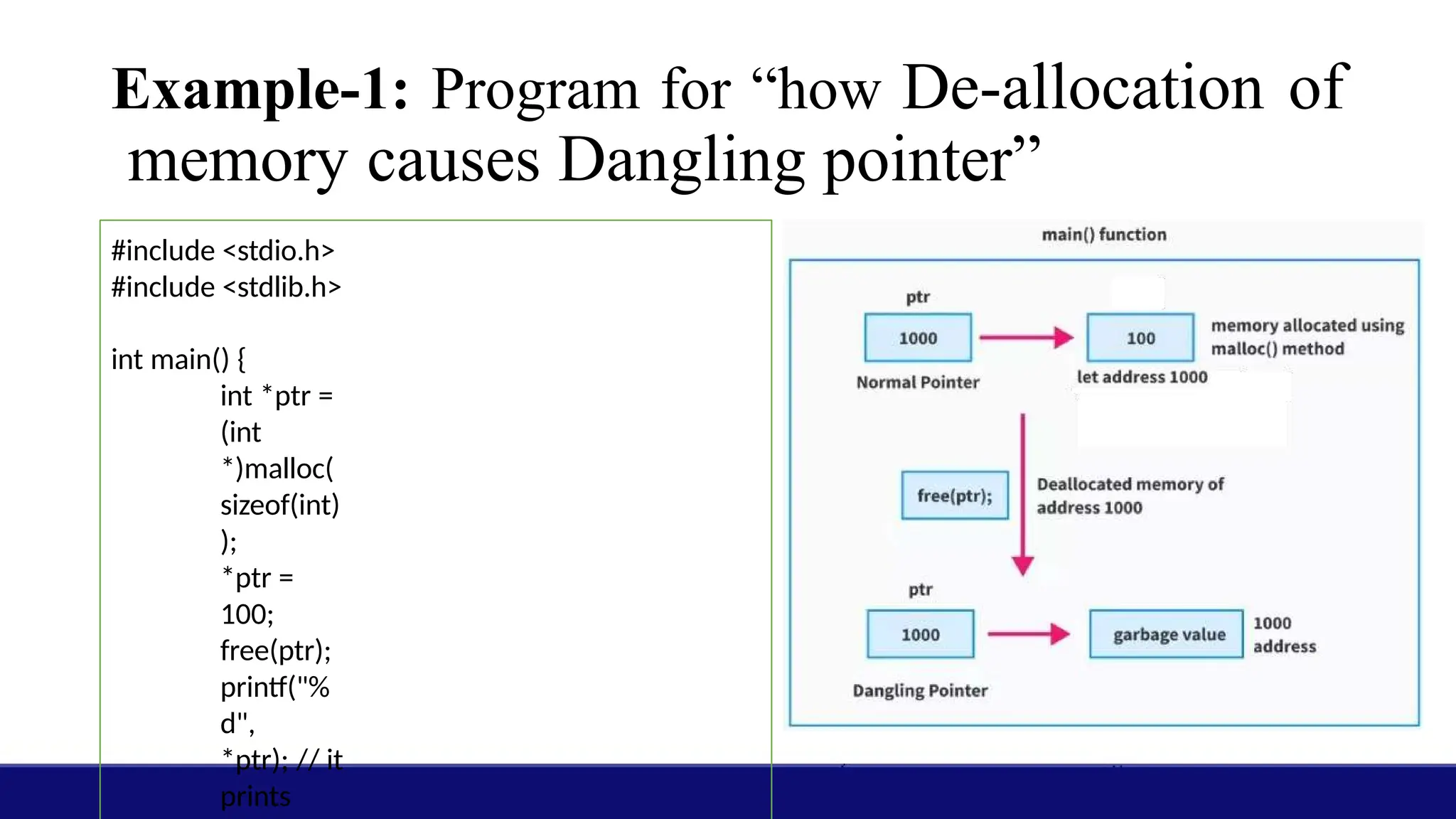
Example-1: Program for“how De-allocation of
memory causes Dangling pointer”
#include <stdio.h>
#include <stdlib.h>
int main() {
int *ptr =
(int
*)malloc(
sizeof(int)
);
*ptr =
100;
free(ptr);
printf("%
d",
*ptr); // it
prints
15.
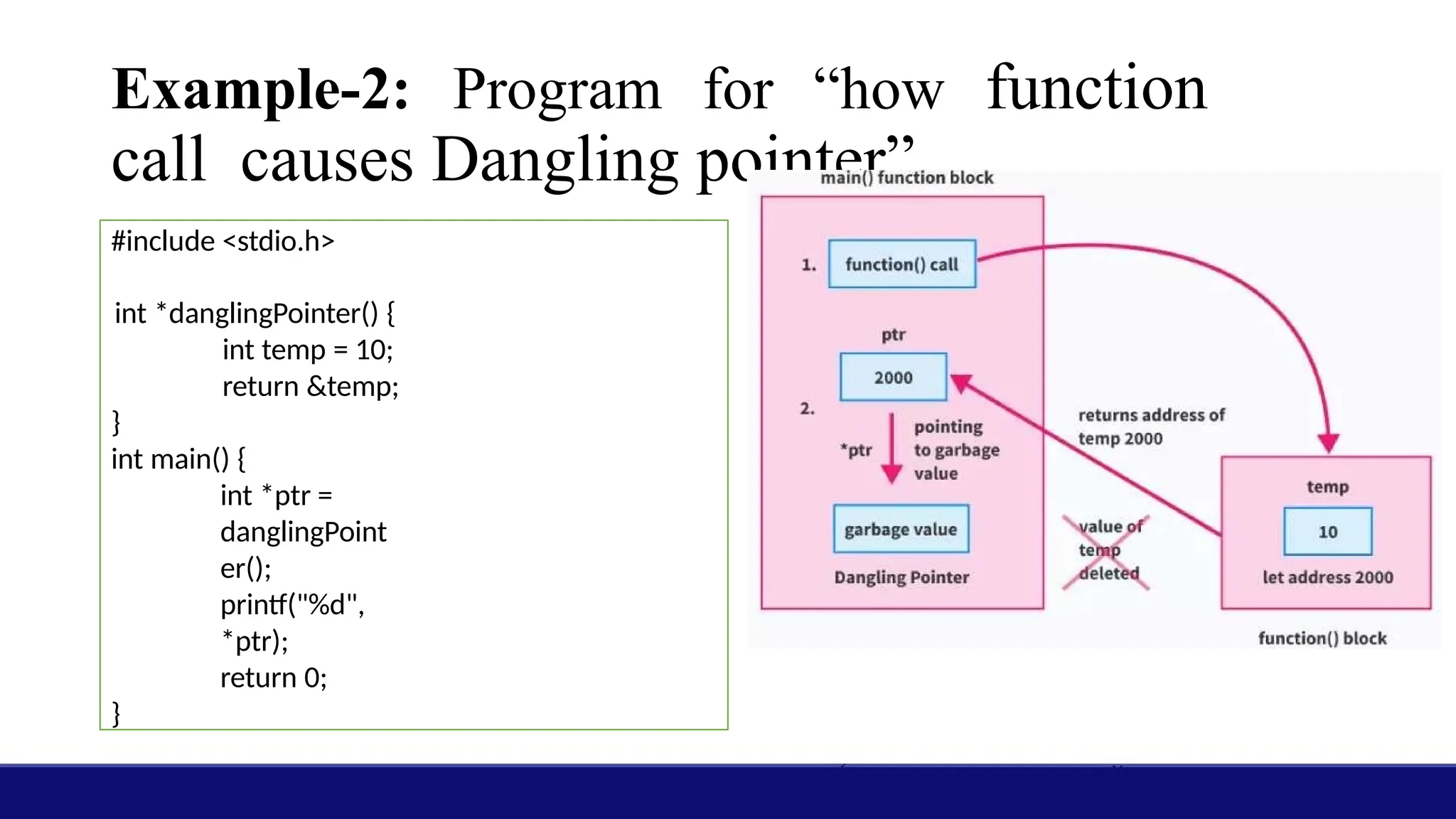
Example-2: Program for“how function
call causes Dangling pointer”
#include <stdio.h>
int *danglingPointer() {
int temp = 10;
return &temp;
}
int main() {
int *ptr =
danglingPoint
er();
printf("%d",
*ptr);
return 0;
}
16.
Structures:
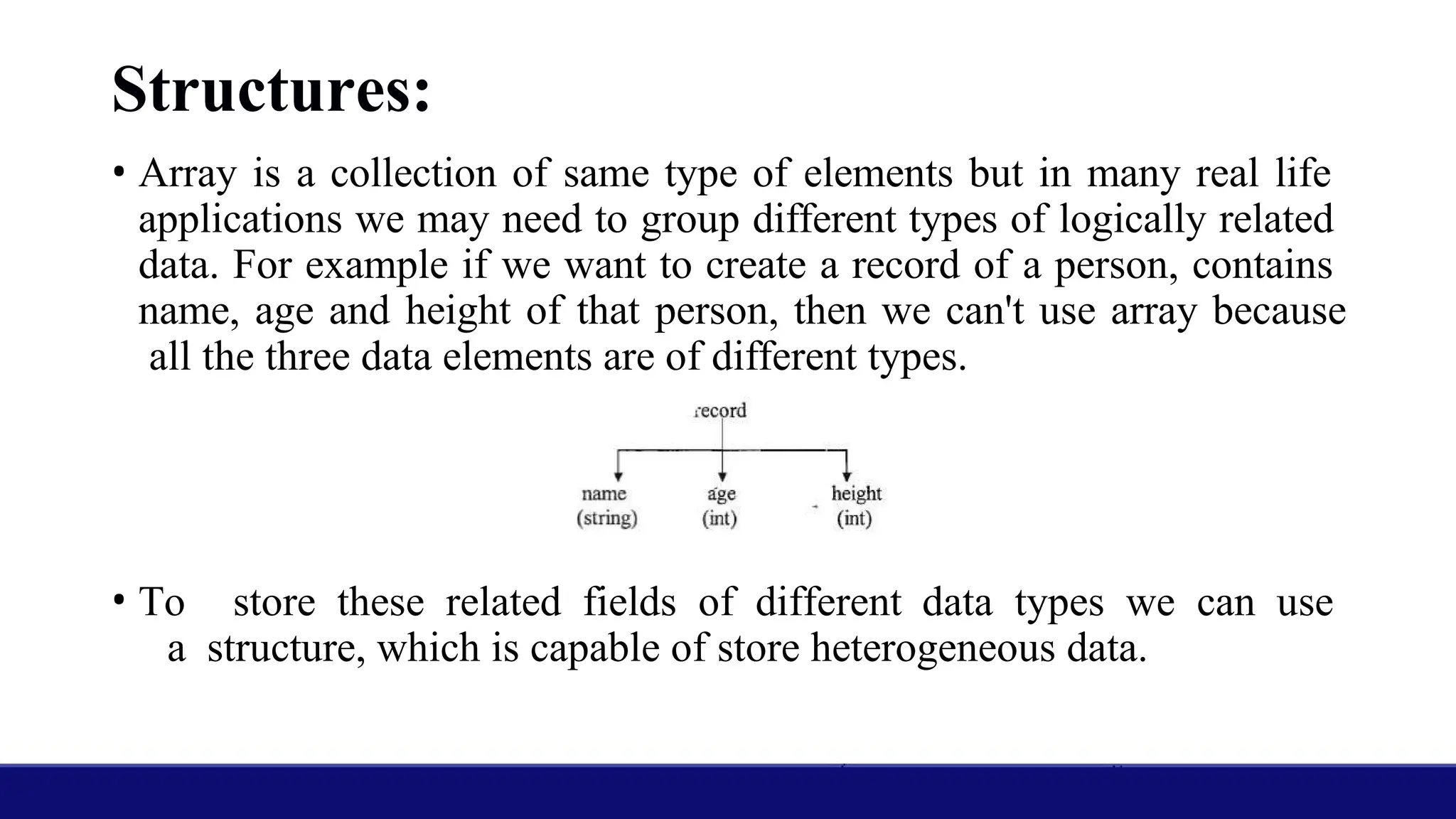
• Array isa collection of same type of elements but in many real life
applications we may need to group different types of logically related
data. For example if we want to create a record of a person, contains
name, age and height of that person, then we can't use array because
all the three data elements are of different types.
• To store these related fields of different data types we can use
a structure, which is capable of store heterogeneous data.
17.
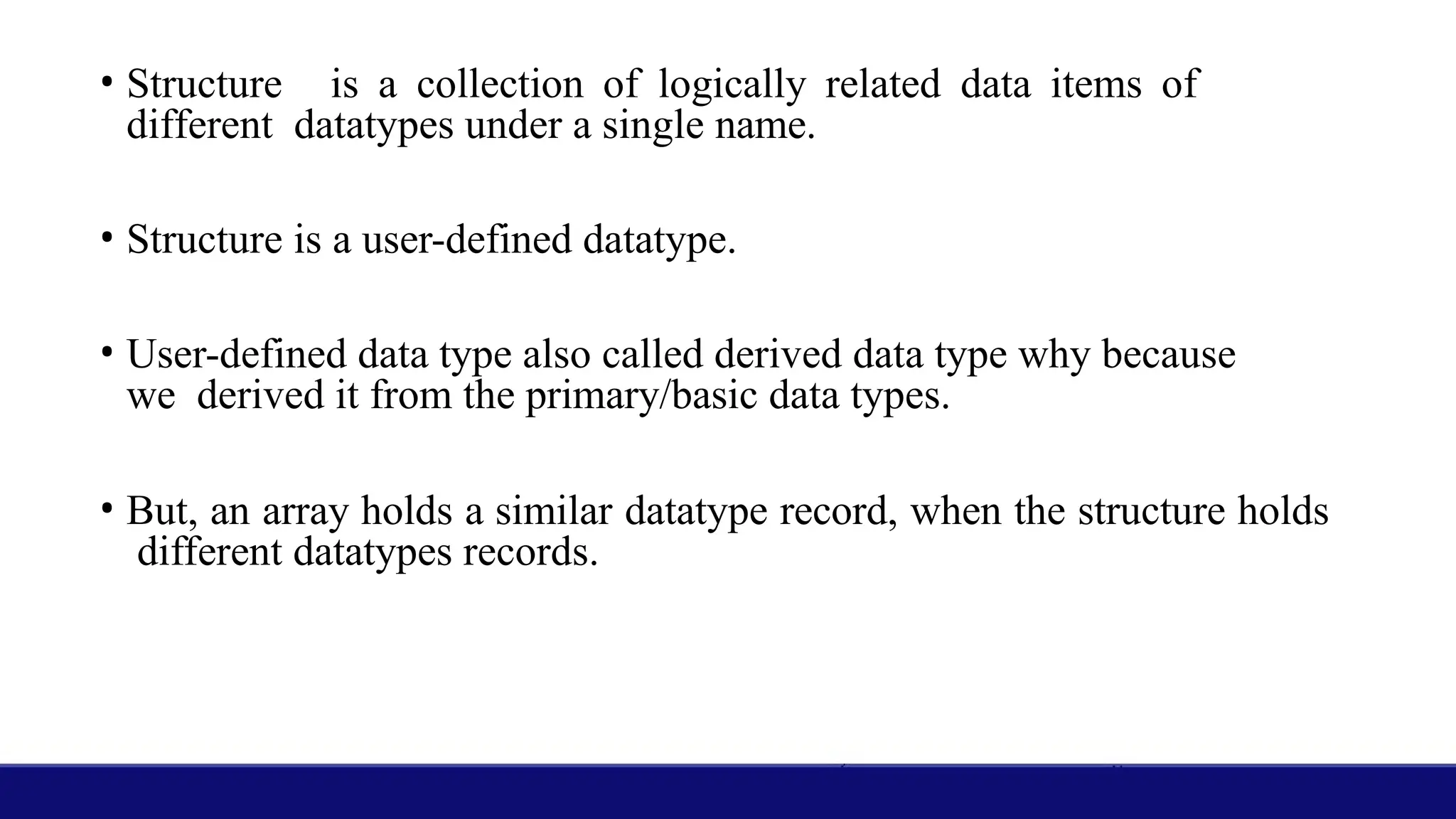
• Structure isa collection of logically related data items of
different datatypes under a single name.
• Structure is a user-defined datatype.
• User-defined data type also called derived data type why because
we derived it from the primary/basic data types.
• But, an array holds a similar datatype record, when the structure holds
different datatypes records.
18.
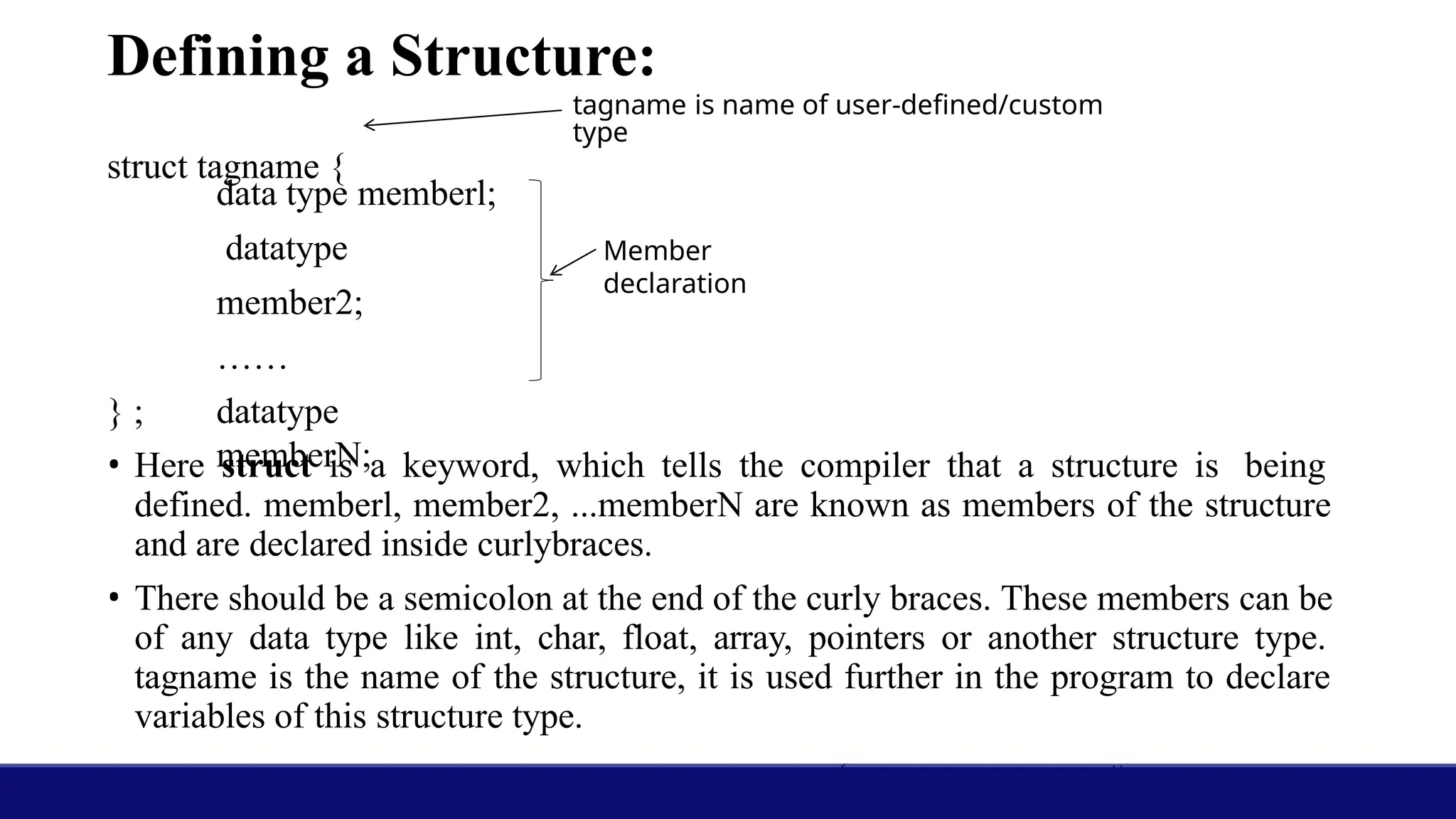
Defining a Structure:
datatype memberl;
datatype
member2;
……
datatype
memberN;
} ;
• Here struct is a keyword, which tells the compiler that a structure is being
defined. memberl, member2, ...memberN are known as members of the structure
and are declared inside curlybraces.
• There should be a semicolon at the end of the curly braces. These members can be
of any data type like int, char, float, array, pointers or another structure type.
tagname is the name of the structure, it is used further in the program to declare
variables of this structure type.
tagname is name of user-defined/custom
type
struct tagname {
Member
declaration
19.
• Definition ofa structure provides one more data type in addition to the
built in data types.
• We can declare variables of this new data type that will have the
format of the defined structure.
• It is important to note that definition of a structure template does not
reserve any space in memory for the members; memory space is
reserved only when actual variables of this structure type are declared.
20.
Declaring Structure Variables
•By defining a structure we have only created a format, the actual use of structures will
be when we declare variables based on this format. We can declare structure variables in
two ways-
1. Using the structure tag
2. With structure definition
1. Using the structure tag
• We can declare structure variables using a structure tag. This can be written as-
struct student{
char name [20] ;
int rollno;
float marks;
}
struct student stul,
stu2, stu3;
Here stu1, stu2 and stu3 are structure variables that are
declared using the structure tag student.
Declaring a structure variable reserves space in memory.
Each structure variable declared to be of type struct student
has three members viz. name, rollno and marks. The
compiler will reserve space: each variable sufficient to hold
all the members. For example each variable of type struct
student will occupy 26 (20+2+4) bytes.
21.
2. With structuredefinition:
struct student{
char name [20] ;
int rollno;
float marks;
}stul,stu2,stu3;
Here stul, stu2, and stu3 are
variables of type struct
student.
• When we declare a variable while defining the structure template, the
tagname is optional. So we can also declare them as-
struct {
char name [20] ;
int rollno;
float marks;
22.
Initialization Of StructureVariables
• The syntax of initializing structure variables is similar to that of arrays. All
the values are given in curly braces and the number, order' and type of these
values should be same as in the structure template definition.
• The initializing values can only be constant expressions.
struct student {
char name [20] ;
int rollno;
float marks;
}stul={"Mary H", 25, 98};
struct student stu2={"John
H", 24, 67. 5};
We cannot initialize members while defining
the structure.
struct student {
char name [20] ;
int rollno;
float marks=99; / * Invalid * /
}stu;
This is invalid because there is no variable
called marks, and no memory is allocated for
structure definition.
23.
• If thenumber of initializers is less than the number of members then
the remaining members are initial with zero. For example if we have
this initialization-
struct student stu1 = {"Mary"};
• Here the members rollno and marks of stul will be initialized to zero.
This is equivalent to the initialization-
struct student stu1 = {"Mary", 0, 0};
24.
Accessing Members ofa Structure
• For accessing any member of a structure variable, we use the dot ( . )
operator which is also known as the period or membership operator. The
format for accessing a structure member is
structvariable.member
• Here on the left side of the dot there should be a variable of structure type
and on right hand side there should be the name of a member of that
structure. For example consider the following structure-
struct student {
char name [20] ;
int rollno;
float marks;
};
struct student stu1,
stu2;
name of stu1 is given by – stu1.name
rollno of stu1 is given by – stu1.rollno
marks of stu1 is given by –
stu1.marks
name of stu2 is given by - stu2.name
rollno of stu2 is given by - stu2.rollno
marks of stu2 is given by -
stu2.marks
25.
Assignment of StructureVariables
We can assign values of a structure variable to another structure variable if both
variables are defined as the same structure type.
For example- A program to assign a structure variable to another structure
variable.
Size of Structure:
•We may need to find out the size of structure in some situations like
reading or writing to files. To find out the size of a structure by sizeof
operator, we can either use the structure variable name or the tag name
with the struct keyword. For example-
sizeof(struct student)
sizeof(stu1)
• Above 2 expressions gave the same result.
28.
Nested Structures (StructureWithin Structure)
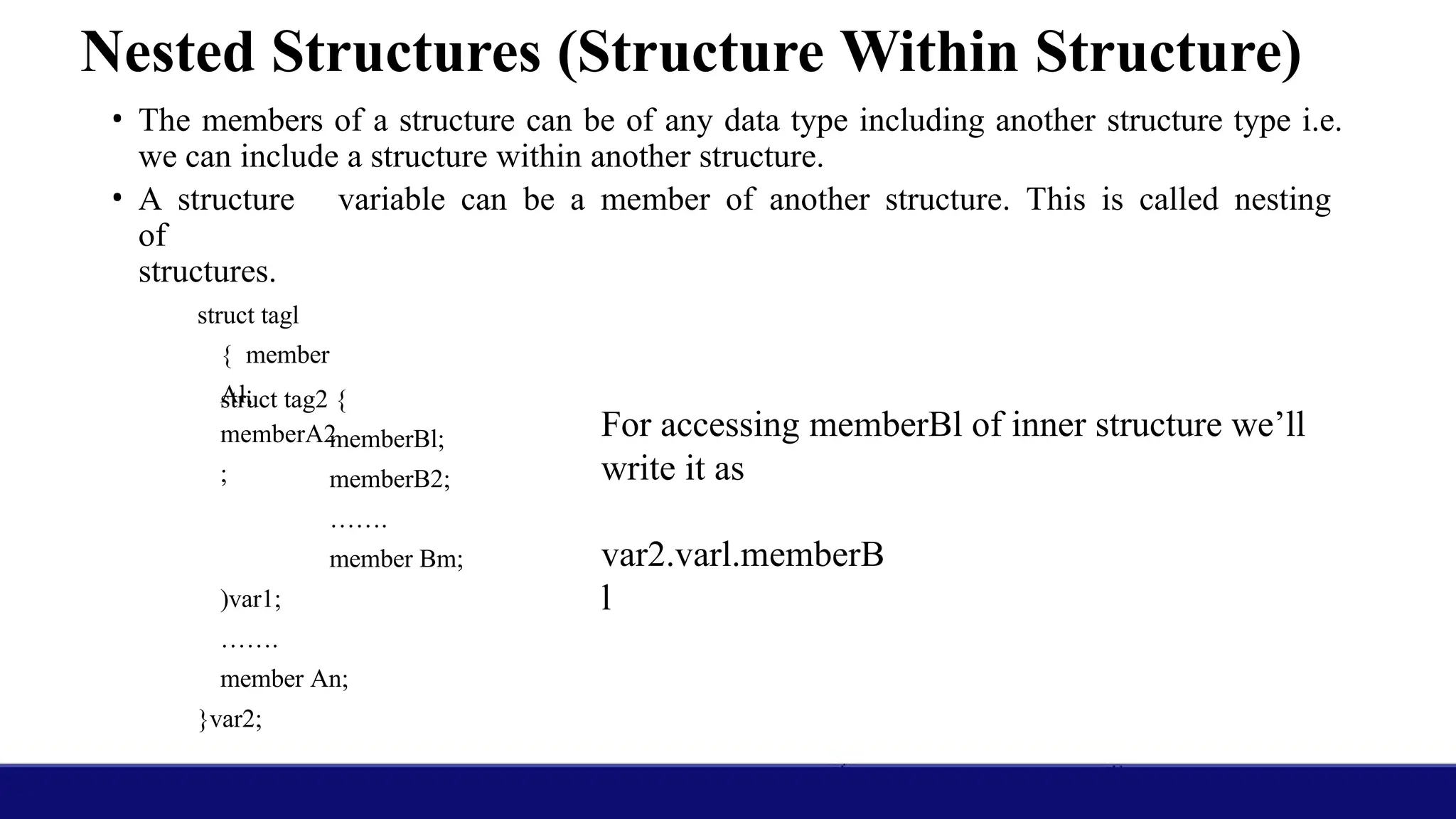
• The members of a structure can be of any data type including another structure type i.e.
we can include a structure within another structure.
• A structure variable can be a member of another structure. This is called nesting
of
structures.
struct tagl
{ member
Al;
memberA2
;
struct tag2 {
memberBl;
memberB2;
…….
member Bm;
)var1;
…….
member An;
}var2;
For accessing memberBl of inner structure we’ll
write it as
var2.varl.memberB
l
29.
Array of Structures
•We can declare array of structures where each element of array is of
structure type. Array of structures can be declared as
struct student stu[10];
• Here stu is an array of l0 elements, each of which is a structure of type
struct student, means each element of stu has 3 members, which are
name, rollno and marks. These structures can be accessed through
subscript notation. To access the individual members of these
structures we'll use the dot operator as usual. All the structures of an
array are stored in consecutive memory locations.
30.
Program to understandarray of structures
#inc1ude<stdio.h>
struct student {
char name [20];
int rollno;
float marks;
};
int main ( )
{
int i;
struct student stuarr [10] ;
for(i=0; i<10; i++) {
printf ("Enter
name, ro1lno
and marks ");
scanf("%s %d
%f",
stuarr[i].name,
&stuarr[i].rolln
o,
31.
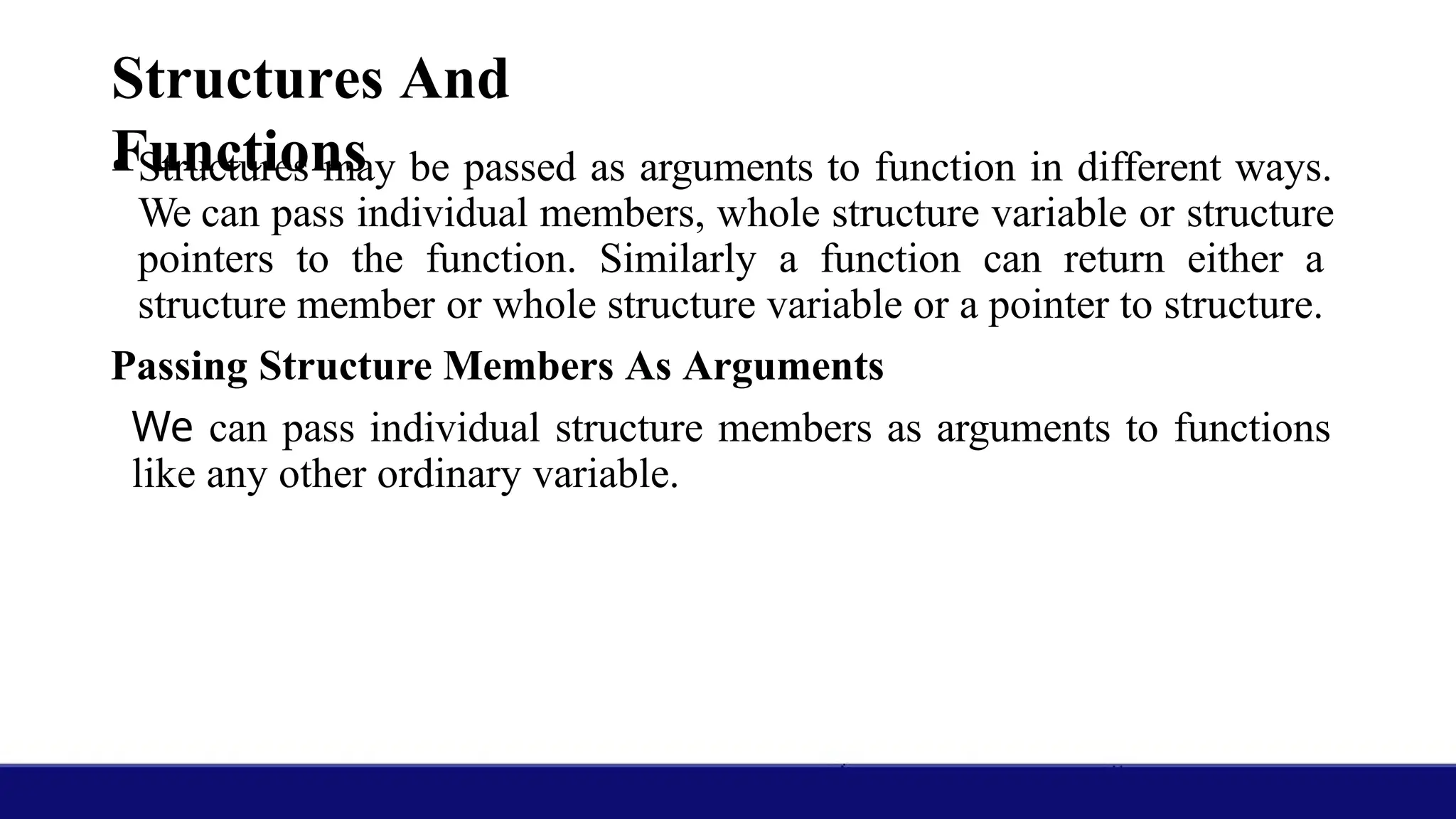
Structures And
Functions
• Structuresmay be passed as arguments to function in different ways.
We can pass individual members, whole structure variable or structure
pointers to the function. Similarly a function can return either a
structure member or whole structure variable or a pointer to structure.
Passing Structure Members As Arguments
We can pass individual structure members as arguments to functions
like any other ordinary variable.
32.
#include<stdio.h>
#include<string.h
> struct student{
char name [20];
int rollno;
int marks;
};
void display (char
name[], int rollno,
int marks);
int main ()
{
struct student
stu1= {"John" ,
12,87};
struct student stu2;
strcpy(stu2.name, "Mary");
display(stu1.name,stu1.rollno,stu1.marks);
printf("n");
display(stu2.name,stu2.rollno,stu2.marks);
}
void display(char name[], int rollno, int marks)
{
printf( "Name - %s n" , name) ;
printf("Rollno - %dn", rollno) ;
printf ("Marks - %dn" ,marks);
}
Output:
33.
Self Referential Structures
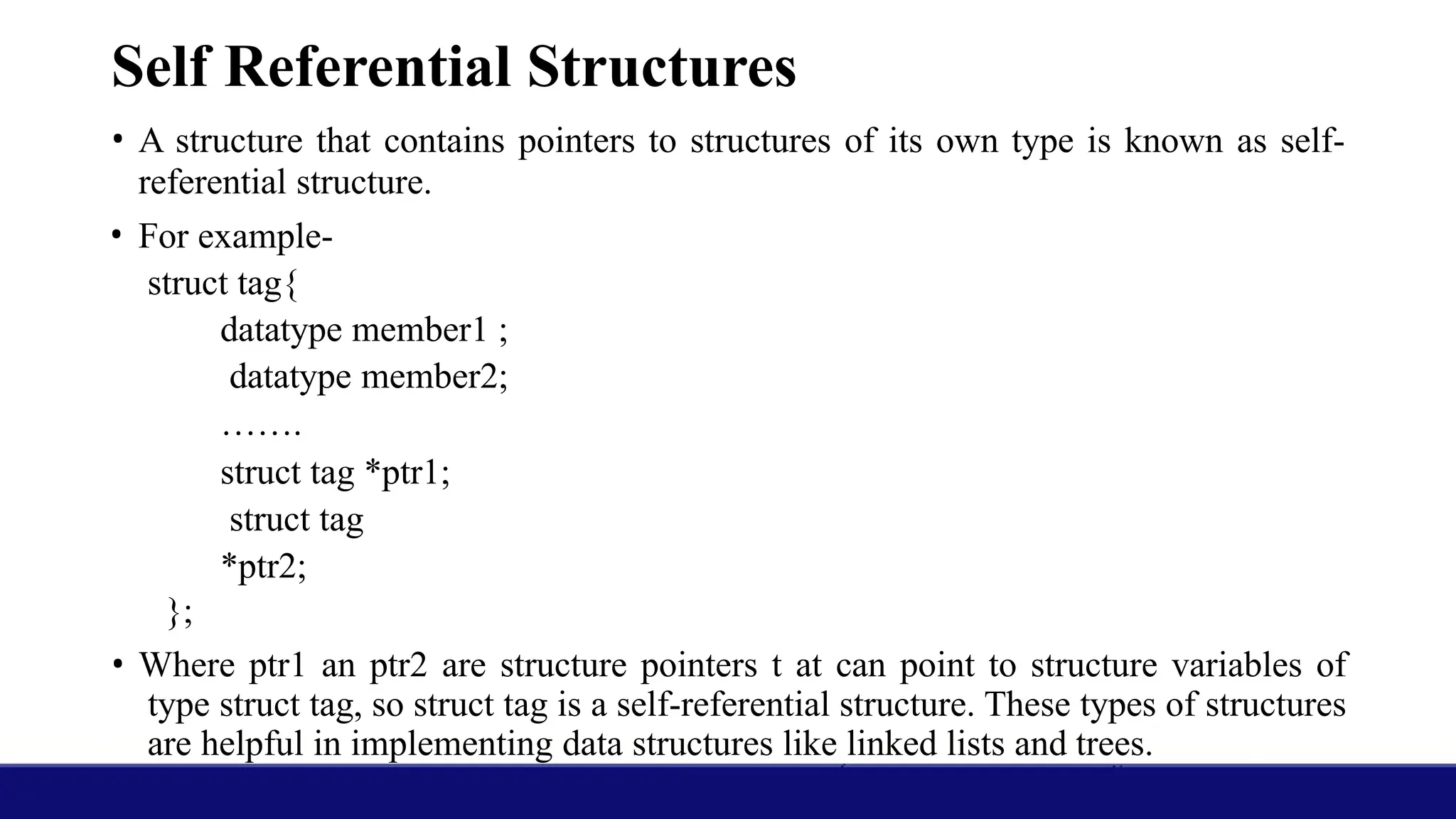
•A structure that contains pointers to structures of its own type is known as self-
referential structure.
• For example-
struct tag{
datatype member1 ;
datatype member2;
…….
struct tag *ptr1;
struct tag
*ptr2;
};
• Where ptr1 an ptr2 are structure pointers t at can point to structure variables of
type struct tag, so struct tag is a self-referential structure. These types of structures
are helpful in implementing data structures like linked lists and trees.
34.
Unions
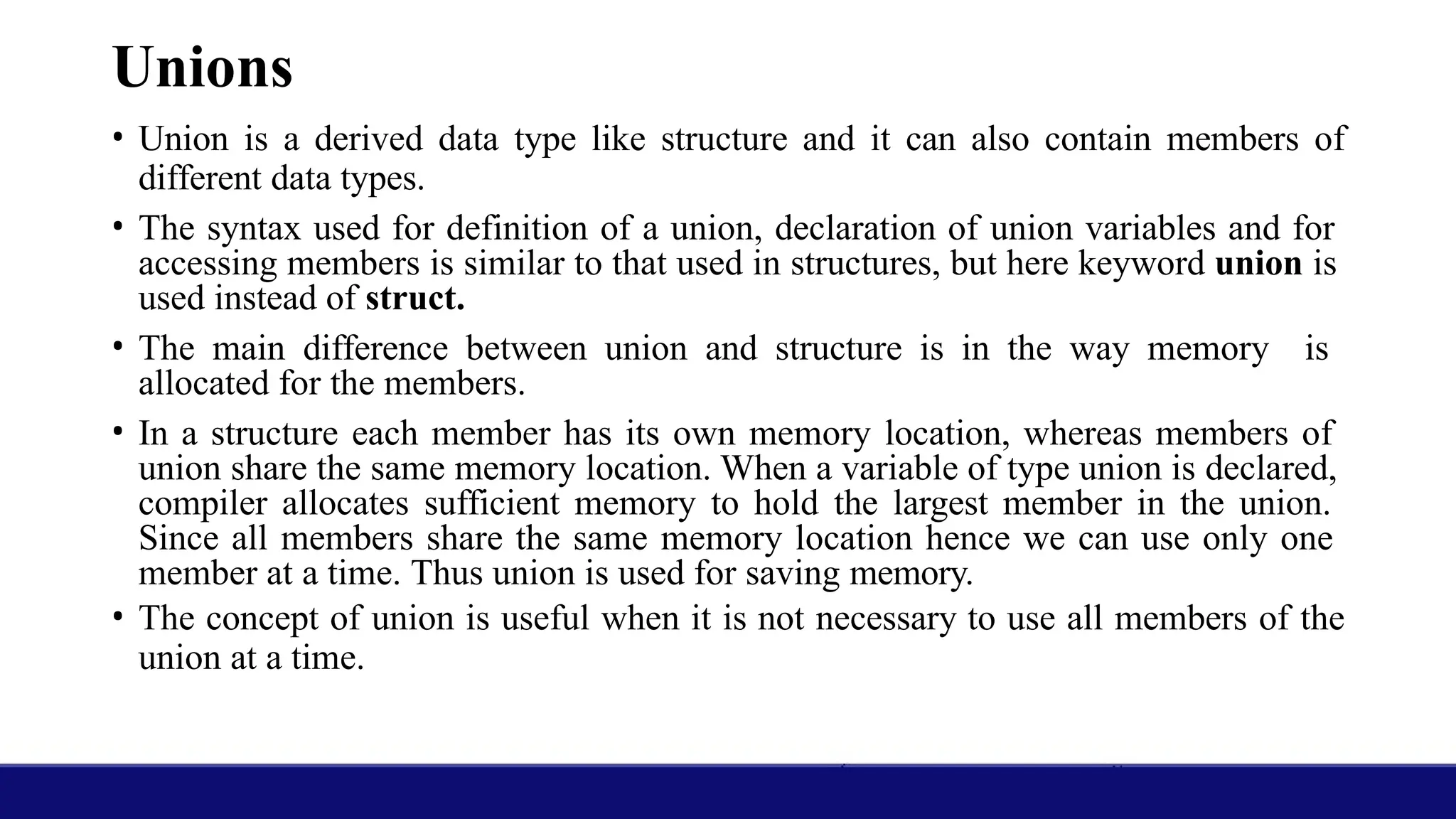
• Union isa derived data type like structure and it can also contain members of
different data types.
• The syntax used for definition of a union, declaration of union variables and for
accessing members is similar to that used in structures, but here keyword union is
used instead of struct.
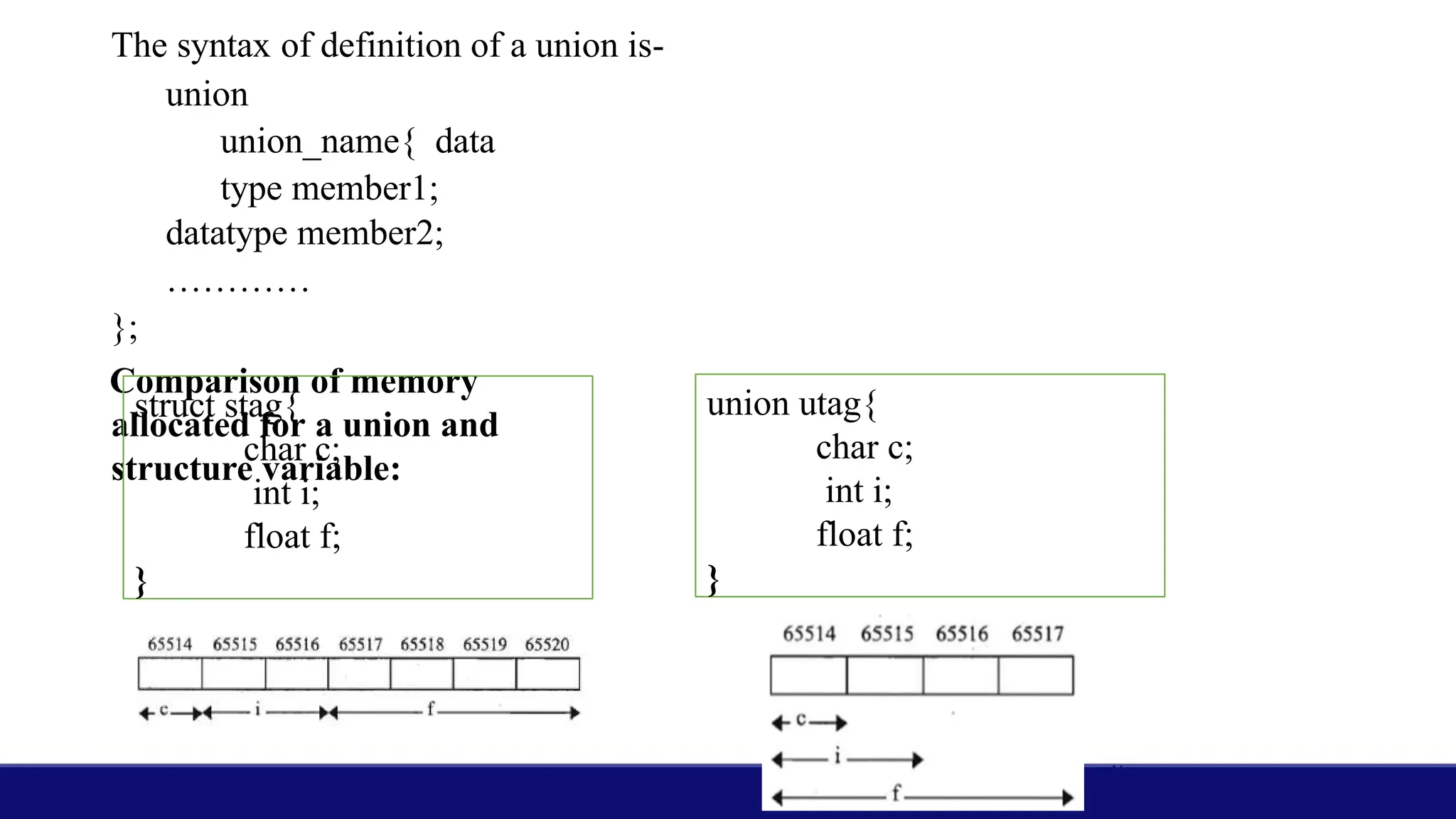
• The main difference between union and structure is in the way memory is
allocated for the members.
• In a structure each member has its own memory location, whereas members of
union share the same memory location. When a variable of type union is declared,
compiler allocates sufficient memory to hold the largest member in the union.
Since all members share the same memory location hence we can use only one
member at a time. Thus union is used for saving memory.
• The concept of union is useful when it is not necessary to use all members of the
union at a time.
35.
The syntax ofdefinition of a union is-
union
union_name{ data
type member1;
datatype member2;
…………
};
Comparison of memory
allocated for a union and
structure variable:
struct stag{
char c;
int i;
float f;
}
union utag{
char c;
int i;
float f;
}
36.
Introduction to Files
•File is a collection of data that stored on secondary memory
like harddisk of a computer.
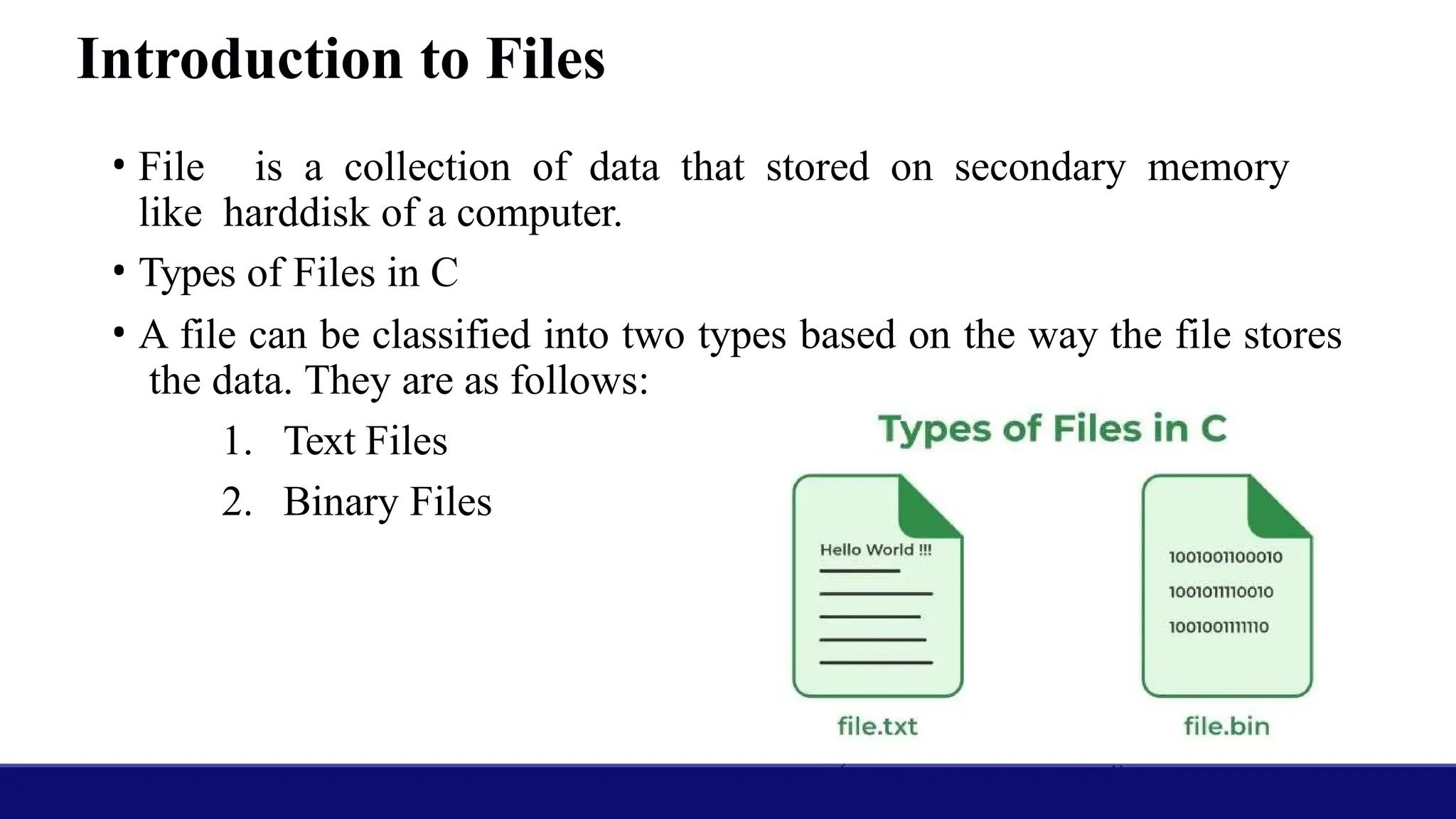
• Types of Files in C
• A file can be classified into two types based on the way the file stores
the data. They are as follows:
1. Text Files
2. Binary Files
37.
1. Text Files
•A text file contains data in the form of ASCII characters and
is generally used to store a stream of characters.
• Each line in a text file ends with a new line character (‘n’).
• It can be read or written by any text editor.
• They are generally stored with .txt file extension.
• Text files can also be used to store the source code.
38.
2. Binary Files
•A binary file contains data in binary form (i.e. 0’s and 1’s) instead of
ASCII characters. They contain data that is stored in a similar manner
to how it is stored in the main memory.
• The binary files can be created only from within a program and their
contents can only be read by a program.
• More secure as they are not easily readable.
• They are generally stored with .bin file extension.
39.
The steps forfile operations in C programming are as follows-
• Open a file
• Read the file or write data in the file
• Close the file
The functions fopen( ) and fclose( ) are used for opening and closing the
files respectively.
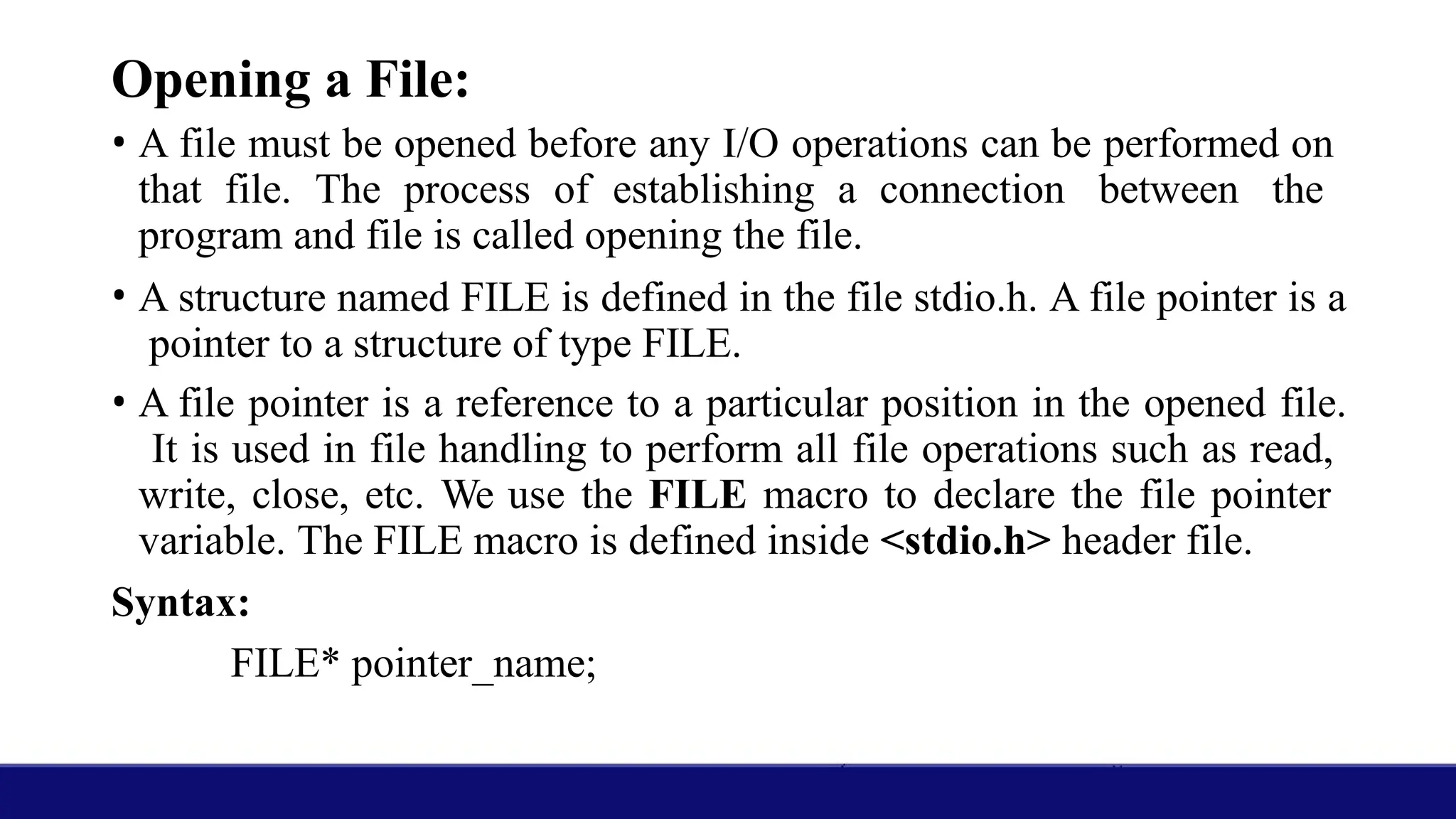
40.
Opening a File:
•A file must be opened before any I/O operations can be performed on
that file. The process of establishing a connection between the
program and file is called opening the file.
• A structure named FILE is defined in the file stdio.h. A file pointer is a
pointer to a structure of type FILE.
• A file pointer is a reference to a particular position in the opened file.
It is used in file handling to perform all file operations such as read,
write, close, etc. We use the FILE macro to declare the file pointer
variable. The FILE macro is defined inside <stdio.h> header file.
Syntax:
FILE* pointer_name;
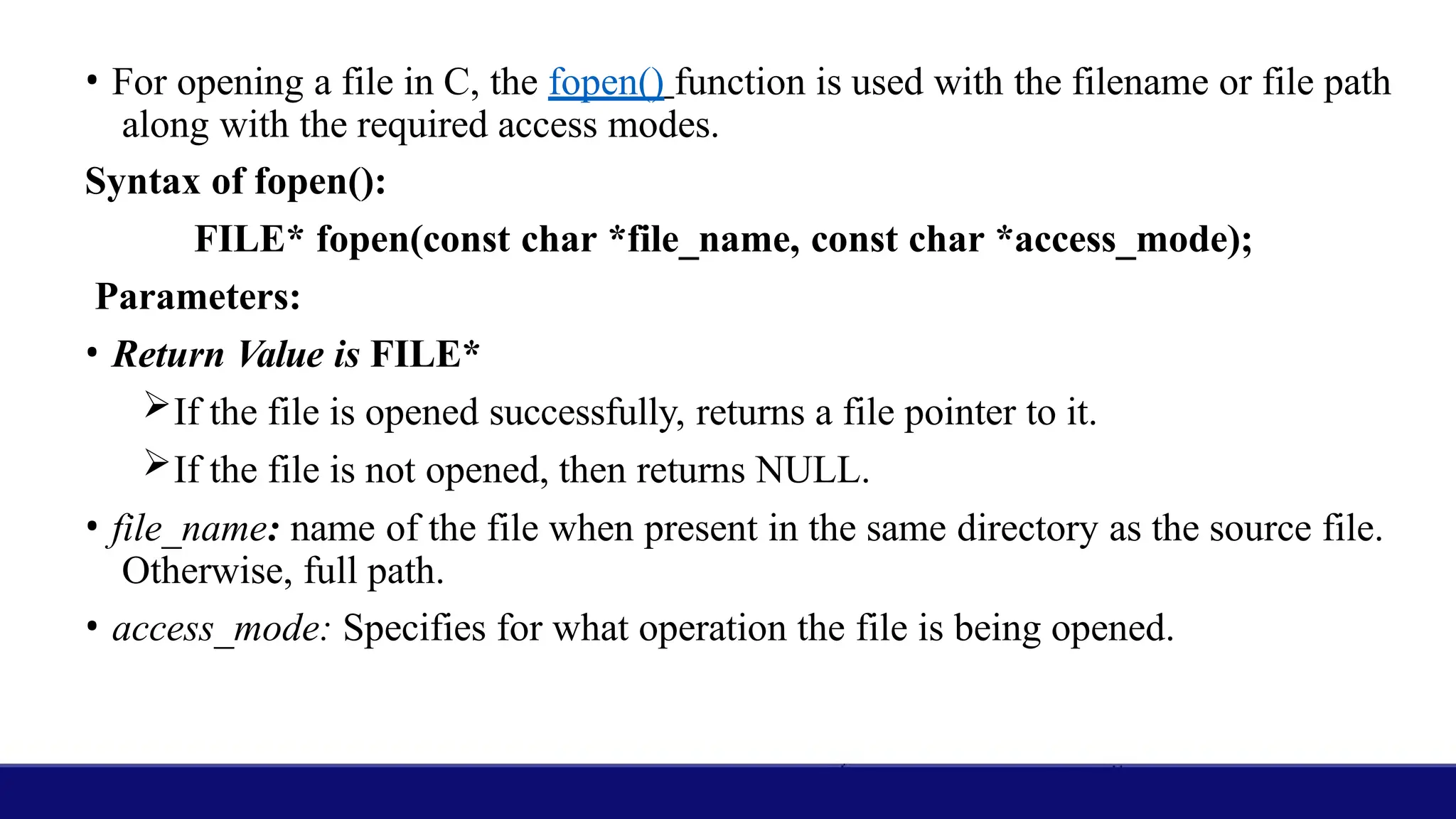
41.
• For openinga file in C, the fopen() function is used with the filename or file path
along with the required access modes.
Syntax of fopen():
FILE* fopen(const char *file_name, const char *access_mode);
Parameters:
• Return Value is FILE*
If the file is opened successfully, returns a file pointer to it.
If the file is not opened, then returns NULL.
• file_name: name of the file when present in the same directory as the source file.
Otherwise, full path.
• access_mode: Specifies for what operation the file is being opened.
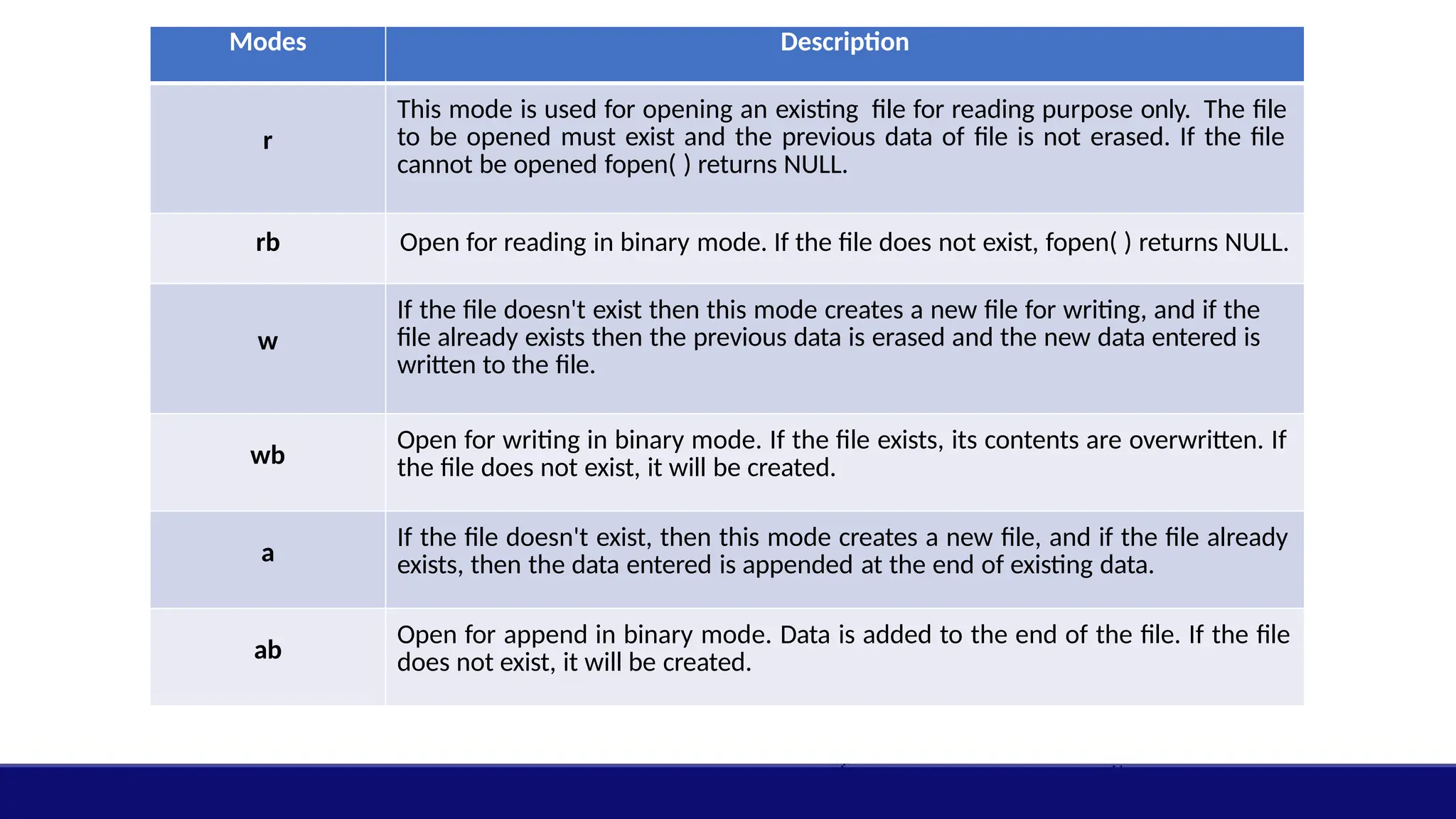
42.
Modes Description
r
This modeis used for opening an existing file for reading purpose only. The file
to be opened must exist and the previous data of file is not erased. If the file
cannot be opened fopen( ) returns NULL.
rb Open for reading in binary mode. If the file does not exist, fopen( ) returns NULL.
w
If the file doesn't exist then this mode creates a new file for writing, and if the
file already exists then the previous data is erased and the new data entered is
written to the file.
wb
Open for writing in binary mode. If the file exists, its contents are overwritten. If
the file does not exist, it will be created.
a
If the file doesn't exist, then this mode creates a new file, and if the file already
exists, then the data entered is appended at the end of existing data.
ab
Open for append in binary mode. Data is added to the end of the file. If the file
does not exist, it will be created.
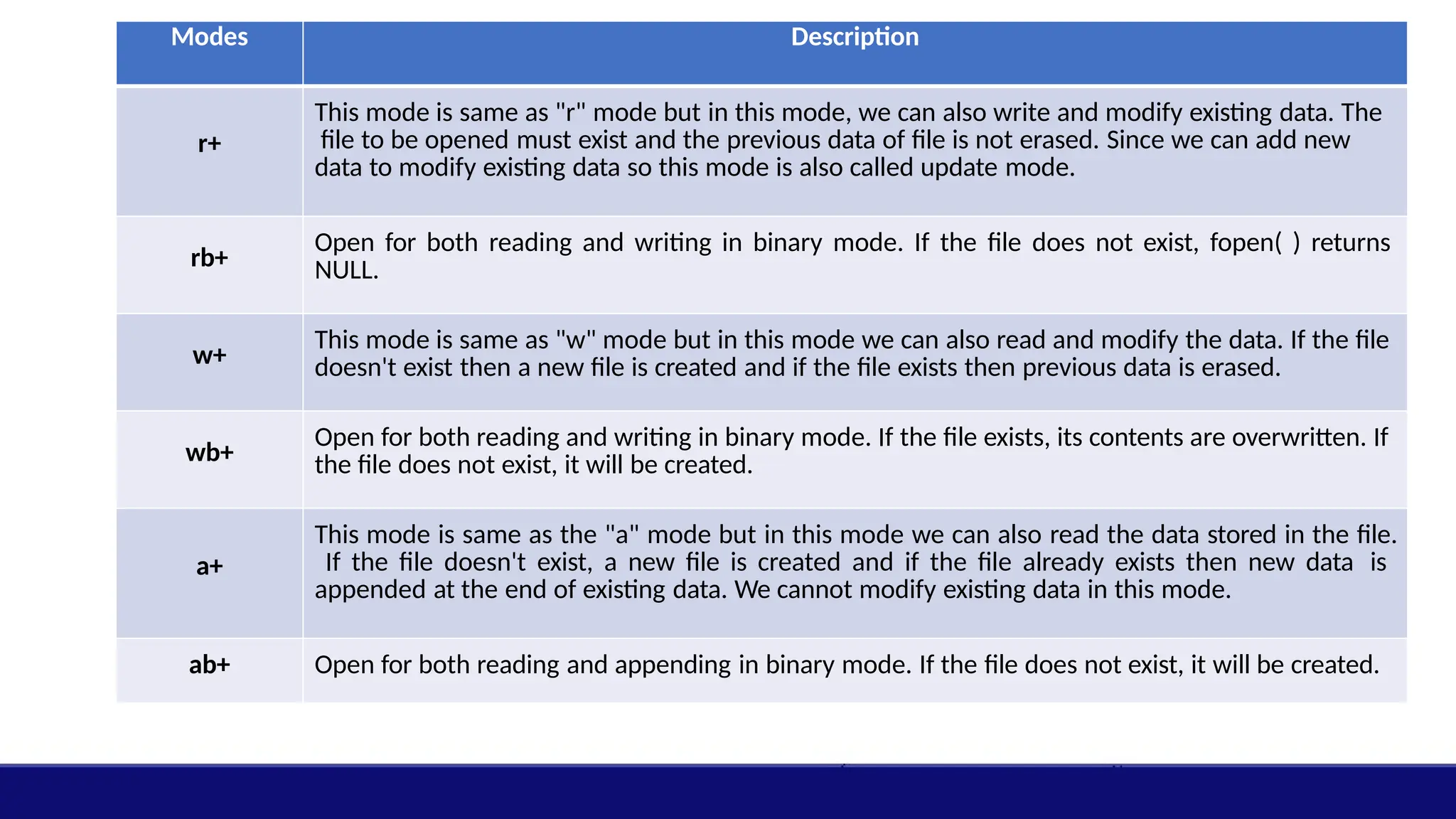
43.
Modes Description
r+
This modeis same as "r" mode but in this mode, we can also write and modify existing data. The
file to be opened must exist and the previous data of file is not erased. Since we can add new
data to modify existing data so this mode is also called update mode.
rb+
Open for both reading and writing in binary mode. If the file does not exist, fopen( ) returns
NULL.
w+
This mode is same as "w" mode but in this mode we can also read and modify the data. If the file
doesn't exist then a new file is created and if the file exists then previous data is erased.
wb+
Open for both reading and writing in binary mode. If the file exists, its contents are overwritten. If
the file does not exist, it will be created.
a+
This mode is same as the "a" mode but in this mode we can also read the data stored in the file.
If the file doesn't exist, a new file is created and if the file already exists then new data is
appended at the end of existing data. We cannot modify existing data in this mode.
ab+ Open for both reading and appending in binary mode. If the file does not exist, it will be created.
44.
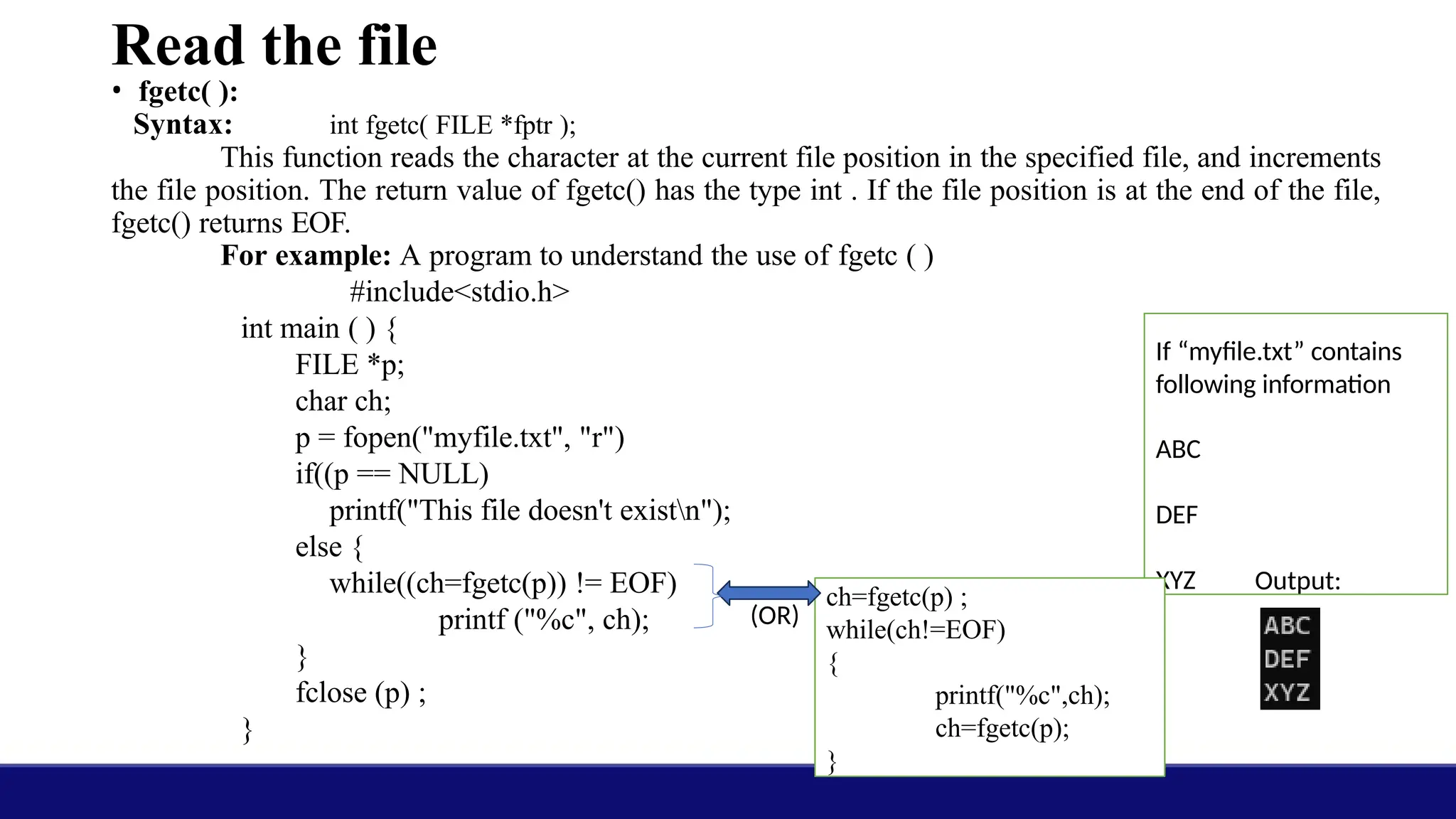
Read the file
•fgetc( ):
Syntax: int fgetc( FILE *fptr );
This function reads the character at the current file position in the specified file, and increments
the file position. The return value of fgetc() has the type int . If the file position is at the end of the file,
fgetc() returns EOF.
For example: A program to understand the use of fgetc ( )
#include<stdio.h>
int main ( ) {
FILE *p;
char ch;
p = fopen("myfile.txt", "r")
if((p == NULL)
printf("This file doesn't existn");
else {
while((ch=fgetc(p)) != EOF)
printf ("%c", ch);
}
fclose (p) ;
}
If “myfile.txt” contains
following information
ABC
DEF
XYZ Output:
ch=fgetc(p) ;
while(ch!=EOF)
{
printf("%c",ch);
ch=fgetc(p);
}
(OR)
45.
• fgets():
Syntax:
c
h
a
r
*
f
g
e
t
s
(
c
h
a
r
*
s
t
r
until n-1characters have been read.
For example: A program to
understand the use of fgetc ( )
#include<stdio.h>
int main ( ) {
FILE *p;
char str[80];
p=fopen("myfile.txt", "r");
if(p == NULL)
printf("This file
doesn't exist
n");
else {
while(fgets(str,
80, p) !=
NULL)
printf(
"%s",s
46.
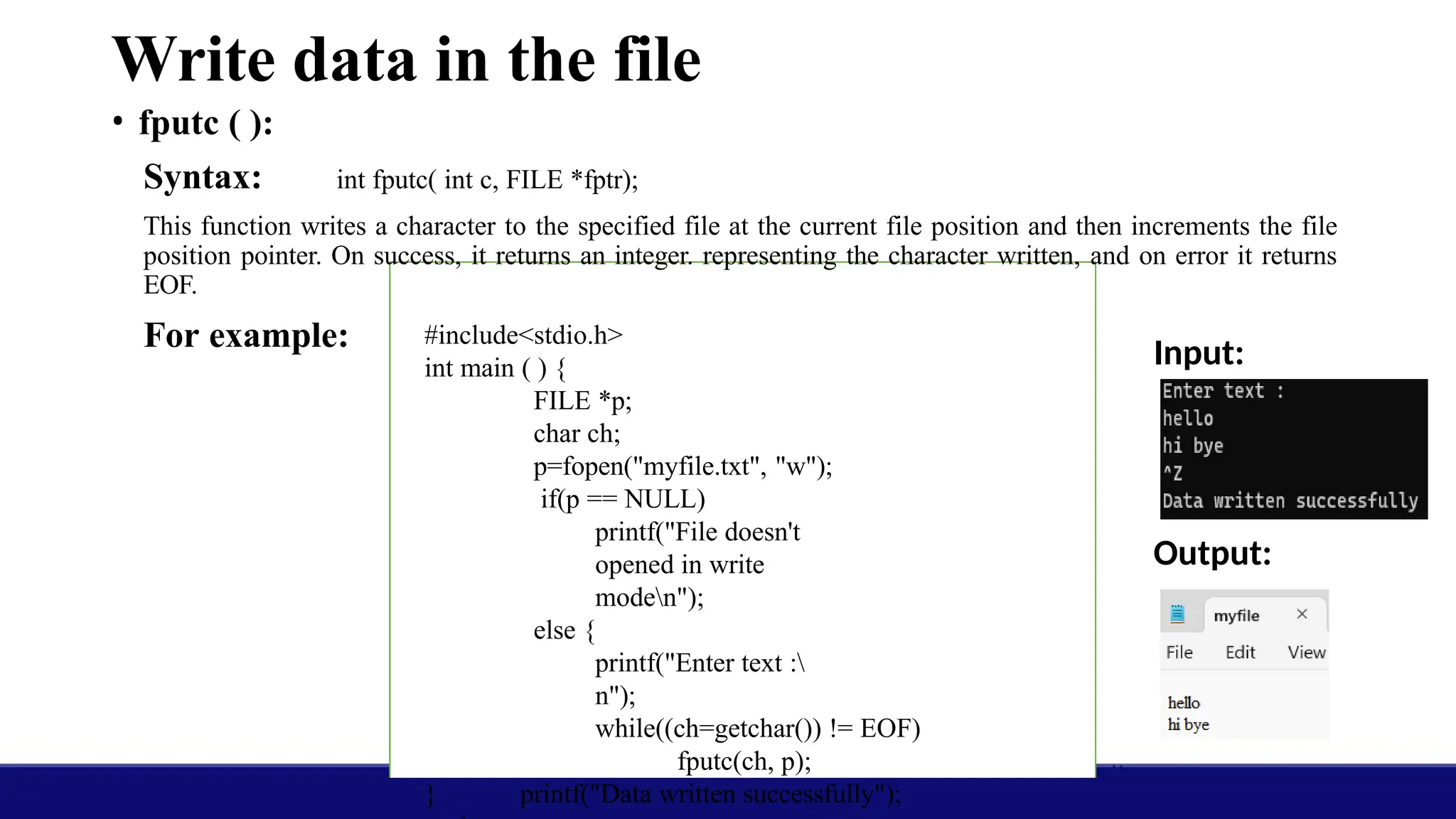
Write data inthe file
• fputc ( ):
Syntax: int fputc( int c, FILE *fptr);
This function writes a character to the specified file at the current file position and then increments the file
position pointer. On success, it returns an integer. representing the character written, and on error it returns
EOF.
For example: Input:
Output:
#include<stdio.h>
int main ( ) {
FILE *p;
char ch;
p=fopen("myfile.txt", "w");
if(p == NULL)
printf("File doesn't
opened in write
moden");
else {
printf("Enter text :
n");
while((ch=getchar()) != EOF)
fputc(ch, p);
printf("Data written successfully");
}
47.
• fputs( )
Syntax:int fputs(const char *str, FILE *fptr);
This function writes the null terminated string pointed to by str to a file. The null character
that
marks the end of the string is not written to the file. On success it returns the last character
written
and on error it returns EOF.
For example:
Input:
Output:
#include<stdio.h> int
main()
{
FILE *fptr;
char str[80]; fptr=fopen("test.txt",
"w"); if(fptr == NULL)
printf("This file
doesn't existn");
else {
printf( "Enter the
text:n");
while(gets(str) !=
NULL){
fputs(str,
fptr);
fputs("
n",fptr);
}
printf("Data copied
successfully");
}
48.
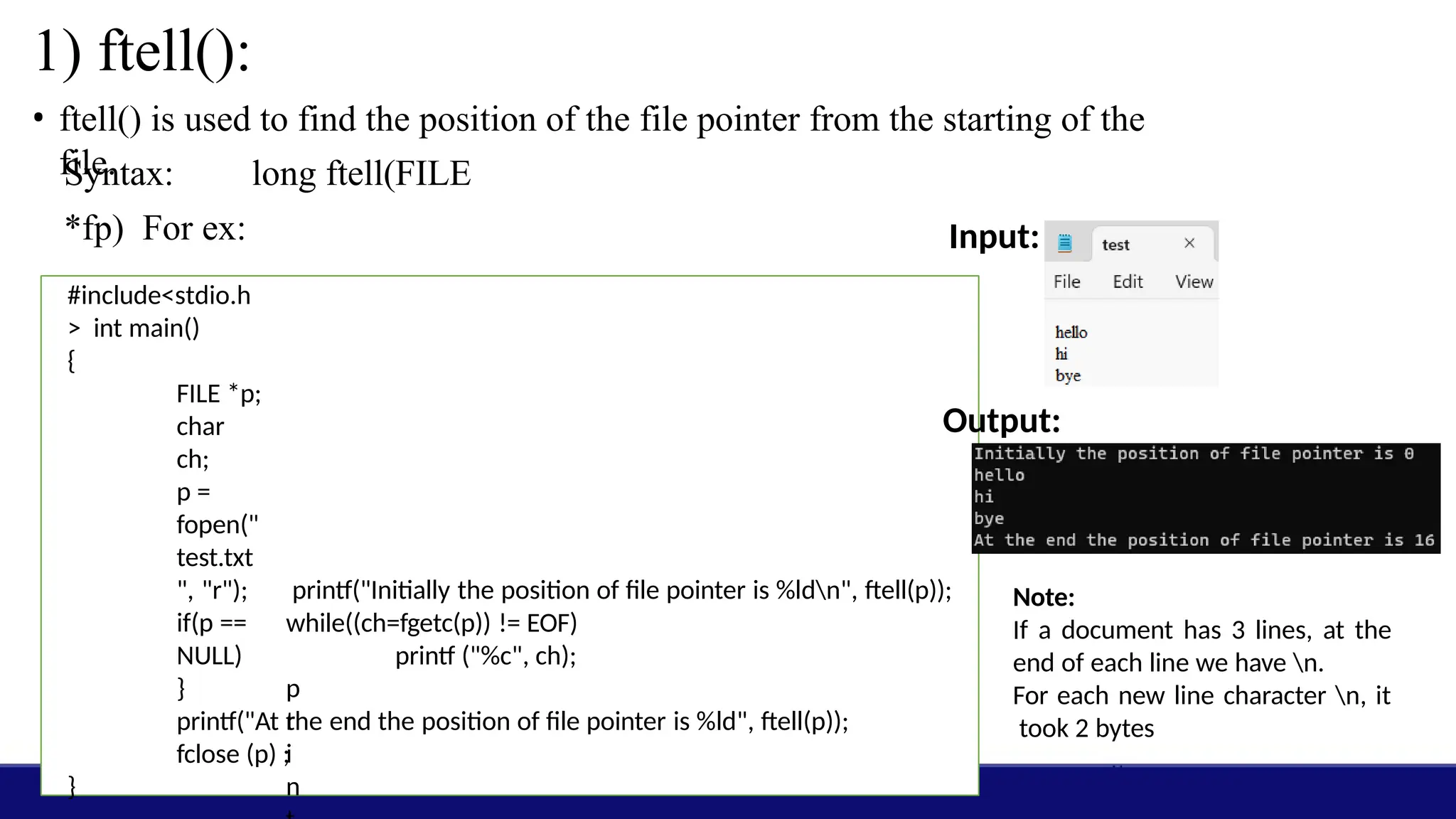
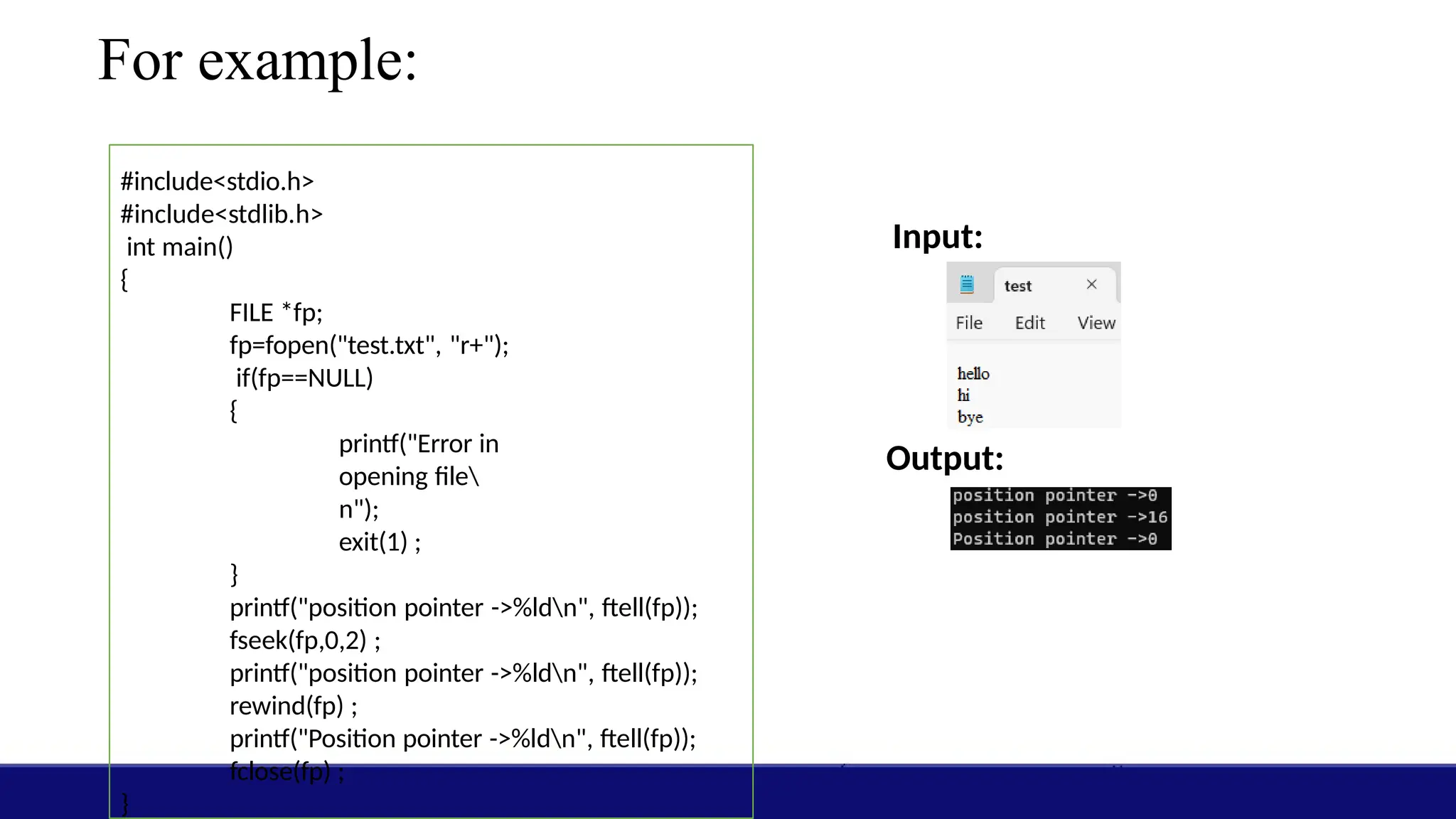
1) ftell():
• ftell()is used to find the position of the file pointer from the starting of the
file.
Syntax: long ftell(FILE
*fp) For ex:
#include<stdio.h
> int main()
{
FILE *p;
char
ch;
p =
fopen("
test.txt
", "r");
if(p ==
NULL)
p
r
i
n
printf("Initially the position of file pointer is %ldn", ftell(p));
while((ch=fgetc(p)) != EOF)
printf ("%c", ch);
}
Input:
Output:
Note:
If a document has 3 lines, at the
end of each line we have n.
For each new line character n, it
took 2 bytes
}
printf("At the end the position of file pointer is %ld", ftell(p));
fclose (p) ;
49.
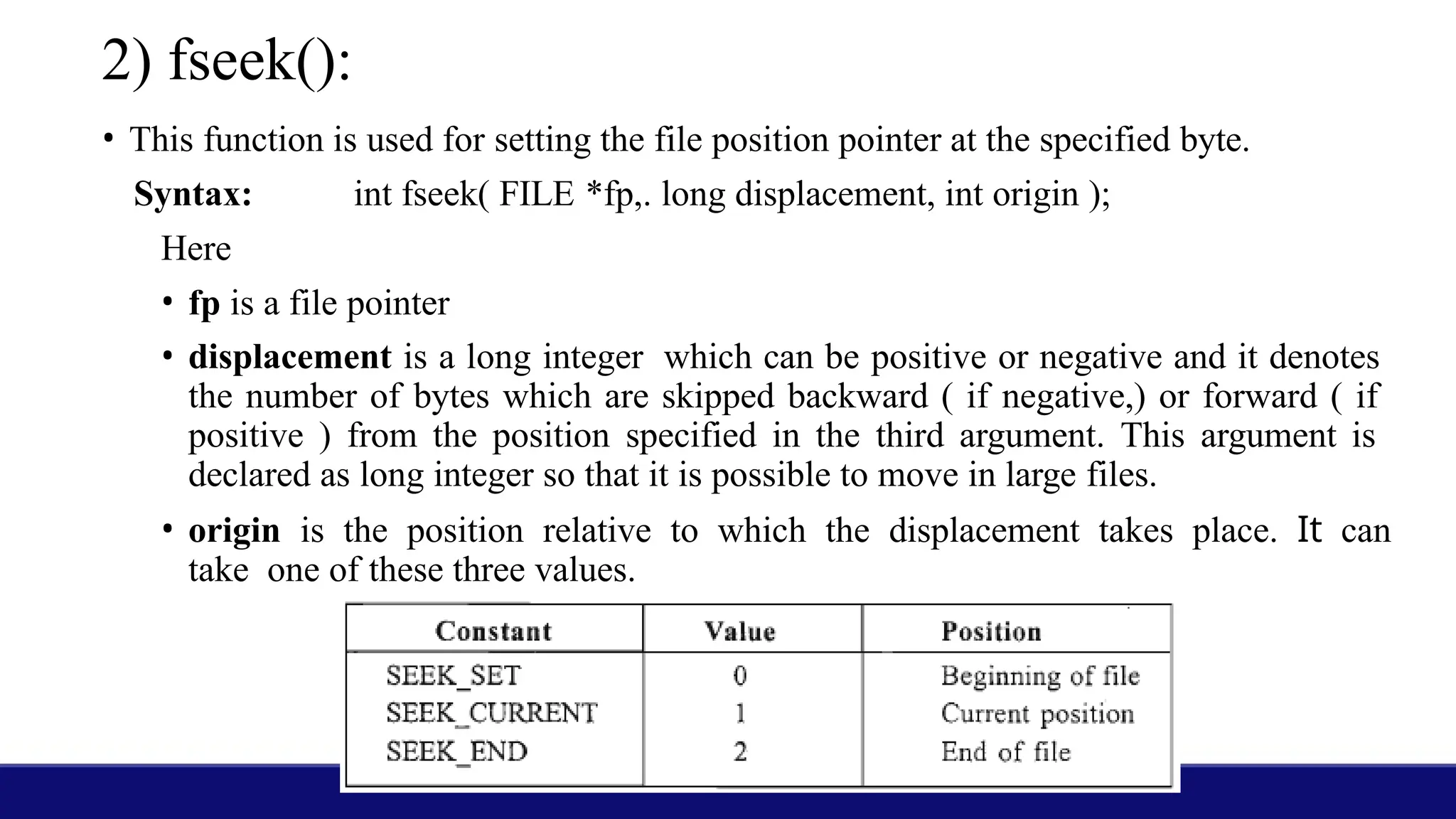
2) fseek():
• Thisfunction is used for setting the file position pointer at the specified byte.
Syntax: int fseek( FILE *fp,. long displacement, int origin );
Here
• fp is a file pointer
• displacement is a long integer which can be positive or negative and it denotes
the number of bytes which are skipped backward ( if negative,) or forward ( if
positive ) from the position specified in the third argument. This argument is
declared as long integer so that it is possible to move in large files.
• origin is the position relative to which the displacement takes place. It can
take one of these three values.
50.
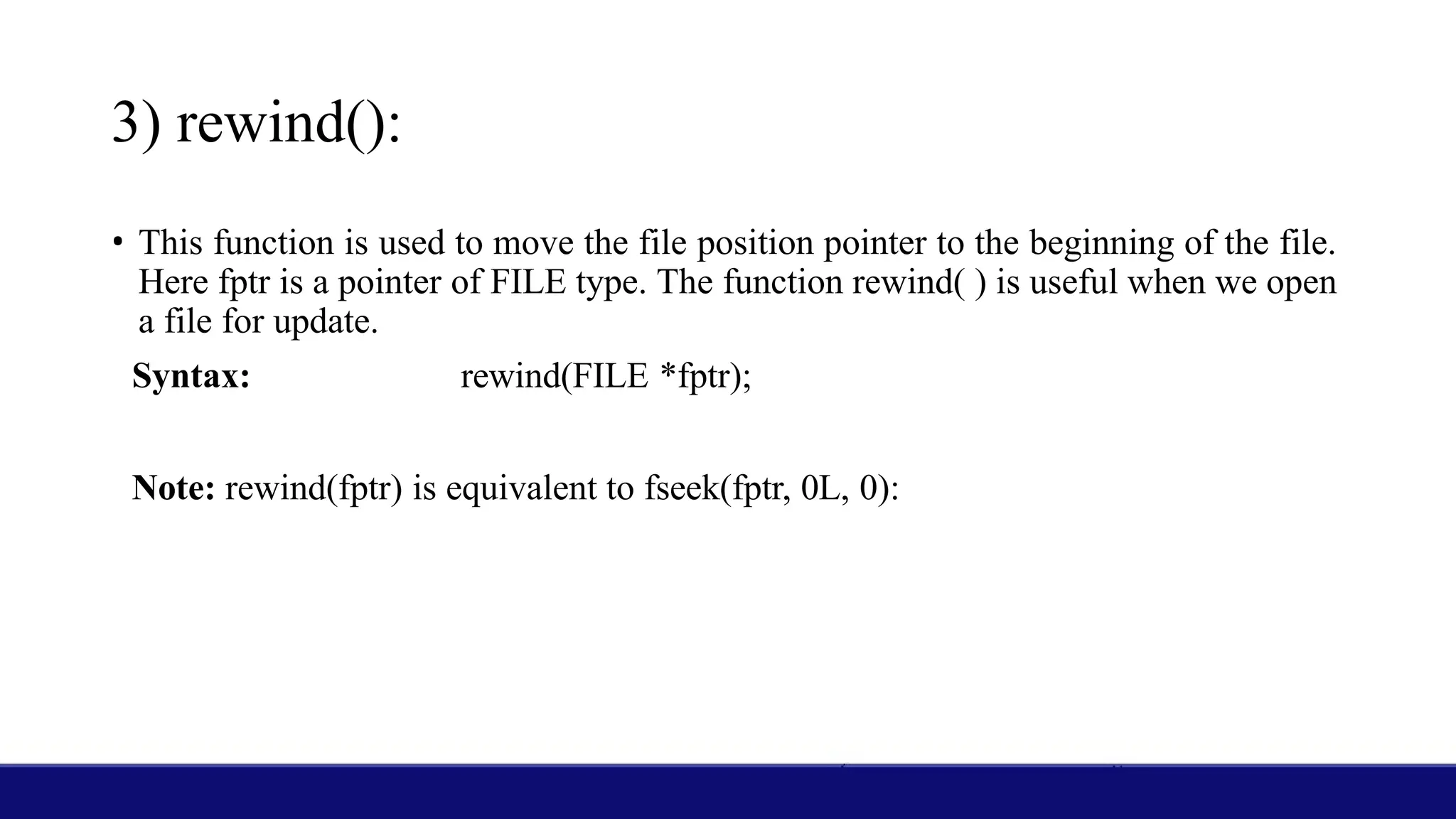
3) rewind():
• Thisfunction is used to move the file position pointer to the beginning of the file.
Here fptr is a pointer of FILE type. The function rewind( ) is useful when we open
a file for update.
Syntax: rewind(FILE *fptr);
Note: rewind(fptr) is equivalent to fseek(fptr, 0L, 0):


![Dynamic Memory
Allocation:
• The memory allocation that we have done till now was static memory
allocation. The memory that could be used by the program was
fixed
i.e. we could not increase or decrease the size of memory during the
execution of program.
• In many applications it is not possible to predict how much memory
would be needed by the program at run time.
• For example if we declare an array of integers
int emp_no[200];
• In an array, it is must to specify the size of array while declaring, so
the size of this array will be fixed during runtime.](https://image.slidesharecdn.com/structuresandfiles1-read-only-250228040208-49ef0751/75/Structures_and_Files-1-Read-Only-pptx-2-2048.jpg)
![Declaring Structure Variables
• By defining a structure we have only created a format, the actual use of structures will
be when we declare variables based on this format. We can declare structure variables in
two ways-
1. Using the structure tag
2. With structure definition
1. Using the structure tag
• We can declare structure variables using a structure tag. This can be written as-
struct student{
char name [20] ;
int rollno;
float marks;
}
struct student stul,
stu2, stu3;
Here stu1, stu2 and stu3 are structure variables that are
declared using the structure tag student.
Declaring a structure variable reserves space in memory.
Each structure variable declared to be of type struct student
has three members viz. name, rollno and marks. The
compiler will reserve space: each variable sufficient to hold
all the members. For example each variable of type struct
student will occupy 26 (20+2+4) bytes.](https://image.slidesharecdn.com/structuresandfiles1-read-only-250228040208-49ef0751/75/Structures_and_Files-1-Read-Only-pptx-20-2048.jpg)
![2. With structure definition:
struct student{
char name [20] ;
int rollno;
float marks;
}stul,stu2,stu3;
Here stul, stu2, and stu3 are
variables of type struct
student.
• When we declare a variable while defining the structure template, the
tagname is optional. So we can also declare them as-
struct {
char name [20] ;
int rollno;
float marks;](https://image.slidesharecdn.com/structuresandfiles1-read-only-250228040208-49ef0751/75/Structures_and_Files-1-Read-Only-pptx-21-2048.jpg)
![Initialization Of Structure Variables
• The syntax of initializing structure variables is similar to that of arrays. All
the values are given in curly braces and the number, order' and type of these
values should be same as in the structure template definition.
• The initializing values can only be constant expressions.
struct student {
char name [20] ;
int rollno;
float marks;
}stul={"Mary H", 25, 98};
struct student stu2={"John
H", 24, 67. 5};
We cannot initialize members while defining
the structure.
struct student {
char name [20] ;
int rollno;
float marks=99; / * Invalid * /
}stu;
This is invalid because there is no variable
called marks, and no memory is allocated for
structure definition.](https://image.slidesharecdn.com/structuresandfiles1-read-only-250228040208-49ef0751/75/Structures_and_Files-1-Read-Only-pptx-22-2048.jpg)
![Accessing Members of a Structure
• For accessing any member of a structure variable, we use the dot ( . )
operator which is also known as the period or membership operator. The
format for accessing a structure member is
structvariable.member
• Here on the left side of the dot there should be a variable of structure type
and on right hand side there should be the name of a member of that
structure. For example consider the following structure-
struct student {
char name [20] ;
int rollno;
float marks;
};
struct student stu1,
stu2;
name of stu1 is given by – stu1.name
rollno of stu1 is given by – stu1.rollno
marks of stu1 is given by –
stu1.marks
name of stu2 is given by - stu2.name
rollno of stu2 is given by - stu2.rollno
marks of stu2 is given by -
stu2.marks](https://image.slidesharecdn.com/structuresandfiles1-read-only-250228040208-49ef0751/75/Structures_and_Files-1-Read-Only-pptx-24-2048.jpg)
![struct student {
char name [20] ;
int rollno;
float marks;
} ;
int main ( )
{
struct
student stul
=
{"Oliver",1
2,98};
struct student stu2;
stu2=stul;
printf("stul : %s
%d %. 2fn",](https://image.slidesharecdn.com/structuresandfiles1-read-only-250228040208-49ef0751/75/Structures_and_Files-1-Read-Only-pptx-26-2048.jpg)
![Array of Structures
• We can declare array of structures where each element of array is of
structure type. Array of structures can be declared as
struct student stu[10];
• Here stu is an array of l0 elements, each of which is a structure of type
struct student, means each element of stu has 3 members, which are
name, rollno and marks. These structures can be accessed through
subscript notation. To access the individual members of these
structures we'll use the dot operator as usual. All the structures of an
array are stored in consecutive memory locations.](https://image.slidesharecdn.com/structuresandfiles1-read-only-250228040208-49ef0751/75/Structures_and_Files-1-Read-Only-pptx-29-2048.jpg)
![Program to understand array of structures
#inc1ude<stdio.h>
struct student {
char name [20];
int rollno;
float marks;
};
int main ( )
{
int i;
struct student stuarr [10] ;
for(i=0; i<10; i++) {
printf ("Enter
name, ro1lno
and marks ");
scanf("%s %d
%f",
stuarr[i].name,
&stuarr[i].rolln
o,](https://image.slidesharecdn.com/structuresandfiles1-read-only-250228040208-49ef0751/75/Structures_and_Files-1-Read-Only-pptx-30-2048.jpg)
![#include<stdio.h>
#include<string.h
> struct student {
char name [20];
int rollno;
int marks;
};
void display (char
name[], int rollno,
int marks);
int main ()
{
struct student
stu1= {"John" ,
12,87};
struct student stu2;
strcpy(stu2.name, "Mary");
display(stu1.name,stu1.rollno,stu1.marks);
printf("n");
display(stu2.name,stu2.rollno,stu2.marks);
}
void display(char name[], int rollno, int marks)
{
printf( "Name - %s n" , name) ;
printf("Rollno - %dn", rollno) ;
printf ("Marks - %dn" ,marks);
}
Output:](https://image.slidesharecdn.com/structuresandfiles1-read-only-250228040208-49ef0751/75/Structures_and_Files-1-Read-Only-pptx-32-2048.jpg)
![• fgets():
Syntax:
c
h
a
r
*
f
g
e
t
s
(
c
h
a
r
*
s
t
r
until n-1 characters have been read.
For example: A program to
understand the use of fgetc ( )
#include<stdio.h>
int main ( ) {
FILE *p;
char str[80];
p=fopen("myfile.txt", "r");
if(p == NULL)
printf("This file
doesn't exist
n");
else {
while(fgets(str,
80, p) !=
NULL)
printf(
"%s",s](https://image.slidesharecdn.com/structuresandfiles1-read-only-250228040208-49ef0751/75/Structures_and_Files-1-Read-Only-pptx-45-2048.jpg)
![• fputs( )
Syntax: int fputs(const char *str, FILE *fptr);
This function writes the null terminated string pointed to by str to a file. The null character
that
marks the end of the string is not written to the file. On success it returns the last character
written
and on error it returns EOF.
For example:
Input:
Output:
#include<stdio.h> int
main()
{
FILE *fptr;
char str[80]; fptr=fopen("test.txt",
"w"); if(fptr == NULL)
printf("This file
doesn't existn");
else {
printf( "Enter the
text:n");
while(gets(str) !=
NULL){
fputs(str,
fptr);
fputs("
n",fptr);
}
printf("Data copied
successfully");
}](https://image.slidesharecdn.com/structuresandfiles1-read-only-250228040208-49ef0751/75/Structures_and_Files-1-Read-Only-pptx-47-2048.jpg)