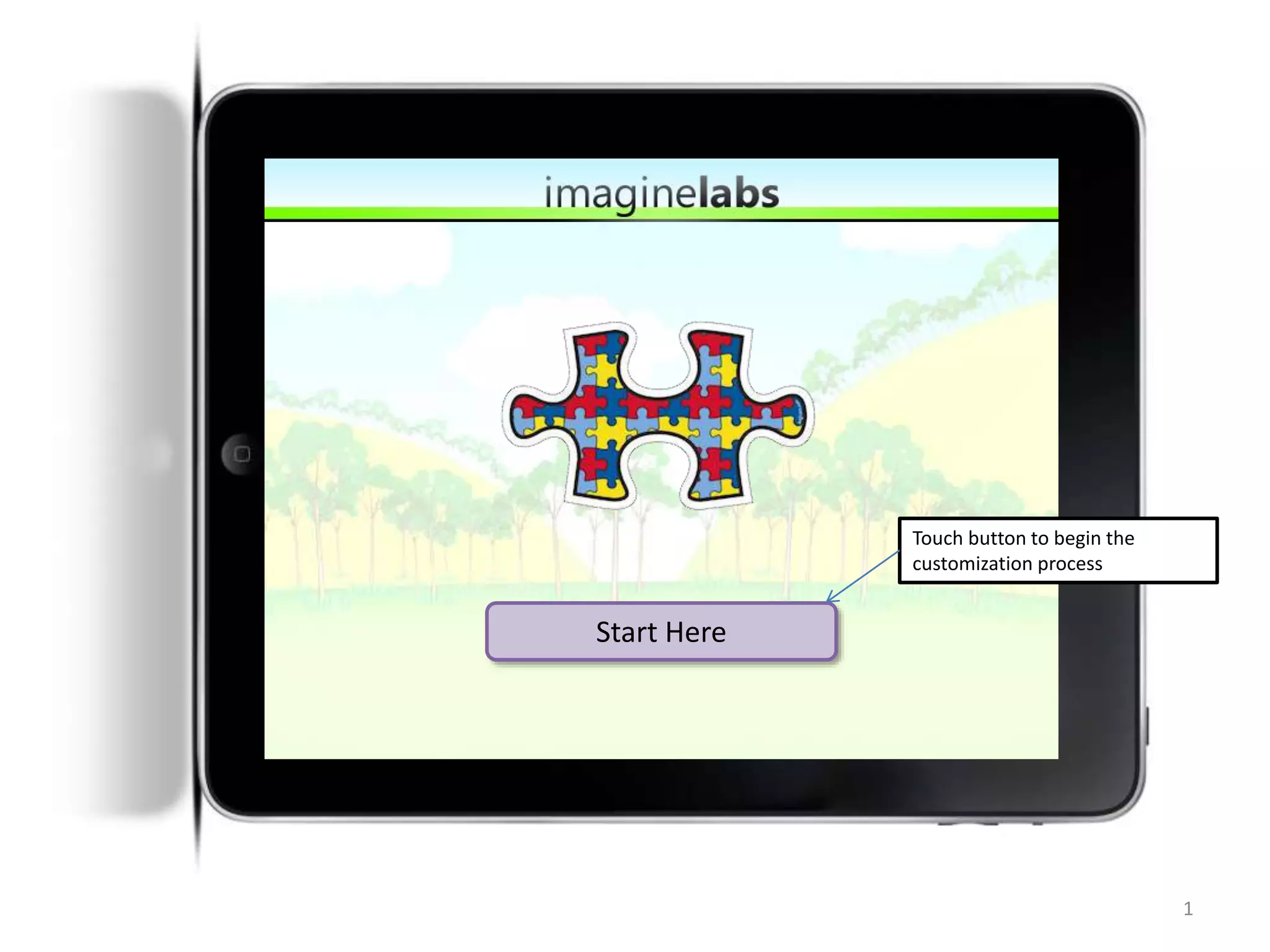
Start Here
1
Touch button to begin the
customization process
2
NAME OF GAME
a creation by ImagineLabs
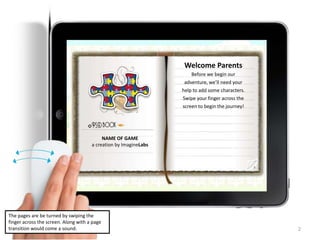
Welcome Parents
Before we begin our
adventure, we’ll need your
help to add some characters.
Swipe your finger across the
screen to begin the journey!
The pages are be turned by swiping the
finger across the screen. Along with a page
transition would come a sound.
3
NAME OF GAME
a creation by ImagineLabs
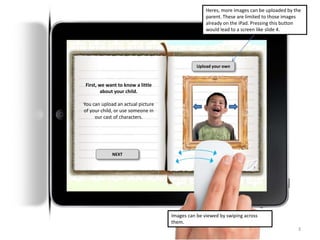
First, we want to know a little
about your child.
You can upload an actual picture
of your child, or use someone in
our cast of characters.
Upload your own
Images can be viewed by swiping across
them.
Heres, more images can be uploaded by the
parent. These are limited to those images
already on the iPad. Pressing this button
would lead to a screen like slide 4.
NEXT
4
NAME OF GAME
a creation by ImagineLabs
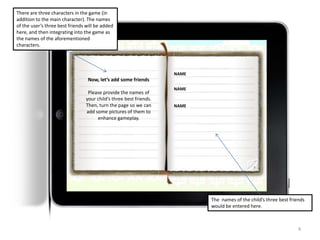
Now, let’s add some friends
Please provide the names of
your child’s three best friends.
Then, turn the page so we can
add some pictures of them to
enhance gameplay.
There are three characters in the game (in
addition to the main character). The names
of the user’s three best friends will be added
here, and then integrating into the game as
the names of the aforementioned
characters.
NAME
NAME
NAME
The names of the child’s three best friends
would be entered here.
5
NAME OF GAME
a creation by ImagineLabs
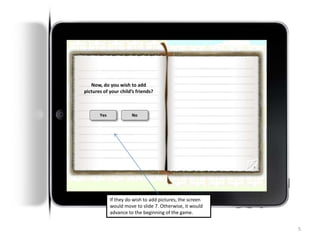
Now, do you wish to add
pictures of your child’s friends?
Yes No
If they do wish to add pictures, the screen
would move to slide 7. Otherwise, it would
advance to the beginning of the game.
6
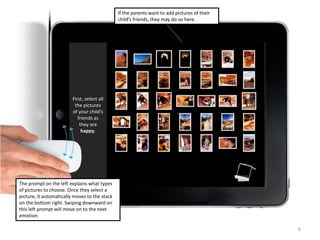
If the parents want to add pictures of their
child’s friends, they may do so here.
First, select all
the pictures
of your child’s
friends as
they are
happy.
The prompt on the left explains what types
of pictures to choose. Once they select a
picture, it automatically moves to the stack
on the bottom right. Swiping downward on
this left prompt will move on to the next
emotion.
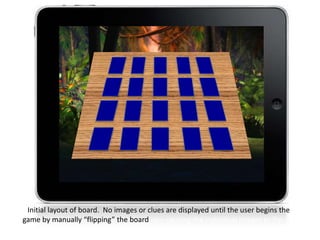
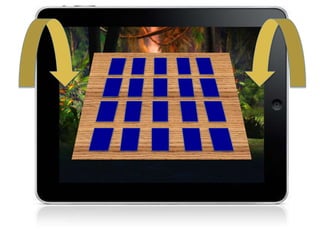
Initial layout of board. No images or clues are displayed until the user begins the
game by manually “flipping” the board up – causing the individual images to flip up.
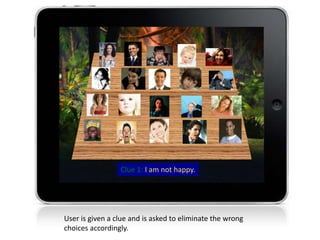
Clue 1: I am not happy.
User is given a clue and is asked to eliminate the wrong
choices accordingly.
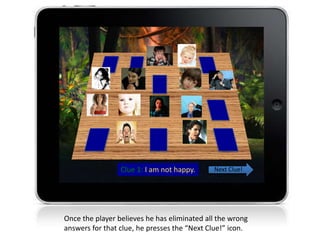
Clue 1: I am not happy.
Once the player believes he has eliminated all the wrong
answers for that clue, he presses the “Next Clue!” icon.
Next Clue!
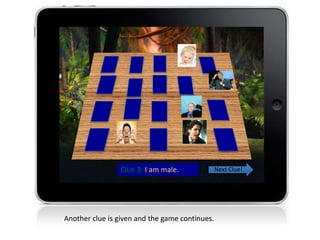
Clue 3: I am male.
Another clue is given and the game continues.
Next Clue!
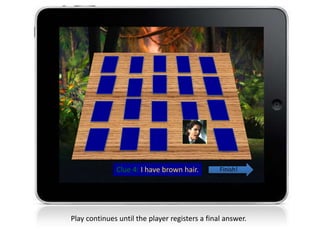
Clue 4: I have brown hair.
Play continues until the player registers a final answer.
Finish!
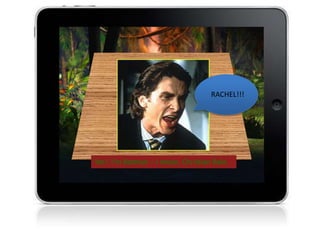
Yes! I’m Batman – I mean, Christian Bale.
RACHEL!!!
But what if you’re wrong?
• There are two possibilities when the player registers a
final answer.
– Correct – advance to a board of higher difficulty (more
images, more subtle emotions). Two thumbs up given for
the level.
– Incorrect – retry the board, but with hints. After each clue,
the game will tell the player if they forgot to eliminate a
character or eliminated one who could potentially be the
answer. One thumb up given after completion.
• Two thumbs up necessary to advance to a more
difficult board. If player only gets 1 thumb up on a
level, he must complete another of similar difficulty on
the first try, without hints, in order to advance.
15
Play Again
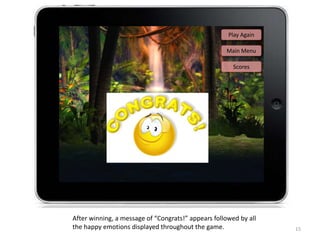
After winning, a message of “Congrats!” appears followed by all
the happy emotions displayed throughout the game.
Main Menu
Scores

Story Board

  • 1.
    Start Here 1 Touch buttonto begin the customization process
  • 2.
    2 NAME OF GAME acreation by ImagineLabs Welcome Parents Before we begin our adventure, we’ll need your help to add some characters. Swipe your finger across the screen to begin the journey! The pages are be turned by swiping the finger across the screen. Along with a page transition would come a sound.
  • 3.
    3 NAME OF GAME acreation by ImagineLabs First, we want to know a little about your child. You can upload an actual picture of your child, or use someone in our cast of characters. Upload your own Images can be viewed by swiping across them. Heres, more images can be uploaded by the parent. These are limited to those images already on the iPad. Pressing this button would lead to a screen like slide 4. NEXT
  • 4.
    4 NAME OF GAME acreation by ImagineLabs Now, let’s add some friends Please provide the names of your child’s three best friends. Then, turn the page so we can add some pictures of them to enhance gameplay. There are three characters in the game (in addition to the main character). The names of the user’s three best friends will be added here, and then integrating into the game as the names of the aforementioned characters. NAME NAME NAME The names of the child’s three best friends would be entered here.
  • 5.
    5 NAME OF GAME acreation by ImagineLabs Now, do you wish to add pictures of your child’s friends? Yes No If they do wish to add pictures, the screen would move to slide 7. Otherwise, it would advance to the beginning of the game.
  • 6.
    6 If the parentswant to add pictures of their child’s friends, they may do so here. First, select all the pictures of your child’s friends as they are happy. The prompt on the left explains what types of pictures to choose. Once they select a picture, it automatically moves to the stack on the bottom right. Swiping downward on this left prompt will move on to the next emotion.
  • 7.
    Initial layout ofboard. No images or clues are displayed until the user begins the game by manually “flipping” the board up – causing the individual images to flip up.
  • 9.
    Clue 1: Iam not happy. User is given a clue and is asked to eliminate the wrong choices accordingly.
  • 10.
    Clue 1: Iam not happy. Once the player believes he has eliminated all the wrong answers for that clue, he presses the “Next Clue!” icon. Next Clue!
  • 11.
    Clue 3: Iam male. Another clue is given and the game continues. Next Clue!
  • 12.
    Clue 4: Ihave brown hair. Play continues until the player registers a final answer. Finish!
  • 13.
    Yes! I’m Batman– I mean, Christian Bale. RACHEL!!!
  • 14.
    But what ifyou’re wrong? • There are two possibilities when the player registers a final answer. – Correct – advance to a board of higher difficulty (more images, more subtle emotions). Two thumbs up given for the level. – Incorrect – retry the board, but with hints. After each clue, the game will tell the player if they forgot to eliminate a character or eliminated one who could potentially be the answer. One thumb up given after completion. • Two thumbs up necessary to advance to a more difficult board. If player only gets 1 thumb up on a level, he must complete another of similar difficulty on the first try, without hints, in order to advance.
  • 15.
    15 Play Again After winning,a message of “Congrats!” appears followed by all the happy emotions displayed throughout the game. Main Menu Scores