More Related Content

PDF
Fast flux domain detection 
PDF

PDF
Stanford splash spring 2016 basic programming 
PPTX

DOCX

PDF
Xiaoli_Ma_developer_resume 
PDF
詹剑锋:Big databench—benchmarking big data systems 
PDF
Viewers also liked

PDF
Dpdk Validation - Liu, Yong 
PDF

PDF

PDF

DOCX

PPTX

PDF

PDF

PDF

PDF

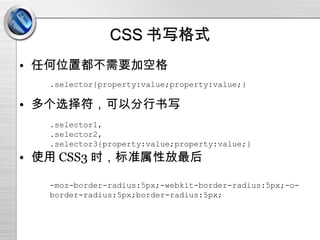
PDF

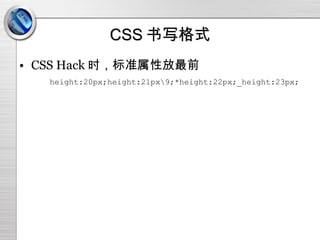
PPT

PPTX
Research Park: Year in Review 2014 
PDF

PPTX
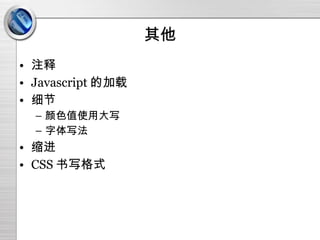
前端规范(初稿)
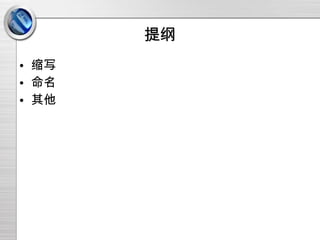
- 1.
- 2.
- 3.
- 4.
- 5.
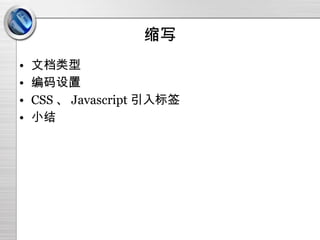
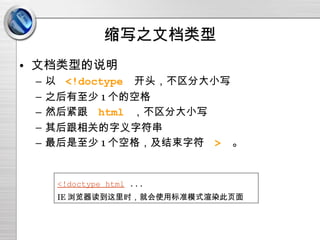
缩写之文档类型 文档类型的说明 以 <!doctype 开头,不区分大小写 之后有至少 1 个的空格 然后紧跟 html ,不区分大小写 其后跟相关的字义字符串 最后是至少 1 个空格,及结束字符 > 。 <!doctype html ... IE 浏览器读到这里时,就会使用标准模式渲染此页面 - 6.
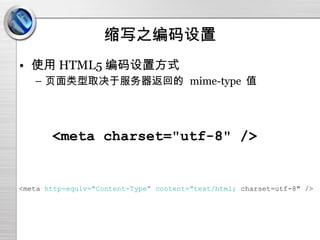
缩写之编码设置 使用 HTML5编码设置方式 页面类型取决于服务器返回的 mime-type 值 <meta charset="utf-8" /> <meta http-equiv="Content-Type" content="text/html; charset=utf-8" /> - 7.
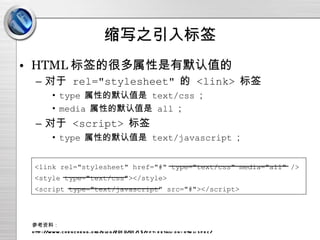
缩写之引入标签 HTML 标签的很多属性是有默认值的对于 rel="stylesheet" 的 <link> 标签 type 属性的默认值是 text/css ; media 属性的默认值是 all ; 对于 <script> 标签 type 属性的默认值是 text/javascript ; 参考资料: http://www.chencheng.org/blog/2010/01/15/ppt-detail-on-html-spec/ <link rel="stylesheet" href="#" type="text/css" media="all" /> <style type="text/css"></style> <script type="text/javascript" src="#"></script> - 8.
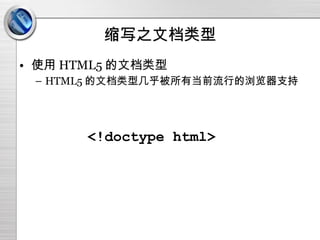
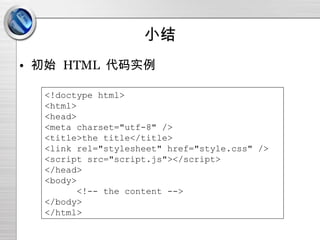
小结 初始 HTML 代码实例 <!doctype html> <html> <head> <meta charset="utf-8" /> <title>the title</title> <link rel="stylesheet" href="style.css" /> <script src="script.js"></script> </head> <body> <!-- the content --> </body> </html> - 9.
- 10.
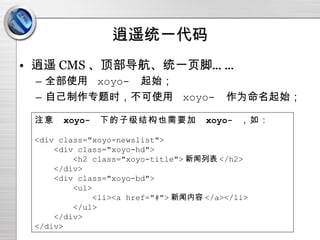
逍遥统一代码 逍遥 CMS、顶部导航、统一页脚…… 全部使用 xoyo- 起始; 自己制作专题时,不可使用 xoyo- 作为命名起始; 注意 xoyo- 下的子级结构也需要加 xoyo- ,如: <div class="xoyo-newslist"> <div class="xoyo-hd"> <h2 class="xoyo-title"> 新闻列表 </h2> </div> <div class="xoyo-bd"> <ul> <li><a href="#"> 新闻内容 </a></li> </ul> </div> </div> - 11.
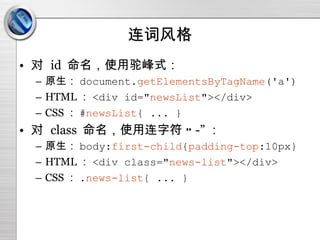
连词风格 对 id 命名,使用驼峰式: 原生: document. getElementsByTagName ('a') HTML : <div id=" newsList "></div> CSS : # newsList { ... } 对 class 命名,使用连字符 “ -” : 原生: body: first-child { padding-top :10px} HTML : <div class=" news-list "></div> CSS : . news-list { ... } - 12.
连词风格 使用连字符 “-” 而不是下划线 “ _” 的原因 CSS3 中有 “连字符选择符”(“ |=” ) ,用来匹配命名使用特定字符串起始、并以连字符分隔的元素。 用法: div[class|=xoyo]{ color:red } <div class="xoyo"></div> // 匹配 <div class="xoyo-news"></div> // 匹配 <div class="news-xoyo"></div> // 不匹配 <div class="xoyoNews"></div> // 不匹配 参考资料: http://tools.css3.info/selectors-test/test-attribute-hyphen.html#attribute-hyphen http://msdn.microsoft.com/en-us/library/aa358825(v=VS.85).aspx - 13.
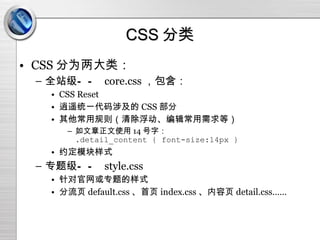
CSS 分类 CSS分为两大类: 全站级—— core.css ,包含: CSS Reset 逍遥统一代码涉及的 CSS 部分 其他常用规则(清除浮动、编辑常用需求等) 如文章正文使用 14 号字: .detail_content { font-size:14px } 约定模块样式 专题级—— style.css 针对官网或专题的样式 分流页 default.css 、首页 index.css 、内容页 detail.css…… - 14.
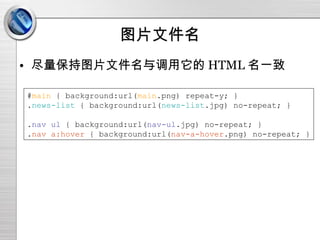
图片文件名 尽量保持图片文件名与调用它的 HTML名一致 # main { background:url( main .png) repeat-y; } . news-list { background:url( news-list .jpg) no-repeat; } . nav ul { background:url( nav-ul .jpg) no-repeat; } . nav a:hover { background:url( nav-a-hover .png) no-repeat; } - 15.
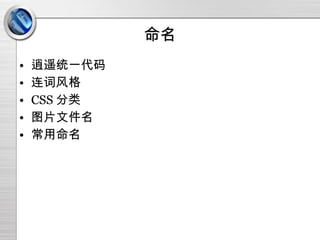
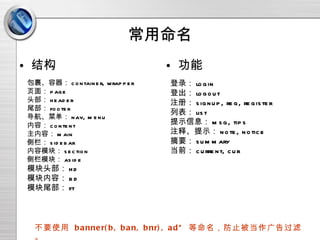
常用命名 结构 功能包裹、容器: container, wrapper 页面: page 头部: header 尾部: footer 导航、菜单: nav, menu 内容: content 主内容: main 侧栏: sidebar 内容模块: section 侧栏模块: aside 模块头部: hd 模块内容: bd 模块尾部: ft 登录: login 登出: logout 注册: signup, reg, register 列表: list 提示信息: msg, tips 注释、提示: note, notice 摘要: summary 当前: current, cur 不要使用 banner(b, ban, bnr), ad* 等命名,防止被当作广告过滤。 - 16.
- 17.
- 18.
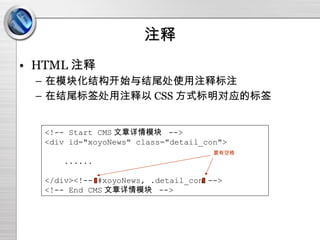
注释 HTML 注释在模块化结构开始与结尾处使用注释标注 在结尾标签处用注释以 CSS 方式标明对应的标签 <!-- Start CMS 文章详情模块 --> <div id="xoyoNews" class="detail_con"> ...... </div><!-- #xoyoNews, .detail_con --> <!-- End CMS 文章详情模块 --> 要有空格 - 19.
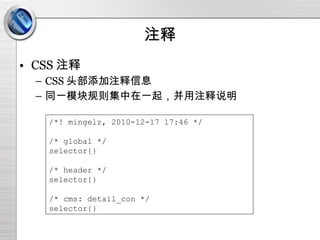
注释 CSS 注释CSS 头部添加注释信息 同一模块规则集中在一起,并用注释说明 /*! mingelz, 2010-12-17 17:46 */ /* global */ selector{} /* header */ selector{} /* cms: detail_con */ selector{} - 20.
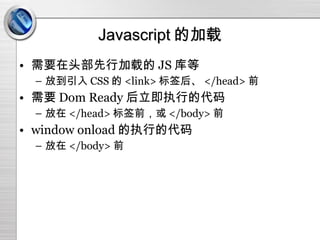
Javascript 的加载 需要在头部先行加载的JS 库等 放到引入 CSS 的 <link> 标签后、 </head> 前 需要 Dom Ready 后立即执行的代码 放在 </head> 标签前,或 </body> 前 window onload 的执行的代码 放在 </body> 前 - 21.
- 22.
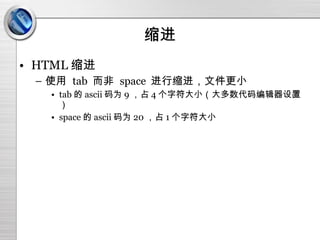
缩进 HTML 缩进使用 tab 而非 space 进行缩进,文件更小 tab 的 ascii 码为 9 ,占 4 个字符大小(大多数代码编辑器设置) space 的 ascii 码为 20 ,占 1 个字符大小 - 23.
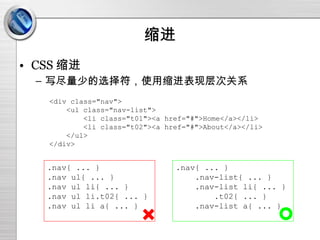
缩进 CSS 缩进写尽量少的选择符,使用缩进表现层次关系 <div class="nav"> <ul class="nav-list"> <li class="t01"><a href="#">Home</a></li> <li class="t02"><a href="#">About</a></li> </ul> </div> .nav{ ... } .nav ul{ ... } .nav ul li{ ... } .nav ul li.t02{ ... } .nav ul li a{ ... } .nav{ ... } .nav-list{ ... } .nav-list li{ ... } .t02{ ... } .nav-list a{ ... } - 24.
CSS 书写格式 配合在CSS 文件中使用缩进,就有必要将一句定义中的多个定义写在一行,顺序为 与位置 / 文档流有关的属性: position, z-index, left, right, top, button, float, clear, clip, ... 与盒模型有关的属性: display, visibility, margin, border, padding, [min-|max-]width, [min-|max-]height, overflow, ... 与内容有关的属性: content, color, background, font, line-height, vertical-align, text-[align|indent|decoration], ... 与装饰有关的属性: list-style, outline, cursor, ... 其他 border-collapse, border-spacing, ... - 25.
CSS 书写格式 任何位置都不需要加空格多个选择符,可以分行书写 使用 CSS3 时,标准属性放最后 .selector{property:value;property:value;} .selector1, .selector2, .selector3{property:value;property:value;} -moz-border-radius:5px;-webkit-border-radius:5px;-o-border-radius:5px;border-radius:5px; - 26.
CSS 书写格式 CSSHack 时,标准属性放最前 height:20px;height:21px\9;*height:22px;_height:23px;

![逍遥 HTML/CSS 规范(初稿) 张明 [email_address] 2010-12-20](https://image.slidesharecdn.com/random-110106205342-phpapp01/85/slide-1-320.jpg)
![连词风格 使用连字符 “ -” 而不是下划线 “ _” 的原因 CSS3 中有 “连字符选择符”(“ |=” ) ,用来匹配命名使用特定字符串起始、并以连字符分隔的元素。 用法: div[class|=xoyo]{ color:red } <div class="xoyo"></div> // 匹配 <div class="xoyo-news"></div> // 匹配 <div class="news-xoyo"></div> // 不匹配 <div class="xoyoNews"></div> // 不匹配 参考资料: http://tools.css3.info/selectors-test/test-attribute-hyphen.html#attribute-hyphen http://msdn.microsoft.com/en-us/library/aa358825(v=VS.85).aspx](https://image.slidesharecdn.com/random-110106205342-phpapp01/85/slide-12-320.jpg)
![CSS 书写格式 配合在 CSS 文件中使用缩进,就有必要将一句定义中的多个定义写在一行,顺序为 与位置 / 文档流有关的属性: position, z-index, left, right, top, button, float, clear, clip, ... 与盒模型有关的属性: display, visibility, margin, border, padding, [min-|max-]width, [min-|max-]height, overflow, ... 与内容有关的属性: content, color, background, font, line-height, vertical-align, text-[align|indent|decoration], ... 与装饰有关的属性: list-style, outline, cursor, ... 其他 border-collapse, border-spacing, ...](https://image.slidesharecdn.com/random-110106205342-phpapp01/85/slide-24-320.jpg)