반복적인 작업이 싫은 안드로이드 개발자에게


                 @geekbeast
                     진성주
발표자 소개
         진성주 ( @geekbeast )
         Blog : http://softwaregeeks.org


         안드로이드 프로그래밍
         : 제대로 된 안드로이드 앱 개발을 위한
         진성주,최종열,백정현,신중훈(공저)
http://www.hanb.co.kr/network/view.html?bi_id=981
Motivation
Motivation
Motivation

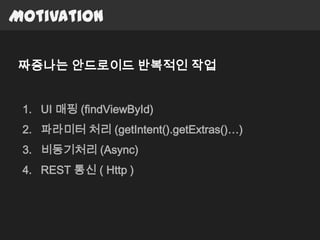
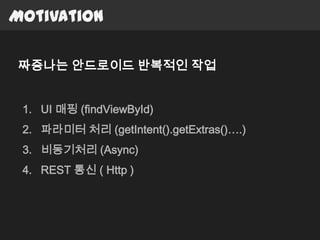
짜증나는 안드로이드 반복적인 작업


 1. UI 매핑 (findViewById)
 2. 파라미터 처리 (getIntent().getExtras()…)
 3. 비동기처리 (Async)
 4. REST 통신 ( Http )
Motivation

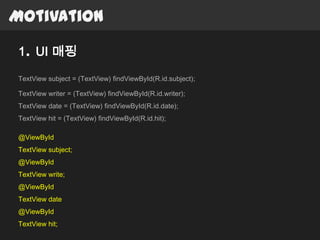
1. UI 매핑

TextView subject = (TextView) findViewById(R.id.subject);

TextView writer = (TextView) findViewById(R.id.writer);
TextView date = (TextView) findViewById(R.id.date);
TextView hit = (TextView) findViewById(R.id.hit);

@ViewById
TextView subject;
@ViewById
TextView write;
@ViewById
TextView date
@ViewById
TextView hit;
Motivation

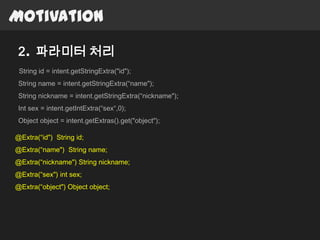
 2. 파라미터 처리
 String id = intent.getStringExtra("id");
 String name = intent.getStringExtra(“name");
 String nickname = intent.getStringExtra(“nickname");
 Int sex = intent.getIntExtra(“sex“,0);
 Object object = intent.getExtras().get("object");

@Extra(“id") String id;
@Extra(“name") String name;
@Extra(“nickname") String nickname;
@Extra(“sex") int sex;
@Extra(“object") Object object;
Motivation

3. 비동기처리 (Async)
private class DownloadFilesTask extends AsyncTask<URL, Integer, Long> {
@Background
  protected Long doInBackground(URL... urls) {
void backgroudJob() {
    MovieContentsurls.length;
       int count = movieContents = daumMovieService.getMovieContents("love");
        long totalSize = 0;
    String result = movieContents.getQuery();
    setData(result); i < count; i++) {
       for (int i = 0;
}         totalSize += Downloader.downloadFile(urls[i]);
          publishProgress((int) ((i / (float) count) * 100));
   }
@UiThread
     return totalSize;
void setData(String data) {
     }
    textView.setText(data);
}
     protected void onProgressUpdate(Integer... progress) {
Motivation

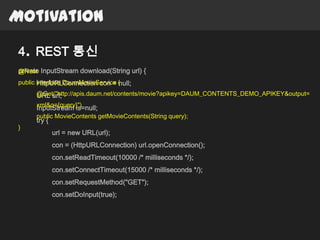
4. REST 통신
private InputStream download(String url) {
@Rest
public interface DaumMovieService {
       HttpURLConnection con = null;
      @Get("http://apis.daum.net/contents/movie?apikey=DAUM_CONTENTS_DEMO_APIKEY&output=
      URL url;
      xml&q={query}")
      InputStream is=null;
      public MovieContents getMovieContents(String query);
      try {
}
              url = new URL(url);
              con = (HttpURLConnection) url.openConnection();
              con.setReadTimeout(10000 /* milliseconds */);
              con.setConnectTimeout(15000 /* milliseconds */);
              con.setRequestMethod("GET");
              con.setDoInput(true);
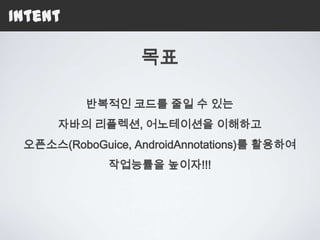
목표

         반복적인 코드를 줄일 수 있는
오픈소스(RoboGuice, AndroidAnnotations) 써보세요~
Contents
 목차
 1. Reflection, Annotation
 2. 오픈소스
   1. Dependency Injection Framework : RoboGuice
   2. Annotation Process Tool Library:
      AndroidAnnoations
 3. 오픈소스를 넘어…
 4. 정리
Contents
 목차
 1. Reflection, Annotation
 2. 오픈소스
   1. Dependency Injection Framework : RoboGuice
   2. Annotation Process Tool Library:
      AndroidAnnoations
 3. 오픈소스를 넘어…
 4. 정리
01 Reflection, Annotation
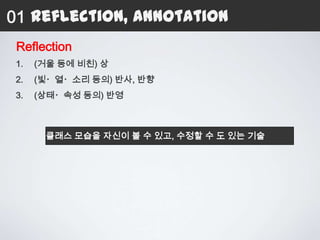
 Reflection
 1.   (거울 등에 비친) 상
 2.   (빛・열・소리 등의) 반사, 반향
 3.   (상태・속성 등의) 반영


       클래스 모습을 자신이 볼 수 있고, 수정할 수 도 있는 기술
01 Reflection, Annotation
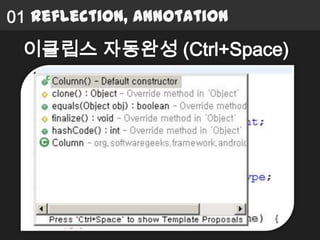
 이클립스 자동완성 (Ctrl+Space)
01 Reflection, Annotation


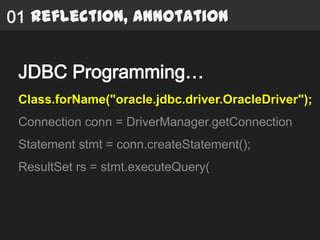
 JDBC Programming…
 Class.forName("oracle.jdbc.driver.OracleDriver");
 Connection conn = DriverManager.getConnection
 Statement stmt = conn.createStatement();
 ResultSet rs = stmt.executeQuery(
01 Reflection, Annotation


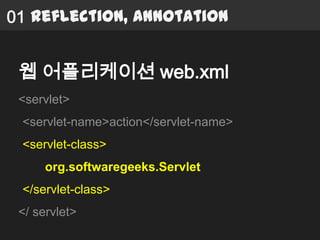
 웹 어플리케이션 web.xml
 <servlet>
 <servlet-name>action</servlet-name>
 <servlet-class>
      org.softwaregeeks.Servlet
 </servlet-class>
 </ servlet>
01 Reflection, Annotation
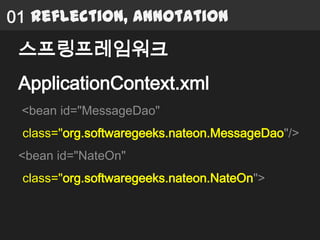
 스프링프레임워크
 ApplicationContext.xml
 <bean id="MessageDao"
 class="org.softwaregeeks.nateon.MessageDao"/>
 <bean id="NateOn"
 class="org.softwaregeeks.nateon.NateOn">
01 Reflection, Annotation


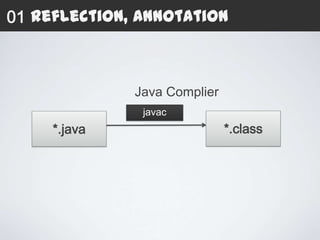
              Java Complier
               javac
     *.java                   *.class
01 Reflection, Annotation


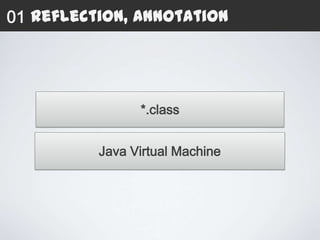
                *.class


          Java Virtual Machine
01 Reflection, Annotation


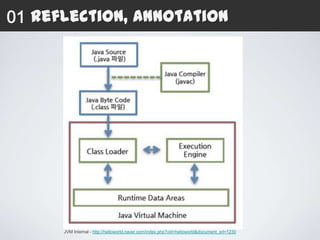
      JVM Internal - http://helloworld.naver.com/index.php?vid=helloworld&document_srl=1230
01 Reflection, Annotation


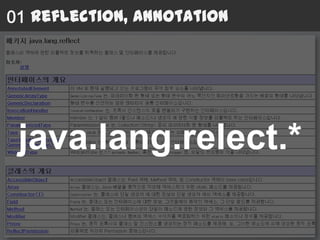
 java.lang.relect.*
01 Reflection, Annotation
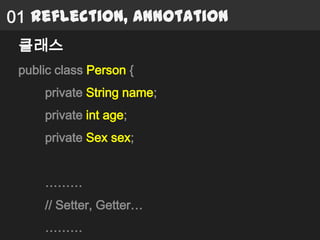
 클래스
 public class Person {
     private String name;
     private int age;
     private Sex sex;


     ………
     // Setter, Getter…
     ………
01 Reflection, Annotation
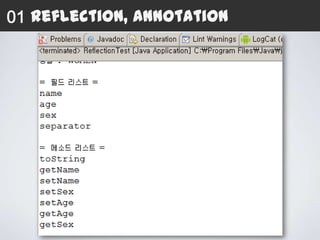
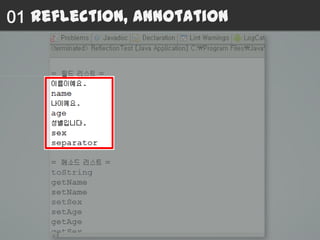
 클래스 필드 가져오기
 Class clz = Person.class;
 Field[] fields = clz.getDeclaredFields();
 for(Field field : fields) {
      System.out.println(field.getName());
 }
01 Reflection, Annotation
 클래스 메소드 가져오기
 Class clz = Person.class;
 Method[] methods = clz.getDeclaredMethods();
 for(Method method : methods) {
     System.out.println(method.getName());
 }
01 Reflection, Annotation
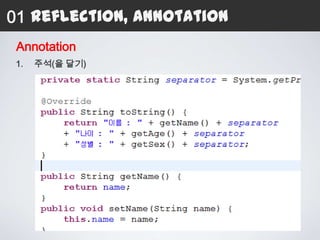
 Annotation
 1.   주석(을 달기)
01 Reflection, Annotation
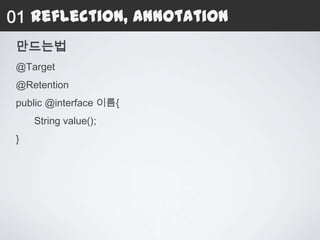
 만드는법
 @Target
 @Retention
 public @interface 이름{
     String value();
 }
01 Reflection, Annotation
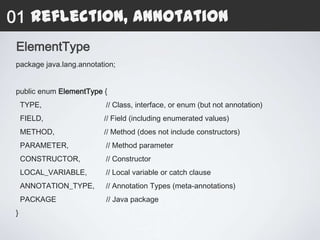
 ElementType
 package java.lang.annotation;


 public enum ElementType {
     TYPE,                 // Class, interface, or enum (but not annotation)
     FIELD,               // Field (including enumerated values)
     METHOD,              // Method (does not include constructors)
     PARAMETER,            // Method parameter
     CONSTRUCTOR,          // Constructor
     LOCAL_VARIABLE,       // Local variable or catch clause
     ANNOTATION_TYPE,      // Annotation Types (meta-annotations)
     PACKAGE               // Java package
 }
01 Reflection, Annotation
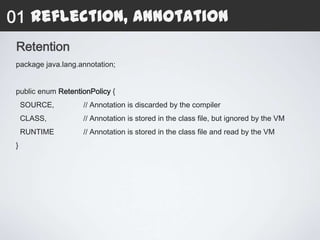
 Retention
 package java.lang.annotation;


 public enum RetentionPolicy {
     SOURCE,        // Annotation is discarded by the compiler
     CLASS,         // Annotation is stored in the class file, but ignored by the VM
     RUNTIME        // Annotation is stored in the class file and read by the VM
 }
01 Reflection, Annotation
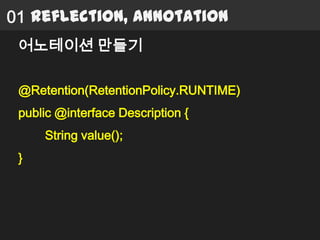
 어노테이션 만들기

 @Retention(RetentionPolicy.RUNTIME)
 public @interface Description {
     String value();
 }
01 Reflection, Annotation
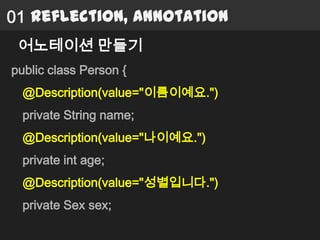
 어노테이션 만들기
public class Person {
  @Description(value="이름이예요.")
  private String name;
  @Description(value="나이예요.")
  private int age;
  @Description(value="성별입니다.")
  private Sex sex;
01 Reflection, Annotation
 어노테이션 가져오기
 Class clz = Person.class;
 for(Field field : fields) {
     Annotation[] annotations = field.getDeclaredAnnotations();
     for(Annotation annotation : annotations) {
          if( annotation instanceof Description ) {
               Description description = (Description)annotation;
               System.out.println(description.value());
          }
     }
 }
01 Reflection, Annotation

 @ViewById
 TextView subject;
 @ViewById
 TextView write;
 @ViewById
 TextView date
 @ViewById
 TextView hit;
01 Reflection, Annotation
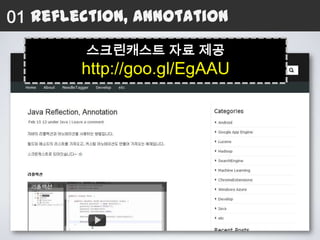
        스크린캐스트 자료 제공
        http://goo.gl/EgAAU
Contents
 목차
 1. Reflection, Annotation
 2. 오픈소스
   1. Dependency Injection Framework : RoboGuice
   2. Annotation Process Tool Library:
      AndroidAnnoations
 3. 오픈소스를 넘어…
 4. 정리
Contents
 목차
 1. Reflection, Annotation
 2. 오픈소스
   1. Dependency Injection Framework : RoboGuice
   2. Annotation Process Tool Library:
      AndroidAnnoations
 3. 오픈소스를 넘어…
 4. 정리
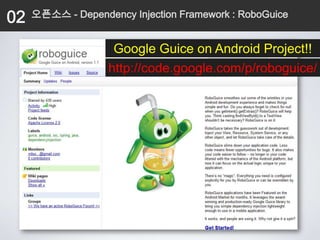
02   오픈소스 - Dependency Injection Framework : RoboGuice


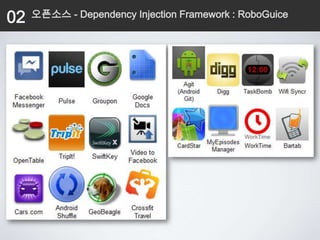
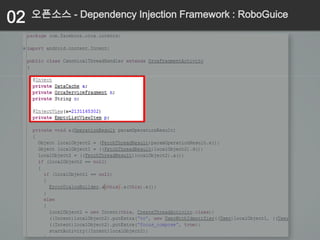
                    Google Guice on Android Project!!
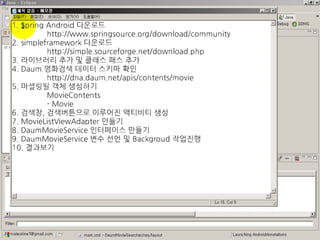
                   http://code.google.com/p/roboguice/
02   오픈소스 - Dependency Injection Framework : RoboGuice


                    RoboGuice
                 Google Guice
          Google Guice on Android Project!!
          a lightweight dependency injection framework
         for Java 5 and above, brought to you by Google.
02   오픈소스 - Dependency Injection Framework : RoboGuice

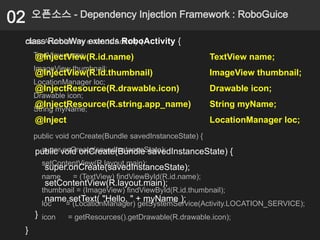
 class RoboWay extends RoboActivity {
 class AndroidWay extends Activity {
     TextView name;
     @InjectView(R.id.name)                              TextView name;
     ImageView thumbnail;
     @InjectView(R.id.thumbnail)                         ImageView thumbnail;
     LocationManager loc;
     @InjectResource(R.drawable.icon)                    Drawable icon;
     Drawable icon;
     @InjectResource(R.string.app_name)                  String myName;
     String myName;
     @Inject                                             LocationManager loc;
     public void onCreate(Bundle savedInstanceState) {
      super.onCreate(savedInstanceState);
     public void onCreate(Bundle savedInstanceState) {
       setContentView(R.layout.main);
        super.onCreate(savedInstanceState);
       name     = (TextView) findViewById(R.id.name);
        setContentView(R.layout.main);
       thumbnail = (ImageView) findViewById(R.id.thumbnail);
        name.setText( "Hello, " + myName );
       loc    = (LocationManager) getSystemService(Activity.LOCATION_SERVICE);
     } icon    = getResources().getDrawable(R.drawable.icon);
 }
02   오픈소스 - Dependency Injection Framework : RoboGuice


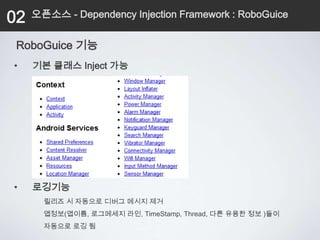
 RoboGuice 기능
•    기본 클래스 Inject 가능


•    로깅기능
       릴리즈 시 자동으로 디버그 메시지 제거
       앱정보(앱이름, 로그메세지 라인, TimeStamp, Thread, 다른 유용한 정보 )들이
       자동으로 로깅 됨
02      오픈소스 - Dependency Injection Framework : RoboGuice


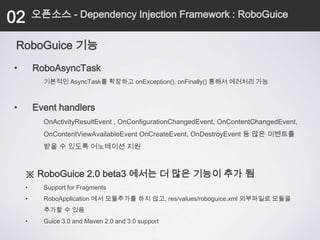
 RoboGuice 기능
•       RoboAsyncTask
          기본적인 AsyncTask를 확장하고 onException(), onFinally() 통해서 에러처리 가능


•       Event handlers
          OnActivityResultEvent , OnConfigurationChangedEvent, OnContentChangedEvent,
          OnContentViewAvailableEvent OnCreateEvent, OnDestroyEvent 등 많은 이벤트를
          받을 수 있도록 어노테이션 지원


    ※ RoboGuice 2.0 beta3 에서는 더 많은 기능이 추가 됨
    •     Support for Fragments
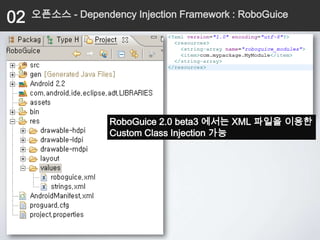
    •     RoboApplication 에서 모듈추가를 하지 않고, res/values/roboguice.xml 외부파일로 모듈을
          추가할 수 있음
    •     Guice 3.0 and Maven 2.0 and 3.0 support
02   오픈소스 - Dependency Injection Framework : RoboGuice


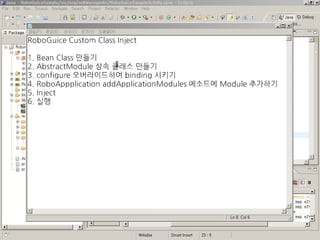
               Custom Class Inject
02   오픈소스 - Dependency Injection Framework : RoboGuice


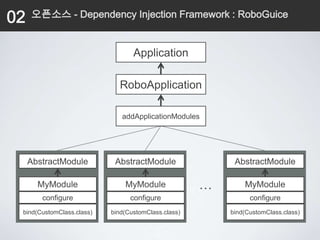
                                  Application

                             RoboApplication

                              addApplicationModules


     AbstractModule         AbstractModule                AbstractModule

       MyModule                MyModule              …       MyModule
        configure                configure                     configure
 bind(CustomClass.class)   bind(CustomClass.class)       bind(CustomClass.class)
02   오픈소스 - Dependency Injection Framework : RoboGuice


                   RoboGuice 2.0 beta3 에서는 XML 파일을 이용한
                   Custom Class Injection 가능
02   오픈소스 - Dependency Injection Framework : RoboGuice

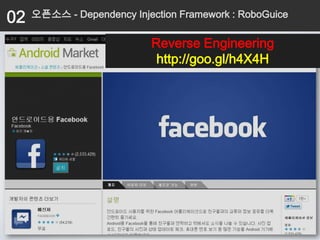
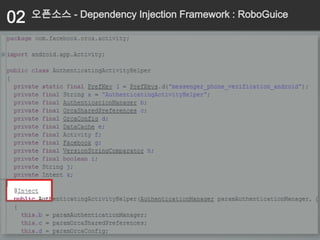
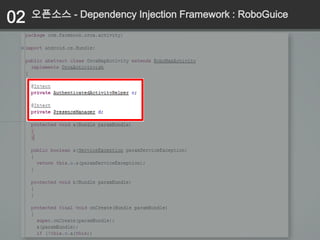
                           Reverse Engineering
                            http://goo.gl/h4X4H
02   오픈소스 - Dependency Injection Framework : RoboGuice


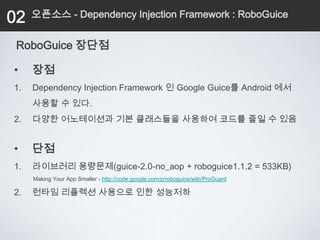
 RoboGuice 장단점

•    장점
1.   Dependency Injection Framework 인 Google Guice를 Android 에서
     사용할 수 있다.
2.   다양한 어노테이션과 기본 클래스들을 사용하여 코드를 줄일 수 있음


•    단점
1.   라이브러리 용량문제(guice-2.0-no_aop + roboguice1.1.2 = 533KB)
     Making Your App Smaller - http://code.google.com/p/roboguice/wiki/ProGuard

2.   런타임 리플렉션 사용으로 인한 성능저하
Contents
 목차
 1. Reflection, Annotation
 2. 안드로이드에 Reflection, Annotation 적용해보기
 3. 오픈소스
   1. Dependency Injection Framework : RoboGuice
   2. Annotation Process Tool Library:
      AndroidAnnoations
02   오픈소스 - Annotation Process Tool Library : AndroidAnnoations


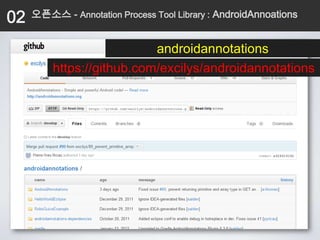
                           androidannotations
         https://github.com/excilys/androidannotations
02       오픈소스 - Annotation Process Tool Library : AndroidAnnoations

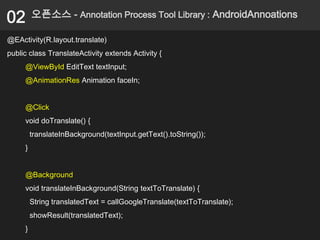
@EActivity(R.layout.translate)
public class TranslateActivity extends Activity {
     @ViewById EditText textInput;
     @AnimationRes Animation faceIn;


     @Click
     void doTranslate() {
         translateInBackground(textInput.getText().toString());
     }


     @Background
     void translateInBackground(String textToTranslate) {
         String translatedText = callGoogleTranslate(textToTranslate);
         showResult(translatedText);
     }
02   오픈소스 - Annotation Process Tool Library : AndroidAnnoations


                      RoboGuice 와 다르게
                       AndroidAnnoations
                  런타임이 아니라 컴파일 시,
                 모든 소스를 자동으로 생성함.
02        오픈소스 - Annotation Process Tool Library : AndroidAnnoations

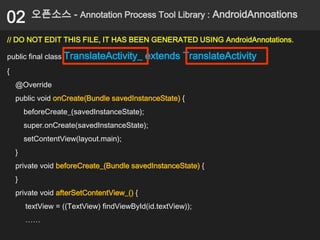
// DO NOT EDIT THIS FILE, IT HAS BEEN GENERATED USING AndroidAnnotations.

public final class TranslateActivity_        extends TranslateActivity
{
    @Override
    public void onCreate(Bundle savedInstanceState) {
        beforeCreate_(savedInstanceState);
        super.onCreate(savedInstanceState);
        setContentView(layout.main);
    }
    private void beforeCreate_(Bundle savedInstanceState) {
    }
    private void afterSetContentView_() {
        textView = ((TextView) findViewById(id.textView));
        ……
02   오픈소스 - Annotation Process Tool Library : AndroidAnnoations


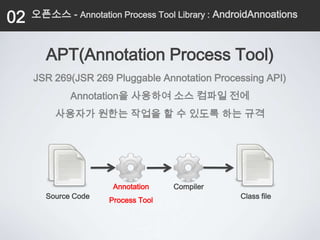
        APT(Annotation Process Tool)
     JSR 269(JSR 269 Pluggable Annotation Processing API)
              Annotation을 사용하여 소스 컴파일 전에
          사용자가 원한는 작업을 할 수 있도록 하는 규격


                       Annotation    Compiler
        Source Code                               Class file
                      Process Tool
02   오픈소스 - Annotation Process Tool Library : AndroidAnnoations


                 AndroidAnnotations
           ClassA.java를 Annotation Process Tool API를 통해
                ClassA_.java 파일을 생성하여 처리한다.

           1.   AndroidManifest.xml 해당 액티비티명 + “_” 추가
           2.   Intent를 사용시에 작성한 액티비티명 + “_”를 추가하여야
                함
02   오픈소스 - Annotation Process Tool Library : AndroidAnnoations


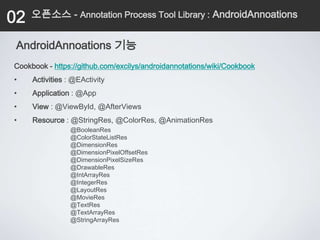
 AndroidAnnoations 기능
Cookbook - https://github.com/excilys/androidannotations/wiki/Cookbook
•    Activities : @EActivity
•    Application : @App
•    View : @ViewById, @AfterViews
•    Resource : @StringRes, @ColorRes, @AnimationRes
                 @BooleanRes
                 @ColorStateListRes
                 @DimensionRes
                 @DimensionPixelOffsetRes
                 @DimensionPixelSizeRes
                 @DrawableRes
                 @IntArrayRes
                 @IntegerRes
                 @LayoutRes
                 @MovieRes
                 @TextRes
                 @TextArrayRes
                 @StringArrayRes
02   오픈소스 - Annotation Process Tool Library : AndroidAnnoations


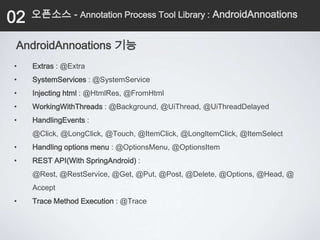
 AndroidAnnoations 기능
•    Extras : @Extra
•    SystemServices : @SystemService
•    Injecting html : @HtmlRes, @FromHtml
•    WorkingWithThreads : @Background, @UiThread, @UiThreadDelayed
•    HandlingEvents :
     @Click, @LongClick, @Touch, @ItemClick, @LongItemClick, @ItemSelect
•    Handling options menu : @OptionsMenu, @OptionsItem
•    REST API(With SpringAndroid) :
     @Rest, @RestService, @Get, @Put, @Post, @Delete, @Options, @Head, @
     Accept
•    Trace Method Execution : @Trace
02   오픈소스 - Annotation Process Tool Library : AndroidAnnoations


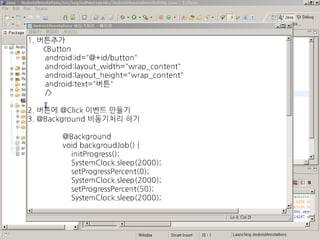
            Click Event, Background
02   오픈소스 - Annotation Process Tool Library : AndroidAnnoations


                        REST API
     AndroidAnnoations + SpringAndroid
02   오픈소스 - Annotation Process Tool Library : AndroidAnnoations


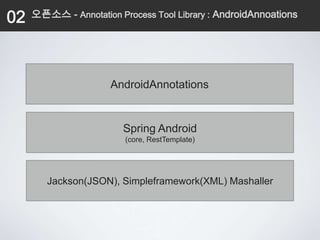
                      AndroidAnnotations


                         Spring Android
                         (core, RestTemplate)


        Jackson(JSON), Simpleframework(XML) Mashaller
02       오픈소스 - Annotation Process Tool Library : AndroidAnnoations


Spring Android

HttpHeaders requestHeaders = new HttpHeaders();
requestHeaders.setAccept(Collections.singletonList(new
                       MediaType("application","json")));
HttpEntity<?> requestEntity = new HttpEntity<Object>(requestHeaders);
String url = "http://mypretendservice.com/events";
RestTemplate restTemplate = new RestTemplate();
ResponseEntity<Event[]> responseEntity =
    restTemplate.exchange(url, HttpMethod.GET, requestEntity, Event[].class
    );
Event[] events = responseEntity.getBody();
02   오픈소스 - Annotation Process Tool Library : AndroidAnnoations


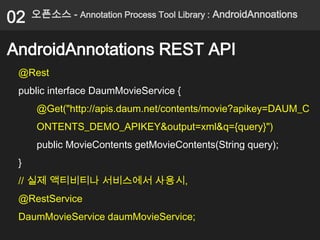
AndroidAnnotations REST API
 @Rest
 public interface DaumMovieService {
      @Get("http://apis.daum.net/contents/movie?apikey=DAUM_C
      ONTENTS_DEMO_APIKEY&output=xml&q={query}")
      public MovieContents getMovieContents(String query);
 }
 // 실제 액티비티나 서비스에서 사용시,
 @RestService
 DaumMovieService daumMovieService;
02   오픈소스 - Annotation Process Tool Library : AndroidAnnoations


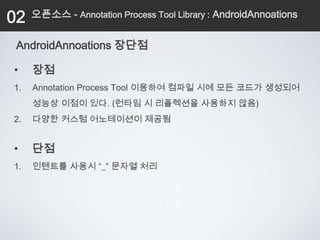
 AndroidAnnoations 장단점

•    장점
1.   Annotation Process Tool 이용하여 컴파일 시에 모든 코드가 생성되어
     성능상 이점이 있다. (런타임 시 리플렉션을 사용하지 않음)
2.   다양한 커스텀 어노테이션이 제공됨


•    단점
1.   인텐트를 사용시 “_” 문자열 처리
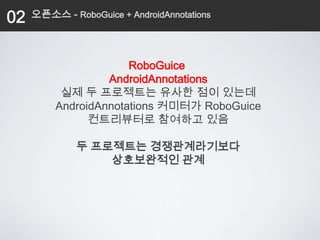
02   오픈소스 - RoboGuice + AndroidAnnotations


                      RoboGuice
                  AndroidAnnotations
          실제 두 프로젝트는 유사한 점이 있는데
         AndroidAnnotations 커미터가 RoboGuice
               컨트리뷰터로 참여하고 있음

              두 프로젝트는 경쟁관계라기보다
                  상호보완적인 관계
02   오픈소스 - RoboGuice + AndroidAnnotations

             RoboGuice + AndroidAnnotations
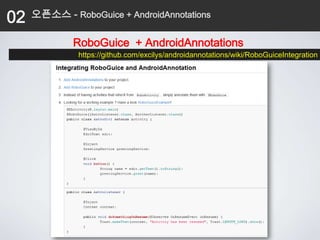
              https://github.com/excilys/androidannotations/wiki/RoboGuiceIntegration
Motivation

짜증나는 안드로이드 반복적인 작업


 1. UI 매핑 (findViewById)
 2. 파라미터 처리 (getIntent().getExtras()….)
 3. 비동기처리 (Async)
 4. REST 통신 ( Http )
Contents
 목차
 1. Reflection, Annotation
 2. 오픈소스
   1. Dependency Injection Framework : RoboGuice
   2. Annotation Process Tool Library:
      AndroidAnnoations
 3. 오픈소스를 넘어…
 4. 정리
03   오픈소스를 넘어…


 UI Mapping
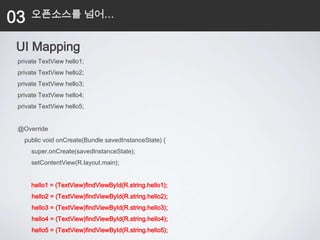
 private TextView hello1;
 private TextView hello2;
 private TextView hello3;
 private TextView hello4;
 private TextView hello5;


 @Override
   public void onCreate(Bundle savedInstanceState) {
     super.onCreate(savedInstanceState);
     setContentView(R.layout.main);


     hello1 = (TextView)findViewById(R.string.hello1);
      hello2 = (TextView)findViewById(R.string.hello2);
      hello3 = (TextView)findViewById(R.string.hello3);
      hello4 = (TextView)findViewById(R.string.hello4);
      hello5 = (TextView)findViewById(R.string.hello5);
03   오픈소스를 넘어…


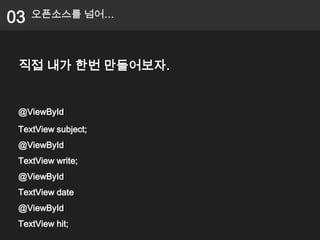
 직접 내가 한번 만들어보자.


 @ViewById
 TextView subject;
 @ViewById
 TextView write;
 @ViewById
 TextView date
 @ViewById
 TextView hit;
03   오픈소스를 넘어…


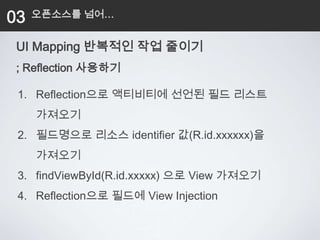
 UI Mapping 반복적인 작업 줄이기
 ; Reflection 사용하기

 1. Reflection으로 액티비티에 선언된 필드 리스트
     가져오기
 2. 필드명으로 리소스 identifier 값(R.id.xxxxxx)을
     가져오기
 3. findViewById(R.id.xxxxx) 으로 View 가져오기
 4. Reflection으로 필드에 View Injection
03     오픈소스를 넘어…


public static void mappingViews(Object object) {

 Activity activity = (Activity)object;
 Field[] fields = activity.getClass().getDeclaredFields();
 for (Field field : fields) {
  String identifierString = field.getName();
  int identifier = activity.getResources().getIdentifier(identifierString, "id",
                                                activity.getPackageName());
  if( identifier == 0 ) {continue; }

  View findedView = activity.findViewById(identifier);
  if( findedView == null ) { continue; }

  if( findedView.getClass() == field.getType() ) {
    try {
         field.setAccessible(true);
         field.set(object, findedView);
03   오픈소스를 넘어…


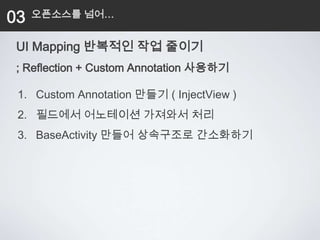
 UI Mapping 반복적인 작업 줄이기
 ; Reflection + Custom Annotation 사용하기

 1. Custom Annotation 만들기 ( InjectView )
 2. 필드에서 어노테이션 가져와서 처리
 3. BaseActivity 만들어 상속구조로 간소화하기
03   오픈소스를 넘어…


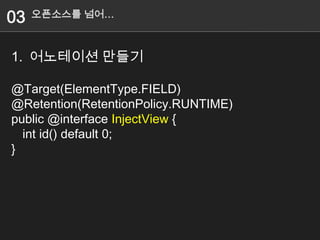
1. 어노테이션 만들기

@Target(ElementType.FIELD)
@Retention(RetentionPolicy.RUNTIME)
public @interface InjectView {
  int id() default 0;
}
03   오픈소스를 넘어…


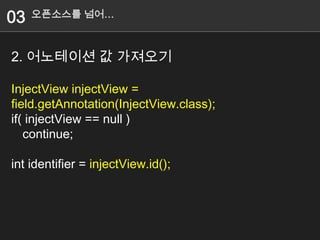
2. 어노테이션 값 가져오기

InjectView injectView =
field.getAnnotation(InjectView.class);
if( injectView == null )
   continue;

int identifier = injectView.id();
Contents
 목차
 1. Reflection, Annotation
 2. 오픈소스
   1. Dependency Injection Framework : RoboGuice
   2. Annotation Process Tool Library:
      AndroidAnnoations
 3. 오픈소스를 넘어…
 4. 정리
Intent

                  목표

          반복적인 코드를 줄일 수 있는
      자바의 리플렉션, 어노테이션을 이해하고
 오픈소스(RoboGuice, AndroidAnnotations)를 활용하여
             작업능률을 높이자!!!
Q&A
질의응답

Twitter : http://twitter.com/geekbeast
Mail : moleskine7@gmail.com
Blog : http://softwaregeeks.org
Thank you!
:D

반복적인 작업이 싫은 안드로이드 개발자에게

  • 1.
    반복적인 작업이 싫은안드로이드 개발자에게 @geekbeast 진성주
  • 2.
    발표자 소개 진성주 ( @geekbeast ) Blog : http://softwaregeeks.org 안드로이드 프로그래밍 : 제대로 된 안드로이드 앱 개발을 위한 진성주,최종열,백정현,신중훈(공저)
  • 12.
  • 17.
  • 18.
  • 19.
    Motivation 짜증나는 안드로이드 반복적인작업 1. UI 매핑 (findViewById) 2. 파라미터 처리 (getIntent().getExtras()…) 3. 비동기처리 (Async) 4. REST 통신 ( Http )
  • 20.
    Motivation 1. UI 매핑 TextViewsubject = (TextView) findViewById(R.id.subject); TextView writer = (TextView) findViewById(R.id.writer); TextView date = (TextView) findViewById(R.id.date); TextView hit = (TextView) findViewById(R.id.hit); @ViewById TextView subject; @ViewById TextView write; @ViewById TextView date @ViewById TextView hit;
  • 21.
    Motivation 2. 파라미터처리 String id = intent.getStringExtra("id"); String name = intent.getStringExtra(“name"); String nickname = intent.getStringExtra(“nickname"); Int sex = intent.getIntExtra(“sex“,0); Object object = intent.getExtras().get("object"); @Extra(“id") String id; @Extra(“name") String name; @Extra(“nickname") String nickname; @Extra(“sex") int sex; @Extra(“object") Object object;
  • 22.
    Motivation 3. 비동기처리 (Async) privateclass DownloadFilesTask extends AsyncTask<URL, Integer, Long> { @Background protected Long doInBackground(URL... urls) { void backgroudJob() { MovieContentsurls.length; int count = movieContents = daumMovieService.getMovieContents("love"); long totalSize = 0; String result = movieContents.getQuery(); setData(result); i < count; i++) { for (int i = 0; } totalSize += Downloader.downloadFile(urls[i]); publishProgress((int) ((i / (float) count) * 100)); } @UiThread return totalSize; void setData(String data) { } textView.setText(data); } protected void onProgressUpdate(Integer... progress) {
  • 23.
    Motivation 4. REST 통신 privateInputStream download(String url) { @Rest public interface DaumMovieService { HttpURLConnection con = null; @Get("http://apis.daum.net/contents/movie?apikey=DAUM_CONTENTS_DEMO_APIKEY&output= URL url; xml&q={query}") InputStream is=null; public MovieContents getMovieContents(String query); try { } url = new URL(url); con = (HttpURLConnection) url.openConnection(); con.setReadTimeout(10000 /* milliseconds */); con.setConnectTimeout(15000 /* milliseconds */); con.setRequestMethod("GET"); con.setDoInput(true);
  • 26.
    목표 반복적인 코드를 줄일 수 있는 오픈소스(RoboGuice, AndroidAnnotations) 써보세요~
  • 27.
    Contents 목차 1.Reflection, Annotation 2. 오픈소스 1. Dependency Injection Framework : RoboGuice 2. Annotation Process Tool Library: AndroidAnnoations 3. 오픈소스를 넘어… 4. 정리
  • 28.
    Contents 목차 1.Reflection, Annotation 2. 오픈소스 1. Dependency Injection Framework : RoboGuice 2. Annotation Process Tool Library: AndroidAnnoations 3. 오픈소스를 넘어… 4. 정리
  • 29.
    01 Reflection, Annotation Reflection 1. (거울 등에 비친) 상 2. (빛・열・소리 등의) 반사, 반향 3. (상태・속성 등의) 반영 클래스 모습을 자신이 볼 수 있고, 수정할 수 도 있는 기술
  • 30.
    01 Reflection, Annotation 이클립스 자동완성 (Ctrl+Space)
  • 31.
    01 Reflection, Annotation JDBC Programming… Class.forName("oracle.jdbc.driver.OracleDriver"); Connection conn = DriverManager.getConnection Statement stmt = conn.createStatement(); ResultSet rs = stmt.executeQuery(
  • 32.
    01 Reflection, Annotation 웹 어플리케이션 web.xml <servlet> <servlet-name>action</servlet-name> <servlet-class> org.softwaregeeks.Servlet </servlet-class> </ servlet>
  • 33.
    01 Reflection, Annotation 스프링프레임워크 ApplicationContext.xml <bean id="MessageDao" class="org.softwaregeeks.nateon.MessageDao"/> <bean id="NateOn" class="org.softwaregeeks.nateon.NateOn">
  • 34.
    01 Reflection, Annotation Java Complier javac *.java *.class
  • 35.
    01 Reflection, Annotation *.class Java Virtual Machine
  • 36.
    01 Reflection, Annotation JVM Internal - http://helloworld.naver.com/index.php?vid=helloworld&document_srl=1230
  • 37.
    01 Reflection, Annotation java.lang.relect.*
  • 38.
    01 Reflection, Annotation 클래스 public class Person { private String name; private int age; private Sex sex; ……… // Setter, Getter… ………
  • 39.
    01 Reflection, Annotation 클래스 필드 가져오기 Class clz = Person.class; Field[] fields = clz.getDeclaredFields(); for(Field field : fields) { System.out.println(field.getName()); }
  • 40.
    01 Reflection, Annotation 클래스 메소드 가져오기 Class clz = Person.class; Method[] methods = clz.getDeclaredMethods(); for(Method method : methods) { System.out.println(method.getName()); }
  • 41.
  • 42.
    01 Reflection, Annotation Annotation 1. 주석(을 달기)
  • 43.
    01 Reflection, Annotation 만드는법 @Target @Retention public @interface 이름{ String value(); }
  • 44.
    01 Reflection, Annotation ElementType package java.lang.annotation; public enum ElementType { TYPE, // Class, interface, or enum (but not annotation) FIELD, // Field (including enumerated values) METHOD, // Method (does not include constructors) PARAMETER, // Method parameter CONSTRUCTOR, // Constructor LOCAL_VARIABLE, // Local variable or catch clause ANNOTATION_TYPE, // Annotation Types (meta-annotations) PACKAGE // Java package }
  • 45.
    01 Reflection, Annotation Retention package java.lang.annotation; public enum RetentionPolicy { SOURCE, // Annotation is discarded by the compiler CLASS, // Annotation is stored in the class file, but ignored by the VM RUNTIME // Annotation is stored in the class file and read by the VM }
  • 46.
    01 Reflection, Annotation 어노테이션 만들기 @Retention(RetentionPolicy.RUNTIME) public @interface Description { String value(); }
  • 47.
    01 Reflection, Annotation 어노테이션 만들기 public class Person { @Description(value="이름이예요.") private String name; @Description(value="나이예요.") private int age; @Description(value="성별입니다.") private Sex sex;
  • 48.
    01 Reflection, Annotation 어노테이션 가져오기 Class clz = Person.class; for(Field field : fields) { Annotation[] annotations = field.getDeclaredAnnotations(); for(Annotation annotation : annotations) { if( annotation instanceof Description ) { Description description = (Description)annotation; System.out.println(description.value()); } } }
  • 49.
  • 50.
    01 Reflection, Annotation @ViewById TextView subject; @ViewById TextView write; @ViewById TextView date @ViewById TextView hit;
  • 51.
    01 Reflection, Annotation 스크린캐스트 자료 제공 http://goo.gl/EgAAU
  • 52.
    Contents 목차 1.Reflection, Annotation 2. 오픈소스 1. Dependency Injection Framework : RoboGuice 2. Annotation Process Tool Library: AndroidAnnoations 3. 오픈소스를 넘어… 4. 정리
  • 53.
    Contents 목차 1.Reflection, Annotation 2. 오픈소스 1. Dependency Injection Framework : RoboGuice 2. Annotation Process Tool Library: AndroidAnnoations 3. 오픈소스를 넘어… 4. 정리
  • 54.
    02 오픈소스 - Dependency Injection Framework : RoboGuice Google Guice on Android Project!! http://code.google.com/p/roboguice/
  • 55.
    02 오픈소스 - Dependency Injection Framework : RoboGuice RoboGuice Google Guice Google Guice on Android Project!! a lightweight dependency injection framework for Java 5 and above, brought to you by Google.
  • 56.
    02 오픈소스 - Dependency Injection Framework : RoboGuice
  • 57.
    02 오픈소스 - Dependency Injection Framework : RoboGuice class RoboWay extends RoboActivity { class AndroidWay extends Activity { TextView name; @InjectView(R.id.name) TextView name; ImageView thumbnail; @InjectView(R.id.thumbnail) ImageView thumbnail; LocationManager loc; @InjectResource(R.drawable.icon) Drawable icon; Drawable icon; @InjectResource(R.string.app_name) String myName; String myName; @Inject LocationManager loc; public void onCreate(Bundle savedInstanceState) { super.onCreate(savedInstanceState); public void onCreate(Bundle savedInstanceState) { setContentView(R.layout.main); super.onCreate(savedInstanceState); name = (TextView) findViewById(R.id.name); setContentView(R.layout.main); thumbnail = (ImageView) findViewById(R.id.thumbnail); name.setText( "Hello, " + myName ); loc = (LocationManager) getSystemService(Activity.LOCATION_SERVICE); } icon = getResources().getDrawable(R.drawable.icon); }
  • 58.
    02 오픈소스 - Dependency Injection Framework : RoboGuice RoboGuice 기능 • 기본 클래스 Inject 가능 • 로깅기능 릴리즈 시 자동으로 디버그 메시지 제거 앱정보(앱이름, 로그메세지 라인, TimeStamp, Thread, 다른 유용한 정보 )들이 자동으로 로깅 됨
  • 59.
    02 오픈소스 - Dependency Injection Framework : RoboGuice RoboGuice 기능 • RoboAsyncTask 기본적인 AsyncTask를 확장하고 onException(), onFinally() 통해서 에러처리 가능 • Event handlers OnActivityResultEvent , OnConfigurationChangedEvent, OnContentChangedEvent, OnContentViewAvailableEvent OnCreateEvent, OnDestroyEvent 등 많은 이벤트를 받을 수 있도록 어노테이션 지원 ※ RoboGuice 2.0 beta3 에서는 더 많은 기능이 추가 됨 • Support for Fragments • RoboApplication 에서 모듈추가를 하지 않고, res/values/roboguice.xml 외부파일로 모듈을 추가할 수 있음 • Guice 3.0 and Maven 2.0 and 3.0 support
  • 61.
    02 오픈소스 - Dependency Injection Framework : RoboGuice Custom Class Inject
  • 62.
    02 오픈소스 - Dependency Injection Framework : RoboGuice Application RoboApplication addApplicationModules AbstractModule AbstractModule AbstractModule MyModule MyModule … MyModule configure configure configure bind(CustomClass.class) bind(CustomClass.class) bind(CustomClass.class)
  • 63.
    02 오픈소스 - Dependency Injection Framework : RoboGuice RoboGuice 2.0 beta3 에서는 XML 파일을 이용한 Custom Class Injection 가능
  • 65.
    02 오픈소스 - Dependency Injection Framework : RoboGuice Reverse Engineering http://goo.gl/h4X4H
  • 66.
    02 오픈소스 - Dependency Injection Framework : RoboGuice
  • 67.
    02 오픈소스 - Dependency Injection Framework : RoboGuice
  • 68.
    02 오픈소스 - Dependency Injection Framework : RoboGuice
  • 69.
    02 오픈소스 - Dependency Injection Framework : RoboGuice RoboGuice 장단점 • 장점 1. Dependency Injection Framework 인 Google Guice를 Android 에서 사용할 수 있다. 2. 다양한 어노테이션과 기본 클래스들을 사용하여 코드를 줄일 수 있음 • 단점 1. 라이브러리 용량문제(guice-2.0-no_aop + roboguice1.1.2 = 533KB) Making Your App Smaller - http://code.google.com/p/roboguice/wiki/ProGuard 2. 런타임 리플렉션 사용으로 인한 성능저하
  • 70.
    Contents 목차 1.Reflection, Annotation 2. 안드로이드에 Reflection, Annotation 적용해보기 3. 오픈소스 1. Dependency Injection Framework : RoboGuice 2. Annotation Process Tool Library: AndroidAnnoations
  • 71.
    02 오픈소스 - Annotation Process Tool Library : AndroidAnnoations androidannotations https://github.com/excilys/androidannotations
  • 72.
    02 오픈소스 - Annotation Process Tool Library : AndroidAnnoations @EActivity(R.layout.translate) public class TranslateActivity extends Activity { @ViewById EditText textInput; @AnimationRes Animation faceIn; @Click void doTranslate() { translateInBackground(textInput.getText().toString()); } @Background void translateInBackground(String textToTranslate) { String translatedText = callGoogleTranslate(textToTranslate); showResult(translatedText); }
  • 73.
    02 오픈소스 - Annotation Process Tool Library : AndroidAnnoations RoboGuice 와 다르게 AndroidAnnoations 런타임이 아니라 컴파일 시, 모든 소스를 자동으로 생성함.
  • 74.
    02 오픈소스 - Annotation Process Tool Library : AndroidAnnoations // DO NOT EDIT THIS FILE, IT HAS BEEN GENERATED USING AndroidAnnotations. public final class TranslateActivity_ extends TranslateActivity { @Override public void onCreate(Bundle savedInstanceState) { beforeCreate_(savedInstanceState); super.onCreate(savedInstanceState); setContentView(layout.main); } private void beforeCreate_(Bundle savedInstanceState) { } private void afterSetContentView_() { textView = ((TextView) findViewById(id.textView)); ……
  • 75.
    02 오픈소스 - Annotation Process Tool Library : AndroidAnnoations APT(Annotation Process Tool) JSR 269(JSR 269 Pluggable Annotation Processing API) Annotation을 사용하여 소스 컴파일 전에 사용자가 원한는 작업을 할 수 있도록 하는 규격 Annotation Compiler Source Code Class file Process Tool
  • 76.
    02 오픈소스 - Annotation Process Tool Library : AndroidAnnoations AndroidAnnotations ClassA.java를 Annotation Process Tool API를 통해 ClassA_.java 파일을 생성하여 처리한다. 1. AndroidManifest.xml 해당 액티비티명 + “_” 추가 2. Intent를 사용시에 작성한 액티비티명 + “_”를 추가하여야 함
  • 77.
    02 오픈소스 - Annotation Process Tool Library : AndroidAnnoations AndroidAnnoations 기능 Cookbook - https://github.com/excilys/androidannotations/wiki/Cookbook • Activities : @EActivity • Application : @App • View : @ViewById, @AfterViews • Resource : @StringRes, @ColorRes, @AnimationRes @BooleanRes @ColorStateListRes @DimensionRes @DimensionPixelOffsetRes @DimensionPixelSizeRes @DrawableRes @IntArrayRes @IntegerRes @LayoutRes @MovieRes @TextRes @TextArrayRes @StringArrayRes
  • 78.
    02 오픈소스 - Annotation Process Tool Library : AndroidAnnoations AndroidAnnoations 기능 • Extras : @Extra • SystemServices : @SystemService • Injecting html : @HtmlRes, @FromHtml • WorkingWithThreads : @Background, @UiThread, @UiThreadDelayed • HandlingEvents : @Click, @LongClick, @Touch, @ItemClick, @LongItemClick, @ItemSelect • Handling options menu : @OptionsMenu, @OptionsItem • REST API(With SpringAndroid) : @Rest, @RestService, @Get, @Put, @Post, @Delete, @Options, @Head, @ Accept • Trace Method Execution : @Trace
  • 80.
    02 오픈소스 - Annotation Process Tool Library : AndroidAnnoations Click Event, Background
  • 82.
    02 오픈소스 - Annotation Process Tool Library : AndroidAnnoations REST API AndroidAnnoations + SpringAndroid
  • 83.
    02 오픈소스 - Annotation Process Tool Library : AndroidAnnoations AndroidAnnotations Spring Android (core, RestTemplate) Jackson(JSON), Simpleframework(XML) Mashaller
  • 84.
    02 오픈소스 - Annotation Process Tool Library : AndroidAnnoations Spring Android HttpHeaders requestHeaders = new HttpHeaders(); requestHeaders.setAccept(Collections.singletonList(new MediaType("application","json"))); HttpEntity<?> requestEntity = new HttpEntity<Object>(requestHeaders); String url = "http://mypretendservice.com/events"; RestTemplate restTemplate = new RestTemplate(); ResponseEntity<Event[]> responseEntity = restTemplate.exchange(url, HttpMethod.GET, requestEntity, Event[].class ); Event[] events = responseEntity.getBody();
  • 85.
    02 오픈소스 - Annotation Process Tool Library : AndroidAnnoations AndroidAnnotations REST API @Rest public interface DaumMovieService { @Get("http://apis.daum.net/contents/movie?apikey=DAUM_C ONTENTS_DEMO_APIKEY&output=xml&q={query}") public MovieContents getMovieContents(String query); } // 실제 액티비티나 서비스에서 사용시, @RestService DaumMovieService daumMovieService;
  • 87.
    02 오픈소스 - Annotation Process Tool Library : AndroidAnnoations AndroidAnnoations 장단점 • 장점 1. Annotation Process Tool 이용하여 컴파일 시에 모든 코드가 생성되어 성능상 이점이 있다. (런타임 시 리플렉션을 사용하지 않음) 2. 다양한 커스텀 어노테이션이 제공됨 • 단점 1. 인텐트를 사용시 “_” 문자열 처리
  • 88.
    02 오픈소스 - RoboGuice + AndroidAnnotations RoboGuice AndroidAnnotations 실제 두 프로젝트는 유사한 점이 있는데 AndroidAnnotations 커미터가 RoboGuice 컨트리뷰터로 참여하고 있음 두 프로젝트는 경쟁관계라기보다 상호보완적인 관계
  • 89.
    02 오픈소스 - RoboGuice + AndroidAnnotations RoboGuice + AndroidAnnotations https://github.com/excilys/androidannotations/wiki/RoboGuiceIntegration
  • 90.
    Motivation 짜증나는 안드로이드 반복적인작업 1. UI 매핑 (findViewById) 2. 파라미터 처리 (getIntent().getExtras()….) 3. 비동기처리 (Async) 4. REST 통신 ( Http )
  • 91.
    Contents 목차 1.Reflection, Annotation 2. 오픈소스 1. Dependency Injection Framework : RoboGuice 2. Annotation Process Tool Library: AndroidAnnoations 3. 오픈소스를 넘어… 4. 정리
  • 92.
    03 오픈소스를 넘어… UI Mapping private TextView hello1; private TextView hello2; private TextView hello3; private TextView hello4; private TextView hello5; @Override public void onCreate(Bundle savedInstanceState) { super.onCreate(savedInstanceState); setContentView(R.layout.main); hello1 = (TextView)findViewById(R.string.hello1); hello2 = (TextView)findViewById(R.string.hello2); hello3 = (TextView)findViewById(R.string.hello3); hello4 = (TextView)findViewById(R.string.hello4); hello5 = (TextView)findViewById(R.string.hello5);
  • 93.
    03 오픈소스를 넘어… 직접 내가 한번 만들어보자. @ViewById TextView subject; @ViewById TextView write; @ViewById TextView date @ViewById TextView hit;
  • 94.
    03 오픈소스를 넘어… UI Mapping 반복적인 작업 줄이기 ; Reflection 사용하기 1. Reflection으로 액티비티에 선언된 필드 리스트 가져오기 2. 필드명으로 리소스 identifier 값(R.id.xxxxxx)을 가져오기 3. findViewById(R.id.xxxxx) 으로 View 가져오기 4. Reflection으로 필드에 View Injection
  • 95.
    03 오픈소스를 넘어… public static void mappingViews(Object object) { Activity activity = (Activity)object; Field[] fields = activity.getClass().getDeclaredFields(); for (Field field : fields) { String identifierString = field.getName(); int identifier = activity.getResources().getIdentifier(identifierString, "id", activity.getPackageName()); if( identifier == 0 ) {continue; } View findedView = activity.findViewById(identifier); if( findedView == null ) { continue; } if( findedView.getClass() == field.getType() ) { try { field.setAccessible(true); field.set(object, findedView);
  • 96.
    03 오픈소스를 넘어… UI Mapping 반복적인 작업 줄이기 ; Reflection + Custom Annotation 사용하기 1. Custom Annotation 만들기 ( InjectView ) 2. 필드에서 어노테이션 가져와서 처리 3. BaseActivity 만들어 상속구조로 간소화하기
  • 97.
    03 오픈소스를 넘어… 1. 어노테이션 만들기 @Target(ElementType.FIELD) @Retention(RetentionPolicy.RUNTIME) public @interface InjectView { int id() default 0; }
  • 98.
    03 오픈소스를 넘어… 2. 어노테이션 값 가져오기 InjectView injectView = field.getAnnotation(InjectView.class); if( injectView == null ) continue; int identifier = injectView.id();
  • 99.
    Contents 목차 1.Reflection, Annotation 2. 오픈소스 1. Dependency Injection Framework : RoboGuice 2. Annotation Process Tool Library: AndroidAnnoations 3. 오픈소스를 넘어… 4. 정리
  • 100.
    Intent 목표 반복적인 코드를 줄일 수 있는 자바의 리플렉션, 어노테이션을 이해하고 오픈소스(RoboGuice, AndroidAnnotations)를 활용하여 작업능률을 높이자!!!
  • 101.
    Q&A 질의응답 Twitter : http://twitter.com/geekbeast Mail: moleskine7@gmail.com Blog : http://softwaregeeks.org
  • 102.