
한성민
IGAWorks
SungMin Han
프론트엔드 모던 프레임워크
낱낱히 파헤치기
오늘날의 프론트엔드
모던 프레임워크 톺아보기
실무자를 위한 Tips
이번 세션에서는
오늘날의 프론트엔드
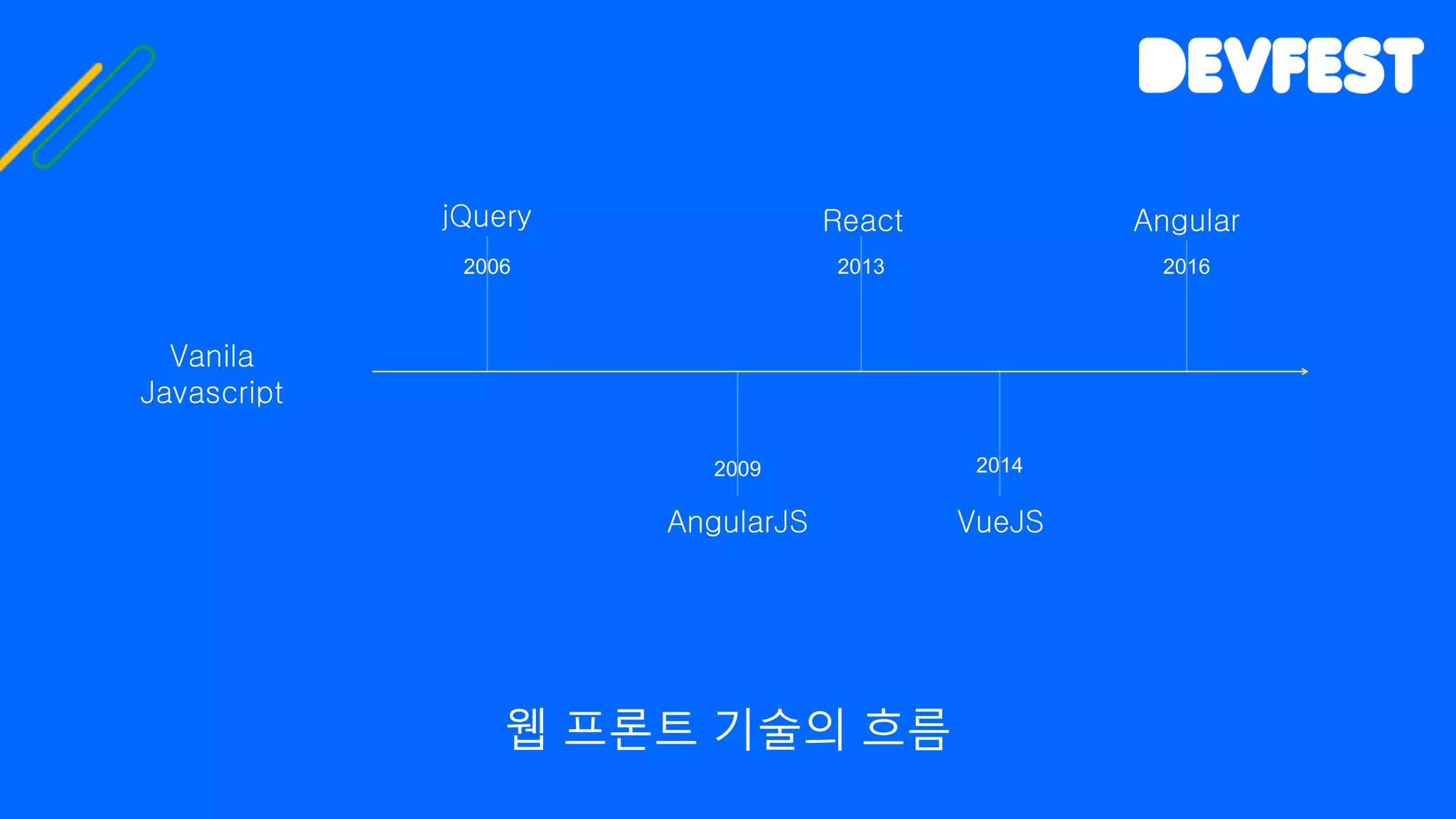
웹 프론트 기술의 흐름
jQuery
Vanila
Javascript
AngularJS
React
VueJS
Angular
2006 2013
2009 2014
2016
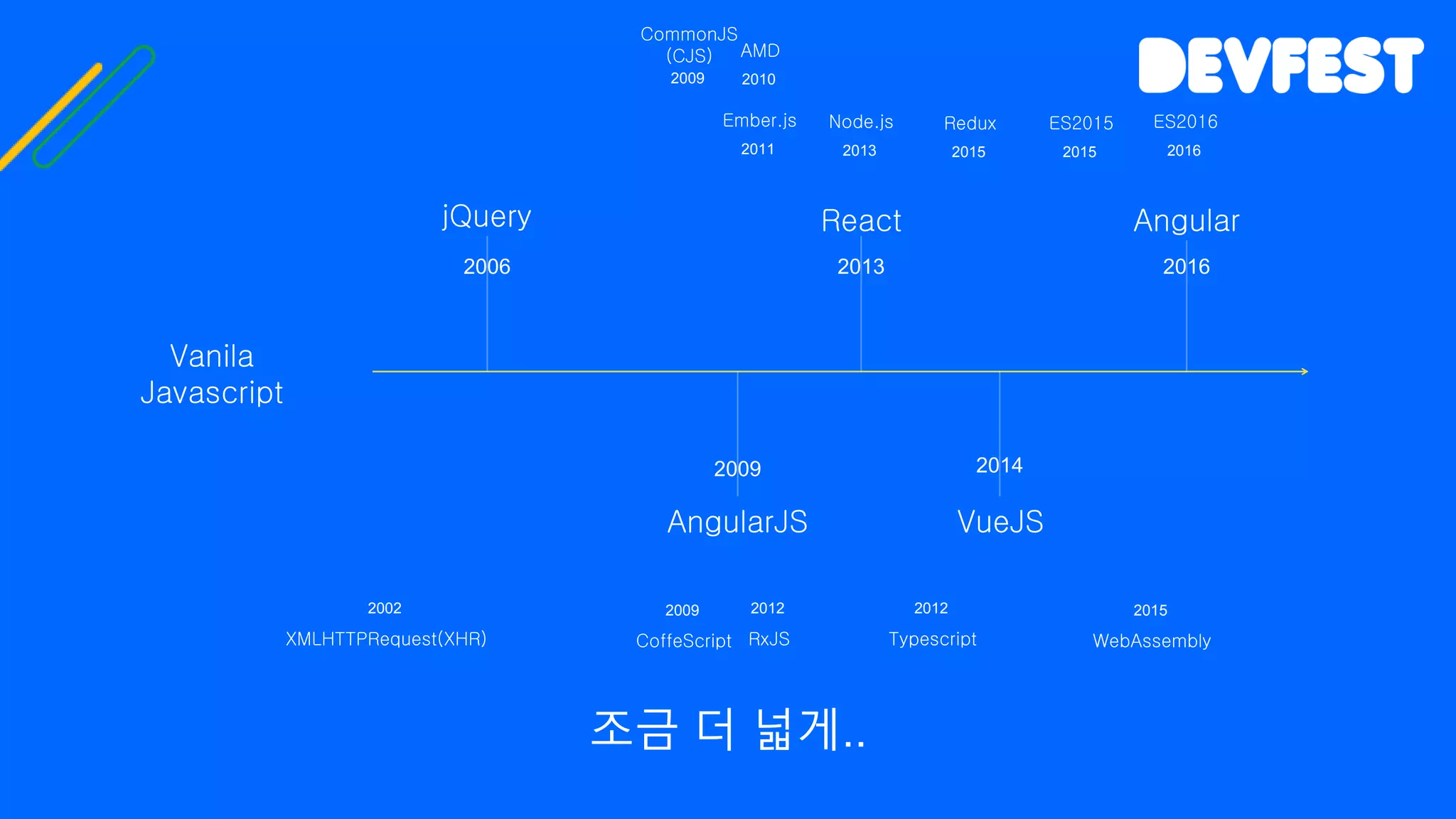
조금 더 넓게..
jQuery
Vanila
Javascript
AngularJS
React
VueJS
Angular
2006 2013
2009 2014
2016
XMLHTTPRequest(XHR)
2002
ES2015
2015
Node.js
2013
Redux
2015
RxJS
2012
Typescript
2012
Ember.js
2011
CoffeScript
2009
AMD
2010
CommonJS
(CJS)
2009
ES2016
2016
WebAssembly
2015
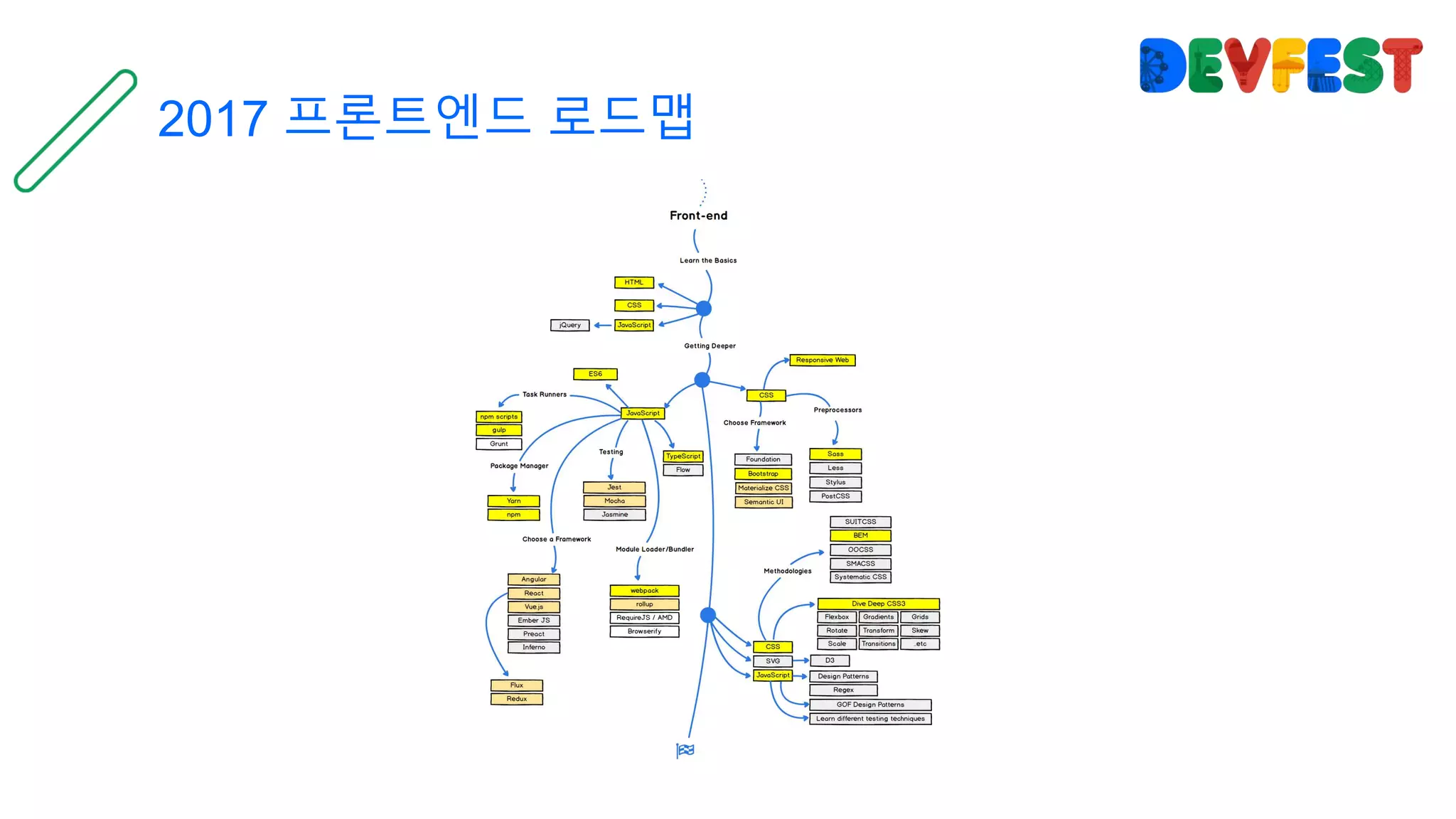
2017 프론트엔드 로드맵
동적 렌더링
모듈링 / 번들링
타이핑
현재 프론트진형의 중요 키워드
테스트 자동화
동적 렌더링
모듈링 / 번들링
타이핑
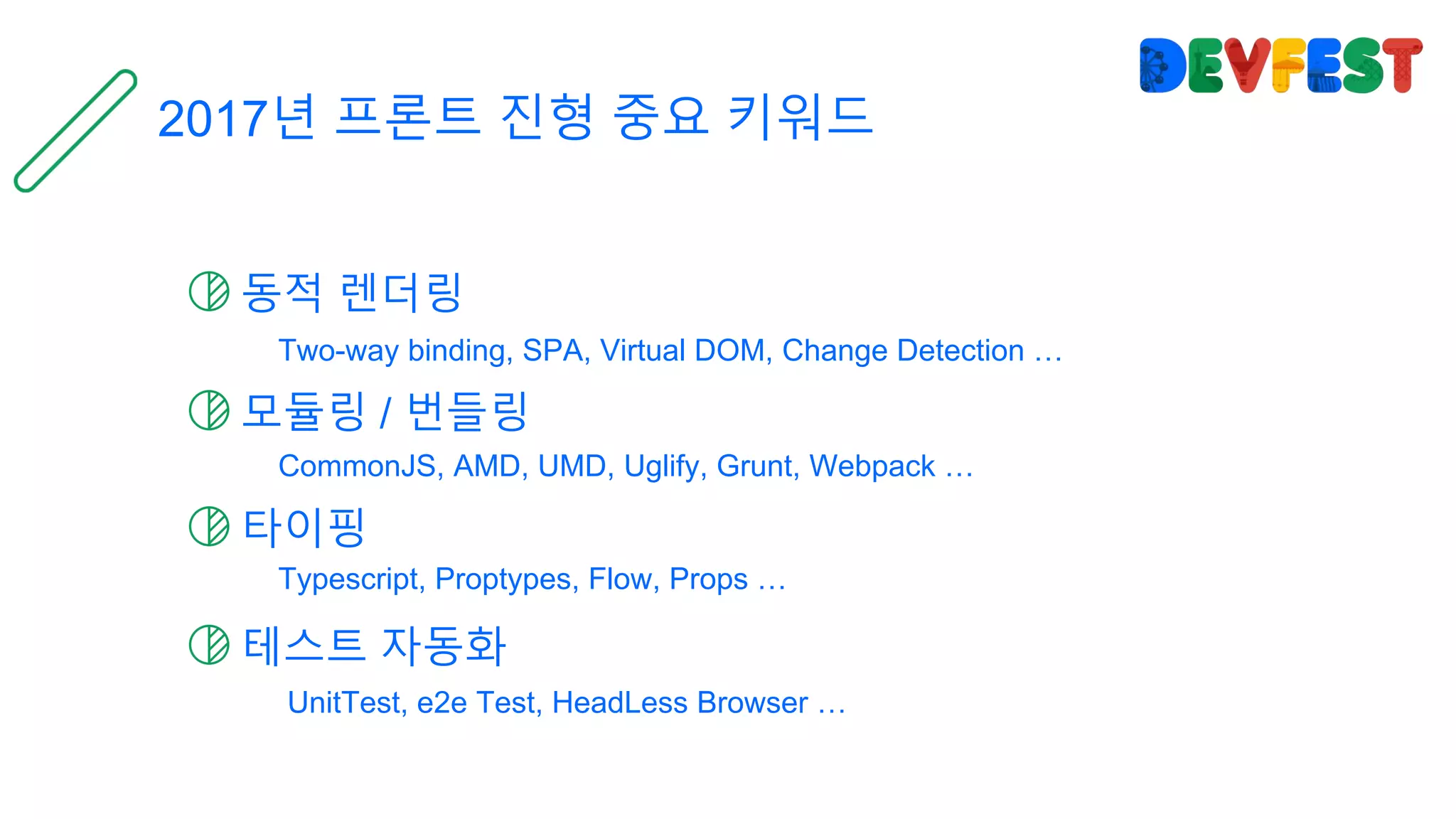
2017년 프론트 진형 중요 키워드
테스트 자동화
Two-way binding, SPA, Virtual DOM, Change Detection …
CommonJS, AMD, UMD, Uglify, Grunt, Webpack …
Typescript, Proptypes, Flow, Props …
UnitTest, e2e Test, HeadLess Browser …
그리고 그것들을 제공하는 많은 도구들
Angular
완전하고 빠른 프레임워크
React
활발하고 오픈 되어 있으며 합리적인 프레임워크
VueJS
가볍고 친숙하며 장점만을 합쳐놓은 프레임워크
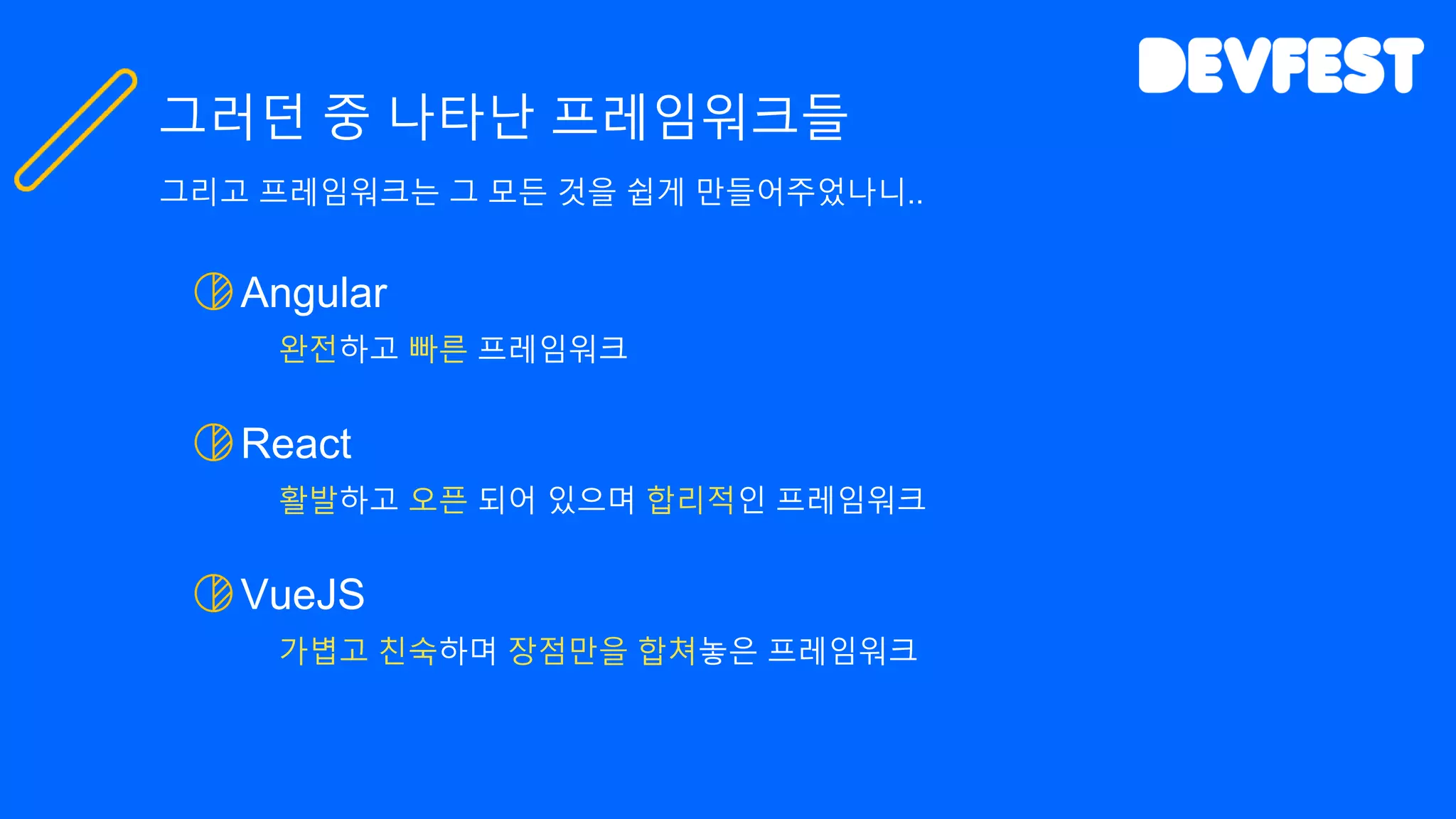
그러던 중 나타난 프레임워크들
그리고 프레임워크는 그 모든 것을 쉽게 만들어주었나니..
Angular
완전하고 빠른 프레임워크
React
활발하고 오픈 되어 있으며 합리적인 프레임워크
VueJS
가볍고 친숙하며 장점만을 합쳐놓은 프레임워크
그러던 중 나타난 프레임워크들
그리고 프레임워크는 그 모든 것을 쉽게 만들어주었나니..
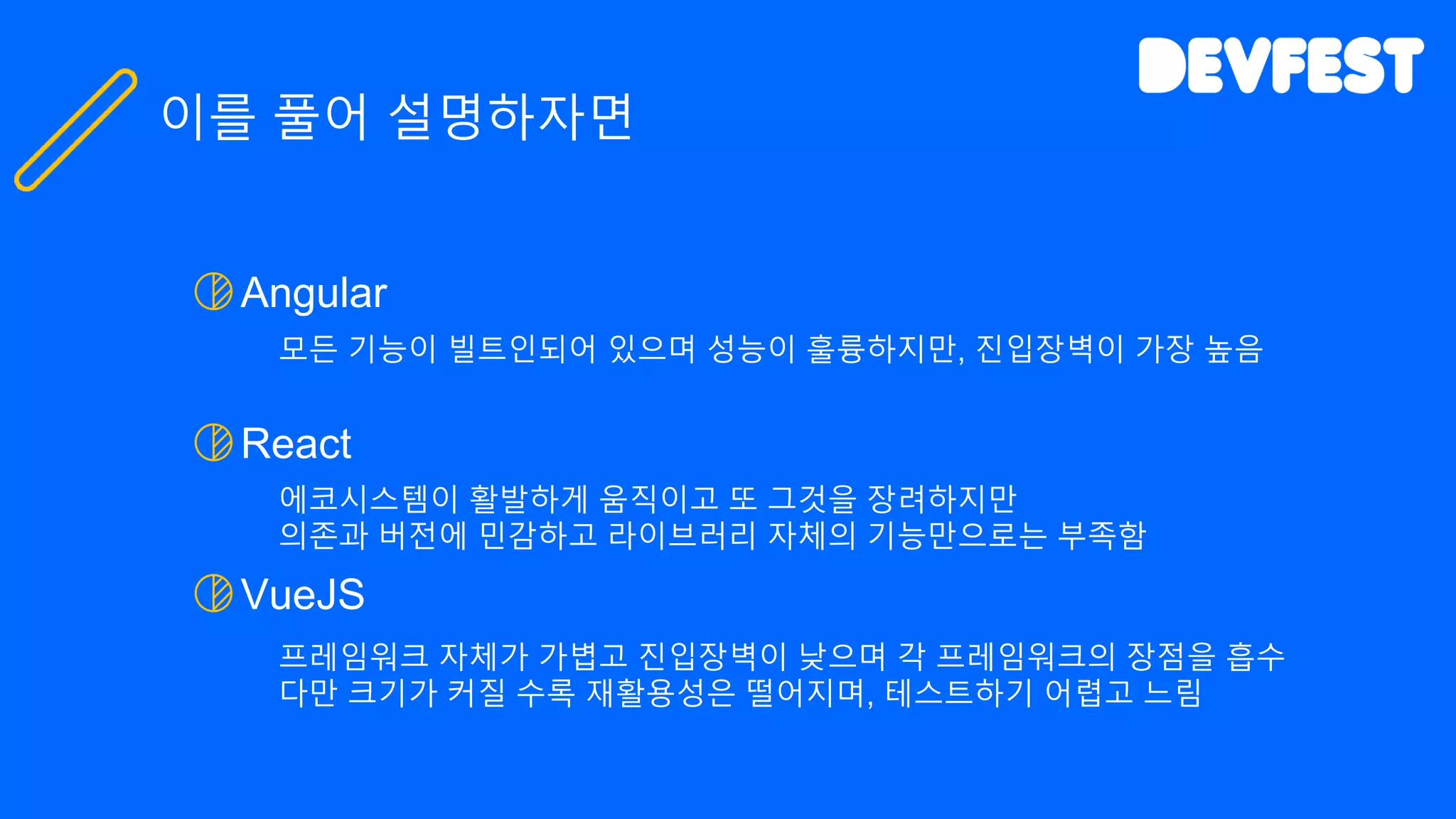
Angular
모든 기능이 빌트인되어 있으며 성능이 훌륭하지만, 진입장벽이 가장 높음
React
에코시스템이 활발하게 움직이고 또 그것을 장려하지만
의존과 버전에 민감하고 라이브러리 자체의 기능만으로는 부족함
VueJS
프레임워크 자체가 가볍고 진입장벽이 낮으며 각 프레임워크의 장점을 흡수
다만 크기가 커질 수록 재활용성은 떨어지며, 테스트하기 어렵고 느림
이를 풀어 설명하자면
모던 프레임워크 톺아보기
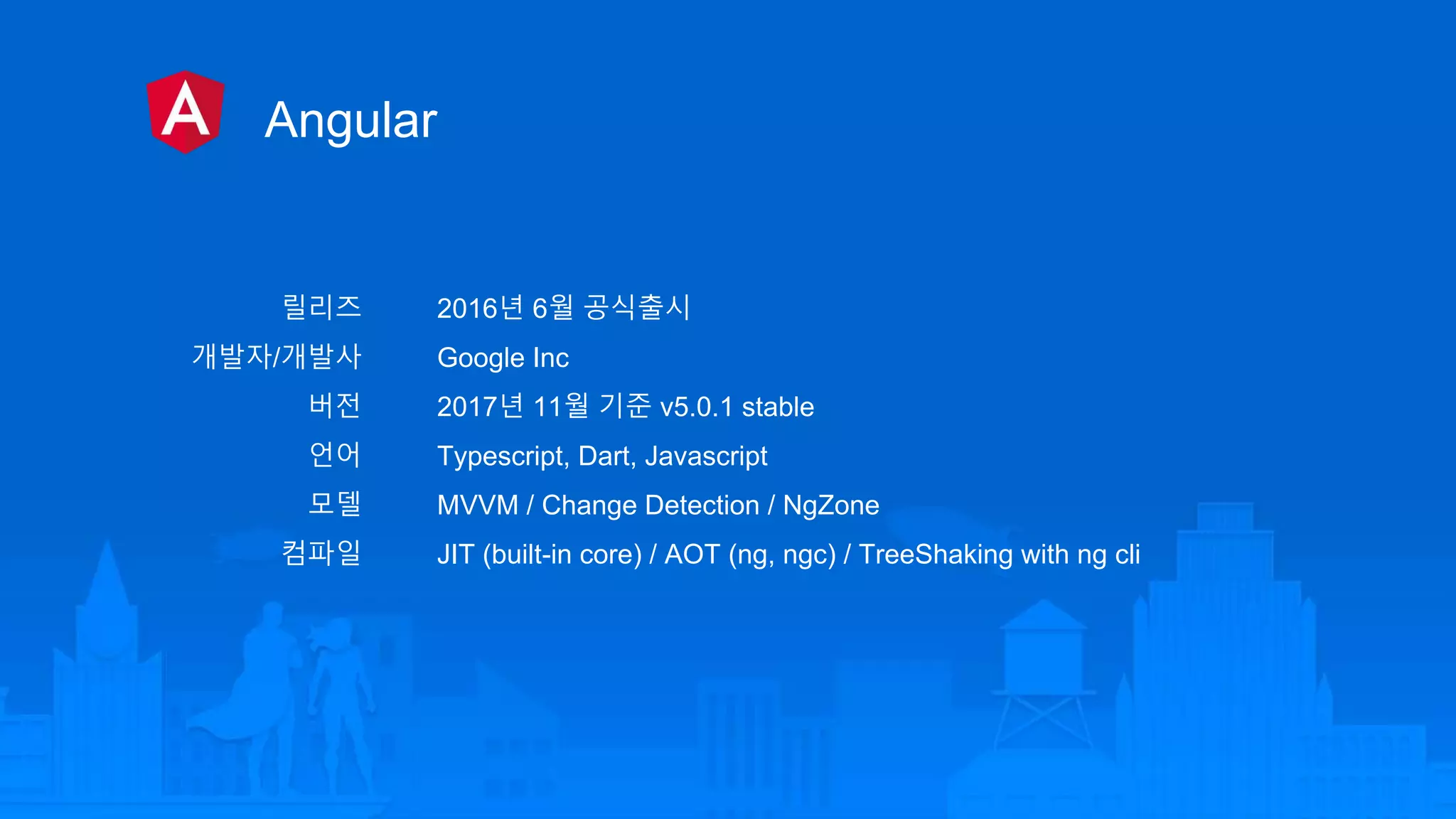
Angular
릴리즈
개발자/개발사
버전
언어
모델
컴파일
2016년 6월 공식출시
Google Inc
2017년 11월 기준 v5.0.1 stable
Typescript, Dart, Javascript
MVVM / Change Detection / NgZone
JIT (built-in core) / AOT (ng, ngc) / TreeShaking with ng cli
React
릴리즈
개발자/개발사
버전
언어
모델
컴파일
2013년 3월 공식출시
Facebook, Instagram
2017년 11월 기준 V16.1.1 stable
Javascript, JSX
View Engine / Virtual DOM / PropTypes
JIT (built-in core) / TreeShaking with Webpack2
VueJS
릴리즈
개발자/개발사
버전
언어
모델
컴파일
2014년 2월 공식출시
Evan you
2017년 11월 기준 V2.5.3 stable
Javascript, JSX(호환)
MVVM / VirtualDOM / core와 companion 분리 / Vuex
JIT (built-in core) / TreeShaking with Webpack2
Angular code
import { Component, ViewChild, ElementRef } from '@angular/core';
const DEFAULT_INITIALIZE_FOOD_LIST: string[] = [ '치킨', '탕수육',
'닭도리탕' ];
@Component({
selector: 'mukkit-list',
templateUrl: './mukkit_list.html',
styleUrls: [ './mukkit_list.css' ]
})
export class MukkitListComponent {
public foodList: string[] = [...DEFAULT_INITIALIZE_FOOD_LIST];
public newFood: string;
@ViewChild('input') inputEl: ElementRef;
ngAfterViewInit() {
this.focusFood();
}
focusFood(): void {
this.inputEl.nativeElement.focus();
}
enterFood($event: KeyboardEvent): void {
if ($event.keyCode === 13) {
this.addFood();
}
}
addFood(): void {
if (this.foodList.indexOf(this.newFood) === -1) {
this.foodList.push(this.newFood);
this.newFood = '';
} else {
alert('해당 음식은 이미 있습니다.');
}
}
}
mukkit_list.component.ts
Angular code
mukkit_list.html
<div class="mukkit-list-container">
<img width="180" src="data:image…">
<h2>먹킷리스트</h2>
</div>
<ul class="mukkit-list">
<li *ngFor="let food of foodList">
<span>{{food}}</span>
</li>
<li>
<input type="text"
#input
[(ngModel)]="newFood"
(keypress)="enterFood($event);">
<button (click)="addFood();">먹킷리스트 추가</button>
</li>
</ul>
Angular code
mukkit_list.html
<div class="mukkit-list-container">
<img width="180" src="data:image…">
<h2>먹킷리스트</h2>
</div>
<ul class="mukkit-list">
<li *ngFor="let food of foodList">
<span>{{food}}</span>
</li>
<li>
<input type="text"
#input
[(ngModel)]="newFood"
(keypress)="enterFood($event);">
<button (click)="addFood();">먹킷리스트 추가</button>
</li>
</ul>
export class MukkitListComponent {
public foodList: string[] = [...DEFAULT_INITIALIZE_FOOD_LIST];
public newFood: string;
@ViewChild('input') inputEl: ElementRef;
…
enterFood($event: KeyboardEvent): void {
…
}
addFood(): void {
…
}
}
mukkit_list.component.ts
1way binding (viewmodel -> view)
2way binding (videmodel <-> view)
view query (it is not bind)
1way binding (view <- viewmodel)
MukkitList.js
React code
import React, { Component } from 'react';
import logo from './logo.svg';
import './MukkitList.css';
const DEFAULT_INITIALIZE_FOOD_LIST = [ '치킨', '탕수육', '닭도리탕' ];
class MukkitList extends Component {
constructor(props) {
super(props);
this.state = {
foodList: [...DEFAULT_INITIALIZE_FOOD_LIST],
newFood: ''
};
}
changeFood(event) {
this.setState({'newFood': event.target.value});
}
enterFood(event) {
if (event.key === 'Enter') this.addFood();
}
addFood(event) {
if (this.state.foodList.indexOf(this.state.newFood) === -1) {
this.setState({
foodList: [...this.state.foodList, this.state.newFood],
newFood: ''
});
} else {
alert('해당 음식은 이미 있습니다.');
}
}
render() {
return (
<div className="container">
<header className="mukkit-list-header">
<img src={logo} className="mukkit-list-logo" alt="logo" />
<h2 className="mukkit-list-title">먹킷리스트</h2>
</header>
<ul className="mukkit-list">
{this.state.foodList.map((food, index) => <li key={index}><span>{food}</span></li>)}
<li>
<input type="text“ value={this.state.newFood}
onChange={this.changeFood.bind(this)}
onKeyPress={this.enterFood.bind(this)} />
<button onClick={this.addFood.bind(this)}>먹킷리스트 추가</button>
</li>
</ul >
</div >
);
}
}
export default MukkitList;
MukkitList.js
import React, { Component } from 'react';
import logo from './logo.svg';
import './MukkitList.css';
const DEFAULT_INITIALIZE_FOOD_LIST = [ '치킨', '탕수육', '닭도리탕' ];
class MukkitList extends Component {
constructor(props) {
super(props);
this.state = {
foodList: [...DEFAULT_INITIALIZE_FOOD_LIST],
newFood: ''
};
}
changeFood(event) {
this.setState({'newFood': event.target.value});
}
enterFood(event) {
if (event.key === 'Enter') this.addFood();
}
addFood(event) {
if (this.state.foodList.indexOf(this.state.newFood) === -1) {
this.setState({
foodList: [...this.state.foodList, this.state.newFood],
newFood: ''
});
} else {
alert('해당 음식은 이미 있습니다.');
}
}
render() {
return (
<div className="container">
<header className="mukkit-list-header">
<img src={logo} className="mukkit-list-logo" alt="logo" />
<h2 className="mukkit-list-title">먹킷리스트</h2>
</header>
<ul className="mukkit-list">
{this.state.foodList.map((food, index) => <li key={index}><span>{food}</span></li>)}
<li>
<input type="text“ value={this.state.newFood}
onChange={this.changeFood.bind(this)}
onKeyPress={this.enterFood.bind(this)} />
<button onClick={this.addFood.bind(this)}>먹킷리스트 추가</button>
</li>
</ul >
</div >
);
}
}
export default MukkitList;
1way binding (videmodel -> view)
React code
MukkitList.js
import React, { Component } from 'react';
import logo from './logo.svg';
import './MukkitList.css';
const DEFAULT_INITIALIZE_FOOD_LIST = [ '치킨', '탕수육', '닭도리탕' ];
class MukkitList extends Component {
constructor(props) {
super(props);
this.state = {
foodList: [...DEFAULT_INITIALIZE_FOOD_LIST],
newFood: ''
};
}
changeFood(event) {
this.setState({'newFood': event.target.value});
}
enterFood(event) {
if (event.key === 'Enter') this.addFood();
}
addFood(event) {
if (this.state.foodList.indexOf(this.state.newFood) === -1) {
this.setState({
foodList: [...this.state.foodList, this.state.newFood],
newFood: ''
});
} else {
alert('해당 음식은 이미 있습니다.');
}
}
render() {
return (
<div className="container">
<header className="mukkit-list-header">
<img src={logo} className="mukkit-list-logo" alt="logo" />
<h2 className="mukkit-list-title">먹킷리스트</h2>
</header>
<ul className="mukkit-list">
{this.state.foodList.map((food, index) => <li key={index}><span>{food}</span></li>)}
<li>
<input type="text“ value={this.state.newFood}
onChange={this.changeFood.bind(this)}
onKeyPress={this.enterFood.bind(this)} />
<button onClick={this.addFood.bind(this)}>먹킷리스트 추가</button>
</li>
</ul >
</div >
);
}
}
export default MukkitList;
render DOM
React code
MukkitList.js
import React, { Component } from 'react';
import logo from './logo.svg';
import './MukkitList.css';
const DEFAULT_INITIALIZE_FOOD_LIST = [ '치킨', '탕수육', '닭도리탕' ];
class MukkitList extends Component {
constructor(props) {
super(props);
this.state = {
foodList: [...DEFAULT_INITIALIZE_FOOD_LIST],
newFood: ''
};
}
changeFood(event) {
this.setState({'newFood': event.target.value});
}
enterFood(event) {
if (event.key === 'Enter') this.addFood();
}
addFood(event) {
if (this.state.foodList.indexOf(this.state.newFood) === -1) {
this.setState({
foodList: [...this.state.foodList, this.state.newFood],
newFood: ''
});
} else {
alert('해당 음식은 이미 있습니다.');
}
}
render() {
return (
<div className="container">
<header className="mukkit-list-header">
<img src={logo} className="mukkit-list-logo" alt="logo" />
<h2 className="mukkit-list-title">먹킷리스트</h2>
</header>
<ul className="mukkit-list">
{this.state.foodList.map((food, index) => <li key={index}><span>{food}</span></li>)}
<li>
<input type="text“ value={this.state.newFood}
onChange={this.changeFood.bind(this)}
onKeyPress={this.enterFood.bind(this)} />
<button onClick={this.addFood.bind(this)}>먹킷리스트 추가</button>
</li>
</ul >
</div >
);
}
}
export default MukkitList;
1way binding (viewmodel -> view)
React code
MukkitList.js
import React, { Component } from 'react';
import logo from './logo.svg';
import './MukkitList.css';
const DEFAULT_INITIALIZE_FOOD_LIST = [ '치킨', '탕수육', '닭도리탕' ];
class MukkitList extends Component {
constructor(props) {
super(props);
this.state = {
foodList: [...DEFAULT_INITIALIZE_FOOD_LIST],
newFood: ''
};
}
changeFood(event) {
this.setState({'newFood': event.target.value});
}
enterFood(event) {
if (event.key === 'Enter') this.addFood();
}
addFood(event) {
if (this.state.foodList.indexOf(this.state.newFood) === -1) {
this.setState({
foodList: [...this.state.foodList, this.state.newFood],
newFood: ''
});
} else {
alert('해당 음식은 이미 있습니다.');
}
}
render() {
return (
<div className="container">
<header className="mukkit-list-header">
<img src={logo} className="mukkit-list-logo" alt="logo" />
<h2 className="mukkit-list-title">먹킷리스트</h2>
</header>
<ul className="mukkit-list">
{this.state.foodList.map((food, index) => <li key={index}><span>{food}</span></li>)}
<li>
<input type="text“ value={this.state.newFood}
onChange={this.changeFood.bind(this)}
onKeyPress={this.enterFood.bind(this)} />
<button onClick={this.addFood.bind(this)}>먹킷리스트 추가</button>
</li>
</ul >
</div >
);
}
}
export default MukkitList;
1way binding (view -> viewmodel)
React code
MukkitList.js
import React, { Component } from 'react';
import logo from './logo.svg';
import './MukkitList.css';
const DEFAULT_INITIALIZE_FOOD_LIST = [ '치킨', '탕수육', '닭도리탕' ];
class MukkitList extends Component {
constructor(props) {
super(props);
this.state = {
foodList: [...DEFAULT_INITIALIZE_FOOD_LIST],
newFood: ''
};
}
changeFood(event) {
this.setState({'newFood': event.target.value});
}
enterFood(event) {
if (event.key === 'Enter') this.addFood();
}
addFood(event) {
if (this.state.foodList.indexOf(this.state.newFood) === -1) {
this.setState({
foodList: [...this.state.foodList, this.state.newFood],
newFood: ''
});
} else {
alert('해당 음식은 이미 있습니다.');
}
}
render() {
return (
<div className="container">
<header className="mukkit-list-header">
<img src={logo} className="mukkit-list-logo" alt="logo" />
<h2 className="mukkit-list-title">먹킷리스트</h2>
</header>
<ul className="mukkit-list">
{this.state.foodList.map((food, index) => <li key={index}><span>{food}</span></li>)}
<li>
<input type="text“ value={this.state.newFood}
onChange={this.changeFood.bind(this)}
onKeyPress={this.enterFood.bind(this)} />
<button onClick={this.addFood.bind(this)}>먹킷리스트 추가</button>
</li>
</ul >
</div >
);
}
}
export default MukkitList;
state changed
React code
MukkitList.vue
VueJS code
<template>
<ul class="mukkit-list">
<li v-for="food in foodList">
<span>{{food}}</span>
</li>
<li>
<input type="text"
ref="input"
v-model="newFood"
v-on:keypress.enter="addFood">
<button v-on:click="addFood">먹킷리스트 추가</button>
</li>
</ul>
</template>
<script>
const DEFAULT_INITIALIZE_FOOD_LIST = [ '치킨', '탕수육', '닭도리탕' ]
export default {
name: 'MukkitList',
data () {
return {
foodList: [...DEFAULT_INITIALIZE_FOOD_LIST],
newFood: ''
}
},
mounted () {
this.focusFood()
},
methods: {
focusFood () {
this.$refs.input.focus()
},
addFood () {
if (this.foodList.indexOf(this.newFood) === -1) {
this.foodList.push(this.newFood)
this.newFood = ''
this.focusFood()
} else {
alert('해당 음식은 이미 있습니다.')
}
}
}
}
</script>
MukkitList.vue
<template>
<ul class="mukkit-list">
<li v-for="food in foodList">
<span>{{food}}</span>
</li>
<li>
<input type="text"
ref="input"
v-model="newFood"
v-on:keypress.enter="addFood">
<button v-on:click="addFood">먹킷리스트 추가</button>
</li>
</ul>
</template>
<script>
const DEFAULT_INITIALIZE_FOOD_LIST = [ '치킨', '탕수육', '닭도리탕' ]
export default {
name: 'MukkitList',
data () {
return {
foodList: [...DEFAULT_INITIALIZE_FOOD_LIST],
newFood: ''
}
},
mounted () {
this.focusFood()
},
methods: {
focusFood () {
this.$refs.input.focus()
},
addFood () {
if (this.foodList.indexOf(this.newFood) === -1) {
this.foodList.push(this.newFood)
this.newFood = ''
this.focusFood()
} else {
alert('해당 음식은 이미 있습니다.')
}
}
}
}
</script>
VueJS code
2way binding (videmodel <-> view)
MukkitList.vue
<template>
<ul class="mukkit-list">
<li v-for="food in foodList">
<span>{{food}}</span>
</li>
<li>
<input type="text"
ref="input"
v-model="newFood"
v-on:keypress.enter="addFood">
<button v-on:click="addFood">먹킷리스트 추가</button>
</li>
</ul>
</template>
<script>
const DEFAULT_INITIALIZE_FOOD_LIST = [ '치킨', '탕수육', '닭도리탕' ]
export default {
name: 'MukkitList',
data () {
return {
foodList: [...DEFAULT_INITIALIZE_FOOD_LIST],
newFood: ''
}
},
mounted () {
this.focusFood()
},
methods: {
focusFood () {
this.$refs.input.focus()
},
addFood () {
if (this.foodList.indexOf(this.newFood) === -1) {
this.foodList.push(this.newFood)
this.newFood = ''
this.focusFood()
} else {
alert('해당 음식은 이미 있습니다.')
}
}
}
}
</script>
VueJS code
1way binding (viewmodel -> view)
MukkitList.vue
<template>
<ul class="mukkit-list">
<li v-for="food in foodList">
<span>{{food}}</span>
</li>
<li>
<input type="text"
ref="input"
v-model="newFood"
v-on:keypress.enter="addFood">
<button v-on:click="addFood">먹킷리스트 추가</button>
</li>
</ul>
</template>
<script>
const DEFAULT_INITIALIZE_FOOD_LIST = [ '치킨', '탕수육', '닭도리탕' ]
export default {
name: 'MukkitList',
data () {
return {
foodList: [...DEFAULT_INITIALIZE_FOOD_LIST],
newFood: ''
}
},
mounted () {
this.focusFood()
},
methods: {
focusFood () {
this.$refs.input.focus()
},
addFood () {
if (this.foodList.indexOf(this.newFood) === -1) {
this.foodList.push(this.newFood)
this.newFood = ''
this.focusFood()
} else {
alert('해당 음식은 이미 있습니다.')
}
}
}
}
</script>
VueJS code
1way binding (view -> viewmodel)
MukkitList.vue
<template>
<ul class="mukkit-list">
<li v-for="food in foodList">
<span>{{food}}</span>
</li>
<li>
<input type="text"
ref="input"
v-model="newFood"
v-on:keypress.enter="addFood">
<button v-on:click="addFood">먹킷리스트 추가</button>
</li>
</ul>
</template>
<script>
const DEFAULT_INITIALIZE_FOOD_LIST = [ '치킨', '탕수육', '닭도리탕' ]
export default {
name: 'MukkitList',
data () {
return {
foodList: [...DEFAULT_INITIALIZE_FOOD_LIST],
newFood: ''
}
},
mounted () {
this.focusFood()
},
methods: {
focusFood () {
this.$refs.input.focus()
},
addFood () {
if (this.foodList.indexOf(this.newFood) === -1) {
this.foodList.push(this.newFood)
this.newFood = ''
this.focusFood()
} else {
alert('해당 음식은 이미 있습니다.')
}
}
}
}
</script>
VueJS code
view query (it is not bind)
트랜드 - Trend
Fight 1
Google Trend 2017. 11
29,994 star
81,002 star
73,628 star
GitHub Stars
Deview 2016 투표
133
164
Unkown
Stack Overflow tagged questions
81,631
63,721
10,978
React 트랜드 및 에코시스템이 가장 활발
VueJS가 무서운 속도로 트랜드를 따라잡고 있음
Angular가 AngularJS 까지 포함한다면 가장 큼
진입장벽 – Entry barriers
Fight 2
Blogged from Marius Duta
일반적인 케이스에서
Angular의 학습곡선이 압도적으로 높고 Vue의 학습곡선이 가장 낮음
학습곡선
각 프레임워크를 배우기 위해서
Language Module / Components DeploymentData Flow
Others/
Advanced
일반적으로
Typescript
일반적으로
Javascript (ES6)
일반적으로
Javascript (ES6)
Controller / Directive
Pipe / Service
ContentChild / ViewChild
QueryList
Smart Component
Dumb Component
Global Component
Local Component
Directive / Filter / Plugin
RxJS / ng-redux
Redux / MobX
vuex / vue-rx
Bundling
Compilation (ngc)
Bundling
Bundling
DI pattern
ngZone
CD Strategy
Immutable
Link State Optimization
Server-side Rendering
Flow
Computed Property
Observed Property
flow-typed
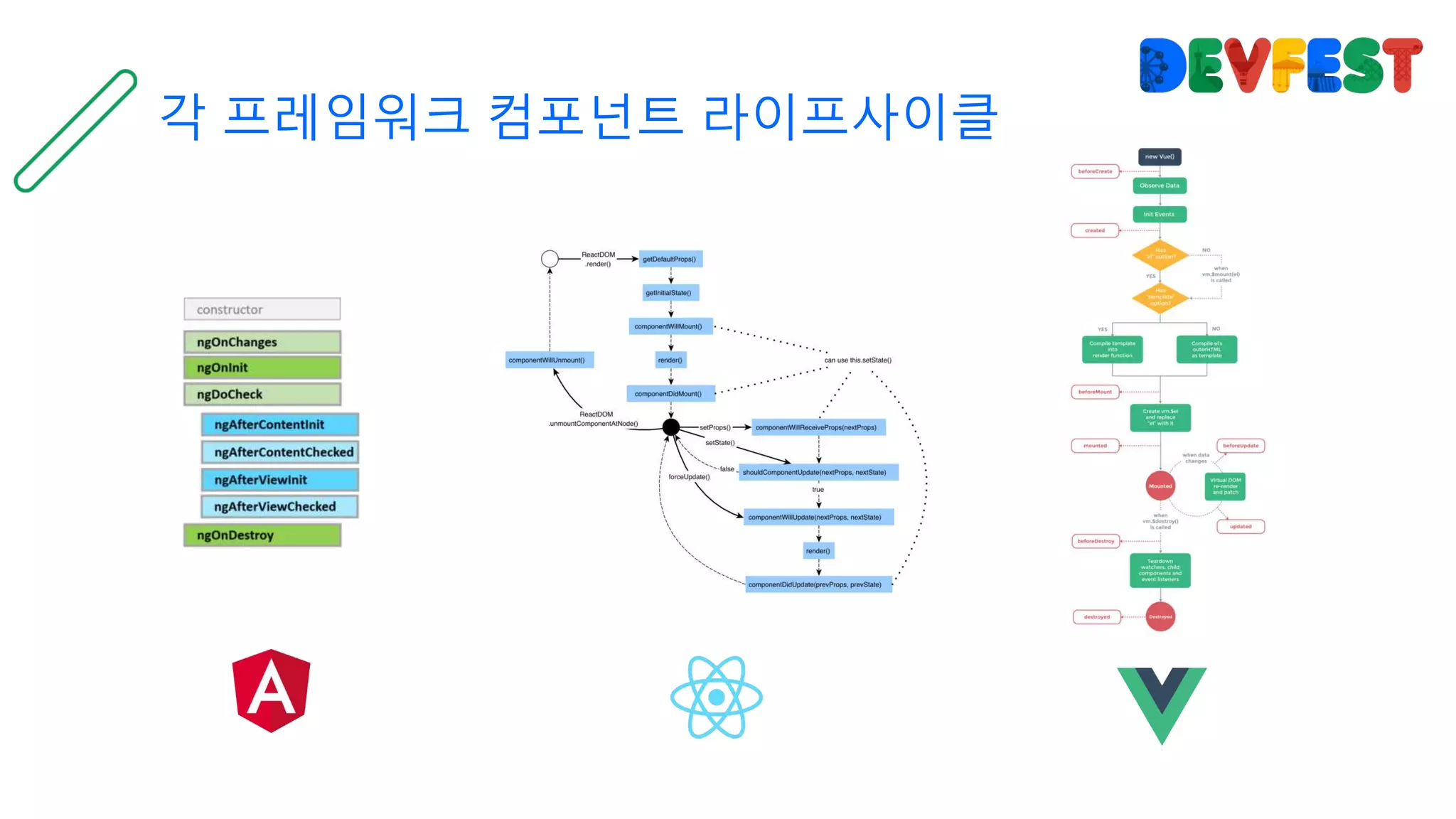
각 프레임워크 컴포넌트 라이프사이클
Angular 진입전에 다른 프레임워크 경험 권장
React의 라이프 사이클과 상태관리는 상대적 어려움
AngularJS를 사용하고 있다면 VueJS 권장
성능 – Performance
Fight 3
Benchmark
Vue2 >= Angular > React
AOT Compilation 이후 성능 비교에서는 Angular가 더욱 빠를 것으로 예상
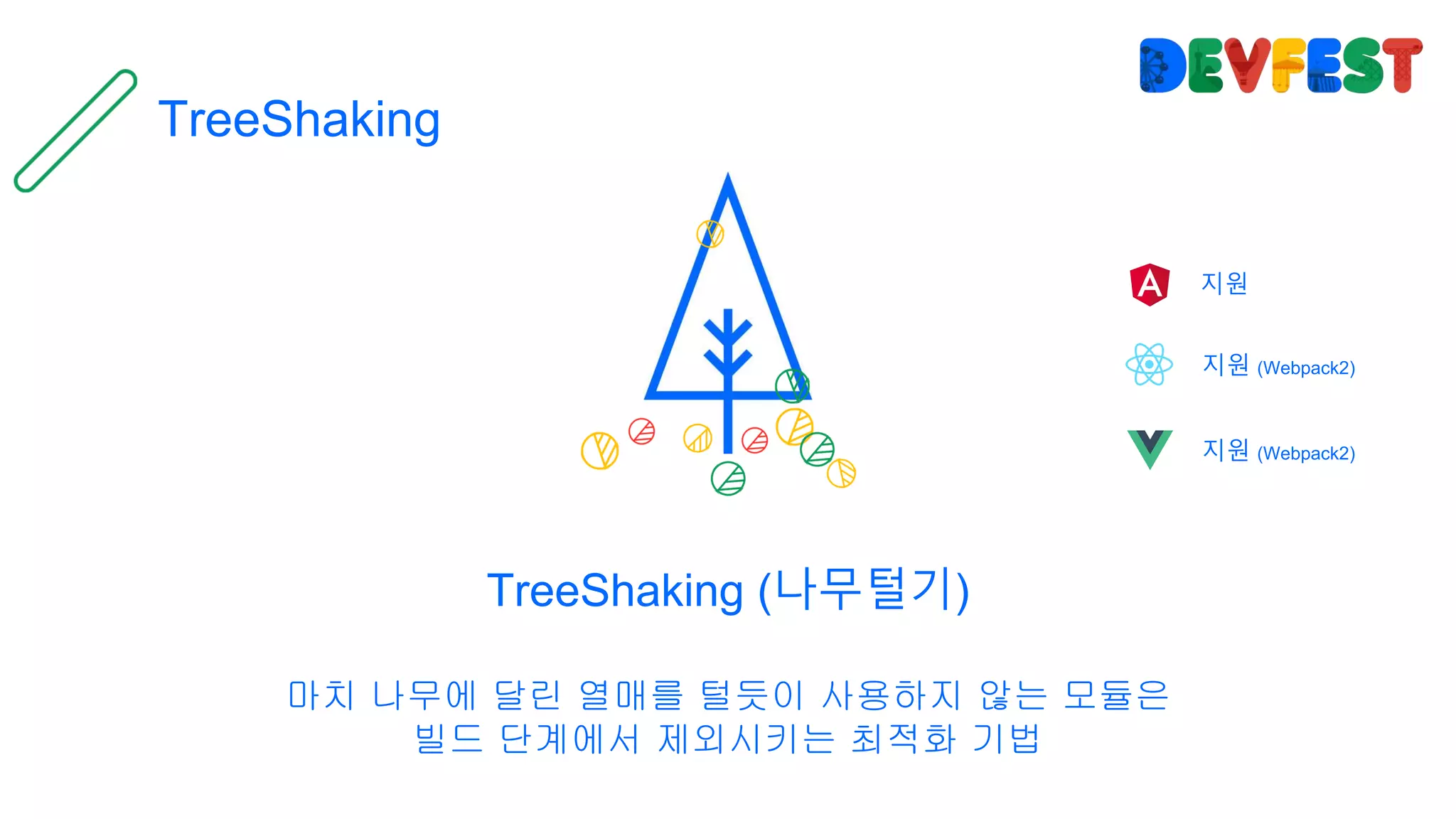
TreeShaking
TreeShaking (나무털기)
마치 나무에 달린 열매를 털듯이 사용하지 않는 모듈은
빌드 단계에서 제외시키는 최적화 기법
지원
지원 (Webpack2)
지원 (Webpack2)
AOT(Ahead Of Time)
Ahead Of Time (조기 컴파일)
JIT (Just In Time) 컴파일 방식과는 다르게
사전에 컴파일러가 중간코드로 컴파일하여 사용자 브라우저에서 컴파일 시간을 최소화 하는 최적화 기법
지원
미지원
미지원
JIT
@NgModule
Bootstraping
Javascript
CSS
HTML
@angular/platform-browser-dynamic
Parse
AST
memory
load
CD
host
viewDef
Renderer
pipeDef
ngContentDef
nodeValue
compilation-side
browser-side
AOT
@NgModuleFactory
Bootstraping
Javascript
CSS
HTML
host
viewDef
Renderer
pipeDef
ngContentDef
nodeValue
…
compilation-side
@angular/platform-browser
Parse
AST
load
CD
browser-side
Angular5 부터는 build-optimizer 옵션을 통해 추가적으로 최적화가 가능하니 참고해주세요
AOT Compiled code
function View_MukkitListComponent_0(_l) {
return __WEBPACK_IMPORTED_MODULE_1__angular_core__["_25" /* ɵvid */]
(0, [__WEBPACK_IMPORTED_MODULE_1__angular_core__["_22" /* ɵqud */]
(402653184, 1, { inputEl: 0 }),
(_l()(), __WEBPACK_IMPORTED_MODULE_1__angular_core__["_8" /* ɵeld */](1, 0, null, null, 6, "div", [["class", "mukkit-list-
container"]], null, null, null, null, null)),
(_l()(), __WEBPACK_IMPORTED_MODULE_1__angular_core__["_24" /* ɵted */](-1, null, ["n "])),
(_l()(), __WEBPACK_IMPORTED_MODULE_1__angular_core__["_8" /* ɵeld */](3, 0, null, null, 0, "img", [["src",
"data:image/svg+xml;base64,…"], ["width", "180"]], null, null, null, null, null)),
(_l()(), __WEBPACK_IMPORTED_MODULE_1__angular_core__["_24" /* ɵted */](-1, null, ["n "])),
(_l()(), __WEBPACK_IMPORTED_MODULE_1__angular_core__["_8" /* ɵeld */](5, 0, null, null, 1, "h2", [], null, null, null, null,
null)),
(_l()(), __WEBPACK_IMPORTED_MODULE_1__angular_core__["_24" /* ɵted */](-1, null, ["uBA39uD0B7uB9ACuC2A4uD2B8"])),
(_l()(), __WEBPACK_IMPORTED_MODULE_1__angular_core__["_24" /* ɵted */](-1, null, ["n"])),
(_l()(), __WEBPACK_IMPORTED_MODULE_1__angular_core__["_24" /* ɵted */](-1, null, ["nn"])),
(_l()(), __WEBPACK_IMPORTED_MODULE_1__angular_core__["_8" /* ɵeld */](9, 0, null, null, 17, "ul", [["class", "mukkit-list"]],
null, null, null, null, null)),
(_l()(), __WEBPACK_IMPORTED_MODULE_1__angular_core__["_24" /* ɵted */](-1, null, ["n "])),
(_l()(), __WEBPACK_IMPORTED_MODULE_1__angular_core__["_3" /* ɵand */](16777216, null, null, 1, null, View_MukkitListComponent_1)),
__WEBPACK_IMPORTED_MODULE_1__angular_core__["_7" /* ɵdid */](
12, 802816, null, 0, __WEBPACK_IMPORTED_MODULE_2__angular_common__["c" /* NgForOf */],
[__WEBPACK_IMPORTED_MODULE_1__angular_core__["R" /* ViewContainerRef */],
__WEBPACK_IMPORTED_MODULE_1__angular_core__["N" /* TemplateRef */],
__WEBPACK_IMPORTED_MODULE_1__angular_core__["u" /* IterableDiffers */]],
{ ngForOf: [0, "ngForOf"] }, null),
(_l()(), __WEBPACK_IMPORTED_MODULE_1__angular_core__["_24" /* ɵted */](-1, null, ["n "])),
…
AOT 성능 변화
크기 (minified)
지연시간 (initial load)
메모리 (snapshot)
442KB
585ms
38.5MB
198KB
305ms
15.3MB
-55%
-48%
-60%
JIT AOT
JIT AOT
VirtualDOM
VirtualDOM (가상 DOM)
뷰 모델에서 발생하는 변경사항을 메모리에서 관리하는 논리적 DOM에서 먼저 감지 한 후
실제 DOM의 업데이트를 최소화하여 성능을 향상시키고 UX 측면에서 발생하는 문제를 줄임
미지원
지원
지원
VirtualDOMViewModel
Element A
Element B1
Element B2
Element B
Element A
Element B1
Element B2
Element B
header
.list-item
.list-item
.container
NativeDOM
(Real DOM)
diff patch
VirtualDOM
기존의 비싼 비용의 Native DOM 처리를 javascript 상의 diff 알고리즘을 통해
저렴한 비용으로 효율적인 처리가 가능해짐
MDN에 공개된 브라우저 Layout 처리
Angular의 최적화가 적용되지 않은 케이스에서는
VueJS가 성능이 빠를 것으로 예상됩니다.
(VueJS에서 제공하는 자료와 벤치마크 데이터 참조)
구성요소 – Component
Fight 4
모듈 구성
@NgModule Main
@Component
@Injectable
@NgModule
Vue
Vue.component
Vue.directive
Vue.filter
Vue.mixin
ReactDOM.render
Component or Class
Component or Class
마이크로 프로젝트에는 VueJS 권장
서버사이드 랜더링이 필요한 프로젝트에는 React
대규모의 프로젝트에는 Angular
템플릿
{{interpolation}}
[1way data binding]
[(2way data binding)]
(1way data binding (event))
{{interpolation with pipe | pipeName}}
*ngFor *ngIf
[ngSwitch] [hidden] [innerHTML] [ngClass]
(click) (keypress) (blur) (input) (change)
…
React에서 공식적으로
제공하는 템플릿은 없습니다.
모든 것을
JSX 혹은 Javascript를 이용하여
표현합니다.
react-templates
라이브러리를 이용하면
다른 프레임워크와 유사하게
템플릿을 사용하실 수 있습니다.
v-directive-name:parameter
{{interpolation | filter}}
v-bind:id v-if v-html
v-for v-else v-else-if
v-show v-bind:class v-bind:style
v-on:event-name
v-bind:bind-target-name
{{interpolation}}
:store-name
v-model
템플릿 표현식은 Angular가 체계적이지만
VueJS가 접근장벽이 낮음
AngularJS (Angular 1)는 VueJS 템플릿과 유사
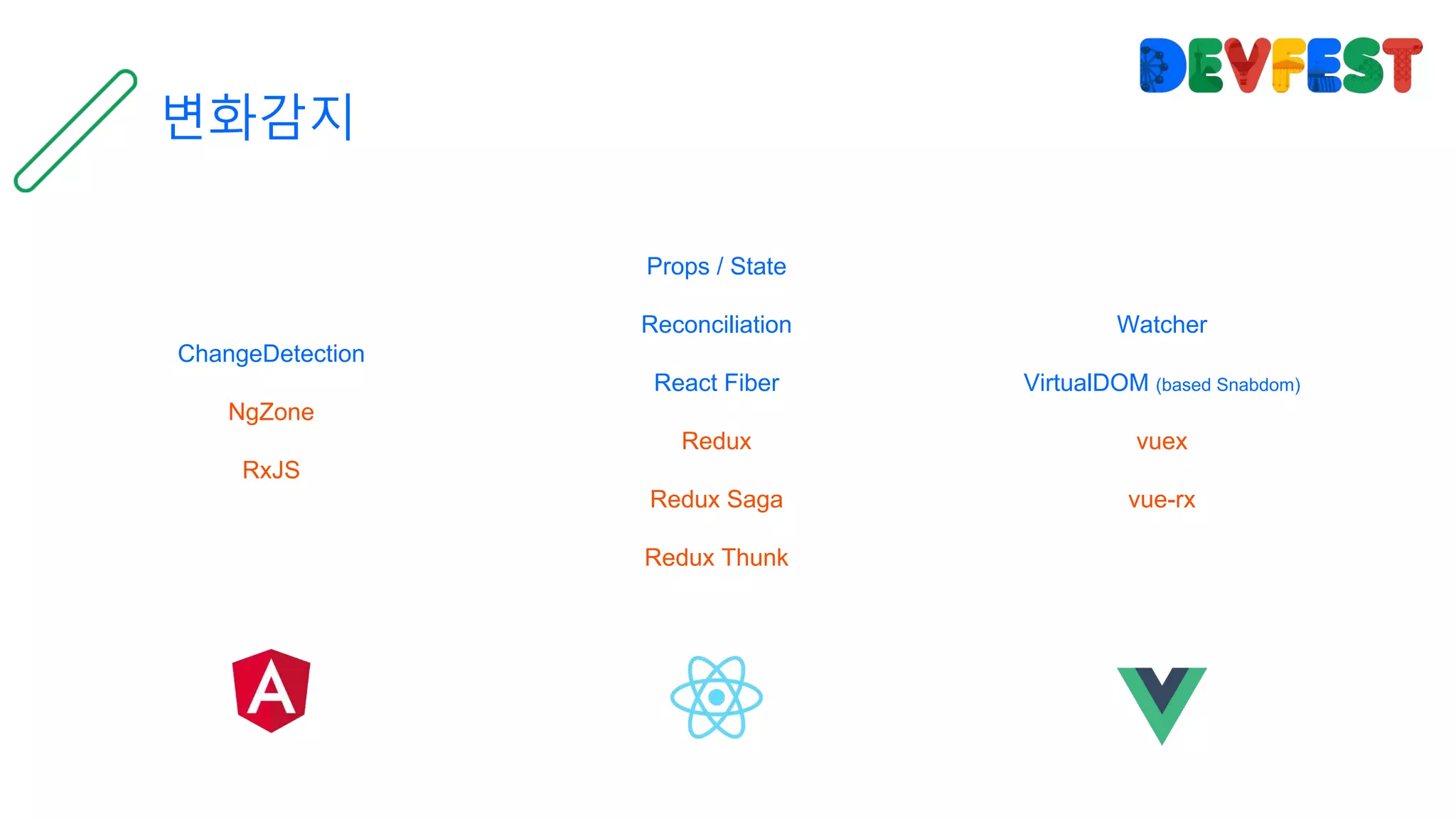
변화감지
ChangeDetection
NgZone
RxJS
Props / State
Reconciliation
React Fiber
Redux
Redux Saga
Redux Thunk
Watcher
VirtualDOM (based Snabdom)
vuex
vue-rx
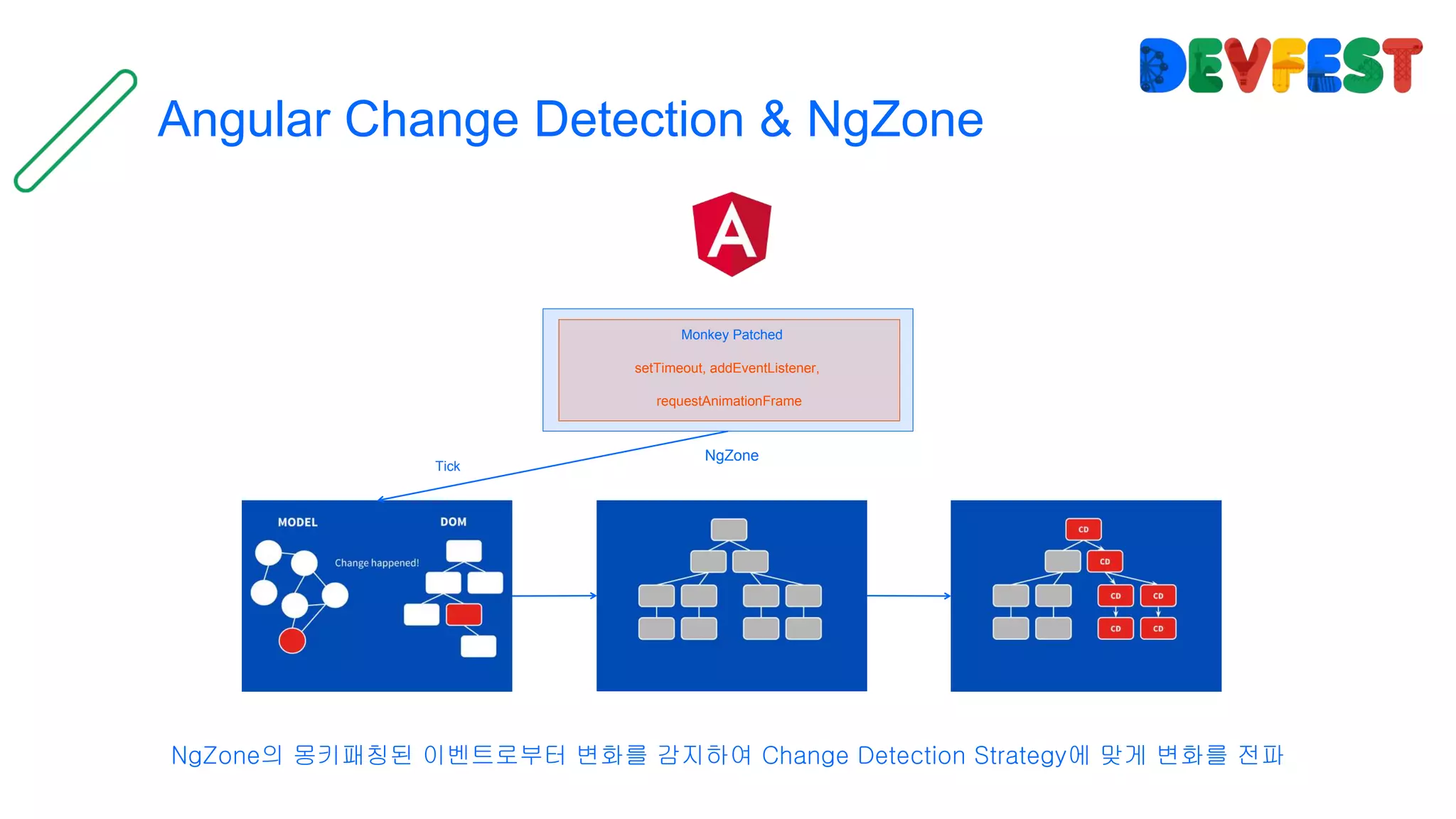
Angular Change Detection & NgZone
NgZone의 몽키패칭된 이벤트로부터 변화를 감지하여 Change Detection Strategy에 맞게 변화를 전파
setTimeout, addEventListener,
requestAnimationFrame
NgZone
Monkey Patched
Tick
1
React Reconciliation & React Fiber
React Reconciliation
React FibershouldComponentUpdate()
Dealing control by element types
(aka. Pair-wise diff)
2 3
Dealing control by key
(aka. List-wise diff)
Update DOM
render() 호출 시 VirtualDOM 생성 및 Dirty model을 감지하여 React Reconciliation 과정을 진행 후 React Fiber 혹은 DOM 변경
VueJS watcher & VirtualDOM
data 프로퍼티에서 Object.defineProperty()를 통해 Watcher가 변화를 감지 변화를 수신 시
render 함수에 의해 VirtualDOM에 따른 DOM 변경
프로덕션 배포
ng-cli react-scripts build.js
오픈소스 - Open source
Fight 5
Progressive Web App(PWA)
Native Mobile
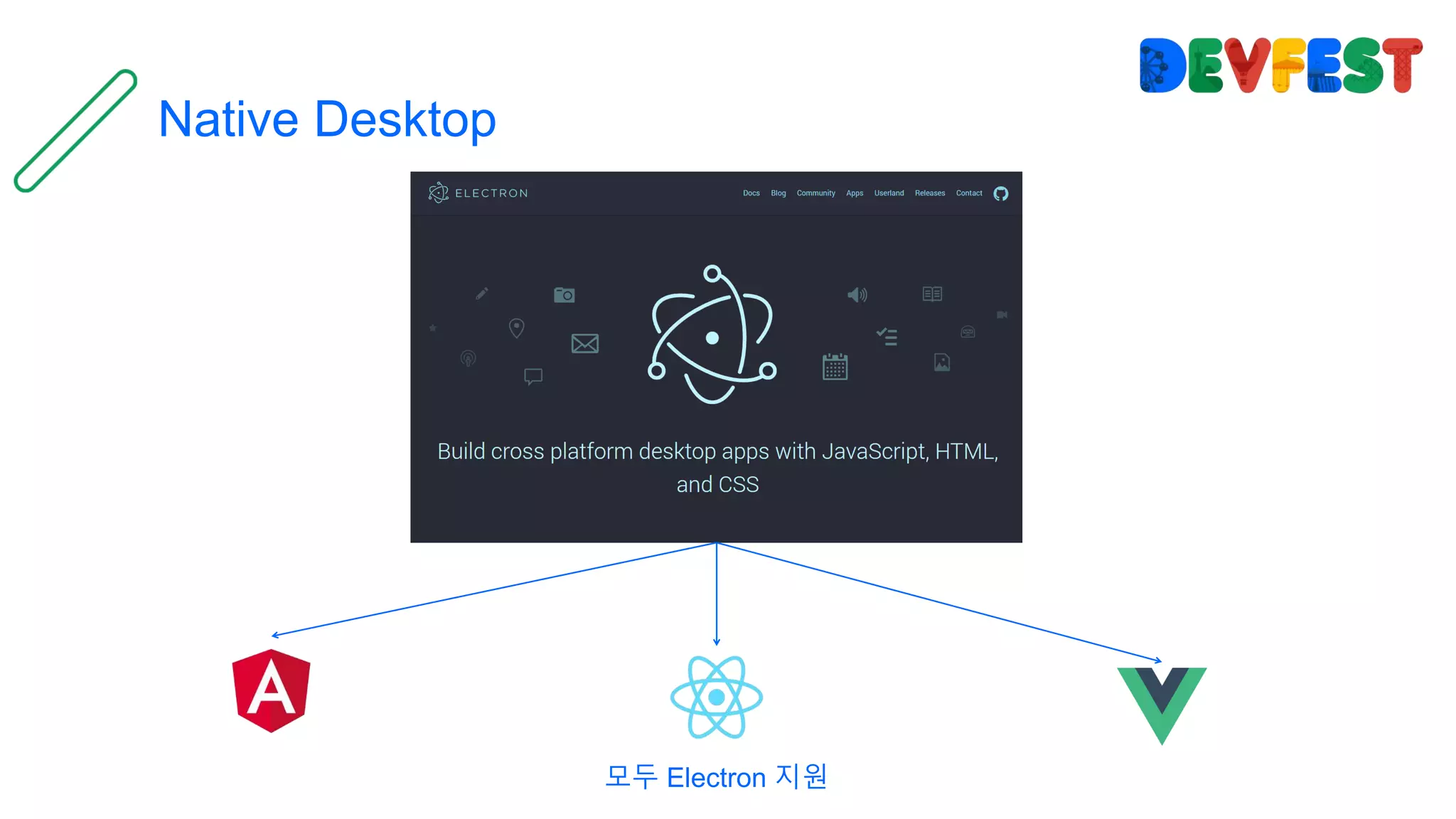
Native Desktop
모두 Electron 지원
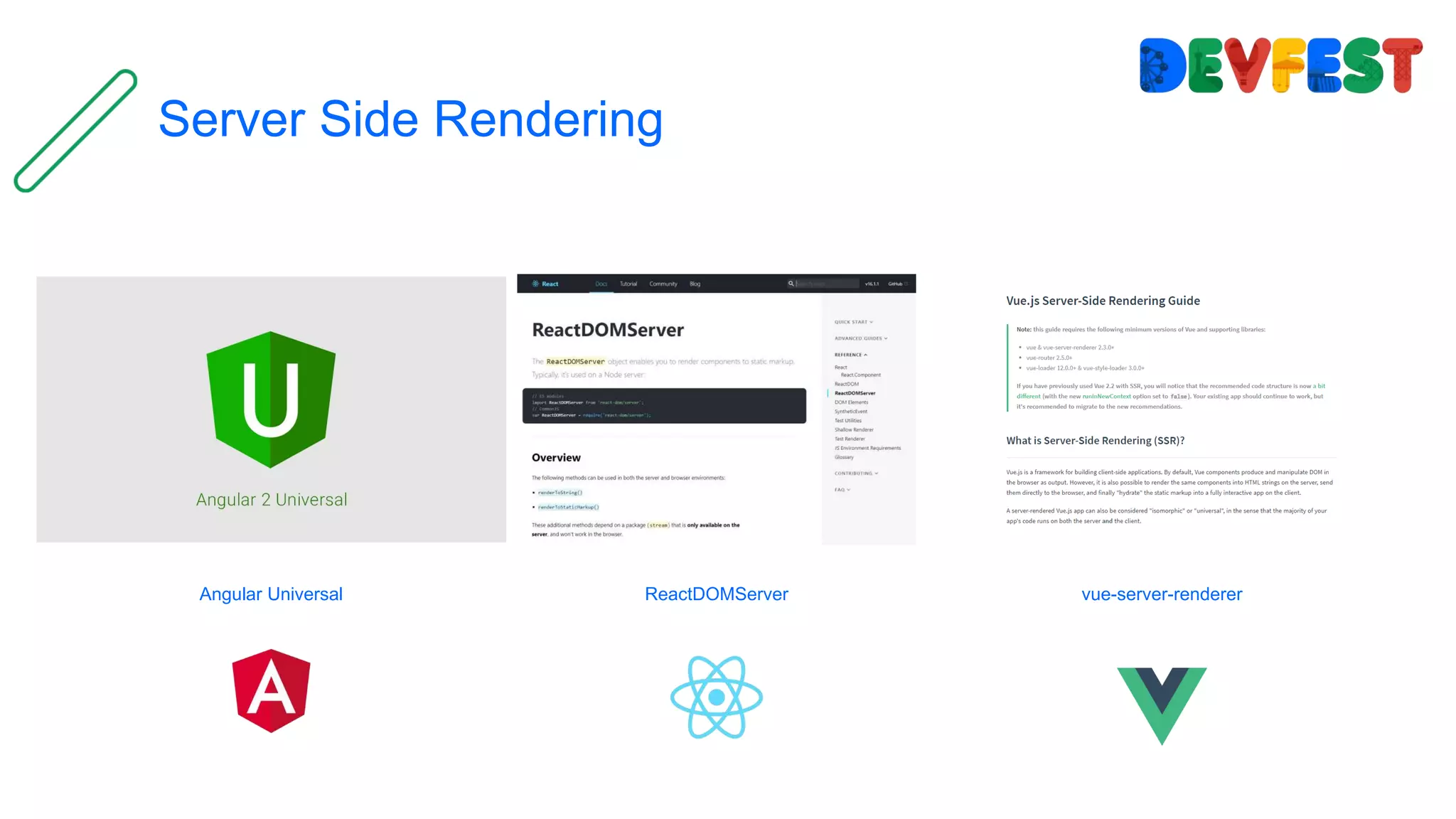
Server Side Rendering
Angular Universal ReactDOMServer vue-server-renderer
각 프레임워크 별 오픈소스는 계속적으로 발전 중
따라서 어느것이 더 안정적인가 더 알려져있는가가
선택사항이 될 수 있음
실무자를 위한 Tips
1. MVVM 상태관리에 유념하세요
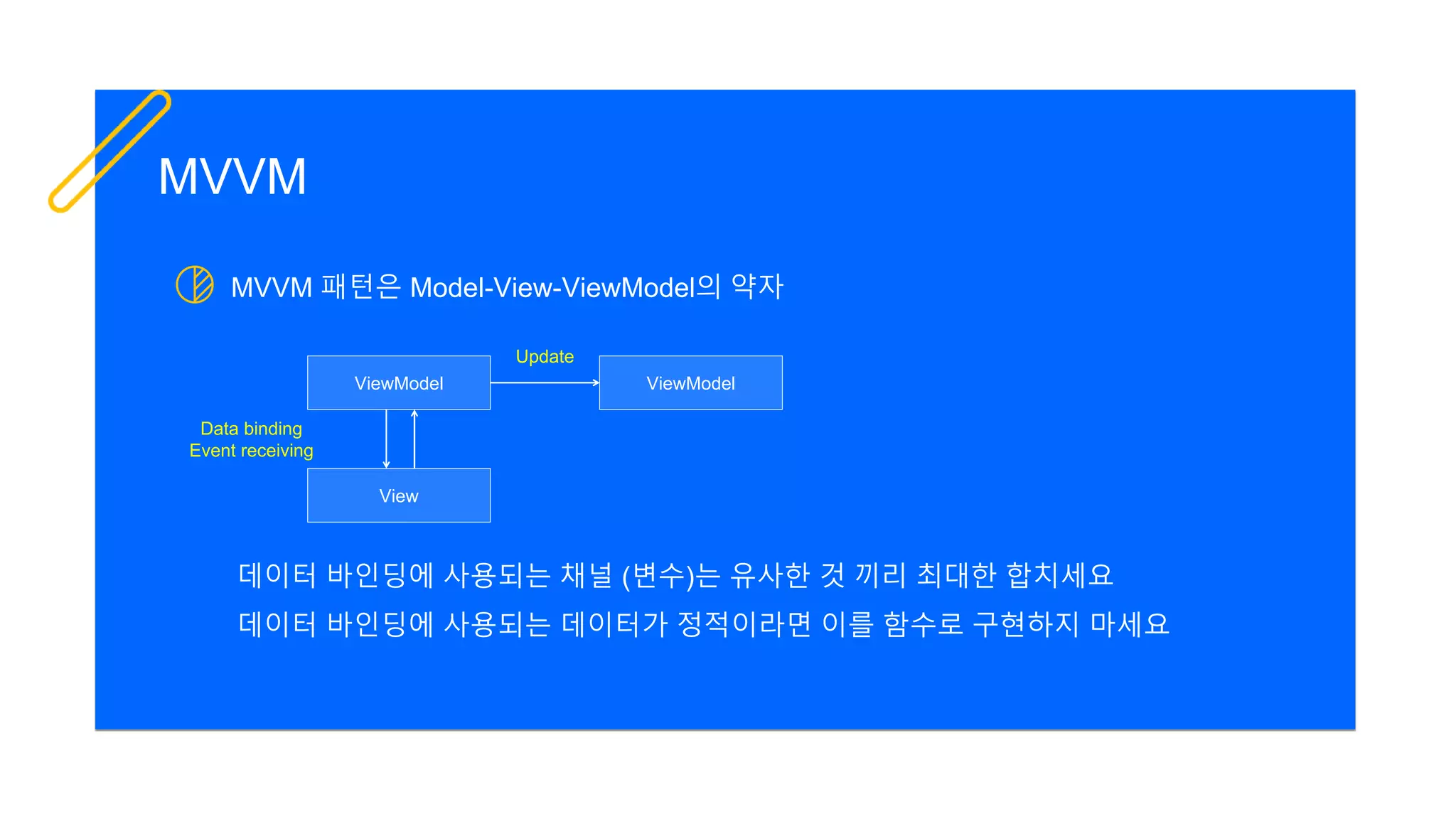
MVVM 패턴은 Model-View-ViewModel의 약자
MVVM
View
ViewModel ViewModel
Data binding
Event receiving
Update
데이터 바인딩에 사용되는 채널 (변수)는 유사한 것 끼리 최대한 합치세요
데이터 바인딩에 사용되는 데이터가 정적이라면 이를 함수로 구현하지 마세요
2. Immutable은 무적이 아닙니다.
Immutable (불변성)
Immutable
ViewModel의 사이드 이펙트를 줄이기위해 Immutable을 고려하시는 분들이 계실 겁니다.
Immutable을 제공하기 위해 우리는 큰 비용이 발생하는 DeepCopy를 사용합니다.
또한 Immutable 객체는 기존 Prop와 전혀 다른 객체이므로 무조건 랜더링이 업데이트 됩니다.
Immutable ValueUpdate
Dispatch
Reducer
Notify
shouldComponentUpdate
3. HMR이라고 아시나요?
HMR (Hot Module Replacement)
Webpack의 HMR(Hot Module Replacement)는
Angular, React, VueJS에서 코드를 수정하고 저장할 때 새로고침을 할 필요 없이
더군다나 기존 상태를 잃지 않고 코드가 바로 교체되고 새로 저장한 코드를 즉시 사용할 수 있습니다.
4. ShadowDOM 사용해보셨나요?
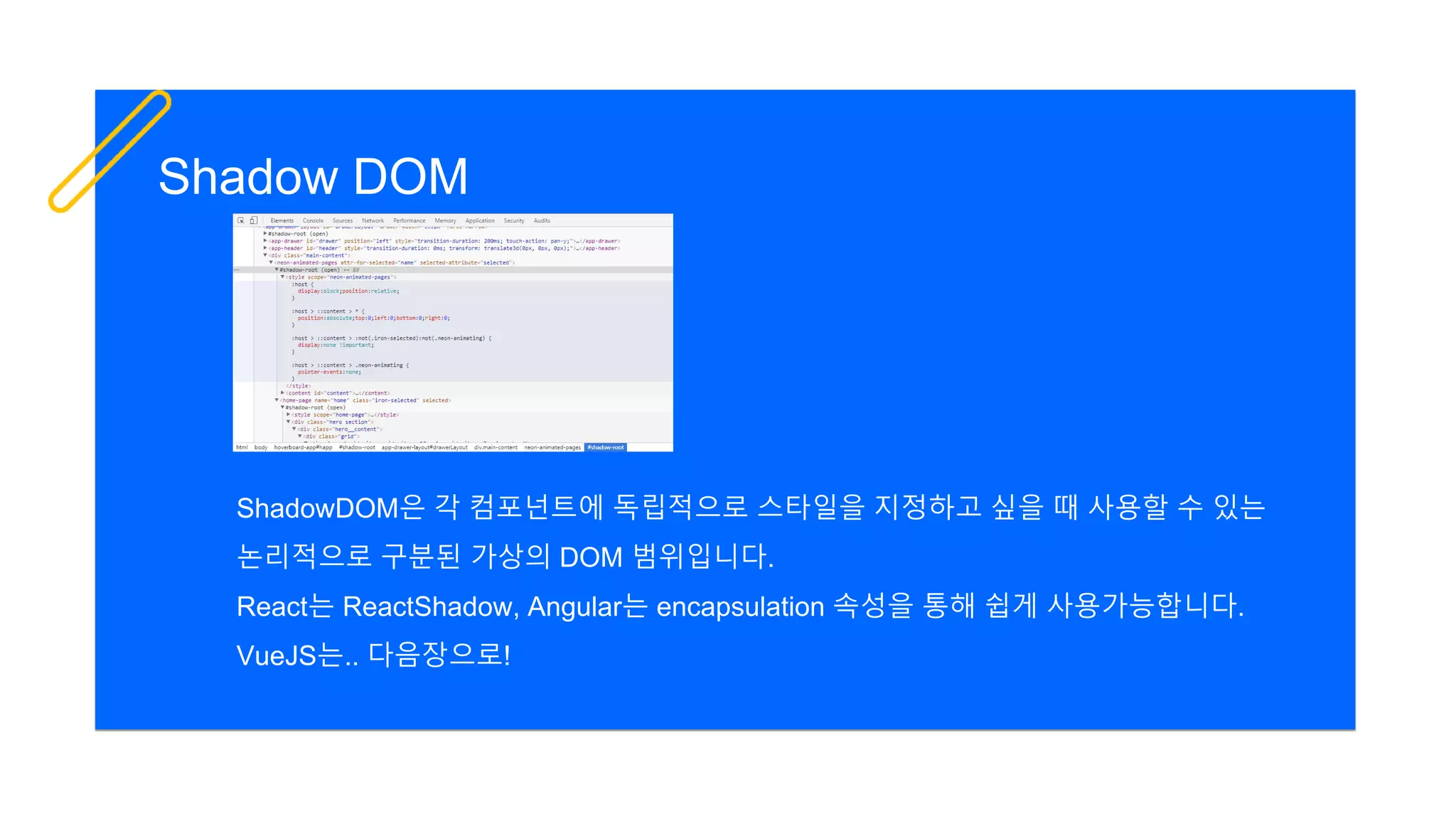
Shadow DOM
ShadowDOM은 각 컴포넌트에 독립적으로 스타일을 지정하고 싶을 때 사용할 수 있는
논리적으로 구분된 가상의 DOM 범위입니다.
React는 ReactShadow, Angular는 encapsulation 속성을 통해 쉽게 사용가능합니다.
VueJS는.. 다음장으로!
5. Webpack의 끔찍한 빌드속도
Webpack build optimization
빌드 과정은 때묻지 않은 초기 스캐폴딩에서는 그렇게 오래 기다리지 않아도 됩니다.
애드혹 빌드 과정일 경우 보통 5초 내외로 완료되곤 합니다.
Watch 옵션을 켜서 메모리 캐시를 활용하면 더욱 빠릅니다. (1초 안팎)
문제는 어느정도 규모가 있는 프로젝트에서는 빌드 과정이 10분 이상 넘어갑니다.
다행이도 Webpack 빌드 과정은 다음장의 최적화 방식을 따라 하여 성능을 높일 수 있습니다.
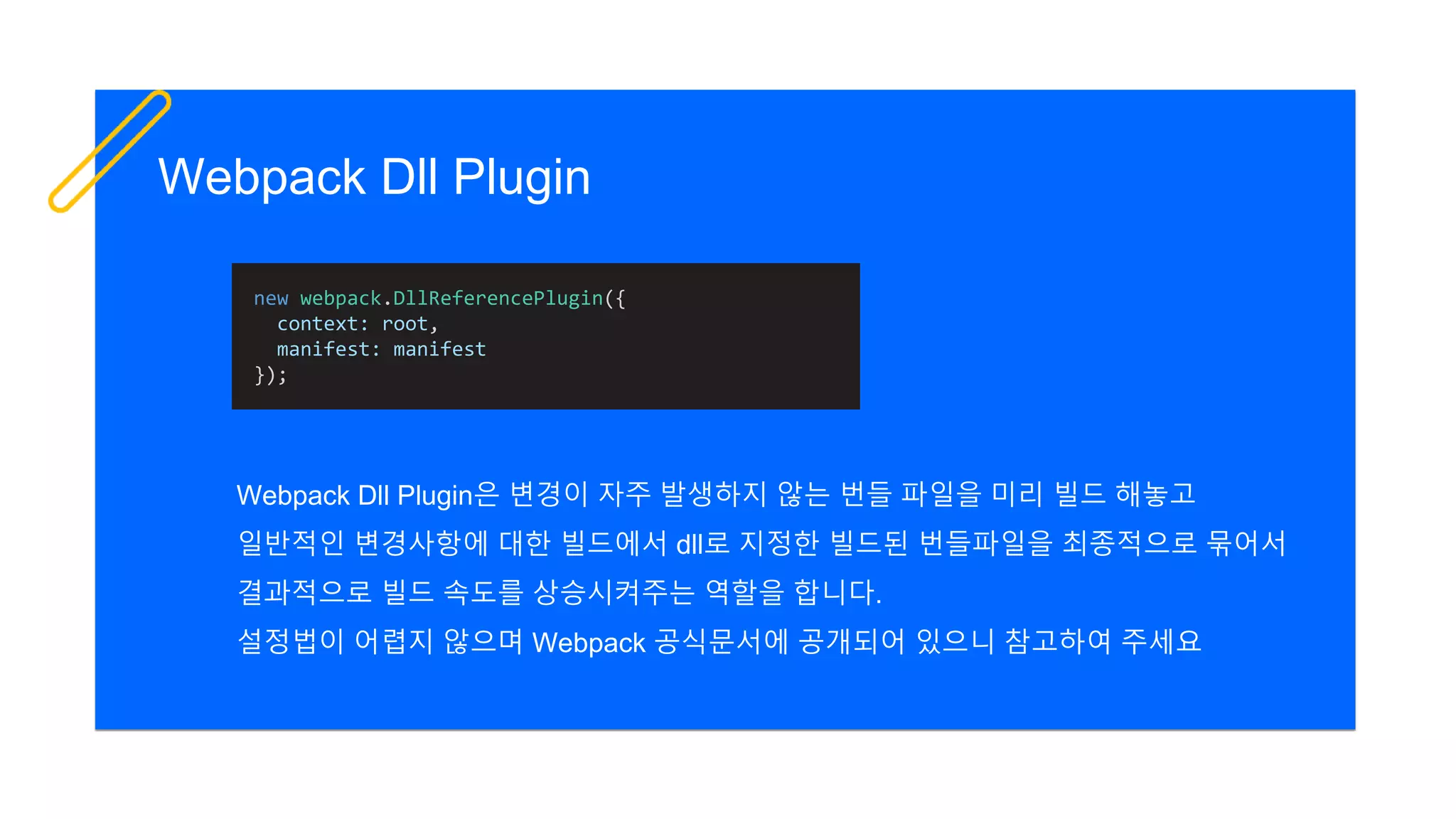
Webpack Dll Plugin
Webpack Dll Plugin은 변경이 자주 발생하지 않는 번들 파일을 미리 빌드 해놓고
일반적인 변경사항에 대한 빌드에서 dll로 지정한 빌드된 번들파일을 최종적으로 묶어서
결과적으로 빌드 속도를 상승시켜주는 역할을 합니다.
설정법이 어렵지 않으며 Webpack 공식문서에 공개되어 있으니 참고하여 주세요
new webpack.DllReferencePlugin({
context: root,
manifest: manifest
});
Question?
Show more in GitHub!
https://github.com/KennethanCeyer/gdg-devfest-seoul-frontend-frameworks
감사합니다.
GitHub: https://github.com/KennethanCeyer
Email: kennethan@nhpcw.com

GDG DevFest 2017 Seoul 프론트엔드 모던 프레임워크 낱낱히 파헤치기

  • 1.
    한성민 IGAWorks SungMin Han 프론트엔드 모던프레임워크 낱낱히 파헤치기
  • 2.
    오늘날의 프론트엔드 모던 프레임워크톺아보기 실무자를 위한 Tips 이번 세션에서는
  • 3.
  • 4.
    웹 프론트 기술의흐름 jQuery Vanila Javascript AngularJS React VueJS Angular 2006 2013 2009 2014 2016
  • 5.
    조금 더 넓게.. jQuery Vanila Javascript AngularJS React VueJS Angular 20062013 2009 2014 2016 XMLHTTPRequest(XHR) 2002 ES2015 2015 Node.js 2013 Redux 2015 RxJS 2012 Typescript 2012 Ember.js 2011 CoffeScript 2009 AMD 2010 CommonJS (CJS) 2009 ES2016 2016 WebAssembly 2015
  • 6.
  • 8.
    동적 렌더링 모듈링 /번들링 타이핑 현재 프론트진형의 중요 키워드 테스트 자동화
  • 9.
    동적 렌더링 모듈링 /번들링 타이핑 2017년 프론트 진형 중요 키워드 테스트 자동화 Two-way binding, SPA, Virtual DOM, Change Detection … CommonJS, AMD, UMD, Uglify, Grunt, Webpack … Typescript, Proptypes, Flow, Props … UnitTest, e2e Test, HeadLess Browser …
  • 10.
  • 11.
    Angular 완전하고 빠른 프레임워크 React 활발하고오픈 되어 있으며 합리적인 프레임워크 VueJS 가볍고 친숙하며 장점만을 합쳐놓은 프레임워크 그러던 중 나타난 프레임워크들 그리고 프레임워크는 그 모든 것을 쉽게 만들어주었나니..
  • 12.
    Angular 완전하고 빠른 프레임워크 React 활발하고오픈 되어 있으며 합리적인 프레임워크 VueJS 가볍고 친숙하며 장점만을 합쳐놓은 프레임워크 그러던 중 나타난 프레임워크들 그리고 프레임워크는 그 모든 것을 쉽게 만들어주었나니..
  • 13.
    Angular 모든 기능이 빌트인되어있으며 성능이 훌륭하지만, 진입장벽이 가장 높음 React 에코시스템이 활발하게 움직이고 또 그것을 장려하지만 의존과 버전에 민감하고 라이브러리 자체의 기능만으로는 부족함 VueJS 프레임워크 자체가 가볍고 진입장벽이 낮으며 각 프레임워크의 장점을 흡수 다만 크기가 커질 수록 재활용성은 떨어지며, 테스트하기 어렵고 느림 이를 풀어 설명하자면
  • 14.
  • 15.
    Angular 릴리즈 개발자/개발사 버전 언어 모델 컴파일 2016년 6월 공식출시 GoogleInc 2017년 11월 기준 v5.0.1 stable Typescript, Dart, Javascript MVVM / Change Detection / NgZone JIT (built-in core) / AOT (ng, ngc) / TreeShaking with ng cli
  • 16.
    React 릴리즈 개발자/개발사 버전 언어 모델 컴파일 2013년 3월 공식출시 Facebook,Instagram 2017년 11월 기준 V16.1.1 stable Javascript, JSX View Engine / Virtual DOM / PropTypes JIT (built-in core) / TreeShaking with Webpack2
  • 17.
    VueJS 릴리즈 개발자/개발사 버전 언어 모델 컴파일 2014년 2월 공식출시 Evanyou 2017년 11월 기준 V2.5.3 stable Javascript, JSX(호환) MVVM / VirtualDOM / core와 companion 분리 / Vuex JIT (built-in core) / TreeShaking with Webpack2
  • 18.
    Angular code import {Component, ViewChild, ElementRef } from '@angular/core'; const DEFAULT_INITIALIZE_FOOD_LIST: string[] = [ '치킨', '탕수육', '닭도리탕' ]; @Component({ selector: 'mukkit-list', templateUrl: './mukkit_list.html', styleUrls: [ './mukkit_list.css' ] }) export class MukkitListComponent { public foodList: string[] = [...DEFAULT_INITIALIZE_FOOD_LIST]; public newFood: string; @ViewChild('input') inputEl: ElementRef; ngAfterViewInit() { this.focusFood(); } focusFood(): void { this.inputEl.nativeElement.focus(); } enterFood($event: KeyboardEvent): void { if ($event.keyCode === 13) { this.addFood(); } } addFood(): void { if (this.foodList.indexOf(this.newFood) === -1) { this.foodList.push(this.newFood); this.newFood = ''; } else { alert('해당 음식은 이미 있습니다.'); } } } mukkit_list.component.ts
  • 19.
    Angular code mukkit_list.html <div class="mukkit-list-container"> <imgwidth="180" src="data:image…"> <h2>먹킷리스트</h2> </div> <ul class="mukkit-list"> <li *ngFor="let food of foodList"> <span>{{food}}</span> </li> <li> <input type="text" #input [(ngModel)]="newFood" (keypress)="enterFood($event);"> <button (click)="addFood();">먹킷리스트 추가</button> </li> </ul>
  • 20.
    Angular code mukkit_list.html <div class="mukkit-list-container"> <imgwidth="180" src="data:image…"> <h2>먹킷리스트</h2> </div> <ul class="mukkit-list"> <li *ngFor="let food of foodList"> <span>{{food}}</span> </li> <li> <input type="text" #input [(ngModel)]="newFood" (keypress)="enterFood($event);"> <button (click)="addFood();">먹킷리스트 추가</button> </li> </ul> export class MukkitListComponent { public foodList: string[] = [...DEFAULT_INITIALIZE_FOOD_LIST]; public newFood: string; @ViewChild('input') inputEl: ElementRef; … enterFood($event: KeyboardEvent): void { … } addFood(): void { … } } mukkit_list.component.ts 1way binding (viewmodel -> view) 2way binding (videmodel <-> view) view query (it is not bind) 1way binding (view <- viewmodel)
  • 21.
    MukkitList.js React code import React,{ Component } from 'react'; import logo from './logo.svg'; import './MukkitList.css'; const DEFAULT_INITIALIZE_FOOD_LIST = [ '치킨', '탕수육', '닭도리탕' ]; class MukkitList extends Component { constructor(props) { super(props); this.state = { foodList: [...DEFAULT_INITIALIZE_FOOD_LIST], newFood: '' }; } changeFood(event) { this.setState({'newFood': event.target.value}); } enterFood(event) { if (event.key === 'Enter') this.addFood(); } addFood(event) { if (this.state.foodList.indexOf(this.state.newFood) === -1) { this.setState({ foodList: [...this.state.foodList, this.state.newFood], newFood: '' }); } else { alert('해당 음식은 이미 있습니다.'); } } render() { return ( <div className="container"> <header className="mukkit-list-header"> <img src={logo} className="mukkit-list-logo" alt="logo" /> <h2 className="mukkit-list-title">먹킷리스트</h2> </header> <ul className="mukkit-list"> {this.state.foodList.map((food, index) => <li key={index}><span>{food}</span></li>)} <li> <input type="text“ value={this.state.newFood} onChange={this.changeFood.bind(this)} onKeyPress={this.enterFood.bind(this)} /> <button onClick={this.addFood.bind(this)}>먹킷리스트 추가</button> </li> </ul > </div > ); } } export default MukkitList;
  • 22.
    MukkitList.js import React, {Component } from 'react'; import logo from './logo.svg'; import './MukkitList.css'; const DEFAULT_INITIALIZE_FOOD_LIST = [ '치킨', '탕수육', '닭도리탕' ]; class MukkitList extends Component { constructor(props) { super(props); this.state = { foodList: [...DEFAULT_INITIALIZE_FOOD_LIST], newFood: '' }; } changeFood(event) { this.setState({'newFood': event.target.value}); } enterFood(event) { if (event.key === 'Enter') this.addFood(); } addFood(event) { if (this.state.foodList.indexOf(this.state.newFood) === -1) { this.setState({ foodList: [...this.state.foodList, this.state.newFood], newFood: '' }); } else { alert('해당 음식은 이미 있습니다.'); } } render() { return ( <div className="container"> <header className="mukkit-list-header"> <img src={logo} className="mukkit-list-logo" alt="logo" /> <h2 className="mukkit-list-title">먹킷리스트</h2> </header> <ul className="mukkit-list"> {this.state.foodList.map((food, index) => <li key={index}><span>{food}</span></li>)} <li> <input type="text“ value={this.state.newFood} onChange={this.changeFood.bind(this)} onKeyPress={this.enterFood.bind(this)} /> <button onClick={this.addFood.bind(this)}>먹킷리스트 추가</button> </li> </ul > </div > ); } } export default MukkitList; 1way binding (videmodel -> view) React code
  • 23.
    MukkitList.js import React, {Component } from 'react'; import logo from './logo.svg'; import './MukkitList.css'; const DEFAULT_INITIALIZE_FOOD_LIST = [ '치킨', '탕수육', '닭도리탕' ]; class MukkitList extends Component { constructor(props) { super(props); this.state = { foodList: [...DEFAULT_INITIALIZE_FOOD_LIST], newFood: '' }; } changeFood(event) { this.setState({'newFood': event.target.value}); } enterFood(event) { if (event.key === 'Enter') this.addFood(); } addFood(event) { if (this.state.foodList.indexOf(this.state.newFood) === -1) { this.setState({ foodList: [...this.state.foodList, this.state.newFood], newFood: '' }); } else { alert('해당 음식은 이미 있습니다.'); } } render() { return ( <div className="container"> <header className="mukkit-list-header"> <img src={logo} className="mukkit-list-logo" alt="logo" /> <h2 className="mukkit-list-title">먹킷리스트</h2> </header> <ul className="mukkit-list"> {this.state.foodList.map((food, index) => <li key={index}><span>{food}</span></li>)} <li> <input type="text“ value={this.state.newFood} onChange={this.changeFood.bind(this)} onKeyPress={this.enterFood.bind(this)} /> <button onClick={this.addFood.bind(this)}>먹킷리스트 추가</button> </li> </ul > </div > ); } } export default MukkitList; render DOM React code
  • 24.
    MukkitList.js import React, {Component } from 'react'; import logo from './logo.svg'; import './MukkitList.css'; const DEFAULT_INITIALIZE_FOOD_LIST = [ '치킨', '탕수육', '닭도리탕' ]; class MukkitList extends Component { constructor(props) { super(props); this.state = { foodList: [...DEFAULT_INITIALIZE_FOOD_LIST], newFood: '' }; } changeFood(event) { this.setState({'newFood': event.target.value}); } enterFood(event) { if (event.key === 'Enter') this.addFood(); } addFood(event) { if (this.state.foodList.indexOf(this.state.newFood) === -1) { this.setState({ foodList: [...this.state.foodList, this.state.newFood], newFood: '' }); } else { alert('해당 음식은 이미 있습니다.'); } } render() { return ( <div className="container"> <header className="mukkit-list-header"> <img src={logo} className="mukkit-list-logo" alt="logo" /> <h2 className="mukkit-list-title">먹킷리스트</h2> </header> <ul className="mukkit-list"> {this.state.foodList.map((food, index) => <li key={index}><span>{food}</span></li>)} <li> <input type="text“ value={this.state.newFood} onChange={this.changeFood.bind(this)} onKeyPress={this.enterFood.bind(this)} /> <button onClick={this.addFood.bind(this)}>먹킷리스트 추가</button> </li> </ul > </div > ); } } export default MukkitList; 1way binding (viewmodel -> view) React code
  • 25.
    MukkitList.js import React, {Component } from 'react'; import logo from './logo.svg'; import './MukkitList.css'; const DEFAULT_INITIALIZE_FOOD_LIST = [ '치킨', '탕수육', '닭도리탕' ]; class MukkitList extends Component { constructor(props) { super(props); this.state = { foodList: [...DEFAULT_INITIALIZE_FOOD_LIST], newFood: '' }; } changeFood(event) { this.setState({'newFood': event.target.value}); } enterFood(event) { if (event.key === 'Enter') this.addFood(); } addFood(event) { if (this.state.foodList.indexOf(this.state.newFood) === -1) { this.setState({ foodList: [...this.state.foodList, this.state.newFood], newFood: '' }); } else { alert('해당 음식은 이미 있습니다.'); } } render() { return ( <div className="container"> <header className="mukkit-list-header"> <img src={logo} className="mukkit-list-logo" alt="logo" /> <h2 className="mukkit-list-title">먹킷리스트</h2> </header> <ul className="mukkit-list"> {this.state.foodList.map((food, index) => <li key={index}><span>{food}</span></li>)} <li> <input type="text“ value={this.state.newFood} onChange={this.changeFood.bind(this)} onKeyPress={this.enterFood.bind(this)} /> <button onClick={this.addFood.bind(this)}>먹킷리스트 추가</button> </li> </ul > </div > ); } } export default MukkitList; 1way binding (view -> viewmodel) React code
  • 26.
    MukkitList.js import React, {Component } from 'react'; import logo from './logo.svg'; import './MukkitList.css'; const DEFAULT_INITIALIZE_FOOD_LIST = [ '치킨', '탕수육', '닭도리탕' ]; class MukkitList extends Component { constructor(props) { super(props); this.state = { foodList: [...DEFAULT_INITIALIZE_FOOD_LIST], newFood: '' }; } changeFood(event) { this.setState({'newFood': event.target.value}); } enterFood(event) { if (event.key === 'Enter') this.addFood(); } addFood(event) { if (this.state.foodList.indexOf(this.state.newFood) === -1) { this.setState({ foodList: [...this.state.foodList, this.state.newFood], newFood: '' }); } else { alert('해당 음식은 이미 있습니다.'); } } render() { return ( <div className="container"> <header className="mukkit-list-header"> <img src={logo} className="mukkit-list-logo" alt="logo" /> <h2 className="mukkit-list-title">먹킷리스트</h2> </header> <ul className="mukkit-list"> {this.state.foodList.map((food, index) => <li key={index}><span>{food}</span></li>)} <li> <input type="text“ value={this.state.newFood} onChange={this.changeFood.bind(this)} onKeyPress={this.enterFood.bind(this)} /> <button onClick={this.addFood.bind(this)}>먹킷리스트 추가</button> </li> </ul > </div > ); } } export default MukkitList; state changed React code
  • 27.
    MukkitList.vue VueJS code <template> <ul class="mukkit-list"> <liv-for="food in foodList"> <span>{{food}}</span> </li> <li> <input type="text" ref="input" v-model="newFood" v-on:keypress.enter="addFood"> <button v-on:click="addFood">먹킷리스트 추가</button> </li> </ul> </template> <script> const DEFAULT_INITIALIZE_FOOD_LIST = [ '치킨', '탕수육', '닭도리탕' ] export default { name: 'MukkitList', data () { return { foodList: [...DEFAULT_INITIALIZE_FOOD_LIST], newFood: '' } }, mounted () { this.focusFood() }, methods: { focusFood () { this.$refs.input.focus() }, addFood () { if (this.foodList.indexOf(this.newFood) === -1) { this.foodList.push(this.newFood) this.newFood = '' this.focusFood() } else { alert('해당 음식은 이미 있습니다.') } } } } </script>
  • 28.
    MukkitList.vue <template> <ul class="mukkit-list"> <li v-for="foodin foodList"> <span>{{food}}</span> </li> <li> <input type="text" ref="input" v-model="newFood" v-on:keypress.enter="addFood"> <button v-on:click="addFood">먹킷리스트 추가</button> </li> </ul> </template> <script> const DEFAULT_INITIALIZE_FOOD_LIST = [ '치킨', '탕수육', '닭도리탕' ] export default { name: 'MukkitList', data () { return { foodList: [...DEFAULT_INITIALIZE_FOOD_LIST], newFood: '' } }, mounted () { this.focusFood() }, methods: { focusFood () { this.$refs.input.focus() }, addFood () { if (this.foodList.indexOf(this.newFood) === -1) { this.foodList.push(this.newFood) this.newFood = '' this.focusFood() } else { alert('해당 음식은 이미 있습니다.') } } } } </script> VueJS code 2way binding (videmodel <-> view)
  • 29.
    MukkitList.vue <template> <ul class="mukkit-list"> <li v-for="foodin foodList"> <span>{{food}}</span> </li> <li> <input type="text" ref="input" v-model="newFood" v-on:keypress.enter="addFood"> <button v-on:click="addFood">먹킷리스트 추가</button> </li> </ul> </template> <script> const DEFAULT_INITIALIZE_FOOD_LIST = [ '치킨', '탕수육', '닭도리탕' ] export default { name: 'MukkitList', data () { return { foodList: [...DEFAULT_INITIALIZE_FOOD_LIST], newFood: '' } }, mounted () { this.focusFood() }, methods: { focusFood () { this.$refs.input.focus() }, addFood () { if (this.foodList.indexOf(this.newFood) === -1) { this.foodList.push(this.newFood) this.newFood = '' this.focusFood() } else { alert('해당 음식은 이미 있습니다.') } } } } </script> VueJS code 1way binding (viewmodel -> view)
  • 30.
    MukkitList.vue <template> <ul class="mukkit-list"> <li v-for="foodin foodList"> <span>{{food}}</span> </li> <li> <input type="text" ref="input" v-model="newFood" v-on:keypress.enter="addFood"> <button v-on:click="addFood">먹킷리스트 추가</button> </li> </ul> </template> <script> const DEFAULT_INITIALIZE_FOOD_LIST = [ '치킨', '탕수육', '닭도리탕' ] export default { name: 'MukkitList', data () { return { foodList: [...DEFAULT_INITIALIZE_FOOD_LIST], newFood: '' } }, mounted () { this.focusFood() }, methods: { focusFood () { this.$refs.input.focus() }, addFood () { if (this.foodList.indexOf(this.newFood) === -1) { this.foodList.push(this.newFood) this.newFood = '' this.focusFood() } else { alert('해당 음식은 이미 있습니다.') } } } } </script> VueJS code 1way binding (view -> viewmodel)
  • 31.
    MukkitList.vue <template> <ul class="mukkit-list"> <li v-for="foodin foodList"> <span>{{food}}</span> </li> <li> <input type="text" ref="input" v-model="newFood" v-on:keypress.enter="addFood"> <button v-on:click="addFood">먹킷리스트 추가</button> </li> </ul> </template> <script> const DEFAULT_INITIALIZE_FOOD_LIST = [ '치킨', '탕수육', '닭도리탕' ] export default { name: 'MukkitList', data () { return { foodList: [...DEFAULT_INITIALIZE_FOOD_LIST], newFood: '' } }, mounted () { this.focusFood() }, methods: { focusFood () { this.$refs.input.focus() }, addFood () { if (this.foodList.indexOf(this.newFood) === -1) { this.foodList.push(this.newFood) this.newFood = '' this.focusFood() } else { alert('해당 음식은 이미 있습니다.') } } } } </script> VueJS code view query (it is not bind)
  • 32.
  • 33.
    Google Trend 2017.11 29,994 star 81,002 star 73,628 star GitHub Stars
  • 34.
  • 35.
    Stack Overflow taggedquestions 81,631 63,721 10,978
  • 37.
    React 트랜드 및에코시스템이 가장 활발 VueJS가 무서운 속도로 트랜드를 따라잡고 있음 Angular가 AngularJS 까지 포함한다면 가장 큼
  • 38.
    진입장벽 – Entrybarriers Fight 2
  • 39.
    Blogged from MariusDuta 일반적인 케이스에서 Angular의 학습곡선이 압도적으로 높고 Vue의 학습곡선이 가장 낮음 학습곡선
  • 40.
    각 프레임워크를 배우기위해서 Language Module / Components DeploymentData Flow Others/ Advanced 일반적으로 Typescript 일반적으로 Javascript (ES6) 일반적으로 Javascript (ES6) Controller / Directive Pipe / Service ContentChild / ViewChild QueryList Smart Component Dumb Component Global Component Local Component Directive / Filter / Plugin RxJS / ng-redux Redux / MobX vuex / vue-rx Bundling Compilation (ngc) Bundling Bundling DI pattern ngZone CD Strategy Immutable Link State Optimization Server-side Rendering Flow Computed Property Observed Property flow-typed
  • 41.
  • 42.
    Angular 진입전에 다른프레임워크 경험 권장 React의 라이프 사이클과 상태관리는 상대적 어려움 AngularJS를 사용하고 있다면 VueJS 권장
  • 43.
  • 44.
    Benchmark Vue2 >= Angular> React AOT Compilation 이후 성능 비교에서는 Angular가 더욱 빠를 것으로 예상
  • 45.
    TreeShaking TreeShaking (나무털기) 마치 나무에달린 열매를 털듯이 사용하지 않는 모듈은 빌드 단계에서 제외시키는 최적화 기법 지원 지원 (Webpack2) 지원 (Webpack2)
  • 46.
    AOT(Ahead Of Time) AheadOf Time (조기 컴파일) JIT (Just In Time) 컴파일 방식과는 다르게 사전에 컴파일러가 중간코드로 컴파일하여 사용자 브라우저에서 컴파일 시간을 최소화 하는 최적화 기법 지원 미지원 미지원 JIT @NgModule Bootstraping Javascript CSS HTML @angular/platform-browser-dynamic Parse AST memory load CD host viewDef Renderer pipeDef ngContentDef nodeValue compilation-side browser-side AOT @NgModuleFactory Bootstraping Javascript CSS HTML host viewDef Renderer pipeDef ngContentDef nodeValue … compilation-side @angular/platform-browser Parse AST load CD browser-side Angular5 부터는 build-optimizer 옵션을 통해 추가적으로 최적화가 가능하니 참고해주세요
  • 47.
    AOT Compiled code functionView_MukkitListComponent_0(_l) { return __WEBPACK_IMPORTED_MODULE_1__angular_core__["_25" /* ɵvid */] (0, [__WEBPACK_IMPORTED_MODULE_1__angular_core__["_22" /* ɵqud */] (402653184, 1, { inputEl: 0 }), (_l()(), __WEBPACK_IMPORTED_MODULE_1__angular_core__["_8" /* ɵeld */](1, 0, null, null, 6, "div", [["class", "mukkit-list- container"]], null, null, null, null, null)), (_l()(), __WEBPACK_IMPORTED_MODULE_1__angular_core__["_24" /* ɵted */](-1, null, ["n "])), (_l()(), __WEBPACK_IMPORTED_MODULE_1__angular_core__["_8" /* ɵeld */](3, 0, null, null, 0, "img", [["src", "data:image/svg+xml;base64,…"], ["width", "180"]], null, null, null, null, null)), (_l()(), __WEBPACK_IMPORTED_MODULE_1__angular_core__["_24" /* ɵted */](-1, null, ["n "])), (_l()(), __WEBPACK_IMPORTED_MODULE_1__angular_core__["_8" /* ɵeld */](5, 0, null, null, 1, "h2", [], null, null, null, null, null)), (_l()(), __WEBPACK_IMPORTED_MODULE_1__angular_core__["_24" /* ɵted */](-1, null, ["uBA39uD0B7uB9ACuC2A4uD2B8"])), (_l()(), __WEBPACK_IMPORTED_MODULE_1__angular_core__["_24" /* ɵted */](-1, null, ["n"])), (_l()(), __WEBPACK_IMPORTED_MODULE_1__angular_core__["_24" /* ɵted */](-1, null, ["nn"])), (_l()(), __WEBPACK_IMPORTED_MODULE_1__angular_core__["_8" /* ɵeld */](9, 0, null, null, 17, "ul", [["class", "mukkit-list"]], null, null, null, null, null)), (_l()(), __WEBPACK_IMPORTED_MODULE_1__angular_core__["_24" /* ɵted */](-1, null, ["n "])), (_l()(), __WEBPACK_IMPORTED_MODULE_1__angular_core__["_3" /* ɵand */](16777216, null, null, 1, null, View_MukkitListComponent_1)), __WEBPACK_IMPORTED_MODULE_1__angular_core__["_7" /* ɵdid */]( 12, 802816, null, 0, __WEBPACK_IMPORTED_MODULE_2__angular_common__["c" /* NgForOf */], [__WEBPACK_IMPORTED_MODULE_1__angular_core__["R" /* ViewContainerRef */], __WEBPACK_IMPORTED_MODULE_1__angular_core__["N" /* TemplateRef */], __WEBPACK_IMPORTED_MODULE_1__angular_core__["u" /* IterableDiffers */]], { ngForOf: [0, "ngForOf"] }, null), (_l()(), __WEBPACK_IMPORTED_MODULE_1__angular_core__["_24" /* ɵted */](-1, null, ["n "])), …
  • 48.
    AOT 성능 변화 크기(minified) 지연시간 (initial load) 메모리 (snapshot) 442KB 585ms 38.5MB 198KB 305ms 15.3MB -55% -48% -60% JIT AOT JIT AOT
  • 49.
    VirtualDOM VirtualDOM (가상 DOM) 뷰모델에서 발생하는 변경사항을 메모리에서 관리하는 논리적 DOM에서 먼저 감지 한 후 실제 DOM의 업데이트를 최소화하여 성능을 향상시키고 UX 측면에서 발생하는 문제를 줄임 미지원 지원 지원 VirtualDOMViewModel Element A Element B1 Element B2 Element B Element A Element B1 Element B2 Element B header .list-item .list-item .container NativeDOM (Real DOM) diff patch
  • 50.
    VirtualDOM 기존의 비싼 비용의Native DOM 처리를 javascript 상의 diff 알고리즘을 통해 저렴한 비용으로 효율적인 처리가 가능해짐 MDN에 공개된 브라우저 Layout 처리
  • 51.
    Angular의 최적화가 적용되지않은 케이스에서는 VueJS가 성능이 빠를 것으로 예상됩니다. (VueJS에서 제공하는 자료와 벤치마크 데이터 참조)
  • 52.
  • 53.
  • 54.
    마이크로 프로젝트에는 VueJS권장 서버사이드 랜더링이 필요한 프로젝트에는 React 대규모의 프로젝트에는 Angular
  • 55.
    템플릿 {{interpolation}} [1way data binding] [(2waydata binding)] (1way data binding (event)) {{interpolation with pipe | pipeName}} *ngFor *ngIf [ngSwitch] [hidden] [innerHTML] [ngClass] (click) (keypress) (blur) (input) (change) … React에서 공식적으로 제공하는 템플릿은 없습니다. 모든 것을 JSX 혹은 Javascript를 이용하여 표현합니다. react-templates 라이브러리를 이용하면 다른 프레임워크와 유사하게 템플릿을 사용하실 수 있습니다. v-directive-name:parameter {{interpolation | filter}} v-bind:id v-if v-html v-for v-else v-else-if v-show v-bind:class v-bind:style v-on:event-name v-bind:bind-target-name {{interpolation}} :store-name v-model
  • 56.
    템플릿 표현식은 Angular가체계적이지만 VueJS가 접근장벽이 낮음 AngularJS (Angular 1)는 VueJS 템플릿과 유사
  • 57.
    변화감지 ChangeDetection NgZone RxJS Props / State Reconciliation ReactFiber Redux Redux Saga Redux Thunk Watcher VirtualDOM (based Snabdom) vuex vue-rx
  • 58.
    Angular Change Detection& NgZone NgZone의 몽키패칭된 이벤트로부터 변화를 감지하여 Change Detection Strategy에 맞게 변화를 전파 setTimeout, addEventListener, requestAnimationFrame NgZone Monkey Patched Tick
  • 59.
    1 React Reconciliation &React Fiber React Reconciliation React FibershouldComponentUpdate() Dealing control by element types (aka. Pair-wise diff) 2 3 Dealing control by key (aka. List-wise diff) Update DOM render() 호출 시 VirtualDOM 생성 및 Dirty model을 감지하여 React Reconciliation 과정을 진행 후 React Fiber 혹은 DOM 변경
  • 60.
    VueJS watcher &VirtualDOM data 프로퍼티에서 Object.defineProperty()를 통해 Watcher가 변화를 감지 변화를 수신 시 render 함수에 의해 VirtualDOM에 따른 DOM 변경
  • 61.
  • 62.
    오픈소스 - Opensource Fight 5
  • 63.
  • 64.
  • 65.
  • 66.
    Server Side Rendering AngularUniversal ReactDOMServer vue-server-renderer
  • 67.
    각 프레임워크 별오픈소스는 계속적으로 발전 중 따라서 어느것이 더 안정적인가 더 알려져있는가가 선택사항이 될 수 있음
  • 68.
  • 69.
    1. MVVM 상태관리에유념하세요
  • 70.
    MVVM 패턴은 Model-View-ViewModel의약자 MVVM View ViewModel ViewModel Data binding Event receiving Update 데이터 바인딩에 사용되는 채널 (변수)는 유사한 것 끼리 최대한 합치세요 데이터 바인딩에 사용되는 데이터가 정적이라면 이를 함수로 구현하지 마세요
  • 71.
  • 72.
    Immutable (불변성) Immutable ViewModel의 사이드이펙트를 줄이기위해 Immutable을 고려하시는 분들이 계실 겁니다. Immutable을 제공하기 위해 우리는 큰 비용이 발생하는 DeepCopy를 사용합니다. 또한 Immutable 객체는 기존 Prop와 전혀 다른 객체이므로 무조건 랜더링이 업데이트 됩니다. Immutable ValueUpdate Dispatch Reducer Notify shouldComponentUpdate
  • 73.
  • 74.
    HMR (Hot ModuleReplacement) Webpack의 HMR(Hot Module Replacement)는 Angular, React, VueJS에서 코드를 수정하고 저장할 때 새로고침을 할 필요 없이 더군다나 기존 상태를 잃지 않고 코드가 바로 교체되고 새로 저장한 코드를 즉시 사용할 수 있습니다.
  • 75.
  • 76.
    Shadow DOM ShadowDOM은 각컴포넌트에 독립적으로 스타일을 지정하고 싶을 때 사용할 수 있는 논리적으로 구분된 가상의 DOM 범위입니다. React는 ReactShadow, Angular는 encapsulation 속성을 통해 쉽게 사용가능합니다. VueJS는.. 다음장으로!
  • 77.
  • 78.
    Webpack build optimization 빌드과정은 때묻지 않은 초기 스캐폴딩에서는 그렇게 오래 기다리지 않아도 됩니다. 애드혹 빌드 과정일 경우 보통 5초 내외로 완료되곤 합니다. Watch 옵션을 켜서 메모리 캐시를 활용하면 더욱 빠릅니다. (1초 안팎) 문제는 어느정도 규모가 있는 프로젝트에서는 빌드 과정이 10분 이상 넘어갑니다. 다행이도 Webpack 빌드 과정은 다음장의 최적화 방식을 따라 하여 성능을 높일 수 있습니다.
  • 79.
    Webpack Dll Plugin WebpackDll Plugin은 변경이 자주 발생하지 않는 번들 파일을 미리 빌드 해놓고 일반적인 변경사항에 대한 빌드에서 dll로 지정한 빌드된 번들파일을 최종적으로 묶어서 결과적으로 빌드 속도를 상승시켜주는 역할을 합니다. 설정법이 어렵지 않으며 Webpack 공식문서에 공개되어 있으니 참고하여 주세요 new webpack.DllReferencePlugin({ context: root, manifest: manifest });
  • 80.
  • 81.
    Show more inGitHub! https://github.com/KennethanCeyer/gdg-devfest-seoul-frontend-frameworks
  • 82.