UNIT FOUR
SQL (STRUCTURED
QUERY LANGUAGE)
SQL
• SQL is an ANSI (American National Standards
Institute) standard computer language for
accessing and manipulating database systems.
SQL statements are used to retrieve and
update data in a database. SQL works with
database programs like MS Access, DB2,
Informix, MS SQL Server, Oracle, Sybase, etc.
Cont……
• Unfortunately, there are many different
versions of the SQL language, but to be in
compliance with the ANSI standard, they must
support the same major keywords in a similar
manner (such as SELECT, UPDATE, DELETE,
INSERT, WHERE, and others).
• Note: Most of the SQL database programs also
have their own proprietary extensions in
addition to the SQL standard!
SQL Database Tables
• A database most often contains one or more
tables. Each table is identified by a name (e.g.
"Customers" or "Orders"). Tables contain
records (rows) with data.
Using the SQL Server Query Analy
• Now – you need to start writing some queries!
• Start -> Programs - > MS SQL Server2005
• When it opens, it will present a dialog to login to a
server:
• Choose the Server Type
• Choose Server Name
• Choose Windows Authentication if you choose
windows authentication mode during installation,
otherwise you need a SQL login name and password.
Starting the Query Analyzer
• There are different ways to start the Query Analyzer. The first
is to start it through the Programs inside the File menu.
• Choose Files on the menu * Choose New
• Choose query with current connection
• The second option is opening query analyzer from the
standard tool bar by clicking on the new query tool bar and
there is also other options to open the query analyzer from
the key board short cut by opening the sql server and open
ctrl+N
• The main pane in Query Analyzer is the Editor Pane, in which
you type your queries.
• The Object Browser to the left of the Editor Pane (if you
cannot see it, use the toolbar to activate) shows you all the
objects in each database on the server.
• NOTE: Always check that you are in the correct database before running a query
Running a Query
• To run a query:
• type the query text into the Editor Pane
• to execute the query –
• choose Query -> Execute
• OR hit the F5 key
• OR click the Execute button on the toolbar (the green arrow head)
• OR hit CTRL and E
• For example, to select all the records from the
publishers table:
• Type in 'select * from publishers', in the Editor Pane
• Hit F5
• the results of the query are displayed in the Results
Pane, below the Editor Pane
Cont…..
• The Results Pane has two tabs – Grids and Messages.
• The data is displayed on the Grids tab.
• If the query was successful, the Messages tab
indicates how many rows were returned.
• If the query was not successfully executed, the
Messages tab contains any error messages that were
returned.
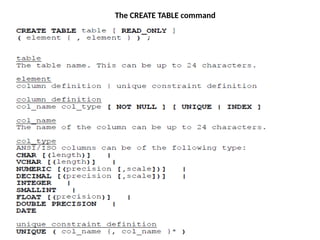
• Before you can do anything in SQL, someone must
first create a database structurecomposed of related
tables, and then add data to those tables. The CREATE
TABLE command is used to create new tables and is a
part of SQL's DDL.
SQL DML and DDL
• SQL can be divided into two parts: The Data
Manipulation Language (DML) and the Data
Definition Language (DDL).
• The query and update commands form the
DML part of SQL:
• SELECT - extracts data from a database
• UPDATE - updates data in a database
• DELETE - deletes data from a database
• INSERT INTO - inserts new data into a
database cheat
Cont---
• The DDL part of SQL permits database tables to be
created or deleted. It also defines indexes (keys),
specify links between tables, and impose constraints
between tables. The most important DDL statements
in SQL are:
• CREATE DATABASE - creates a new database
• ALTER DATABASE - modifies a database
• CREATE TABLE - creates a new table
• ALTER TABLE - modifies a table
• DROP TABLE - deletes a table
• CREATE INDEX - creates an index (search key)
• DROP INDEX - deletes an index
The CREATE TABLE command
Key Constraints
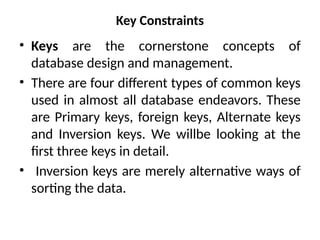
• Keys are the cornerstone concepts of
database design and management.
• There are four different types of common keys
used in almost all database endeavors. These
are Primary keys, foreign keys, Alternate keys
and Inversion keys. We willbe looking at the
first three keys in detail.
• Inversion keys are merely alternative ways of
sorting the data.
Primary Key Constraints
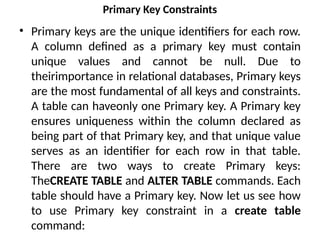
• Primary keys are the unique identifiers for each row.
A column defined as a primary key must contain
unique values and cannot be null. Due to
theirimportance in relational databases, Primary keys
are the most fundamental of all keys and constraints.
A table can haveonly one Primary key. A Primary key
ensures uniqueness within the column declared as
being part of that Primary key, and that unique value
serves as an identifier for each row in that table.
There are two ways to create Primary keys:
TheCREATE TABLE and ALTER TABLE commands. Each
table should have a Primary key. Now let us see how
to use Primary key constraint in a create table
command:
Cont---
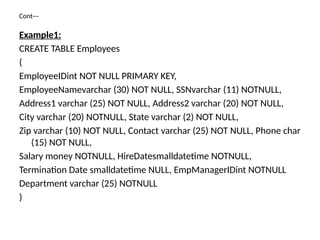
Example1:
CREATE TABLE Employees
(
EmployeeIDint NOT NULL PRIMARY KEY,
EmployeeNamevarchar (30) NOT NULL, SSNvarchar (11) NOTNULL,
Address1 varchar (25) NOT NULL, Address2 varchar (20) NOT NULL,
City varchar (20) NOTNULL, State varchar (2) NOT NULL,
Zip varchar (10) NOT NULL, Contact varchar (25) NOT NULL, Phone char
(15) NOT NULL,
Salary money NOTNULL, HireDatesmalldatetime NOTNULL,
Termination Date smalldatetime NULL, EmpManagerIDint NOTNULL
Department varchar (25) NOTNULL
)
Cont---
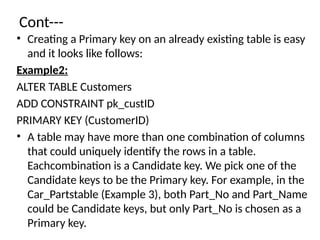
• Creating a Primary key on an already existing table is easy
and it looks like follows:
Example2:
ALTER TABLE Customers
ADD CONSTRAINT pk_custID
PRIMARY KEY (CustomerID)
• A table may have more than one combination of columns
that could uniquely identify the rows in a table.
Eachcombination is a Candidate key. We pick one of the
Candidate keys to be the Primary key. For example, in the
Car_Partstable (Example 3), both Part_No and Part_Name
could be Candidate keys, but only Part_No is chosen as a
Primary key.
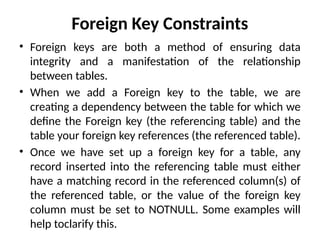
Foreign Key Constraints
• Foreign keys are both a method of ensuring data
integrity and a manifestation of the relationship
between tables.
• When we add a Foreign key to the table, we are
creating a dependency between the table for which we
define the Foreign key (the referencing table) and the
table your foreign key references (the referenced table).
• Once we have set up a foreign key for a table, any
record inserted into the referencing table must either
have a matching record in the referenced column(s) of
the referenced table, or the value of the foreign key
column must be set to NOTNULL. Some examples will
help toclarify this.
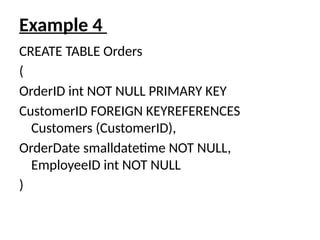
Example 4
CREATE TABLE Orders
(
OrderID int NOT NULL PRIMARY KEY
CustomerID FOREIGN KEYREFERENCES
Customers (CustomerID),
OrderDate smalldatetime NOT NULL,
EmployeeID int NOT NULL
)
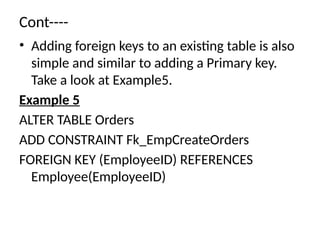
Cont----
• Adding foreign keys to an existing table is also
simple and similar to adding a Primary key.
Take a look at Example5.
Example 5
ALTER TABLE Orders
ADD CONSTRAINT Fk_EmpCreateOrders
FOREIGN KEY (EmployeeID) REFERENCES
Employee(EmployeeID)
SQL UNIT FOUR.pptxDiscDiscoverabilitDiscoverability Scorey Scoreoverability Score

SQL UNIT FOUR.pptxDiscDiscoverabilitDiscoverability Scorey Scoreoverability Score

  • 1.
  • 2.
    SQL • SQL isan ANSI (American National Standards Institute) standard computer language for accessing and manipulating database systems. SQL statements are used to retrieve and update data in a database. SQL works with database programs like MS Access, DB2, Informix, MS SQL Server, Oracle, Sybase, etc.
  • 3.
    Cont…… • Unfortunately, thereare many different versions of the SQL language, but to be in compliance with the ANSI standard, they must support the same major keywords in a similar manner (such as SELECT, UPDATE, DELETE, INSERT, WHERE, and others). • Note: Most of the SQL database programs also have their own proprietary extensions in addition to the SQL standard!
  • 4.
    SQL Database Tables •A database most often contains one or more tables. Each table is identified by a name (e.g. "Customers" or "Orders"). Tables contain records (rows) with data.
  • 5.
    Using the SQLServer Query Analy • Now – you need to start writing some queries! • Start -> Programs - > MS SQL Server2005 • When it opens, it will present a dialog to login to a server: • Choose the Server Type • Choose Server Name • Choose Windows Authentication if you choose windows authentication mode during installation, otherwise you need a SQL login name and password.
  • 6.
    Starting the QueryAnalyzer • There are different ways to start the Query Analyzer. The first is to start it through the Programs inside the File menu. • Choose Files on the menu * Choose New • Choose query with current connection • The second option is opening query analyzer from the standard tool bar by clicking on the new query tool bar and there is also other options to open the query analyzer from the key board short cut by opening the sql server and open ctrl+N • The main pane in Query Analyzer is the Editor Pane, in which you type your queries. • The Object Browser to the left of the Editor Pane (if you cannot see it, use the toolbar to activate) shows you all the objects in each database on the server. • NOTE: Always check that you are in the correct database before running a query
  • 7.
    Running a Query •To run a query: • type the query text into the Editor Pane • to execute the query – • choose Query -> Execute • OR hit the F5 key • OR click the Execute button on the toolbar (the green arrow head) • OR hit CTRL and E • For example, to select all the records from the publishers table: • Type in 'select * from publishers', in the Editor Pane • Hit F5 • the results of the query are displayed in the Results Pane, below the Editor Pane
  • 8.
    Cont….. • The ResultsPane has two tabs – Grids and Messages. • The data is displayed on the Grids tab. • If the query was successful, the Messages tab indicates how many rows were returned. • If the query was not successfully executed, the Messages tab contains any error messages that were returned. • Before you can do anything in SQL, someone must first create a database structurecomposed of related tables, and then add data to those tables. The CREATE TABLE command is used to create new tables and is a part of SQL's DDL.
  • 9.
    SQL DML andDDL • SQL can be divided into two parts: The Data Manipulation Language (DML) and the Data Definition Language (DDL). • The query and update commands form the DML part of SQL: • SELECT - extracts data from a database • UPDATE - updates data in a database • DELETE - deletes data from a database • INSERT INTO - inserts new data into a database cheat
  • 10.
    Cont--- • The DDLpart of SQL permits database tables to be created or deleted. It also defines indexes (keys), specify links between tables, and impose constraints between tables. The most important DDL statements in SQL are: • CREATE DATABASE - creates a new database • ALTER DATABASE - modifies a database • CREATE TABLE - creates a new table • ALTER TABLE - modifies a table • DROP TABLE - deletes a table • CREATE INDEX - creates an index (search key) • DROP INDEX - deletes an index
  • 11.
  • 12.
    Key Constraints • Keysare the cornerstone concepts of database design and management. • There are four different types of common keys used in almost all database endeavors. These are Primary keys, foreign keys, Alternate keys and Inversion keys. We willbe looking at the first three keys in detail. • Inversion keys are merely alternative ways of sorting the data.
  • 13.
    Primary Key Constraints •Primary keys are the unique identifiers for each row. A column defined as a primary key must contain unique values and cannot be null. Due to theirimportance in relational databases, Primary keys are the most fundamental of all keys and constraints. A table can haveonly one Primary key. A Primary key ensures uniqueness within the column declared as being part of that Primary key, and that unique value serves as an identifier for each row in that table. There are two ways to create Primary keys: TheCREATE TABLE and ALTER TABLE commands. Each table should have a Primary key. Now let us see how to use Primary key constraint in a create table command:
  • 14.
    Cont--- Example1: CREATE TABLE Employees ( EmployeeIDintNOT NULL PRIMARY KEY, EmployeeNamevarchar (30) NOT NULL, SSNvarchar (11) NOTNULL, Address1 varchar (25) NOT NULL, Address2 varchar (20) NOT NULL, City varchar (20) NOTNULL, State varchar (2) NOT NULL, Zip varchar (10) NOT NULL, Contact varchar (25) NOT NULL, Phone char (15) NOT NULL, Salary money NOTNULL, HireDatesmalldatetime NOTNULL, Termination Date smalldatetime NULL, EmpManagerIDint NOTNULL Department varchar (25) NOTNULL )
  • 15.
    Cont--- • Creating aPrimary key on an already existing table is easy and it looks like follows: Example2: ALTER TABLE Customers ADD CONSTRAINT pk_custID PRIMARY KEY (CustomerID) • A table may have more than one combination of columns that could uniquely identify the rows in a table. Eachcombination is a Candidate key. We pick one of the Candidate keys to be the Primary key. For example, in the Car_Partstable (Example 3), both Part_No and Part_Name could be Candidate keys, but only Part_No is chosen as a Primary key.
  • 16.
    Foreign Key Constraints •Foreign keys are both a method of ensuring data integrity and a manifestation of the relationship between tables. • When we add a Foreign key to the table, we are creating a dependency between the table for which we define the Foreign key (the referencing table) and the table your foreign key references (the referenced table). • Once we have set up a foreign key for a table, any record inserted into the referencing table must either have a matching record in the referenced column(s) of the referenced table, or the value of the foreign key column must be set to NOTNULL. Some examples will help toclarify this.
  • 17.
    Example 4 CREATE TABLEOrders ( OrderID int NOT NULL PRIMARY KEY CustomerID FOREIGN KEYREFERENCES Customers (CustomerID), OrderDate smalldatetime NOT NULL, EmployeeID int NOT NULL )
  • 18.
    Cont---- • Adding foreignkeys to an existing table is also simple and similar to adding a Primary key. Take a look at Example5. Example 5 ALTER TABLE Orders ADD CONSTRAINT Fk_EmpCreateOrders FOREIGN KEY (EmployeeID) REFERENCES Employee(EmployeeID)