Disadvantages of SQL
•SQL does not have any procedural capabilities i.e. SQL does not provide
the programming techniques of condition checking ,looping and branching.
• SQL statements passed one at time to Oracle engine. Each time an SQL
statements is executed a call is made to the engine's resources .This add
traffic on network ,decreasing speed of data processing.
• While processing an SQL sentence occurs an error the oracle engine
display its own error message .SQL has no facility for programmed
handling of errors that arise during manipulation of data
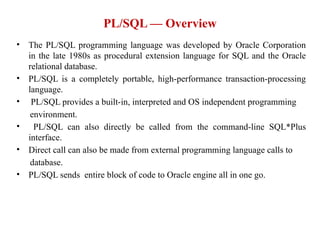
• The PL/SQLprogramming language was developed by Oracle Corporation
in the late 1980s as procedural extension language for SQL and the Oracle
relational database.
• PL/SQL is a completely portable, high-performance transaction-processing
language.
• PL/SQL provides a built-in, interpreted and OS independent programming
environment.
• PL/SQL can also directly be called from the command-line SQL*Plus
interface.
• Direct call can also be made from external programming language calls to
database.
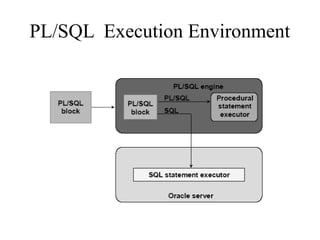
• PL/SQL sends entire block of code to Oracle engine all in one go.
PL/SQL — Overview
4.
Features of PL/SQL
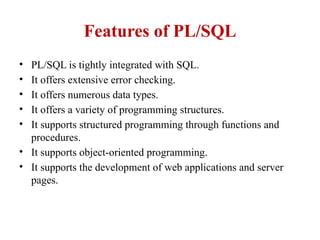
•PL/SQL is tightly integrated with SQL.
• It offers extensive error checking.
• It offers numerous data types.
• It offers a variety of programming structures.
• It supports structured programming through functions and
procedures.
• It supports object-oriented programming.
• It supports the development of web applications and server
pages.
5.
Advantages of PL/SQL
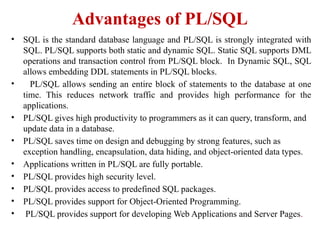
•SQL is the standard database language and PL/SQL is strongly integrated with
SQL. PL/SQL supports both static and dynamic SQL. Static SQL supports DML
operations and transaction control from PL/SQL block. In Dynamic SQL, SQL
allows embedding DDL statements in PL/SQL blocks.
• PL/SQL allows sending an entire block of statements to the database at one
time. This reduces network traffic and provides high performance for the
applications.
• PL/SQL gives high productivity to programmers as it can query, transform, and
update data in a database.
• PL/SQL saves time on design and debugging by strong features, such as
exception handling, encapsulation, data hiding, and object-oriented data types.
• Applications written in PL/SQL are fully portable.
• PL/SQL provides high security level.
• PL/SQL provides access to predefined SQL packages.
• PL/SQL provides support for Object-Oriented Programming.
• PL/SQL provides support for developing Web Applications and Server Pages.
6.
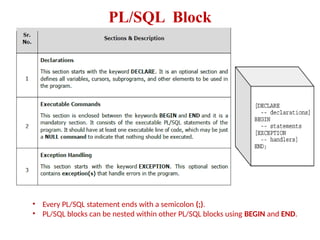
PL/SQL Block
• EveryPL/SQL statement ends with a semicolon (;).
• PL/SQL blocks can be nested within other PL/SQL blocks using BEGIN and END.
7.
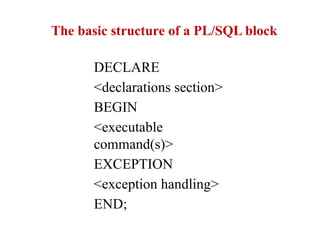
The basic structureof a PL/SQL block
DECLARE
<declarations section>
BEGIN
<executable
command(s)>
EXCEPTION
<exception handling>
END;
The PL/SQL Identifiers
•PL/SQL identifiers are constants, variables, exceptions,
procedures, cursors, and reserved words.
• The identifiers consist of a letter optionally followed by more
letters, numerals, dollar signs, underscores, and number signs
and should not exceed 30 characters.
• By default, identifiers are not case-sensitive. So you can use
integer or INTEGER to represent a numeric value. You
cannot use a reserved keyword as an identifier
11.
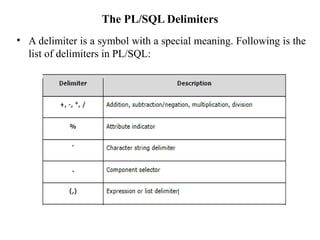
The PL/SQL Delimiters
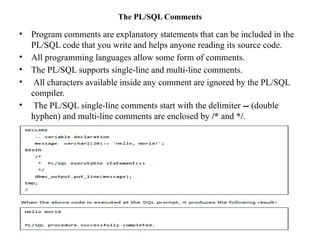
•A delimiter is a symbol with a special meaning. Following is the
list of delimiters in PL/SQL:
13.
The PL/SQL Comments
•Program comments are explanatory statements that can be included in the
PL/SQL code that you write and helps anyone reading its source code.
• All programming languages allow some form of comments.
• The PL/SQL supports single-line and multi-line comments.
• All characters available inside any comment are ignored by the PL/SQL
compiler.
• The PL/SQL single-line comments start with the delimiter -- (double
hyphen) and multi-line comments are enclosed by /* and */.
14.
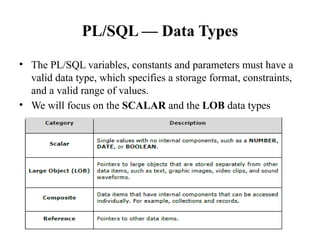
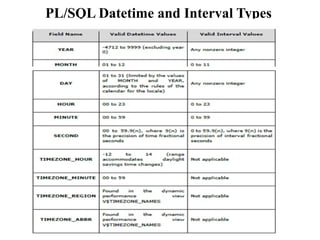
PL/SQL — DataTypes
• The PL/SQL variables, constants and parameters must have a
valid data type, which specifies a storage format, constraints,
and a valid range of values.
• We will focus on the SCALAR and the LOB data types
15.
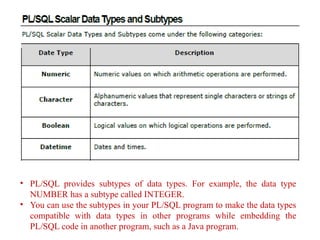
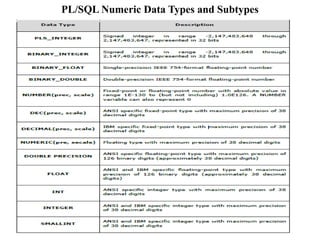
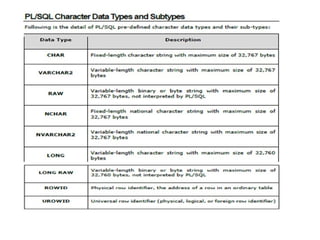
• PL/SQL providessubtypes of data types. For example, the data type
NUMBER has a subtype called INTEGER.
• You can use the subtypes in your PL/SQL program to make the data types
compatible with data types in other programs while embedding the
PL/SQL code in another program, such as a Java program.
PL/SQL Boolean DataTypes
• The BOOLEAN data type stores logical values that are used
in logical operations.
• The logical values are the Boolean values TRUE and FALSE
and the value NULL.
• However, SQL has no data type equivalent to BOOLEAN.
• Boolean values cannot be used in:
• SQL statements
• Built-in SQL functions (such as TO_CHAR)
• PL/SQL functions invoked from SQL statements
PL/SQL Large Object(LOB) Data Types
Data Type Description Size Size
BLOB Used to store unstructured
binary data. Contains
videos and picture
information's
4 GB
CLOB Used to store single byte
character .To store
Document.
8 to 128 terabytes (TB)
BFILE Used to store a pointer to
read only binary data
stored as external files
outside the database
8 to 128 TB
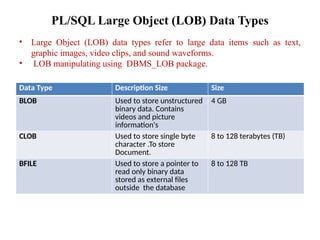
• Large Object (LOB) data types refer to large data items such as text,
graphic images, video clips, and sound waveforms.
• LOB manipulating using DBMS_LOB package.
21.
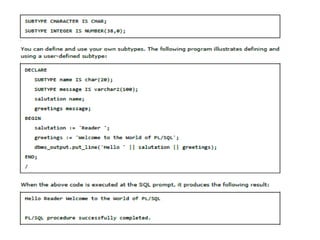
PL/SQL User-Defined Subtypes
•A subtype is a subset of another data type, which is called its
base type.
• A subtype has the same valid operations as its base type, but
only a subset of its valid values.
• PL/SQL predefines several subtypes in package STANDARD.
• For example, PL/SQL predefines the subtypes CHARACTER
and INTEGER as follows:
23.
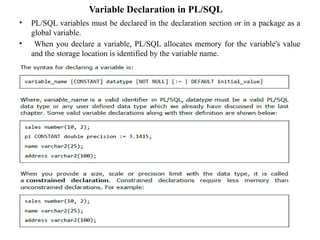
Variable Declaration inPL/SQL
• PL/SQL variables must be declared in the declaration section or in a package as a
global variable.
• When you declare a variable, PL/SQL allocates memory for the variable's value
and the storage location is identified by the variable name.
24.
Initializing Variables inPL/SQL
• Whenever you declare a variable, PL/SQL assigns it a default value of
NULL.
• If you want to initialize a variable with a value other than the NULL value,
you can do so during the declaration, using either of the following:
• The DEFAULT keyword
• The assignment operator
26.
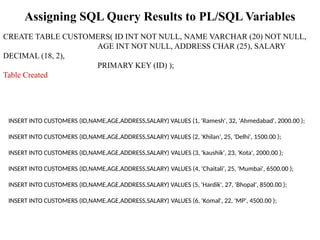
Assigning SQL QueryResults to PL/SQL Variables
CREATE TABLE CUSTOMERS( ID INT NOT NULL, NAME VARCHAR (20) NOT NULL,
AGE INT NOT NULL, ADDRESS CHAR (25), SALARY
DECIMAL (18, 2),
PRIMARY KEY (ID) );
Table Created
INSERT INTO CUSTOMERS (ID,NAME,AGE,ADDRESS,SALARY) VALUES (1, 'Ramesh', 32, 'Ahmedabad', 2000.00 );
INSERT INTO CUSTOMERS (ID,NAME,AGE,ADDRESS,SALARY) VALUES (2, 'Khilan', 25, 'Delhi', 1500.00 );
INSERT INTO CUSTOMERS (ID,NAME,AGE,ADDRESS,SALARY) VALUES (3, 'kaushik', 23, 'Kota', 2000.00 );
INSERT INTO CUSTOMERS (ID,NAME,AGE,ADDRESS,SALARY) VALUES (4, 'Chaitali', 25, 'Mumbai', 6500.00 );
INSERT INTO CUSTOMERS (ID,NAME,AGE,ADDRESS,SALARY) VALUES (5, 'Hardik', 27, 'Bhopal', 8500.00 );
INSERT INTO CUSTOMERS (ID,NAME,AGE,ADDRESS,SALARY) VALUES (6, 'Komal', 22, 'MP', 4500.00 );
27.
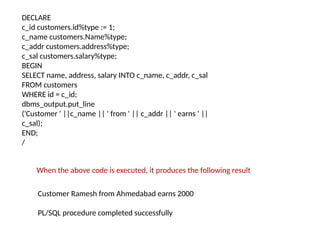
DECLARE
c_id customers.id%type :=1;
c_name customers.Name%type;
c_addr customers.address%type;
c_sal customers.salary%type;
BEGIN
SELECT name, address, salary INTO c_name, c_addr, c_sal
FROM customers
WHERE id = c_id;
dbms_output.put_line
('Customer ' ||c_name || ' from ' || c_addr || ' earns ' ||
c_sal);
END;
/
Customer Ramesh from Ahmedabad earns 2000
PL/SQL procedure completed successfully
When the above code is executed, it produces the following result
28.
PL/SQL — Operators
•An operator is a symbol that tells the compiler to
perform specific mathematical or logical
manipulation.
• PL/SQL language is rich in built-in operators and
provides the following types of operators:
• Arithmetic operators
• Relational operators
• Comparison operators
• Logical operators
• String operators
30.
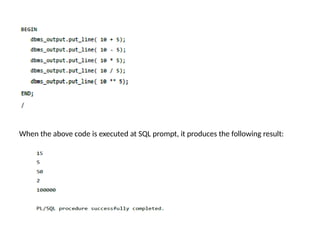
When the abovecode is executed at SQL prompt, it produces the following result:
31.
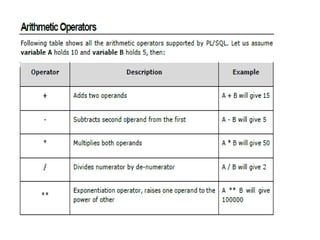
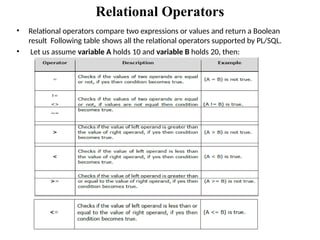
Relational Operators
• Relationaloperators compare two expressions or values and return a Boolean
result Following table shows all the relational operators supported by PL/SQL.
• Let us assume variable A holds 10 and variable B holds 20, then:
32.
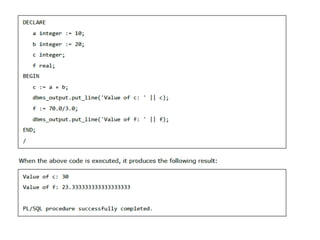
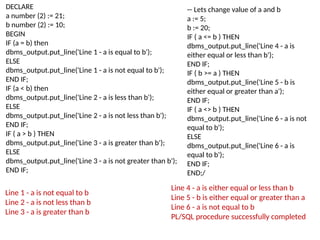
DECLARE
a number (2):= 21;
b number (2) := 10;
BEGIN
IF (a = b) then
dbms_output.put_line('Line 1 - a is equal to b');
ELSE
dbms_output.put_line('Line 1 - a is not equal to b');
END IF;
IF (a < b) then
dbms_output.put_line('Line 2 - a is less than b');
ELSE
dbms_output.put_line('Line 2 - a is not less than b');
END IF;
IF ( a > b ) THEN
dbms_output.put_line('Line 3 - a is greater than b');
ELSE
dbms_output.put_line('Line 3 - a is not greater than b');
END IF;
Line 4 - a is either equal or less than b
Line 5 - b is either equal or greater than a
Line 6 - a is not equal to b
PL/SQL procedure successfully completed
-- Lets change value of a and b
a := 5;
b := 20;
IF ( a <= b ) THEN
dbms_output.put_line('Line 4 - a is
either equal or less than b');
END IF;
IF ( b >= a ) THEN
dbms_output.put_line('Line 5 - b is
either equal or greater than a');
END IF;
IF ( a <> b ) THEN
dbms_output.put_line('Line 6 - a is not
equal to b');
ELSE
dbms_output.put_line('Line 6 - a is
equal to b');
END IF;
END;/
Line 1 - a is not equal to b
Line 2 - a is not less than b
Line 3 - a is greater than b
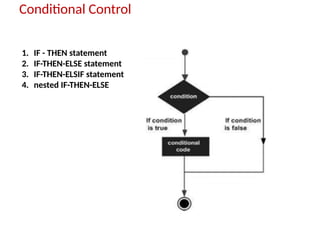
Conditional Control
1. IF- THEN statement
2. IF-THEN-ELSE statement
3. IF-THEN-ELSIF statement
4. nested IF-THEN-ELSE
35.
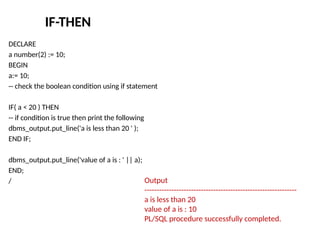
IF-THEN
DECLARE
a number(2) :=10;
BEGIN
a:= 10;
-- check the boolean condition using if statement
IF( a < 20 ) THEN
-- if condition is true then print the following
dbms_output.put_line('a is less than 20 ' );
END IF;
dbms_output.put_line('value of a is : ' || a);
END;
/ Output
--------------------------------------------------------------
a is less than 20
value of a is : 10
PL/SQL procedure successfully completed.
36.
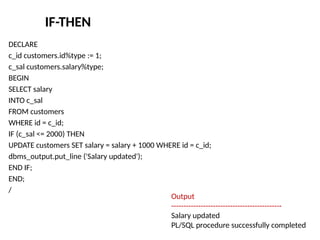
IF-THEN
DECLARE
c_id customers.id%type :=1;
c_sal customers.salary%type;
BEGIN
SELECT salary
INTO c_sal
FROM customers
WHERE id = c_id;
IF (c_sal <= 2000) THEN
UPDATE customers SET salary = salary + 1000 WHERE id = c_id;
dbms_output.put_line ('Salary updated');
END IF;
END;
/
Output
---------------------------------------------
Salary updated
PL/SQL procedure successfully completed
37.
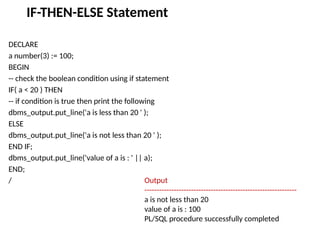
IF-THEN-ELSE Statement
DECLARE
a number(3):= 100;
BEGIN
-- check the boolean condition using if statement
IF( a < 20 ) THEN
-- if condition is true then print the following
dbms_output.put_line('a is less than 20 ' );
ELSE
dbms_output.put_line('a is not less than 20 ' );
END IF;
dbms_output.put_line('value of a is : ' || a);
END;
/ Output
--------------------------------------------------------------
a is not less than 20
value of a is : 100
PL/SQL procedure successfully completed
38.
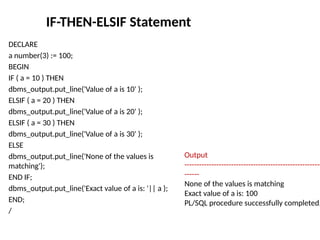
IF-THEN-ELSIF Statement
DECLARE
a number(3):= 100;
BEGIN
IF ( a = 10 ) THEN
dbms_output.put_line('Value of a is 10' );
ELSIF ( a = 20 ) THEN
dbms_output.put_line('Value of a is 20' );
ELSIF ( a = 30 ) THEN
dbms_output.put_line('Value of a is 30' );
ELSE
dbms_output.put_line('None of the values is
matching');
END IF;
dbms_output.put_line('Exact value of a is: '|| a );
END;
/
Output
--------------------------------------------------------
------
None of the values is matching
Exact value of a is: 100
PL/SQL procedure successfully completed.
39.
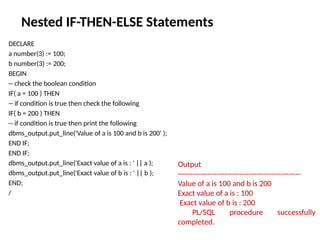
Nested IF-THEN-ELSE Statements
DECLARE
anumber(3) := 100;
b number(3) := 200;
BEGIN
-- check the boolean condition
IF( a = 100 ) THEN
-- if condition is true then check the following
IF( b = 200 ) THEN
-- if condition is true then print the following
dbms_output.put_line('Value of a is 100 and b is 200' );
END IF;
END IF;
dbms_output.put_line('Exact value of a is : ' || a );
dbms_output.put_line('Exact value of b is : ' || b );
END;
/
Output
--------------------------------------------------
Value of a is 100 and b is 200
Exact value of a is : 100
Exact value of b is : 200
PL/SQL procedure successfully
completed.
40.
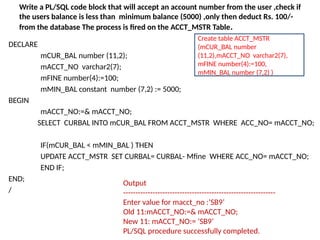
Write a PL/SQLcode block that will accept an account number from the user ,check if
the users balance is less than minimum balance (5000) ,only then deduct Rs. 100/-
from the database The process is fired on the ACCT_MSTR Table.
DECLARE
mCUR_BAL number (11,2);
mACCT_NO varchar2(7);
mFINE number(4):=100;
mMIN_BAL constant number (7,2) := 5000;
BEGIN
mACCT_NO:=& mACCT_NO;
SELECT CURBAL INTO mCUR_BAL FROM ACCT_MSTR WHERE ACC_NO= mACCT_NO;
IF(mCUR_BAL < mMIN_BAL ) THEN
UPDATE ACCT_MSTR SET CURBAL= CURBAL- Mfine WHERE ACC_NO= mACCT_NO;
END IF;
END;
/
Output
--------------------------------------------------------------
Enter value for macct_no :’SB9’
Old 11:mACCT_NO:=& mACCT_NO;
New 11: mACCT_NO:= ’SB9’
PL/SQL procedure successfully completed.
Create table ACCT_MSTR
(mCUR_BAL number
(11,2),mACCT_NO varchar2(7),
mFINE number(4):=100,
mMIN_BAL number (7,2) )
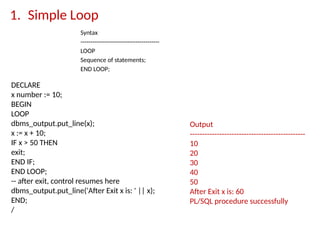
1. Simple Loop
Syntax
----------------------------------------
LOOP
Sequenceof statements;
END LOOP;
Output
-----------------------------------------------
10
20
30
40
50
After Exit x is: 60
PL/SQL procedure successfully
DECLARE
x number := 10;
BEGIN
LOOP
dbms_output.put_line(x);
x := x + 10;
IF x > 50 THEN
exit;
END IF;
END LOOP;
-- after exit, control resumes here
dbms_output.put_line('After Exit x is: ' || x);
END;
/
43.
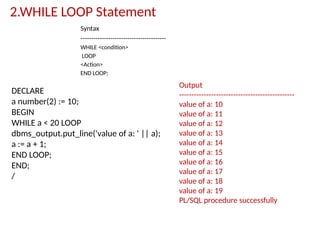
2.WHILE LOOP Statement
Syntax
----------------------------------------
WHILE<condition>
LOOP
<Action>
END LOOP;
Output
-----------------------------------------------
value of a: 10
value of a: 11
value of a: 12
value of a: 13
value of a: 14
value of a: 15
value of a: 16
value of a: 17
value of a: 18
value of a: 19
PL/SQL procedure successfully
DECLARE
a number(2) := 10;
BEGIN
WHILE a < 20 LOOP
dbms_output.put_line('value of a: ' || a);
a := a + 1;
END LOOP;
END;
/
44.
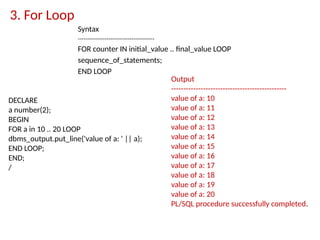
3. For Loop
Syntax
----------------------------------------
FORcounter IN initial_value .. final_value LOOP
sequence_of_statements;
END LOOP
Output
-----------------------------------------------
value of a: 10
value of a: 11
value of a: 12
value of a: 13
value of a: 14
value of a: 15
value of a: 16
value of a: 17
value of a: 18
value of a: 19
value of a: 20
PL/SQL procedure successfully completed.
DECLARE
a number(2);
BEGIN
FOR a in 10 .. 20 LOOP
dbms_output.put_line('value of a: ' || a);
END LOOP;
END;
/
45.
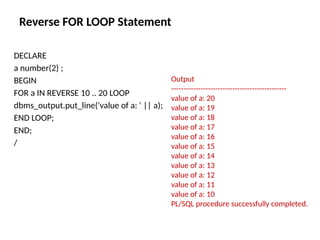
Reverse FOR LOOPStatement
DECLARE
a number(2) ;
BEGIN
FOR a IN REVERSE 10 .. 20 LOOP
dbms_output.put_line('value of a: ' || a);
END LOOP;
END;
/
Output
-----------------------------------------------
value of a: 20
value of a: 19
value of a: 18
value of a: 17
value of a: 16
value of a: 15
value of a: 14
value of a: 13
value of a: 12
value of a: 11
value of a: 10
PL/SQL procedure successfully completed.
46.
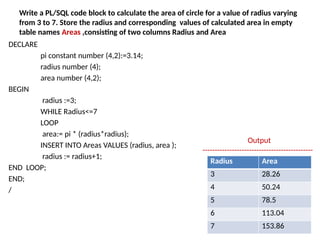
Write a PL/SQLcode block to calculate the area of circle for a value of radius varying
from 3 to 7. Store the radius and corresponding values of calculated area in empty
table names Areas ,consisting of two columns Radius and Area
DECLARE
pi constant number (4,2):=3.14;
radius number (4);
area number (4,2);
BEGIN
radius :=3;
WHILE Radius<=7
LOOP
area:= pi * (radius*radius);
INSERT INTO Areas VALUES (radius, area );
radius := radius+1;
END LOOP;
END;
/
Output
---------------------------------------------
Radius Area
3 28.26
4 50.24
5 78.5
6 113.04
7 153.86
47.
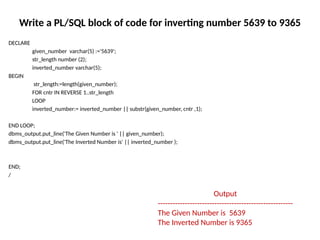
Write a PL/SQLblock of code for inverting number 5639 to 9365
DECLARE
given_number varchar(5) :='5639';
str_length number (2);
inverted_number varchar(5);
BEGIN
str_length:=length(given_number);
FOR cntr IN REVERSE 1..str_length
LOOP
inverted_number:= inverted_number || substr(given_number, cntr ,1);
END LOOP;
dbms_output.put_line('The Given Number is ' || given_number);
dbms_output.put_line('The Inverted Number is' || inverted_number );
END;
/
Output
-------------------------------------------------------
The Given Number is 5639
The Inverted Number is 9365
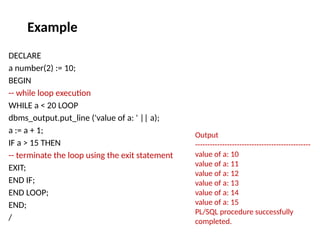
DECLARE
a number(2) :=10;
BEGIN
-- while loop execution
WHILE a < 20 LOOP
dbms_output.put_line ('value of a: ' || a);
a := a + 1;
IF a > 15 THEN
-- terminate the loop using the exit statement
EXIT;
END IF;
END LOOP;
END;
/
Output
-----------------------------------------------
value of a: 10
value of a: 11
value of a: 12
value of a: 13
value of a: 14
value of a: 15
PL/SQL procedure successfully
completed.
Example
51.
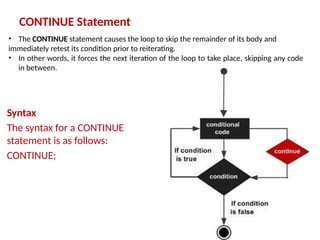
CONTINUE Statement
Syntax
The syntaxfor a CONTINUE
statement is as follows:
CONTINUE;
• The CONTINUE statement causes the loop to skip the remainder of its body and
immediately retest its condition prior to reiterating.
• In other words, it forces the next iteration of the loop to take place, skipping any code
in between.
52.
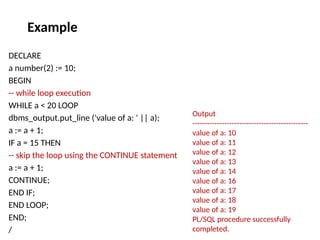
DECLARE
a number(2) :=10;
BEGIN
-- while loop execution
WHILE a < 20 LOOP
dbms_output.put_line ('value of a: ' || a);
a := a + 1;
IF a = 15 THEN
-- skip the loop using the CONTINUE statement
a := a + 1;
CONTINUE;
END IF;
END LOOP;
END;
/
Output
-----------------------------------------------
value of a: 10
value of a: 11
value of a: 12
value of a: 13
value of a: 14
value of a: 16
value of a: 17
value of a: 18
value of a: 19
PL/SQL procedure successfully
completed.
Example
53.
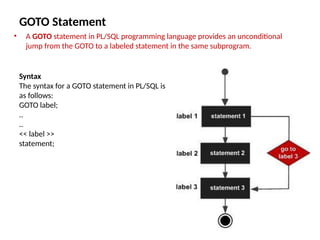
GOTO Statement
• AGOTO statement in PL/SQL programming language provides an unconditional
jump from the GOTO to a labeled statement in the same subprogram.
Syntax
The syntax for a GOTO statement in PL/SQL is
as follows:
GOTO label;
..
..
<< label >>
statement;
54.
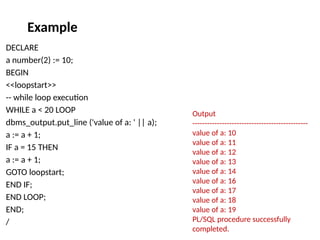
DECLARE
a number(2) :=10;
BEGIN
<<loopstart>>
-- while loop execution
WHILE a < 20 LOOP
dbms_output.put_line ('value of a: ' || a);
a := a + 1;
IF a = 15 THEN
a := a + 1;
GOTO loopstart;
END IF;
END LOOP;
END;
/
Output
-----------------------------------------------
value of a: 10
value of a: 11
value of a: 12
value of a: 13
value of a: 14
value of a: 16
value of a: 17
value of a: 18
value of a: 19
PL/SQL procedure successfully
completed.
Example
55.
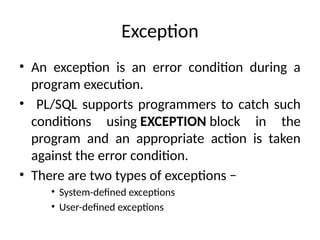
Exception
• An exceptionis an error condition during a
program execution.
• PL/SQL supports programmers to catch such
conditions using EXCEPTION block in the
program and an appropriate action is taken
against the error condition.
• There are two types of exceptions −
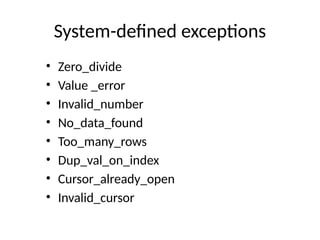
• System-defined exceptions
• User-defined exceptions
56.
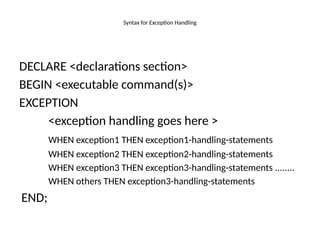
Syntax for ExceptionHandling
DECLARE <declarations section>
BEGIN <executable command(s)>
EXCEPTION
<exception handling goes here >
WHEN exception1 THEN exception1-handling-statements
WHEN exception2 THEN exception2-handling-statements
WHEN exception3 THEN exception3-handling-statements ........
WHEN others THEN exception3-handling-statements
END;
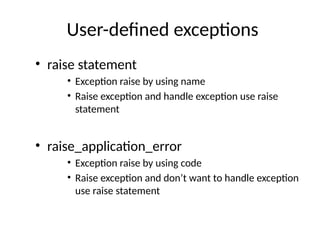
User-defined exceptions
• raisestatement
• Exception raise by using name
• Raise exception and handle exception use raise
statement
• raise_application_error
• Exception raise by using code
• Raise exception and don’t want to handle exception
use raise statement
59.
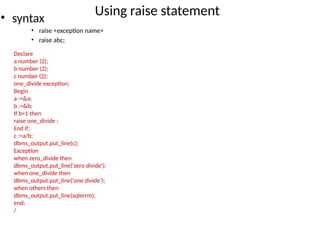
Using raise statement
•syntax
• raise <exception name>
• raise abc;
Declare
a number (2);
b number (2);
c number (2);
one_divide exception;
Begin
a :=&a;
b :=&b;
If b=1 then
raise one_divide ;
End if;
c :=a/b;
dbms_output.put_line(c);
Exception
when zero_divide then
dbms_output.put_line('zero divide');
when one_divide then
dbms_output.put_line('one divide');
when others then
dbms_output.put_line(sqlerrm);
end;
/
60.
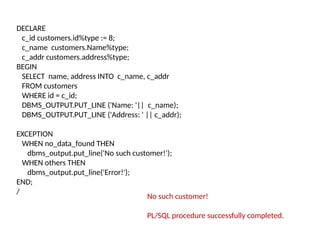
DECLARE
c_id customers.id%type :=8;
c_name customers.Name%type;
c_addr customers.address%type;
BEGIN
SELECT name, address INTO c_name, c_addr
FROM customers
WHERE id = c_id;
DBMS_OUTPUT.PUT_LINE ('Name: '|| c_name);
DBMS_OUTPUT.PUT_LINE ('Address: ' || c_addr);
EXCEPTION
WHEN no_data_found THEN
dbms_output.put_line('No such customer!');
WHEN others THEN
dbms_output.put_line('Error!');
END;
/
No such customer!
PL/SQL procedure successfully completed.
63.
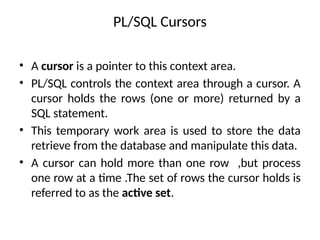
PL/SQL Cursors
• Acursor is a pointer to this context area.
• PL/SQL controls the context area through a cursor. A
cursor holds the rows (one or more) returned by a
SQL statement.
• This temporary work area is used to store the data
retrieve from the database and manipulate this data.
• A cursor can hold more than one row ,but process
one row at a time .The set of rows the cursor holds is
referred to as the active set.
64.
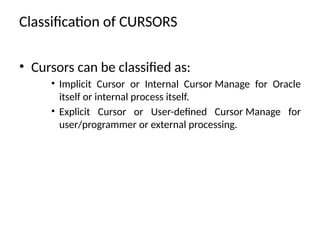
Classification of CURSORS
•Cursors can be classified as:
• Implicit Cursor or Internal Cursor Manage for Oracle
itself or internal process itself.
• Explicit Cursor or User-defined Cursor Manage for
user/programmer or external processing.
65.
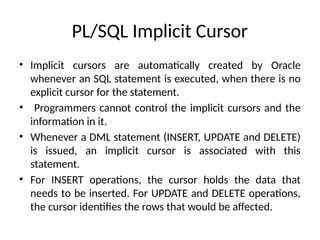
PL/SQL Implicit Cursor
•Implicit cursors are automatically created by Oracle
whenever an SQL statement is executed, when there is no
explicit cursor for the statement.
• Programmers cannot control the implicit cursors and the
information in it.
• Whenever a DML statement (INSERT, UPDATE and DELETE)
is issued, an implicit cursor is associated with this
statement.
• For INSERT operations, the cursor holds the data that
needs to be inserted. For UPDATE and DELETE operations,
the cursor identifies the rows that would be affected.
66.
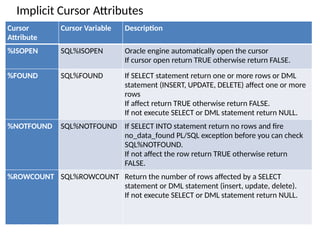
Implicit Cursor Attributes
Cursor
Attribute
CursorVariable Description
%ISOPEN SQL%ISOPEN Oracle engine automatically open the cursor
If cursor open return TRUE otherwise return FALSE.
%FOUND SQL%FOUND If SELECT statement return one or more rows or DML
statement (INSERT, UPDATE, DELETE) affect one or more
rows
If affect return TRUE otherwise return FALSE.
If not execute SELECT or DML statement return NULL.
%NOTFOUND SQL%NOTFOUND If SELECT INTO statement return no rows and fire
no_data_found PL/SQL exception before you can check
SQL%NOTFOUND.
If not affect the row return TRUE otherwise return
FALSE.
%ROWCOUNT SQL%ROWCOUNT Return the number of rows affected by a SELECT
statement or DML statement (insert, update, delete).
If not execute SELECT or DML statement return NULL.
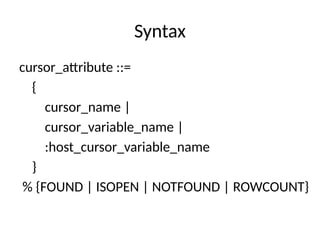
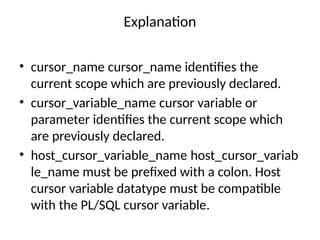
Explanation
• cursor_name cursor_nameidentifies the
current scope which are previously declared.
• cursor_variable_name cursor variable or
parameter identifies the current scope which
are previously declared.
• host_cursor_variable_name host_cursor_variab
le_name must be prefixed with a colon. Host
cursor variable datatype must be compatible
with the PL/SQL cursor variable.
69.
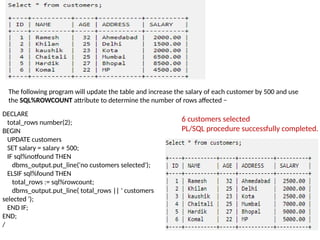
The following programwill update the table and increase the salary of each customer by 500 and use
the SQL%ROWCOUNT attribute to determine the number of rows affected −
DECLARE
total_rows number(2);
BEGIN
UPDATE customers
SET salary = salary + 500;
IF sql%notfound THEN
dbms_output.put_line('no customers selected');
ELSIF sql%found THEN
total_rows := sql%rowcount;
dbms_output.put_line( total_rows || ' customers
selected ');
END IF;
END;
/
6 customers selected
PL/SQL procedure successfully completed.
70.
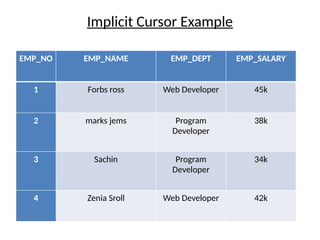
Implicit Cursor Example
EMP_NOEMP_NAME EMP_DEPT EMP_SALARY
1 Forbs ross Web Developer 45k
2 marks jems Program
Developer
38k
3 Sachin Program
Developer
34k
4 Zenia Sroll Web Developer 42k
71.
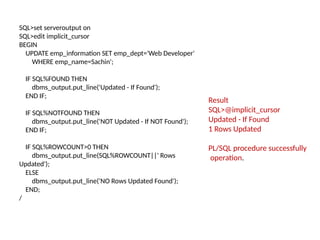
SQL>set serveroutput on
SQL>editimplicit_cursor
BEGIN
UPDATE emp_information SET emp_dept='Web Developer'
WHERE emp_name=Sachin';
IF SQL%FOUND THEN
dbms_output.put_line('Updated - If Found');
END IF;
IF SQL%NOTFOUND THEN
dbms_output.put_line('NOT Updated - If NOT Found');
END IF;
IF SQL%ROWCOUNT>0 THEN
dbms_output.put_line(SQL%ROWCOUNT||' Rows
Updated');
ELSE
dbms_output.put_line('NO Rows Updated Found');
END;
/
Result
SQL>@implicit_cursor
Updated - If Found
1 Rows Updated
PL/SQL procedure successfully
operation.
72.
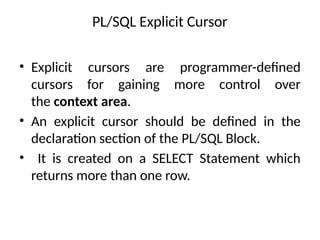
PL/SQL Explicit Cursor
•Explicit cursors are programmer-defined
cursors for gaining more control over
the context area.
• An explicit cursor should be defined in the
declaration section of the PL/SQL Block.
• It is created on a SELECT Statement which
returns more than one row.
73.
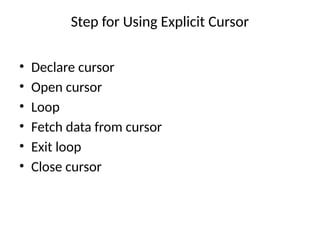
Step for UsingExplicit Cursor
• Declare cursor
• Open cursor
• Loop
• Fetch data from cursor
• Exit loop
• Close cursor
74.
Step for UsingExplicit Cursor
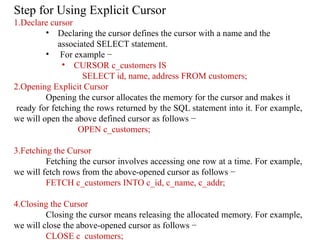
1.Declare cursor
• Declaring the cursor defines the cursor with a name and the
associated SELECT statement.
• For example −
• CURSOR c_customers IS
SELECT id, name, address FROM customers;
2.Opening Explicit Cursor
Opening the cursor allocates the memory for the cursor and makes it
ready for fetching the rows returned by the SQL statement into it. For example,
we will open the above defined cursor as follows −
OPEN c_customers;
3.Fetching the Cursor
Fetching the cursor involves accessing one row at a time. For example,
we will fetch rows from the above-opened cursor as follows −
FETCH c_customers INTO c_id, c_name, c_addr;
4.Closing the Cursor
Closing the cursor means releasing the allocated memory. For example,
we will close the above-opened cursor as follows −
CLOSE c_customers;
75.
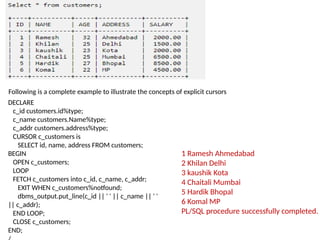
Following is acomplete example to illustrate the concepts of explicit cursors
DECLARE
c_id customers.id%type;
c_name customers.Name%type;
c_addr customers.address%type;
CURSOR c_customers is
SELECT id, name, address FROM customers;
BEGIN
OPEN c_customers;
LOOP
FETCH c_customers into c_id, c_name, c_addr;
EXIT WHEN c_customers%notfound;
dbms_output.put_line(c_id || ' ' || c_name || ' '
|| c_addr);
END LOOP;
CLOSE c_customers;
END;
1 Ramesh Ahmedabad
2 Khilan Delhi
3 kaushik Kota
4 Chaitali Mumbai
5 Hardik Bhopal
6 Komal MP
PL/SQL procedure successfully completed.
76.
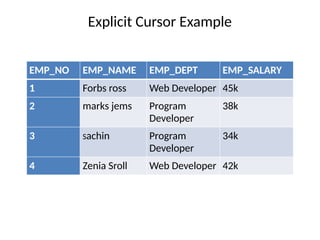
Explicit Cursor Example
EMP_NOEMP_NAME EMP_DEPT EMP_SALARY
1 Forbs ross Web Developer 45k
2 marks jems Program
Developer
38k
3 Sachin Program
Developer
34k
4 Zenia Sroll Web Developer 42k
77.
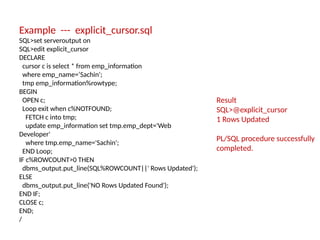
Example --- explicit_cursor.sql
SQL>setserveroutput on
SQL>edit explicit_cursor
DECLARE
cursor c is select * from emp_information
where emp_name=‘Sachin';
tmp emp_information%rowtype;
BEGIN
OPEN c;
Loop exit when c%NOTFOUND;
FETCH c into tmp;
update emp_information set tmp.emp_dept='Web
Developer'
where tmp.emp_name='Sachin';
END Loop;
IF c%ROWCOUNT>0 THEN
dbms_output.put_line(SQL%ROWCOUNT||' Rows Updated');
ELSE
dbms_output.put_line('NO Rows Updated Found');
END IF;
CLOSE c;
END;
/
Result
SQL>@explicit_cursor
1 Rows Updated
PL/SQL procedure successfully
completed.
78.
PL/SQL Cursors ForLoop
• PL/SQL cursor FOR loop has one great
advantage of loop continued until row not
found.
• FOR loop iterate repeatedly and fetches rows
of values from database until row not found.
79.
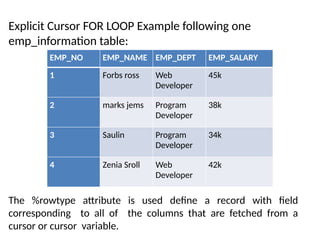
Explicit Cursor FORLOOP Example following one
emp_information table:
EMP_NO EMP_NAME EMP_DEPT EMP_SALARY
1 Forbs ross Web
Developer
45k
2 marks jems Program
Developer
38k
3 Saulin Program
Developer
34k
4 Zenia Sroll Web
Developer
42k
The %rowtype attribute is used define a record with field
corresponding to all of the columns that are fetched from a
cursor or cursor variable.
80.
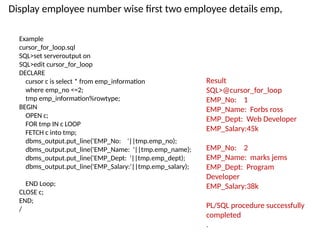
Example
cursor_for_loop.sql
SQL>set serveroutput on
SQL>editcursor_for_loop
DECLARE
cursor c is select * from emp_information
where emp_no <=2;
tmp emp_information%rowtype;
BEGIN
OPEN c;
FOR tmp IN c LOOP
FETCH c into tmp;
dbms_output.put_line('EMP_No: '||tmp.emp_no);
dbms_output.put_line('EMP_Name: '||tmp.emp_name);
dbms_output.put_line('EMP_Dept: '||tmp.emp_dept);
dbms_output.put_line('EMP_Salary:'||tmp.emp_salary);
END Loop;
CLOSE c;
END;
/
Result
SQL>@cursor_for_loop
EMP_No: 1
EMP_Name: Forbs ross
EMP_Dept: Web Developer
EMP_Salary:45k
EMP_No: 2
EMP_Name: marks jems
EMP_Dept: Program
Developer
EMP_Salary:38k
PL/SQL procedure successfully
completed
.
Display employee number wise first two employee details emp,
81.
PL/SQL Parameterized Cursor
•PL/SQL Parameterized cursor pass the parameters
into a cursor and use them in to query.
• PL/SQL Parameterized cursor define only datatype
of parameter and not need to define it's length.
• Default values is assigned to the Cursor parameters.
and scope of the parameters are locally.
• Parameterized cursors are also saying static cursors
that can passed parameter value when cursor are
opened.
82.
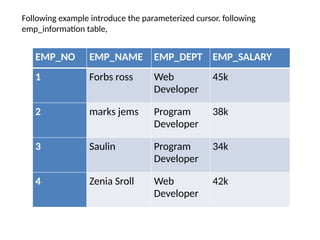
Following example introducethe parameterized cursor. following
emp_information table,
EMP_NO EMP_NAME EMP_DEPT EMP_SALARY
1 Forbs ross Web
Developer
45k
2 marks jems Program
Developer
38k
3 Saulin Program
Developer
34k
4 Zenia Sroll Web
Developer
42k
83.
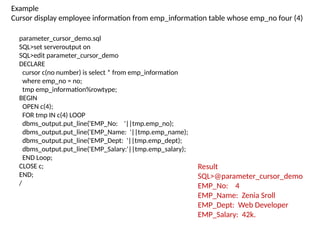
parameter_cursor_demo.sql
SQL>set serveroutput on
SQL>editparameter_cursor_demo
DECLARE
cursor c(no number) is select * from emp_information
where emp_no = no;
tmp emp_information%rowtype;
BEGIN
OPEN c(4);
FOR tmp IN c(4) LOOP
dbms_output.put_line('EMP_No: '||tmp.emp_no);
dbms_output.put_line('EMP_Name: '||tmp.emp_name);
dbms_output.put_line('EMP_Dept: '||tmp.emp_dept);
dbms_output.put_line('EMP_Salary:'||tmp.emp_salary);
END Loop;
CLOSE c;
END;
/
Result
SQL>@parameter_cursor_demo
EMP_No: 4
EMP_Name: Zenia Sroll
EMP_Dept: Web Developer
EMP_Salary: 42k.
Example
Cursor display employee information from emp_information table whose emp_no four (4)
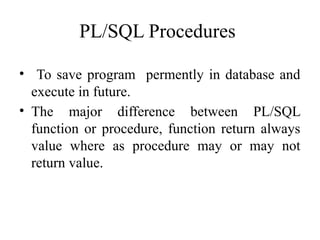
PL/SQL Procedures
• Tosave program permently in database and
execute in future.
• The major difference between PL/SQL
function or procedure, function return always
value where as procedure may or may not
return value.
86.
Create PL/SQL Procedures
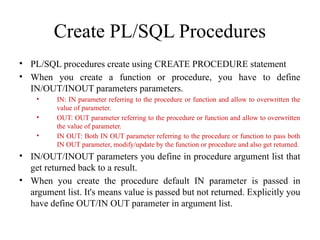
•PL/SQL procedures create using CREATE PROCEDURE statement
• When you create a function or procedure, you have to define
IN/OUT/INOUT parameters parameters.
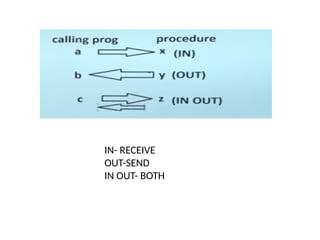
• IN: IN parameter referring to the procedure or function and allow to overwritten the
value of parameter.
• OUT: OUT parameter referring to the procedure or function and allow to overwritten
the value of parameter.
• IN OUT: Both IN OUT parameter referring to the procedure or function to pass both
IN OUT parameter, modify/update by the function or procedure and also get returned.
• IN/OUT/INOUT parameters you define in procedure argument list that
get returned back to a result.
• When you create the procedure default IN parameter is passed in
argument list. It's means value is passed but not returned. Explicitly you
have define OUT/IN OUT parameter in argument list.
PL/SQL Procedure Syntax
CREATE[OR REPLACE] PROCEDURE [SCHEMA..]
procedure_name
[ (parameter [,parameter]) ]
IS
[declaration_section
variable declarations;
constant declarations;
]
BEGIN
[executable_section
PL/SQL execute/subprogram body
]
[EXCEPTION]
[exception_section
PL/SQL Exception block
]
END [procedure_name];
/
89.
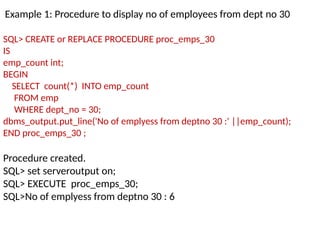
Example 1: Procedureto display no of employees from dept no 30
SQL> CREATE or REPLACE PROCEDURE proc_emps_30
IS
emp_count int;
BEGIN
SELECT count(*) INTO emp_count
FROM emp
WHERE dept_no = 30;
dbms_output.put_line('No of emplyess from deptno 30 :' ||emp_count);
END proc_emps_30 ;
Procedure created.
SQL> set serveroutput on;
SQL> EXECUTE proc_emps_30;
SQL>No of emplyess from deptno 30 : 6
90.
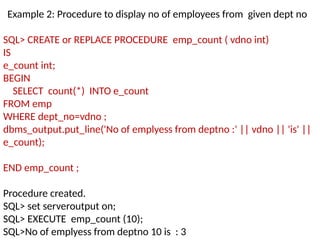
Example 2: Procedureto display no of employees from given dept no
SQL> CREATE or REPLACE PROCEDURE emp_count ( vdno int)
IS
e_count int;
BEGIN
SELECT count(*) INTO e_count
FROM emp
WHERE dept_no=vdno ;
dbms_output.put_line('No of emplyess from deptno :' || vdno || 'is' ||
e_count);
END emp_count ;
Procedure created.
SQL> set serveroutput on;
SQL> EXECUTE emp_count (10);
SQL>No of emplyess from deptno 10 is : 3
91.
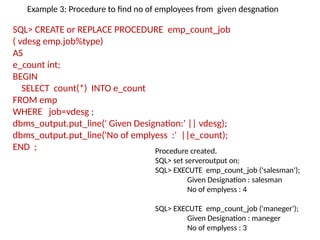
SQL> CREATE orREPLACE PROCEDURE emp_count_job
( vdesg emp.job%type)
AS
e_count int;
BEGIN
SELECT count(*) INTO e_count
FROM emp
WHERE job=vdesg ;
dbms_output.put_line(' Given Designation:' || vdesg);
dbms_output.put_line('No of emplyess :' ||e_count);
END ; Procedure created.
SQL> set serveroutput on;
SQL> EXECUTE emp_count_job ('salesman');
Given Designation : salesman
No of emplyess : 4
SQL> EXECUTE emp_count_job ('maneger');
Given Designation : maneger
No of emplyess : 3
Example 3: Procedure to find no of employees from given desgnation
92.
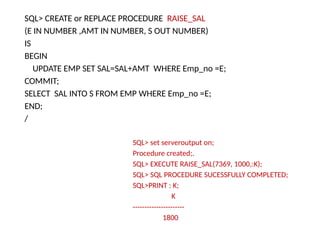
SQL> CREATE orREPLACE PROCEDURE RAISE_SAL
(E IN NUMBER ,AMT IN NUMBER, S OUT NUMBER)
IS
BEGIN
UPDATE EMP SET SAL=SAL+AMT WHERE Emp_no =E;
COMMIT;
SELECT SAL INTO S FROM EMP WHERE Emp_no =E;
END;
/
SQL> set serveroutput on;
Procedure created;.
SQL> EXECUTE RAISE_SAL(7369, 1000,:K);
SQL> SQL PROCEDURE SUCESSFULLY COMPLETED;
SQL>PRINT : K;
K
----------------------
1800
93.
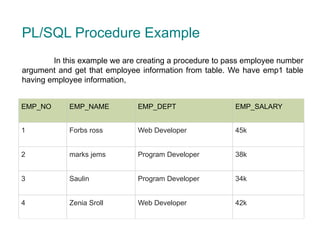
EMP_NO EMP_NAME EMP_DEPTEMP_SALARY
1 Forbs ross Web Developer 45k
2 marks jems Program Developer 38k
3 Saulin Program Developer 34k
4 Zenia Sroll Web Developer 42k
PL/SQL Procedure Example
In this example we are creating a procedure to pass employee number
argument and get that employee information from table. We have emp1 table
having employee information,
94.
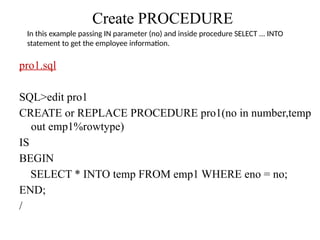
Create PROCEDURE
pro1.sql
SQL>edit pro1
CREATEor REPLACE PROCEDURE pro1(no in number,temp
out emp1%rowtype)
IS
BEGIN
SELECT * INTO temp FROM emp1 WHERE eno = no;
END;
/
In this example passing IN parameter (no) and inside procedure SELECT ... INTO
statement to get the employee information.
95.
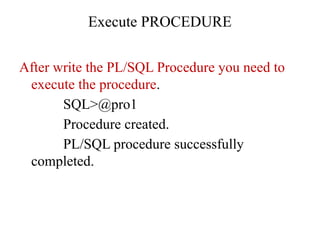
Execute PROCEDURE
After writethe PL/SQL Procedure you need to
execute the procedure.
SQL>@pro1
Procedure created.
PL/SQL procedure successfully
completed.
96.
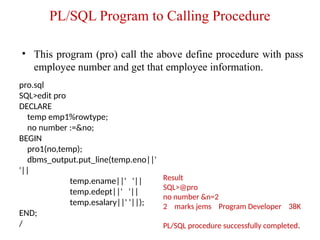
PL/SQL Program toCalling Procedure
• This program (pro) call the above define procedure with pass
employee number and get that employee information.
pro.sql
SQL>edit pro
DECLARE
temp emp1%rowtype;
no number :=&no;
BEGIN
pro1(no,temp);
dbms_output.put_line(temp.eno||'
'||
temp.ename||' '||
temp.edept||' '||
temp.esalary||' '||);
END;
/
Result
SQL>@pro
no number &n=2
2 marks jems Program Developer 38K
PL/SQL procedure successfully completed.
97.
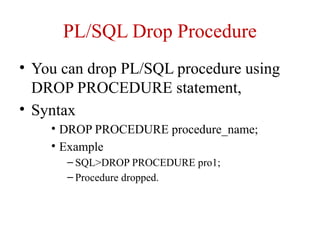
PL/SQL Drop Procedure
•You can drop PL/SQL procedure using
DROP PROCEDURE statement,
• Syntax
• DROP PROCEDURE procedure_name;
• Example
– SQL>DROP PROCEDURE pro1;
– Procedure dropped.
98.
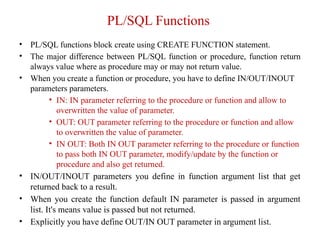
PL/SQL Functions
• PL/SQLfunctions block create using CREATE FUNCTION statement.
• The major difference between PL/SQL function or procedure, function return
always value where as procedure may or may not return value.
• When you create a function or procedure, you have to define IN/OUT/INOUT
parameters parameters.
• IN: IN parameter referring to the procedure or function and allow to
overwritten the value of parameter.
• OUT: OUT parameter referring to the procedure or function and allow
to overwritten the value of parameter.
• IN OUT: Both IN OUT parameter referring to the procedure or function
to pass both IN OUT parameter, modify/update by the function or
procedure and also get returned.
• IN/OUT/INOUT parameters you define in function argument list that get
returned back to a result.
• When you create the function default IN parameter is passed in argument
list. It's means value is passed but not returned.
• Explicitly you have define OUT/IN OUT parameter in argument list.
99.
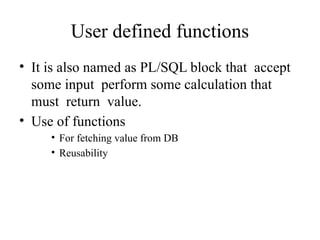
User defined functions
•It is also named as PL/SQL block that accept
some input perform some calculation that
must return value.
• Use of functions
• For fetching value from DB
• Reusability
100.
PL/SQL Functions Syntax
CREATE[OR REPLACE] FUNCTION [SCHEMA..] function_name
[ (parameter [,parameter]) ]
RETURN return_datatype
IS | AS
[declaration_section
variable declarations;
constant declarations;
]
BEGIN
[executable_section
PL/SQL execute/subprogram body
]
[EXCEPTION]
[exception_section
PL/SQL Exception block
]
END [function_name];
/
101.
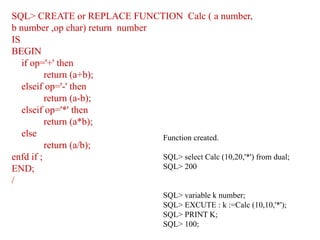
SQL> CREATE orREPLACE FUNCTION Calc ( a number,
b number ,op char) return number
IS
BEGIN
if op='+' then
return (a+b);
elseif op='-' then
return (a-b);
elseif op='*' then
return (a*b);
else
return (a/b);
enfd if ;
END;
/
Function created.
SQL> select Calc (10,20,'*') from dual;
SQL> 200
SQL> variable k number;
SQL> EXCUTE : k :=Calc (10,10,'*');
SQL> PRINT K;
SQL> 100;
102.
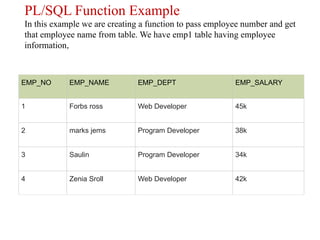
PL/SQL Function Example
Inthis example we are creating a function to pass employee number and get
that employee name from table. We have emp1 table having employee
information,
EMP_NO EMP_NAME EMP_DEPT EMP_SALARY
1 Forbs ross Web Developer 45k
2 marks jems Program Developer 38k
3 Saulin Program Developer 34k
4 Zenia Sroll Web Developer 42k
103.
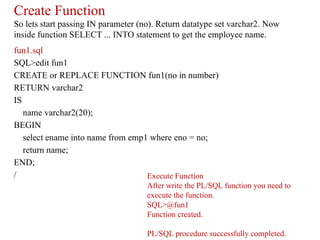
Create Function
So letsstart passing IN parameter (no). Return datatype set varchar2. Now
inside function SELECT ... INTO statement to get the employee name.
fun1.sql
SQL>edit fun1
CREATE or REPLACE FUNCTION fun1(no in number)
RETURN varchar2
IS
name varchar2(20);
BEGIN
select ename into name from emp1 where eno = no;
return name;
END;
/ Execute Function
After write the PL/SQL function you need to
execute the function.
SQL>@fun1
Function created.
PL/SQL procedure successfully completed.
104.
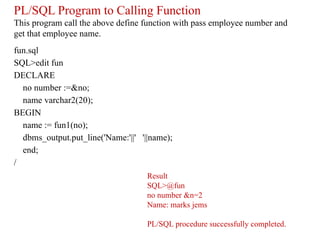
PL/SQL Program toCalling Function
This program call the above define function with pass employee number and
get that employee name.
fun.sql
SQL>edit fun
DECLARE
no number :=&no;
name varchar2(20);
BEGIN
name := fun1(no);
dbms_output.put_line('Name:'||' '||name);
end;
/
Result
SQL>@fun
no number &n=2
Name: marks jems
PL/SQL procedure successfully completed.
105.
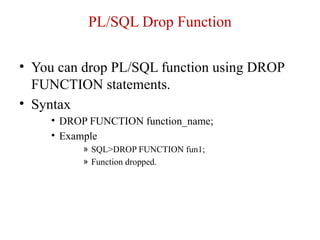
PL/SQL Drop Function
•You can drop PL/SQL function using DROP
FUNCTION statements.
• Syntax
• DROP FUNCTION function_name;
• Example
» SQL>DROP FUNCTION fun1;
» Function dropped.
107.
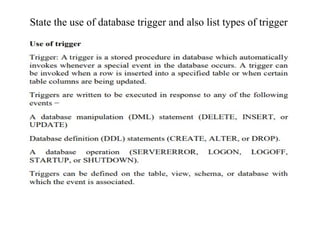
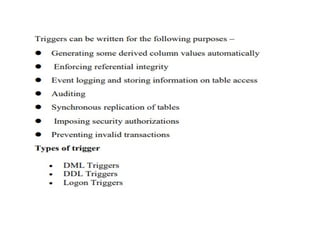
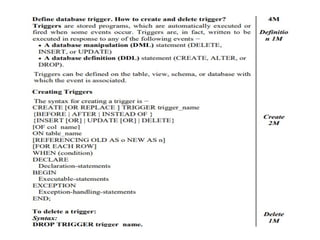
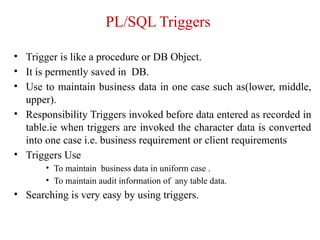
PL/SQL Triggers
• Triggeris like a procedure or DB Object.
• It is permently saved in DB.
• Use to maintain business data in one case such as(lower, middle,
upper).
• Responsibility Triggers invoked before data entered as recorded in
table.ie when triggers are invoked the character data is converted
into one case i.e. business requirement or client requirements
• Triggers Use
• To maintain business data in uniform case .
• To maintain audit information of any table data.
• Searching is very easy by using triggers.
108.
Benefits of Triggers
•Generating some derived column values
automatically
• Enforcing referential integrity
• Event logging and storing information on table
access
• Auditing
• Synchronous replication of tables
• Imposing security authorizations
• Preventing invalid transactions
109.
PL/SQL Triggers Syntax
PL/SQLtrigger define using CREATE TRIGGER statement.
CREATE [OR REPLACE] TRIGGER trigger_name
BEFORE | AFTER
[INSERT, UPDATE, DELETE [COLUMN NAME..]
ON table_name
Referencing [ OLD AS OLD | NEW AS NEW ]
FOR EACH ROW | FOR EACH STATEMENT [ WHEN Condition ]
DECLARE
[declaration_section
variable declarations;
constant declarations;
]
BEGIN
[executable_section
PL/SQL execute/subprogram body
]
EXCEPTION
[exception_section
PL/SQL Exception block
]
END;
110.
Syntax Description
• CREATE[OR REPLACE] TRIGGER trigger_name: Create a trigger with the
given name. If already have overwrite the existing trigger with defined same name.
• BEFORE | AFTER : Indicates when the trigger get fire. BEFORE trigger execute
before when statement execute before. AFTER trigger execute after the statement
execute.
• [INSERT, UPDATE, DELETE [COLUMN NAME..]: Determines the performing
trigger event. You can define more then one triggering event separated by OR
keyword.
• ON table_name: Define the table name to performing trigger event.
• Referencing [ OLD AS OLD | NEW AS NEW ]: Give referencing to a old and new
values of the data. :old means use existing row to perform event and :new means
use executing new row to perform event. You can set referencing names user define
name from old (or new).You can't referencing old values when inserting a record,
or new values when deleting a record, because It's does not exist.
• FOR EACH ROW | FOR EACH STATEMENT: Trigger must fire when each row
gets Affected (ROW Trigger). and fire only once when the entire sql statement is
execute (STATEMENT Trigger).
• WHEN Condition: Optional. Use only for row level trigger. Trigger fire when
specified condition is satisfy.
111.
Parts of Triggers
•Trigger Event
• Insert /delete/update
• Trigger Restrictions
• Before event/after event
• Trigger Actions
• Logic or functionality:-what trigger is doing
112.
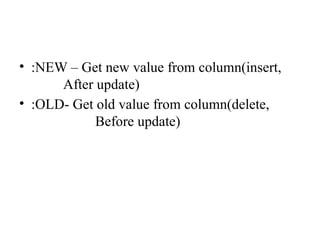
• :NEW –Get new value from column(insert,
After update)
• :OLD- Get old value from column(delete,
Before update)
113.
Oracle Trigger
• InOracle, you can define procedures that are implicitly
executed when an INSERT, UPDATE or DELETE
statement is issued against the associated table. These
procedures are called database triggers.
• There are six CREATE TRIGGER statements according
to their firing points.
• Firing Point: BEFORE
• BEFORE INSERT TRIGGER
• BEFORE UPDATE TRIGGER
• BEFORE DELETE TRIGGER
• Firing Point: AFTER
• AFTER INSERT TRIGGER
• AFTER UPDATE TRIGGER
• AFTER DELETE TRIGGER
114.
Oracle Before INSERT/UPDATE/DELETETrigger
• This statement specifies that Oracle will fire this
trigger BEFORE the INSERT/UPDATE or DELETE operation is
executed.
• Syntax
CREATE [ OR REPLACE ] TRIGGER trigger_name
BEFORE INSERT or UPDATE or DELETE
ON table_name
[ FOR EACH ROW ]
DECLARE
-- variable declarations
BEGIN
-- trigger code
EXCEPTION
WHEN ...
-- exception handling
END;
115.
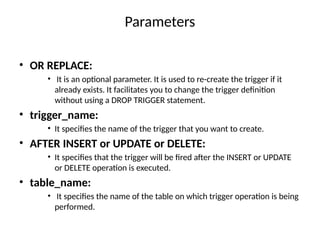
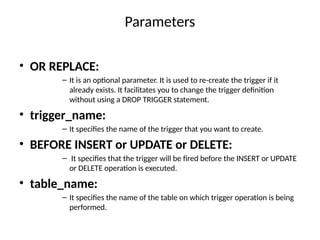
Parameters
• OR REPLACE:
–It is an optional parameter. It is used to re-create the trigger if it
already exists. It facilitates you to change the trigger definition
without using a DROP TRIGGER statement.
• trigger_name:
– It specifies the name of the trigger that you want to create.
• BEFORE INSERT or UPDATE or DELETE:
– It specifies that the trigger will be fired before the INSERT or UPDATE
or DELETE operation is executed.
• table_name:
– It specifies the name of the table on which trigger operation is being
performed.
116.
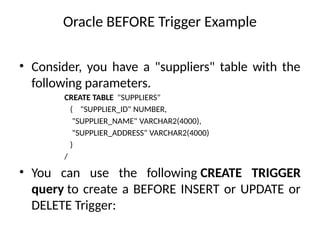
Oracle BEFORE TriggerExample
• Consider, you have a "suppliers" table with the
following parameters.
CREATE TABLE "SUPPLIERS"
( "SUPPLIER_ID" NUMBER,
"SUPPLIER_NAME" VARCHAR2(4000),
"SUPPLIER_ADDRESS" VARCHAR2(4000)
)
/
• You can use the following CREATE TRIGGER
query to create a BEFORE INSERT or UPDATE or
DELETE Trigger:
117.
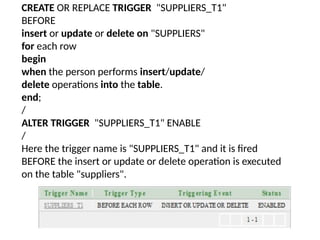
CREATE OR REPLACETRIGGER "SUPPLIERS_T1"
BEFORE
insert or update or delete on "SUPPLIERS"
for each row
begin
when the person performs insert/update/
delete operations into the table.
end;
/
ALTER TRIGGER "SUPPLIERS_T1" ENABLE
/
Here the trigger name is "SUPPLIERS_T1" and it is fired
BEFORE the insert or update or delete operation is executed
on the table "suppliers".
118.
• This statementspecifies that Oracle will fire this trigger AFTER the
INSERT/UPDATE or DELETE operation is executed.
Syntax
CREATE [ OR REPLACE ] TRIGGER trigger_name
AFTER INSERT or UPDATE or DELETE
ON table_name
[ FOR EACH ROW ]
DECLARE
-- variable declarations
BEGIN
-- trigger code
EXCEPTION
WHEN ...
-- exception handling
END;
Oracle After INSERT/UPDATE/DELETE Trigger
119.
Parameters
• OR REPLACE:
•It is an optional parameter. It is used to re-create the trigger if it
already exists. It facilitates you to change the trigger definition
without using a DROP TRIGGER statement.
• trigger_name:
• It specifies the name of the trigger that you want to create.
• AFTER INSERT or UPDATE or DELETE:
• It specifies that the trigger will be fired after the INSERT or UPDATE
or DELETE operation is executed.
• table_name:
• It specifies the name of the table on which trigger operation is being
performed.
120.
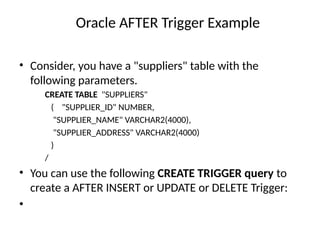
Oracle AFTER TriggerExample
• Consider, you have a "suppliers" table with the
following parameters.
CREATE TABLE "SUPPLIERS"
( "SUPPLIER_ID" NUMBER,
"SUPPLIER_NAME" VARCHAR2(4000),
"SUPPLIER_ADDRESS" VARCHAR2(4000)
)
/
• You can use the following CREATE TRIGGER query to
create a AFTER INSERT or UPDATE or DELETE Trigger:
•
121.
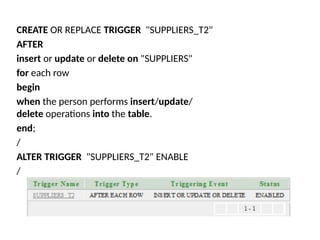
CREATE OR REPLACETRIGGER "SUPPLIERS_T2"
AFTER
insert or update or delete on "SUPPLIERS"
for each row
begin
when the person performs insert/update/
delete operations into the table.
end;
/
ALTER TRIGGER "SUPPLIERS_T2" ENABLE
/
122.
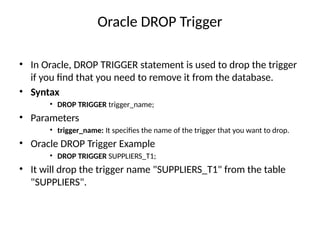
Oracle DROP Trigger
•In Oracle, DROP TRIGGER statement is used to drop the trigger
if you find that you need to remove it from the database.
• Syntax
• DROP TRIGGER trigger_name;
• Parameters
• trigger_name: It specifies the name of the trigger that you want to drop.
• Oracle DROP Trigger Example
• DROP TRIGGER SUPPLIERS_T1;
• It will drop the trigger name "SUPPLIERS_T1" from the table
"SUPPLIERS".
123.
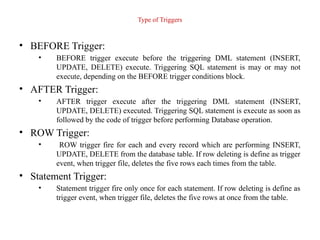
Type of Triggers
•BEFORE Trigger:
• BEFORE trigger execute before the triggering DML statement (INSERT,
UPDATE, DELETE) execute. Triggering SQL statement is may or may not
execute, depending on the BEFORE trigger conditions block.
• AFTER Trigger:
• AFTER trigger execute after the triggering DML statement (INSERT,
UPDATE, DELETE) executed. Triggering SQL statement is execute as soon as
followed by the code of trigger before performing Database operation.
• ROW Trigger:
• ROW trigger fire for each and every record which are performing INSERT,
UPDATE, DELETE from the database table. If row deleting is define as trigger
event, when trigger file, deletes the five rows each times from the table.
• Statement Trigger:
• Statement trigger fire only once for each statement. If row deleting is define as
trigger event, when trigger file, deletes the five rows at once from the table.
124.
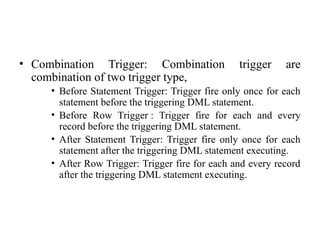
• Combination Trigger:Combination trigger are
combination of two trigger type,
• Before Statement Trigger: Trigger fire only once for each
statement before the triggering DML statement.
• Before Row Trigger : Trigger fire for each and every
record before the triggering DML statement.
• After Statement Trigger: Trigger fire only once for each
statement after the triggering DML statement executing.
• After Row Trigger: Trigger fire for each and every record
after the triggering DML statement executing.
125.
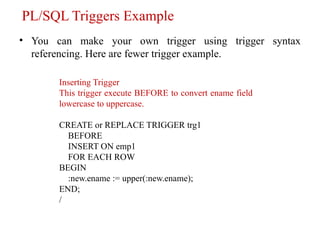
PL/SQL Triggers Example
•You can make your own trigger using trigger syntax
referencing. Here are fewer trigger example.
Inserting Trigger
This trigger execute BEFORE to convert ename field
lowercase to uppercase.
CREATE or REPLACE TRIGGER trg1
BEFORE
INSERT ON emp1
FOR EACH ROW
BEGIN
:new.ename := upper(:new.ename);
END;
/
126.
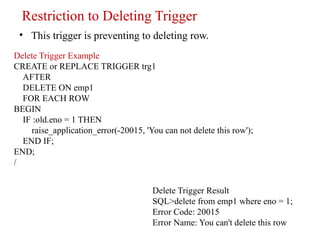
Restriction to DeletingTrigger
• This trigger is preventing to deleting row.
Delete Trigger Example
CREATE or REPLACE TRIGGER trg1
AFTER
DELETE ON emp1
FOR EACH ROW
BEGIN
IF :old.eno = 1 THEN
raise_application_error(-20015, 'You can not delete this row');
END IF;
END;
/
Delete Trigger Result
SQL>delete from emp1 where eno = 1;
Error Code: 20015
Error Name: You can't delete this row
127.
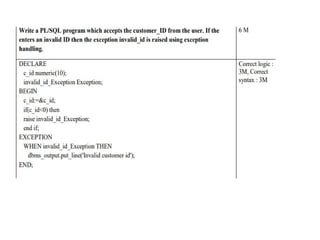
State the useof database trigger and also list types of trigger

![PL/SQL Procedure Syntax
CREATE [OR REPLACE] PROCEDURE [SCHEMA..]
procedure_name
[ (parameter [,parameter]) ]
IS
[declaration_section
variable declarations;
constant declarations;
]
BEGIN
[executable_section
PL/SQL execute/subprogram body
]
[EXCEPTION]
[exception_section
PL/SQL Exception block
]
END [procedure_name];
/](https://image.slidesharecdn.com/chaspbfdt-250319055914-0608a5e6/85/Ch-as-pbdasdadssadsadsadasdasdasdas-fdt-pptx-88-320.jpg)
![PL/SQL Functions Syntax
CREATE [OR REPLACE] FUNCTION [SCHEMA..] function_name
[ (parameter [,parameter]) ]
RETURN return_datatype
IS | AS
[declaration_section
variable declarations;
constant declarations;
]
BEGIN
[executable_section
PL/SQL execute/subprogram body
]
[EXCEPTION]
[exception_section
PL/SQL Exception block
]
END [function_name];
/](https://image.slidesharecdn.com/chaspbfdt-250319055914-0608a5e6/85/Ch-as-pbdasdadssadsadsadasdasdasdas-fdt-pptx-100-320.jpg)
![PL/SQL Triggers Syntax
PL/SQL trigger define using CREATE TRIGGER statement.
CREATE [OR REPLACE] TRIGGER trigger_name
BEFORE | AFTER
[INSERT, UPDATE, DELETE [COLUMN NAME..]
ON table_name
Referencing [ OLD AS OLD | NEW AS NEW ]
FOR EACH ROW | FOR EACH STATEMENT [ WHEN Condition ]
DECLARE
[declaration_section
variable declarations;
constant declarations;
]
BEGIN
[executable_section
PL/SQL execute/subprogram body
]
EXCEPTION
[exception_section
PL/SQL Exception block
]
END;](https://image.slidesharecdn.com/chaspbfdt-250319055914-0608a5e6/85/Ch-as-pbdasdadssadsadsadasdasdasdas-fdt-pptx-109-320.jpg)
![Syntax Description
• CREATE [OR REPLACE] TRIGGER trigger_name: Create a trigger with the
given name. If already have overwrite the existing trigger with defined same name.
• BEFORE | AFTER : Indicates when the trigger get fire. BEFORE trigger execute
before when statement execute before. AFTER trigger execute after the statement
execute.
• [INSERT, UPDATE, DELETE [COLUMN NAME..]: Determines the performing
trigger event. You can define more then one triggering event separated by OR
keyword.
• ON table_name: Define the table name to performing trigger event.
• Referencing [ OLD AS OLD | NEW AS NEW ]: Give referencing to a old and new
values of the data. :old means use existing row to perform event and :new means
use executing new row to perform event. You can set referencing names user define
name from old (or new).You can't referencing old values when inserting a record,
or new values when deleting a record, because It's does not exist.
• FOR EACH ROW | FOR EACH STATEMENT: Trigger must fire when each row
gets Affected (ROW Trigger). and fire only once when the entire sql statement is
execute (STATEMENT Trigger).
• WHEN Condition: Optional. Use only for row level trigger. Trigger fire when
specified condition is satisfy.](https://image.slidesharecdn.com/chaspbfdt-250319055914-0608a5e6/85/Ch-as-pbdasdadssadsadsadasdasdasdas-fdt-pptx-110-320.jpg)
![Oracle Before INSERT/UPDATE/DELETE Trigger
• This statement specifies that Oracle will fire this
trigger BEFORE the INSERT/UPDATE or DELETE operation is
executed.
• Syntax
CREATE [ OR REPLACE ] TRIGGER trigger_name
BEFORE INSERT or UPDATE or DELETE
ON table_name
[ FOR EACH ROW ]
DECLARE
-- variable declarations
BEGIN
-- trigger code
EXCEPTION
WHEN ...
-- exception handling
END;](https://image.slidesharecdn.com/chaspbfdt-250319055914-0608a5e6/85/Ch-as-pbdasdadssadsadsadasdasdasdas-fdt-pptx-114-320.jpg)
![• This statement specifies that Oracle will fire this trigger AFTER the
INSERT/UPDATE or DELETE operation is executed.
Syntax
CREATE [ OR REPLACE ] TRIGGER trigger_name
AFTER INSERT or UPDATE or DELETE
ON table_name
[ FOR EACH ROW ]
DECLARE
-- variable declarations
BEGIN
-- trigger code
EXCEPTION
WHEN ...
-- exception handling
END;
Oracle After INSERT/UPDATE/DELETE Trigger](https://image.slidesharecdn.com/chaspbfdt-250319055914-0608a5e6/85/Ch-as-pbdasdadssadsadsadasdasdasdas-fdt-pptx-118-320.jpg)