Solidity programming language and its different concepts with an example
1.
We're using RemixIDE to Compile and Run our
Solidity Code base.
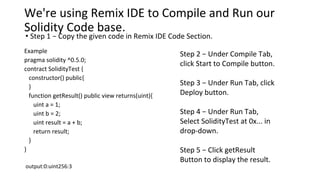
• Step 1 − Copy the given code in Remix IDE Code Section.
Example
pragma solidity ^0.5.0;
contract SolidityTest {
constructor() public{
}
function getResult() public view returns(uint){
uint a = 1;
uint b = 2;
uint result = a + b;
return result;
}
}
output:0:uint256:3
Step 2 − Under Compile Tab,
click Start to Compile button.
Step 3 − Under Run Tab, click
Deploy button.
Step 4 − Under Run Tab,
Select SolidityTest at 0x... in
drop-down.
Step 5 − Click getResult
Button to display the result.
Functions
•A function isa group of reusable code which can be
called anywhere in your program. This eliminates the
need of writing the same code again and again. It helps
programmers in writing modular codes. Functions allow
a programmer to divide a big program into a number of
small and manageable functions.
4.
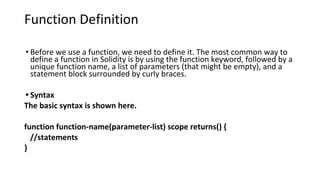
Function Definition
• Beforewe use a function, we need to define it. The most common way to
define a function in Solidity is by using the function keyword, followed by a
unique function name, a list of parameters (that might be empty), and a
statement block surrounded by curly braces.
• Syntax
The basic syntax is shown here.
function function-name(parameter-list) scope returns() {
//statements
}
5.
•Pure functions ensurethat they not read or modify the
state. A function can be declared as pure.
•View functions ensure that they will not modify the
state. A function can be declared as view.
6.
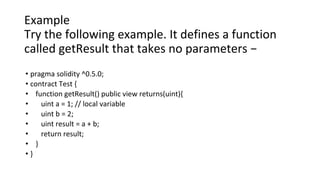
Example
Try the followingexample. It defines a function
called getResult that takes no parameters −
• pragma solidity ^0.5.0;
• contract Test {
• function getResult() public view returns(uint){
• uint a = 1; // local variable
• uint b = 2;
• uint result = a + b;
• return result;
• }
• }
7.
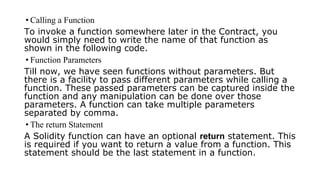
• Calling aFunction
To invoke a function somewhere later in the Contract, you
would simply need to write the name of that function as
shown in the following code.
• Function Parameters
Till now, we have seen functions without parameters. But
there is a facility to pass different parameters while calling a
function. These passed parameters can be captured inside the
function and any manipulation can be done over those
parameters. A function can take multiple parameters
separated by comma.
• The return Statement
A Solidity function can have an optional return statement. This
is required if you want to return a value from a function. This
statement should be the last statement in a function.
8.
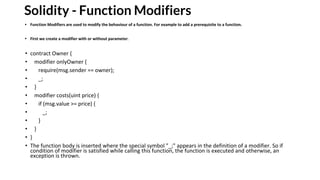
Solidity - FunctionModifiers
• Function Modifiers are used to modify the behaviour of a function. For example to add a prerequisite to a function.
• First we create a modifier with or without parameter.
• contract Owner {
• modifier onlyOwner {
• require(msg.sender == owner);
• _;
• }
• modifier costs(uint price) {
• if (msg.value >= price) {
• _;
• }
• }
• }
• The function body is inserted where the special symbol "_;" appears in the definition of a modifier. So if
condition of modifier is satisfied while calling this function, the function is executed and otherwise, an
exception is thrown.
9.
Solidity - Events
•InSolidity, which is a programming language for writing smart
contracts on the Ethereum blockchain, events are a critical feature.
They allow smart contracts to log important information to the
blockchain that can be listened to by external applications or services.
Here's an overview of how events work and how they are used:
•Events in Solidity are a powerful tool for communication between
smart contracts and external systems. By emitting events, you
provide a way for off-chain applications to monitor and react to
blockchain activities efficiently. This feature is essential for building
interactive and responsive decentralized applications (dApps).
10.
Solidity - Events
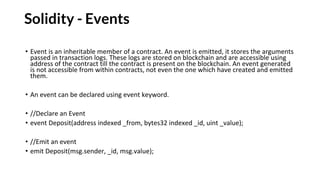
•Event is an inheritable member of a contract. An event is emitted, it stores the arguments
passed in transaction logs. These logs are stored on blockchain and are accessible using
address of the contract till the contract is present on the blockchain. An event generated
is not accessible from within contracts, not even the one which have created and emitted
them.
• An event can be declared using event keyword.
• //Declare an Event
• event Deposit(address indexed _from, bytes32 indexed _id, uint _value);
• //Emit an event
• emit Deposit(msg.sender, _id, msg.value);
11.
•Practical Example
•Suppose youhave a smart contract where users can make deposits,
and you want to track these deposits.
•The Deposit event helps you do this:Declare the Event: You declare
the Deposit event to define what data should be logged whenever a
deposit occurs.Emit the Event:
•When a user makes a deposit by calling a function, you use the emit
Deposit statement to log the deposit details on the blockchain. This
includes the sender’s address, a unique identifier for the deposit, and
the amount of Ether deposited.
12.
Summary-events
•Event Declaration: Definesthe structure of the event, including the
data it will log.
•Emitting an Event: Actually triggers the event, logging the data to the
blockchain.
13.
Solidity - Structs
•Defininga Struct
•To define a Struct, you must use the struct keyword. The struct
keyword defines a new data type, with more than one member. The
format of the struct statement is as follows −
•struct struct_name {
• type1 type_name_1;
• type2 type_name_2;
• type3 type_name_3;
•}
Example
struct Book {
string title;
string author;
uint book_id;
}
14.
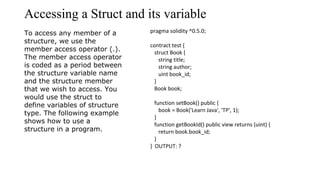
Accessing a Structand its variable
To access any member of a
structure, we use the
member access operator (.).
The member access operator
is coded as a period between
the structure variable name
and the structure member
that we wish to access. You
would use the struct to
define variables of structure
type. The following example
shows how to use a
structure in a program.
pragma solidity ^0.5.0;
contract test {
struct Book {
string title;
string author;
uint book_id;
}
Book book;
function setBook() public {
book = Book('Learn Java', 'TP', 1);
}
function getBookId() public view returns (uint) {
return book.book_id;
}
} OUTPUT: ?
15.
Solidity - Arrays
•Arrayis a data structure, which stores a fixed-size
sequential collection of elements of the same type. An
array is used to store a collection of data, but it is often
more useful to think of an array as a collection of
variables of the same type.
•In Solidity, an array can be of compile-time fixed size or
of dynamic size. For storage array, it can have different
types of elements as well. All arrays consist of
contiguous memory locations. The lowest address
corresponds to the first element and the highest
address to the last element.
16.
Declaring Arrays
• Todeclare an array of fixed size in Solidity, the programmer specifies the type of
the elements and the number of elements required by an array as follows −
type arrayName [ arraySize ];
• This is called a single-dimension array. The arraySize must be an integer constant
greater than zero and type can be any valid Solidity data type. For example, to
declare a 10-element array called balance of type uint, use this statement −
uint balance[10];
• To declare an array of dynamic size in Solidity, the programmer specifies the type
of the elements as follows −
type[] arrayName;
17.
Initializing Arrays
• Youcan initialize Solidity array elements either one by one or using a single
statement as follows −
uint balance[3] = [1, 2, 3];
• The number of values between braces [ ] can not be larger than the
number of elements that we declare for the array between square brackets
[ ].
• Following is an example to assign a single element of the array −
• If you omit the size of the array, an array just big enough to hold the
initialization is created. Therefore, if you write −
• uint balance[] = [1, 2, 3];
18.
Creating dynamic memoryarrays
•Dynamic memory arrays are created using new keyword.
•uint size = 3;
•uint balance[] = new uint[](size);
19.
Accessing Array Elements
•An element is accessed by indexing the array name. This is done by placing
the index of the element within square brackets after the name of the
array. For example −
• uint salary = balance[2];
• Members
• length − length returns the size of the array. length can be
used to change the size of dynamic array be setting it.
• push − push allows to append an element to a dynamic
storage array at the end. It returns the new length of the
array.
20.
// Function toremove the last element from the dynamic
array
function removeFromDynamicArray() public {
require(dynamicArray.length > 0, "Array is empty");
dynamicArray.pop();
emit ArrayUpdated(dynamicArray);
}
// Function to get the length of the dynamic array
function getDynamicArrayLength() public view returns
(uint256) {
return dynamicArray.length;
}
// Function to get an element from the dynamic array
by index
function getDynamicArrayElement(uint256 _index)
public view returns (uint256) {
require(_index < dynamicArray.length, "Index out of
bounds");
return dynamicArray[_index];
}
}
h// SPDX-License-Identifier: MIT
pragma solidity ^0.8.0;
contract ArrayExample {
// Fixed-size array
uint256[3] public fixedArray = [1, 2, 3];
// Dynamic-size array
uint256[] public dynamicArray;
// Event to log changes to the dynamic array
event ArrayUpdated(uint256[] newArray);
// Function to set the values of the fixed-size array
function setFixedArray(uint256[3] memory _values)
public {
fixedArray = _values;
}
// Function to get the values of the fixed-size array
function getFixedArray() public view returns
(uint256[3] memory) {
return fixedArray;
}
// Function to add an element to the dynamic array
function addToDynamicArray(uint256 _value)
public {
dynamicArray.push(_value);
emit ArrayUpdated(dynamicArray);
}
21.
• Here's asimple example to illustrate how _values works:
• solidity
• Copy code
• pragma solidity ^0.8.0;
• contract ArrayExample {
• uint256[3] public fixedArray = [1, 2, 3];
• function setFixedArray(uint256[3] memory _values) public {
• fixedArray = _values;
• }
• }
22.
Usage:
• Initial State:fixedArray starts with the values [1, 2, 3].Function Call: If you
call the setFixedArray function with the argument [4, 5, 6],
codecontractInstance.setFixedArray([4, 5, 6]);Effect:
• The function assigns the passed array [4, 5, 6] to fixedArray. After the
function call, fixedArray will have the new values [4, 5, 6].
Summary
• _values is a parameter name in the function setFixedArray. It represents
the array passed to the function to update the contract's fixedArray.
• Underscore Prefix (_) is a convention to indicate that values is a parameter,
improving readability and avoiding potential naming conflicts.
• This convention helps in writing clean and understandable code by clearly
differentiating between parasmeters and state variables or other
components of the contract.
23.
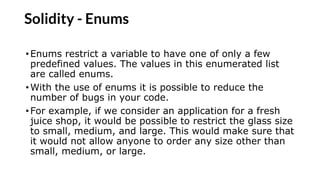
Solidity - Enums
•Enumsrestrict a variable to have one of only a few
predefined values. The values in this enumerated list
are called enums.
•With the use of enums it is possible to reduce the
number of bugs in your code.
•For example, if we consider an application for a fresh
juice shop, it would be possible to restrict the glass size
to small, medium, and large. This would make sure that
it would not allow anyone to order any size other than
small, medium, or large.
24.
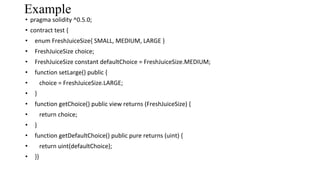
Example
• pragma solidity^0.5.0;
• contract test {
• enum FreshJuiceSize{ SMALL, MEDIUM, LARGE }
• FreshJuiceSize choice;
• FreshJuiceSize constant defaultChoice = FreshJuiceSize.MEDIUM;
• function setLarge() public {
• choice = FreshJuiceSize.LARGE;
• }
• function getChoice() public view returns (FreshJuiceSize) {
• return choice;
• }
• function getDefaultChoice() public pure returns (uint) {
• return uint(defaultChoice);
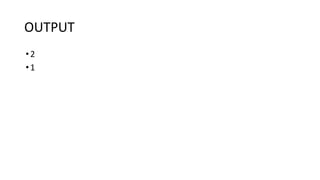
• }}

![Declaring Arrays
• To declare an array of fixed size in Solidity, the programmer specifies the type of
the elements and the number of elements required by an array as follows −
type arrayName [ arraySize ];
• This is called a single-dimension array. The arraySize must be an integer constant
greater than zero and type can be any valid Solidity data type. For example, to
declare a 10-element array called balance of type uint, use this statement −
uint balance[10];
• To declare an array of dynamic size in Solidity, the programmer specifies the type
of the elements as follows −
type[] arrayName;](https://image.slidesharecdn.com/solidity-250428043739-a166c427/85/Solidity-programming-language-and-its-different-concepts-with-an-example-16-320.jpg)
![Initializing Arrays
• You can initialize Solidity array elements either one by one or using a single
statement as follows −
uint balance[3] = [1, 2, 3];
• The number of values between braces [ ] can not be larger than the
number of elements that we declare for the array between square brackets
[ ].
• Following is an example to assign a single element of the array −
• If you omit the size of the array, an array just big enough to hold the
initialization is created. Therefore, if you write −
• uint balance[] = [1, 2, 3];](https://image.slidesharecdn.com/solidity-250428043739-a166c427/85/Solidity-programming-language-and-its-different-concepts-with-an-example-17-320.jpg)
![Creating dynamic memory arrays
•Dynamic memory arrays are created using new keyword.
•uint size = 3;
•uint balance[] = new uint[](size);](https://image.slidesharecdn.com/solidity-250428043739-a166c427/85/Solidity-programming-language-and-its-different-concepts-with-an-example-18-320.jpg)
![Accessing Array Elements
• An element is accessed by indexing the array name. This is done by placing
the index of the element within square brackets after the name of the
array. For example −
• uint salary = balance[2];
• Members
• length − length returns the size of the array. length can be
used to change the size of dynamic array be setting it.
• push − push allows to append an element to a dynamic
storage array at the end. It returns the new length of the
array.](https://image.slidesharecdn.com/solidity-250428043739-a166c427/85/Solidity-programming-language-and-its-different-concepts-with-an-example-19-320.jpg)
![// Function to remove the last element from the dynamic
array
function removeFromDynamicArray() public {
require(dynamicArray.length > 0, "Array is empty");
dynamicArray.pop();
emit ArrayUpdated(dynamicArray);
}
// Function to get the length of the dynamic array
function getDynamicArrayLength() public view returns
(uint256) {
return dynamicArray.length;
}
// Function to get an element from the dynamic array
by index
function getDynamicArrayElement(uint256 _index)
public view returns (uint256) {
require(_index < dynamicArray.length, "Index out of
bounds");
return dynamicArray[_index];
}
}
h// SPDX-License-Identifier: MIT
pragma solidity ^0.8.0;
contract ArrayExample {
// Fixed-size array
uint256[3] public fixedArray = [1, 2, 3];
// Dynamic-size array
uint256[] public dynamicArray;
// Event to log changes to the dynamic array
event ArrayUpdated(uint256[] newArray);
// Function to set the values of the fixed-size array
function setFixedArray(uint256[3] memory _values)
public {
fixedArray = _values;
}
// Function to get the values of the fixed-size array
function getFixedArray() public view returns
(uint256[3] memory) {
return fixedArray;
}
// Function to add an element to the dynamic array
function addToDynamicArray(uint256 _value)
public {
dynamicArray.push(_value);
emit ArrayUpdated(dynamicArray);
}](https://image.slidesharecdn.com/solidity-250428043739-a166c427/85/Solidity-programming-language-and-its-different-concepts-with-an-example-20-320.jpg)
![• Here's a simple example to illustrate how _values works:
• solidity
• Copy code
• pragma solidity ^0.8.0;
• contract ArrayExample {
• uint256[3] public fixedArray = [1, 2, 3];
• function setFixedArray(uint256[3] memory _values) public {
• fixedArray = _values;
• }
• }](https://image.slidesharecdn.com/solidity-250428043739-a166c427/85/Solidity-programming-language-and-its-different-concepts-with-an-example-21-320.jpg)
![Usage:
• Initial State: fixedArray starts with the values [1, 2, 3].Function Call: If you
call the setFixedArray function with the argument [4, 5, 6],
codecontractInstance.setFixedArray([4, 5, 6]);Effect:
• The function assigns the passed array [4, 5, 6] to fixedArray. After the
function call, fixedArray will have the new values [4, 5, 6].
Summary
• _values is a parameter name in the function setFixedArray. It represents
the array passed to the function to update the contract's fixedArray.
• Underscore Prefix (_) is a convention to indicate that values is a parameter,
improving readability and avoiding potential naming conflicts.
• This convention helps in writing clean and understandable code by clearly
differentiating between parasmeters and state variables or other
components of the contract.](https://image.slidesharecdn.com/solidity-250428043739-a166c427/85/Solidity-programming-language-and-its-different-concepts-with-an-example-22-320.jpg)