Making it relevant
- Telling a story
Snowflake adds interactivity to blended
and project-based learning with Zones
and Snowflake Web (snow.live):
Split the screen to show a video while
answering an activity to test understanding.
Create your own activity for your
classmates, which they can use on any
device.
In any Bring your Own Device (BYOD) or
1:1 classroom, students can digitally curate
content that fits with their learning style and
organize it with links in a Nodes Mind Map.
Students share work they are proud of and
teachers can easily highlight student
achievement on the large display.
Present your ideas to the whole class by
saving your activity in the Snowflake
Teachers Community (accessible inside
snow.live) or brainstorm in Media by
uploading images and text from your
smartphone.
FOR TEACHERS
FOR TEACHERS
- MAKING EDUCATION FUN -
What is NUITEQ Snowflake?
NUITEQ Snowflake is a desktop and online educational software that brings
interactivity to your school and boosts classroom engagement by using
smarter human interaction.
Snowflake enables teachers and students to tell engaging, interactive stories
that align closely with the curriculum, it provides a safe community for online
and small group collaboration, and it allows simultaneous personalized
instruction making curriculum relevant to students’ lives.
For teachers, Snowflake also means spending less time preparing and more
time working with students.
Smarter Human Interaction means doing more with every touch, and it
means minimizing the effort of every student to be active learners.
Digital curation:
By students and
teachers
STEAM labs, Maker
Spaces:
Supports student
creation
Concept mapping:
Organize relevant
content in Nodes
Learning stations:
For small groups in
upright and tabletop
settings
Integrated learning:
Across different subjects
using Zones
Multiple means of
presentation:
Of learning content and
activities
Project-based learning:
Create an adventure
with Lessons Lists
Teacher professional
development:
With online courses and
videos
Supported operating systems: Windows®, macOS®, iOS® and Android™
The software supports:
CONFIGURATOR
Show only appropriate apps
FORMATIVE
Feedback in real time
COMMUNITY
Free vetted lessons
BYOD
Smartphones, Laptops, Tablets,
Chromebooks, it just works!
UPDATES
No subscription required
GRADED
Visualize progress or export to LMS
Student Creation on Mobile
Snowflake apps fall under the POCKET acronym: Pair, Order,
Choice, Keyword, Engage, and Tools. For a detailed explanation
see the “Lessons in your POCKET” video, search “NUITEQ
POCKET” on YouTube.
Snowflake’s online version (snow.live) is the only EdTech tool
that enables the creation of active multitouch lessons on any
mobile phone, using content directly from your camera roll.
Engage
Get feedback on your learning
Keyword
Learn words in an engaging way
Tools
Practical simulations for learning
Pair
Match images and labels
Order
Place labels in the right location
Choice
Choose the correct answer
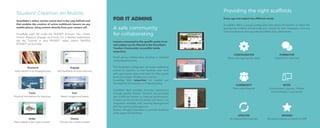
A safe community
for collaborating
Lessons connected to the specific grade level
and subject can be filtered in the Snowflake
Teachers Community (accessible inside
snow.live).
Small group collaborative learning is enabled
using separate zones.
The Snowflake configurator provides scaffolding
control to teachers so that students only work
with appropriate apps and tools for their grade
level and subject. Student accounts for
Snowflake Web (snow.live) are created and
managed by the teacher or IT Administrator.
Snowflake Web provides formative assessment
through graded lessons. Students are provided
with additional lessons to improve performance.
Grades can be monitored online and there is an
integration available with Learning Management
with the Learning Management
System, Google Classroom, to provide feedback
at the speed of Teaching!
FOR IT ADMINS
FOR IT ADMINS
Providing the right scaffolds
Snowflake offers a unique configurator that allows the teacher to select the
appropriate scaffold of both tools and content for their classroom. Here are
some key features that separate Snowflake from alternatives:
Every age and subject has different needs.
©2019 NUITEQ®. NUITEQ® and Natural User Interface® are registered trademarks. All Rights Reserved.
SNOWFLAKE FOR MAC
AND WINDOWS
(NUITEQ.com/Snowflake)
Snowflake enables you to split the front-
of-class display into zones. Multiple
apps can be used at the same time, by
multiple students. Whether your
touchscreen is in upright or tabletop
orientation, the software allows you to
create an interactive learning
environment. Snowflake also enables
lessons to be played offline without the
use of an Internet connection.
SNOWFLAKE ONLINE
(snow.live)
The online version of Snowflake enables
interactive learning anywhere, any time,
on any device. It is the only EdTech
activity maker that allows the creation of
lessons on mobile using your camera
roll and recording your voice.
If you have any questions please don’t
hesitate to contact us at
(support@NUITEQ.com)
Snowflake makes classroom engagement as easy as using your phone using
Smarter Human Interaction. Try our Snowflake educational technology today
with its free of charge 60-day trial.
TRY SNOWFLAKE TODAY
Simultaneous
personalized learning
Video is a popular medium for learning, that’s
why we’ve made it even more powerful with
the Media app that allows teachers and
students to tell stories using a collage of
videos.
Unleash your creativity with text, annotations and
stickers!
We recognize that one size does not fit all in
education, so Snowflake is designed to enable
students to choose how they will personalize
their own learning. Our Zones are crafted to
enable a small group of learners to work on the
apps and content that best suits their learning
style over a vertical or tabletop display.
Create lessons on any device, anywhere, even on
mobile! Since students learn more when they are
creating than when they are listening we’ve
created a tool to turn those idle moments into
creative ones. Our student-centric small group
collaboration thought provoking activities,
presentation capabilities provides all the tools
you need for 21st century learning in the
classroom.
FOR POLICY MAKERS
FOR POLICY MAKERS
Personalized Learning your
way!
With the growing amount of educational content available on the
internet these Presentation tools do not reflect the choices
available to today’s learners. Snowflake enables learners to
choose the learning materials that work best for them and place
them in unique zones suited to the task at hand.
Existing Slide Presentations leave many students behind.
STEAM Power tools
Ignite your classroom
Personalized
Every learning journey is unique
Simultaneous
Collaborate with personalized
zones
Blended/Flipped
Activities during class
Problem Based
Inquiry-driven learning
Scaffolding
Appropriate tools for the job

Snowflake_brochure.pdf

  • 1.
    Making it relevant -Telling a story Snowflake adds interactivity to blended and project-based learning with Zones and Snowflake Web (snow.live): Split the screen to show a video while answering an activity to test understanding. Create your own activity for your classmates, which they can use on any device. In any Bring your Own Device (BYOD) or 1:1 classroom, students can digitally curate content that fits with their learning style and organize it with links in a Nodes Mind Map. Students share work they are proud of and teachers can easily highlight student achievement on the large display. Present your ideas to the whole class by saving your activity in the Snowflake Teachers Community (accessible inside snow.live) or brainstorm in Media by uploading images and text from your smartphone. FOR TEACHERS FOR TEACHERS - MAKING EDUCATION FUN - What is NUITEQ Snowflake? NUITEQ Snowflake is a desktop and online educational software that brings interactivity to your school and boosts classroom engagement by using smarter human interaction. Snowflake enables teachers and students to tell engaging, interactive stories that align closely with the curriculum, it provides a safe community for online and small group collaboration, and it allows simultaneous personalized instruction making curriculum relevant to students’ lives. For teachers, Snowflake also means spending less time preparing and more time working with students. Smarter Human Interaction means doing more with every touch, and it means minimizing the effort of every student to be active learners. Digital curation: By students and teachers STEAM labs, Maker Spaces: Supports student creation Concept mapping: Organize relevant content in Nodes Learning stations: For small groups in upright and tabletop settings Integrated learning: Across different subjects using Zones Multiple means of presentation: Of learning content and activities Project-based learning: Create an adventure with Lessons Lists Teacher professional development: With online courses and videos Supported operating systems: Windows®, macOS®, iOS® and Android™ The software supports:
  • 2.
    CONFIGURATOR Show only appropriateapps FORMATIVE Feedback in real time COMMUNITY Free vetted lessons BYOD Smartphones, Laptops, Tablets, Chromebooks, it just works! UPDATES No subscription required GRADED Visualize progress or export to LMS Student Creation on Mobile Snowflake apps fall under the POCKET acronym: Pair, Order, Choice, Keyword, Engage, and Tools. For a detailed explanation see the “Lessons in your POCKET” video, search “NUITEQ POCKET” on YouTube. Snowflake’s online version (snow.live) is the only EdTech tool that enables the creation of active multitouch lessons on any mobile phone, using content directly from your camera roll. Engage Get feedback on your learning Keyword Learn words in an engaging way Tools Practical simulations for learning Pair Match images and labels Order Place labels in the right location Choice Choose the correct answer A safe community for collaborating Lessons connected to the specific grade level and subject can be filtered in the Snowflake Teachers Community (accessible inside snow.live). Small group collaborative learning is enabled using separate zones. The Snowflake configurator provides scaffolding control to teachers so that students only work with appropriate apps and tools for their grade level and subject. Student accounts for Snowflake Web (snow.live) are created and managed by the teacher or IT Administrator. Snowflake Web provides formative assessment through graded lessons. Students are provided with additional lessons to improve performance. Grades can be monitored online and there is an integration available with Learning Management with the Learning Management System, Google Classroom, to provide feedback at the speed of Teaching! FOR IT ADMINS FOR IT ADMINS Providing the right scaffolds Snowflake offers a unique configurator that allows the teacher to select the appropriate scaffold of both tools and content for their classroom. Here are some key features that separate Snowflake from alternatives: Every age and subject has different needs.
  • 3.
    ©2019 NUITEQ®. NUITEQ®and Natural User Interface® are registered trademarks. All Rights Reserved. SNOWFLAKE FOR MAC AND WINDOWS (NUITEQ.com/Snowflake) Snowflake enables you to split the front- of-class display into zones. Multiple apps can be used at the same time, by multiple students. Whether your touchscreen is in upright or tabletop orientation, the software allows you to create an interactive learning environment. Snowflake also enables lessons to be played offline without the use of an Internet connection. SNOWFLAKE ONLINE (snow.live) The online version of Snowflake enables interactive learning anywhere, any time, on any device. It is the only EdTech activity maker that allows the creation of lessons on mobile using your camera roll and recording your voice. If you have any questions please don’t hesitate to contact us at (support@NUITEQ.com) Snowflake makes classroom engagement as easy as using your phone using Smarter Human Interaction. Try our Snowflake educational technology today with its free of charge 60-day trial. TRY SNOWFLAKE TODAY Simultaneous personalized learning Video is a popular medium for learning, that’s why we’ve made it even more powerful with the Media app that allows teachers and students to tell stories using a collage of videos. Unleash your creativity with text, annotations and stickers! We recognize that one size does not fit all in education, so Snowflake is designed to enable students to choose how they will personalize their own learning. Our Zones are crafted to enable a small group of learners to work on the apps and content that best suits their learning style over a vertical or tabletop display. Create lessons on any device, anywhere, even on mobile! Since students learn more when they are creating than when they are listening we’ve created a tool to turn those idle moments into creative ones. Our student-centric small group collaboration thought provoking activities, presentation capabilities provides all the tools you need for 21st century learning in the classroom. FOR POLICY MAKERS FOR POLICY MAKERS Personalized Learning your way! With the growing amount of educational content available on the internet these Presentation tools do not reflect the choices available to today’s learners. Snowflake enables learners to choose the learning materials that work best for them and place them in unique zones suited to the task at hand. Existing Slide Presentations leave many students behind. STEAM Power tools Ignite your classroom Personalized Every learning journey is unique Simultaneous Collaborate with personalized zones Blended/Flipped Activities during class Problem Based Inquiry-driven learning Scaffolding Appropriate tools for the job