SmartProfiler
Proactive Health & Risk Assessment Engagement Program for
Microsoft Services
Agenda
 What is SmartProfiler
 Supported Assessment Technologies
 CIS Workbench and SmartProfiler
 Notable Features
 Quick Assessment
 SmartProfiler for Office 365 Assessment
 SmartProfiler for Active Directory Assessment
 SmartProfiler for Azure Assessment
 SmartProfiler for Azure Virtual Desktop Assessment
 Unique Solution
 Assessment Technology Comparison
 Q&A
What is SmartProfiler
System Requirements
 Windows 10 or Server 2012 R2 onwards
 Admin access for respective technology. For example, Enterprise Admin for Active Directory
Assessment and Global Admin credentials for Office 365 Assessment.
 PowerShell modules for respective technology
 No need for SQL Server or any other license to run the IT Profiler
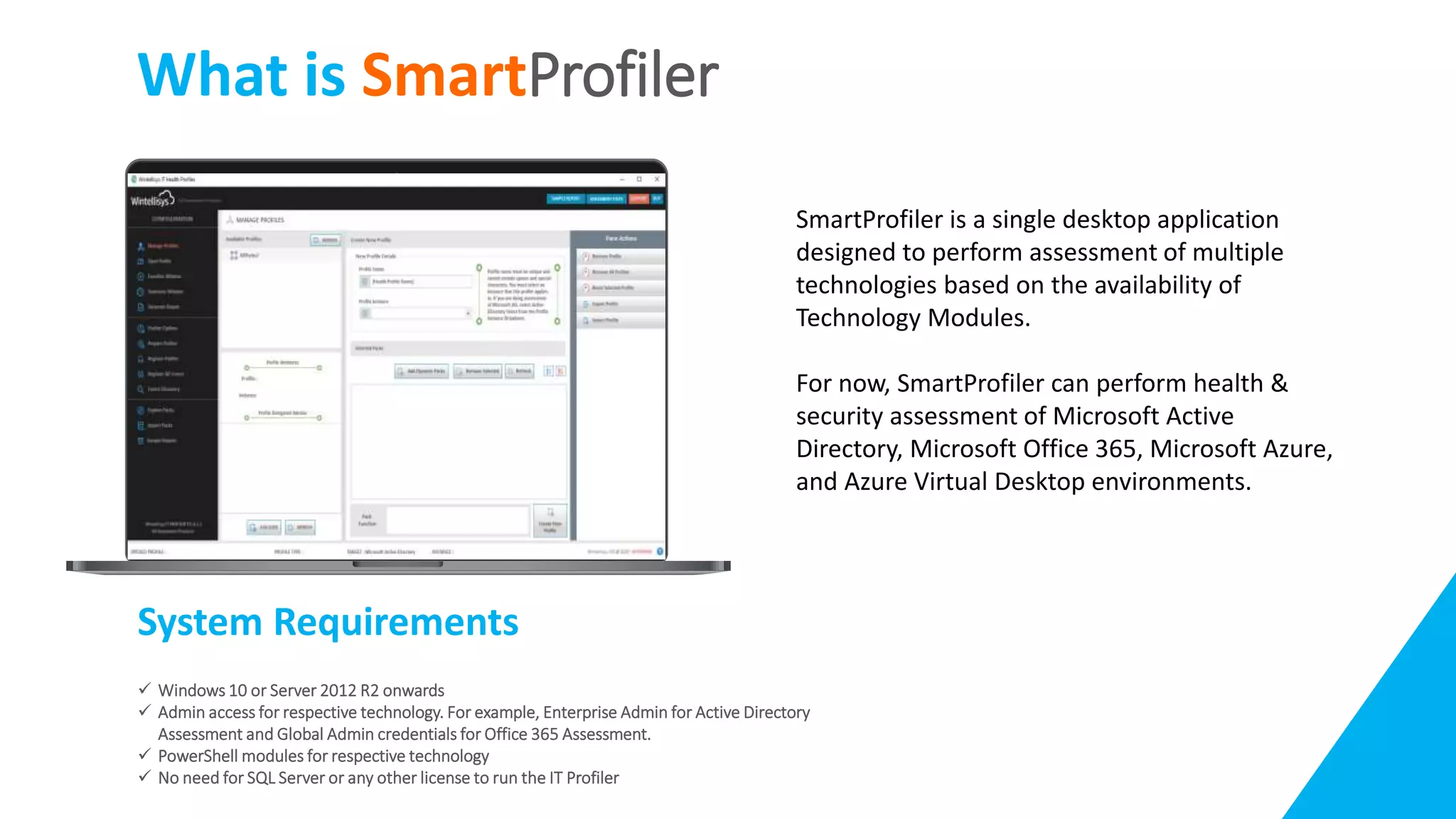
SmartProfiler is a single desktop application
designed to perform assessment of multiple
technologies based on the availability of
Technology Modules.
For now, SmartProfiler can perform health &
security assessment of Microsoft Active
Directory, Microsoft Office 365, Microsoft Azure,
and Azure Virtual Desktop environments.
Supported Assessment Technologies
SmartProfiler can perform health & security assessment of following Microsoft technologies:
Assessment Technology Description CIS Compatible?
Microsoft Office 365 • Find Out High and Medium Risks.
• Improves regulatory compliance enforcement of
internal policies with comprehensive audit trails,
access controls and reporting.
Microsoft Active Directory • Find Out Critical, High and Medium Issues in each
Active Directory Domain.
Microsoft Azure • Find Out High and Medium Risks.
• Improves regulatory compliance enforcement of
internal policies with comprehensive audit trails,
access controls and reporting.
Microsoft Azure Virtual Desktop • Check Optimization Status of Session Hosts
• Report on Missing Microsoft Recommended Settings
• Report on Configuration Inconsistencies across host
pools
CIS Workbench and SmartProfiler
The Center for Internet Security is a nonprofit entity whose mission is to 'identify, develop, validate,
promote, and sustain best practice solutions for cyberdefense.’
It draws on the expertise of cybersecurity and IT professionals from government, business, and
academia from around the world. To develop standards and best practices, including CIS
benchmarks, controls, and hardened images, they follow a consensus decision-making model.
SmartProfiler is designed to support CIS Standards designed for Office 365 and Azure Assessments.
Notable Features
Multi-Tenant Capabilities:
Add unlimited Office 365 Tenants
Add unlimited AD Forests
Add unlimited AVD Tenants
Add unlimited Azure Tenants
Can uncover hidden High and medium Issues.
Provides recommendations to fix the issues.
Produce an assessment and actionable report.
Allow additional checks to be added on the fly and Import Technology Modules.
Quickly view issues in the Dashboard.
Brand reports generated by SmartProfiler.
 IT Health Profiler ships with Microsoft Word Reporting Templates
 Modify Reporting Templates or use your own Reporting Templates
 Brand your reports before delivering to customers
Single-Click Assessment to perform a complete health assessment.
Quick Assessment
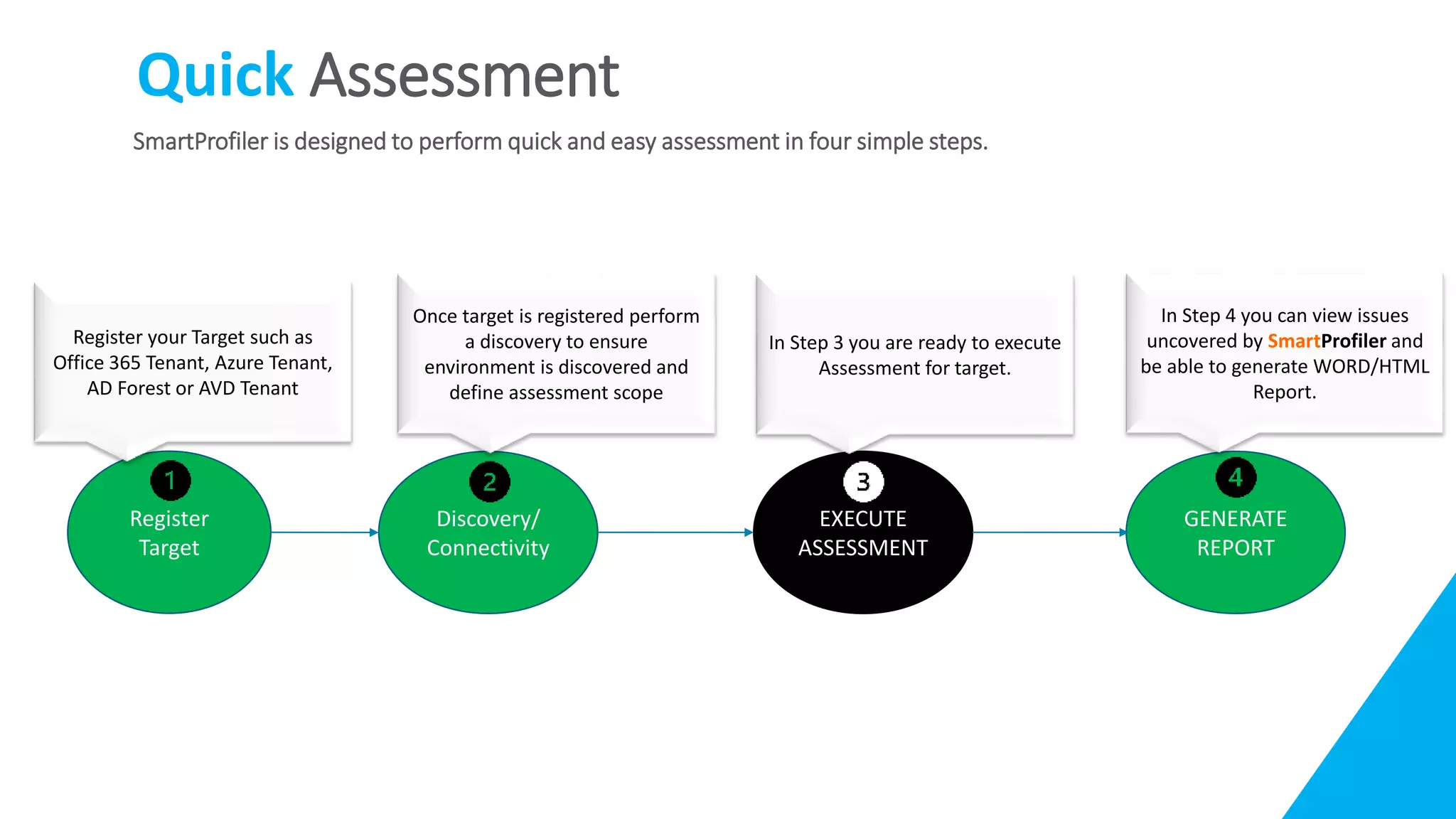
SmartProfiler is designed to perform quick and easy assessment in four simple steps.
Register
Target
Discovery/
Connectivity
EXECUTE
ASSESSMENT
GENERATE
REPORT
Register your Target such as
Office 365 Tenant, Azure Tenant,
AD Forest or AVD Tenant
Once target is registered perform
a discovery to ensure
environment is discovered and
define assessment scope
In Step 3 you are ready to execute
Assessment for target.
In Step 4 you can view issues
uncovered by SmartProfiler and
be able to generate WORD/HTML
Report.
SmartProfiler for
Office 365 Assessment
 SmartProfiler for Office 365 Assessment Overview
 Office 365 Secure Score Vs IT Health Profiler Assessment
 Areas Of Focus
 Sample Assessment Report
 Requirements
SmartProfiler for Office 365 Assessment
SmartProfiler for Office 365 Assessment is an automated Health & Risk
assessment solution to help you significantly improve your Microsoft
Office 365 ecosystem health & security posture. SmartProfiler for
Office 365 Assessment follows CIS-Workbench controls and other tests
designed by our Office 365 experts. Here are benefits of using Office
365 Assessment with SmartProfiler:
 Improves regulatory compliance enforcement of internal policies
with comprehensive audit trails, access controls and reporting.
 Increases IT efficiency by identifying impending system failures to
give you more time for business-critical tasks.
 Ensures health of Office 365 Services such as Teams, SharePoint
Online, Exchange Online, Azure AD and other services.
 Continuous Assessment: Ensure ongoing health of Microsoft Office
365 components by performing assessment as and when needed.
Compatible
Office 365 Security Score Vs SmartProfiler
SmartProfiler Assessment for Office 365 is different from Office 365 Security Score as listed below:
 We offer 128 checks for Office 365 in 9 categories.
 Office 365 Security Score cannot report on some of the issues for example:
 Identifying mailboxes that have forwarding enabled – To prevent someone from stealing business
assets.
 Mailboxes that do not have auditing enabled.
 Dir Sync conflicts and mis-configuration.
 Mailbox Litigation Hold test.
 Mailbox SPAM Test.
 Exchange Online Admin Failure attempts from internal and external.
 And so on.
There are other tests designed by our Office 365 Experts.
Area Of Focus
SmartProfiler will provide analysis of a comprehensive set of data
relating to Office 365 in below categories. Assessment includes 128
checks:
• Office 365 Users
• Office 365 Email/Exchange Online
• Office 365 Accounts And Authentication
• Office 365 Configuration
• Office 365 Application Permissions
• Office 365 Data Management
• Office 365 Auditing
• Office 365 Storage
• Office 365 Mobile Device Management
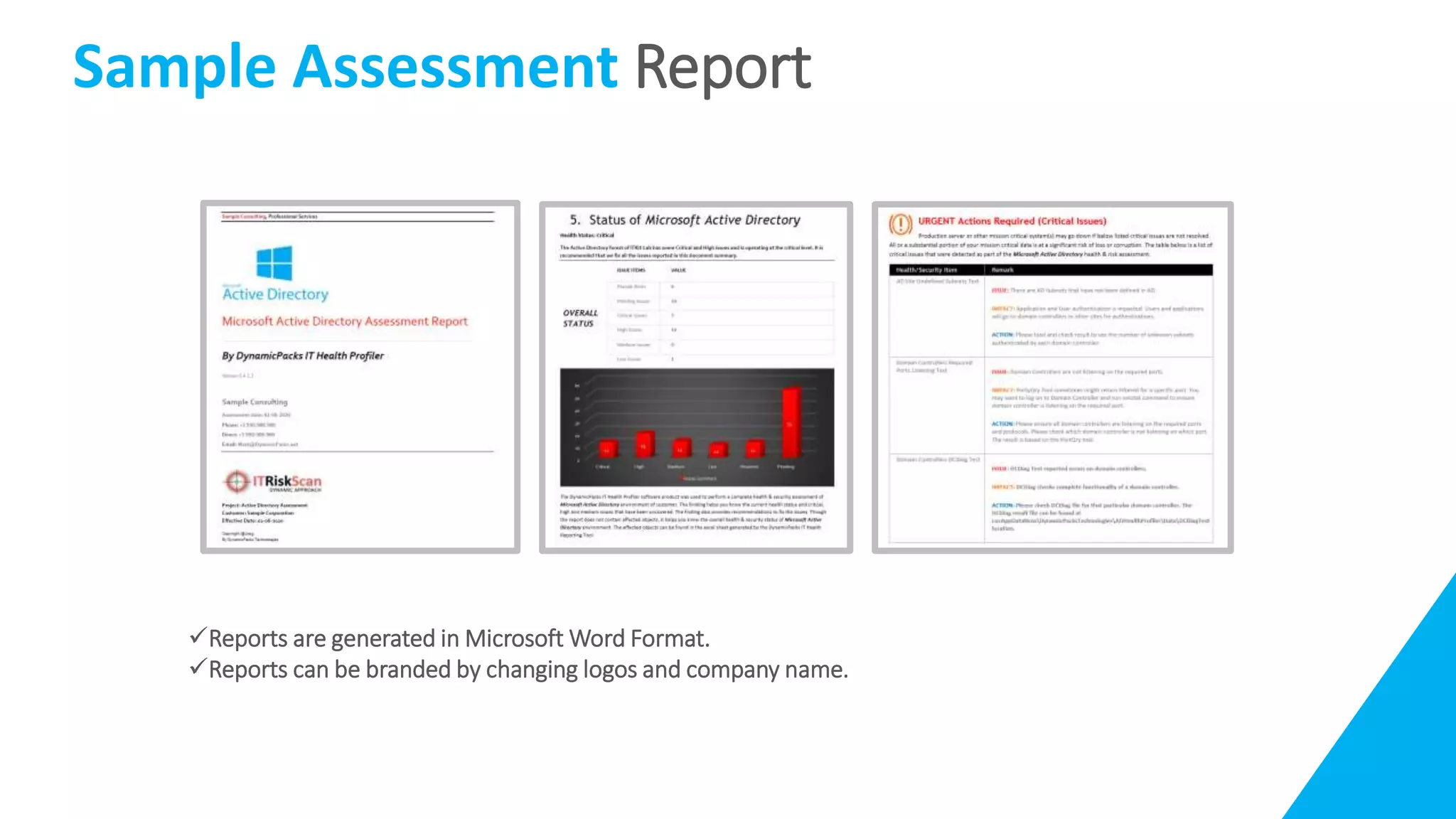
Sample Assessment Report
Reports are generated in Microsoft Word Format.
Reports can be branded by changing logos and company name.
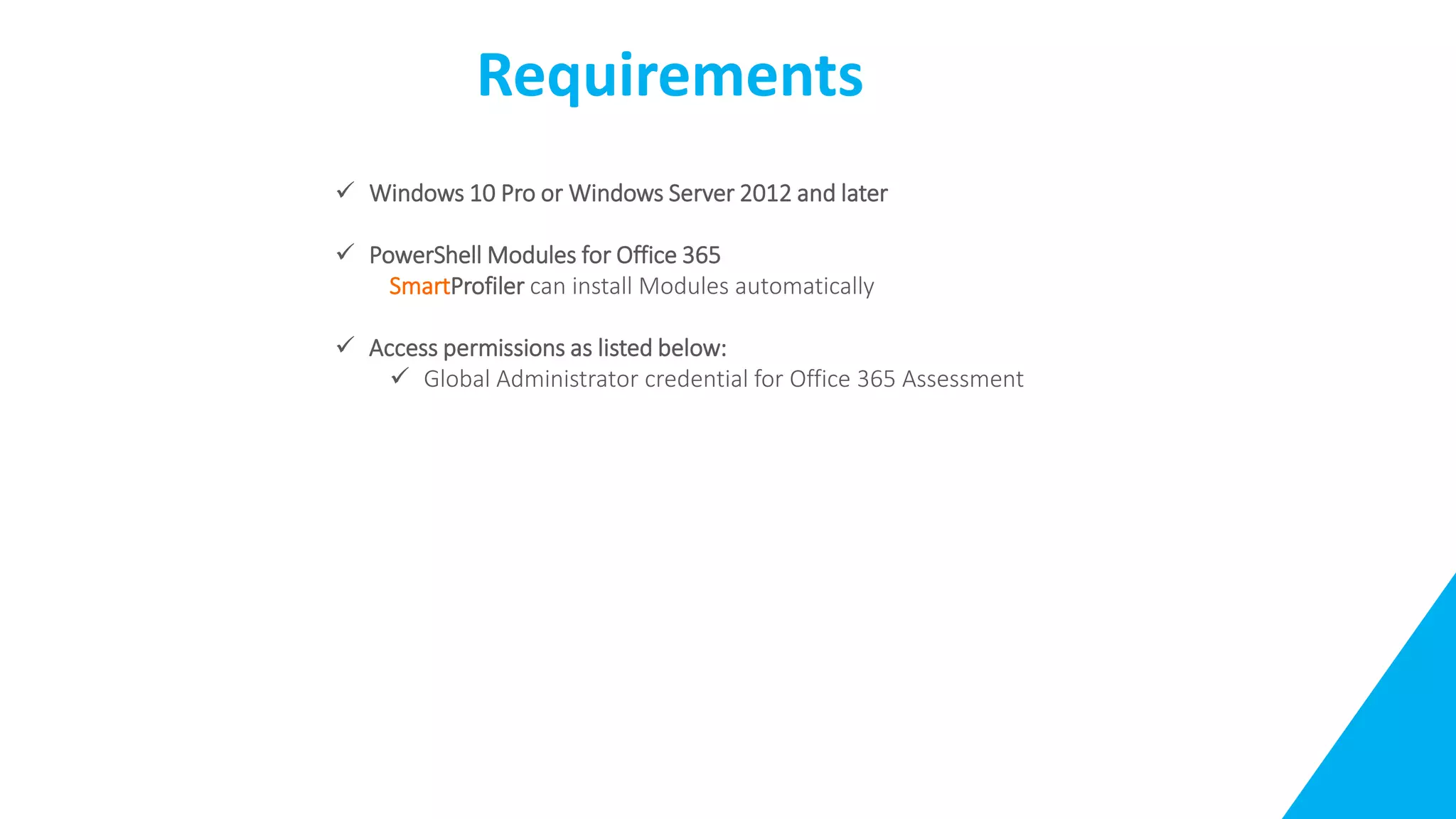
Requirements
 Windows 10 Pro or Windows Server 2012 and later
 PowerShell Modules for Office 365
SmartProfiler can install Modules automatically
 Access permissions as listed below:
 Global Administrator credential for Office 365 Assessment
SmartProfiler for Active
Directory Assessment
 SmartProfiler for Office 365 Assessment Overview
 Office 365 Secure Score Vs IT Health Profiler Assessment
 Areas Of Focus
 Sample Assessment Report
 Requirements
SmartProfiler for Azure
Assessment
 SmartProfiler for Office 365 Assessment Overview
 Office 365 Secure Score Vs IT Health Profiler Assessment
 Areas Of Focus
 Sample Assessment Report
 Requirements
SmartProfiler for Azure Virtual
Desktop Assessment
 SmartProfiler for Office 365 Assessment Overview
 Office 365 Secure Score Vs IT Health Profiler Assessment
 Areas Of Focus
 Sample Assessment Report
 Requirements
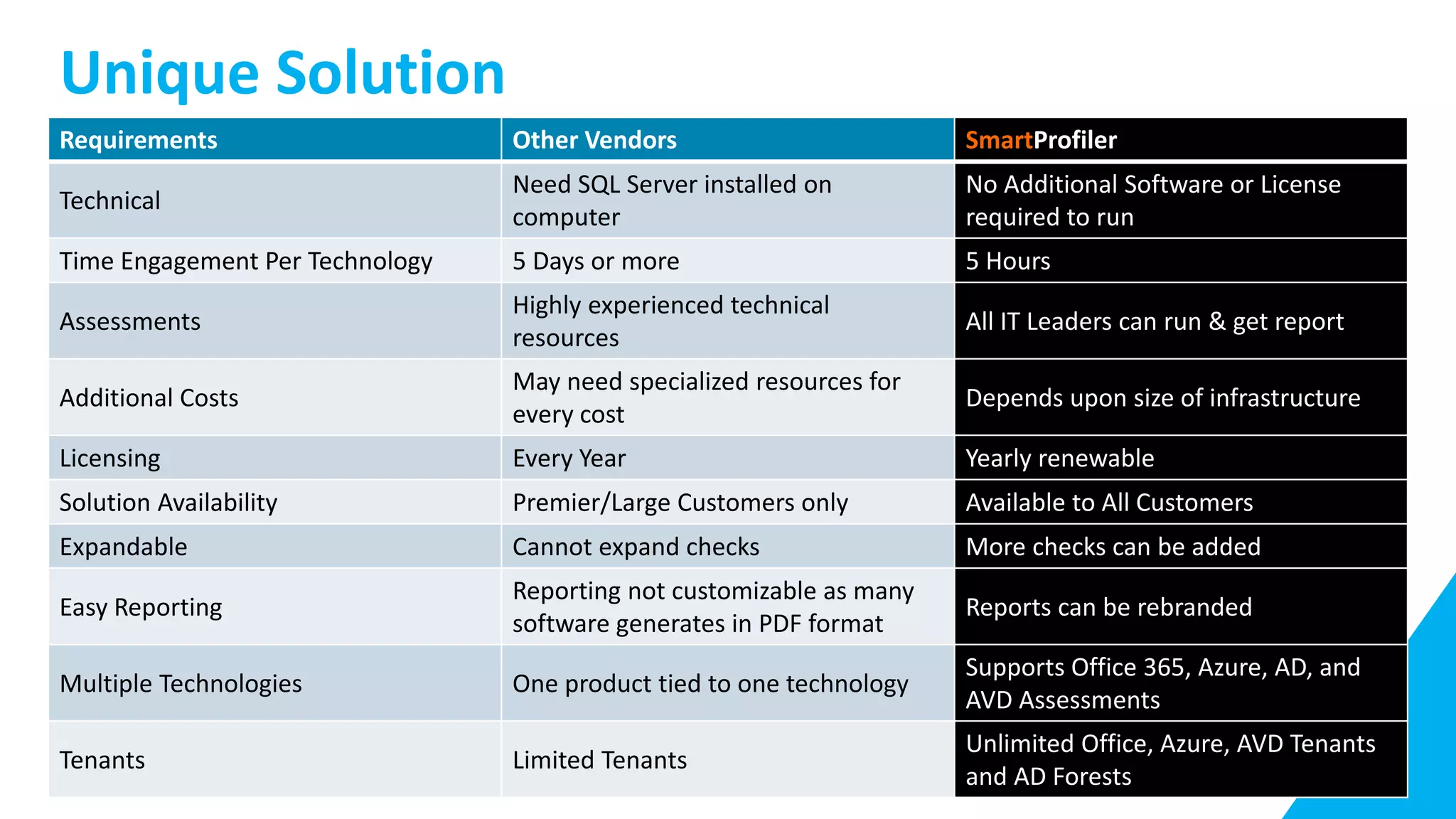
Unique Solution
Requirements Other Vendors SmartProfiler
Technical
Need SQL Server installed on
computer
No Additional Software or License
required to run
Time Engagement Per Technology 5 Days or more 5 Hours
Assessments
Highly experienced technical
resources
All IT Leaders can run & get report
Additional Costs
May need specialized resources for
every cost
Depends upon size of infrastructure
Licensing Every Year Yearly renewable
Solution Availability Premier/Large Customers only Available to All Customers
Expandable Cannot expand checks More checks can be added
Easy Reporting
Reporting not customizable as many
software generates in PDF format
Reports can be rebranded
Multiple Technologies One product tied to one technology
Supports Office 365, Azure, AD, and
AVD Assessments
Tenants Limited Tenants
Unlimited Office, Azure, AVD Tenants
and AD Forests
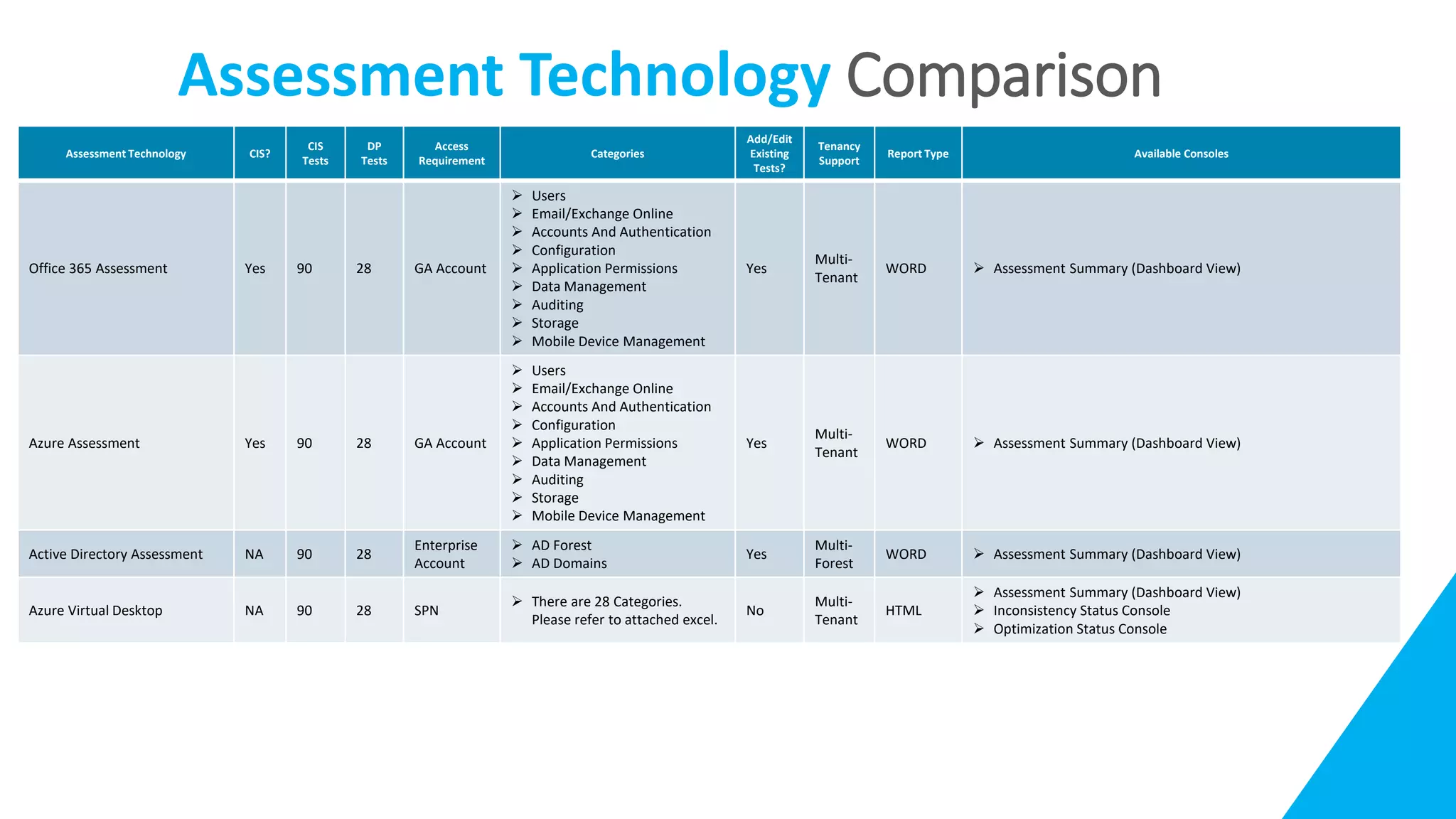
Assessment Technology Comparison
Assessment Technology CIS?
CIS
Tests
DP
Tests
Access
Requirement
Categories
Add/Edit
Existing
Tests?
Tenancy
Support
Report Type Available Consoles
Office 365 Assessment Yes 90 28 GA Account
 Users
 Email/Exchange Online
 Accounts And Authentication
 Configuration
 Application Permissions
 Data Management
 Auditing
 Storage
 Mobile Device Management
Yes
Multi-
Tenant
WORD  Assessment Summary (Dashboard View)
Azure Assessment Yes 90 28 GA Account
 Users
 Email/Exchange Online
 Accounts And Authentication
 Configuration
 Application Permissions
 Data Management
 Auditing
 Storage
 Mobile Device Management
Yes
Multi-
Tenant
WORD  Assessment Summary (Dashboard View)
Active Directory Assessment NA 90 28
Enterprise
Account
 AD Forest
 AD Domains
Yes
Multi-
Forest
WORD  Assessment Summary (Dashboard View)
Azure Virtual Desktop NA 90 28 SPN
 There are 28 Categories.
Please refer to attached excel.
No
Multi-
Tenant
HTML
 Assessment Summary (Dashboard View)
 Inconsistency Status Console
 Optimization Status Console
Questions Answers
Q. Does SmartProfiler make any changes to target systems?
A.SmartProfiler is a ready-only product. It uses PowerShell “Get” commands to
collect information from target systems.
Q. Do I need to install Agents on Target Systems?
A.No. SmartProfiler connects to remote Systems using Dynamic Packs and
collect required information.
Questions Answers
Q. Does SmartProfiler require SQL Database to Store data?
A.No. SmartProfiler collects information in CSV files stored on SmartProfler
computer.
Q. How long does it take to perform assessment?
A. It depends on the Assessment Technology as listed below:
A. For Office 365 Assessment 1-2 hours to complete assessment
B. For Active Directory 5 hours. However, it depends on how big the Active
Directory environment is.
C. For Azure Virtual Desktop 1-2 hours
D. For Azure 1-2 hours.
Questions Answers
Q. Can I add my own comments and then generate the report.
A.SmartProfiler generates reports in Microsoft Word format. However, you can
edit Impact and Recommendations for each test before generating the report.
Q. Can I brand reports generated by SmartProfiler?
A.Since report is generated in Microsoft Word format, you can brand these
reports.
Questions Answers
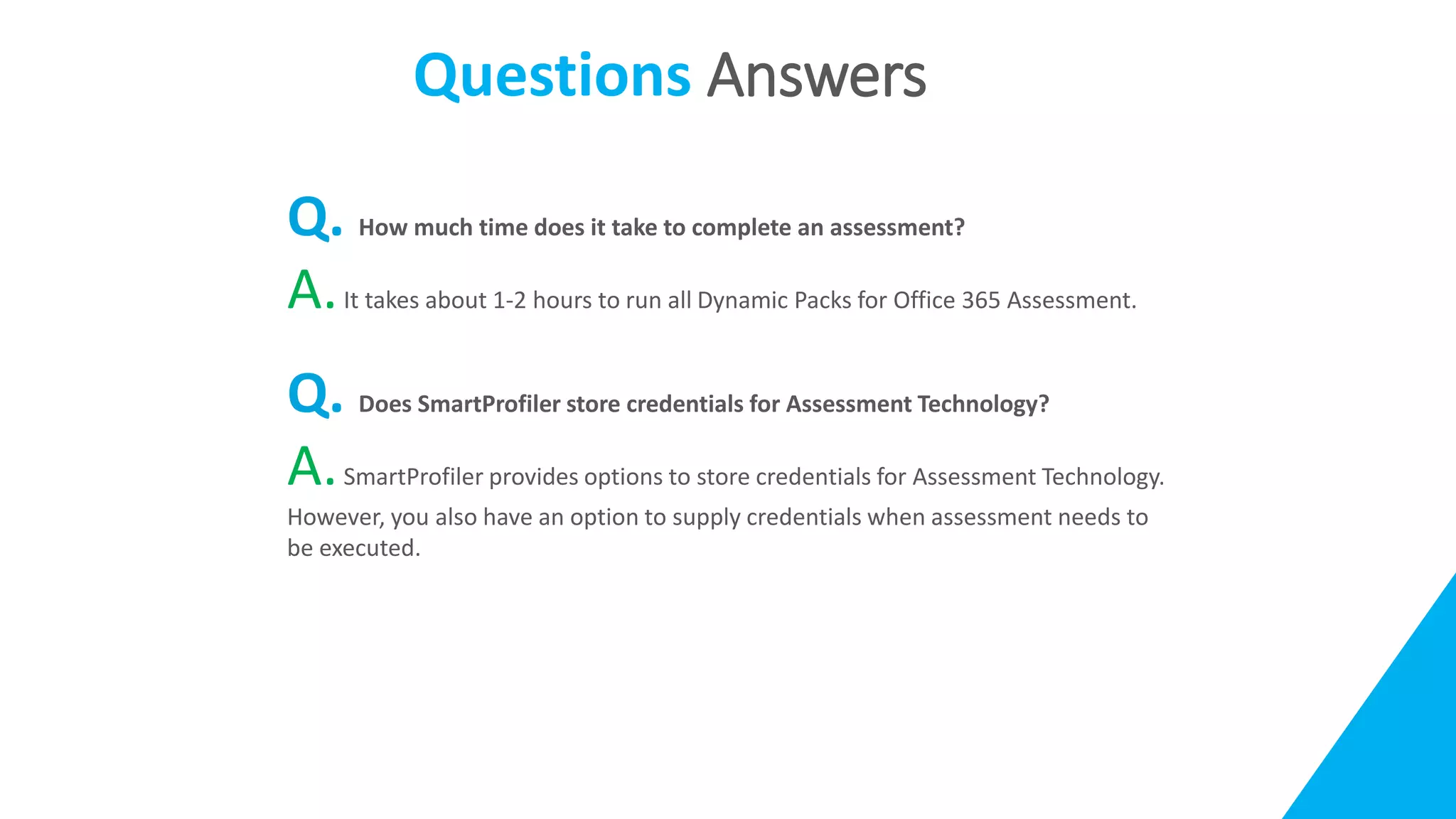
Q. How much time does it take to complete an assessment?
A.It takes about 1-2 hours to run all Dynamic Packs for Office 365 Assessment.
Q. Does SmartProfiler store credentials for Assessment Technology?
A.SmartProfiler provides options to store credentials for Assessment Technology.
However, you also have an option to supply credentials when assessment needs to
be executed.

SmartProfiler for Active Directory Office 365 and Azure Virtual Desktop Assessment

  • 1.
    SmartProfiler Proactive Health &Risk Assessment Engagement Program for Microsoft Services
  • 2.
    Agenda  What isSmartProfiler  Supported Assessment Technologies  CIS Workbench and SmartProfiler  Notable Features  Quick Assessment  SmartProfiler for Office 365 Assessment  SmartProfiler for Active Directory Assessment  SmartProfiler for Azure Assessment  SmartProfiler for Azure Virtual Desktop Assessment  Unique Solution  Assessment Technology Comparison  Q&A
  • 3.
    What is SmartProfiler SystemRequirements  Windows 10 or Server 2012 R2 onwards  Admin access for respective technology. For example, Enterprise Admin for Active Directory Assessment and Global Admin credentials for Office 365 Assessment.  PowerShell modules for respective technology  No need for SQL Server or any other license to run the IT Profiler SmartProfiler is a single desktop application designed to perform assessment of multiple technologies based on the availability of Technology Modules. For now, SmartProfiler can perform health & security assessment of Microsoft Active Directory, Microsoft Office 365, Microsoft Azure, and Azure Virtual Desktop environments.
  • 4.
    Supported Assessment Technologies SmartProfilercan perform health & security assessment of following Microsoft technologies: Assessment Technology Description CIS Compatible? Microsoft Office 365 • Find Out High and Medium Risks. • Improves regulatory compliance enforcement of internal policies with comprehensive audit trails, access controls and reporting. Microsoft Active Directory • Find Out Critical, High and Medium Issues in each Active Directory Domain. Microsoft Azure • Find Out High and Medium Risks. • Improves regulatory compliance enforcement of internal policies with comprehensive audit trails, access controls and reporting. Microsoft Azure Virtual Desktop • Check Optimization Status of Session Hosts • Report on Missing Microsoft Recommended Settings • Report on Configuration Inconsistencies across host pools
  • 5.
    CIS Workbench andSmartProfiler The Center for Internet Security is a nonprofit entity whose mission is to 'identify, develop, validate, promote, and sustain best practice solutions for cyberdefense.’ It draws on the expertise of cybersecurity and IT professionals from government, business, and academia from around the world. To develop standards and best practices, including CIS benchmarks, controls, and hardened images, they follow a consensus decision-making model. SmartProfiler is designed to support CIS Standards designed for Office 365 and Azure Assessments.
  • 6.
    Notable Features Multi-Tenant Capabilities: Addunlimited Office 365 Tenants Add unlimited AD Forests Add unlimited AVD Tenants Add unlimited Azure Tenants Can uncover hidden High and medium Issues. Provides recommendations to fix the issues. Produce an assessment and actionable report. Allow additional checks to be added on the fly and Import Technology Modules. Quickly view issues in the Dashboard. Brand reports generated by SmartProfiler.  IT Health Profiler ships with Microsoft Word Reporting Templates  Modify Reporting Templates or use your own Reporting Templates  Brand your reports before delivering to customers Single-Click Assessment to perform a complete health assessment.
  • 7.
    Quick Assessment SmartProfiler isdesigned to perform quick and easy assessment in four simple steps. Register Target Discovery/ Connectivity EXECUTE ASSESSMENT GENERATE REPORT Register your Target such as Office 365 Tenant, Azure Tenant, AD Forest or AVD Tenant Once target is registered perform a discovery to ensure environment is discovered and define assessment scope In Step 3 you are ready to execute Assessment for target. In Step 4 you can view issues uncovered by SmartProfiler and be able to generate WORD/HTML Report.
  • 8.
    SmartProfiler for Office 365Assessment  SmartProfiler for Office 365 Assessment Overview  Office 365 Secure Score Vs IT Health Profiler Assessment  Areas Of Focus  Sample Assessment Report  Requirements
  • 9.
    SmartProfiler for Office365 Assessment SmartProfiler for Office 365 Assessment is an automated Health & Risk assessment solution to help you significantly improve your Microsoft Office 365 ecosystem health & security posture. SmartProfiler for Office 365 Assessment follows CIS-Workbench controls and other tests designed by our Office 365 experts. Here are benefits of using Office 365 Assessment with SmartProfiler:  Improves regulatory compliance enforcement of internal policies with comprehensive audit trails, access controls and reporting.  Increases IT efficiency by identifying impending system failures to give you more time for business-critical tasks.  Ensures health of Office 365 Services such as Teams, SharePoint Online, Exchange Online, Azure AD and other services.  Continuous Assessment: Ensure ongoing health of Microsoft Office 365 components by performing assessment as and when needed. Compatible
  • 10.
    Office 365 SecurityScore Vs SmartProfiler SmartProfiler Assessment for Office 365 is different from Office 365 Security Score as listed below:  We offer 128 checks for Office 365 in 9 categories.  Office 365 Security Score cannot report on some of the issues for example:  Identifying mailboxes that have forwarding enabled – To prevent someone from stealing business assets.  Mailboxes that do not have auditing enabled.  Dir Sync conflicts and mis-configuration.  Mailbox Litigation Hold test.  Mailbox SPAM Test.  Exchange Online Admin Failure attempts from internal and external.  And so on. There are other tests designed by our Office 365 Experts.
  • 11.
    Area Of Focus SmartProfilerwill provide analysis of a comprehensive set of data relating to Office 365 in below categories. Assessment includes 128 checks: • Office 365 Users • Office 365 Email/Exchange Online • Office 365 Accounts And Authentication • Office 365 Configuration • Office 365 Application Permissions • Office 365 Data Management • Office 365 Auditing • Office 365 Storage • Office 365 Mobile Device Management
  • 12.
    Sample Assessment Report Reportsare generated in Microsoft Word Format. Reports can be branded by changing logos and company name.
  • 13.
    Requirements  Windows 10Pro or Windows Server 2012 and later  PowerShell Modules for Office 365 SmartProfiler can install Modules automatically  Access permissions as listed below:  Global Administrator credential for Office 365 Assessment
  • 14.
    SmartProfiler for Active DirectoryAssessment  SmartProfiler for Office 365 Assessment Overview  Office 365 Secure Score Vs IT Health Profiler Assessment  Areas Of Focus  Sample Assessment Report  Requirements
  • 15.
    SmartProfiler for Azure Assessment SmartProfiler for Office 365 Assessment Overview  Office 365 Secure Score Vs IT Health Profiler Assessment  Areas Of Focus  Sample Assessment Report  Requirements
  • 16.
    SmartProfiler for AzureVirtual Desktop Assessment  SmartProfiler for Office 365 Assessment Overview  Office 365 Secure Score Vs IT Health Profiler Assessment  Areas Of Focus  Sample Assessment Report  Requirements
  • 17.
    Unique Solution Requirements OtherVendors SmartProfiler Technical Need SQL Server installed on computer No Additional Software or License required to run Time Engagement Per Technology 5 Days or more 5 Hours Assessments Highly experienced technical resources All IT Leaders can run & get report Additional Costs May need specialized resources for every cost Depends upon size of infrastructure Licensing Every Year Yearly renewable Solution Availability Premier/Large Customers only Available to All Customers Expandable Cannot expand checks More checks can be added Easy Reporting Reporting not customizable as many software generates in PDF format Reports can be rebranded Multiple Technologies One product tied to one technology Supports Office 365, Azure, AD, and AVD Assessments Tenants Limited Tenants Unlimited Office, Azure, AVD Tenants and AD Forests
  • 18.
    Assessment Technology Comparison AssessmentTechnology CIS? CIS Tests DP Tests Access Requirement Categories Add/Edit Existing Tests? Tenancy Support Report Type Available Consoles Office 365 Assessment Yes 90 28 GA Account  Users  Email/Exchange Online  Accounts And Authentication  Configuration  Application Permissions  Data Management  Auditing  Storage  Mobile Device Management Yes Multi- Tenant WORD  Assessment Summary (Dashboard View) Azure Assessment Yes 90 28 GA Account  Users  Email/Exchange Online  Accounts And Authentication  Configuration  Application Permissions  Data Management  Auditing  Storage  Mobile Device Management Yes Multi- Tenant WORD  Assessment Summary (Dashboard View) Active Directory Assessment NA 90 28 Enterprise Account  AD Forest  AD Domains Yes Multi- Forest WORD  Assessment Summary (Dashboard View) Azure Virtual Desktop NA 90 28 SPN  There are 28 Categories. Please refer to attached excel. No Multi- Tenant HTML  Assessment Summary (Dashboard View)  Inconsistency Status Console  Optimization Status Console
  • 19.
    Questions Answers Q. DoesSmartProfiler make any changes to target systems? A.SmartProfiler is a ready-only product. It uses PowerShell “Get” commands to collect information from target systems. Q. Do I need to install Agents on Target Systems? A.No. SmartProfiler connects to remote Systems using Dynamic Packs and collect required information.
  • 20.
    Questions Answers Q. DoesSmartProfiler require SQL Database to Store data? A.No. SmartProfiler collects information in CSV files stored on SmartProfler computer. Q. How long does it take to perform assessment? A. It depends on the Assessment Technology as listed below: A. For Office 365 Assessment 1-2 hours to complete assessment B. For Active Directory 5 hours. However, it depends on how big the Active Directory environment is. C. For Azure Virtual Desktop 1-2 hours D. For Azure 1-2 hours.
  • 21.
    Questions Answers Q. CanI add my own comments and then generate the report. A.SmartProfiler generates reports in Microsoft Word format. However, you can edit Impact and Recommendations for each test before generating the report. Q. Can I brand reports generated by SmartProfiler? A.Since report is generated in Microsoft Word format, you can brand these reports.
  • 22.
    Questions Answers Q. Howmuch time does it take to complete an assessment? A.It takes about 1-2 hours to run all Dynamic Packs for Office 365 Assessment. Q. Does SmartProfiler store credentials for Assessment Technology? A.SmartProfiler provides options to store credentials for Assessment Technology. However, you also have an option to supply credentials when assessment needs to be executed.