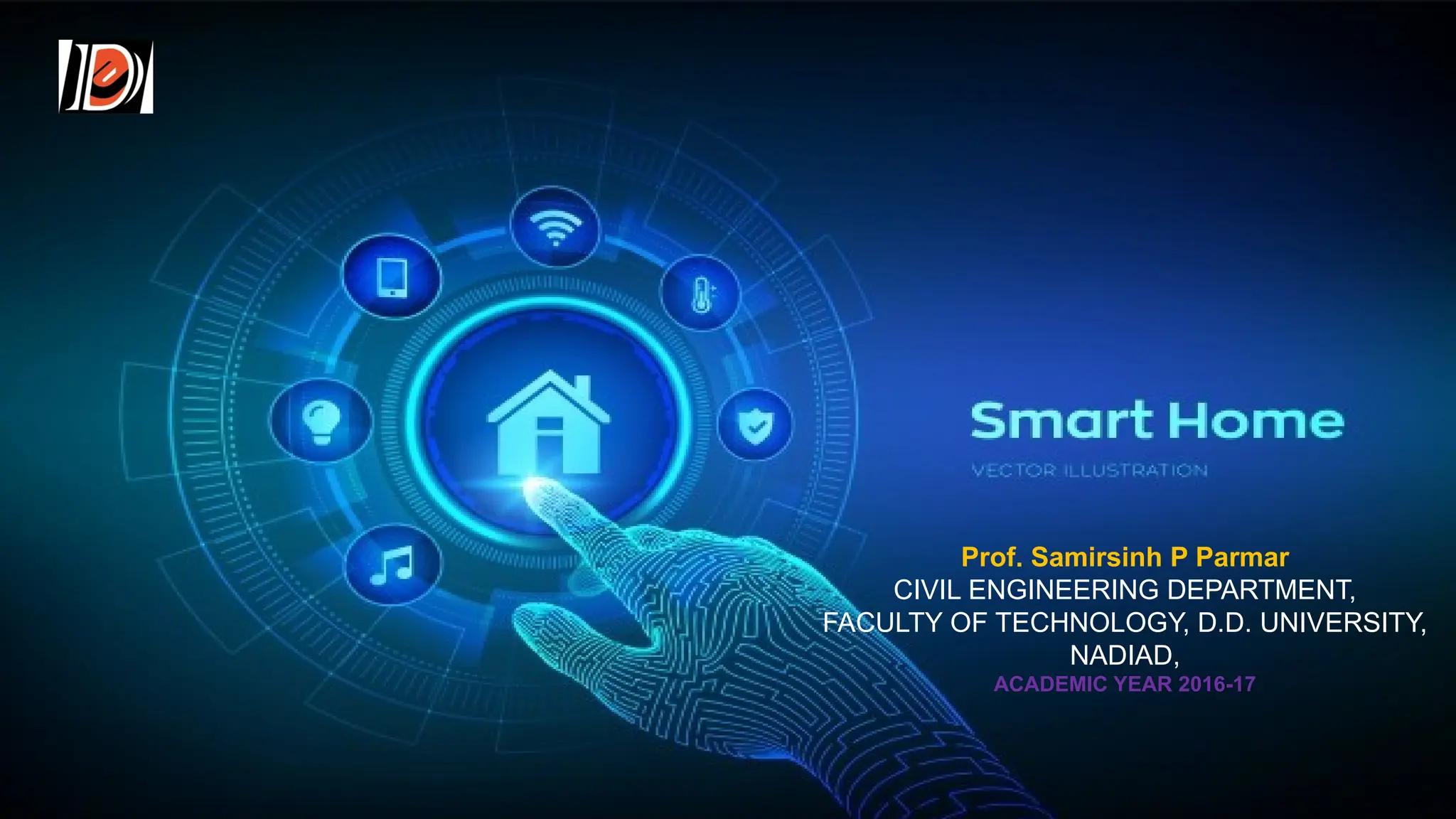
HOME AUTOMATION 1
Prof. Samirsinh P Parmar
CIVIL ENGINEERING DEPARTMENT,
FACULTY OF TECHNOLOGY, D.D. UNIVERSITY,
NADIAD,
ACADEMIC YEAR 2016-17
Presentation Preview
1. Why is home automation such a big industry?
2. How is it accomplished?
3. Where is it going?
 Green building
 Potential problems
4. Finally, a reminder, WHY it is soooo cool…
 Innovative ideas
HOME AUTOMATION 2
WHY?
HOME AUTOMATION 3
INTRODUCTION
• Home automation or smart home is the residential extension of building automation and
involves the control and automation of lighting, heating, ventilation, air conditioning (
HVAC), appliances, and security. Modern systems generally consist of switches and
sensors connected to a central hub sometimes called a "gateway" from which the system
is controlled with a user interface that is interacted either with a wall-mounted terminal,
mobile phone software, tablet computer or a web interface.
• While there are many competing vendors, there are very few world-wide accepted
industry standards and the smart home space is heavily fragmented.[1]
• Popular suites of products include X10, Ethernet, RS-485, ZigBee and Z-Wave, or other
proprietary protocols all of which are incompatible with each other.[2]
Manufacturers often
prevent independent implementations by withholding documentation and by suing people.
[3]
• The home automation market is in 2015 predicted to have a market value over 10 billion
US$ by the year 2020
HOME AUTOMATION 4
What is Home Automation?
• Home automation refers to the use of smart technology to
control and automate household appliances and systems,
enhancing convenience, comfort, and energy efficiency.
• This technology allows homeowners to remotely monitor and
manage devices such as lights, thermostats, security cameras,
and even kitchen appliances through their smartphones or voice
commands.
Home Automation Components
• At the most initial level, home automation systems are made up
of three elements-
1. A smart device.
2. A hub.
3. A connected application.
Home Assistant Core Architecture
1. Smart Devices:
These are the real powerhouse of any home automation system. These are the main parts
that actually implement the whole system commands.
Examples of the smart devices which can be added to any home automation to complete the
whole system are as follows:
i. Security Devices: This includes security cameras, smart locks.
ii. Home Appliances: Smart refrigerators, washing machines, dishwashers, and ovens already
exist.
iii. Smaller Appliances: As automatic coffee pots and electric kettle have been also around for a
while too
iv. Climate Controls: Climate control system with energy management systems
v. Entertainment Pieces: Entertainment includes smart TVs, wireless speakers, and film
projectors
vi. Health Care Devices: Smart humidifiers and smart scales are two common examples of health
care devices.
vii. Lighting Controls: They include dimmers, light bulbs, light strips, and switches, etc.
A high-speed
internet plays an
important role in
smooth
connectivity and
also plays an
important reliable
performance
between Wi-Fi-
enabled devices.
The 3 C’s:
 Convenience
 Accessibility from anywhere with internet connection
 Laziness factor
 Nikola Tesla – 1898 – first patented remote control
 First used for military
 Control
 Manage anything that is hooked up – alarms, etc.
 Efficient use of systems – radiant heat example
 Cool
 Pride factor
HOME AUTOMATION 10
Common 2009 Uses:
• HVAC
• Temperature and humidity control
• Lighting
• Mood lighting
• Whole home control
• Audio/Video
• Whole home entertainment systems
○One location for hardware
• Intercom Systems
HOME AUTOMATION 11
HOW?
HOME AUTOMATION 12
How Home Automation Works?
Home automation system works with the help of a network of devices that are connected to
the Internet through different communication systems like Wi-Fi, Bluetooth, ZigBee,
and others. Through these devices can be managed remotely through controllers through
an app. Many of these IoT devices have sensors that monitor changes in motion,
temperature, and light so the user can gain information about the device’s surroundings.
Three steps are followed in Home automation as follows:
• Monitoring: This means keeping the control of the system using an app on a device
remotely.
• Control: This means that the system can be controlled remotely from anywhere through
the app by the user.
• Automation: Automation means making almost all devices automatic for making it a
better system.
STRUCTURED WIRING
GOOD
NOT SO GOOD
“WIRE IS CHEAP”
HOME AUTOMATION 14
SMURF TUBING – Yes, SMURF
COST = 100’ for about
$45.00
HOME AUTOMATION 15
Examples of Home Automation Tools
• Smart Thermostats (e.g., Nest Thermostat)
• Function: Automatically adjusts the temperature based on your preferences and habits.
• Benefits: Energy savings by optimizing heating and cooling, remote control via smartphone, and the ability to create custom
schedules.
• Smart Lighting (e.g., Philips Hue)
• Function: Allows you to control the brightness and color of your lights remotely.
• Benefits: Energy efficiency, improved ambiance, and security by simulating occupancy when you’re away.
• Smart Locks (e.g., August Smart Lock)
• Function: Enables keyless entry and remote locking/unlocking of doors.
• Benefits: Enhanced security, convenience of not needing physical keys, and the ability to grant temporary access to guests.
• Smart Security Cameras (e.g., Ring Video Doorbell)
• Function: Provides real-time video surveillance and motion detection.
• Benefits: Increased security, remote monitoring, and the ability to see and communicate with visitors from anywhere.
• Smart Speakers (e.g., Amazon Echo, Google Home)
• Function: Voice-controlled assistants that can manage other smart devices, play music, provide weather updates, and more.
• Benefits: Hands-free control, integration with a wide range of smart home devices, and access to information and
entertainment.
Structured Media Panel
Hardware Rack
HOME AUTOMATION 17
RF (Radio Frequency) Systems
• Primary
Use?
• Remodel
• Problems?
• Interferenc
e
• Slower
• Jacobso
n
example
HOME AUTOMATION 18
Major Home Automation Companies:
CEDIA (Custom Electronic Design & Installation Association
• Crestron
• http://www.crestron.co
m
• Conrol 4
• http://www.control4.co
m
• AMX
• http://www.amx.com
• Savant (mac-based)
• http://www.savantav.co
m
• CEDIA Expo 2009 held in Atlanta, GA in September
• Displays all the newest technology in home automation
HOME AUTOMATION 20
Where is Home Automation going?
HOME AUTOMATION 21
Smart Home Devices
Green Building and Safe Building
• HVAC Control
• Electricity
consumption
management
• Lighting control
• Regulated according to
ambient light
• Natural Light
• Shades/Curtain control
• Security
• Connections to
cameras, alarms
• Example: Flashing all
lights if alarm goes off.
• Flood warning
HOME AUTOMATION 23
Interfaces
PROBLEMS!!
• Potential over-reliance
on computers!!
• Prone to
hacking/meltdowns/glit
ches
• Unnecessary perks
may cause problems
with necessary home
functions
HOME AUTOMATION 25
Control TV, Garage Door, anything you
want!!
• Deadbolt Control • I-phone Apps/Controller
WHERE ARE WE GOING?
HOME AUTOMATION 26
BIOMETRICS
HOME AUTOMATION 27
HOME AUTOMATION 28
Vacant Home Capabilities:
• Feed and watch pets
• Water plants
• Interior and Exterior
• Presence Simulation
• Lighting, TV, anything –
pre-programmed
schedule
HOME AUTOMATION 29
Water Management
Sensor Faucet
Programmed bath cycles
• Bathomatic DEMO
HOME AUTOMATION
30
Automated Toilets!
HOME AUTOMATION 31
• Features:
• The toilet has an SD card, pre-loaded with Bach, Chopin and
Mendelsohn. Once you show up to take care of business, a sensor
activates the tunes, either to relax you or to prevent houseguests in your
thin-walled Japanese apartment from hearing anything other than Bach,
Chopin or Mendelsohn.
• Another sensor figures out whether you're going to need the seat up or
down (crikey, would love to know how this one works) and motorizes it
into the appropriate position. After you leave, it automatically places the
seat in the down position if it was up, preventing countless marital spats.
• A nightlight in the bowl helps guide you during those 2am emergencies
HOME AUTOMATION 32
Automated Cabinets
http://www.anvilmotion.com/
HOME AUTOMATION 33
Special Addition for Bro. Newitt!!
“One small step for man, one
huge step for mankind.”
HOME AUTOMATION 34
Applications of home Automation
• Some of the most common applications of home automation are as follows-
1. Heating, ventilation, and air conditioning.
2. Lighting control system.
3. Occupancy-aware control system.
4. Leak detection.
5. Smoke sensors.
6. Indoor positioning systems.
7. Home automation for the elderly and disabled.
8. Air quality control.
9. Smart Kitchen.
10. Connected Cooking.
11. Voice control devices like Amazon Alexa or Google Home used to control home
appliances or systems etc.
Security And Privacy Concern:
The security and privacy of any home automation system are at the top level for
keeping the working of home automation smoothly. So, there are some steps or
knowledge it can be achieved easily and vastly which are as follows:
• Privacy Policy: Read the privacy policy carefully and know each and every point about
how they share it and sell it to third parties.
• Naming of Router: Be sure to give your router a name except for the name it came with
when get purchased.
• Encryption: Select an end-to-end encrypted method for your Wi-Fi, like WPA2.
• WiFi Password: Make separate passwords for each Wi-Fi connection to your devices.
• Separate WiFi Network: For the most security for your IoT devices use a separate Wi-Fi
network for IoT devices only. This will also create faster Internet speeds all around.
Security And Privacy Concern:
• Password: Make your home automation password protected. Choose a strong password
for the WI-Fi network.
• Device settings: Devices have features enabled by default that are not necessarily
required so, turn it off when these features are not in use like Wi-Fi, Bluetooth, and
knowing your location i.e. Location Tracking feature.
• Software Updates: The software update is also the most important step in security
because it performs all the steps needed for security or privacy concerns.
• Authentication: Using a two-factor authentication system will help a lot because by this
the password or any kind of verification first comes to your mobile phone then only any
application gets opened.
• VPN: It stands for Virtual Private
Advantages of Home Automation
• Energy Savings: Self-automated light bulbs, fans, and switchboards save
energy, cutting utility costs over time.
• Home Safety: Home automation provides the best technologies for home
security. Consumers purchase these devices because they want to make
their homes safer and more secure. Automatic lighting systems and motion
sensors help people to enter doors and walk late at night.
• User Convenient: Because home automation performs role tasks
automatically, end-users experience great convenience. For instance, you
could use sensors indoors to turn on your smart lighting when you unlock
the front door.
Advantages of Home Automation
• Better Control: Consumers also choose smart home devices to better
control functions within the home. With home automation technology, you
can know easily what’s happening inside your home at all times.
• Comfortable Atmosphere: All Connected devices around our home can
also help to create a comfortable atmosphere—they provide intelligent and
reliable lighting, sound, and temperature, which can all help to create a
comfortable environment.
• Provide Peace of Mind: This system may help consumers to invest in
home automation for peace of mind.
• Remote Access: Being able to control devices remotely means things like
unlocking the door for a plant sitter without having to leave a key under the
mat.
Disadvantages Of Home Automation
• Costs: These are more expensive than their non-WiFi-connected
counterparts.
• Security Issues: There are many security issues like the doorbell can be
started ringing automatically etc.
• New Technology: Since IoT is a relatively new technology, you may run
into some bugs, like devices having trouble connecting to the Internet or
experiencing lag, depending on the device make and model.
• Surveillance: If privacy is a huge concern, then smart security is probably
not for you, as users can live stream footage from the camera’s respective
app. Instead, you might want to opt for a local alarm system.
Conclusion
• Home automation significantly enhances convenience, security,
comfort, and energy efficiency in modern living.
• By allowing homeowners to control and automate various household
systems through smart technology, it simplifies daily tasks and offers
greater control over home environments.
• As technology continues to advance, the potential for even more
integrated and intuitive home automation solutions will grow, making
smart homes an increasingly accessible and valuable option for
improving quality of life.
DESKTOP / SCREEN VIEW:
HOME AUTOMATION 45
THANK YOU.

Smart Home - Home Automation Introduction.pptx

  • 1.
    HOME AUTOMATION 1 Prof.Samirsinh P Parmar CIVIL ENGINEERING DEPARTMENT, FACULTY OF TECHNOLOGY, D.D. UNIVERSITY, NADIAD, ACADEMIC YEAR 2016-17
  • 2.
    Presentation Preview 1. Whyis home automation such a big industry? 2. How is it accomplished? 3. Where is it going?  Green building  Potential problems 4. Finally, a reminder, WHY it is soooo cool…  Innovative ideas HOME AUTOMATION 2
  • 3.
  • 4.
    INTRODUCTION • Home automationor smart home is the residential extension of building automation and involves the control and automation of lighting, heating, ventilation, air conditioning ( HVAC), appliances, and security. Modern systems generally consist of switches and sensors connected to a central hub sometimes called a "gateway" from which the system is controlled with a user interface that is interacted either with a wall-mounted terminal, mobile phone software, tablet computer or a web interface. • While there are many competing vendors, there are very few world-wide accepted industry standards and the smart home space is heavily fragmented.[1] • Popular suites of products include X10, Ethernet, RS-485, ZigBee and Z-Wave, or other proprietary protocols all of which are incompatible with each other.[2] Manufacturers often prevent independent implementations by withholding documentation and by suing people. [3] • The home automation market is in 2015 predicted to have a market value over 10 billion US$ by the year 2020 HOME AUTOMATION 4
  • 5.
    What is HomeAutomation? • Home automation refers to the use of smart technology to control and automate household appliances and systems, enhancing convenience, comfort, and energy efficiency. • This technology allows homeowners to remotely monitor and manage devices such as lights, thermostats, security cameras, and even kitchen appliances through their smartphones or voice commands.
  • 6.
    Home Automation Components •At the most initial level, home automation systems are made up of three elements- 1. A smart device. 2. A hub. 3. A connected application.
  • 7.
    Home Assistant CoreArchitecture
  • 8.
    1. Smart Devices: Theseare the real powerhouse of any home automation system. These are the main parts that actually implement the whole system commands. Examples of the smart devices which can be added to any home automation to complete the whole system are as follows: i. Security Devices: This includes security cameras, smart locks. ii. Home Appliances: Smart refrigerators, washing machines, dishwashers, and ovens already exist. iii. Smaller Appliances: As automatic coffee pots and electric kettle have been also around for a while too iv. Climate Controls: Climate control system with energy management systems v. Entertainment Pieces: Entertainment includes smart TVs, wireless speakers, and film projectors vi. Health Care Devices: Smart humidifiers and smart scales are two common examples of health care devices. vii. Lighting Controls: They include dimmers, light bulbs, light strips, and switches, etc.
  • 9.
    A high-speed internet playsan important role in smooth connectivity and also plays an important reliable performance between Wi-Fi- enabled devices.
  • 10.
    The 3 C’s: Convenience  Accessibility from anywhere with internet connection  Laziness factor  Nikola Tesla – 1898 – first patented remote control  First used for military  Control  Manage anything that is hooked up – alarms, etc.  Efficient use of systems – radiant heat example  Cool  Pride factor HOME AUTOMATION 10
  • 11.
    Common 2009 Uses: •HVAC • Temperature and humidity control • Lighting • Mood lighting • Whole home control • Audio/Video • Whole home entertainment systems ○One location for hardware • Intercom Systems HOME AUTOMATION 11
  • 12.
  • 13.
    How Home AutomationWorks? Home automation system works with the help of a network of devices that are connected to the Internet through different communication systems like Wi-Fi, Bluetooth, ZigBee, and others. Through these devices can be managed remotely through controllers through an app. Many of these IoT devices have sensors that monitor changes in motion, temperature, and light so the user can gain information about the device’s surroundings. Three steps are followed in Home automation as follows: • Monitoring: This means keeping the control of the system using an app on a device remotely. • Control: This means that the system can be controlled remotely from anywhere through the app by the user. • Automation: Automation means making almost all devices automatic for making it a better system.
  • 14.
    STRUCTURED WIRING GOOD NOT SOGOOD “WIRE IS CHEAP” HOME AUTOMATION 14
  • 15.
    SMURF TUBING –Yes, SMURF COST = 100’ for about $45.00 HOME AUTOMATION 15
  • 16.
    Examples of HomeAutomation Tools • Smart Thermostats (e.g., Nest Thermostat) • Function: Automatically adjusts the temperature based on your preferences and habits. • Benefits: Energy savings by optimizing heating and cooling, remote control via smartphone, and the ability to create custom schedules. • Smart Lighting (e.g., Philips Hue) • Function: Allows you to control the brightness and color of your lights remotely. • Benefits: Energy efficiency, improved ambiance, and security by simulating occupancy when you’re away. • Smart Locks (e.g., August Smart Lock) • Function: Enables keyless entry and remote locking/unlocking of doors. • Benefits: Enhanced security, convenience of not needing physical keys, and the ability to grant temporary access to guests. • Smart Security Cameras (e.g., Ring Video Doorbell) • Function: Provides real-time video surveillance and motion detection. • Benefits: Increased security, remote monitoring, and the ability to see and communicate with visitors from anywhere. • Smart Speakers (e.g., Amazon Echo, Google Home) • Function: Voice-controlled assistants that can manage other smart devices, play music, provide weather updates, and more. • Benefits: Hands-free control, integration with a wide range of smart home devices, and access to information and entertainment.
  • 17.
    Structured Media Panel HardwareRack HOME AUTOMATION 17
  • 18.
    RF (Radio Frequency)Systems • Primary Use? • Remodel • Problems? • Interferenc e • Slower • Jacobso n example HOME AUTOMATION 18
  • 20.
    Major Home AutomationCompanies: CEDIA (Custom Electronic Design & Installation Association • Crestron • http://www.crestron.co m • Conrol 4 • http://www.control4.co m • AMX • http://www.amx.com • Savant (mac-based) • http://www.savantav.co m • CEDIA Expo 2009 held in Atlanta, GA in September • Displays all the newest technology in home automation HOME AUTOMATION 20
  • 21.
    Where is HomeAutomation going? HOME AUTOMATION 21
  • 22.
  • 23.
    Green Building andSafe Building • HVAC Control • Electricity consumption management • Lighting control • Regulated according to ambient light • Natural Light • Shades/Curtain control • Security • Connections to cameras, alarms • Example: Flashing all lights if alarm goes off. • Flood warning HOME AUTOMATION 23
  • 24.
  • 25.
    PROBLEMS!! • Potential over-reliance oncomputers!! • Prone to hacking/meltdowns/glit ches • Unnecessary perks may cause problems with necessary home functions HOME AUTOMATION 25
  • 26.
    Control TV, GarageDoor, anything you want!! • Deadbolt Control • I-phone Apps/Controller WHERE ARE WE GOING? HOME AUTOMATION 26
  • 27.
  • 28.
  • 29.
    Vacant Home Capabilities: •Feed and watch pets • Water plants • Interior and Exterior • Presence Simulation • Lighting, TV, anything – pre-programmed schedule HOME AUTOMATION 29
  • 30.
    Water Management Sensor Faucet Programmedbath cycles • Bathomatic DEMO HOME AUTOMATION 30
  • 31.
  • 32.
    • Features: • Thetoilet has an SD card, pre-loaded with Bach, Chopin and Mendelsohn. Once you show up to take care of business, a sensor activates the tunes, either to relax you or to prevent houseguests in your thin-walled Japanese apartment from hearing anything other than Bach, Chopin or Mendelsohn. • Another sensor figures out whether you're going to need the seat up or down (crikey, would love to know how this one works) and motorizes it into the appropriate position. After you leave, it automatically places the seat in the down position if it was up, preventing countless marital spats. • A nightlight in the bowl helps guide you during those 2am emergencies HOME AUTOMATION 32
  • 33.
  • 34.
    Special Addition forBro. Newitt!! “One small step for man, one huge step for mankind.” HOME AUTOMATION 34
  • 35.
    Applications of homeAutomation • Some of the most common applications of home automation are as follows- 1. Heating, ventilation, and air conditioning. 2. Lighting control system. 3. Occupancy-aware control system. 4. Leak detection. 5. Smoke sensors. 6. Indoor positioning systems. 7. Home automation for the elderly and disabled. 8. Air quality control. 9. Smart Kitchen. 10. Connected Cooking. 11. Voice control devices like Amazon Alexa or Google Home used to control home appliances or systems etc.
  • 36.
    Security And PrivacyConcern: The security and privacy of any home automation system are at the top level for keeping the working of home automation smoothly. So, there are some steps or knowledge it can be achieved easily and vastly which are as follows: • Privacy Policy: Read the privacy policy carefully and know each and every point about how they share it and sell it to third parties. • Naming of Router: Be sure to give your router a name except for the name it came with when get purchased. • Encryption: Select an end-to-end encrypted method for your Wi-Fi, like WPA2. • WiFi Password: Make separate passwords for each Wi-Fi connection to your devices. • Separate WiFi Network: For the most security for your IoT devices use a separate Wi-Fi network for IoT devices only. This will also create faster Internet speeds all around.
  • 37.
    Security And PrivacyConcern: • Password: Make your home automation password protected. Choose a strong password for the WI-Fi network. • Device settings: Devices have features enabled by default that are not necessarily required so, turn it off when these features are not in use like Wi-Fi, Bluetooth, and knowing your location i.e. Location Tracking feature. • Software Updates: The software update is also the most important step in security because it performs all the steps needed for security or privacy concerns. • Authentication: Using a two-factor authentication system will help a lot because by this the password or any kind of verification first comes to your mobile phone then only any application gets opened. • VPN: It stands for Virtual Private
  • 39.
    Advantages of HomeAutomation • Energy Savings: Self-automated light bulbs, fans, and switchboards save energy, cutting utility costs over time. • Home Safety: Home automation provides the best technologies for home security. Consumers purchase these devices because they want to make their homes safer and more secure. Automatic lighting systems and motion sensors help people to enter doors and walk late at night. • User Convenient: Because home automation performs role tasks automatically, end-users experience great convenience. For instance, you could use sensors indoors to turn on your smart lighting when you unlock the front door.
  • 40.
    Advantages of HomeAutomation • Better Control: Consumers also choose smart home devices to better control functions within the home. With home automation technology, you can know easily what’s happening inside your home at all times. • Comfortable Atmosphere: All Connected devices around our home can also help to create a comfortable atmosphere—they provide intelligent and reliable lighting, sound, and temperature, which can all help to create a comfortable environment. • Provide Peace of Mind: This system may help consumers to invest in home automation for peace of mind. • Remote Access: Being able to control devices remotely means things like unlocking the door for a plant sitter without having to leave a key under the mat.
  • 41.
    Disadvantages Of HomeAutomation • Costs: These are more expensive than their non-WiFi-connected counterparts. • Security Issues: There are many security issues like the doorbell can be started ringing automatically etc. • New Technology: Since IoT is a relatively new technology, you may run into some bugs, like devices having trouble connecting to the Internet or experiencing lag, depending on the device make and model. • Surveillance: If privacy is a huge concern, then smart security is probably not for you, as users can live stream footage from the camera’s respective app. Instead, you might want to opt for a local alarm system.
  • 42.
    Conclusion • Home automationsignificantly enhances convenience, security, comfort, and energy efficiency in modern living. • By allowing homeowners to control and automate various household systems through smart technology, it simplifies daily tasks and offers greater control over home environments. • As technology continues to advance, the potential for even more integrated and intuitive home automation solutions will grow, making smart homes an increasingly accessible and valuable option for improving quality of life.
  • 44.
  • 45.