Introduction to ArcGIS for archaeologists
Lecture 1:
Why GIS matters
Introduction to ArcGIS for archaeologists
What does GIS do?
• Map multiple sources of geographic data at once
• Use powerful spatial analysis tools
• Publication of paper and electronic maps
Introduction to ArcGIS for archaeologists
Restrictions of working with GIS:
• Easy to disguise poor quality data
• Output may need editing for publication
• Tools can be used when not appropriate
• Simplification of the real world
Introduction to ArcGIS for archaeologists
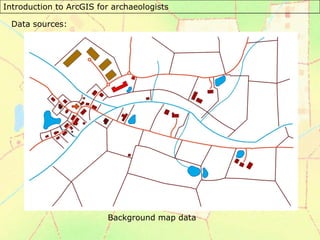
Data sources:
Background map data
Introduction to ArcGIS for archaeologists
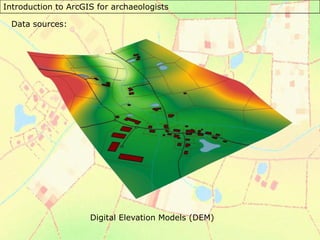
Data sources:
Digital Elevation Models (DEM)
Introduction to ArcGIS for archaeologists
Data sources:
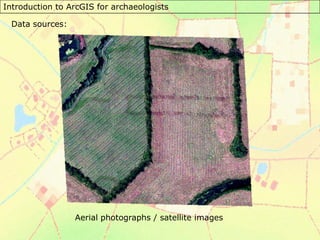
Aerial photographs / satellite images
Introduction to ArcGIS for archaeologists
Data sources:
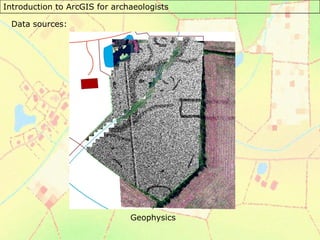
Geophysics
Introduction to ArcGIS for archaeologists
Data sources:
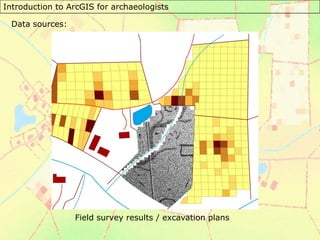
Field survey results / excavation plans
Introduction to ArcGIS for archaeologists
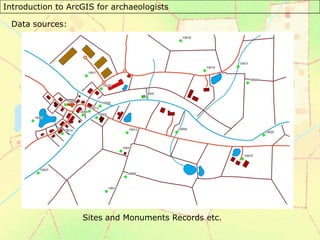
Data sources:
Sites and Monuments Records etc.
Introduction to ArcGIS for archaeologists
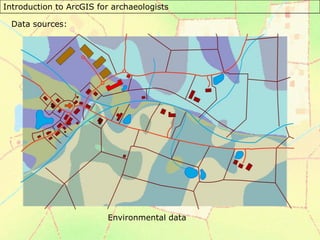
Data sources:
Environmental data
Introduction to ArcGIS for archaeologists
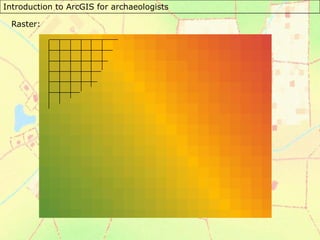
Raster:
Introduction to ArcGIS for archaeologists
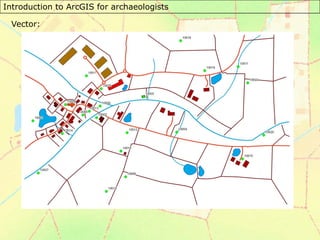
Vector:
Introduction to ArcGIS for archaeologists
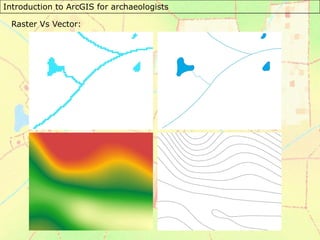
Raster Vs Vector:
Introduction to ArcGIS for archaeologists
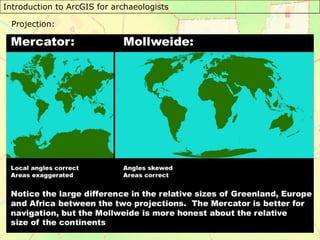
Projection:
Introduction to ArcGIS for archaeologists
This course was written by Dr Chris Green at the University of
Leicester. He can be contacted at archtgis@gmail.com if you have
any comments.
The production of this course was funded by the SPLINT
Centre for Excellence in Teaching and Learning at the University
of Leicester:
http://www.le.ac.uk/geography/splint/

Slides_1.pdf

  • 1.
    Introduction to ArcGISfor archaeologists Lecture 1: Why GIS matters
  • 2.
    Introduction to ArcGISfor archaeologists What does GIS do? • Map multiple sources of geographic data at once • Use powerful spatial analysis tools • Publication of paper and electronic maps
  • 3.
    Introduction to ArcGISfor archaeologists Restrictions of working with GIS: • Easy to disguise poor quality data • Output may need editing for publication • Tools can be used when not appropriate • Simplification of the real world
  • 4.
    Introduction to ArcGISfor archaeologists Data sources: Background map data
  • 5.
    Introduction to ArcGISfor archaeologists Data sources: Digital Elevation Models (DEM)
  • 6.
    Introduction to ArcGISfor archaeologists Data sources: Aerial photographs / satellite images
  • 7.
    Introduction to ArcGISfor archaeologists Data sources: Geophysics
  • 8.
    Introduction to ArcGISfor archaeologists Data sources: Field survey results / excavation plans
  • 9.
    Introduction to ArcGISfor archaeologists Data sources: Sites and Monuments Records etc.
  • 10.
    Introduction to ArcGISfor archaeologists Data sources: Environmental data
  • 11.
    Introduction to ArcGISfor archaeologists Raster:
  • 12.
    Introduction to ArcGISfor archaeologists Vector:
  • 13.
    Introduction to ArcGISfor archaeologists Raster Vs Vector:
  • 14.
    Introduction to ArcGISfor archaeologists Projection:
  • 15.
    Introduction to ArcGISfor archaeologists This course was written by Dr Chris Green at the University of Leicester. He can be contacted at archtgis@gmail.com if you have any comments. The production of this course was funded by the SPLINT Centre for Excellence in Teaching and Learning at the University of Leicester: http://www.le.ac.uk/geography/splint/