Sina App Engine Quick Guide

         T.SINA.COM.CN/EASY

         2009.11,2010.1 updated
提要

•   SAE First Look
•   SAE Service
•   A Simple Demo
•   Questions
SAE First Look

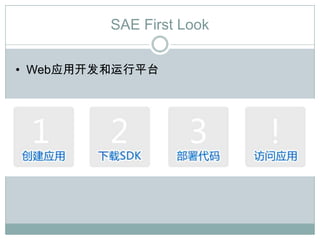
• Web应用开发和运行平台
SAE First Look

• Video

• http://xhprof.tools.sinaapp.com/demo/
SAE Service

•   数据存储
•   图像处理
•   Mysql数据库
•   Memcache
•   fetch_url
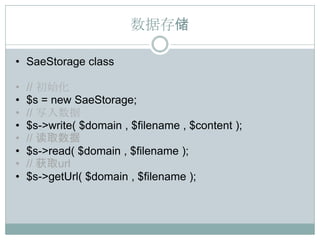
数据存储

• SaeStorage class

•   // 初始化
•   $s = new SaeStorage;
•   // 写入数据
•   $s->write( $domain , $filename , $content );
•   // 读取数据
•   $s->read( $domain , $filename );
•   // 获取url
•   $s->getUrl( $domain , $filename );
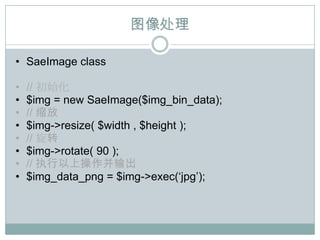
图像处理

• SaeImage class

•   // 初始化
•   $img = new SaeImage($img_bin_data);
•   // 缩放
•   $img->resize( $width , $height );
•   // 旋转
•   $img->rotate( 90 );
•   // 执行以上操作并输出
•   $img_data_png = $img->exec(„jpg‟);
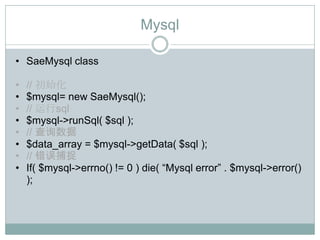
Mysql

• SaeMysql class

•   // 初始化
•   $mysql= new SaeMysql();
•   // 运行sql
•   $mysql->runSql( $sql );
•   // 查询数据
•   $data_array = $mysql->getData( $sql );
•   // 错误捕捉
•   If( $mysql->errno() != 0 ) die( “Mysql error” . $mysql->error()
    );
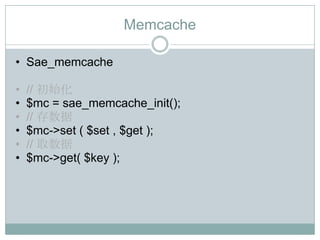
Memcache

• Sae_memcache

•   // 初始化
•   $mc = sae_memcache_init();
•   // 存数据
•   $mc->set ( $set , $get );
•   // 取数据
•   $mc->get( $key );
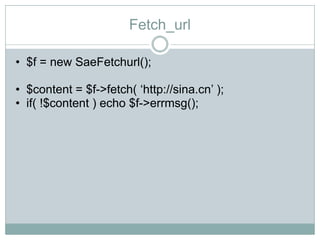
Fetch_url

• $f = new SaeFetchurl();

• $content = $f->fetch( „http://sina.cn‟ );
• if( !$content ) echo $f->errmsg();
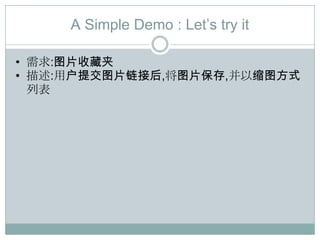
A Simple Demo : Let‟s try it

• 需求:图片收藏夹
• 描述:用户提交图片链接后,将图片保存,并以缩图方式
  列表
Simple Demo

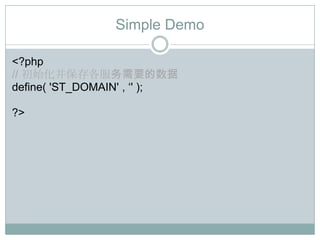
<?php
// 初始化并保存各服务需要的数据
define( 'ST_DOMAIN' , „' );

?>
Simple Demo

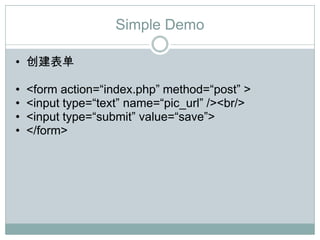
• 创建表单

•   <form action=“index.php” method=“post” >
•   <input type=“text” name=“pic_url” /><br/>
•   <input type=“submit” value=“save”>
•   </form>
Simple Demo

• 抓取文件

• $f = new SaeFetchurl();
• if( !$img_data = $f->fetch($_REQUEST['pic_url']))
• die( 'can't get contents of ' . $_REQUEST['pic_url'] .
  ' error : ' . $f->errmsg() );
Simple Demo

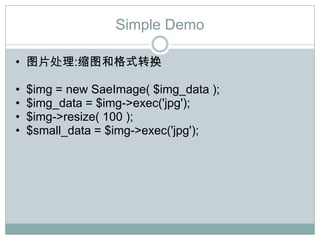
• 图片处理:缩图和格式转换

•   $img = new SaeImage( $img_data );
•   $img_data = $img->exec('jpg');
•   $img->resize( 100 );
•   $small_data = $img->exec('jpg');
Simple Demo

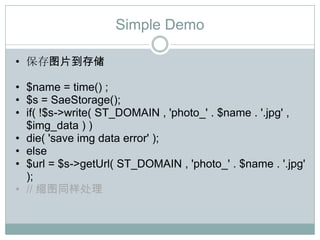
• 保存图片到存储

• $name = time() ;
• $s = SaeStorage();
• if( !$s->write( ST_DOMAIN , 'photo_' . $name . '.jpg' ,
  $img_data ) )
• die( 'save img data error' );
• else
• $url = $s->getUrl( ST_DOMAIN , 'photo_' . $name . '.jpg'
  );
• // 缩图同样处理
Simple Demo

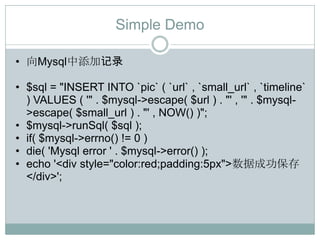
• 向Mysql中添加记录

• $sql = "INSERT INTO `pic` ( `url` , `small_url` , `timeline`
  ) VALUES ( '" . $mysql->escape( $url ) . "' , '" . $mysql-
  >escape( $small_url ) . "' , NOW() )";
• $mysql->runSql( $sql );
• if( $mysql->errno() != 0 )
• die( 'Mysql error ' . $mysql->error() );
• echo '<div style="color:red;padding:5px">数据成功保存
  </div>';
Simple Demo

• 添加展示页面

• $sql = "SELECT * FROM `pic` ORDER BY `id`
  DESC LIMIT 10";
• $data = $mysql->getData( $sql );?>

• <?php foreach( $data as $line ): ?>
• <div ><a href="<?php echo $line['url'] ?>"
  target="new"><img src="<?php echo
  $line['small_url'] ?>"></a></div>
• <?php endforeach; ?>
Simple Demo

• All in one
• http://apidemo.sinaapp.com/code.txt
Simple Demo

• Visit it
• http://apidemo.sinaapp.com/
Find more fun?

• 文档中心 - wiki.sae.sina.com.cn
• 邮件列表 - lists.sae.sina.com.cn
Questions?

Sina App Quick Guide 1

  • 1.
    Sina App EngineQuick Guide T.SINA.COM.CN/EASY 2009.11,2010.1 updated
  • 2.
    提要 • SAE First Look • SAE Service • A Simple Demo • Questions
  • 3.
    SAE First Look •Web应用开发和运行平台
  • 4.
    SAE First Look •Video • http://xhprof.tools.sinaapp.com/demo/
  • 5.
    SAE Service • 数据存储 • 图像处理 • Mysql数据库 • Memcache • fetch_url
  • 6.
    数据存储 • SaeStorage class • // 初始化 • $s = new SaeStorage; • // 写入数据 • $s->write( $domain , $filename , $content ); • // 读取数据 • $s->read( $domain , $filename ); • // 获取url • $s->getUrl( $domain , $filename );
  • 7.
    图像处理 • SaeImage class • // 初始化 • $img = new SaeImage($img_bin_data); • // 缩放 • $img->resize( $width , $height ); • // 旋转 • $img->rotate( 90 ); • // 执行以上操作并输出 • $img_data_png = $img->exec(„jpg‟);
  • 8.
    Mysql • SaeMysql class • // 初始化 • $mysql= new SaeMysql(); • // 运行sql • $mysql->runSql( $sql ); • // 查询数据 • $data_array = $mysql->getData( $sql ); • // 错误捕捉 • If( $mysql->errno() != 0 ) die( “Mysql error” . $mysql->error() );
  • 9.
    Memcache • Sae_memcache • // 初始化 • $mc = sae_memcache_init(); • // 存数据 • $mc->set ( $set , $get ); • // 取数据 • $mc->get( $key );
  • 10.
    Fetch_url • $f =new SaeFetchurl(); • $content = $f->fetch( „http://sina.cn‟ ); • if( !$content ) echo $f->errmsg();
  • 11.
    A Simple Demo: Let‟s try it • 需求:图片收藏夹 • 描述:用户提交图片链接后,将图片保存,并以缩图方式 列表
  • 12.
  • 13.
    Simple Demo • 创建表单 • <form action=“index.php” method=“post” > • <input type=“text” name=“pic_url” /><br/> • <input type=“submit” value=“save”> • </form>
  • 14.
    Simple Demo • 抓取文件 •$f = new SaeFetchurl(); • if( !$img_data = $f->fetch($_REQUEST['pic_url'])) • die( 'can't get contents of ' . $_REQUEST['pic_url'] . ' error : ' . $f->errmsg() );
  • 15.
    Simple Demo • 图片处理:缩图和格式转换 • $img = new SaeImage( $img_data ); • $img_data = $img->exec('jpg'); • $img->resize( 100 ); • $small_data = $img->exec('jpg');
  • 16.
    Simple Demo • 保存图片到存储 •$name = time() ; • $s = SaeStorage(); • if( !$s->write( ST_DOMAIN , 'photo_' . $name . '.jpg' , $img_data ) ) • die( 'save img data error' ); • else • $url = $s->getUrl( ST_DOMAIN , 'photo_' . $name . '.jpg' ); • // 缩图同样处理
  • 17.
    Simple Demo • 向Mysql中添加记录 •$sql = "INSERT INTO `pic` ( `url` , `small_url` , `timeline` ) VALUES ( '" . $mysql->escape( $url ) . "' , '" . $mysql- >escape( $small_url ) . "' , NOW() )"; • $mysql->runSql( $sql ); • if( $mysql->errno() != 0 ) • die( 'Mysql error ' . $mysql->error() ); • echo '<div style="color:red;padding:5px">数据成功保存 </div>';
  • 18.
    Simple Demo • 添加展示页面 •$sql = "SELECT * FROM `pic` ORDER BY `id` DESC LIMIT 10"; • $data = $mysql->getData( $sql );?> • <?php foreach( $data as $line ): ?> • <div ><a href="<?php echo $line['url'] ?>" target="new"><img src="<?php echo $line['small_url'] ?>"></a></div> • <?php endforeach; ?>
  • 19.
    Simple Demo • Allin one • http://apidemo.sinaapp.com/code.txt
  • 20.
    Simple Demo • Visitit • http://apidemo.sinaapp.com/
  • 21.
    Find more fun? •文档中心 - wiki.sae.sina.com.cn • 邮件列表 - lists.sae.sina.com.cn
  • 22.