Chapter 4
 锋利的 jQuery
—— 进入企业级应用阶段
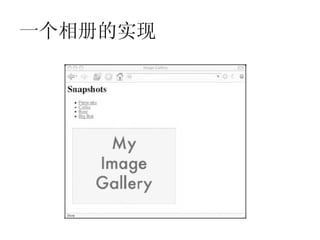
一个相册的实现
一个相册的实现
   获取 a 元素 href 路径
       var source =
whichpic.getAttribute("href");
   获取 placeholder 元素
       var placeholder =
document.getElementById("placeholder
");
   设置 placeholder 的 src 属性

placeholder.setAttribute("src",sourc
e);
一个相册的实现
函数:
function showPic(whichpic) {
var source =
  whichpic.getAttribute("href");
var placeholder =
  document.getElementById("placeholder
  ");
placeholder.setAttribute("src",source
  );
}
一个相册的实现
如何将函数应用到页面交互中?


     事件处理函数
一个相册的实现
ondblclick  鼠标双击时触发此事件
onmousedown 按下鼠标时触发此事件
onmouseover 当鼠标移动到某对象范围的上方
  时触发此事件
onload   页面内容完成时触发此事件
onmove   浏览器的窗口被移动时触发此事件

参考:
 http://www.iteye.com/topic/517899
一个相册的实现
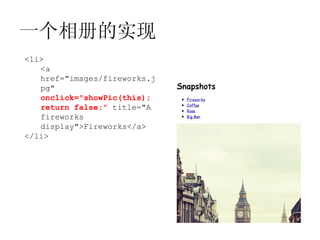
<li>
   <a
   href="images/fireworks.j
   pg"
   onclick="showPic(this);
   return false;" title="A
   fireworks
   display">Fireworks</a>
</li>
一个相册的实现
<li>
   <a
   href="images/fireworks.j
   pg"
   onclick="showPic(this);
   return false;" title="A
   fireworks
   display">Fireworks</a>
</li>
          问题:

                如果没有“ return false;” 呢?
一个相册的实现
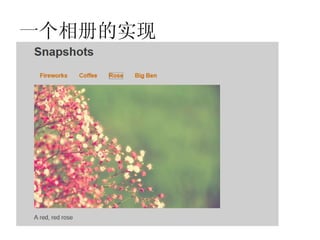
增加提示语句

    <p id="description">Choose an
image.</p>

怎样让提示语句部分根据图片的变化显示图
片描述??
一个相册的实现
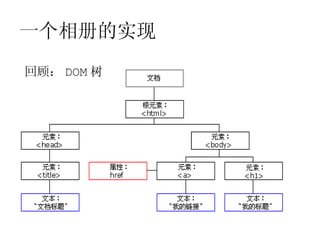
回顾: DOM 树
一个相册的实现
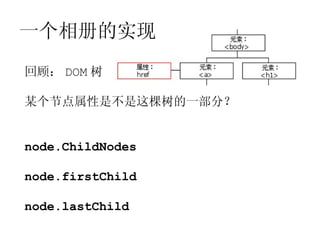
回顾: DOM 树

某个节点属性是不是这棵树的一部分?


node.ChildNodes

node.firstChild

node.lastChild
一个相册的实现
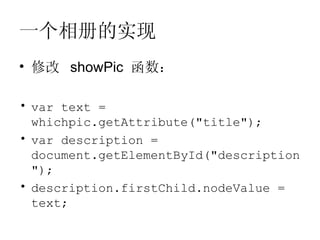
• 修改 showPic 函数:

• var text =
  whichpic.getAttribute("title");
• var description =
  document.getElementById("description
  ");
• description.firstChild.nodeValue =
  text;
一个相册的实现
• 美化它!

     <link rel="stylesheet" type="text/css"
 href="main.css"/>
Javascript 库
• Prototype
http://prototypejs.org/

• Dojo
http://dojotoolkit.org/

• jQuery
http://jquery.com/
为何选择 jQuery ?
• jQuery 思想: write less, do more

• 封装了大量 DOM 操作

• 封装 Ajax
DOM 到 jQ
• document.getElementById("placeholder")


• $("#placeholder")
DOM 到 jQ
• 重写 javascript 的相册

var source = whichpic.getAttribute("href");
转换为 whichpic.href

var placeholder =
  document.getElementById("placeholder");
转换为 $("#placeholder")

placeholder.setAttribute("src",source);
转换为 placeholder.attr("src",source);
DOM 到 jQ
• 新的函数:

 function showPic(whichpic) {
    var source = whichpic.href;
    $
 ("#placeholder").attr("src",source);

     var desc = whichpic.title;
     $("#description").text(desc);
 }
DOM 到 jQ
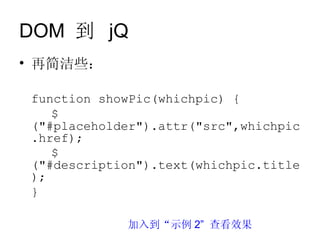
• 再简洁些:

 function showPic(whichpic) {
    $
 ("#placeholder").attr("src",whichpic
 .href);
    $
 ("#description").text(whichpic.title
 );
 }

             加入到“示例 2” 查看效果
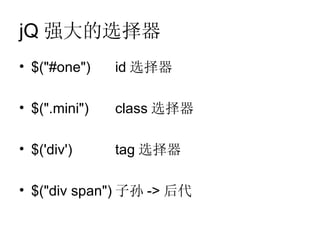
jQ 强大的选择器
• $("#one")    id 选择器

• $(".mini")   class 选择器

• $('div')     tag 选择器

• $("div span") 子孙 -> 后代

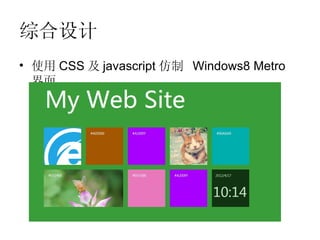
综合设计
• 使用 CSS 及 javascript 仿制 Windows8 Metro
  界面
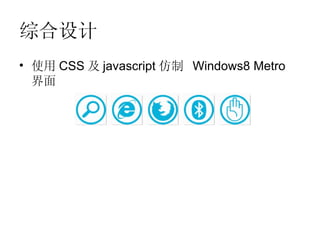
综合设计
• 使用 CSS 及 javascript 仿制 Windows8 Metro
  界面

Web设计 4 锋利的j_query(进入企业级应用阶段)