Setting The Scene
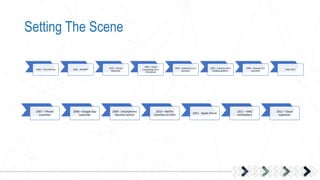
2007 – iPhone
Launches
2008 – Google App
Launches
2009 - Smartphones
become normal
2010 – NetFlix
Launches on AWS
2011 - Apple iCloud
2011 – AWS
marketplace
2012 – Cloud
explosion
1950 – Time Sharing 1960 - ARPANET
1970 – Virtual
Machines
1990 – Cloud
Computing Term
Introduced
1999 – Salesforce.com
launches
2002 – Amazon starts
building platform
2006 – Amazon EC2
Launches
2007-2017
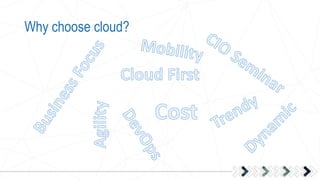
Why choose cloud?
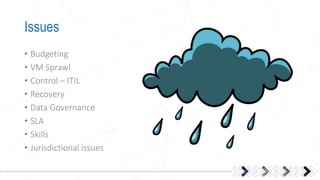
Issues
• Budgeting
• VM Sprawl
• Control – ITIL
• Recovery
• Data Governance
• SLA
• Skills
• Jurisdictional issues
Journey to the Cloud
The first steps are always the hardest….
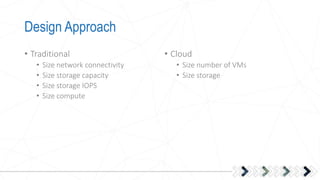
Design Approach
• Traditional
• Size network connectivity
• Size storage capacity
• Size storage IOPS
• Size compute
• Cloud
• Size number of VMs
• Size storage
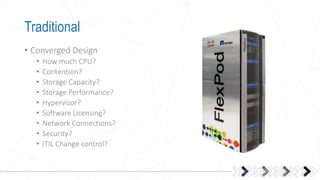
Traditional
• Converged Design
• How much CPU?
• Contention?
• Storage Capacity?
• Storage Performance?
• Hypervisor?
• Software Licensing?
• Network Connections?
• Security?
• ITIL Change control?
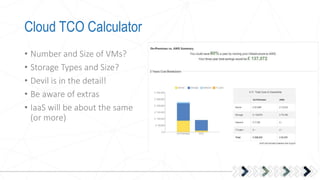
Cloud TCO Calculator
• Number and Size of VMs?
• Storage Types and Size?
• Devil is in the detail!
• Be aware of extras
• IaaS will be about the same
(or more)
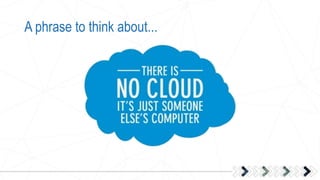
A phrase to think about...
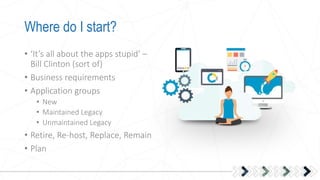
Where do I start?
• ‘It’s all about the apps stupid’ –
Bill Clinton (sort of)
• Business requirements
• Application groups
• New
• Maintained Legacy
• Unmaintained Legacy
• Retire, Re-host, Replace, Remain
• Plan
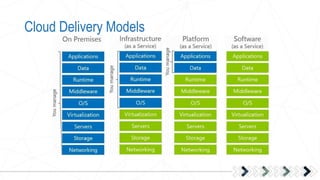
Cloud Delivery Models
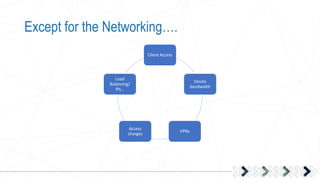
Except for the Networking….
Client Access
Onsite
bandwidth
VPNs
Access
charges
Load
Balancing/
IPs…
Implementation
• Start small
• Web facing apps
• Low impact
• New Provisions
• Test, Test, Test
• Criteria for Success
• Criteria for Failure
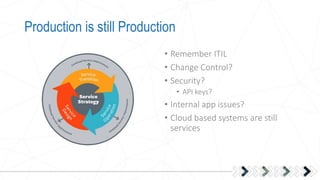
Production is still Production
• Remember ITIL
• Change Control?
• Security?
• API keys?
• Internal app issues?
• Cloud based systems are still
services
Phases of migration
• Lift and Shift to IaaS
• Just move VMs as is?
• Remember
• Retire, Re-host, Replace, Remain
• Options for quick redeployment
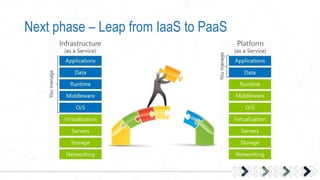
Next phase – Leap from IaaS to PaaS
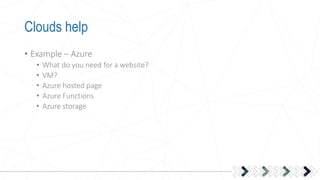
Clouds help
• Example – Azure
• What do you need for a website?
• VM?
• Azure hosted page
• Azure Functions
• Azure storage
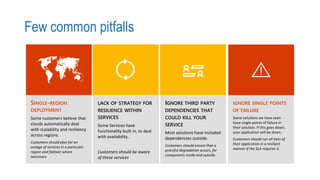
Few common pitfalls
SINGLE-REGION
DEPLOYMENT
Some customers believe that
clouds automatically deal
with scalability and resiliency
across regions.
Customers should plan for an
outage of services in a particular
region and failover where
necessary
LACK OF STRATEGY FOR
RESILIENCE WITHIN
SERVICES
Some Services have
functionality built in, to deal
with availability.

Customers should be aware
of these services
IGNORE THIRD PARTY
DEPENDENCIES THAT
COULD KILL YOUR
SERVICE
Most solutions have included
dependencies outside.
Customers should ensure that a
graceful degradation occurs, for
components inside and outside.
IGNORE SINGLE POINTS
OF FAILURE
Some solutions we have seen
have single points of failure in
their solution. If this goes down,
your application will be down.
Customers should run all tiers of
their application in a resilient
manner if the SLA requires it.
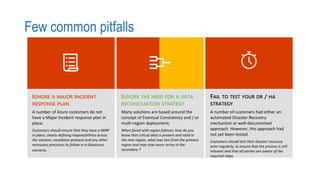
Few common pitfalls
IGNORE A MAJOR INCIDENT
RESPONSE PLAN
A number of Azure customers do not
have a Major Incident response plan in
place.
Customers should ensure that they have a MIRP
in place, clearly defining responsibilities across
the solution, escalation protocol and any other
necessary processes to follow in a disastrous
scenario.
Many solutions are based around the
concept of Eventual Consistency and / or
multi-region deployment.
When faced with region failover, how do you
know that critical data is present and valid in
the new region, what was lost from the primary
region and may now never arrive in the
secondary ?
FAIL TO TEST YOUR DR / HA
STRATEGY
A number of customers had either an
automated Disaster Recovery
mechanism or well-documented
approach. However, this approach had
not yet been tested.
Customers should test their disaster recovery
semi-regularly, to ensure that the process is still
relevant and that all parties are aware of the
required steps.
Cost Compliance
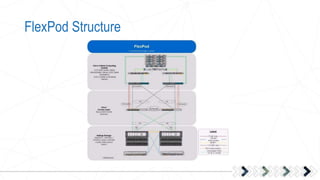
FlexPod Structure
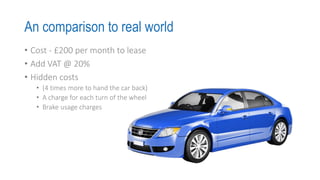
An comparison to real world
• Cost - £200 per month to lease
• Add VAT @ 20%
• Hidden costs
• (4 times more to hand the car back)
• A charge for each turn of the wheel
• Brake usage charges
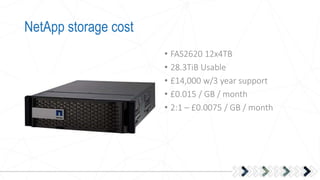
NetApp storage cost
• FAS2620 12x4TB
• 28.3TiB Usable
• £14,000 w/3 year support
• £0.015 / GB / month
• 2:1 – £0.0075 / GB / month
Storage on Amazon
• S3 store
• $0.024 / GB / Month
• + Get/Put/Delete/Replication
• +Bandwidth Cost
• +Currency Conversion
• +IO SLA
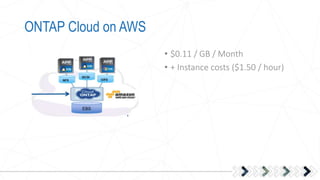
ONTAP Cloud on AWS
• $0.11 / GB / Month
• + Instance costs ($1.50 / hour)
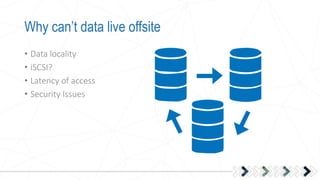
Why can’t data live offsite
• Data locality
• iSCSI?
• Latency of access
• Security Issues
Cost of a Server
• 32 vCore – 256GB
• 5 Year cost £9400
• Monthly
• Hourly £0.21
• AWS EC2 M4 16Large
• $2.352/hour
• 5 Years $103017.60
• £79244.30
• Assuming stable currency
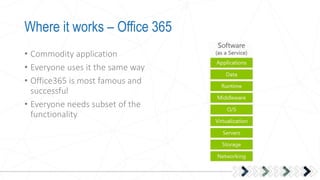
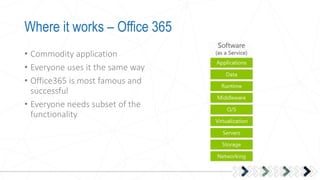
Where it works – Office 365
• Commodity application
• Everyone uses it the same way
• Office365 is most famous and
successful
• Everyone needs subset of the
functionality
Where it works – Office 365
• Commodity application
• Everyone uses it the same way
• Office365 is most famous and
successful
• Everyone needs subset of the
functionality
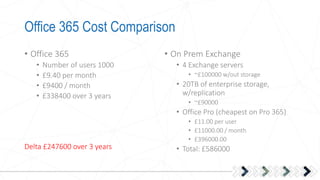
Office 365 Cost Comparison
• Office 365
• Number of users 1000
• £9.40 per month
• £9400 / month
• £338400 over 3 years
• On Prem Exchange
• 4 Exchange servers
• ~£100000 w/out storage
• 20TB of enterprise storage,
w/replication
• ~£90000
• Office Pro (cheapest on Pro 365)
• £11.00 per user
• £11000.00 / month
• £396000.00
• Total: £586000Delta £247600 over 3 years
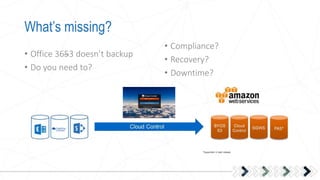
What’s missing?
• Office 3653 doesn’t backup
• Do you need to?
• Compliance?
• Recovery?
• Downtime?
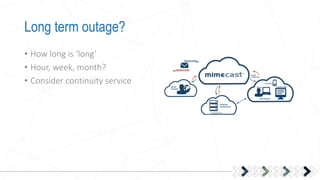
Long term outage?
• How long is ‘long’
• Hour, week, month?
• Consider continuity service
Customer 50 user
Customer – 600 User Recruitment Consultancy
Customer – £6 Billion UK Retailer
Big Fish, little pond…
Takeaway
• Remember Solution Design
• Remember full costs model
• Remember Continuity
• Remember Hybrid
In Conclusion

Simplify IT Event: Demistifying the Cloud

  • 3.
    Setting The Scene 2007– iPhone Launches 2008 – Google App Launches 2009 - Smartphones become normal 2010 – NetFlix Launches on AWS 2011 - Apple iCloud 2011 – AWS marketplace 2012 – Cloud explosion 1950 – Time Sharing 1960 - ARPANET 1970 – Virtual Machines 1990 – Cloud Computing Term Introduced 1999 – Salesforce.com launches 2002 – Amazon starts building platform 2006 – Amazon EC2 Launches 2007-2017
  • 4.
  • 5.
    Issues • Budgeting • VMSprawl • Control – ITIL • Recovery • Data Governance • SLA • Skills • Jurisdictional issues
  • 6.
    Journey to theCloud The first steps are always the hardest….
  • 7.
    Design Approach • Traditional •Size network connectivity • Size storage capacity • Size storage IOPS • Size compute • Cloud • Size number of VMs • Size storage
  • 8.
    Traditional • Converged Design •How much CPU? • Contention? • Storage Capacity? • Storage Performance? • Hypervisor? • Software Licensing? • Network Connections? • Security? • ITIL Change control?
  • 9.
    Cloud TCO Calculator •Number and Size of VMs? • Storage Types and Size? • Devil is in the detail! • Be aware of extras • IaaS will be about the same (or more)
  • 10.
    A phrase tothink about...
  • 11.
    Where do Istart? • ‘It’s all about the apps stupid’ – Bill Clinton (sort of) • Business requirements • Application groups • New • Maintained Legacy • Unmaintained Legacy • Retire, Re-host, Replace, Remain • Plan
  • 12.
  • 13.
    Except for theNetworking…. Client Access Onsite bandwidth VPNs Access charges Load Balancing/ IPs…
  • 14.
    Implementation • Start small •Web facing apps • Low impact • New Provisions • Test, Test, Test • Criteria for Success • Criteria for Failure
  • 15.
    Production is stillProduction • Remember ITIL • Change Control? • Security? • API keys? • Internal app issues? • Cloud based systems are still services
  • 16.
    Phases of migration •Lift and Shift to IaaS • Just move VMs as is? • Remember • Retire, Re-host, Replace, Remain • Options for quick redeployment
  • 17.
    Next phase –Leap from IaaS to PaaS
  • 18.
    Clouds help • Example– Azure • What do you need for a website? • VM? • Azure hosted page • Azure Functions • Azure storage
  • 19.
    Few common pitfalls SINGLE-REGION DEPLOYMENT Somecustomers believe that clouds automatically deal with scalability and resiliency across regions. Customers should plan for an outage of services in a particular region and failover where necessary LACK OF STRATEGY FOR RESILIENCE WITHIN SERVICES Some Services have functionality built in, to deal with availability. Customers should be aware of these services IGNORE THIRD PARTY DEPENDENCIES THAT COULD KILL YOUR SERVICE Most solutions have included dependencies outside. Customers should ensure that a graceful degradation occurs, for components inside and outside. IGNORE SINGLE POINTS OF FAILURE Some solutions we have seen have single points of failure in their solution. If this goes down, your application will be down. Customers should run all tiers of their application in a resilient manner if the SLA requires it.
  • 20.
    Few common pitfalls IGNOREA MAJOR INCIDENT RESPONSE PLAN A number of Azure customers do not have a Major Incident response plan in place. Customers should ensure that they have a MIRP in place, clearly defining responsibilities across the solution, escalation protocol and any other necessary processes to follow in a disastrous scenario. Many solutions are based around the concept of Eventual Consistency and / or multi-region deployment. When faced with region failover, how do you know that critical data is present and valid in the new region, what was lost from the primary region and may now never arrive in the secondary ? FAIL TO TEST YOUR DR / HA STRATEGY A number of customers had either an automated Disaster Recovery mechanism or well-documented approach. However, this approach had not yet been tested. Customers should test their disaster recovery semi-regularly, to ensure that the process is still relevant and that all parties are aware of the required steps.
  • 21.
  • 22.
  • 23.
    An comparison toreal world • Cost - £200 per month to lease • Add VAT @ 20% • Hidden costs • (4 times more to hand the car back) • A charge for each turn of the wheel • Brake usage charges
  • 24.
    NetApp storage cost •FAS2620 12x4TB • 28.3TiB Usable • £14,000 w/3 year support • £0.015 / GB / month • 2:1 – £0.0075 / GB / month
  • 25.
    Storage on Amazon •S3 store • $0.024 / GB / Month • + Get/Put/Delete/Replication • +Bandwidth Cost • +Currency Conversion • +IO SLA
  • 26.
    ONTAP Cloud onAWS • $0.11 / GB / Month • + Instance costs ($1.50 / hour)
  • 27.
    Why can’t datalive offsite • Data locality • iSCSI? • Latency of access • Security Issues
  • 28.
    Cost of aServer • 32 vCore – 256GB • 5 Year cost £9400 • Monthly • Hourly £0.21 • AWS EC2 M4 16Large • $2.352/hour • 5 Years $103017.60 • £79244.30 • Assuming stable currency
  • 29.
    Where it works– Office 365 • Commodity application • Everyone uses it the same way • Office365 is most famous and successful • Everyone needs subset of the functionality
  • 30.
    Where it works– Office 365 • Commodity application • Everyone uses it the same way • Office365 is most famous and successful • Everyone needs subset of the functionality
  • 31.
    Office 365 CostComparison • Office 365 • Number of users 1000 • £9.40 per month • £9400 / month • £338400 over 3 years • On Prem Exchange • 4 Exchange servers • ~£100000 w/out storage • 20TB of enterprise storage, w/replication • ~£90000 • Office Pro (cheapest on Pro 365) • £11.00 per user • £11000.00 / month • £396000.00 • Total: £586000Delta £247600 over 3 years
  • 32.
    What’s missing? • Office3653 doesn’t backup • Do you need to? • Compliance? • Recovery? • Downtime?
  • 33.
    Long term outage? •How long is ‘long’ • Hour, week, month? • Consider continuity service
  • 34.
  • 35.
    Customer – 600User Recruitment Consultancy
  • 36.
    Customer – £6Billion UK Retailer
  • 37.
  • 38.
    Takeaway • Remember SolutionDesign • Remember full costs model • Remember Continuity • Remember Hybrid
  • 39.

Editor's Notes

  • #10 Uses 10 vms of 4 cores and 8GB. 10 TB SAN and 30 TB NAS vs OnPrem
  • #29 £0.33/hour if 3 years