Shell
Scripting
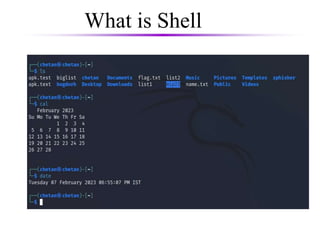
What is Shell
 A shell is a program that acts as an interface
between a user and the kernel. It allows a user
to give commands to the kernel and receive
responses from it. Through a shell, we can
execute programs and utilities on the kernel.
Hence, at its core, a shell is a program used to
execute other programs on our system.
 It is command line interpreter
What is Shell
Why use of shell scripts?
– To avoid repetition:
If you do a sequence of steps with
standard Unix commands over and over,
why not do it all with just one command?
– To automate difficult tasks:
Many commands have subtle and difficult
options that you don’t want to figure out or
remember every time.
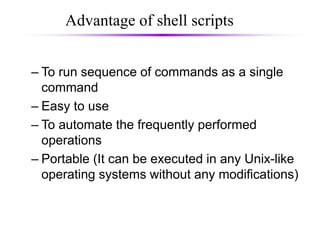
Advantage of shell scripts
are many advantages of shell
scripting some of them are
– To run sequence of commands as a single
command
– Easy to use
– To automate the frequently performed
operations
– Portable (It can be executed in any Unix-like
operating systems without any modifications)
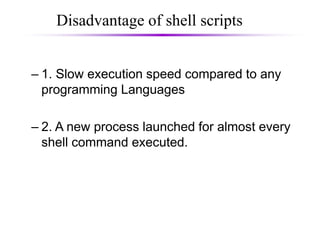
Disadvantage of shell scripts
some of them are
– 1. Slow execution speed compared to any
programming Languages
– 2. A new process launched for almost every
shell command executed.
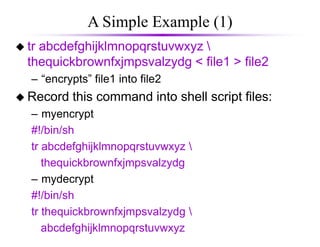
A Simple Example (1)
 tr abcdefghijklmnopqrstuvwxyz 
thequickbrownfxjmpsvalzydg < file1 > file2
– “encrypts” file1 into file2
 Record this command into shell script files:
– myencrypt
#!/bin/sh
tr abcdefghijklmnopqrstuvwxyz 
thequickbrownfxjmpsvalzydg
– mydecrypt
#!/bin/sh
tr thequickbrownfxjmpsvalzydg 
abcdefghijklmnopqrstuvwxyz
A Simple Example (2)
chmod the files to be executable;
otherwise, you couldn’t run the scripts
obelix[3] > chmod u+x myencrypt mydecrypt
Run them as normal commands:
obelix[4] > ./myencrypt < file1 > file2
obelix[5] > ./mydecrypt < file2 > file3
obelix[6] > diff file1 file3
Remember: This is needed
when “.” is not in the path

shell-programming.ppt

  • 1.
  • 2.
    What is Shell A shell is a program that acts as an interface between a user and the kernel. It allows a user to give commands to the kernel and receive responses from it. Through a shell, we can execute programs and utilities on the kernel. Hence, at its core, a shell is a program used to execute other programs on our system.  It is command line interpreter
  • 3.
  • 4.
    Why use ofshell scripts? – To avoid repetition: If you do a sequence of steps with standard Unix commands over and over, why not do it all with just one command? – To automate difficult tasks: Many commands have subtle and difficult options that you don’t want to figure out or remember every time.
  • 5.
    Advantage of shellscripts are many advantages of shell scripting some of them are – To run sequence of commands as a single command – Easy to use – To automate the frequently performed operations – Portable (It can be executed in any Unix-like operating systems without any modifications)
  • 6.
    Disadvantage of shellscripts some of them are – 1. Slow execution speed compared to any programming Languages – 2. A new process launched for almost every shell command executed.
  • 7.
    A Simple Example(1)  tr abcdefghijklmnopqrstuvwxyz thequickbrownfxjmpsvalzydg < file1 > file2 – “encrypts” file1 into file2  Record this command into shell script files: – myencrypt #!/bin/sh tr abcdefghijklmnopqrstuvwxyz thequickbrownfxjmpsvalzydg – mydecrypt #!/bin/sh tr thequickbrownfxjmpsvalzydg abcdefghijklmnopqrstuvwxyz
  • 8.
    A Simple Example(2) chmod the files to be executable; otherwise, you couldn’t run the scripts obelix[3] > chmod u+x myencrypt mydecrypt Run them as normal commands: obelix[4] > ./myencrypt < file1 > file2 obelix[5] > ./mydecrypt < file2 > file3 obelix[6] > diff file1 file3 Remember: This is needed when “.” is not in the path