SharePoint
Migration
THE COMPLETE SHAREPOINT
MIGRATION EBOOK
A definitive guide
and checklist to streamline your
SharePoint Migration
Table of Contents
1
SharePoint Migration | BeyondIntranet.Com
Are you investigating how to migrate your document .................................................. 2
What is SharePoint Migration? ..................................................................................................... 3
Why do you need to migrate? .................................................................................….................. 4
SharePoint Versions ................................................................................................................................. 5
What data sources do you want to migrate? ........................................................................ 6
SharePoint Migration Map .................................................................................................................. 7
What to consider with SharePoint Migrations? ................................................................ 9
SharePoint Migration Tools ..................................................................................................... 11
Ongoing Migrations ....................................................................................................................... 10
SharePoint Migration Checklist ..................................................................................................... 12
Final Thoughts ........................................................................................................................................... 13
Contact us ....................................................................................................................................................14
SharePoint migration
2
SharePoint Migration | BeyondIntranet.Com
Are you investigating how to migrate your enterprise content management
system to a newer SharePoint version or SharePoint Online?
The migration process may appear intimidating at first, Still, you can ensure
you completed the move effectively and efficiently with the proper planning
and a well-defined procedure.
Before then, you probably have a few questions you need to answer. Should I
upgrade or migrate my organization platform to the latest SharePoint
environment or SharePoint Online if I already use SharePoint. Also, how
complex, and expensive will the migration process be?
While the process is complicated, this book will explore how you can
complete a step-by-step migration.
Beyond Intranet offers world-class SharePoint migration services and has
performed several migration processes for our M365 clients.
Our well-defined approach made their migration process easy and
successful. It changed the way our customers looked at the migration
process. As a leading Microsoft Gold partner company, we have more than
15 + years of experience. At Beyond Key, we are a full-fledged team of
SharePoint and Office 365 enthusiasts who can help you at every step of your
migration journey.
What is SharePoint Migration?
3
SharePoint Migration | BeyondIntranet.Com
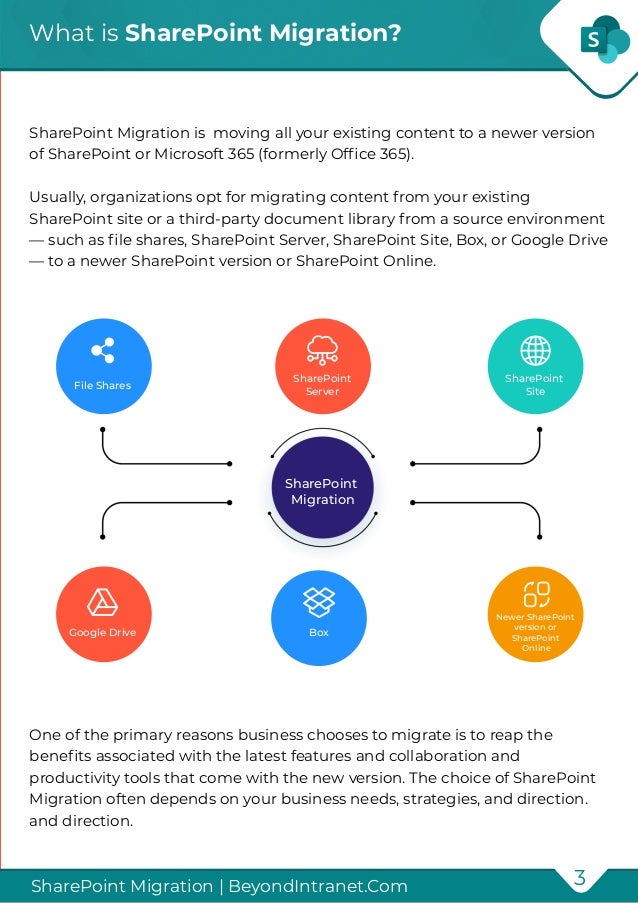
SharePoint Migration is moving all your existing content to a newer version
of SharePoint or Microsoft 365 (formerly Office 365).
Usually, organizations opt for migrating content from your existing
SharePoint site or a third-party document library from a source environment
— such as file shares, SharePoint Server, SharePoint Site, Box, or Google Drive
— to a newer SharePoint version or SharePoint Online.
One of the primary reasons business chooses to migrate is to reap the
benefits associated with the latest features and collaboration and
productivity tools that come with the new version. The choice of SharePoint
Migration often depends on your business needs, strategies, and direction.
and direction.
SharePoint
Migration
File Shares
Google Drive Box
SharePoint
Server
SharePoint
Site
Newer SharePoint
version or
SharePoint
Online
Why do you need to migrate?
4
SharePoint Migration | BeyondIntranet.Com
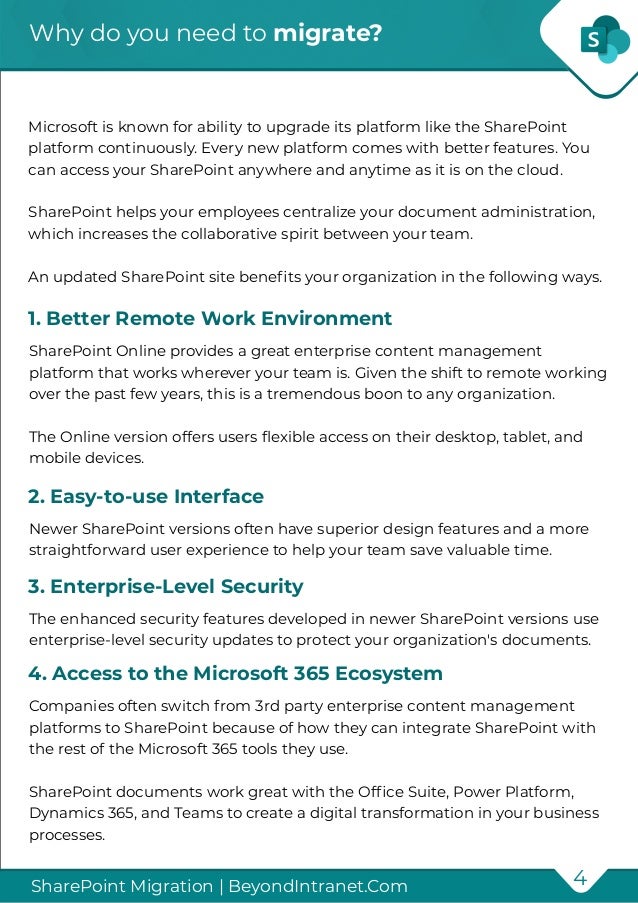
Microsoft is known for ability to upgrade its platform like the SharePoint
platform continuously. Every new platform comes with better features. You
can access your SharePoint anywhere and anytime as it is on the cloud.
SharePoint helps your employees centralize your document administration,
which increases the collaborative spirit between your team.
An updated SharePoint site benefits your organization in the following ways.
SharePoint Online provides a great enterprise content management
platform that works wherever your team is. Given the shift to remote working
over the past few years, this is a tremendous boon to any organization.
The Online version offers users flexible access on their desktop, tablet, and
mobile devices.
1. Better Remote Work Environment
Newer SharePoint versions often have superior design features and a more
straightforward user experience to help your team save valuable time.
2. Easy-to-use Interface
The enhanced security features developed in newer SharePoint versions use
enterprise-level security updates to protect your organization's documents.
3. Enterprise-Level Security
Companies often switch from 3rd party enterprise content management
platforms to SharePoint because of how they can integrate SharePoint with
the rest of the Microsoft 365 tools they use.
SharePoint documents work great with the Office Suite, Power Platform,
Dynamics 365, and Teams to create a digital transformation in your business
processes.
4. Access to the Microsoft 365 Ecosystem
SharePoint Versions
5
SharePoint Migration | BeyondIntranet.Com
SharePoint created several versions before they developed their online
system. Common SharePoint versions include:
If you want to continue using the on-prem SharePoint versions, consider that
the migration requires some additional steps.
For example, migrating from SharePoint 2013 to 2019 requires completing a
step-by-step migration from SP 2013 to 2016 first. You can then migrate from
SharePoint 2016 to 2019.
The other migrations add to the amount of time and resources for planning
and execution. However, the migration is doable. If you have SharePoint 2010
or earlier, you will need to perform multiple migrations to modernize your
SharePoint platform.
SharePoint
2001
SharePoint
2003
SharePoint
2007
SharePoint
2010
SharePoint
2013
SharePoint
2016
SharePoint
2019
What data sources do you want to
migrate?
6
SharePoint Migration | BeyondIntranet.Com
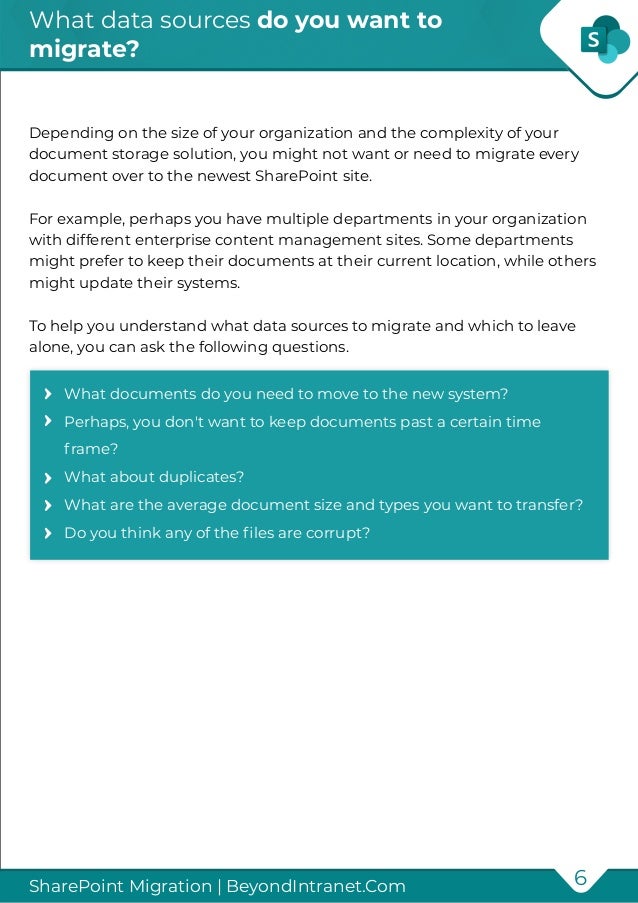
Depending on the size of your organization and the complexity of your
document storage solution, you might not want or need to migrate every
document over to the newest SharePoint site.
For example, perhaps you have multiple departments in your organization
with different enterprise content management sites. Some departments
might prefer to keep their documents at their current location, while others
might update their systems.
To help you understand what data sources to migrate and which to leave
alone, you can ask the following questions.
What documents do you need to move to the new system?
Perhaps, you don't want to keep documents past a certain time
frame?
What about duplicates?
What are the average document size and types you want to transfer?
Do you think any of the files are corrupt?
SharePoint Migration Map
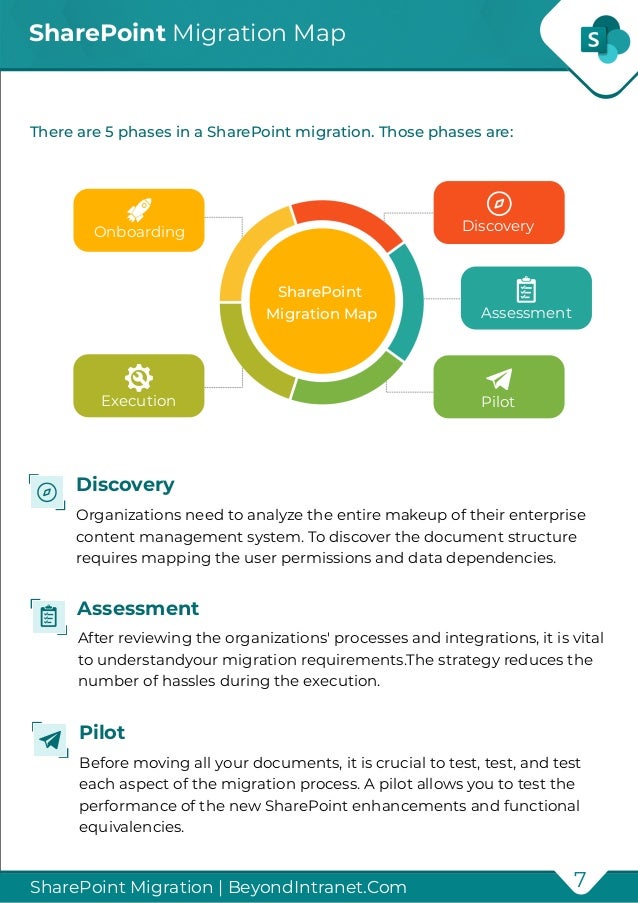
There are 5 phases in a SharePoint migration. Those phases are:
SharePoint
Migration Map
Discovery
Assessment
Pilot
Execution
Onboarding
Organizations need to analyze the entire makeup of their enterprise
content management system. To discover the document structure
requires mapping the user permissions and data dependencies.
Discovery
After reviewing the organizations' processes and integrations, it is vital
to understandyour migration requirements.The strategy reduces the
number of hassles during the execution.
Assessment
Before moving all your documents, it is crucial to test, test, and test
each aspect of the migration process. A pilot allows you to test the
performance of the new SharePoint enhancements and functional
equivalencies.
Pilot
7
SharePoint Migration | BeyondIntranet.Com
SharePoint Migration Map
8
SharePoint Migration | BeyondIntranet.Com
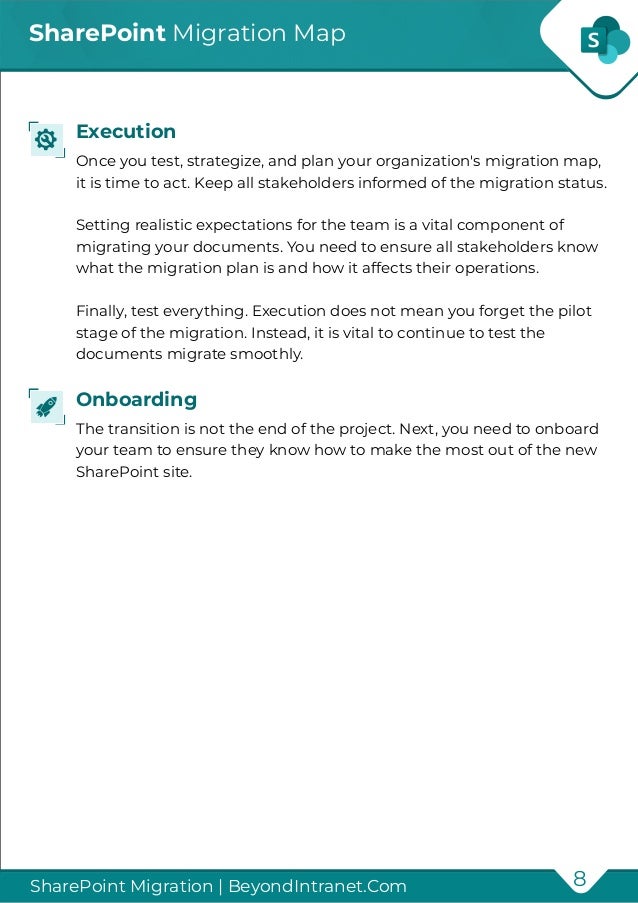
Once you test, strategize, and plan your organization's migration map,
it is time to act. Keep all stakeholders informed of the migration status.
Setting realistic expectations for the team is a vital component of
migrating your documents. You need to ensure all stakeholders know
what the migration plan is and how it affects their operations.
Finally, test everything. Execution does not mean you forget the pilot
stage of the migration. Instead, it is vital to continue to test the
documents migrate smoothly.
Execution
The transition is not the end of the project. Next, you need to onboard
your team to ensure they know how to make the most out of the new
SharePoint site.
Onboarding
What to consider with SharePoint
Migrations?
9
SharePoint Migration | BeyondIntranet.Com
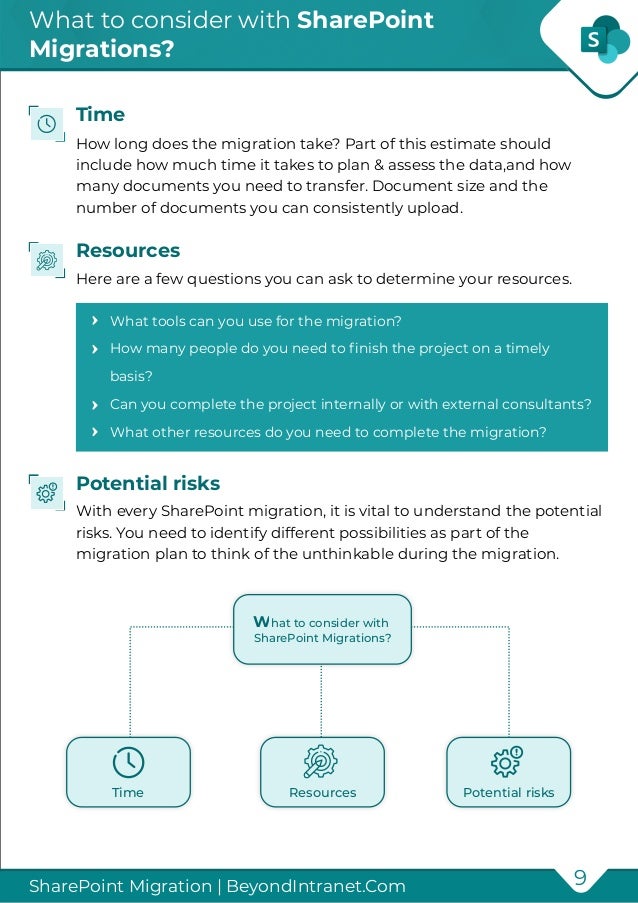
How long does the migration take? Part of this estimate should
include how much time it takes to plan & assess the data,and how
many documents you need to transfer. Document size and the
number of documents you can consistently upload.
Time
Here are a few questions you can ask to determine your resources.
Resources
With every SharePoint migration, it is vital to understand the potential
risks. You need to identify different possibilities as part of the
migration plan to think of the unthinkable during the migration.
Potential risks
What tools can you use for the migration?
How many people do you need to finish the project on a timely
basis?
Can you complete the project internally or with external consultants?
What other resources do you need to complete the migration?
What to consider with
SharePoint Migrations?
Time Resources Potential risks
Ongoing Migrations
10
SharePoint Migration | BeyondIntranet.Com
While most organizations look at SharePoint migrations as a project with a
start and end, the truth is that migrations are ongoing processes. Your team
constantly creates new documents, updates current records, and creates
data from their continued actions.
That means tracking your data requires ongoing data migrations to ensure
you keep your data clean and organized.
SharePoint migrations represent a cultural shift in how your organization
operates because the digital transformation to a new SharePoint Online
version could affect your employees' daily activities
SharePoint Migration Tools
11
SharePoint Migration | BeyondIntranet.Com
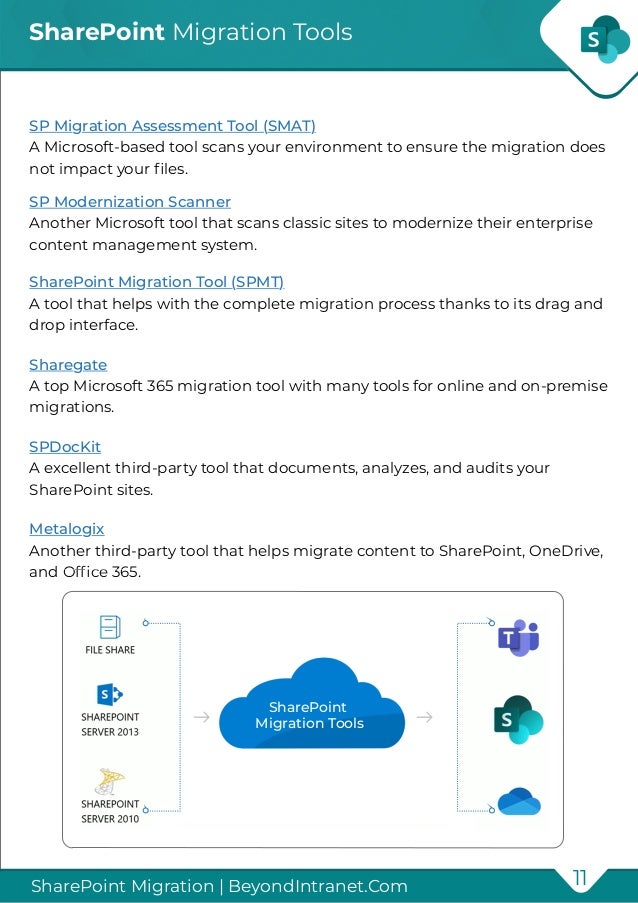
SP Migration Assessment Tool (SMAT)
A Microsoft-based tool scans your environment to ensure the migration does
not impact your files.
SP Modernization Scanner
Another Microsoft tool that scans classic sites to modernize their enterprise
content management system.
SharePoint Migration Tool (SPMT)
A tool that helps with the complete migration process thanks to its drag and
drop interface.
Sharegate
A top Microsoft 365 migration tool with many tools for online and on-premise
migrations.
SPDocKit
A excellent third-party tool that documents, analyzes, and audits your
SharePoint sites.
Metalogix
Another third-party tool that helps migrate content to SharePoint, OneDrive,
and Office 365.
SharePoint
Migration Tools
SharePoint Migration Checklist
12
SharePoint Migration | BeyondIntranet.Com
If you want to find the right partner to help with your upcoming SharePoint
migration it pays to ask the right questions. Here is a checklist of the top
questions clients ask Beyond Key a smoother SharePoint migration.
Are you looking to update a newer desktop version, or do you want to
leverage the cloud?
Do you currently use SharePoint, or do you have a third-party tool?
What data do you want to transfer?
Do you want to remove any data before you migrate it?
Where do you plan on backing up the current data structure?
How many people on your IT team now can help with the migration?
Do you want only to use internal or external talent?
What type of enterprise content management infrastructure do you
have now?
What type of policies do you have for enterprise content
management?
Do you want to integrate your current system with SharePoint or
migrate everything completely?
How many shareholders are in the company?
What are your main objectives with the migration?
Final Thoughts
13
SharePoint Migration | BeyondIntranet.Com
Every SharePoint migration is different
because every organization has specific
needs. Therefore, it is vital to plan and
assess the best way to transfer your
documents before you begin the
migration process.
Contact us
14
SharePoint Migration | BeyondIntranet.Com
If you need help getting the most out of your
SharePoint migration
Set up a free 1-hour consultation
With our team
Contact us at
contact@beyondIntranet.com

SharePoint Migration Guide

  • 1.
    SharePoint Migration THE COMPLETE SHAREPOINT MIGRATIONEBOOK A definitive guide and checklist to streamline your SharePoint Migration
  • 2.
    Table of Contents 1 SharePointMigration | BeyondIntranet.Com Are you investigating how to migrate your document .................................................. 2 What is SharePoint Migration? ..................................................................................................... 3 Why do you need to migrate? .................................................................................….................. 4 SharePoint Versions ................................................................................................................................. 5 What data sources do you want to migrate? ........................................................................ 6 SharePoint Migration Map .................................................................................................................. 7 What to consider with SharePoint Migrations? ................................................................ 9 SharePoint Migration Tools ..................................................................................................... 11 Ongoing Migrations ....................................................................................................................... 10 SharePoint Migration Checklist ..................................................................................................... 12 Final Thoughts ........................................................................................................................................... 13 Contact us ....................................................................................................................................................14
  • 3.
    SharePoint migration 2 SharePoint Migration| BeyondIntranet.Com Are you investigating how to migrate your enterprise content management system to a newer SharePoint version or SharePoint Online? The migration process may appear intimidating at first, Still, you can ensure you completed the move effectively and efficiently with the proper planning and a well-defined procedure. Before then, you probably have a few questions you need to answer. Should I upgrade or migrate my organization platform to the latest SharePoint environment or SharePoint Online if I already use SharePoint. Also, how complex, and expensive will the migration process be? While the process is complicated, this book will explore how you can complete a step-by-step migration. Beyond Intranet offers world-class SharePoint migration services and has performed several migration processes for our M365 clients. Our well-defined approach made their migration process easy and successful. It changed the way our customers looked at the migration process. As a leading Microsoft Gold partner company, we have more than 15 + years of experience. At Beyond Key, we are a full-fledged team of SharePoint and Office 365 enthusiasts who can help you at every step of your migration journey.
  • 4.
    What is SharePointMigration? 3 SharePoint Migration | BeyondIntranet.Com SharePoint Migration is moving all your existing content to a newer version of SharePoint or Microsoft 365 (formerly Office 365). Usually, organizations opt for migrating content from your existing SharePoint site or a third-party document library from a source environment — such as file shares, SharePoint Server, SharePoint Site, Box, or Google Drive — to a newer SharePoint version or SharePoint Online. One of the primary reasons business chooses to migrate is to reap the benefits associated with the latest features and collaboration and productivity tools that come with the new version. The choice of SharePoint Migration often depends on your business needs, strategies, and direction. and direction. SharePoint Migration File Shares Google Drive Box SharePoint Server SharePoint Site Newer SharePoint version or SharePoint Online
  • 5.
    Why do youneed to migrate? 4 SharePoint Migration | BeyondIntranet.Com Microsoft is known for ability to upgrade its platform like the SharePoint platform continuously. Every new platform comes with better features. You can access your SharePoint anywhere and anytime as it is on the cloud. SharePoint helps your employees centralize your document administration, which increases the collaborative spirit between your team. An updated SharePoint site benefits your organization in the following ways. SharePoint Online provides a great enterprise content management platform that works wherever your team is. Given the shift to remote working over the past few years, this is a tremendous boon to any organization. The Online version offers users flexible access on their desktop, tablet, and mobile devices. 1. Better Remote Work Environment Newer SharePoint versions often have superior design features and a more straightforward user experience to help your team save valuable time. 2. Easy-to-use Interface The enhanced security features developed in newer SharePoint versions use enterprise-level security updates to protect your organization's documents. 3. Enterprise-Level Security Companies often switch from 3rd party enterprise content management platforms to SharePoint because of how they can integrate SharePoint with the rest of the Microsoft 365 tools they use. SharePoint documents work great with the Office Suite, Power Platform, Dynamics 365, and Teams to create a digital transformation in your business processes. 4. Access to the Microsoft 365 Ecosystem
  • 6.
    SharePoint Versions 5 SharePoint Migration| BeyondIntranet.Com SharePoint created several versions before they developed their online system. Common SharePoint versions include: If you want to continue using the on-prem SharePoint versions, consider that the migration requires some additional steps. For example, migrating from SharePoint 2013 to 2019 requires completing a step-by-step migration from SP 2013 to 2016 first. You can then migrate from SharePoint 2016 to 2019. The other migrations add to the amount of time and resources for planning and execution. However, the migration is doable. If you have SharePoint 2010 or earlier, you will need to perform multiple migrations to modernize your SharePoint platform. SharePoint 2001 SharePoint 2003 SharePoint 2007 SharePoint 2010 SharePoint 2013 SharePoint 2016 SharePoint 2019
  • 7.
    What data sourcesdo you want to migrate? 6 SharePoint Migration | BeyondIntranet.Com Depending on the size of your organization and the complexity of your document storage solution, you might not want or need to migrate every document over to the newest SharePoint site. For example, perhaps you have multiple departments in your organization with different enterprise content management sites. Some departments might prefer to keep their documents at their current location, while others might update their systems. To help you understand what data sources to migrate and which to leave alone, you can ask the following questions. What documents do you need to move to the new system? Perhaps, you don't want to keep documents past a certain time frame? What about duplicates? What are the average document size and types you want to transfer? Do you think any of the files are corrupt?
  • 8.
    SharePoint Migration Map Thereare 5 phases in a SharePoint migration. Those phases are: SharePoint Migration Map Discovery Assessment Pilot Execution Onboarding Organizations need to analyze the entire makeup of their enterprise content management system. To discover the document structure requires mapping the user permissions and data dependencies. Discovery After reviewing the organizations' processes and integrations, it is vital to understandyour migration requirements.The strategy reduces the number of hassles during the execution. Assessment Before moving all your documents, it is crucial to test, test, and test each aspect of the migration process. A pilot allows you to test the performance of the new SharePoint enhancements and functional equivalencies. Pilot 7 SharePoint Migration | BeyondIntranet.Com
  • 9.
    SharePoint Migration Map 8 SharePointMigration | BeyondIntranet.Com Once you test, strategize, and plan your organization's migration map, it is time to act. Keep all stakeholders informed of the migration status. Setting realistic expectations for the team is a vital component of migrating your documents. You need to ensure all stakeholders know what the migration plan is and how it affects their operations. Finally, test everything. Execution does not mean you forget the pilot stage of the migration. Instead, it is vital to continue to test the documents migrate smoothly. Execution The transition is not the end of the project. Next, you need to onboard your team to ensure they know how to make the most out of the new SharePoint site. Onboarding
  • 10.
    What to considerwith SharePoint Migrations? 9 SharePoint Migration | BeyondIntranet.Com How long does the migration take? Part of this estimate should include how much time it takes to plan & assess the data,and how many documents you need to transfer. Document size and the number of documents you can consistently upload. Time Here are a few questions you can ask to determine your resources. Resources With every SharePoint migration, it is vital to understand the potential risks. You need to identify different possibilities as part of the migration plan to think of the unthinkable during the migration. Potential risks What tools can you use for the migration? How many people do you need to finish the project on a timely basis? Can you complete the project internally or with external consultants? What other resources do you need to complete the migration? What to consider with SharePoint Migrations? Time Resources Potential risks
  • 11.
    Ongoing Migrations 10 SharePoint Migration| BeyondIntranet.Com While most organizations look at SharePoint migrations as a project with a start and end, the truth is that migrations are ongoing processes. Your team constantly creates new documents, updates current records, and creates data from their continued actions. That means tracking your data requires ongoing data migrations to ensure you keep your data clean and organized. SharePoint migrations represent a cultural shift in how your organization operates because the digital transformation to a new SharePoint Online version could affect your employees' daily activities
  • 12.
    SharePoint Migration Tools 11 SharePointMigration | BeyondIntranet.Com SP Migration Assessment Tool (SMAT) A Microsoft-based tool scans your environment to ensure the migration does not impact your files. SP Modernization Scanner Another Microsoft tool that scans classic sites to modernize their enterprise content management system. SharePoint Migration Tool (SPMT) A tool that helps with the complete migration process thanks to its drag and drop interface. Sharegate A top Microsoft 365 migration tool with many tools for online and on-premise migrations. SPDocKit A excellent third-party tool that documents, analyzes, and audits your SharePoint sites. Metalogix Another third-party tool that helps migrate content to SharePoint, OneDrive, and Office 365. SharePoint Migration Tools
  • 13.
    SharePoint Migration Checklist 12 SharePointMigration | BeyondIntranet.Com If you want to find the right partner to help with your upcoming SharePoint migration it pays to ask the right questions. Here is a checklist of the top questions clients ask Beyond Key a smoother SharePoint migration. Are you looking to update a newer desktop version, or do you want to leverage the cloud? Do you currently use SharePoint, or do you have a third-party tool? What data do you want to transfer? Do you want to remove any data before you migrate it? Where do you plan on backing up the current data structure? How many people on your IT team now can help with the migration? Do you want only to use internal or external talent? What type of enterprise content management infrastructure do you have now? What type of policies do you have for enterprise content management? Do you want to integrate your current system with SharePoint or migrate everything completely? How many shareholders are in the company? What are your main objectives with the migration?
  • 14.
    Final Thoughts 13 SharePoint Migration| BeyondIntranet.Com Every SharePoint migration is different because every organization has specific needs. Therefore, it is vital to plan and assess the best way to transfer your documents before you begin the migration process.
  • 15.
    Contact us 14 SharePoint Migration| BeyondIntranet.Com If you need help getting the most out of your SharePoint migration Set up a free 1-hour consultation With our team Contact us at contact@beyondIntranet.com