Download to read offline

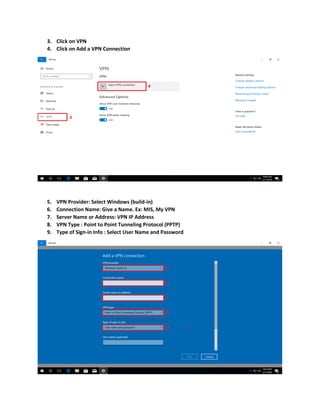

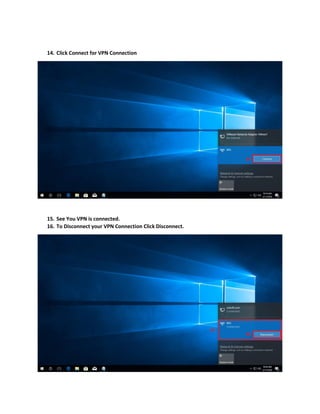

To set up a VPN connection on Windows 10, open Settings and click Network & Internet, then VPN. Click Add a VPN Connection, select Windows as the VPN provider, enter a name for the connection along with the VPN server address, username, and password. Click Save and the VPN connection will be available to use by clicking Connect from the network icon in the notification area.


![5G Explained! A High Level Overview [Introduction]](https://cdn.slidesharecdn.com/ss_thumbnails/5gexplainedahighleveloverview-260119165306-cc137a3e-thumbnail.jpg?width=640&height=640&fit=bounds)


