Revision of HTML
Session-01
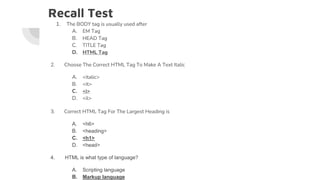
Recall Test
1. The BODY tag is usually used after
A. EM Tag
B. HEAD Tag
C. TITLE Tag
D. HTML Tag
2. Choose The Correct HTML Tag To Make A Text Italic
A. <italic>
B. <it>
C. <i>
D. <il>
3. Correct HTML Tag For The Largest Heading is
A. <h6>
B. <heading>
C. <h1>
D. <head>
4. HTML is what type of language?
A. Scripting language
B. Markup language
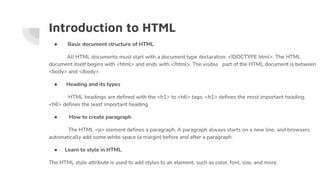
Introduction to HTML
● Basic document structure of HTML
All HTML documents must start with a document type declaration: <!DOCTYPE html>. The HTML
document itself begins with <html> and ends with </html>. The visible part of the HTML document is between
<body> and </body>.
● Heading and its types
HTML headings are defined with the <h1> to <h6> tags. <h1> defines the most important heading.
<h6> defines the least important heading.
● How to create paragraph
The HTML <p> element defines a paragraph. A paragraph always starts on a new line, and browsers
automatically add some white space (a margin) before and after a paragraph.
● Learn to style in HTML
The HTML style attribute is used to add styles to an element, such as color, font, size, and more.
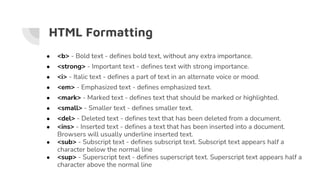
HTML Formatting
● <b> - Bold text - defines bold text, without any extra importance.
● <strong> - Important text - defines text with strong importance.
● <i> - Italic text - defines a part of text in an alternate voice or mood.
● <em> - Emphasized text - defines emphasized text.
● <mark> - Marked text - defines text that should be marked or highlighted.
● <small> - Smaller text - defines smaller text.
● <del> - Deleted text - defines text that has been deleted from a document.
● <ins> - Inserted text - defines a text that has been inserted into a document.
Browsers will usually underline inserted text.
● <sub> - Subscript text - defines subscript text. Subscript text appears half a
character below the normal line
● <sup> - Superscript text - defines superscript text. Superscript text appears half a
character above the normal line
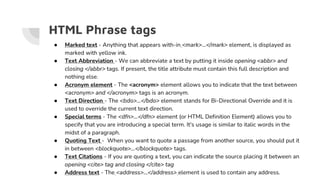
HTML Phrase tags
● Marked text - Anything that appears with-in <mark>...</mark> element, is displayed as
marked with yellow ink.
● Text Abbreviation - We can abbreviate a text by putting it inside opening <abbr> and
closing </abbr> tags. If present, the title attribute must contain this full description and
nothing else.
● Acronym element - The <acronym> element allows you to indicate that the text between
<acronym> and </acronym> tags is an acronym.
● Text Direction - The <bdo>...</bdo> element stands for Bi-Directional Override and it is
used to override the current text direction.
● Special terms - The <dfn>...</dfn> element (or HTML Definition Element) allows you to
specify that you are introducing a special term. It's usage is similar to italic words in the
midst of a paragraph.
● Quoting Text - When you want to quote a passage from another source, you should put it
in between <blockquote>...</blockquote> tags.
● Text Citations - If you are quoting a text, you can indicate the source placing it between an
opening <cite> tag and closing </cite> tag
● Address text - The <address>...</address> element is used to contain any address.
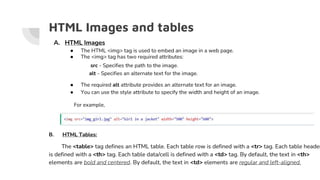
HTML Images and tables
A. HTML Images
● The HTML <img> tag is used to embed an image in a web page.
● The <img> tag has two required attributes:
src - Specifies the path to the image.
alt - Specifies an alternate text for the image.
● The required alt attribute provides an alternate text for an image.
● You can use the style attribute to specify the width and height of an image.
For example,
B. HTML Tables:
The <table> tag defines an HTML table. Each table row is defined with a <tr> tag. Each table header
is defined with a <th> tag. Each table data/cell is defined with a <td> tag. By default, the text in <th>
elements are bold and centered. By default, the text in <td> elements are regular and left-aligned.
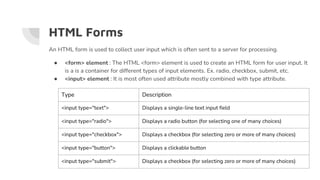
HTML Forms
An HTML form is used to collect user input which is often sent to a server for processing.
● <form> element : The HTML <form> element is used to create an HTML form for user input. It
is a is a container for different types of input elements. Ex. radio, checkbox, submit, etc.
● <input> element : It is most often used attribute mostly combined with type attribute.
Type Description
<input type="text"> Displays a single-line text input field
<input type="radio"> Displays a radio button (for selecting one of many choices)
<input type="checkbox"> Displays a checkbox (for selecting zero or more of many choices)
<input type="button"> Displays a clickable button
<input type="submit"> Displays a checkbox (for selecting zero or more of many choices)
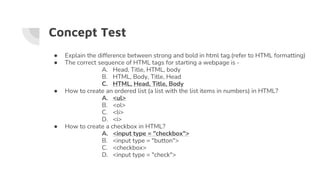
Concept Test
● Explain the difference between strong and bold in html tag.(refer to HTML formatting)
● The correct sequence of HTML tags for starting a webpage is -
A. Head, Title, HTML, body
B. HTML, Body, Title, Head
C. HTML, Head, Title, Body
● How to create an ordered list (a list with the list items in numbers) in HTML?
A. <ul>
B. <ol>
C. <li>
D. <i>
● How to create a checkbox in HTML?
A. <input type = "checkbox">
B. <input type = "button">
C. <checkbox>
D. <input type = "check">
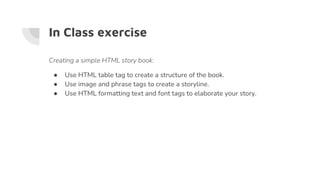
In Class exercise
Creating a simple HTML story book:
● Use HTML table tag to create a structure of the book.
● Use image and phrase tags to create a storyline.
● Use HTML formatting text and font tags to elaborate your story.
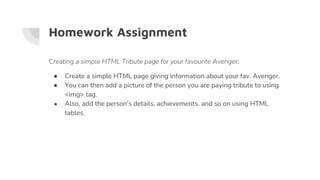
Homework Assignment
Creating a simple HTML Tribute page for your favourite Avenger:
● Create a simple HTML page giving information about your fav. Avenger.
● You can then add a picture of the person you are paying tribute to using
<img> tag.
● Also, add the person’s details, achievements, and so on using HTML
tables.

Session-1, Revision of HTML.pptx

  • 1.
  • 2.
    Recall Test 1. TheBODY tag is usually used after A. EM Tag B. HEAD Tag C. TITLE Tag D. HTML Tag 2. Choose The Correct HTML Tag To Make A Text Italic A. <italic> B. <it> C. <i> D. <il> 3. Correct HTML Tag For The Largest Heading is A. <h6> B. <heading> C. <h1> D. <head> 4. HTML is what type of language? A. Scripting language B. Markup language
  • 3.
    Introduction to HTML ●Basic document structure of HTML All HTML documents must start with a document type declaration: <!DOCTYPE html>. The HTML document itself begins with <html> and ends with </html>. The visible part of the HTML document is between <body> and </body>. ● Heading and its types HTML headings are defined with the <h1> to <h6> tags. <h1> defines the most important heading. <h6> defines the least important heading. ● How to create paragraph The HTML <p> element defines a paragraph. A paragraph always starts on a new line, and browsers automatically add some white space (a margin) before and after a paragraph. ● Learn to style in HTML The HTML style attribute is used to add styles to an element, such as color, font, size, and more.
  • 4.
    HTML Formatting ● <b>- Bold text - defines bold text, without any extra importance. ● <strong> - Important text - defines text with strong importance. ● <i> - Italic text - defines a part of text in an alternate voice or mood. ● <em> - Emphasized text - defines emphasized text. ● <mark> - Marked text - defines text that should be marked or highlighted. ● <small> - Smaller text - defines smaller text. ● <del> - Deleted text - defines text that has been deleted from a document. ● <ins> - Inserted text - defines a text that has been inserted into a document. Browsers will usually underline inserted text. ● <sub> - Subscript text - defines subscript text. Subscript text appears half a character below the normal line ● <sup> - Superscript text - defines superscript text. Superscript text appears half a character above the normal line
  • 5.
    HTML Phrase tags ●Marked text - Anything that appears with-in <mark>...</mark> element, is displayed as marked with yellow ink. ● Text Abbreviation - We can abbreviate a text by putting it inside opening <abbr> and closing </abbr> tags. If present, the title attribute must contain this full description and nothing else. ● Acronym element - The <acronym> element allows you to indicate that the text between <acronym> and </acronym> tags is an acronym. ● Text Direction - The <bdo>...</bdo> element stands for Bi-Directional Override and it is used to override the current text direction. ● Special terms - The <dfn>...</dfn> element (or HTML Definition Element) allows you to specify that you are introducing a special term. It's usage is similar to italic words in the midst of a paragraph. ● Quoting Text - When you want to quote a passage from another source, you should put it in between <blockquote>...</blockquote> tags. ● Text Citations - If you are quoting a text, you can indicate the source placing it between an opening <cite> tag and closing </cite> tag ● Address text - The <address>...</address> element is used to contain any address.
  • 6.
    HTML Images andtables A. HTML Images ● The HTML <img> tag is used to embed an image in a web page. ● The <img> tag has two required attributes: src - Specifies the path to the image. alt - Specifies an alternate text for the image. ● The required alt attribute provides an alternate text for an image. ● You can use the style attribute to specify the width and height of an image. For example, B. HTML Tables: The <table> tag defines an HTML table. Each table row is defined with a <tr> tag. Each table header is defined with a <th> tag. Each table data/cell is defined with a <td> tag. By default, the text in <th> elements are bold and centered. By default, the text in <td> elements are regular and left-aligned.
  • 7.
    HTML Forms An HTMLform is used to collect user input which is often sent to a server for processing. ● <form> element : The HTML <form> element is used to create an HTML form for user input. It is a is a container for different types of input elements. Ex. radio, checkbox, submit, etc. ● <input> element : It is most often used attribute mostly combined with type attribute. Type Description <input type="text"> Displays a single-line text input field <input type="radio"> Displays a radio button (for selecting one of many choices) <input type="checkbox"> Displays a checkbox (for selecting zero or more of many choices) <input type="button"> Displays a clickable button <input type="submit"> Displays a checkbox (for selecting zero or more of many choices)
  • 8.
    Concept Test ● Explainthe difference between strong and bold in html tag.(refer to HTML formatting) ● The correct sequence of HTML tags for starting a webpage is - A. Head, Title, HTML, body B. HTML, Body, Title, Head C. HTML, Head, Title, Body ● How to create an ordered list (a list with the list items in numbers) in HTML? A. <ul> B. <ol> C. <li> D. <i> ● How to create a checkbox in HTML? A. <input type = "checkbox"> B. <input type = "button"> C. <checkbox> D. <input type = "check">
  • 9.
    In Class exercise Creatinga simple HTML story book: ● Use HTML table tag to create a structure of the book. ● Use image and phrase tags to create a storyline. ● Use HTML formatting text and font tags to elaborate your story.
  • 10.
    Homework Assignment Creating asimple HTML Tribute page for your favourite Avenger: ● Create a simple HTML page giving information about your fav. Avenger. ● You can then add a picture of the person you are paying tribute to using <img> tag. ● Also, add the person’s details, achievements, and so on using HTML tables.