HIBERNATE
CONFIGURATION WITH
ANNOTAION
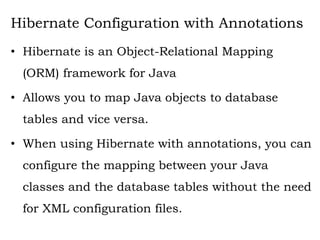
Hibernate Configuration with Annotations
• Hibernate is an Object-Relational Mapping
(ORM) framework for Java
• Allows you to map Java objects to database
tables and vice versa.
• When using Hibernate with annotations, you can
configure the mapping between your Java
classes and the database tables without the need
for XML configuration files.
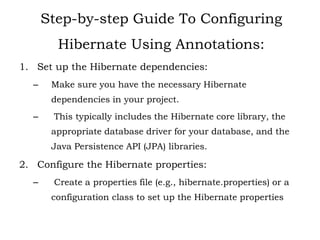
Step-by-step Guide To Configuring
Hibernate Using Annotations:
1. Set up the Hibernate dependencies:
– Make sure you have the necessary Hibernate
dependencies in your project.
– This typically includes the Hibernate core library, the
appropriate database driver for your database, and the
Java Persistence API (JPA) libraries.
2. Configure the Hibernate properties:
– Create a properties file (e.g., hibernate.properties) or a
configuration class to set up the Hibernate properties
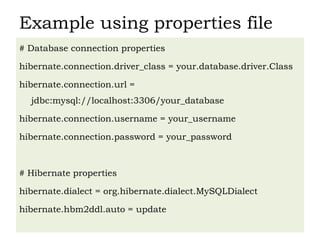
Example using properties file
# Database connection properties
hibernate.connection.driver_class = your.database.driver.Class
hibernate.connection.url =
jdbc:mysql://localhost:3306/your_database
hibernate.connection.username = your_username
hibernate.connection.password = your_password
# Hibernate properties
hibernate.dialect = org.hibernate.dialect.MySQLDialect
hibernate.hbm2ddl.auto = update
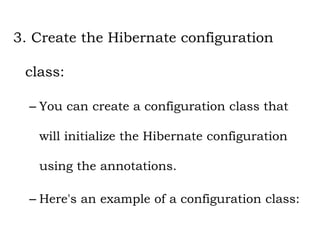
3. Create the Hibernate configuration
class:
– You can create a configuration class that
will initialize the Hibernate configuration
using the annotations.
– Here's an example of a configuration class:
import org.hibernate.cfg.Configuration;
public class HibernateConfig {
private static SessionFactory sessionFactory;
public static SessionFactory getSessionFactory() {
if (sessionFactory == null) {
try {
// Create a Configuration instance
Configuration configuration = new Configuration();
// Configure Hibernate using the properties file
configuration.configure("hibernate.properties");
// Add annotated classes
configuration.addAnnotatedClass(YourEntityClass1.class);
configuration.addAnnotatedClass(YourEntityClass2.class);
// Add other entity classes as needed
// Build the SessionFactory
sessionFactory = configuration.buildSessionFactory();
} catch (Throwable ex) {
System.err.println("SessionFactory creation failed." + ex);
throw new ExceptionInInitializerError(ex);
}
}
return sessionFactory;
}
}
4. Define your entity classes:
– Create your entity classes, which
represent your database tables.
– Annotate them with Hibernate
annotations to define the mapping
between the classes and the database
tables
– Example follows:
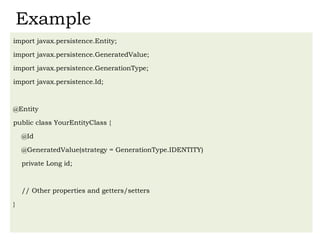
Example
import javax.persistence.Entity;
import javax.persistence.GeneratedValue;
import javax.persistence.GenerationType;
import javax.persistence.Id;
@Entity
public class YourEntityClass {
@Id
@GeneratedValue(strategy = GenerationType.IDENTITY)
private Long id;
// Other properties and getters/setters
}
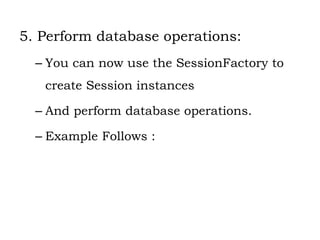
5. Perform database operations:
– You can now use the SessionFactory to
create Session instances
– And perform database operations.
– Example Follows :
import org.hibernate.Session;
import org.hibernate.Transaction;
public class Main {
public static void main(String[] args) {
SessionFactory sessionFactory = HibernateConfig.getSessionFactory();
Session session = sessionFactory.openSession();
try {
Transaction transaction = session.beginTransaction();
// Perform database operations
YourEntityClass entity = new YourEntityClass();
entity.setProperty("value");
session.save(entity);
transaction.commit();
} catch (Exception e) {
e.printStackTrace();
} finally {
session.close();
sessionFactory.close();
}
}
}

Session 3 - hibernate - Configuration with Annotations.pptx

  • 1.
  • 2.
    Hibernate Configuration withAnnotations • Hibernate is an Object-Relational Mapping (ORM) framework for Java • Allows you to map Java objects to database tables and vice versa. • When using Hibernate with annotations, you can configure the mapping between your Java classes and the database tables without the need for XML configuration files.
  • 3.
    Step-by-step Guide ToConfiguring Hibernate Using Annotations: 1. Set up the Hibernate dependencies: – Make sure you have the necessary Hibernate dependencies in your project. – This typically includes the Hibernate core library, the appropriate database driver for your database, and the Java Persistence API (JPA) libraries. 2. Configure the Hibernate properties: – Create a properties file (e.g., hibernate.properties) or a configuration class to set up the Hibernate properties
  • 4.
    Example using propertiesfile # Database connection properties hibernate.connection.driver_class = your.database.driver.Class hibernate.connection.url = jdbc:mysql://localhost:3306/your_database hibernate.connection.username = your_username hibernate.connection.password = your_password # Hibernate properties hibernate.dialect = org.hibernate.dialect.MySQLDialect hibernate.hbm2ddl.auto = update
  • 5.
    3. Create theHibernate configuration class: – You can create a configuration class that will initialize the Hibernate configuration using the annotations. – Here's an example of a configuration class:
  • 6.
    import org.hibernate.cfg.Configuration; public classHibernateConfig { private static SessionFactory sessionFactory; public static SessionFactory getSessionFactory() { if (sessionFactory == null) { try { // Create a Configuration instance Configuration configuration = new Configuration(); // Configure Hibernate using the properties file configuration.configure("hibernate.properties"); // Add annotated classes configuration.addAnnotatedClass(YourEntityClass1.class); configuration.addAnnotatedClass(YourEntityClass2.class); // Add other entity classes as needed // Build the SessionFactory sessionFactory = configuration.buildSessionFactory(); } catch (Throwable ex) { System.err.println("SessionFactory creation failed." + ex); throw new ExceptionInInitializerError(ex); } } return sessionFactory; } }
  • 7.
    4. Define yourentity classes: – Create your entity classes, which represent your database tables. – Annotate them with Hibernate annotations to define the mapping between the classes and the database tables – Example follows:
  • 8.
    Example import javax.persistence.Entity; import javax.persistence.GeneratedValue; importjavax.persistence.GenerationType; import javax.persistence.Id; @Entity public class YourEntityClass { @Id @GeneratedValue(strategy = GenerationType.IDENTITY) private Long id; // Other properties and getters/setters }
  • 9.
    5. Perform databaseoperations: – You can now use the SessionFactory to create Session instances – And perform database operations. – Example Follows :
  • 10.
    import org.hibernate.Session; import org.hibernate.Transaction; publicclass Main { public static void main(String[] args) { SessionFactory sessionFactory = HibernateConfig.getSessionFactory(); Session session = sessionFactory.openSession(); try { Transaction transaction = session.beginTransaction(); // Perform database operations YourEntityClass entity = new YourEntityClass(); entity.setProperty("value"); session.save(entity); transaction.commit(); } catch (Exception e) { e.printStackTrace(); } finally { session.close(); sessionFactory.close(); } } }