Copyrights © 2015. Aspire Software Solutions. All Rights Reserved. Aspire Confidential.http://www.aspiresoftware.in
Self-Hosted (SH) Web-based Git
Repository Managers
By Dhaval Shah
Copyrights © 2015. Aspire Software Solutions. All Rights Reserved. Aspire Confidential.
List of self hosted git server
☞GitLab
☞BitBucket
☞GitHub Enterprise
☞GoGits
Copyrights © 2015. Aspire Software Solutions. All Rights Reserved. Aspire Confidential.
GitLab...
Copyrights © 2015. Aspire Software Solutions. All Rights Reserved. Aspire Confidential.
GitLab Features
☞ GitLab Inc. is a company based on the GitLab open-source
project. GitLab is an application to code, test, and deploy code
together. It provides Git repository management with fine grained
access controls, code reviews, issue tracking, activity feeds, wikis,
and continuous integration.
☞ GitLab Inc. has 4 product offerings:
 GitLab Community Edition (CE)
 GitLab Enterprise Edition (EE) - paid, self hosted
application, comes with additional features and support
 GitLab.com - free SaaS for public and private repositories,
support can be purchased
 GitHost.io - a private single-tenant GitLab instance run by
us
Copyrights © 2015. Aspire Software Solutions. All Rights Reserved. Aspire Confidential.
GitLab Pros
Pros
☞ Snippets to share code
☞ Integrated issue tracking
☞ Includes many features, including CI (Continuous Integration)
☞ Super-powered search using ElasticSearch
☞ Mention JIRA ticket from GitLab
Copyrights © 2015. Aspire Software Solutions. All Rights Reserved. Aspire Confidential.
GitLab Cons
Cons
☞ Most of the features available in enterprise edition which is not
available for free
☞ Heavy resource usage
☞ Search functionality is not that refined
☞ Hard to configure
Copyrights © 2015. Aspire Software Solutions. All Rights Reserved. Aspire Confidential.
Bitbucket...
(Stash)
Copyrights © 2015. Aspire Software Solutions. All Rights Reserved. Aspire Confidential.
Bitbucket Features
☞ Bitbucket Server (previously Stash) is a self-hosted git repository
manager which can be used as an alternative to Github.
☞ It's built with a focus on enterprise teams by the same company
that built Bitbucket.
☞ Get unlimited private and public repositories with Bitbucket.
Bitbucket Cloud is free for small teams of 5.
Copyrights © 2015. Aspire Software Solutions. All Rights Reserved. Aspire Confidential.
Bitbucket Pros
Pros
☞ Issue tracking with JIRA and integration with Bamboo and
HipChat
☞ Backed by an established company with amazing support
☞ Stash is backed and developed by Atlassian, an established and
world-class software company with a great history of customer
support.
☞ Stash is cross-platform
☞ Stash has a great permission system
Copyrights © 2015. Aspire Software Solutions. All Rights Reserved. Aspire Confidential.
Bitbucket Pros
Pros
☞ Global Permissions: Decide who can log in, who the system
admin is, etc…
☞ Project Permissions: Read, write, and admin permissions at the
project level.
☞ Repository Permissions: Read, write, and admin permissions on a
repository level.
☞ Stash installation is very easy and there are install wizards for
Windows, Linux and OSX. There are also a lot of tutorials and
guides that cover the installation process and more.
Copyrights © 2015. Aspire Software Solutions. All Rights Reserved. Aspire Confidential.
GitLab Cons
Cons
☞ It doesn't have the ability to edit files from the browser
☞ In Stash you can't edit files in the Web UI out of the box. You have
to buy an additional plugin for that.
☞ Paid
☞ No code search functionality
☞ Git only
Copyrights © 2015. Aspire Software Solutions. All Rights Reserved. Aspire Confidential.
GitHub
Enterprise...
Copyrights © 2015. Aspire Software Solutions. All Rights Reserved. Aspire Confidential.
GitHub Enterprise Features
☞ GitHub Enterprise was built to bring the power of GitHub to self-
hosted solutions for Git repositories.
☞ GitHub Enterprise is the on-premises version of GitHub.com. With
flexible deployment options, centralized permissions, and
hundreds of integrations, you and your team can enjoy the best
parts of working with GitHub without compromising on the
features your business needs.
Copyrights © 2015. Aspire Software Solutions. All Rights Reserved. Aspire Confidential.
GitHub Enterprise Pros
Pros
☞ Code search
☞ Inline editing
☞ @mentions
☞ Image diffs
☞ Fork permissions
☞ Amazon AWS Hosting Options
☞ Backups
Copyrights © 2015. Aspire Software Solutions. All Rights Reserved. Aspire Confidential.
GitHub Enterprise Cons
Cons
☞ Expensive
 GitHub Enterprise may be quite expensive for small
startups on a budget. It was built for enterprises and large
companies to use.
☞ Update cycle lags behind public GitHub
 GitHub Enterprise may be quite expensive for small
startups on a budget. It was built for enterprises and large
companies to use.
Copyrights © 2015. Aspire Software Solutions. All Rights Reserved. Aspire Confidential.
Gogs...
Copyrights © 2015. Aspire Software Solutions. All Rights Reserved. Aspire Confidential.
Gogs Features
☞ Easy to install - Simply run the binary for your platform. Or ship
Gogs with Docker or Vagrant, or get it packaged.
☞ Cross-platform - Gogs runs anywhere Go can compile for:
Windows, Mac, Linux, ARM, etc.
☞ Lightweight - Gogs has low minimal requirements and can run on
an inexpensive Raspberry Pi. Some users even run Gogs
instances on their NAS devices.
☞ Open Source and free
Copyrights © 2015. Aspire Software Solutions. All Rights Reserved. Aspire Confidential.
Gogs Pros
Pros
☞ Gogs has excellent performance and efficiency
 The fact that it's written in Go means that it has excellent
performance even with little resources (less RAM for
example).
☞ Simple installation
 The installation process is very simple, just a binary file that
needs to be run on the directory where the user wants to
install Gogs
☞ Cross-platform compatibility
☞ Easy configurable
Copyrights © 2015. Aspire Software Solutions. All Rights Reserved. Aspire Confidential.
Gogs Cons
Cons
☞ Does not provide feature of code search, code-snippet
☞ In code review does not providing commenting for commit
☞ No File history feature
☞ Pull request support from same repo only not from forked repo
☞ Not supported @mention in comment or issue
☞ Hard to configure for port 80
Copyrights © 2015. Aspire Software Solutions. All Rights Reserved. Aspire Confidential.
Which one
should I use...
Copyrights © 2015. Aspire Software Solutions. All Rights Reserved. Aspire Confidential.
Which one should I use ?
If you have large enterprise and you need all feature from git hook to
continuous integration then you should try gitlab or github or
bitbucket.
☞ Github provides feature of setting up in amazon aws from which
you can easily scale up the server.
☞ GitHub provides installation to various cloud providers or a VM
that you can run on your own servers.
☞ Unlike GitHub, GitLab can be installed on virtually any
hardware/OS/CM combination.
☞ In Gitlab pricing for the enterprise edition is reasonable (several
times lower than with GitHub) and support most of the features
provided by github
Copyrights © 2015. Aspire Software Solutions. All Rights Reserved. Aspire Confidential.
Problems faced during Gogs setup ?
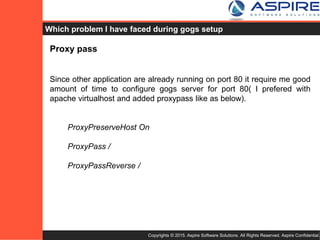
Proxy pass
Since other application are already running on port 80 it require me good
amount of time to configure Gogs server for port 80 (I preferred with
apache virtualhost and added proxypass like as below).
ProxyPreserveHost On
ProxyPass /
ProxyPassReverse /
Mailing for git hook on each push
Since configuration can’t be changed directly for git repo after setup, it
require us to configure directly in git post-receive hook inline to setup
mailing list and mail header, body.
Copyrights © 2015. Aspire Software Solutions. All Rights Reserved. Aspire Confidential.
Why should one use Gogs as Self Hosted Git server ?
☞ Gogs is very lightweight and easy to setup, cross-platform and
configurable.
☞ You don’t need whole day to setup Git Server, just download
binary file, run it and it’s done !!
☞ It’s providing all basic features for Git Server, free and open
source.
☞ Easy setup and upgradable.
Thank You
Copyrights © 2015. Aspire Software Solutions. All Rights Reserved. Aspire Confidential.http://www.aspiresoftware.in

Self Hosted Web-based GIT Repository Managers

  • 1.
    Copyrights © 2015.Aspire Software Solutions. All Rights Reserved. Aspire Confidential.http://www.aspiresoftware.in Self-Hosted (SH) Web-based Git Repository Managers By Dhaval Shah
  • 2.
    Copyrights © 2015.Aspire Software Solutions. All Rights Reserved. Aspire Confidential. List of self hosted git server ☞GitLab ☞BitBucket ☞GitHub Enterprise ☞GoGits
  • 3.
    Copyrights © 2015.Aspire Software Solutions. All Rights Reserved. Aspire Confidential. GitLab...
  • 4.
    Copyrights © 2015.Aspire Software Solutions. All Rights Reserved. Aspire Confidential. GitLab Features ☞ GitLab Inc. is a company based on the GitLab open-source project. GitLab is an application to code, test, and deploy code together. It provides Git repository management with fine grained access controls, code reviews, issue tracking, activity feeds, wikis, and continuous integration. ☞ GitLab Inc. has 4 product offerings:  GitLab Community Edition (CE)  GitLab Enterprise Edition (EE) - paid, self hosted application, comes with additional features and support  GitLab.com - free SaaS for public and private repositories, support can be purchased  GitHost.io - a private single-tenant GitLab instance run by us
  • 5.
    Copyrights © 2015.Aspire Software Solutions. All Rights Reserved. Aspire Confidential. GitLab Pros Pros ☞ Snippets to share code ☞ Integrated issue tracking ☞ Includes many features, including CI (Continuous Integration) ☞ Super-powered search using ElasticSearch ☞ Mention JIRA ticket from GitLab
  • 6.
    Copyrights © 2015.Aspire Software Solutions. All Rights Reserved. Aspire Confidential. GitLab Cons Cons ☞ Most of the features available in enterprise edition which is not available for free ☞ Heavy resource usage ☞ Search functionality is not that refined ☞ Hard to configure
  • 7.
    Copyrights © 2015.Aspire Software Solutions. All Rights Reserved. Aspire Confidential. Bitbucket... (Stash)
  • 8.
    Copyrights © 2015.Aspire Software Solutions. All Rights Reserved. Aspire Confidential. Bitbucket Features ☞ Bitbucket Server (previously Stash) is a self-hosted git repository manager which can be used as an alternative to Github. ☞ It's built with a focus on enterprise teams by the same company that built Bitbucket. ☞ Get unlimited private and public repositories with Bitbucket. Bitbucket Cloud is free for small teams of 5.
  • 9.
    Copyrights © 2015.Aspire Software Solutions. All Rights Reserved. Aspire Confidential. Bitbucket Pros Pros ☞ Issue tracking with JIRA and integration with Bamboo and HipChat ☞ Backed by an established company with amazing support ☞ Stash is backed and developed by Atlassian, an established and world-class software company with a great history of customer support. ☞ Stash is cross-platform ☞ Stash has a great permission system
  • 10.
    Copyrights © 2015.Aspire Software Solutions. All Rights Reserved. Aspire Confidential. Bitbucket Pros Pros ☞ Global Permissions: Decide who can log in, who the system admin is, etc… ☞ Project Permissions: Read, write, and admin permissions at the project level. ☞ Repository Permissions: Read, write, and admin permissions on a repository level. ☞ Stash installation is very easy and there are install wizards for Windows, Linux and OSX. There are also a lot of tutorials and guides that cover the installation process and more.
  • 11.
    Copyrights © 2015.Aspire Software Solutions. All Rights Reserved. Aspire Confidential. GitLab Cons Cons ☞ It doesn't have the ability to edit files from the browser ☞ In Stash you can't edit files in the Web UI out of the box. You have to buy an additional plugin for that. ☞ Paid ☞ No code search functionality ☞ Git only
  • 12.
    Copyrights © 2015.Aspire Software Solutions. All Rights Reserved. Aspire Confidential. GitHub Enterprise...
  • 13.
    Copyrights © 2015.Aspire Software Solutions. All Rights Reserved. Aspire Confidential. GitHub Enterprise Features ☞ GitHub Enterprise was built to bring the power of GitHub to self- hosted solutions for Git repositories. ☞ GitHub Enterprise is the on-premises version of GitHub.com. With flexible deployment options, centralized permissions, and hundreds of integrations, you and your team can enjoy the best parts of working with GitHub without compromising on the features your business needs.
  • 14.
    Copyrights © 2015.Aspire Software Solutions. All Rights Reserved. Aspire Confidential. GitHub Enterprise Pros Pros ☞ Code search ☞ Inline editing ☞ @mentions ☞ Image diffs ☞ Fork permissions ☞ Amazon AWS Hosting Options ☞ Backups
  • 15.
    Copyrights © 2015.Aspire Software Solutions. All Rights Reserved. Aspire Confidential. GitHub Enterprise Cons Cons ☞ Expensive  GitHub Enterprise may be quite expensive for small startups on a budget. It was built for enterprises and large companies to use. ☞ Update cycle lags behind public GitHub  GitHub Enterprise may be quite expensive for small startups on a budget. It was built for enterprises and large companies to use.
  • 16.
    Copyrights © 2015.Aspire Software Solutions. All Rights Reserved. Aspire Confidential. Gogs...
  • 17.
    Copyrights © 2015.Aspire Software Solutions. All Rights Reserved. Aspire Confidential. Gogs Features ☞ Easy to install - Simply run the binary for your platform. Or ship Gogs with Docker or Vagrant, or get it packaged. ☞ Cross-platform - Gogs runs anywhere Go can compile for: Windows, Mac, Linux, ARM, etc. ☞ Lightweight - Gogs has low minimal requirements and can run on an inexpensive Raspberry Pi. Some users even run Gogs instances on their NAS devices. ☞ Open Source and free
  • 18.
    Copyrights © 2015.Aspire Software Solutions. All Rights Reserved. Aspire Confidential. Gogs Pros Pros ☞ Gogs has excellent performance and efficiency  The fact that it's written in Go means that it has excellent performance even with little resources (less RAM for example). ☞ Simple installation  The installation process is very simple, just a binary file that needs to be run on the directory where the user wants to install Gogs ☞ Cross-platform compatibility ☞ Easy configurable
  • 19.
    Copyrights © 2015.Aspire Software Solutions. All Rights Reserved. Aspire Confidential. Gogs Cons Cons ☞ Does not provide feature of code search, code-snippet ☞ In code review does not providing commenting for commit ☞ No File history feature ☞ Pull request support from same repo only not from forked repo ☞ Not supported @mention in comment or issue ☞ Hard to configure for port 80
  • 20.
    Copyrights © 2015.Aspire Software Solutions. All Rights Reserved. Aspire Confidential. Which one should I use...
  • 21.
    Copyrights © 2015.Aspire Software Solutions. All Rights Reserved. Aspire Confidential. Which one should I use ? If you have large enterprise and you need all feature from git hook to continuous integration then you should try gitlab or github or bitbucket. ☞ Github provides feature of setting up in amazon aws from which you can easily scale up the server. ☞ GitHub provides installation to various cloud providers or a VM that you can run on your own servers. ☞ Unlike GitHub, GitLab can be installed on virtually any hardware/OS/CM combination. ☞ In Gitlab pricing for the enterprise edition is reasonable (several times lower than with GitHub) and support most of the features provided by github
  • 22.
    Copyrights © 2015.Aspire Software Solutions. All Rights Reserved. Aspire Confidential. Problems faced during Gogs setup ? Proxy pass Since other application are already running on port 80 it require me good amount of time to configure Gogs server for port 80 (I preferred with apache virtualhost and added proxypass like as below). ProxyPreserveHost On ProxyPass / ProxyPassReverse / Mailing for git hook on each push Since configuration can’t be changed directly for git repo after setup, it require us to configure directly in git post-receive hook inline to setup mailing list and mail header, body.
  • 23.
    Copyrights © 2015.Aspire Software Solutions. All Rights Reserved. Aspire Confidential. Why should one use Gogs as Self Hosted Git server ? ☞ Gogs is very lightweight and easy to setup, cross-platform and configurable. ☞ You don’t need whole day to setup Git Server, just download binary file, run it and it’s done !! ☞ It’s providing all basic features for Git Server, free and open source. ☞ Easy setup and upgradable.
  • 24.
    Thank You Copyrights ©2015. Aspire Software Solutions. All Rights Reserved. Aspire Confidential.http://www.aspiresoftware.in

Editor's Notes

  • #2 Today we are going to present you with the different options for the Self Hosted (SH) Web based Git Repository Managers and why one is preferred over other and why did I select one over others for my organization.
  • #3 There are quite a few SH Git server available, we are going to cover the most popular of them, GitLab, BitBucket, GitHub Enterprise and GoGits.
  • #4 First let’s look at GitLab
  • #5 Features of GitLab
  • #6 Advantages of using GitLab
  • #7 Disadvantages of using GitLab
  • #8 Bitbucket (previously know as Stash) goes next !!
  • #9 Features of Bitbucket
  • #10 Advantages of Bitbucket
  • #11 Cons of using Bitbucket
  • #13 GitHub Enterprise is the next candidate.
  • #14 Features of GitHub Enterprise Features
  • #15 Pros of using GitHub Enterprise
  • #16 Cons of using GitHub Enterprise
  • #17 Gogs is the final candidate under review
  • #18 Features of Gogs
  • #19 Pros of using Gogs
  • #20 Cons of using Gogs
  • #22 Which one should I use ??
  • #23 Here are few list of few problems that I have faced during Gog installation.
  • #24 Reasons for choosing Gogs as SH Git Server !
  • #25 If you have any questions or feedback please feel free to email us at feedback@aspiresoftware.in. Please mention the topic name in the subject, so that it can be directed to the correct person.