

Searching IndMED Tutorial prepared for NetRUM Group
Simple Search
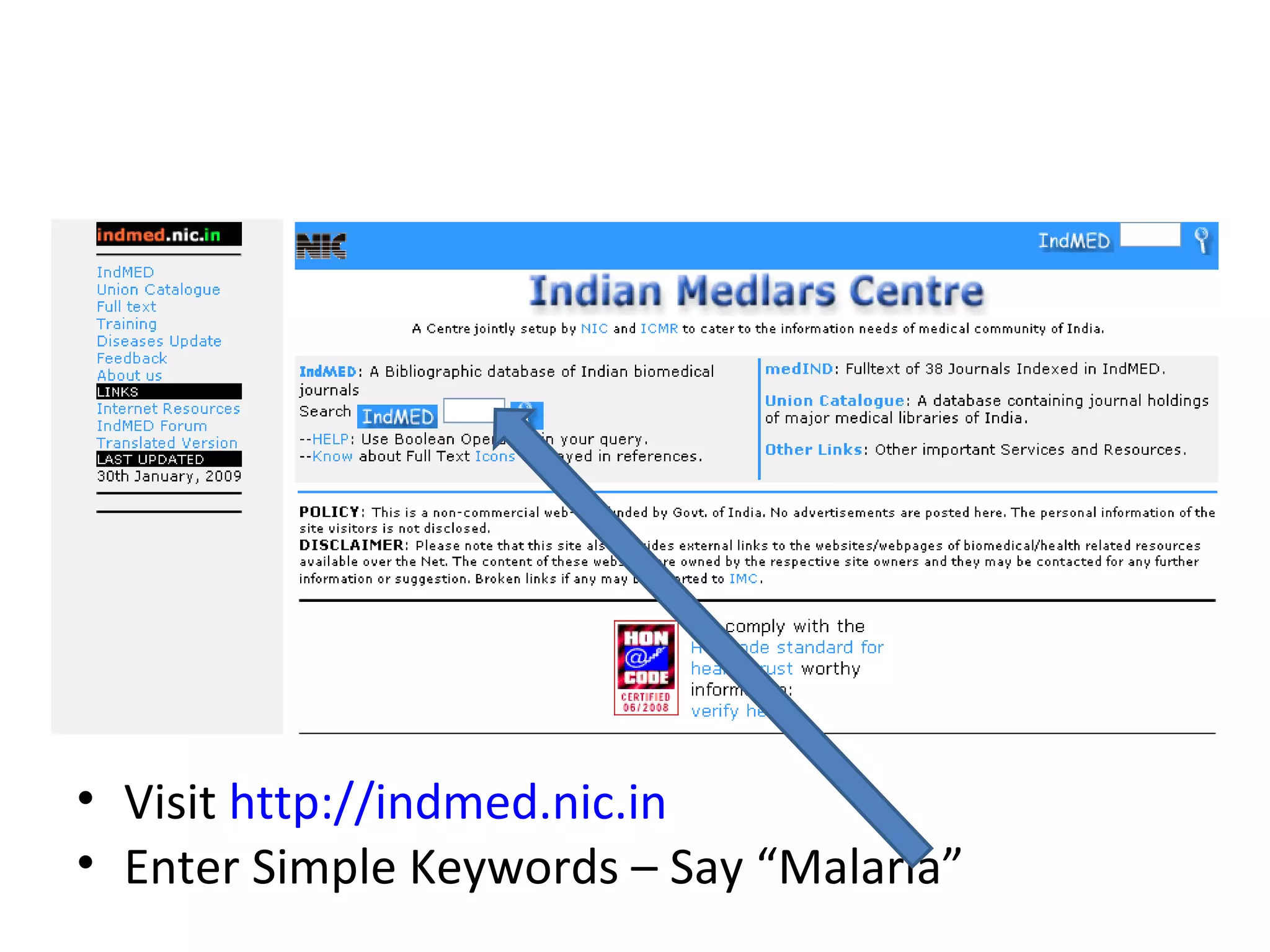
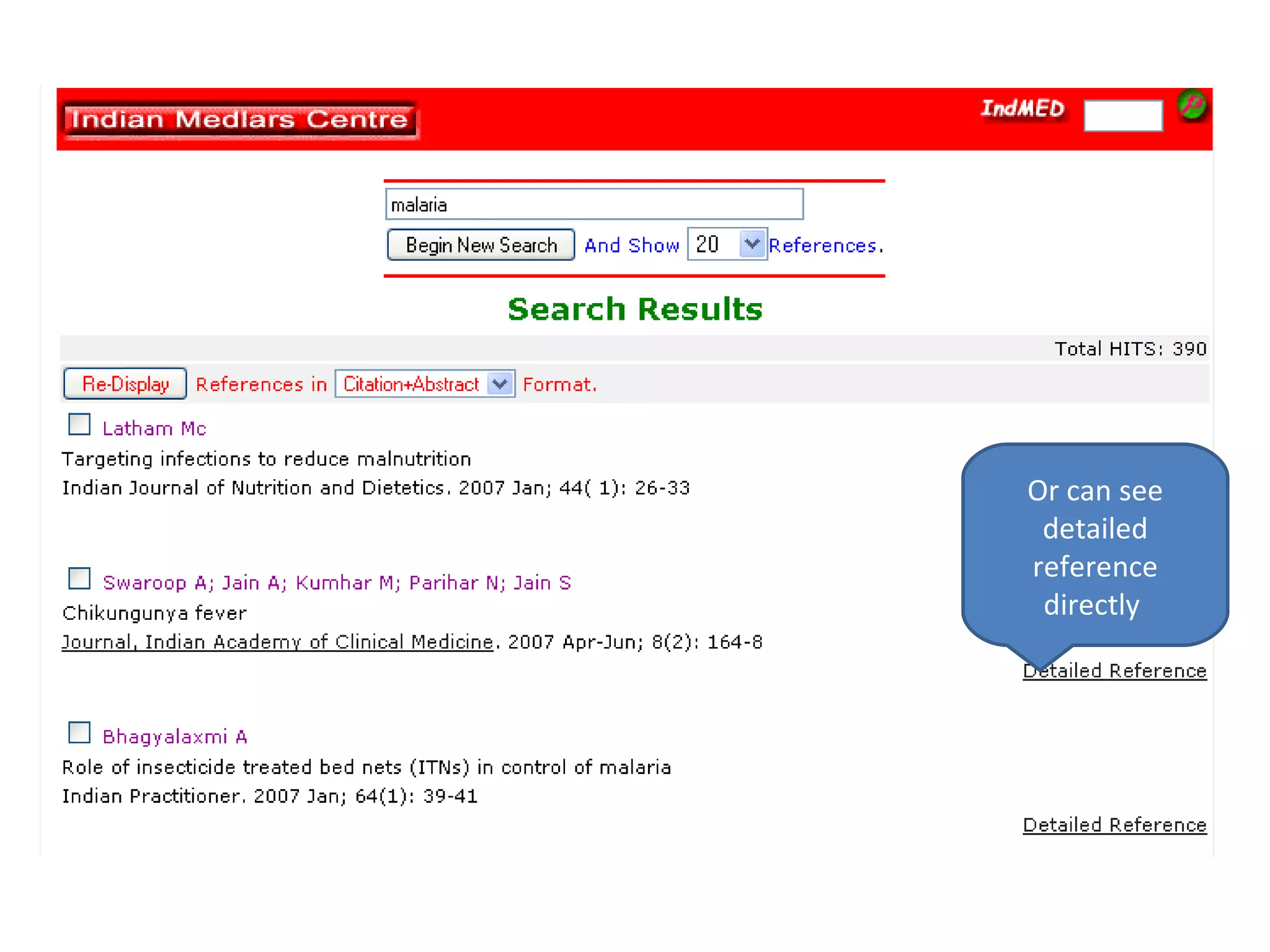
Visit  http://indmed.nic.in Enter Simple Keywords – Say “Malaria”
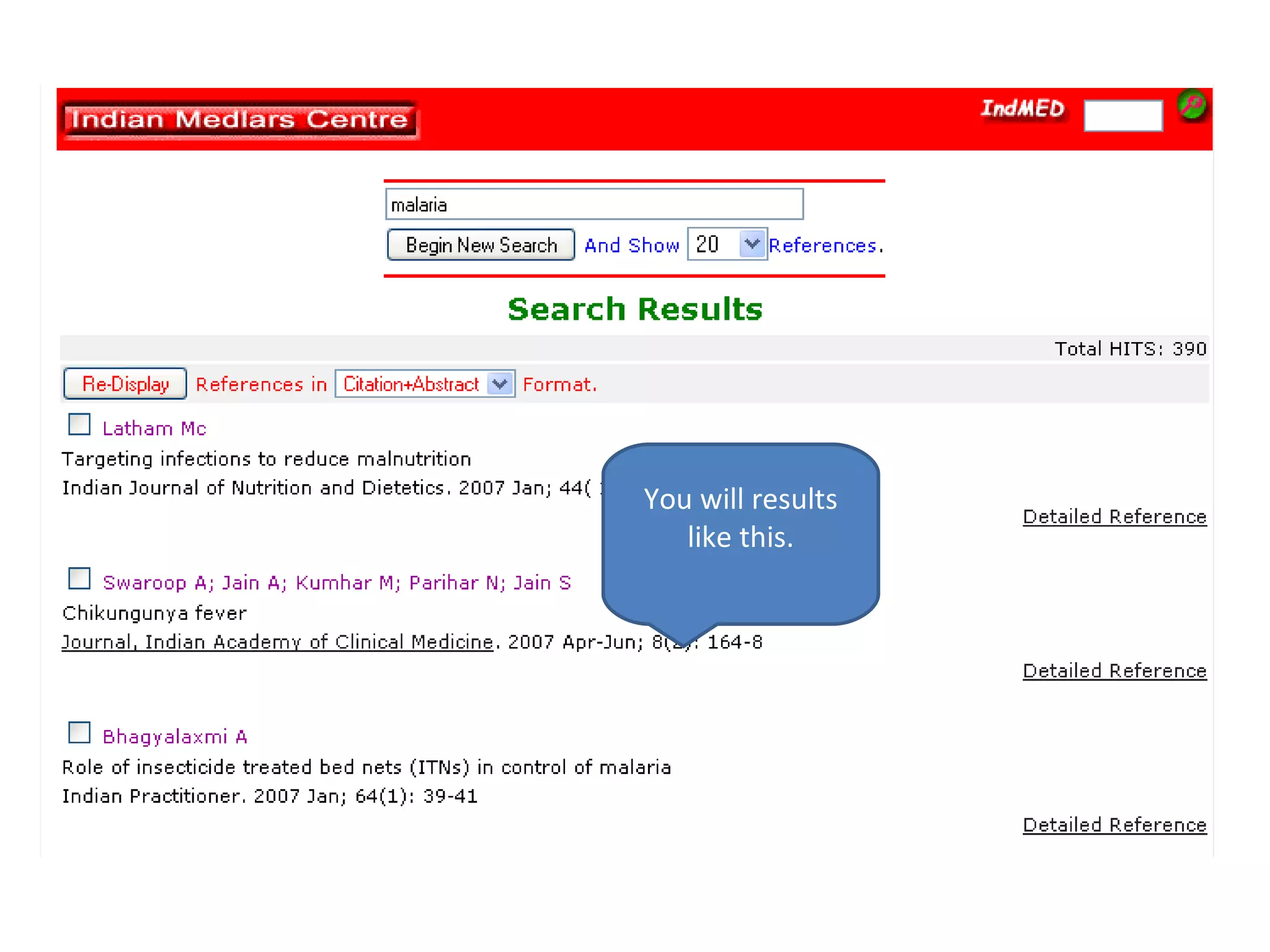
You will results like this.
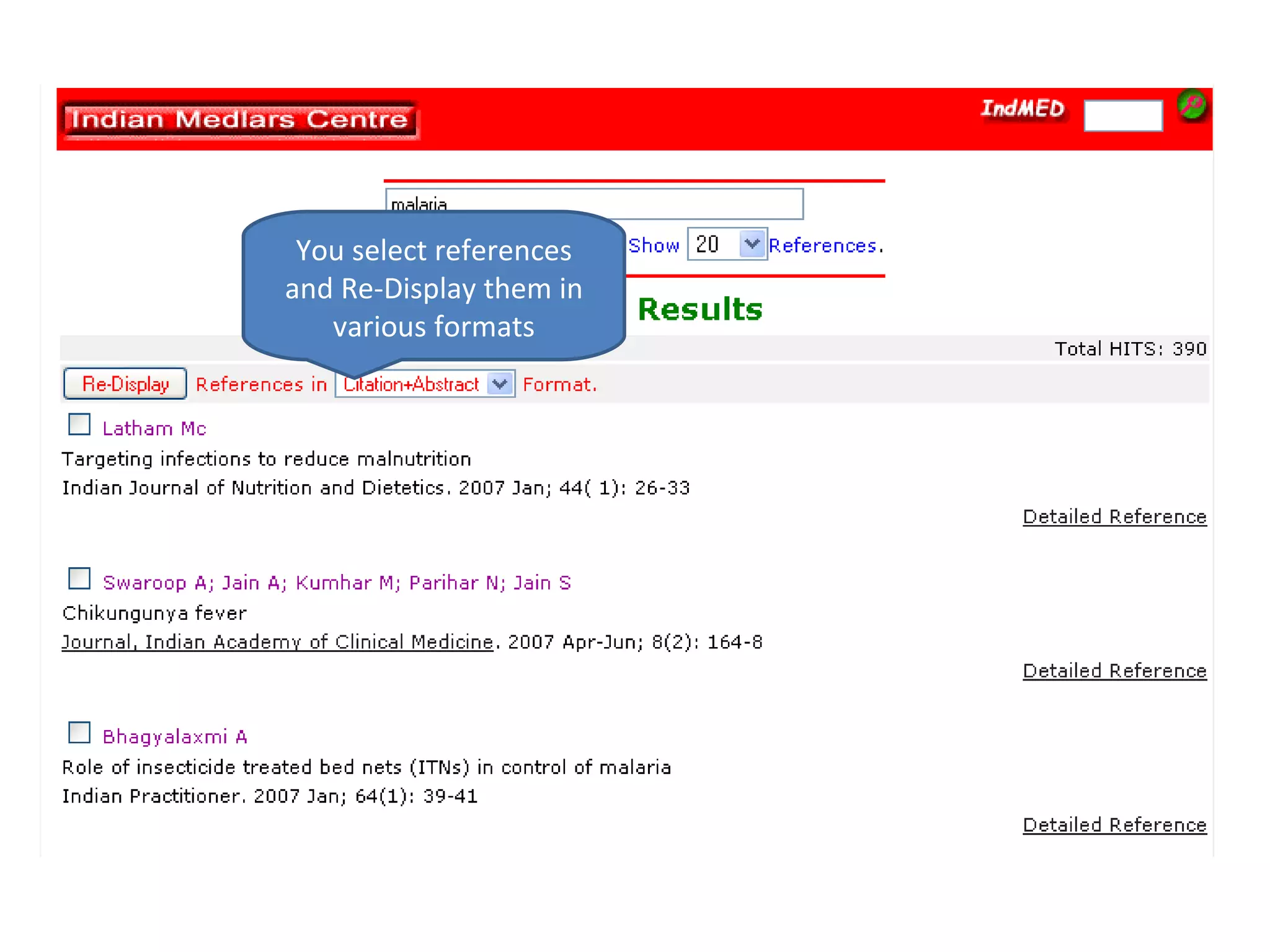
You select references and Re-Display them in various formats
Or can see detailed reference directly
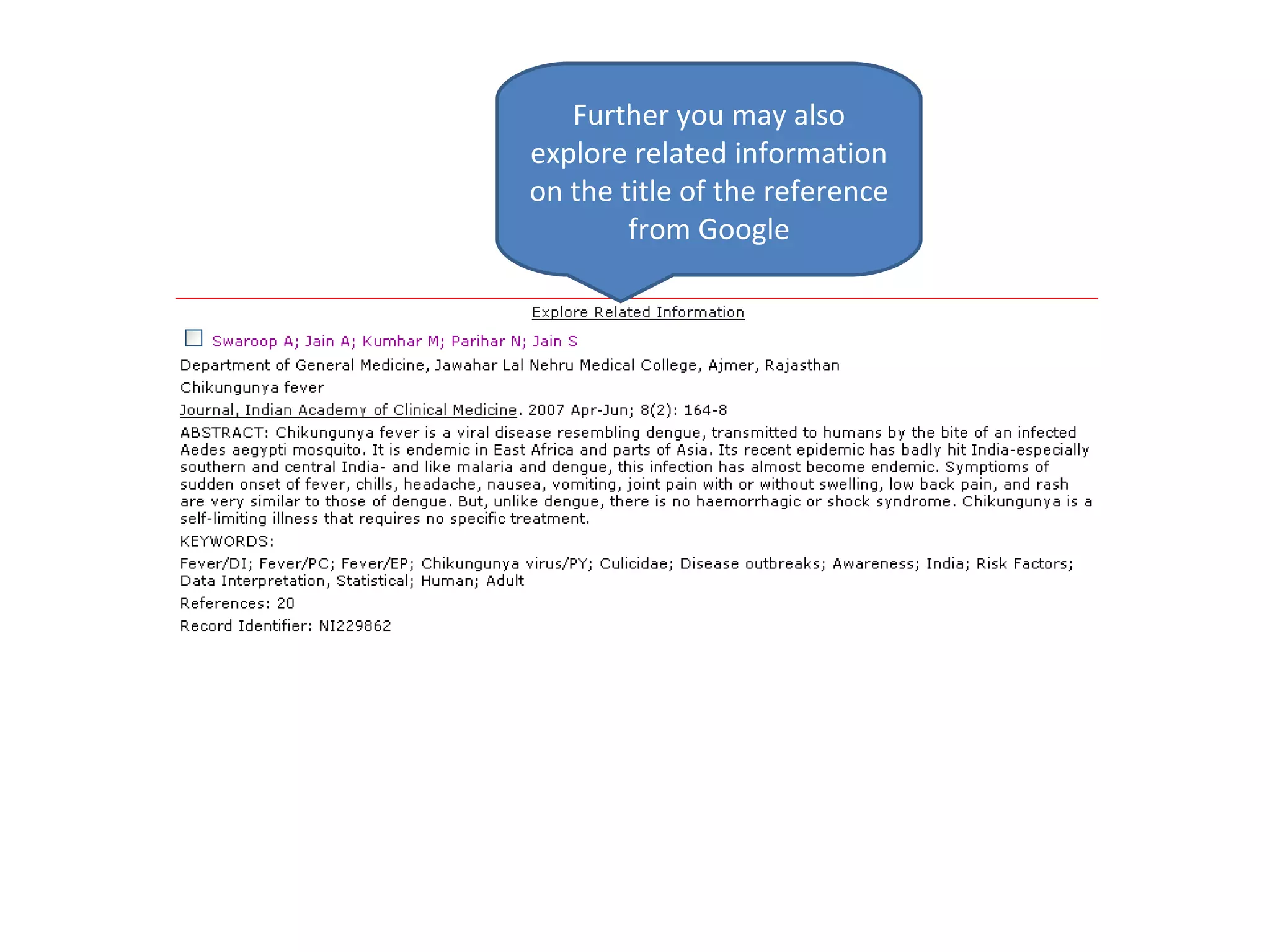
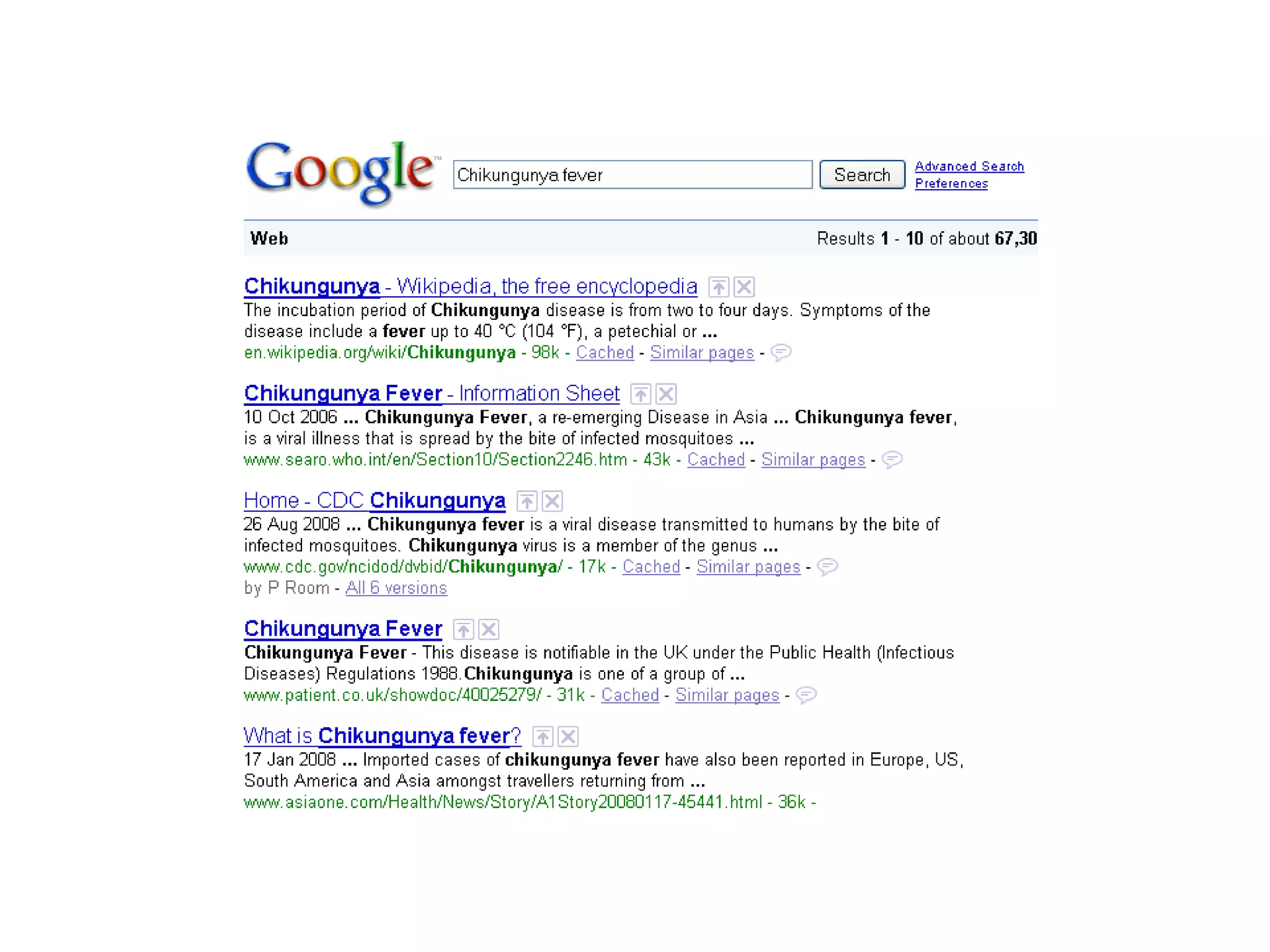
Further you may also explore related information on the title of the reference from Google
 
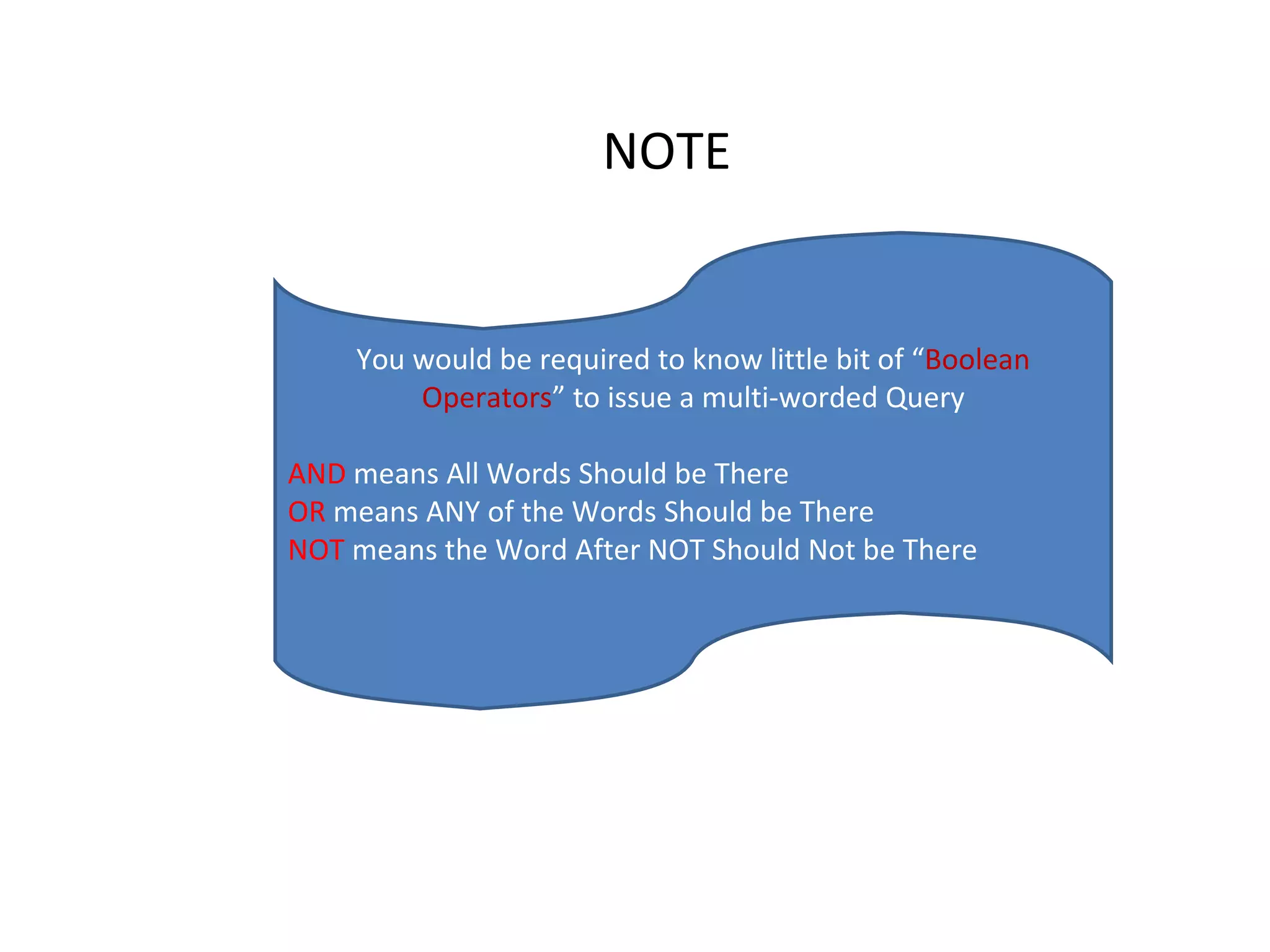
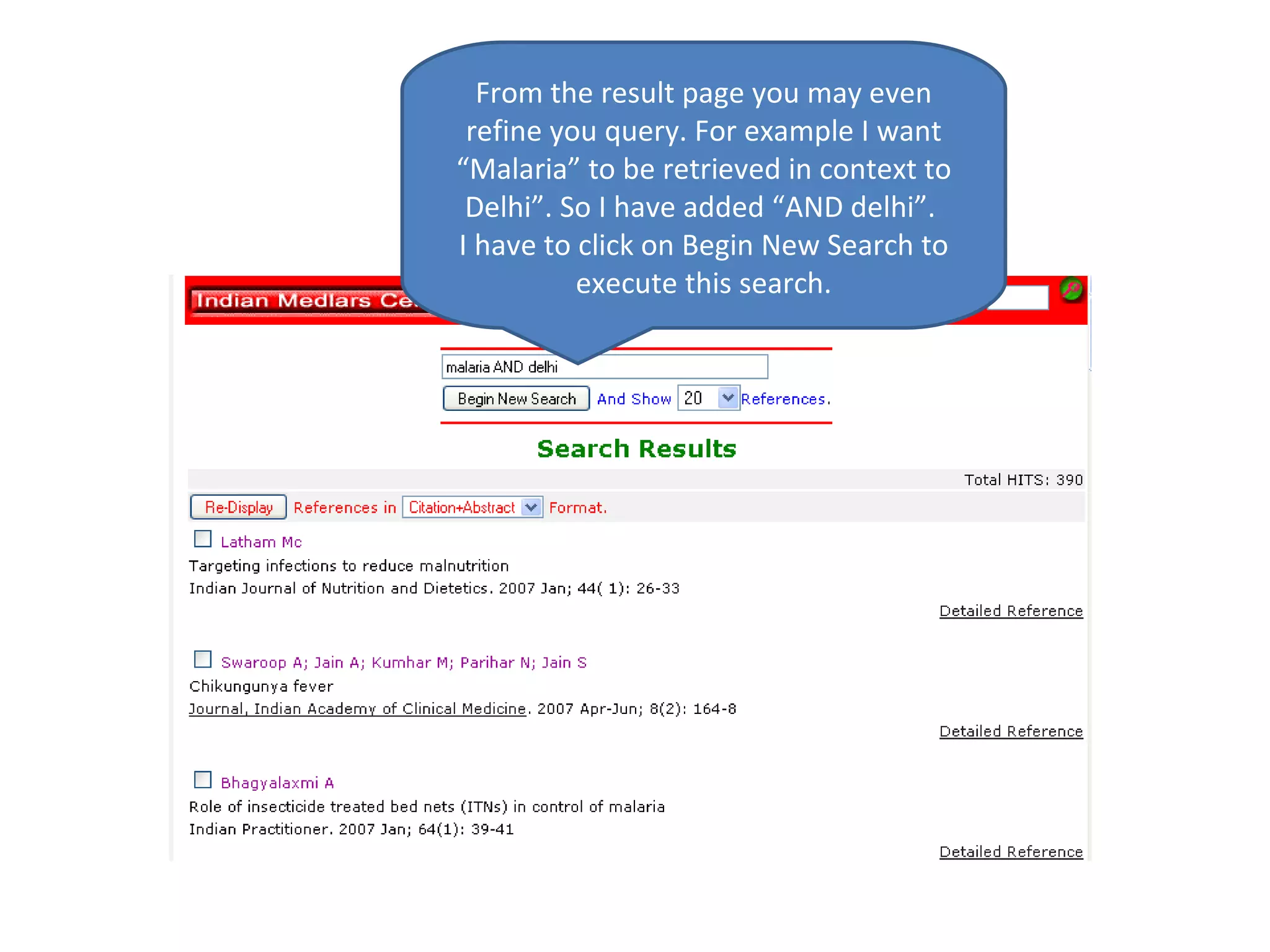
You would be required to know little bit of “ Boolean Operators ” to issue a multi-worded Query AND  means All Words Should be There OR  means ANY of the Words Should be There NOT  means the Word After NOT Should Not be There NOTE
From the result page you may even refine you query. For example I want “Malaria” to be retrieved in context to Delhi”. So I have added “AND delhi”.  I have to click on Begin New Search to execute this search.
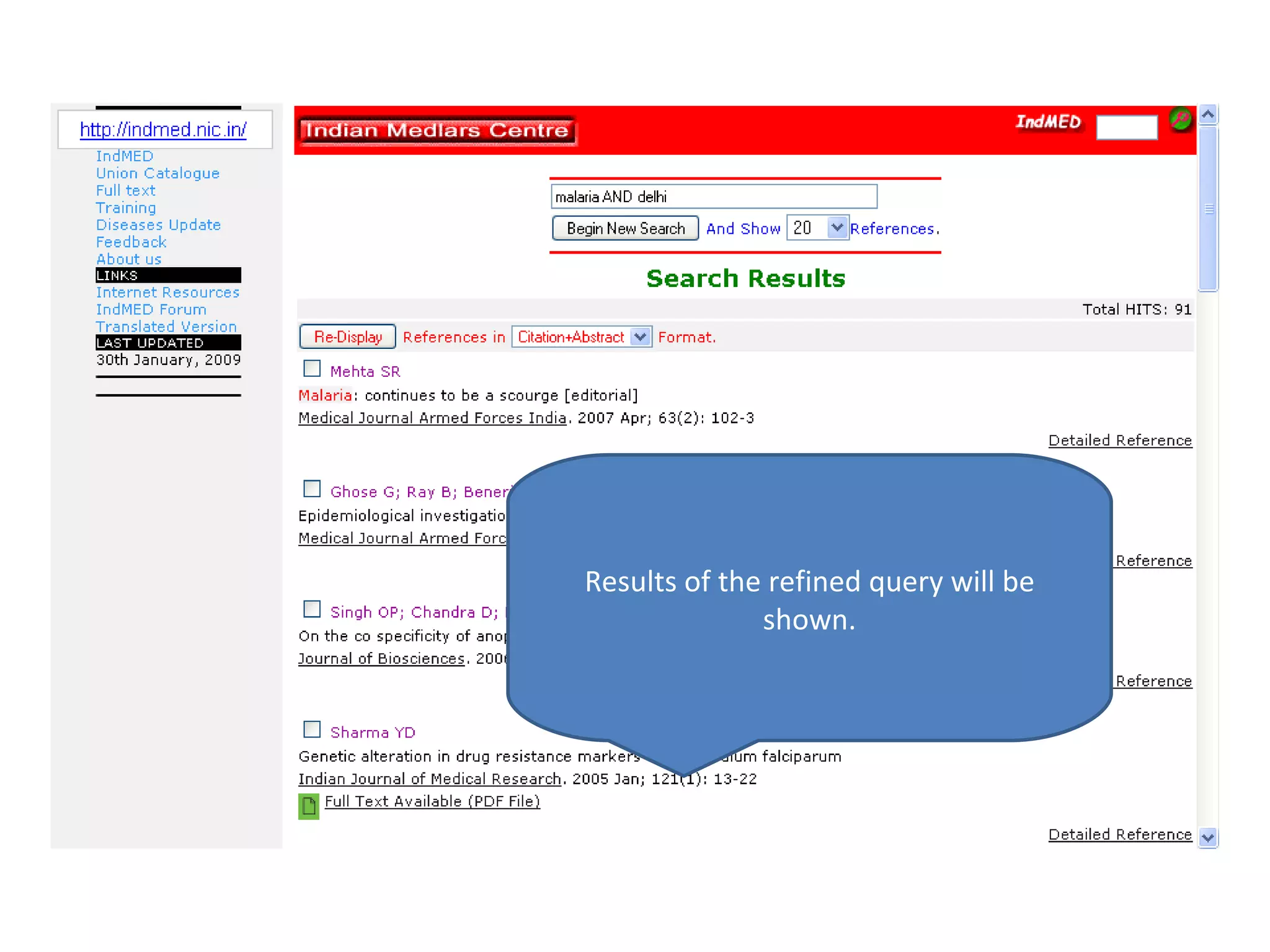
Results of the refined query will be shown.
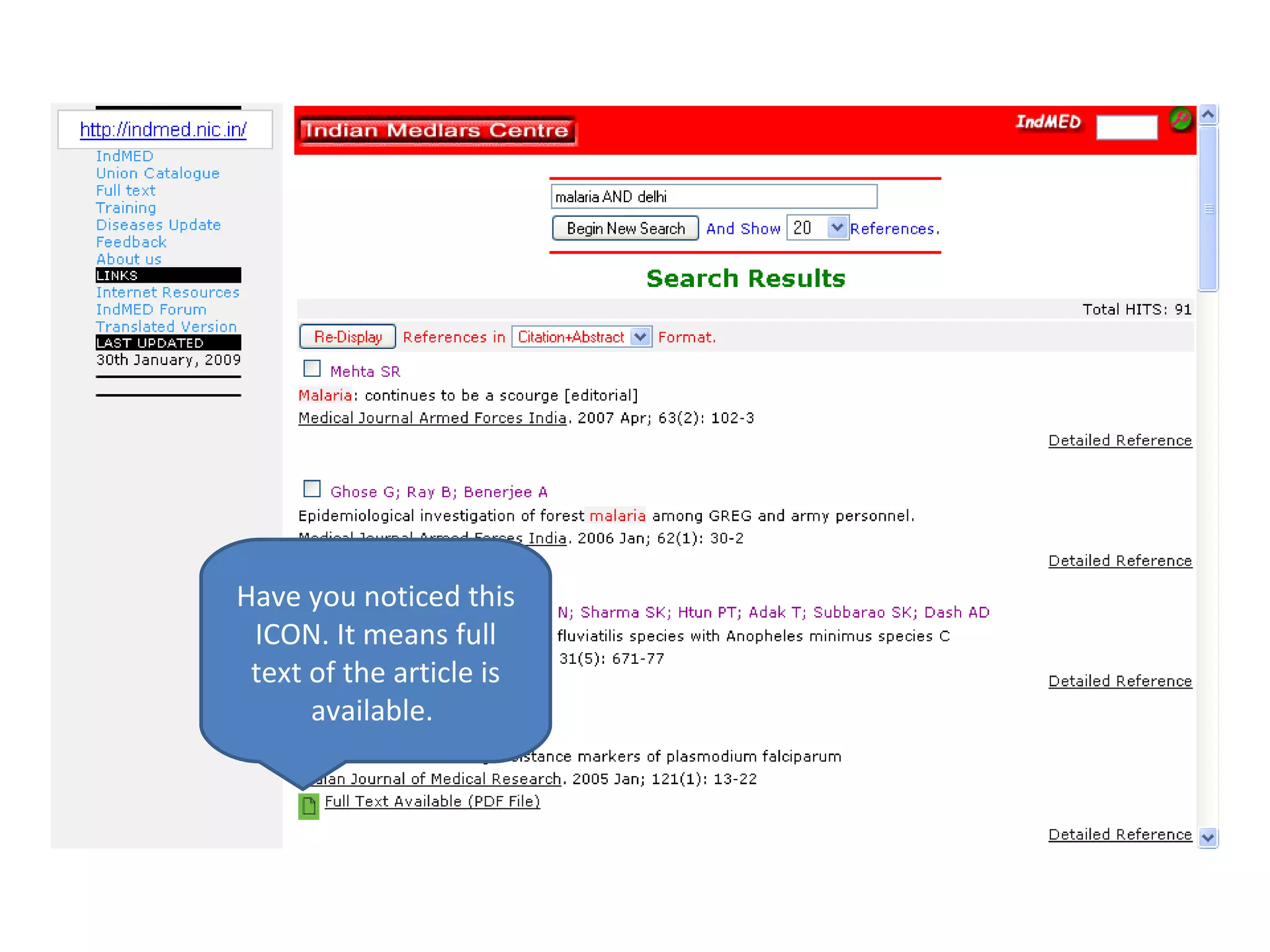
Have you noticed this ICON. It means full text of the article is available.
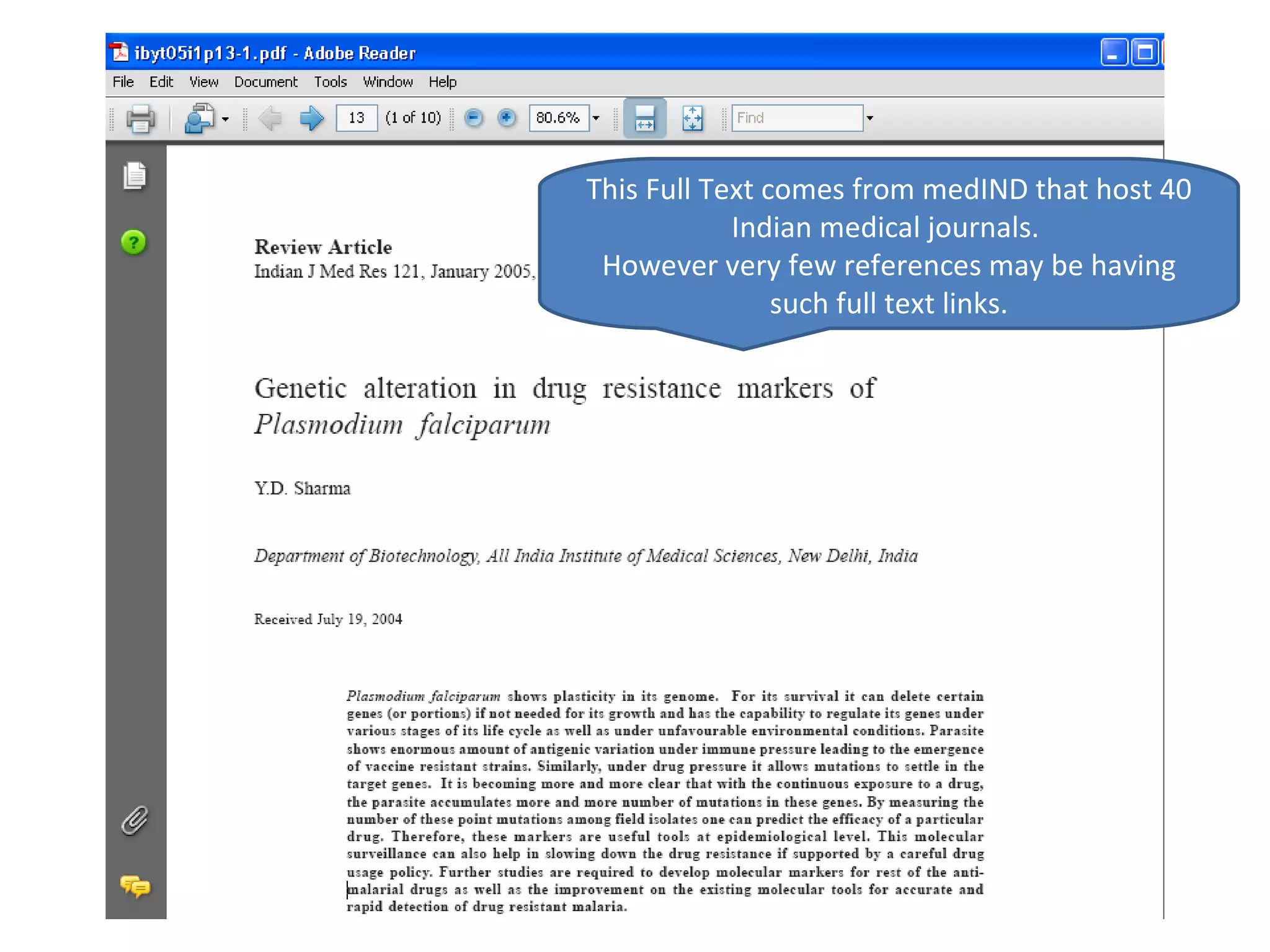
This Full Text comes from medIND that host 40 Indian medical journals.  However very few references may be having such full text links.
Advanced Search
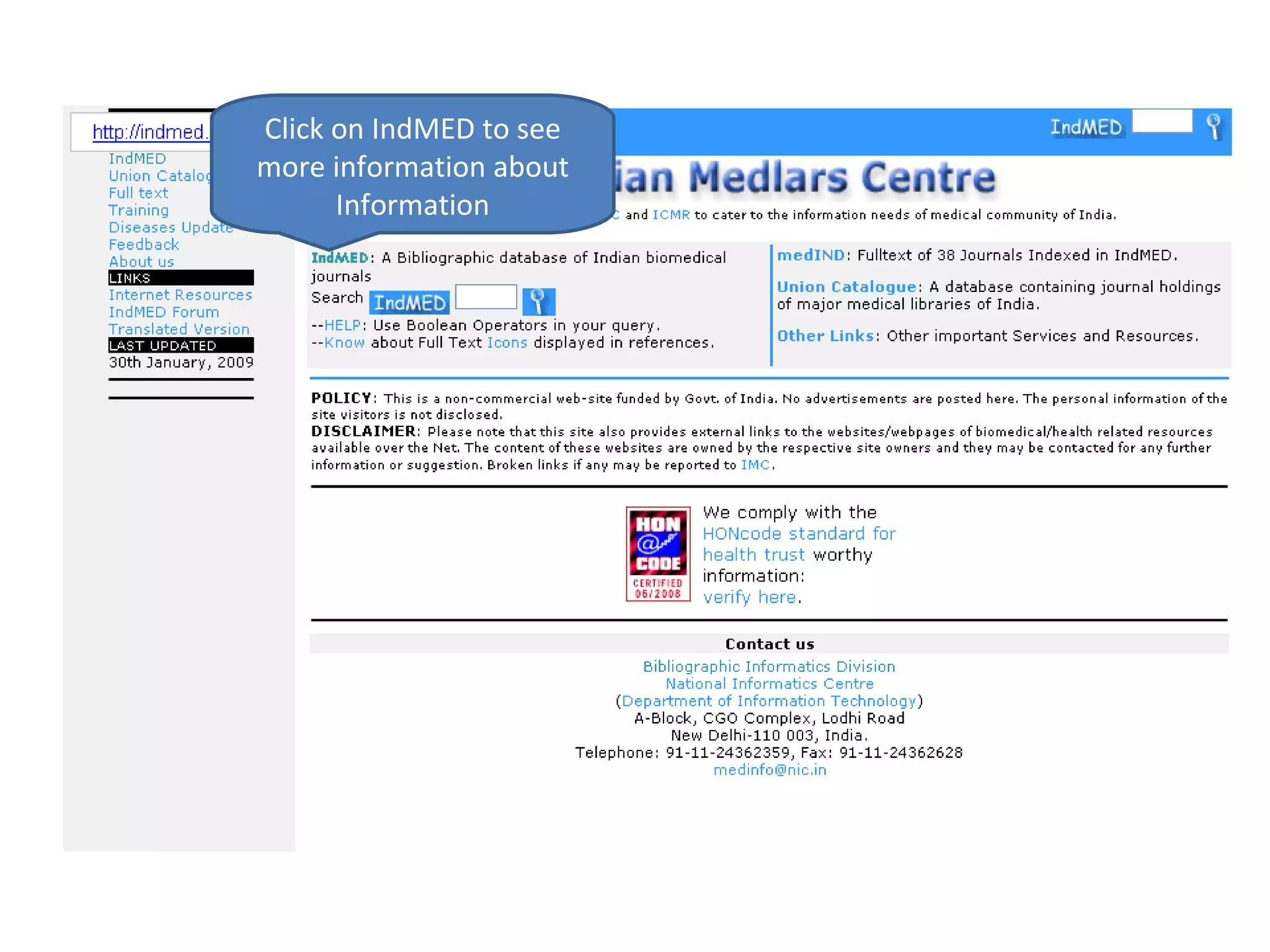
Click on IndMED to see more information about Information
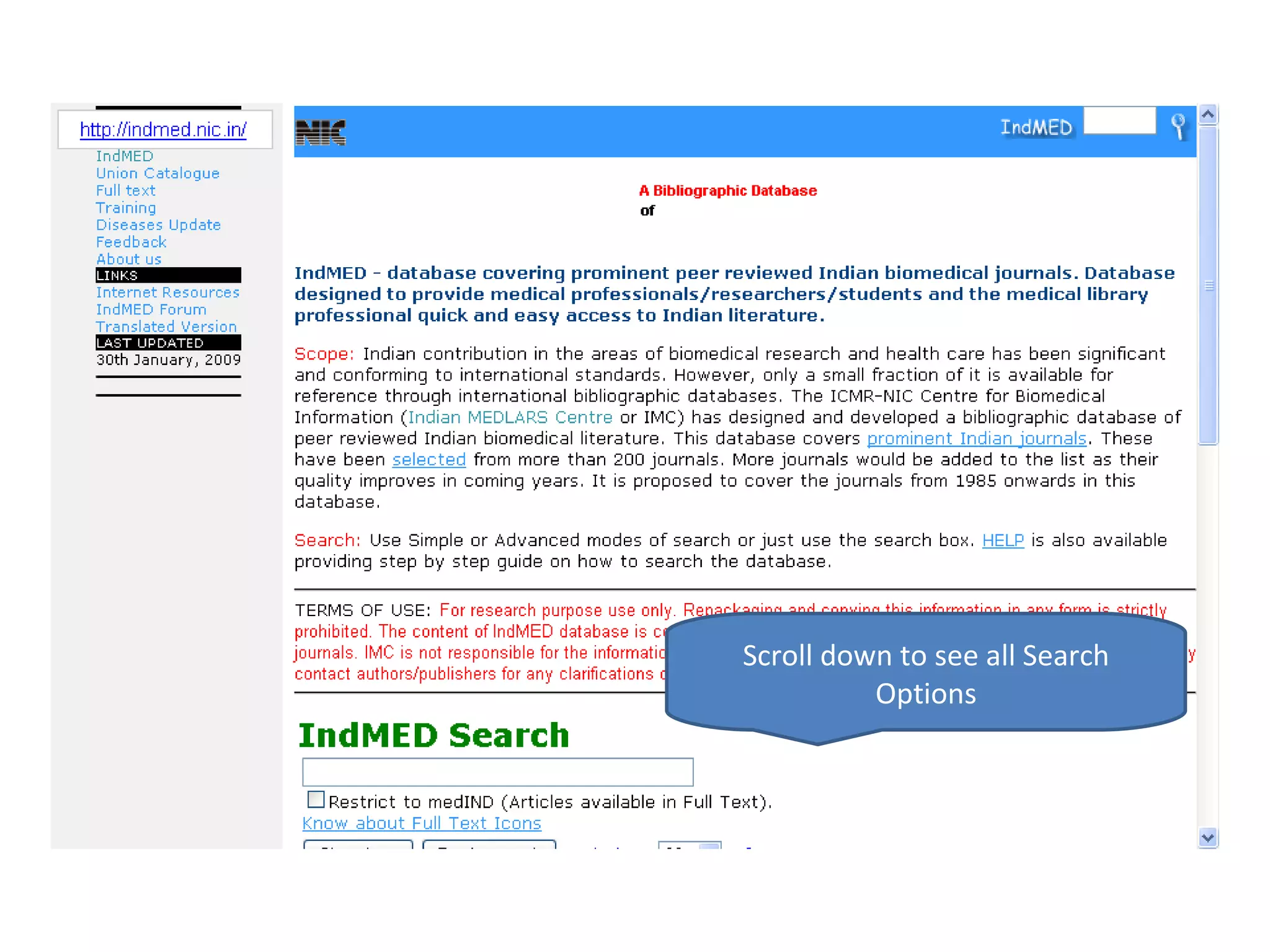
Scroll down to see all Search Options
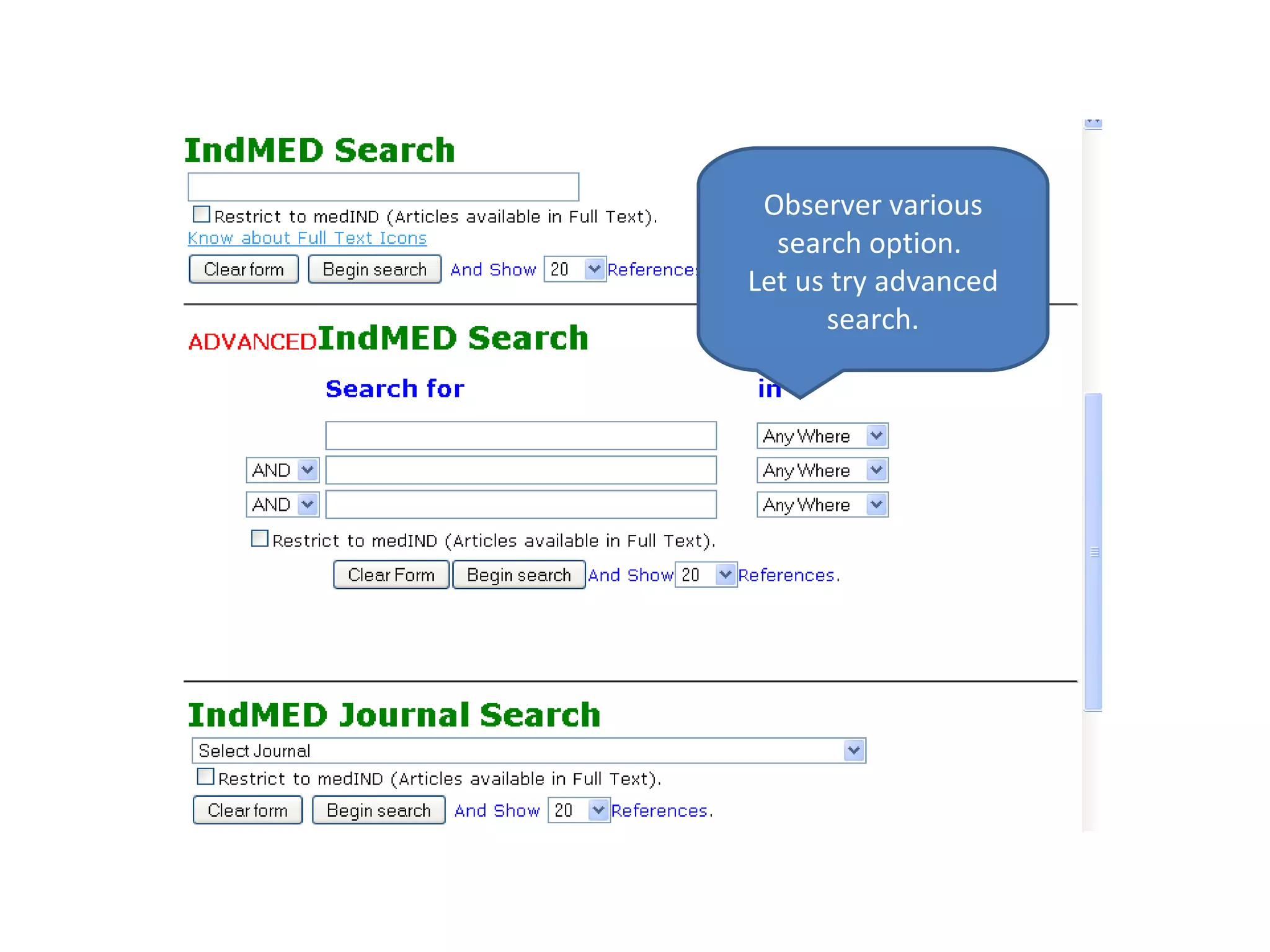
Observer various search option.  Let us try advanced search.
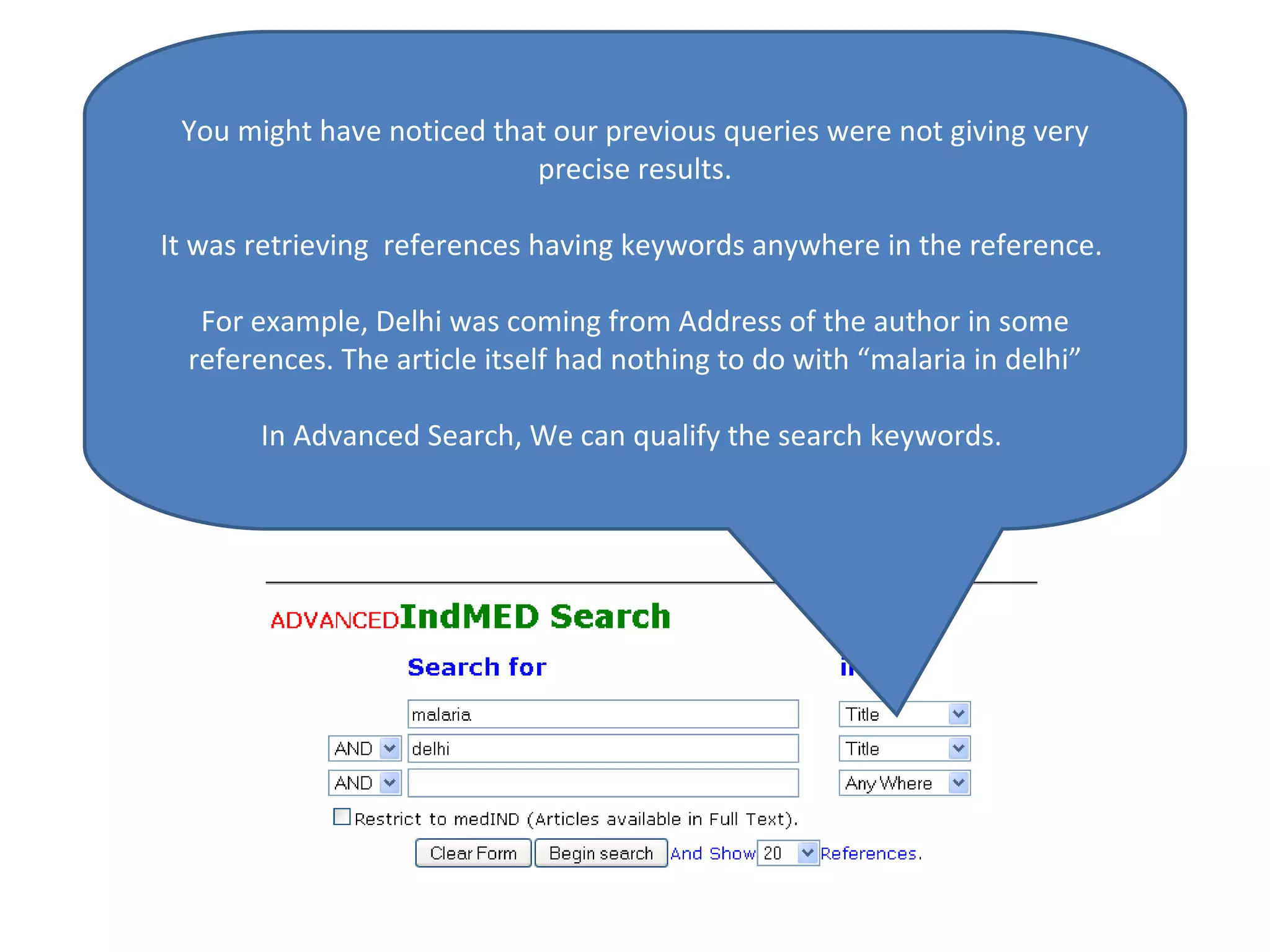
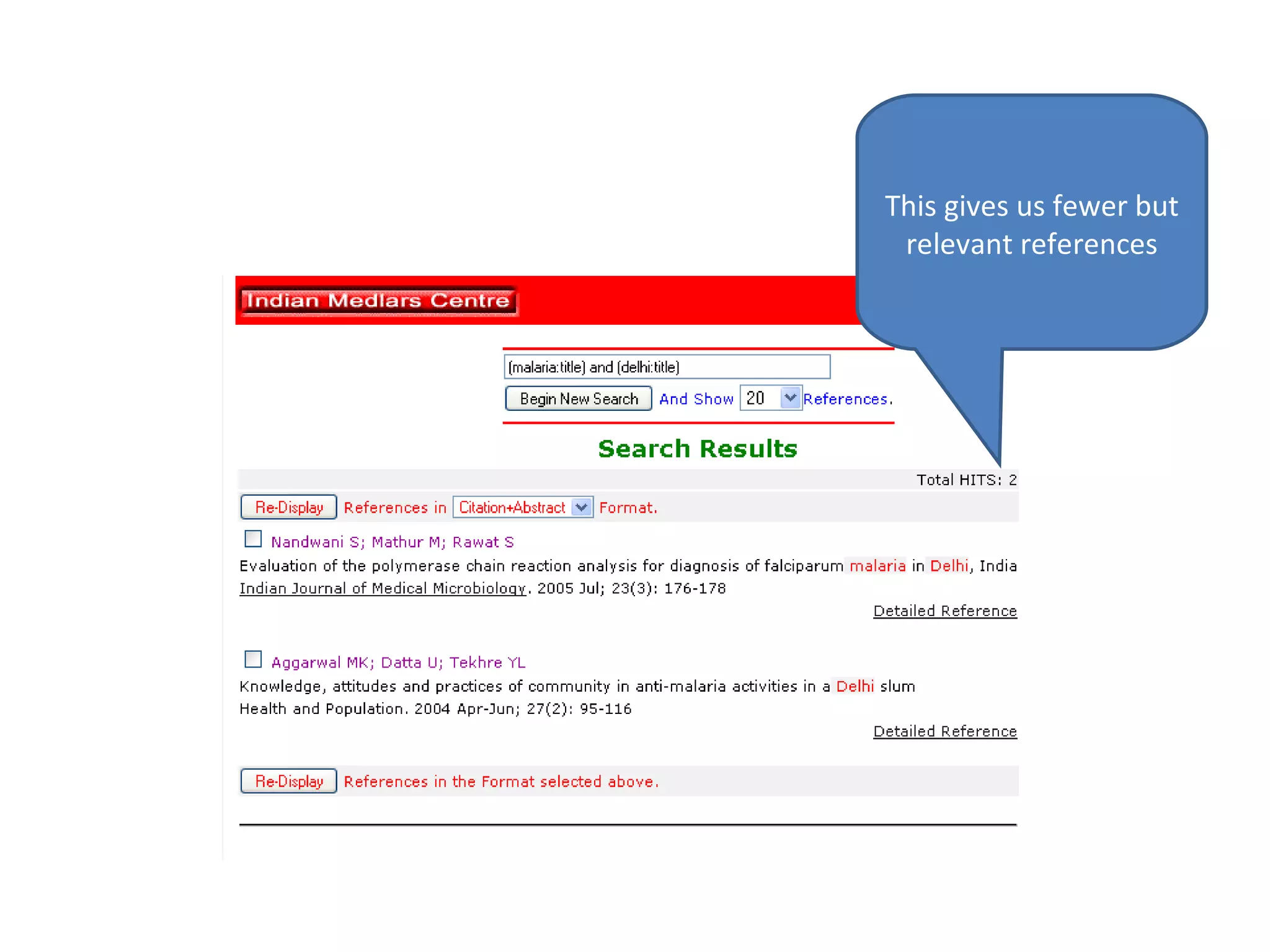
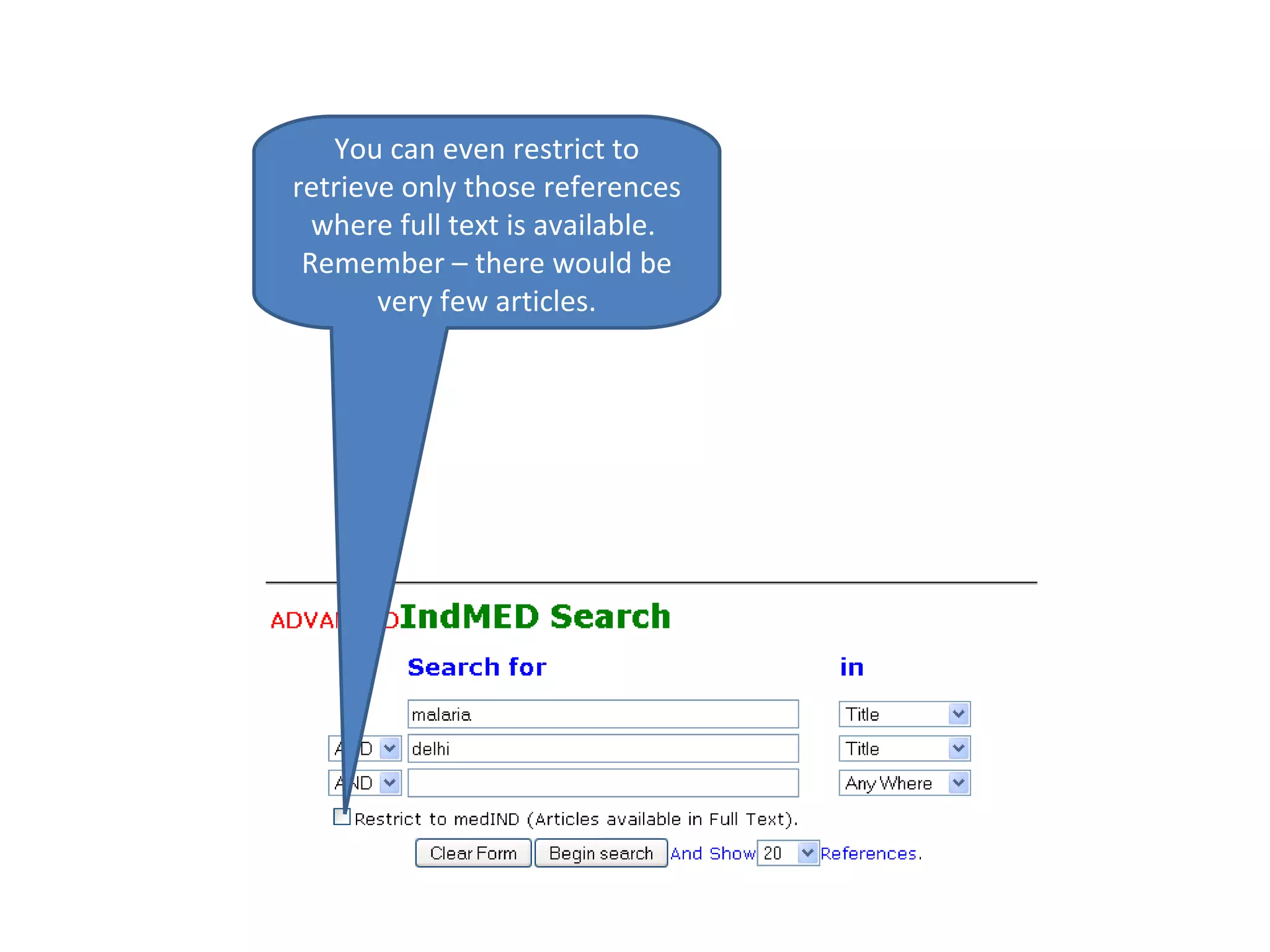
You might have noticed that our previous queries were not giving very precise results. It was retrieving  references having keywords anywhere in the reference.  For example, Delhi was coming from Address of the author in some references. The article itself had nothing to do with “malaria in delhi” In Advanced Search, We can qualify the search keywords.
This gives us fewer but relevant references
You can even restrict to retrieve only those references where full text is available.  Remember – there would be very few articles.

Searching IndMED

  • 1.
    Searching IndMED Tutorialprepared for NetRUM Group
  • 2.
  • 3.
    Visit http://indmed.nic.inEnter Simple Keywords – Say “Malaria”
  • 4.
    You will resultslike this.
  • 5.
    You select referencesand Re-Display them in various formats
  • 6.
    Or can seedetailed reference directly
  • 7.
    Further you mayalso explore related information on the title of the reference from Google
  • 8.
  • 9.
    You would berequired to know little bit of “ Boolean Operators ” to issue a multi-worded Query AND means All Words Should be There OR means ANY of the Words Should be There NOT means the Word After NOT Should Not be There NOTE
  • 10.
    From the resultpage you may even refine you query. For example I want “Malaria” to be retrieved in context to Delhi”. So I have added “AND delhi”. I have to click on Begin New Search to execute this search.
  • 11.
    Results of therefined query will be shown.
  • 12.
    Have you noticedthis ICON. It means full text of the article is available.
  • 13.
    This Full Textcomes from medIND that host 40 Indian medical journals. However very few references may be having such full text links.
  • 14.
  • 15.
    Click on IndMEDto see more information about Information
  • 16.
    Scroll down tosee all Search Options
  • 17.
    Observer various searchoption. Let us try advanced search.
  • 18.
    You might havenoticed that our previous queries were not giving very precise results. It was retrieving references having keywords anywhere in the reference. For example, Delhi was coming from Address of the author in some references. The article itself had nothing to do with “malaria in delhi” In Advanced Search, We can qualify the search keywords.
  • 19.
    This gives usfewer but relevant references
  • 20.
    You can evenrestrict to retrieve only those references where full text is available. Remember – there would be very few articles.