Develop
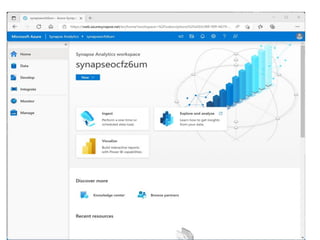
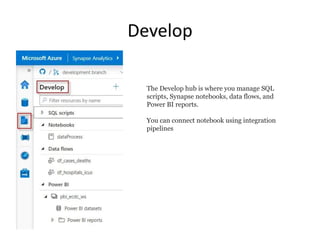
The Develop hubis where you manage SQL
scripts, Synapse notebooks, data flows, and
Power BI reports.
You can connect notebook using integration
pipelines
8.
Integrate
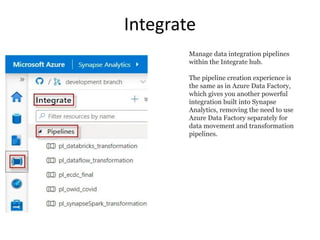
Manage data integrationpipelines
within the Integrate hub.
The pipeline creation experience is
the same as in Azure Data Factory,
which gives you another powerful
integration built into Synapse
Analytics, removing the need to use
Azure Data Factory separately for
data movement and transformation
pipelines.
9.
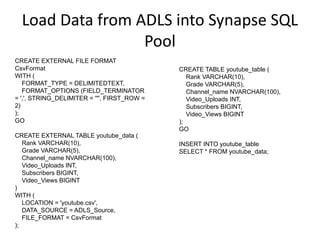
Load Data fromADLS into Synapse SQL
Pool
CREATE EXTERNAL FILE FORMAT
CsvFormat
WITH (
FORMAT_TYPE = DELIMITEDTEXT,
FORMAT_OPTIONS (FIELD_TERMINATOR
= ',', STRING_DELIMITER = '"', FIRST_ROW =
2)
);
GO
CREATE EXTERNAL TABLE youtube_data (
Rank VARCHAR(10),
Grade VARCHAR(5),
Channel_name NVARCHAR(100),
Video_Uploads INT,
Subscribers BIGINT,
Video_Views BIGINT
)
WITH (
LOCATION = 'youtube.csv',
DATA_SOURCE = ADLS_Source,
FILE_FORMAT = CsvFormat
);
CREATE TABLE youtube_table (
Rank VARCHAR(10),
Grade VARCHAR(5),
Channel_name NVARCHAR(100),
Video_Uploads INT,
Subscribers BIGINT,
Video_Views BIGINT
);
GO
INSERT INTO youtube_table
SELECT * FROM youtube_data;
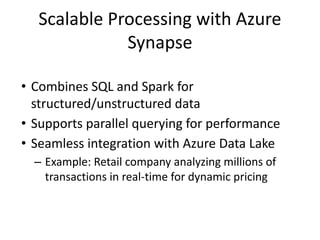
Scalable Processing withAzure
Synapse
• Combines SQL and Spark for
structured/unstructured data
• Supports parallel querying for performance
• Seamless integration with Azure Data Lake
– Example: Retail company analyzing millions of
transactions in real-time for dynamic pricing
13.
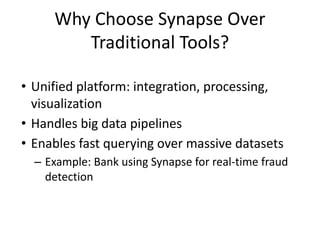
Why Choose SynapseOver
Traditional Tools?
• Unified platform: integration, processing,
visualization
• Handles big data pipelines
• Enables fast querying over massive datasets
– Example: Bank using Synapse for real-time fraud
detection
14.
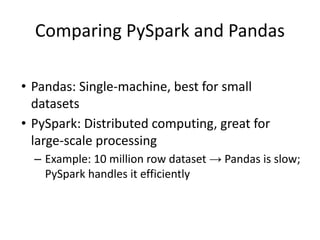
Comparing PySpark andPandas
• Pandas: Single-machine, best for small
datasets
• PySpark: Distributed computing, great for
large-scale processing
– Example: 10 million row dataset → Pandas is slow;
PySpark handles it efficiently
15.
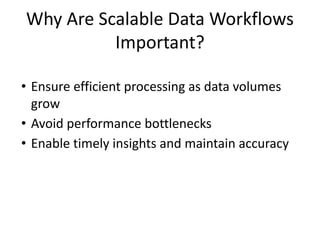
Why Are ScalableData Workflows
Important?
• Ensure efficient processing as data volumes
grow
• Avoid performance bottlenecks
• Enable timely insights and maintain accuracy
17.
Choosing the RightTool
• Use Pandas: Small datasets, quick analysis
• Use PySpark: Large datasets, streaming,
distributed processing
– Example: Pandas: Clean 10k row dataset |
PySpark: Process IoT sensor data from millions of
devices
18.
PySpark vs PandasPerformance
• Scenario: 10 million e-commerce reviews
• Pandas: Local read, slow
• PySpark: Distributed processing, fast
19.
Scaling with Synapse+ PySpark
• Synapse: Scalable storage + orchestration
• PySpark: Distributed processing engine
• Together: Handle ingestion, processing, and
visualization end-to-end
– Example: Social media sentiment analysis using
Synapse + PySpark
20.
PySpark in Synapse
•Synapse is a scalable backbone for data
integration and processing
• PySpark enables big data workloads with
distributed computing
• Combined, they offer seamless insights from
massive datasets
21.
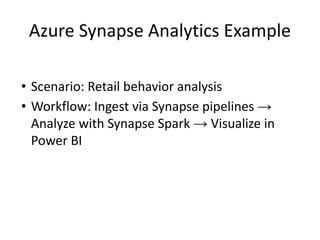
Azure Synapse AnalyticsExample
• Scenario: Retail behavior analysis
• Workflow: Ingest via Synapse pipelines →
Analyze with Synapse Spark → Visualize in
Power BI