My Computer!!! BY SIENA
First Class First Class is our own school email. We receive mails from our classmates, and we send emails to our classmates. Whenever we have to answer a question about our emac account (I’ll tell you more about that later) we send the answers to our classmates, and the teacher from First Class.
iGoogle In our computer class we use a program called iGoogle. iGoogle is where you have a this home page, and you can also add other tabs, and you basically add the stuff you want to on to there. You can have a different theme for every tab, it’s really cool. What I often find myself doing, is adding a bunch of stuff, an then going back to look at it, and deleting half of it!
Blogger I have a blog account. There we pretty much post stuff on our blogs, and comment on other people’s posts. We can also add stuff like comic strip’s. I just started, so I don’t know that much about it. In the comic strips you basically pick a theme, and then write what you want to for the character’s. It’s really cool, you can write all kinds of funny, and crazy, and wacky stuff. It’s good stuff.
Grade6computer Wiki Our Grade6Computer wiki is a page where our computer teacher tells us about what we need to accomplish for the day. If we need to make any new accounts he’ll tell us there where to go to, and how to do it. If we need to answer some specific questions on something we have learnt he’ll tell us everything there. We also set up a profile there. We have a few sections about ourselves.
eMac Account In our computer class we each have a Mac computer we use. In the computer we each have an account of our own. In that account we can have our own desktop, have anything we want, and we can have anything we choose in the deck. We only have to have a few programmes that our teacher wants us to have. In this way we don’t have one account all scrunched up.
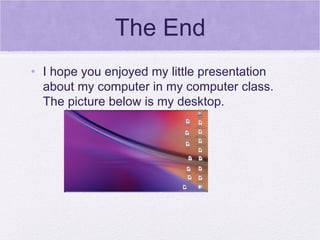
The End I hope you enjoyed my little presentation about my computer in my computer class. The picture below is my desktop.

Sbk Computer

  • 1.
  • 2.
    First Class FirstClass is our own school email. We receive mails from our classmates, and we send emails to our classmates. Whenever we have to answer a question about our emac account (I’ll tell you more about that later) we send the answers to our classmates, and the teacher from First Class.
  • 3.
    iGoogle In ourcomputer class we use a program called iGoogle. iGoogle is where you have a this home page, and you can also add other tabs, and you basically add the stuff you want to on to there. You can have a different theme for every tab, it’s really cool. What I often find myself doing, is adding a bunch of stuff, an then going back to look at it, and deleting half of it!
  • 4.
    Blogger I havea blog account. There we pretty much post stuff on our blogs, and comment on other people’s posts. We can also add stuff like comic strip’s. I just started, so I don’t know that much about it. In the comic strips you basically pick a theme, and then write what you want to for the character’s. It’s really cool, you can write all kinds of funny, and crazy, and wacky stuff. It’s good stuff.
  • 5.
    Grade6computer Wiki OurGrade6Computer wiki is a page where our computer teacher tells us about what we need to accomplish for the day. If we need to make any new accounts he’ll tell us there where to go to, and how to do it. If we need to answer some specific questions on something we have learnt he’ll tell us everything there. We also set up a profile there. We have a few sections about ourselves.
  • 6.
    eMac Account Inour computer class we each have a Mac computer we use. In the computer we each have an account of our own. In that account we can have our own desktop, have anything we want, and we can have anything we choose in the deck. We only have to have a few programmes that our teacher wants us to have. In this way we don’t have one account all scrunched up.
  • 7.
    The End Ihope you enjoyed my little presentation about my computer in my computer class. The picture below is my desktop.