Distributor App
Deploy our turnkey solutions into
your current business processes
FOCALOIDTECHNOLOGIES
SalesXT.
02/14
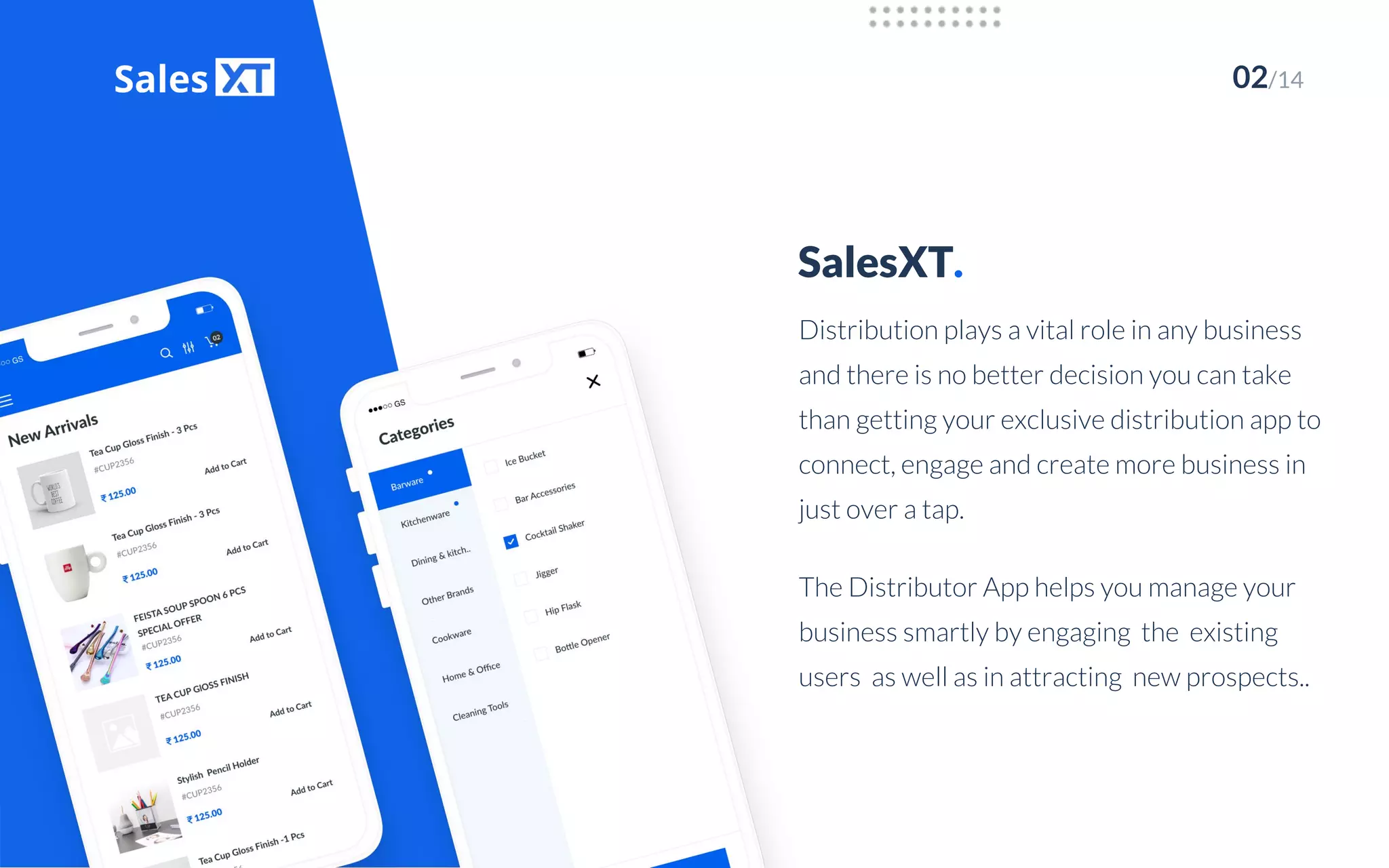
Distribution plays a vital role in any business
and there is no better decision you can take
than getting your exclusive distribution app to
connect, engage and create more business in
just over a tap.
The Distributor App helps you manage your
business smartly by engaging the existing
users as well as in attracting new prospects..
How It Works.
03/14
After signing in the user can browse through
the products using the filter or the product
name or code.
Product Selection
02
Placing the Order
04
01
03
A user becomes a registered user after
successful registration . He can then sign in
using his registered email id and password.
User Registration
Product Page
It displays the product name, the product
images, a drop down to select the quantity
and the description of the product besides
adding to cart.
By adding the product to the cart, an order
will be placed. ‘My cart’ contains the list of all
orders placed which can be revised if
required.
Highlights.
04/14
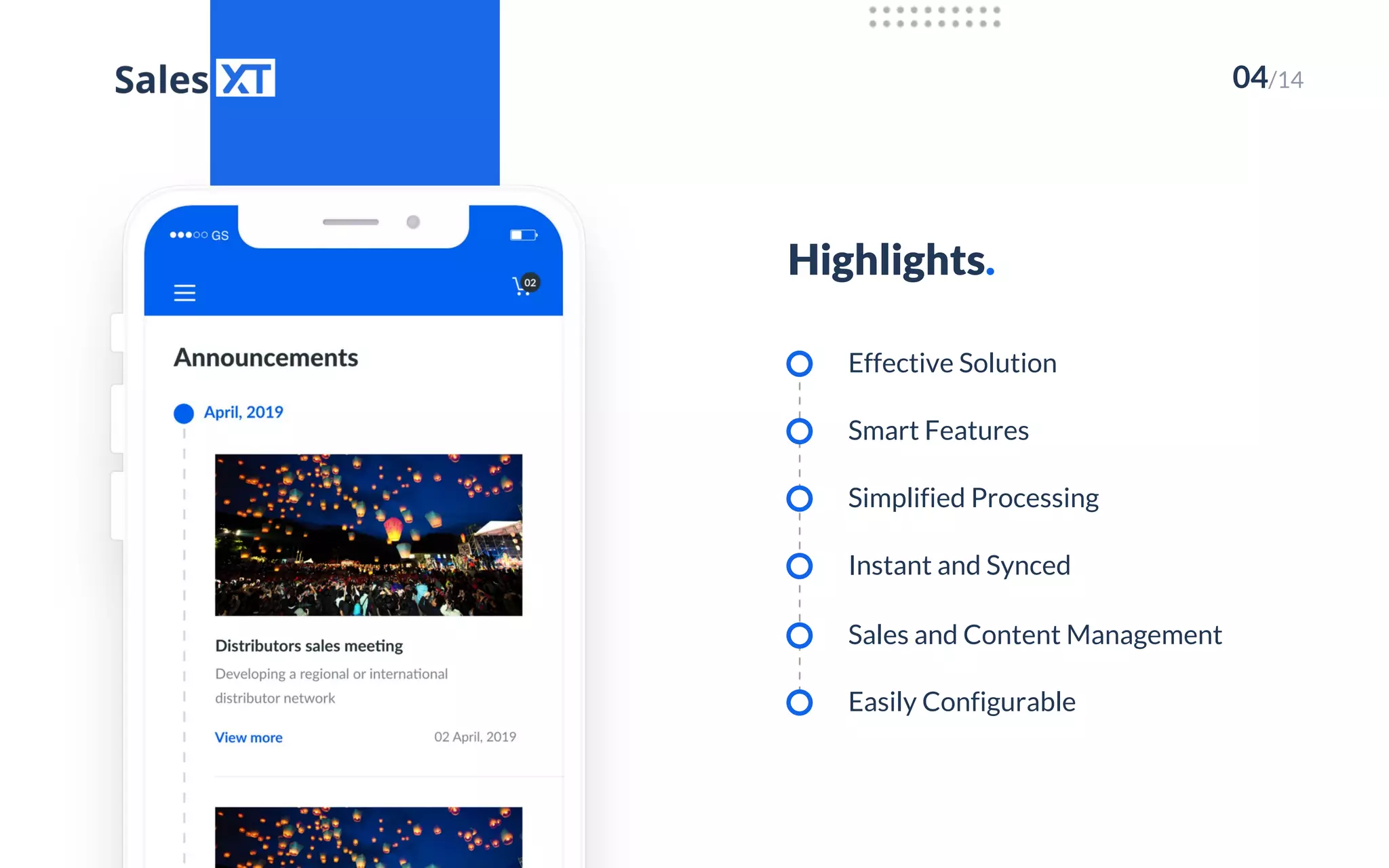
Effective Solution
Smart Features
Simplified Processing
Instant and Synced
Sales and Content Management
Easily Configurable
05/14
App Features.
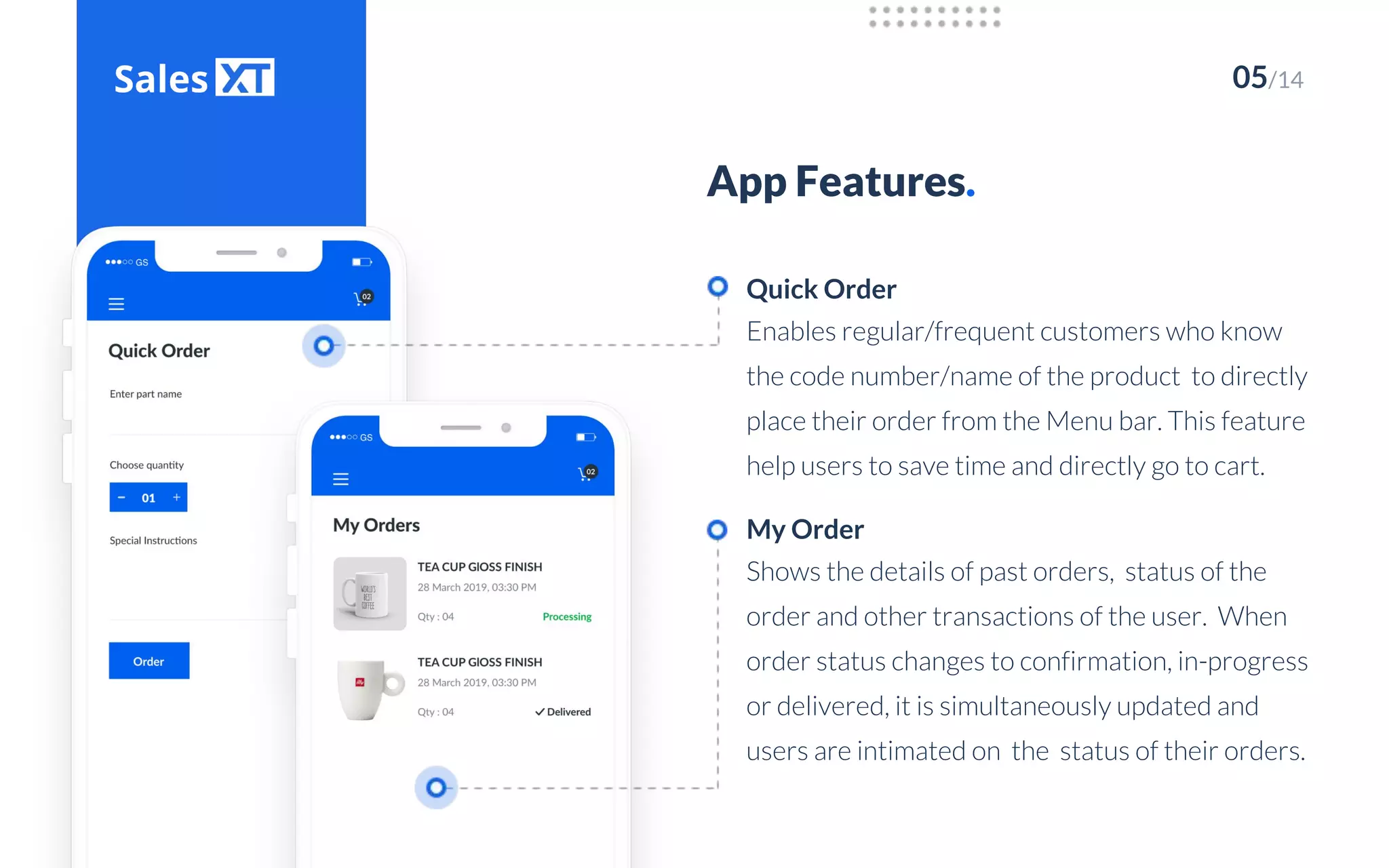
Enables regular/frequent customers who know
the code number/name of the product to directly
place their order from the Menu bar. This feature
help users to save time and directly go to cart.
Quick Order
Shows the details of past orders, status of the
order and other transactions of the user. When
order status changes to confirmation, in-progress
or delivered, it is simultaneously updated and
users are intimated on the status of their orders.
My Order
06/14
App Features.
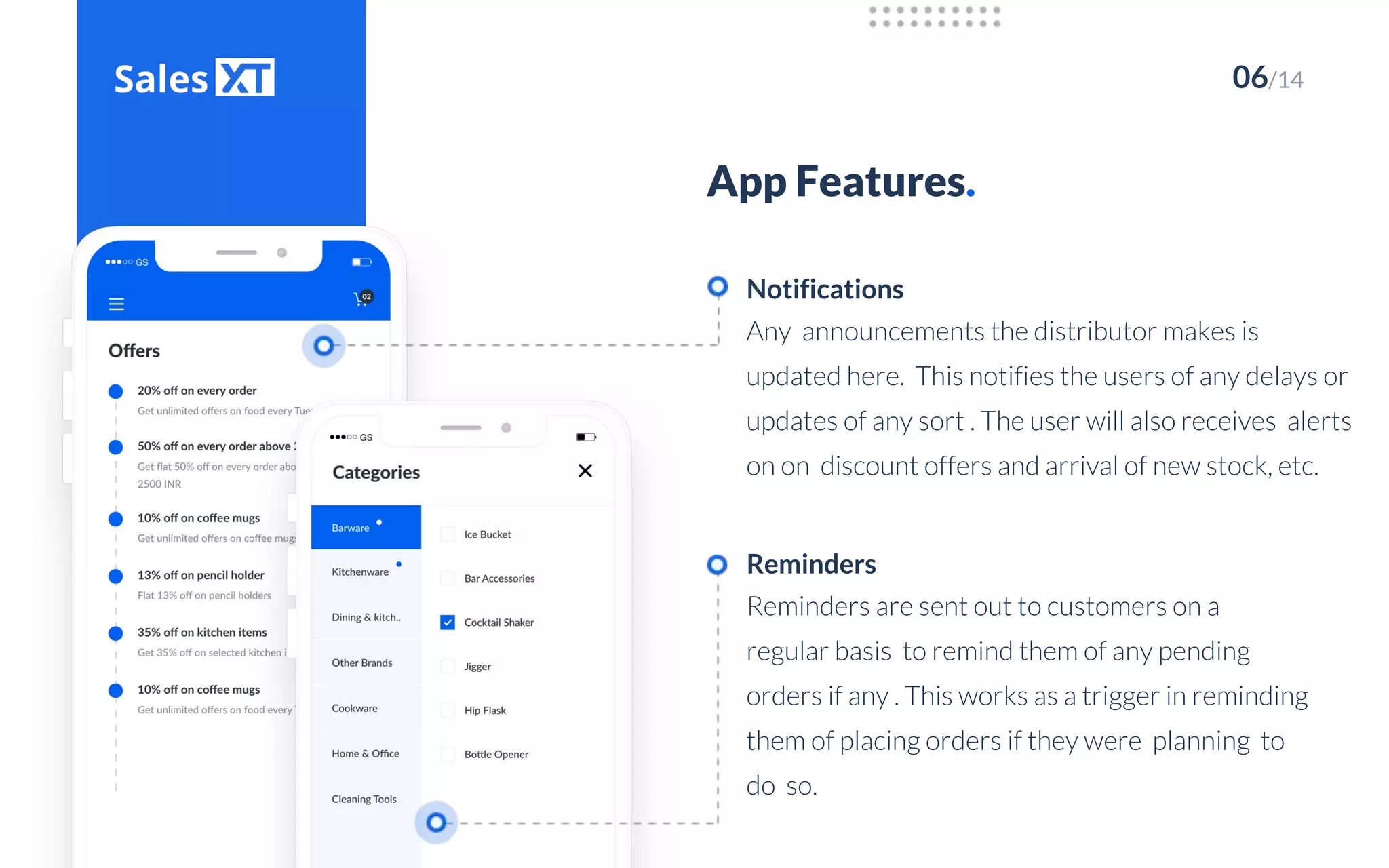
Any announcements the distributor makes is
updated here. This notifies the users of any delays or
updates of any sort . The user will also receives alerts
on on discount offers and arrival of new stock, etc.
Notifications
Reminders are sent out to customers on a
regular basis to remind them of any pending
orders if any . This works as a trigger in reminding
them of placing orders if they were planning to
do so.
Reminders
07/14
App Features.
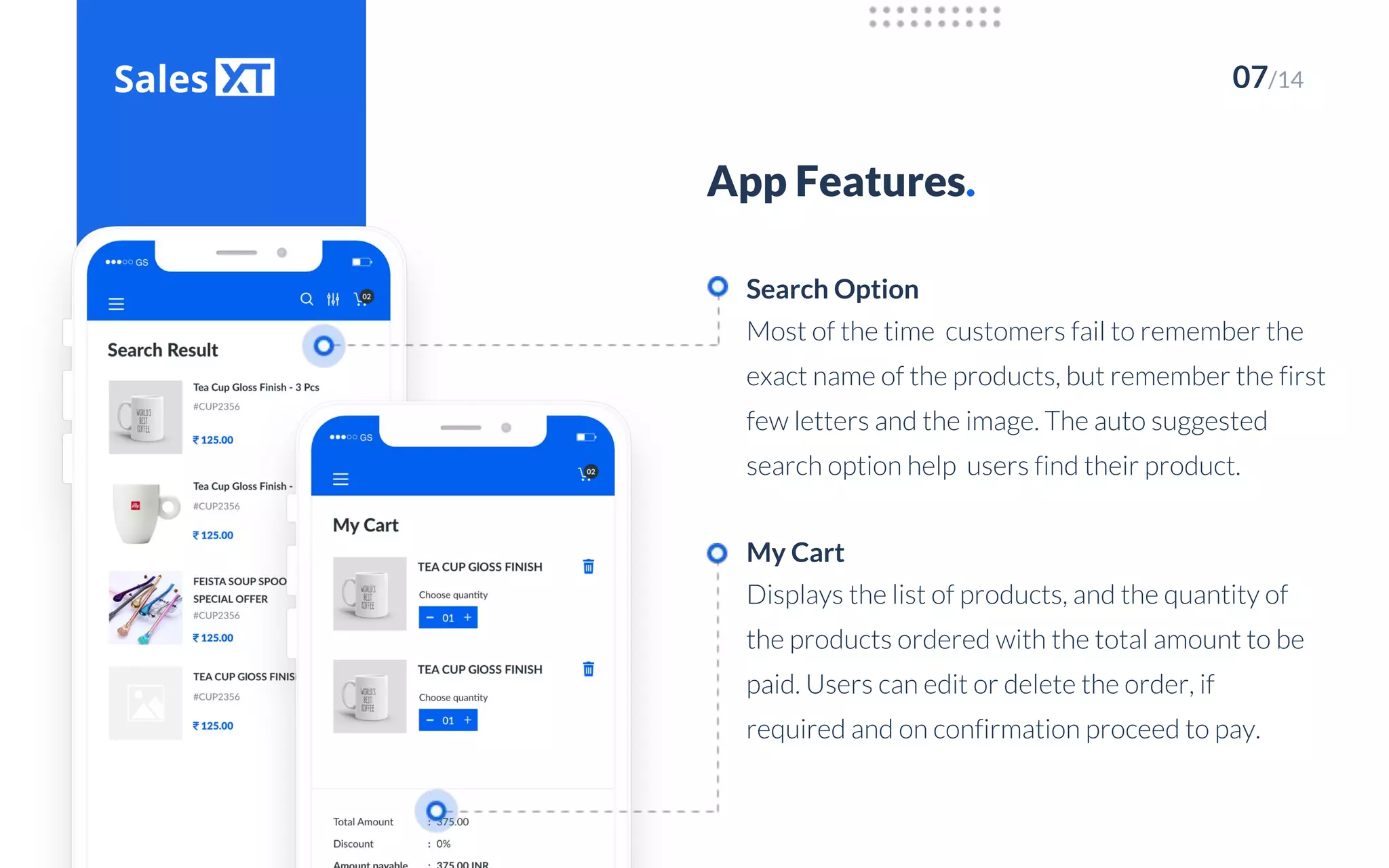
Most of the time customers fail to remember the
exact name of the products, but remember the first
few letters and the image. The auto suggested
search option help users find their product.
Search Option
Displays the list of products, and the quantity of
the products ordered with the total amount to be
paid. Users can edit or delete the order, if
required and on confirmation proceed to pay.
My Cart
08/14
App Features.
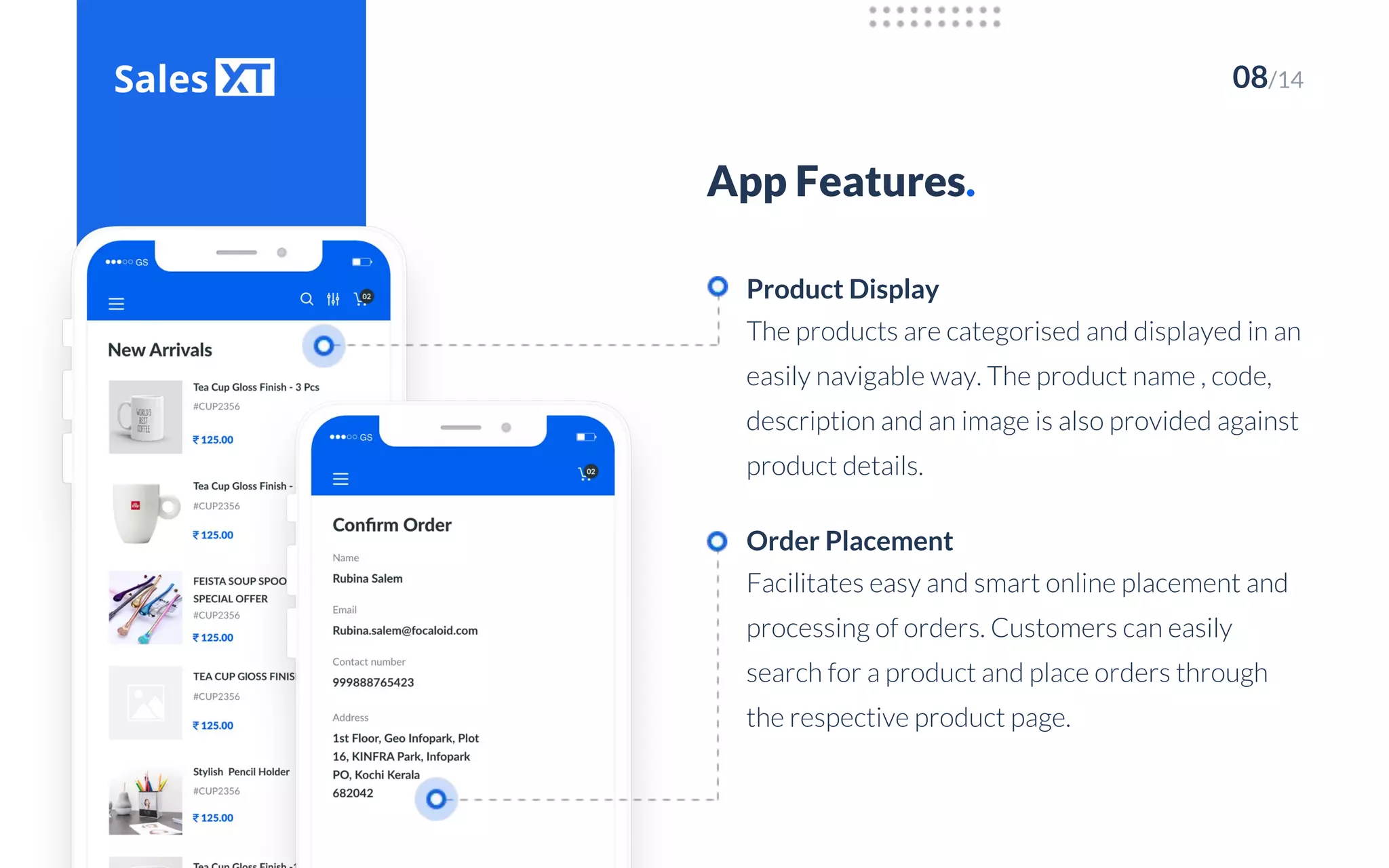
The products are categorised and displayed in an
easily navigable way. The product name , code,
description and an image is also provided against
product details.
Product Display
Facilitates easy and smart online placement and
processing of orders. Customers can easily
search for a product and place orders through
the respective product page.
Order Placement
09/14
Your orders can be easily tracked. It informs the
user on the delivery date and tracks the status of
the orders placed by individual
retailers/customers.
App Features.
Order Tracking
Any updates related to the product , its
availability, pricing, discount rates etc., made in
the admin gets automatically updated across all
user devices with the sync functionality. It helps
users purchase cost-effectively and enjoy
benefits and savings during offers.
Automatic Sync
10/14
Backend Features.
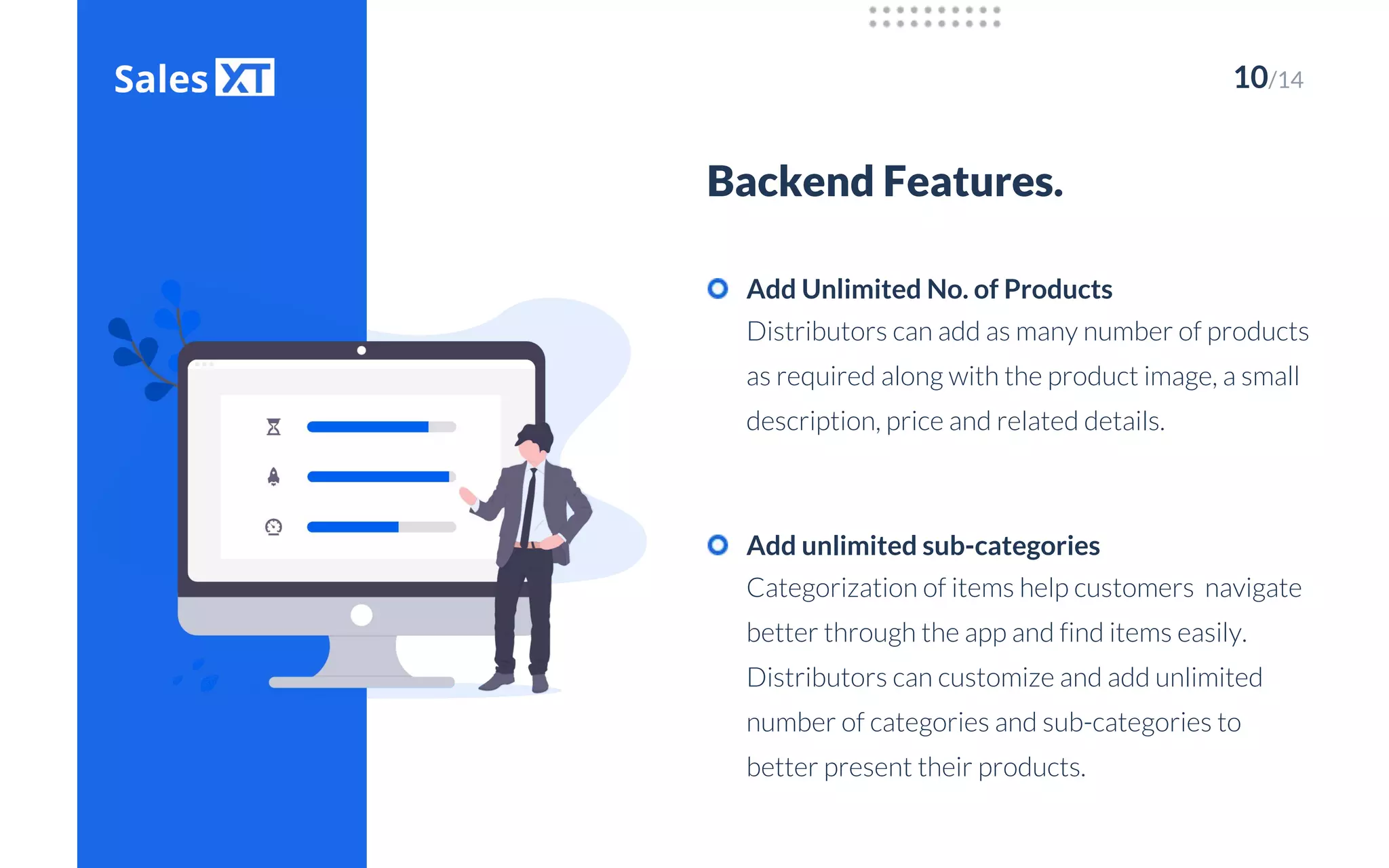
Distributors can add as many number of products
as required along with the product image, a small
description, price and related details.
Add Unlimited No. of Products
Categorization of items help customers navigate
better through the app and find items easily.
Distributors can customize and add unlimited
number of categories and sub-categories to
better present their products.
Add unlimited sub-categories
11/14
Backend Features.
Distributors can easily add and manage new and
existing customers effectively. There is no set limit
for the number of users that can be added into your
distribution network.
Add Unlimited No. of Users
Orders placed can quickly and easily be viewed
and managed over a click. This reduces the time
taken to register and process an order.
View & manage orders
12/14
Backend Features.
Informations like arrival of new stock, seasonal
offers, order status informations, delay in order
delivery and all details related to your distribution
operations can be notified to users in real-time via
notifications.
Send and manage Notifications
Distributors can easily manage their customer
list by approving relevant customers, rejecting
non-relevant ones and easily deleting ones with
whom transactions are closed. This updates the
user/customer details in the list.
Approve/reject/delete users
04/14
Thank You.
www.focaloid.com

Sales xt

  • 1.
    Distributor App Deploy ourturnkey solutions into your current business processes FOCALOIDTECHNOLOGIES
  • 2.
    SalesXT. 02/14 Distribution plays avital role in any business and there is no better decision you can take than getting your exclusive distribution app to connect, engage and create more business in just over a tap. The Distributor App helps you manage your business smartly by engaging the existing users as well as in attracting new prospects..
  • 3.
    How It Works. 03/14 Aftersigning in the user can browse through the products using the filter or the product name or code. Product Selection 02 Placing the Order 04 01 03 A user becomes a registered user after successful registration . He can then sign in using his registered email id and password. User Registration Product Page It displays the product name, the product images, a drop down to select the quantity and the description of the product besides adding to cart. By adding the product to the cart, an order will be placed. ‘My cart’ contains the list of all orders placed which can be revised if required.
  • 4.
    Highlights. 04/14 Effective Solution Smart Features SimplifiedProcessing Instant and Synced Sales and Content Management Easily Configurable
  • 5.
    05/14 App Features. Enables regular/frequentcustomers who know the code number/name of the product to directly place their order from the Menu bar. This feature help users to save time and directly go to cart. Quick Order Shows the details of past orders, status of the order and other transactions of the user. When order status changes to confirmation, in-progress or delivered, it is simultaneously updated and users are intimated on the status of their orders. My Order
  • 6.
    06/14 App Features. Any announcementsthe distributor makes is updated here. This notifies the users of any delays or updates of any sort . The user will also receives alerts on on discount offers and arrival of new stock, etc. Notifications Reminders are sent out to customers on a regular basis to remind them of any pending orders if any . This works as a trigger in reminding them of placing orders if they were planning to do so. Reminders
  • 7.
    07/14 App Features. Most ofthe time customers fail to remember the exact name of the products, but remember the first few letters and the image. The auto suggested search option help users find their product. Search Option Displays the list of products, and the quantity of the products ordered with the total amount to be paid. Users can edit or delete the order, if required and on confirmation proceed to pay. My Cart
  • 8.
    08/14 App Features. The productsare categorised and displayed in an easily navigable way. The product name , code, description and an image is also provided against product details. Product Display Facilitates easy and smart online placement and processing of orders. Customers can easily search for a product and place orders through the respective product page. Order Placement
  • 9.
    09/14 Your orders canbe easily tracked. It informs the user on the delivery date and tracks the status of the orders placed by individual retailers/customers. App Features. Order Tracking Any updates related to the product , its availability, pricing, discount rates etc., made in the admin gets automatically updated across all user devices with the sync functionality. It helps users purchase cost-effectively and enjoy benefits and savings during offers. Automatic Sync
  • 10.
    10/14 Backend Features. Distributors canadd as many number of products as required along with the product image, a small description, price and related details. Add Unlimited No. of Products Categorization of items help customers navigate better through the app and find items easily. Distributors can customize and add unlimited number of categories and sub-categories to better present their products. Add unlimited sub-categories
  • 11.
    11/14 Backend Features. Distributors caneasily add and manage new and existing customers effectively. There is no set limit for the number of users that can be added into your distribution network. Add Unlimited No. of Users Orders placed can quickly and easily be viewed and managed over a click. This reduces the time taken to register and process an order. View & manage orders
  • 12.
    12/14 Backend Features. Informations likearrival of new stock, seasonal offers, order status informations, delay in order delivery and all details related to your distribution operations can be notified to users in real-time via notifications. Send and manage Notifications Distributors can easily manage their customer list by approving relevant customers, rejecting non-relevant ones and easily deleting ones with whom transactions are closed. This updates the user/customer details in the list. Approve/reject/delete users
  • 14.