Safeguard our website from Bad Internet Bots and Scripts Exploiting
Our Website
Author: Sivalingam Thangavel
Introduction ofCAPTCHA
CAPTCHAs are, by definition, fully automated, requiring little human maintenance or intervention to
administer, producing benefits in cost and reliability.
Modern text-based CAPTCHAs are designed such that they require the simultaneous use of three
separate abilities—invariant recognition, segmentation, and parsing—to correctly complete the task
with any consistency.
1. Invariant recognition refers to the ability to recognize the large amount of variation in the
shapes of letters. There are nearly an infinite number of versions for each character that a
human brain can successfully identify. The same is not true for a computer, and teaching it
to recognize all those differing formations is an extremely challenging task.
2. Segmentation, or the ability to separate one letter from another, is also made difficult in
CAPTCHAs, as characters are crowded together with no white space in between.
3. Context is also critical. The CAPTCHA must be understood holistically to correctly identify
each character. For example, in one segment of a CAPTCHA, a letter might look like an “m.”
Only when the whole word is taken into context does it become clear that it is a “u” and an
“n.”
Each of these problems poses a significant challenge for a computer, even in isolation. The
presence of all three at the same time is what makes CAPTCHAs difficult to solve.
Unlike computers, humans excel at this type of task. While segmentation and recognition are two
separate processes necessary for understanding an image for a computer, they are part of the same
process for a person. For example, when an individual understands that the first letter of a
CAPTCHA is an “a”, that individual also understands where the contours of that “a” are, and also
where it melds with the contours of the next letter. Additionally, the human brain is capable of
dynamic thinking based upon context. It is able to keep multiple explanations alive and then pick the
one that is the best explanation for the whole input based upon contextual clues. This also means it
will not be fooled by variations in letters.
A brief history of CAPTCHAs
reCAPTCHA is a free service that protects your website from spam and abuse.
reCAPTCHA uses an advanced risk analysis engine and adaptive CAPTCHAs to keep
automated software from engaging in abusive activities on your site. It does this while
letting your valid users pass through with ease.
reCAPTCHA offers more than just spam protection. Every time our CAPTCHAs are
solved, that human effort helps digitize text, annotate images, and build machine
learning datasets. This in turn helps preserve books, improve maps, and solve hard AI
problems.
Advantagesof the reCAPTCHA
1. Advanced Security - State of the art spam & abuse protection for your website
2. Ease of User - Low friction, effortless interaction for your users
3. Creation of Value - Apply the human bandwidth to benefit people everywhere
How to getGoogle Recaptcha Keys
We needtovisitthe belowURLto get the publicandprivate keysforreCaptcha:
https://www.google.com/recaptcha/admin
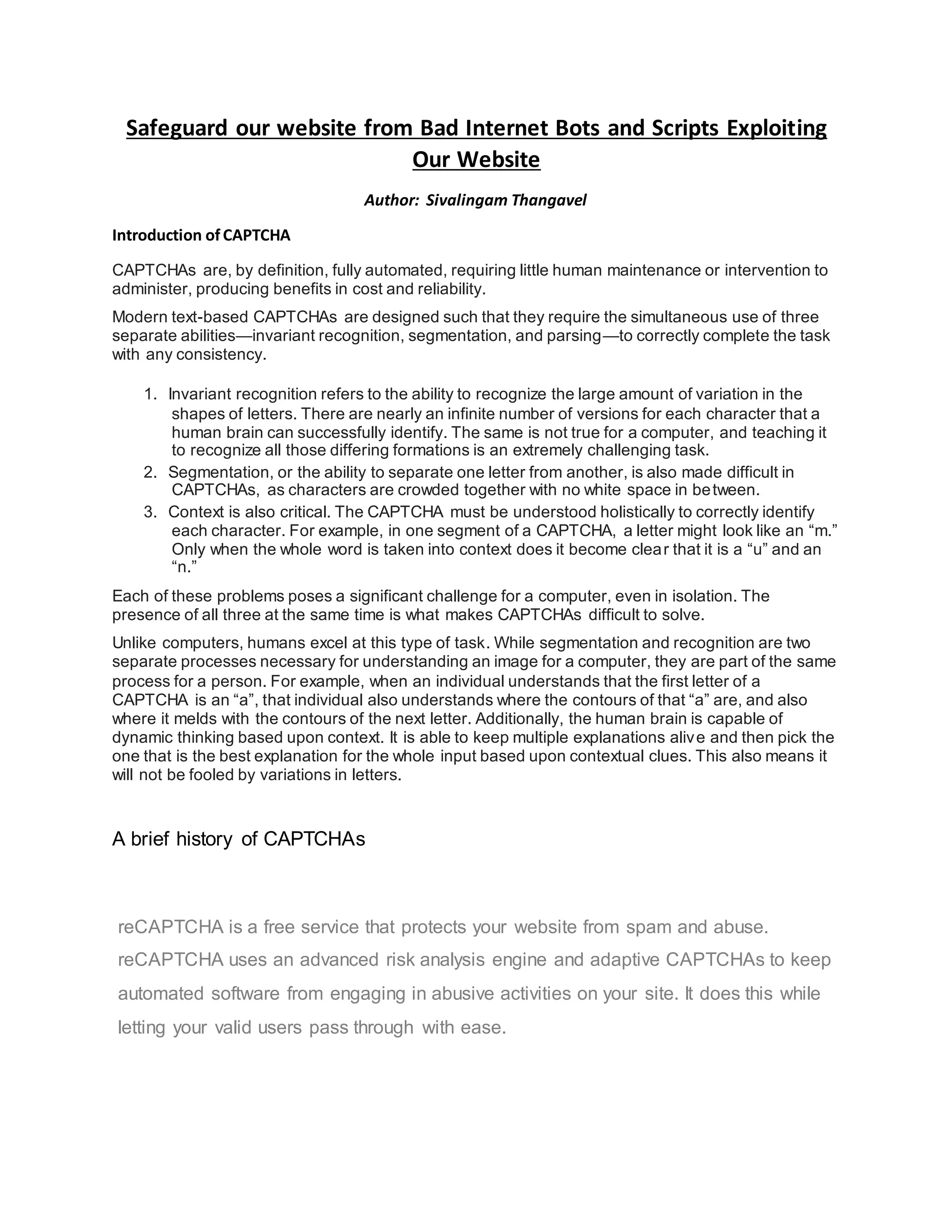
AfterLoginwithyourgoogle account,Choose the type of reCAPTCHA andclickregisterbutton.
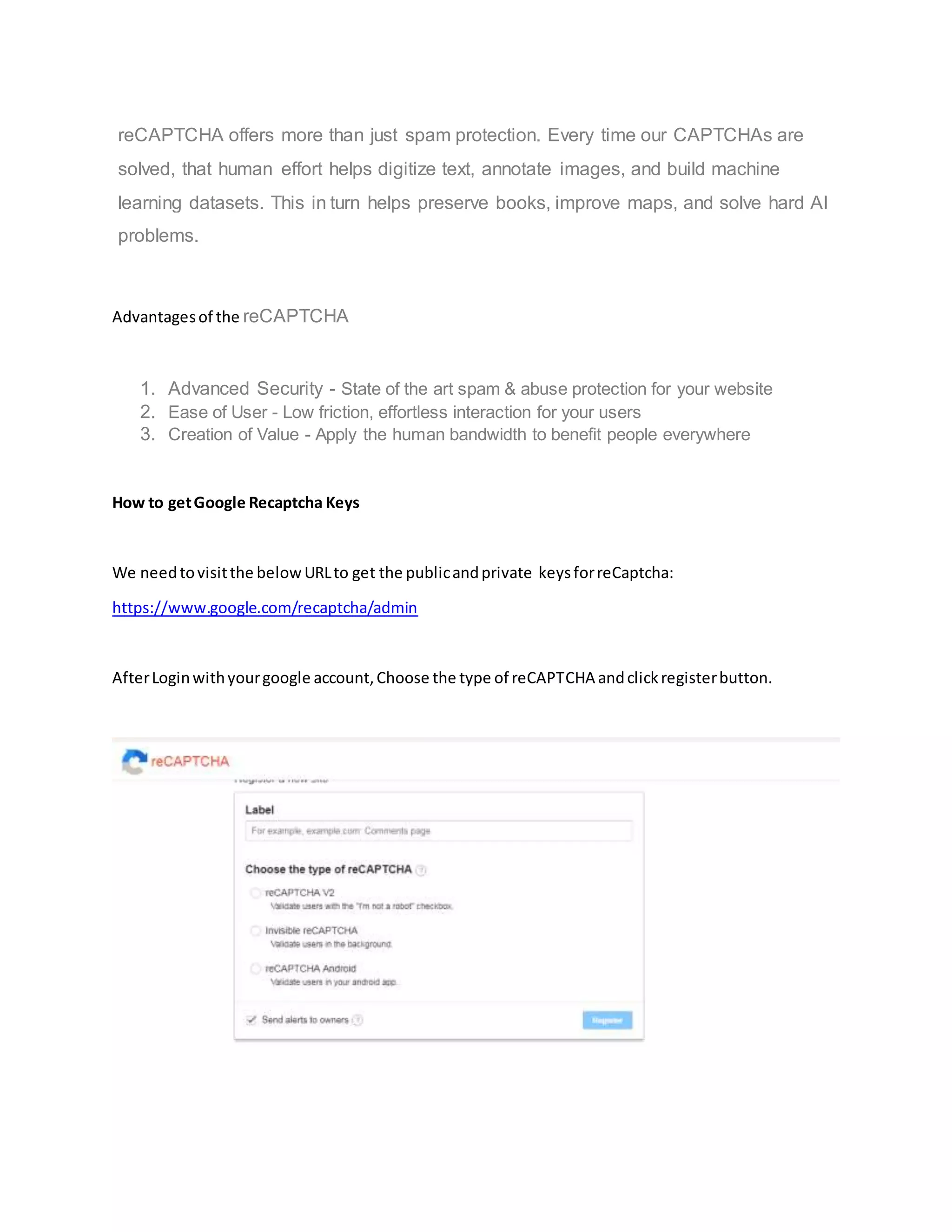
In the belowscreen,we needtoenterthe Label anddomainswhateverwe wanttoregisterforour
website.
Finally,Acceptthe Termsof Service andclickRegister.
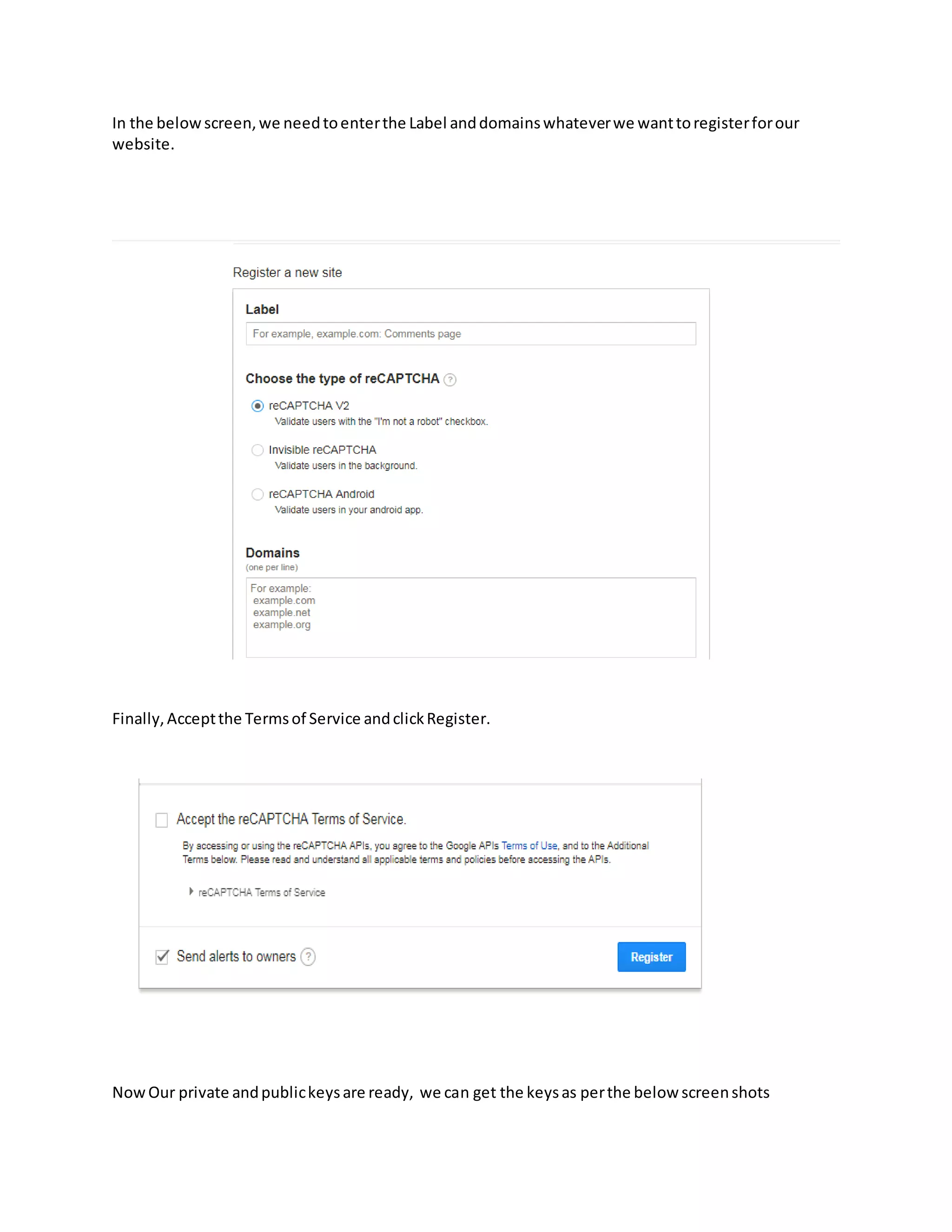
NowOur private andpublickeysare ready, we can get the keysas perthe below screenshots
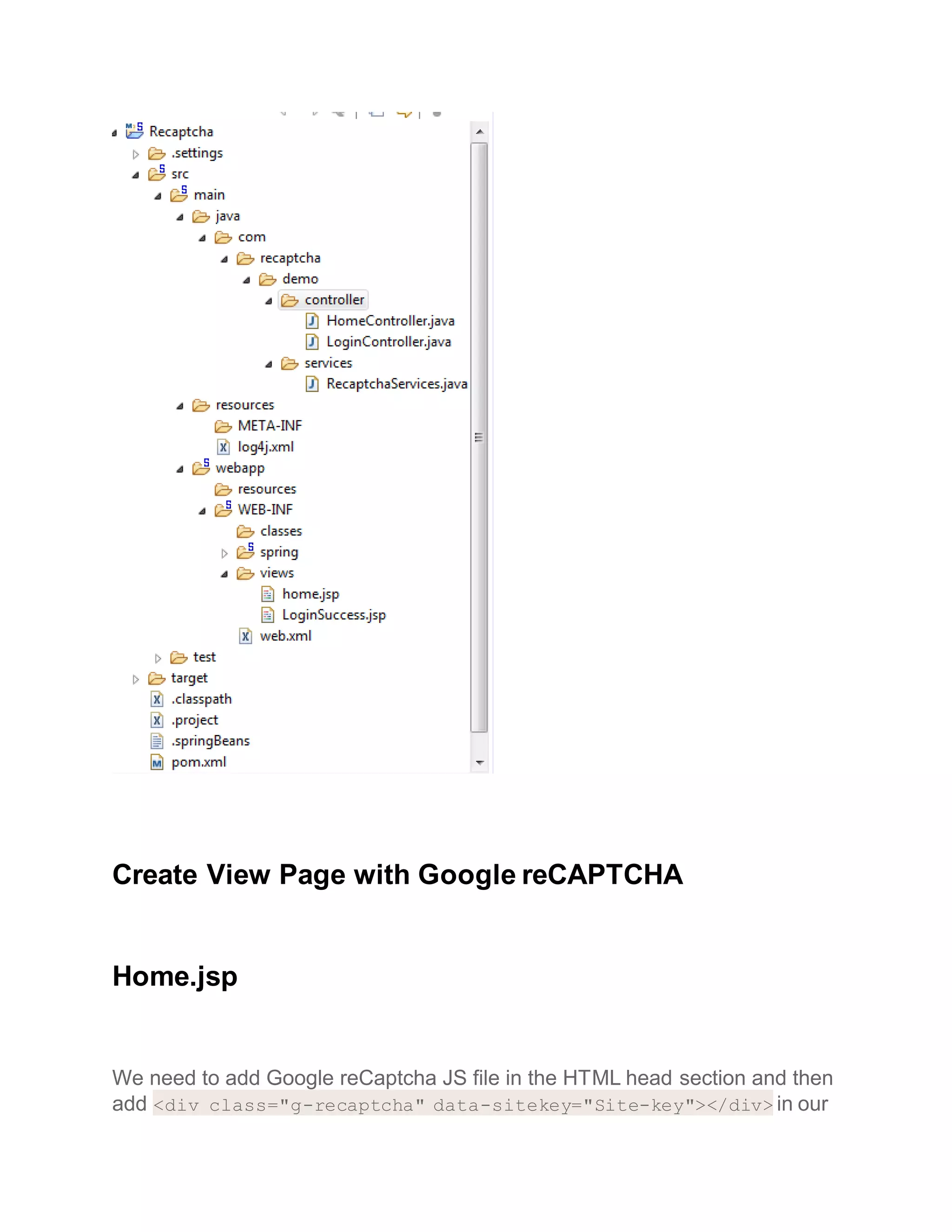
Developsample Java/Spring Web application
Create NewSpringprojectbyusingSpringTool Suite asper below screenshot.
Create View Page with Google reCAPTCHA
Home.jsp
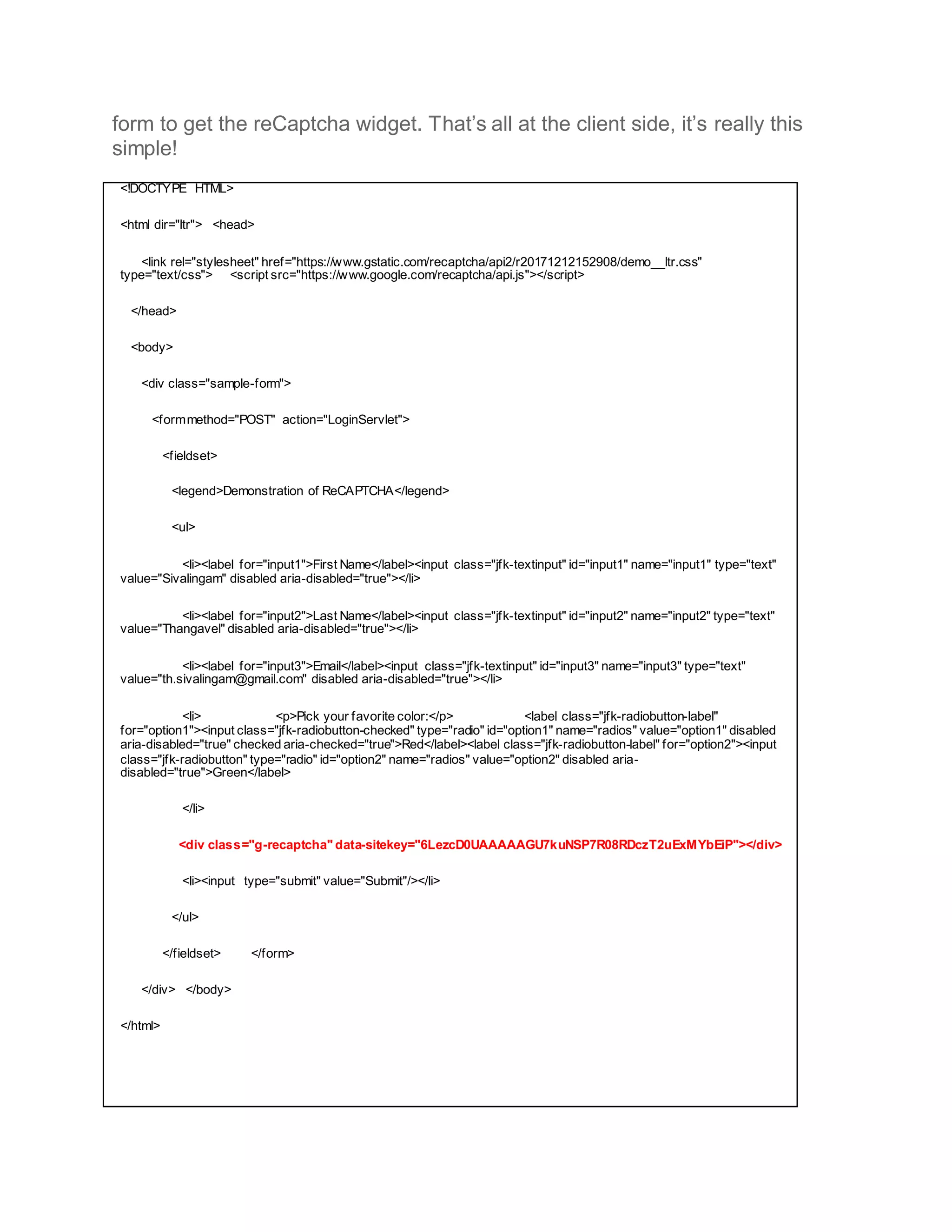
We need to add Google reCaptcha JS file in the HTML head section and then
add <div class="g-recaptcha" data-sitekey="Site-key"></div> in our
form to get the reCaptcha widget. That’s all at the client side, it’s really this
simple!
<!DOCTYPE HTML>
<html dir="ltr"> <head>
<link rel="stylesheet" href="https://www.gstatic.com/recaptcha/api2/r20171212152908/demo__ltr.css"
type="text/css"> <script src="https://www.google.com/recaptcha/api.js"></script>
</head>
<body>
<div class="sample-form">
<formmethod="POST" action="LoginServlet">
<fieldset>
<legend>Demonstration of ReCAPTCHA</legend>
<ul>
<li><label for="input1">First Name</label><input class="jfk-textinput" id="input1" name="input1" type="text"
value="Sivalingam" disabled aria-disabled="true"></li>
<li><label for="input2">Last Name</label><input class="jfk-textinput" id="input2" name="input2" type="text"
value="Thangavel" disabled aria-disabled="true"></li>
<li><label for="input3">Email</label><input class="jfk-textinput" id="input3" name="input3" type="text"
value="th.sivalingam@gmail.com" disabled aria-disabled="true"></li>
<li> <p>Pick your favorite color:</p> <label class="jfk-radiobutton-label"
for="option1"><input class="jfk-radiobutton-checked" type="radio" id="option1" name="radios" value="option1" disabled
aria-disabled="true" checked aria-checked="true">Red</label><label class="jfk-radiobutton-label" for="option2"><input
class="jfk-radiobutton" type="radio" id="option2" name="radios" value="option2" disabled aria-
disabled="true">Green</label>
</li>
<div class="g-recaptcha" data-sitekey="6LezcD0UAAAAAGU7kuNSP7R08RDczT2uExMYbEiP"></div>
<li><input type="submit" value="Submit"/></li>
</ul>
</fieldset> </form>
</div> </body>
</html>
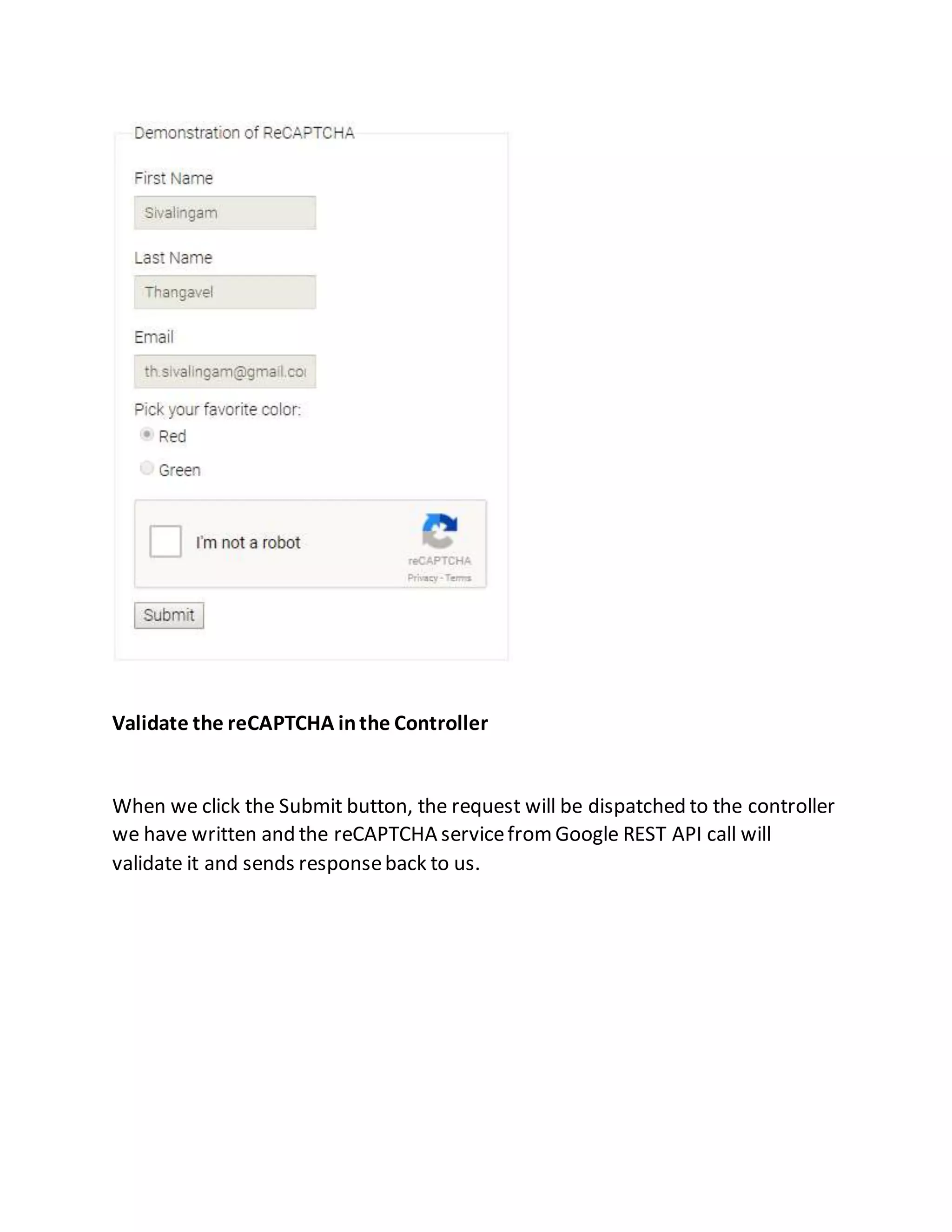
Validate the reCAPTCHA inthe Controller
When we click the Submit button, the request will be dispatched to the controller
we have written and the reCAPTCHA servicefromGoogle REST API call will
validate it and sends responseback to us.
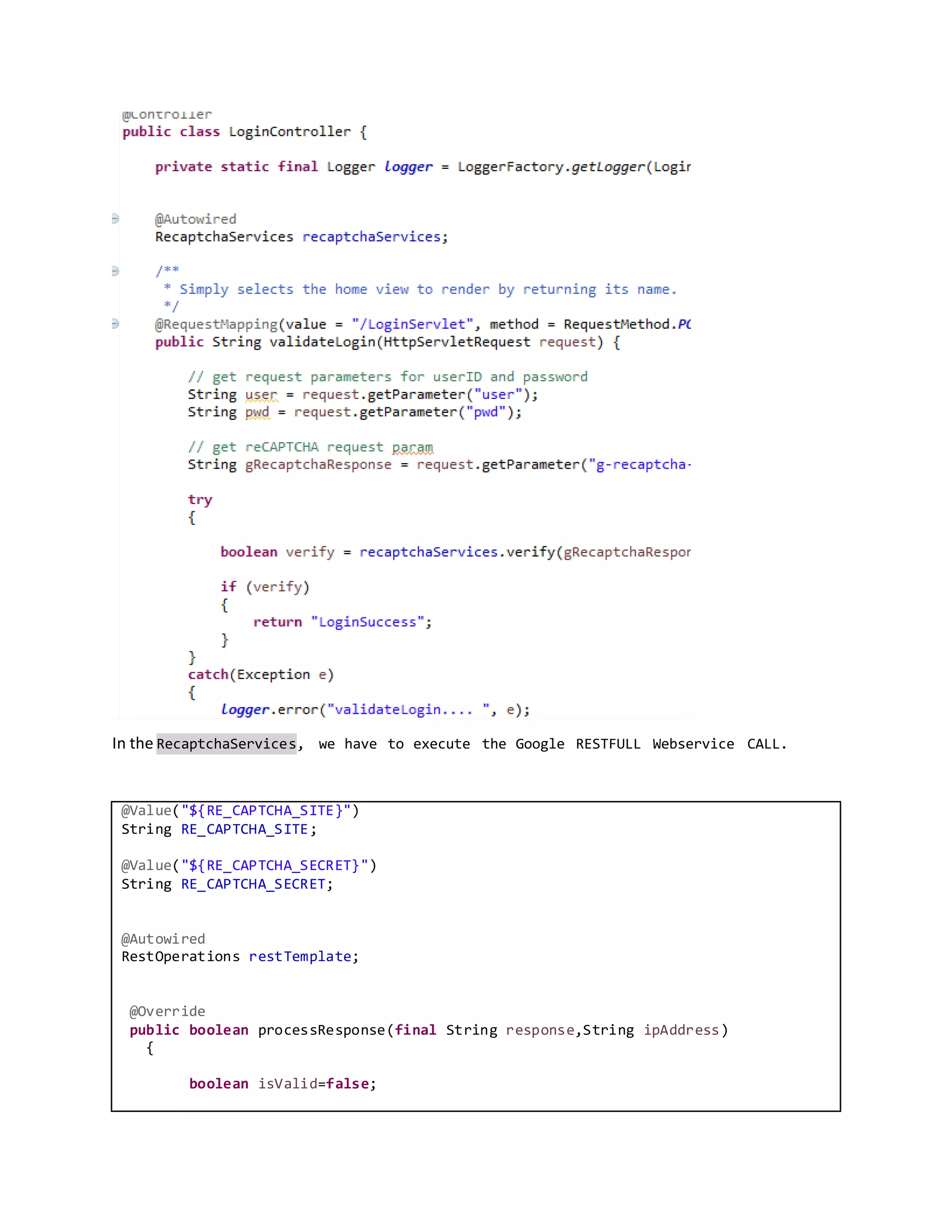
In the RecaptchaServices, we have to execute the Google RESTFULL Webservice CALL.
@Value("${RE_CAPTCHA_SITE}")
String RE_CAPTCHA_SITE;
@Value("${RE_CAPTCHA_SECRET}")
String RE_CAPTCHA_SECRET;
@Autowired
RestOperations restTemplate;
@Override
public boolean processResponse(final String response,String ipAddress)
{
boolean isValid=false;
if (!responseSanityCheck(response)) {
return isValid;
}
final URI verifyUri =
URI.create(String.format("%s?secret=%s&response=%s&remoteip=%s",
getReCaptchaSite(),getReCaptchaSecret(), response, ipAddress));
try {
final GoogleResponse googleResponse =
restTemplate.getForObject(verifyUri, GoogleResponse.class);
if (googleResponse.isSuccess()) {
isValid=true;
}
} catch (RestClientException rce) {
return isValid;
}
return isValid;
}
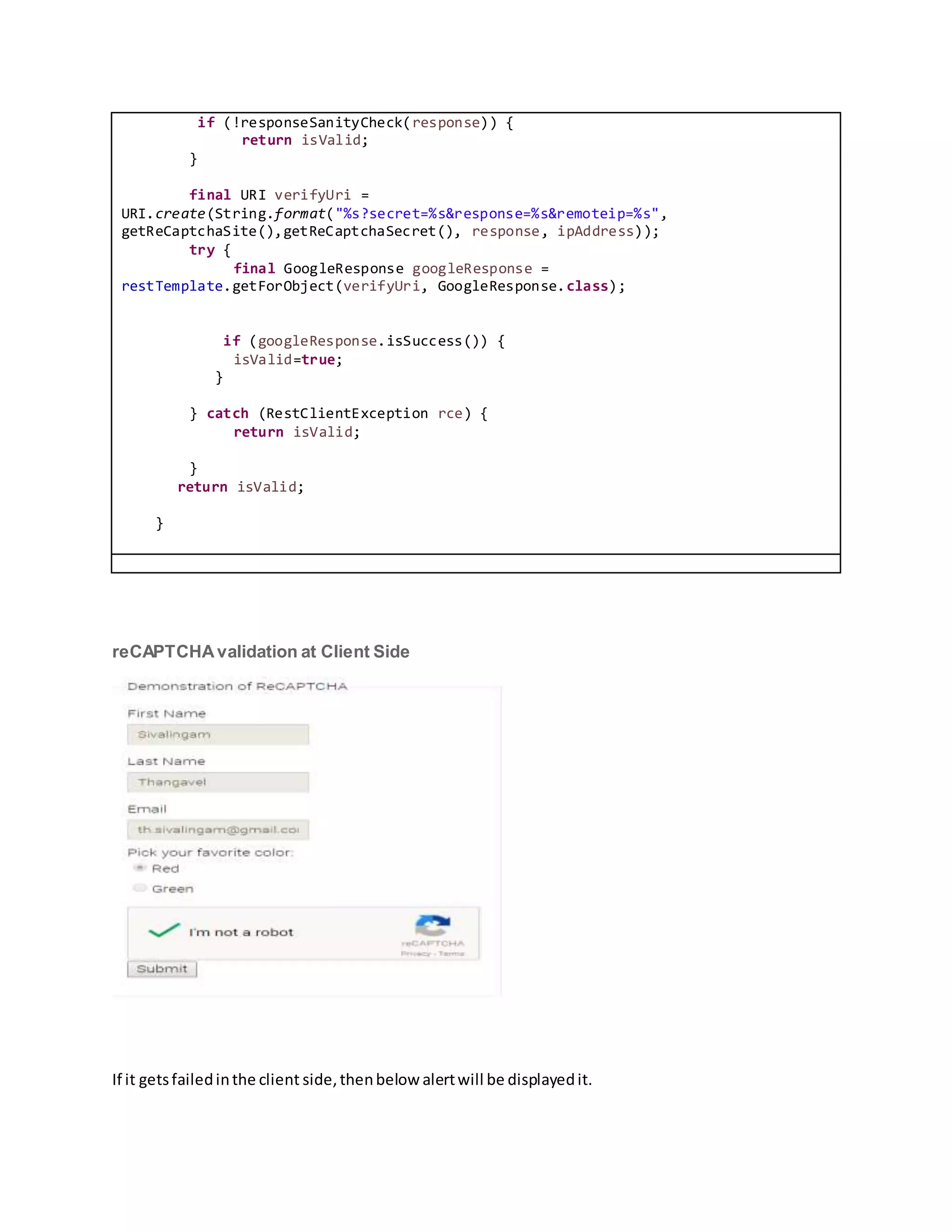
reCAPTCHAvalidation at Client Side
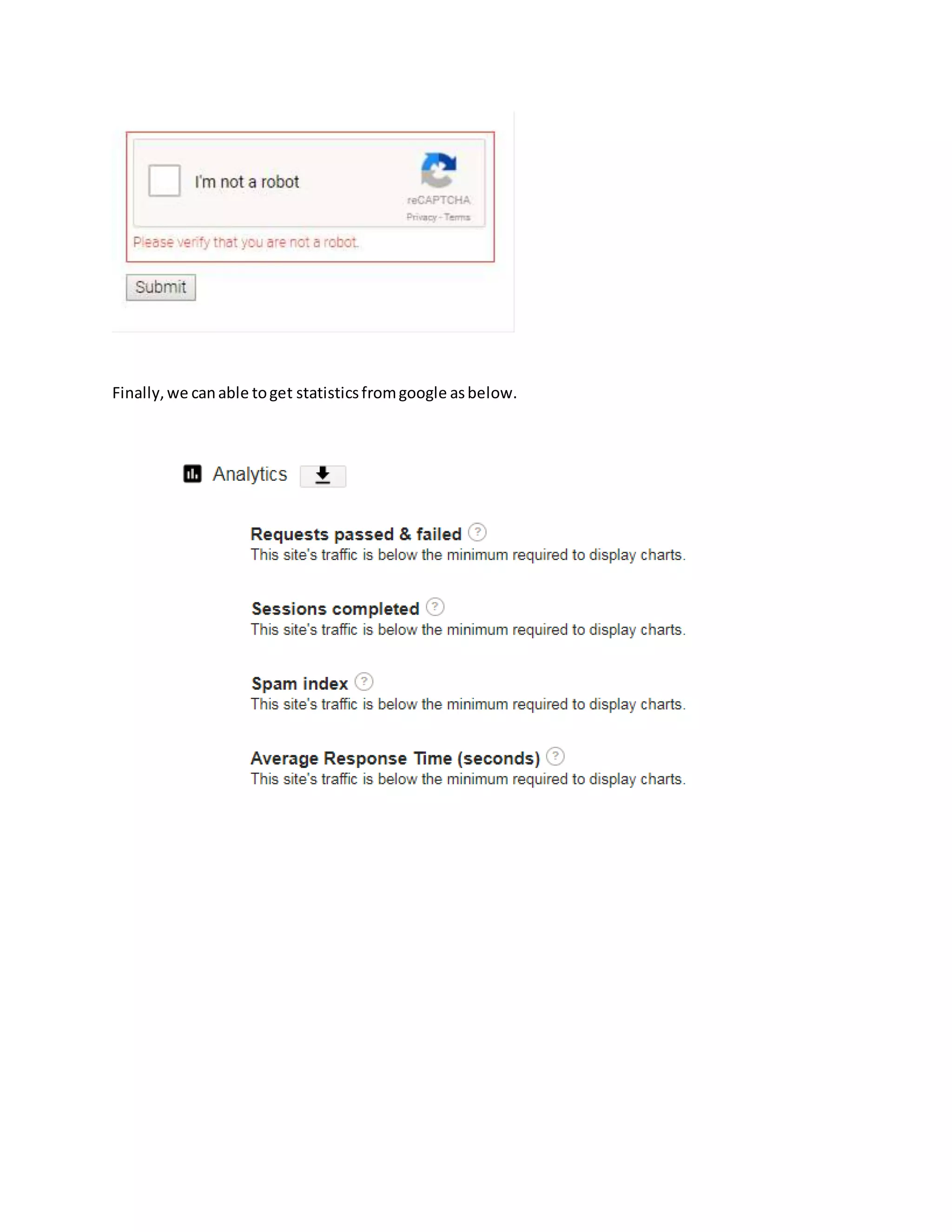
If it getsfailedinthe client side,thenbelow alertwill be displayedit.
Finally,we canable toget statisticsfromgoogle asbelow.

Safeguard our website and prevents from bad internet bots and scripts to exploit our website

  • 1.
    Safeguard our websitefrom Bad Internet Bots and Scripts Exploiting Our Website Author: Sivalingam Thangavel Introduction ofCAPTCHA CAPTCHAs are, by definition, fully automated, requiring little human maintenance or intervention to administer, producing benefits in cost and reliability. Modern text-based CAPTCHAs are designed such that they require the simultaneous use of three separate abilities—invariant recognition, segmentation, and parsing—to correctly complete the task with any consistency. 1. Invariant recognition refers to the ability to recognize the large amount of variation in the shapes of letters. There are nearly an infinite number of versions for each character that a human brain can successfully identify. The same is not true for a computer, and teaching it to recognize all those differing formations is an extremely challenging task. 2. Segmentation, or the ability to separate one letter from another, is also made difficult in CAPTCHAs, as characters are crowded together with no white space in between. 3. Context is also critical. The CAPTCHA must be understood holistically to correctly identify each character. For example, in one segment of a CAPTCHA, a letter might look like an “m.” Only when the whole word is taken into context does it become clear that it is a “u” and an “n.” Each of these problems poses a significant challenge for a computer, even in isolation. The presence of all three at the same time is what makes CAPTCHAs difficult to solve. Unlike computers, humans excel at this type of task. While segmentation and recognition are two separate processes necessary for understanding an image for a computer, they are part of the same process for a person. For example, when an individual understands that the first letter of a CAPTCHA is an “a”, that individual also understands where the contours of that “a” are, and also where it melds with the contours of the next letter. Additionally, the human brain is capable of dynamic thinking based upon context. It is able to keep multiple explanations alive and then pick the one that is the best explanation for the whole input based upon contextual clues. This also means it will not be fooled by variations in letters. A brief history of CAPTCHAs reCAPTCHA is a free service that protects your website from spam and abuse. reCAPTCHA uses an advanced risk analysis engine and adaptive CAPTCHAs to keep automated software from engaging in abusive activities on your site. It does this while letting your valid users pass through with ease.
  • 2.
    reCAPTCHA offers morethan just spam protection. Every time our CAPTCHAs are solved, that human effort helps digitize text, annotate images, and build machine learning datasets. This in turn helps preserve books, improve maps, and solve hard AI problems. Advantagesof the reCAPTCHA 1. Advanced Security - State of the art spam & abuse protection for your website 2. Ease of User - Low friction, effortless interaction for your users 3. Creation of Value - Apply the human bandwidth to benefit people everywhere How to getGoogle Recaptcha Keys We needtovisitthe belowURLto get the publicandprivate keysforreCaptcha: https://www.google.com/recaptcha/admin AfterLoginwithyourgoogle account,Choose the type of reCAPTCHA andclickregisterbutton.
  • 3.
    In the belowscreen,weneedtoenterthe Label anddomainswhateverwe wanttoregisterforour website. Finally,Acceptthe Termsof Service andclickRegister. NowOur private andpublickeysare ready, we can get the keysas perthe below screenshots
  • 4.
    Developsample Java/Spring Webapplication Create NewSpringprojectbyusingSpringTool Suite asper below screenshot.
  • 5.
    Create View Pagewith Google reCAPTCHA Home.jsp We need to add Google reCaptcha JS file in the HTML head section and then add <div class="g-recaptcha" data-sitekey="Site-key"></div> in our
  • 6.
    form to getthe reCaptcha widget. That’s all at the client side, it’s really this simple! <!DOCTYPE HTML> <html dir="ltr"> <head> <link rel="stylesheet" href="https://www.gstatic.com/recaptcha/api2/r20171212152908/demo__ltr.css" type="text/css"> <script src="https://www.google.com/recaptcha/api.js"></script> </head> <body> <div class="sample-form"> <formmethod="POST" action="LoginServlet"> <fieldset> <legend>Demonstration of ReCAPTCHA</legend> <ul> <li><label for="input1">First Name</label><input class="jfk-textinput" id="input1" name="input1" type="text" value="Sivalingam" disabled aria-disabled="true"></li> <li><label for="input2">Last Name</label><input class="jfk-textinput" id="input2" name="input2" type="text" value="Thangavel" disabled aria-disabled="true"></li> <li><label for="input3">Email</label><input class="jfk-textinput" id="input3" name="input3" type="text" value="th.sivalingam@gmail.com" disabled aria-disabled="true"></li> <li> <p>Pick your favorite color:</p> <label class="jfk-radiobutton-label" for="option1"><input class="jfk-radiobutton-checked" type="radio" id="option1" name="radios" value="option1" disabled aria-disabled="true" checked aria-checked="true">Red</label><label class="jfk-radiobutton-label" for="option2"><input class="jfk-radiobutton" type="radio" id="option2" name="radios" value="option2" disabled aria- disabled="true">Green</label> </li> <div class="g-recaptcha" data-sitekey="6LezcD0UAAAAAGU7kuNSP7R08RDczT2uExMYbEiP"></div> <li><input type="submit" value="Submit"/></li> </ul> </fieldset> </form> </div> </body> </html>
  • 7.
    Validate the reCAPTCHAinthe Controller When we click the Submit button, the request will be dispatched to the controller we have written and the reCAPTCHA servicefromGoogle REST API call will validate it and sends responseback to us.
  • 8.
    In the RecaptchaServices,we have to execute the Google RESTFULL Webservice CALL. @Value("${RE_CAPTCHA_SITE}") String RE_CAPTCHA_SITE; @Value("${RE_CAPTCHA_SECRET}") String RE_CAPTCHA_SECRET; @Autowired RestOperations restTemplate; @Override public boolean processResponse(final String response,String ipAddress) { boolean isValid=false;
  • 9.
    if (!responseSanityCheck(response)) { returnisValid; } final URI verifyUri = URI.create(String.format("%s?secret=%s&response=%s&remoteip=%s", getReCaptchaSite(),getReCaptchaSecret(), response, ipAddress)); try { final GoogleResponse googleResponse = restTemplate.getForObject(verifyUri, GoogleResponse.class); if (googleResponse.isSuccess()) { isValid=true; } } catch (RestClientException rce) { return isValid; } return isValid; } reCAPTCHAvalidation at Client Side If it getsfailedinthe client side,thenbelow alertwill be displayedit.
  • 10.
    Finally,we canable togetstatisticsfromgoogle asbelow.