

Scrum with Trello
About me
Previously CTO at a small software company (2 Scrum
teams)
Spent last year building Corrello - a dashboard for
Scrum/Kanban teams using Trello
In this presentation
Board setup options
Labels and life without subtasks
Release management patterns
Useful plugins
Board setup options
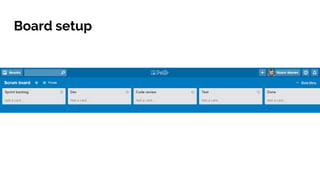
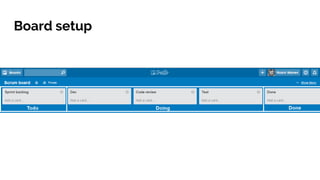
Board setup
Board setup
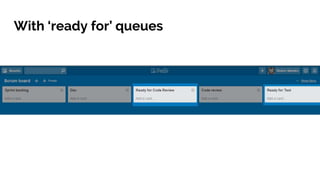
With ‘ready for’ queues
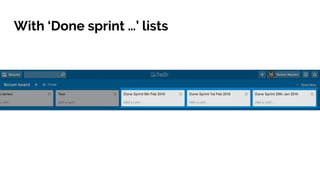
With ‘Done sprint …’ lists
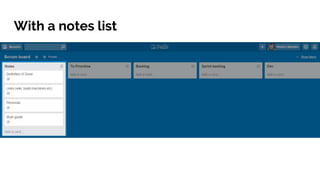
With a notes list
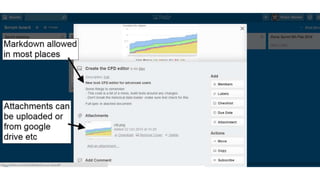
Cards
Labels and life without
subtasks
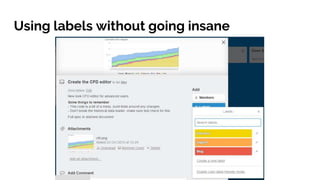
Using labels without going insane
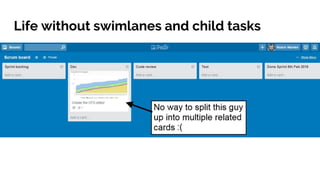
Life without swimlanes and child tasks
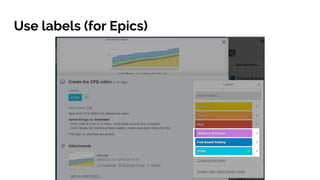
Use labels (for Epics)
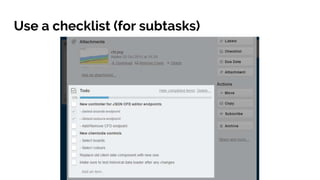
Use a checklist (for subtasks)
Release management
patterns
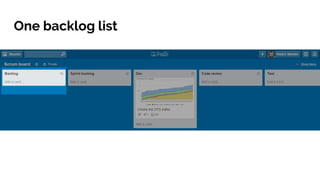
One backlog list
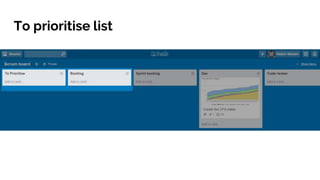
To prioritise list
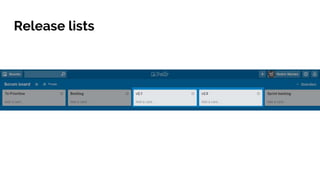
Release lists
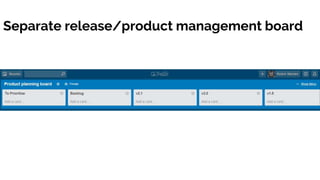
Separate release/product management board
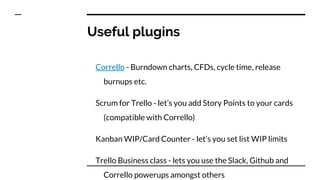
Useful plugins
Useful plugins
Corrello - Burndown charts, CFDs, cycle time, release
burnups etc.
Scrum for Trello - let’s you add Story Points to your cards
(compatible with Corrello)
Kanban WIP/Card Counter - let’s you set list WIP limits
Trello Business class - lets you use the Slack, Github and
Corrello powerups amongst others
Any questions?
Me: @robinwarren
Corrello: https://getcorrello.com/

Running a Scrum process with Trello

Editor's Notes

  • #3 Some of the things I’ve seen people doing and my impression of what the best practices seem to be
  • #6 Pretty basic sprint backlog one or more ‘in progress’ lists one Done list
  • #8 Useful if you’re using a CFD to monitor where cards are building up
  • #9 Lists can be archived when no longer needed, or moved to another board to be kept there for reference
  • #11 Image in header is there optionally, can be useful if you have a few cards you want to make standout on the board. Possibly only makes sense if you have a board for use by stakeholders which operates at a high level Also some other things you can do: Assign members Add labels (ie bug) Add due dates (not very common in agile circumstances) Add checklists (mentioned later)
  • #13 Some people want to create labels for every kind of card they used to have in Jira - Task/Action/Project/Epic etc. This leads to pain and suffering This represents the most I’ve seen people actively using Bug is the first one to create and track Urgent is similar, possibly you don’t need it but some people like to be able to see the urgent tasks on the boards as well as track historically how many they have had Blocked: Some people use a separate list for this. I like to use a label as you can see which list it was in when it got blocked. Also, it should be contributing to the WIP for that list, assuming it is coming back soon and hasn’t been moved off to the backlog for later. Some also using Labels for Epics, which seems to be the consensus on how to track your epics. This also allows epics to be split between teams on multiple boards
  • #14 This is I think possibly the most common annoyance people have with Trello. I don’t think it’s a big deal, but obviously if a team decides they simply can’t work like this then Trello probably isn’t for them
  • #16 Other option is to break cards up into small chunks and get rid of the larger card. Markdown allowed in checklists so you can hack together sub lists. You can add multiple checklists if you want. So perhaps testers could have their own list separate from the devs. This works (surprisingly) well and is probably the best approach I’ve seen to handling sub-tasks in Trello
  • #18 So simple, let us never talk of it again
  • #19 Allows PO to pull bugs etc logged into to prioritise and put them in the correct place on the backlog, without completely limiting people's ability to create cards on the board.
  • #20 You could do the same but use Epics instead of Versions. Not that common but works well for some people.
  • #21 For when you have too many of these lists and they are getting in the team's way. Let’s you plan upcoming releases out, then send cards to the boards when they are ready to be worked on. Possibly build up a ‘ready for dev’ list which you pull the next set of cards in to, then send all the cards from that list to the main scrum board periodically. This also allows you to share a backlog between multiple teams