Ruby 使用手冊
Part 1
Compass Study Group
Jian-Long Huang
2016.05.03
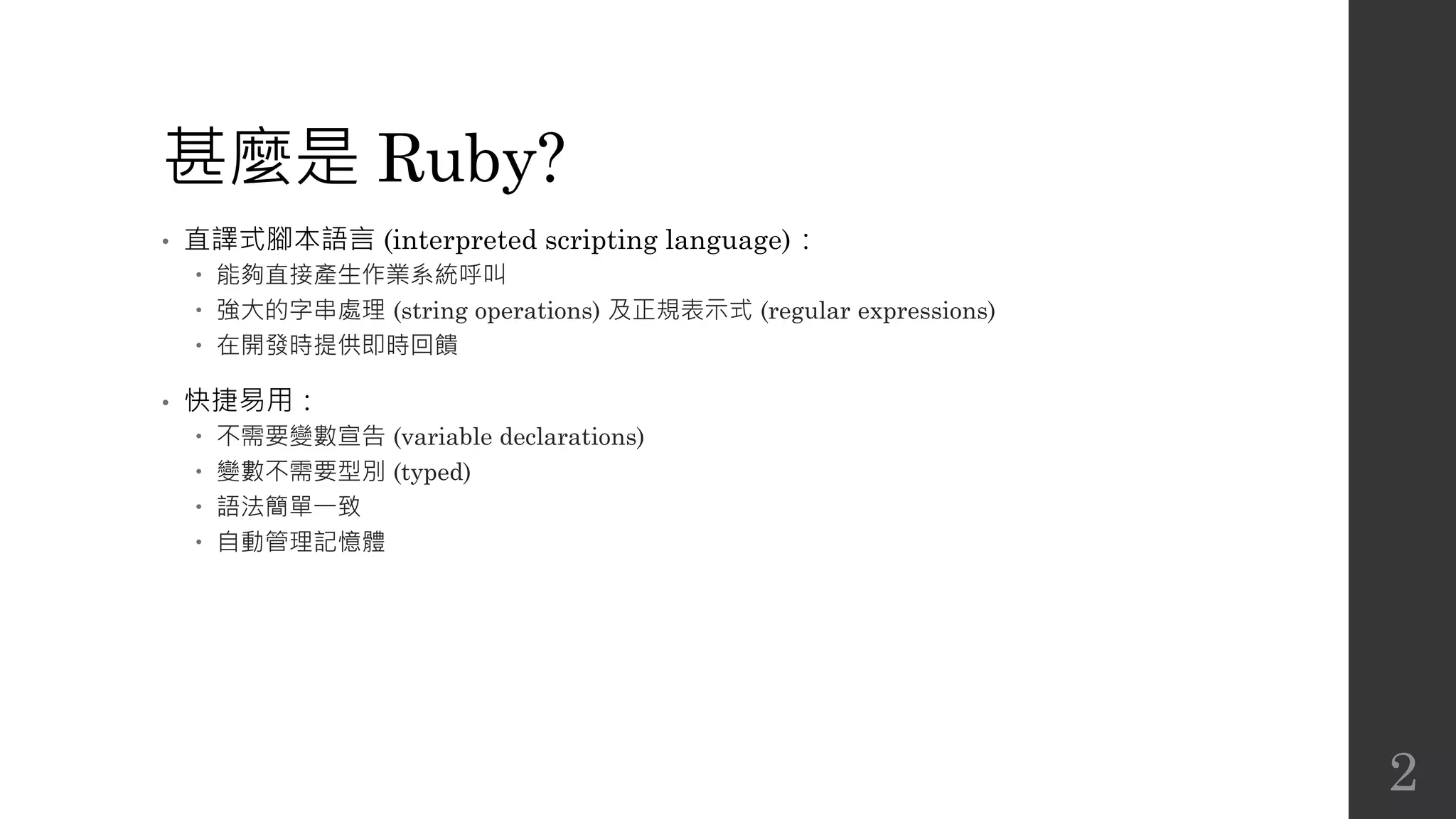
甚麼是 Ruby?
• 直譯式腳本語言 (interpreted scripting language):
 能夠直接產生作業系統呼叫
 強大的字串處理 (string operations) 及正規表示式 (regular expressions)
 在開發時提供即時回饋
• 快捷易用:
 不需要變數宣告 (variable declarations)
 變數不需要型別 (typed)
 語法簡單一致
 自動管理記憶體
2
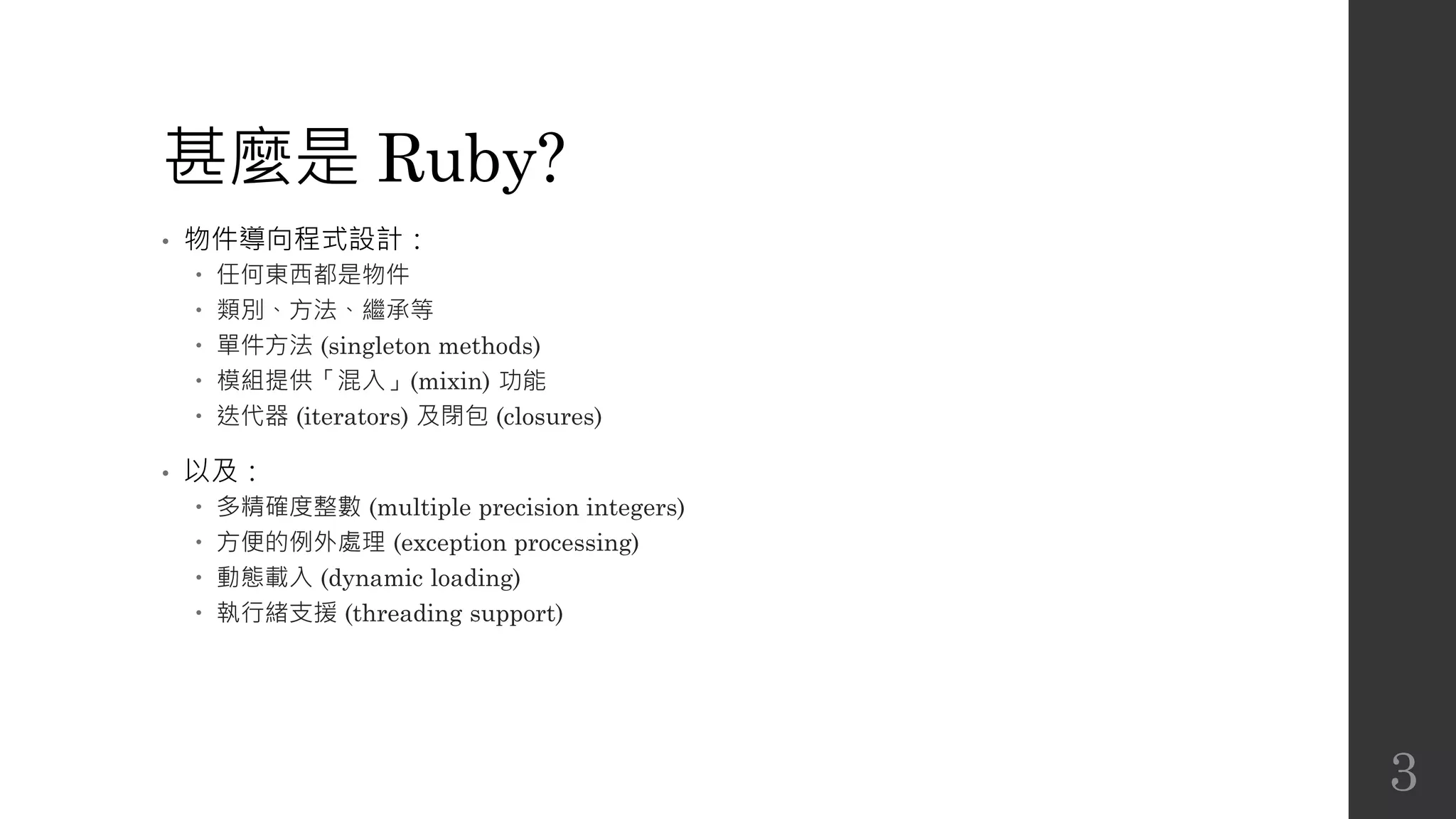
甚麼是 Ruby?
• 物件導向程式設計:
 任何東西都是物件
 類別、方法、繼承等
 單件方法 (singleton methods)
 模組提供「混入」(mixin) 功能
 迭代器 (iterators) 及閉包 (closures)
• 以及:
 多精確度整數 (multiple precision integers)
 方便的例外處理 (exception processing)
 動態載入 (dynamic loading)
 執行緒支援 (threading support)
3
起步走
• 顯示 Ruby 版本
• 執行 Ruby 命令
• 執行 Ruby 檔
$ ruby –v
ruby 2.3.0p0 (2015-12-25 revision 53290) [x86_64-linux]
$ ruby -e 'puts "hello world"'
hello world
$ echo "puts 'hello world'" > hello.rb
$ ruby hello.rb
hello world
4
安裝 Ruby
• Windows
 RubyInstaller for Windows
• Linux (Ubuntu)
• Linux (CentOS)
• Mac OS X
• 更多參考 https://www.ruby-lang.org/zh_tw/documentation/installation/
$ sudo apt-get install ruby
$ sudo yum install ruby
$ brew install ruby
5
簡單示範
• 計算階乘
# 計算出數字的階乘
# 請把程式儲存為 fact.rb
def fact(n)
if n == 0
1
else
n * fact(n-1)
end
end
puts fact(ARGV[0].to_i)
6
簡單示範
• ARGV: 命令列引數
• to_i: 將字元字串 (character string) 轉換為整數
• 不加 return,回傳值即為最後一個 statement 的傳回值。
7
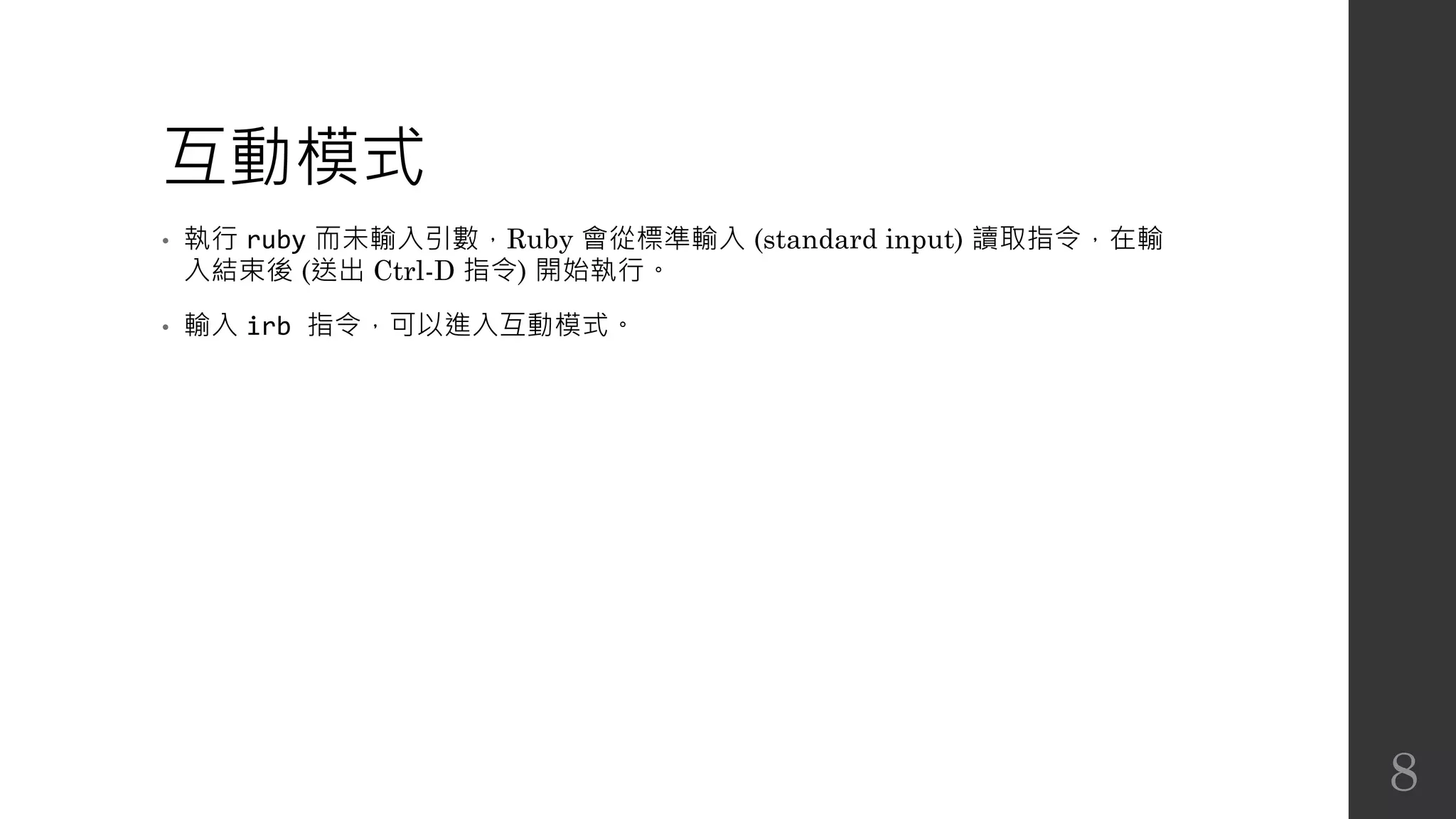
互動模式
• 執行 ruby 而未輸入引數,Ruby 會從標準輸入 (standard input) 讀取指令,在輸
入結束後 (送出 Ctrl-D 指令) 開始執行。
• 輸入 irb 指令,可以進入互動模式。
8
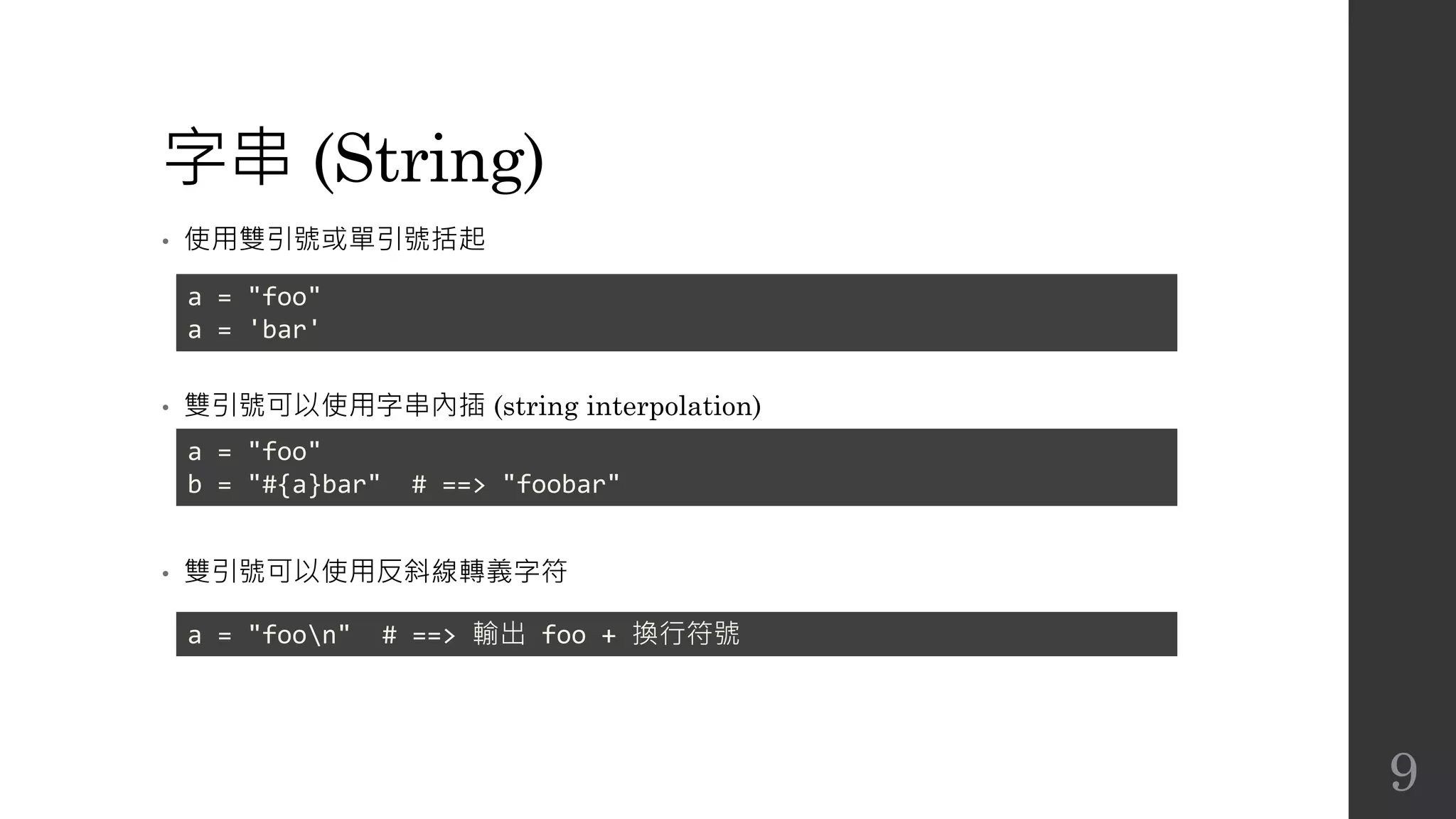
字串 (String)
• 使用雙引號或單引號括起
• 雙引號可以使用字串內插 (string interpolation)
• 雙引號可以使用反斜線轉義字符
a = "foo"
a = 'bar'
a = "foo"
b = "#{a}bar" # ==> "foobar"
a = "foon" # ==> 輸出 foo + 換行符號
9
字串 (String)
• 串接字串
• 重複字串
• 提取字串
a = "foo" + "bar" # ==> "foobar"
a = "foo" * 2 # ==> "foofoo"
a = "parsley"
a[0] # ==> "p"
a[-1] # ==> "y"
a[0,1] # ==> "p"
a[-2,2] # ==> "ey"
a[0..3] # ==> "pars"
a[0...3] # ==> "par"
a[-5..-2] # ==> "rsle"
10
字串 (String)
• 字串比對
"foo" == "foo" # ==> true
"foo" == "bar" # ==> false
11
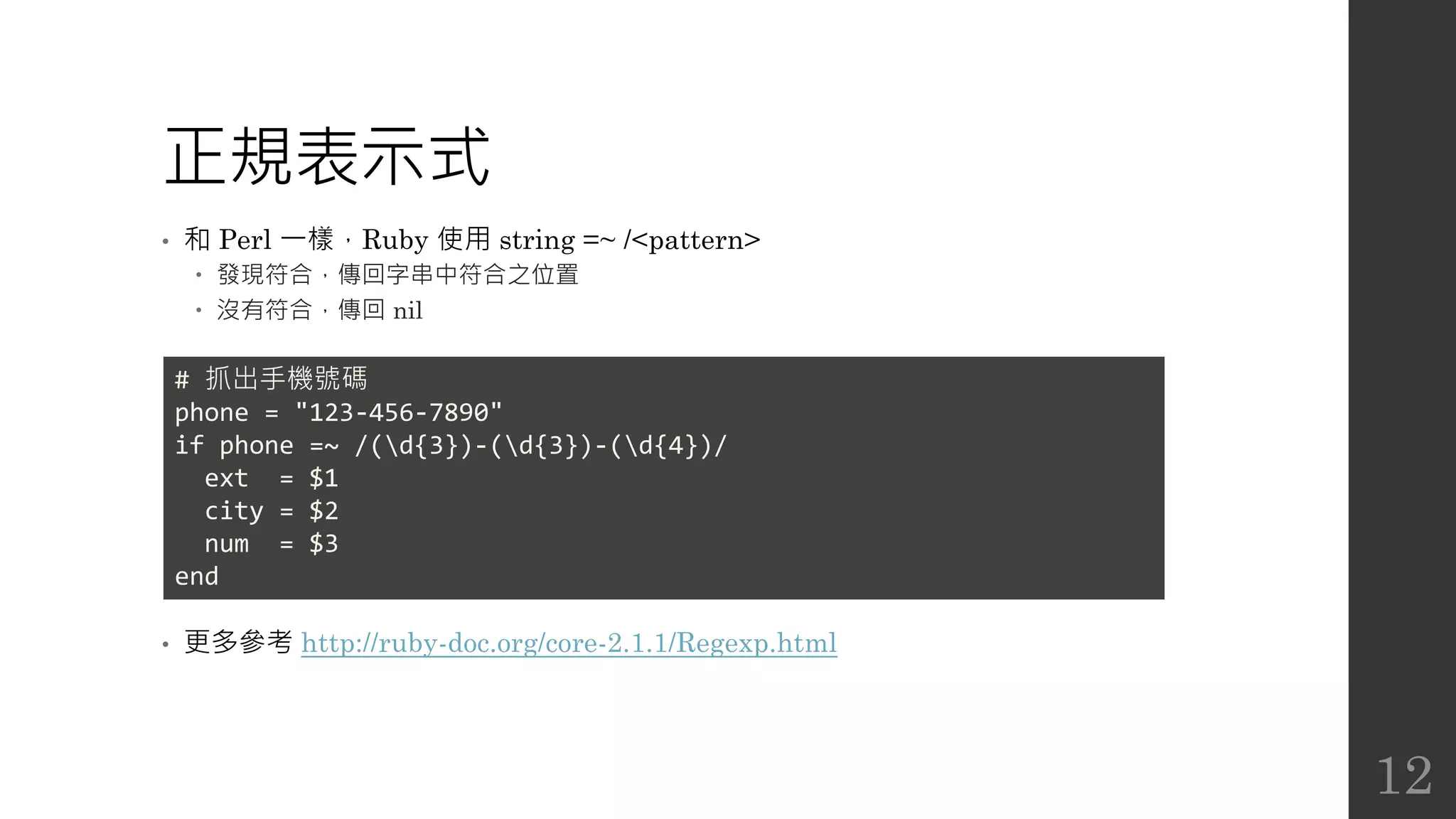
正規表示式
• 和 Perl 一樣,Ruby 使用 string =~ /<pattern>
 發現符合,傳回字串中符合之位置
 沒有符合,傳回 nil
• 更多參考 http://ruby-doc.org/core-2.1.1/Regexp.html
# 抓出手機號碼
phone = "123-456-7890"
if phone =~ /(d{3})-(d{3})-(d{4})/
ext = $1
city = $2
num = $3
end
12
陣列 (Array)
• 使用中括號 ([]) 建立陣列,元素可不同型態
• 陣列串接
• 陣列重複
• 使用 join 轉成字串
• 字串使用 split 轉成陣列
ary = [1, 2, "3"]
ary + ["foo", "bar"] # ==> [1, 2, "3", "foo", "bar"]
ary * 2 # ==> [1, 2, "3", 1, 2, "3"]
ary.join(":") # ==> "1:2:3"
"1:2:3".split(":") # ==> ["1", "2", "3"]
13
雜湊 (Hash)
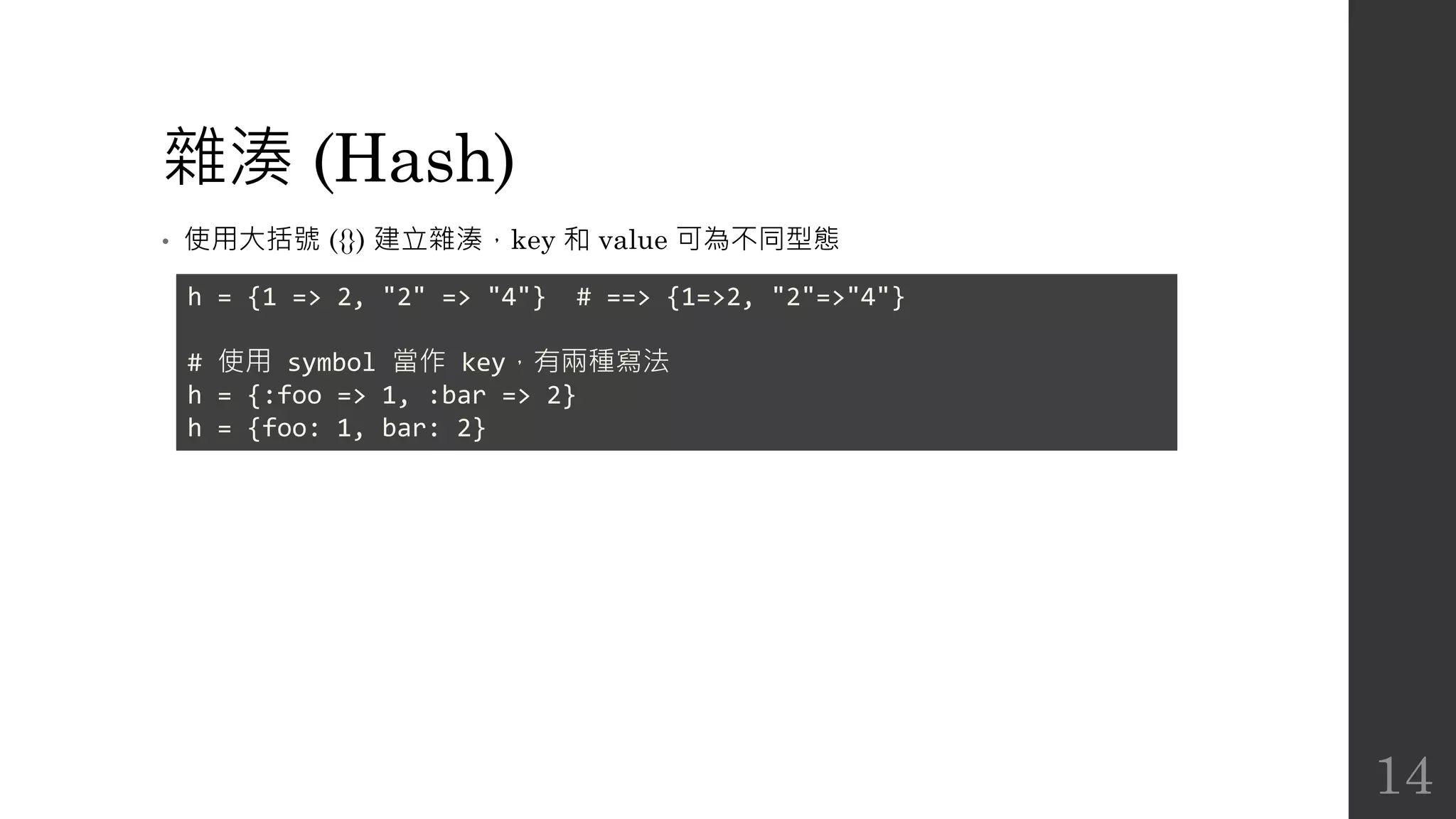
• 使用大括號 ({}) 建立雜湊,key 和 value 可為不同型態
h = {1 => 2, "2" => "4"} # ==> {1=>2, "2"=>"4"}
# 使用 symbol 當作 key,有兩種寫法
h = {:foo => 1, :bar => 2}
h = {foo: 1, bar: 2}
14
字串符號 (Symbol)
• 一個 Symbol 物件皆為冒號開頭,例如 :foo 或 :foo_bar。它的作用就是代表一
個名字,最大的作用就是當做 Hash 的鍵 (key)。例如 { :foo => 1, :bar =>
2 },在這裡我們只需要一個識別的名字,不需要使用字串物件。
• 使用 Symbol 寫法更簡潔和獲得效能上的好處。
• 更多參考 http://kaochenlong.com/2016/04/25/string-and-symbol/
15
Percent Literals (Percent Strings)
• http://bearsu.logdown.com/posts/304719-ruby-percent-literals
16
Ruby 是完全物件導向
• 在 Ruby,每樣東西都是物件,使用 if、while 等條件判斷時,空字串、空陣列、
空雜湊都視為 true。
17
繼續簡單示範
• 猜字程式
01 words = ['foobar', 'baz', 'quux']
02 secret = words[rand(3)]
03
04 print "guess?"
05 while guess = STDIN.gets
06 guess.chop!
07 if guess == secret
08 puts "You win!"
09 break
10 else
11 puts "Sorry, you lose."
12 end
13 print "guess?"
14 end
15 puts "the word is "+ secret + " . "
18
繼續簡單示範
• rand(3): 隨機傳回 0, 1, 2 其中一個數值
• STDIN.gets 或 gets:收集使用者輸入的一行內容,直到使用者輸入 Ctrl-D
• chop: 刪除字串的最後一個字元並回傳結果
• chop!: 同 chop,但會永久改變物件本身
19
繼續簡單示範
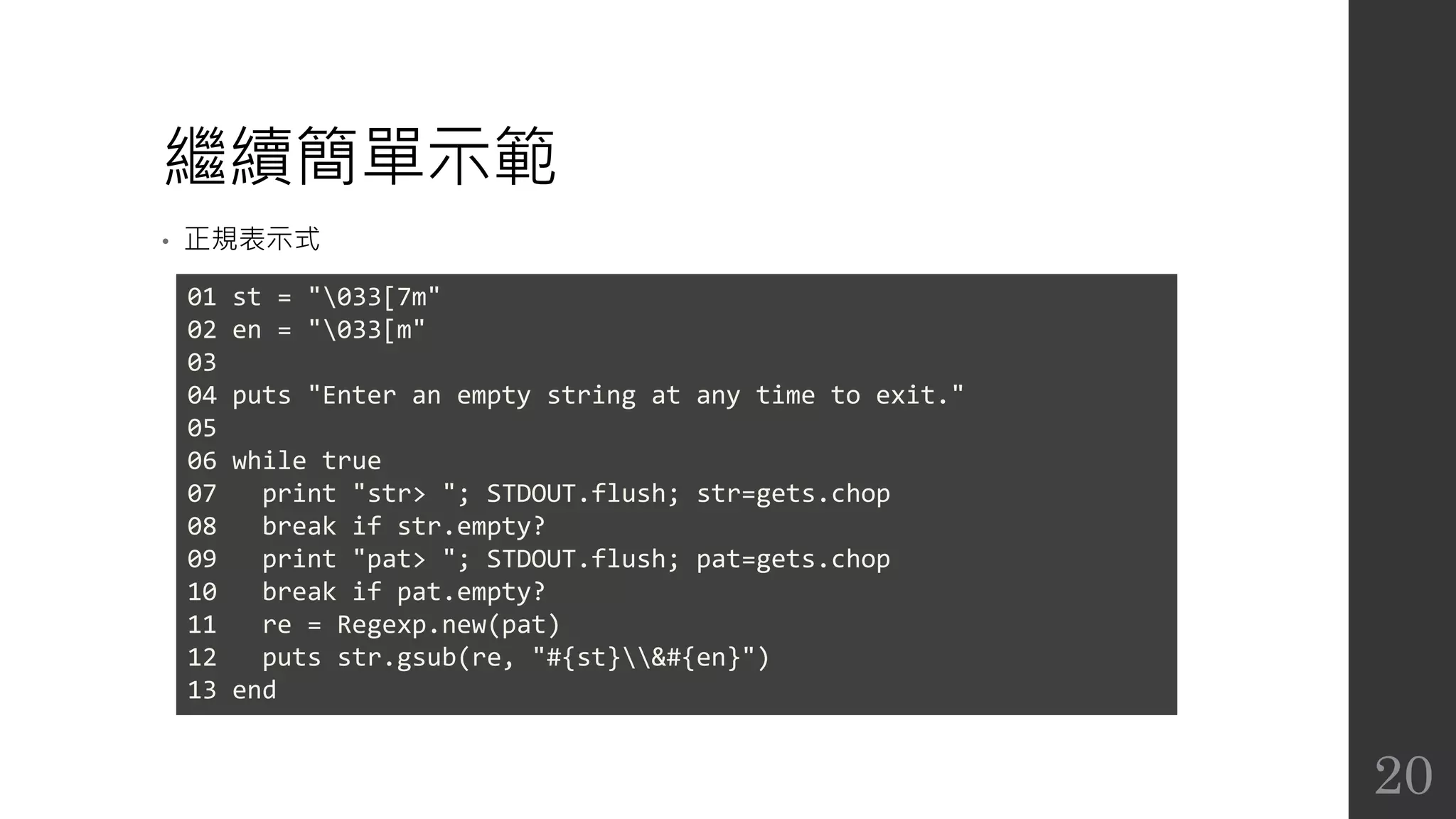
• 正規表示式
01 st = "033[7m"
02 en = "033[m"
03
04 puts "Enter an empty string at any time to exit."
05
06 while true
07 print "str> "; STDOUT.flush; str=gets.chop
08 break if str.empty?
09 print "pat> "; STDOUT.flush; pat=gets.chop
10 break if pat.empty?
11 re = Regexp.new(pat)
12 puts str.gsub(re, "#{st}&#{en}")
13 end
20
繼續簡單示範
• empty?: 在定義方法的時候名稱可以是任何符號,一般來說結尾加上 ? 表示只會
傳回 Boolean 值,是 Ruby 的慣例。
• gsub: globally substitute 的縮寫,將匹配的內容取代成另外一個字串。
 &: 上個匹配的對象 (last match)
21
控制結構
• case
i=8
case i
when 1, 2..5
puts "1..5"
when 6..10
puts "6..10"
when 'aaa', 'bbb'
puts "aaa or bbb"
when /def/ # 正規表示式
puts "includes /def/"
end
22
控制結構
• while
i = 0
while i < 3
puts i += 1
end
# 可以簡寫成
puts i += 1 while i < 3
23
控制結構
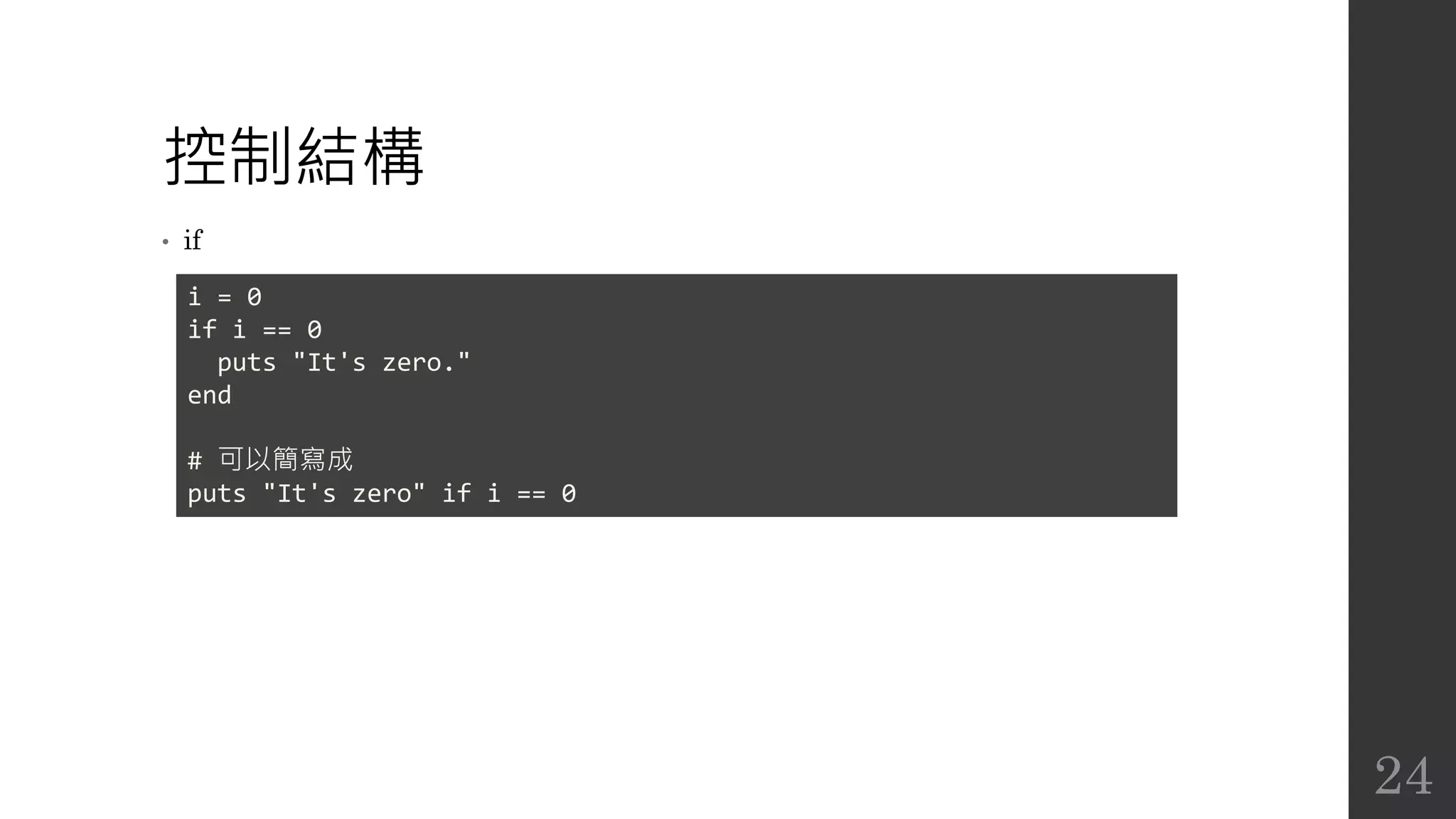
• if
i = 0
if i == 0
puts "It's zero."
end
# 可以簡寫成
puts "It's zero" if i == 0
24
控制結構
• unless: if 的否定型
• until: while 的否定型
• 何時用 if,何時用 unless?
 一般來說,儘量使用正向表達,少用 ! 符號
# Good
puts "It's nil" if foo.nil?
puts "It's not nil" unless foo.nil?
# Not good
puts "It's not nil" if !foo.nil?
25
控制結構
• 中斷迴圈
 break: 中斷所有迴圈
 next: 中斷目前迴圈,從下個迴圈開始
 redo: 重新執行目前迴圈
 return: 中斷迴圈並跳出迴圈所在的方法
• for
for num in (4..6)
puts num
end
for elt in [100, -9.6, "pickle"]
puts elt
end
26
控制結構
• for 的另一種寫法
# 如果你習慣用 C 或 Java,你可能會比較喜歡這個。
for element in collection
...
end
# Smalltalk 程式員則可能喜歡這個。
collection.each { |element|
...
}
collection.each do |element|
...
end
27
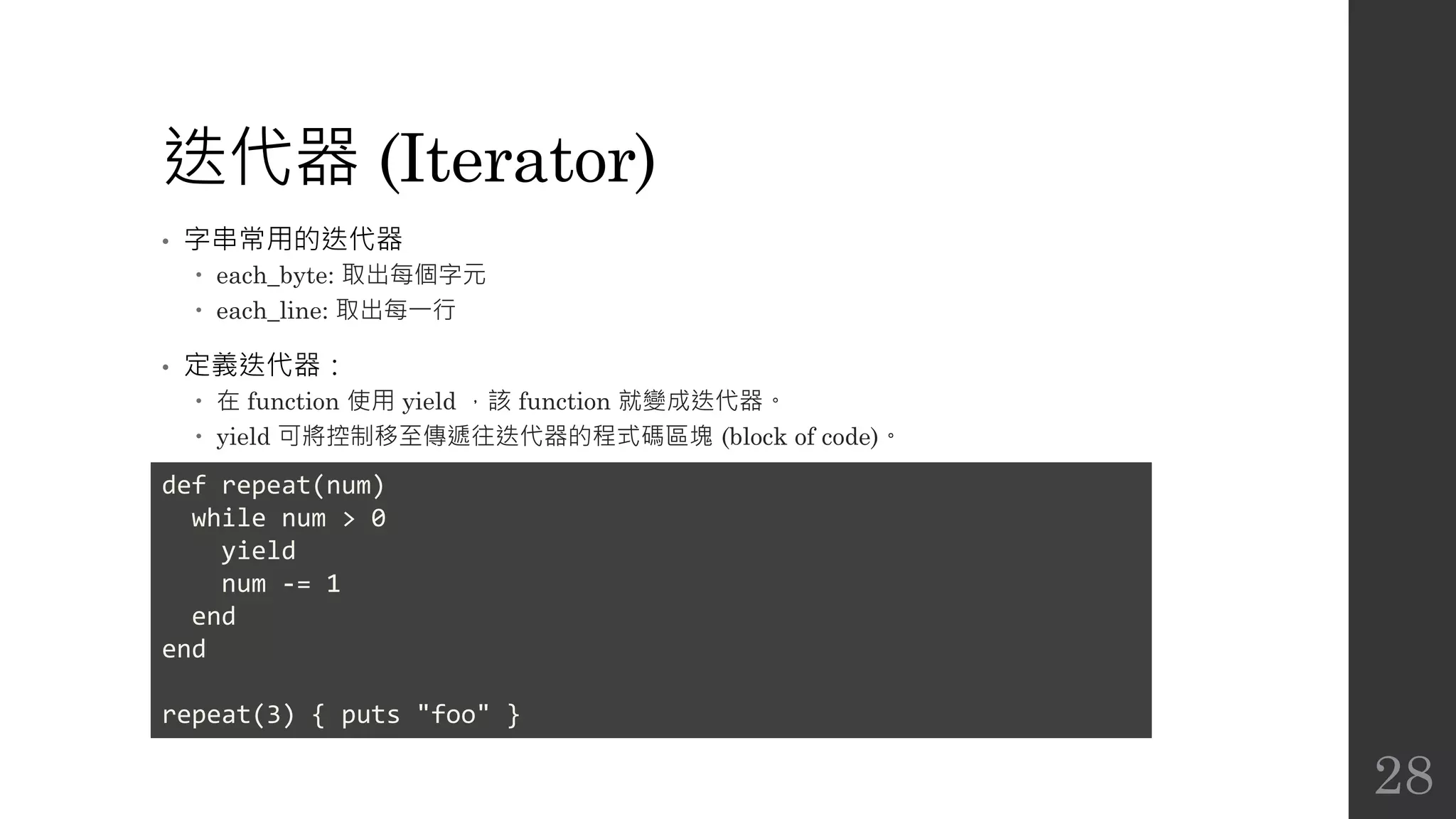
迭代器 (Iterator)
• 字串常用的迭代器
 each_byte: 取出每個字元
 each_line: 取出每一行
• 定義迭代器:
 在 function 使用 yield ,該 function 就變成迭代器。
 yield 可將控制移至傳遞往迭代器的程式碼區塊 (block of code)。
def repeat(num)
while num > 0
yield
num -= 1
end
end
repeat(3) { puts "foo" }
28
Ruby 使用手冊 (Part 1)

  • 1.
    Ruby 使用手冊 Part 1 CompassStudy Group Jian-Long Huang 2016.05.03
  • 2.
    甚麼是 Ruby? • 直譯式腳本語言(interpreted scripting language):  能夠直接產生作業系統呼叫  強大的字串處理 (string operations) 及正規表示式 (regular expressions)  在開發時提供即時回饋 • 快捷易用:  不需要變數宣告 (variable declarations)  變數不需要型別 (typed)  語法簡單一致  自動管理記憶體 2
  • 3.
    甚麼是 Ruby? • 物件導向程式設計: 任何東西都是物件  類別、方法、繼承等  單件方法 (singleton methods)  模組提供「混入」(mixin) 功能  迭代器 (iterators) 及閉包 (closures) • 以及:  多精確度整數 (multiple precision integers)  方便的例外處理 (exception processing)  動態載入 (dynamic loading)  執行緒支援 (threading support) 3
  • 4.
    起步走 • 顯示 Ruby版本 • 執行 Ruby 命令 • 執行 Ruby 檔 $ ruby –v ruby 2.3.0p0 (2015-12-25 revision 53290) [x86_64-linux] $ ruby -e 'puts "hello world"' hello world $ echo "puts 'hello world'" > hello.rb $ ruby hello.rb hello world 4
  • 5.
    安裝 Ruby • Windows RubyInstaller for Windows • Linux (Ubuntu) • Linux (CentOS) • Mac OS X • 更多參考 https://www.ruby-lang.org/zh_tw/documentation/installation/ $ sudo apt-get install ruby $ sudo yum install ruby $ brew install ruby 5
  • 6.
    簡單示範 • 計算階乘 # 計算出數字的階乘 #請把程式儲存為 fact.rb def fact(n) if n == 0 1 else n * fact(n-1) end end puts fact(ARGV[0].to_i) 6
  • 7.
    簡單示範 • ARGV: 命令列引數 •to_i: 將字元字串 (character string) 轉換為整數 • 不加 return,回傳值即為最後一個 statement 的傳回值。 7
  • 8.
    互動模式 • 執行 ruby而未輸入引數,Ruby 會從標準輸入 (standard input) 讀取指令,在輸 入結束後 (送出 Ctrl-D 指令) 開始執行。 • 輸入 irb 指令,可以進入互動模式。 8
  • 9.
    字串 (String) • 使用雙引號或單引號括起 •雙引號可以使用字串內插 (string interpolation) • 雙引號可以使用反斜線轉義字符 a = "foo" a = 'bar' a = "foo" b = "#{a}bar" # ==> "foobar" a = "foon" # ==> 輸出 foo + 換行符號 9
  • 10.
    字串 (String) • 串接字串 •重複字串 • 提取字串 a = "foo" + "bar" # ==> "foobar" a = "foo" * 2 # ==> "foofoo" a = "parsley" a[0] # ==> "p" a[-1] # ==> "y" a[0,1] # ==> "p" a[-2,2] # ==> "ey" a[0..3] # ==> "pars" a[0...3] # ==> "par" a[-5..-2] # ==> "rsle" 10
  • 11.
    字串 (String) • 字串比對 "foo"== "foo" # ==> true "foo" == "bar" # ==> false 11
  • 12.
    正規表示式 • 和 Perl一樣,Ruby 使用 string =~ /<pattern>  發現符合,傳回字串中符合之位置  沒有符合,傳回 nil • 更多參考 http://ruby-doc.org/core-2.1.1/Regexp.html # 抓出手機號碼 phone = "123-456-7890" if phone =~ /(d{3})-(d{3})-(d{4})/ ext = $1 city = $2 num = $3 end 12
  • 13.
    陣列 (Array) • 使用中括號([]) 建立陣列,元素可不同型態 • 陣列串接 • 陣列重複 • 使用 join 轉成字串 • 字串使用 split 轉成陣列 ary = [1, 2, "3"] ary + ["foo", "bar"] # ==> [1, 2, "3", "foo", "bar"] ary * 2 # ==> [1, 2, "3", 1, 2, "3"] ary.join(":") # ==> "1:2:3" "1:2:3".split(":") # ==> ["1", "2", "3"] 13
  • 14.
    雜湊 (Hash) • 使用大括號({}) 建立雜湊,key 和 value 可為不同型態 h = {1 => 2, "2" => "4"} # ==> {1=>2, "2"=>"4"} # 使用 symbol 當作 key,有兩種寫法 h = {:foo => 1, :bar => 2} h = {foo: 1, bar: 2} 14
  • 15.
    字串符號 (Symbol) • 一個Symbol 物件皆為冒號開頭,例如 :foo 或 :foo_bar。它的作用就是代表一 個名字,最大的作用就是當做 Hash 的鍵 (key)。例如 { :foo => 1, :bar => 2 },在這裡我們只需要一個識別的名字,不需要使用字串物件。 • 使用 Symbol 寫法更簡潔和獲得效能上的好處。 • 更多參考 http://kaochenlong.com/2016/04/25/string-and-symbol/ 15
  • 16.
    Percent Literals (PercentStrings) • http://bearsu.logdown.com/posts/304719-ruby-percent-literals 16
  • 17.
    Ruby 是完全物件導向 • 在Ruby,每樣東西都是物件,使用 if、while 等條件判斷時,空字串、空陣列、 空雜湊都視為 true。 17
  • 18.
    繼續簡單示範 • 猜字程式 01 words= ['foobar', 'baz', 'quux'] 02 secret = words[rand(3)] 03 04 print "guess?" 05 while guess = STDIN.gets 06 guess.chop! 07 if guess == secret 08 puts "You win!" 09 break 10 else 11 puts "Sorry, you lose." 12 end 13 print "guess?" 14 end 15 puts "the word is "+ secret + " . " 18
  • 19.
    繼續簡單示範 • rand(3): 隨機傳回0, 1, 2 其中一個數值 • STDIN.gets 或 gets:收集使用者輸入的一行內容,直到使用者輸入 Ctrl-D • chop: 刪除字串的最後一個字元並回傳結果 • chop!: 同 chop,但會永久改變物件本身 19
  • 20.
    繼續簡單示範 • 正規表示式 01 st= "033[7m" 02 en = "033[m" 03 04 puts "Enter an empty string at any time to exit." 05 06 while true 07 print "str> "; STDOUT.flush; str=gets.chop 08 break if str.empty? 09 print "pat> "; STDOUT.flush; pat=gets.chop 10 break if pat.empty? 11 re = Regexp.new(pat) 12 puts str.gsub(re, "#{st}&#{en}") 13 end 20
  • 21.
    繼續簡單示範 • empty?: 在定義方法的時候名稱可以是任何符號,一般來說結尾加上? 表示只會 傳回 Boolean 值,是 Ruby 的慣例。 • gsub: globally substitute 的縮寫,將匹配的內容取代成另外一個字串。  &: 上個匹配的對象 (last match) 21
  • 22.
    控制結構 • case i=8 case i when1, 2..5 puts "1..5" when 6..10 puts "6..10" when 'aaa', 'bbb' puts "aaa or bbb" when /def/ # 正規表示式 puts "includes /def/" end 22
  • 23.
    控制結構 • while i =0 while i < 3 puts i += 1 end # 可以簡寫成 puts i += 1 while i < 3 23
  • 24.
    控制結構 • if i =0 if i == 0 puts "It's zero." end # 可以簡寫成 puts "It's zero" if i == 0 24
  • 25.
    控制結構 • unless: if的否定型 • until: while 的否定型 • 何時用 if,何時用 unless?  一般來說,儘量使用正向表達,少用 ! 符號 # Good puts "It's nil" if foo.nil? puts "It's not nil" unless foo.nil? # Not good puts "It's not nil" if !foo.nil? 25
  • 26.
    控制結構 • 中斷迴圈  break:中斷所有迴圈  next: 中斷目前迴圈,從下個迴圈開始  redo: 重新執行目前迴圈  return: 中斷迴圈並跳出迴圈所在的方法 • for for num in (4..6) puts num end for elt in [100, -9.6, "pickle"] puts elt end 26
  • 27.
    控制結構 • for 的另一種寫法 #如果你習慣用 C 或 Java,你可能會比較喜歡這個。 for element in collection ... end # Smalltalk 程式員則可能喜歡這個。 collection.each { |element| ... } collection.each do |element| ... end 27
  • 28.
    迭代器 (Iterator) • 字串常用的迭代器 each_byte: 取出每個字元  each_line: 取出每一行 • 定義迭代器:  在 function 使用 yield ,該 function 就變成迭代器。  yield 可將控制移至傳遞往迭代器的程式碼區塊 (block of code)。 def repeat(num) while num > 0 yield num -= 1 end end repeat(3) { puts "foo" } 28