RSS: Information Delivery Made Really Simple   Jason Puckett, Woodruff Library jason.puckett@emory.edu / IM:JasonPLibrary
Really Simple Syndication Sites with regularly updated content: blogs, news… Look for an orange icon on sites with RSS “feeds”
How does it work? Set up a free feed reader Your sites deliver updates to you Let’s watch a video
Step 1: Set up a feed reader Go to Bloglines.com and click “Sign up” Other readers: Google Reader My Yahoo Netvibes Others…
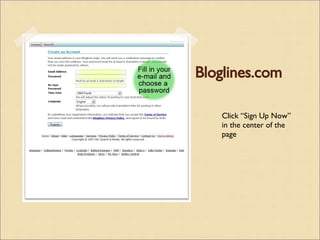
Bloglines.com Click “Sign Up Now” in the center of the page
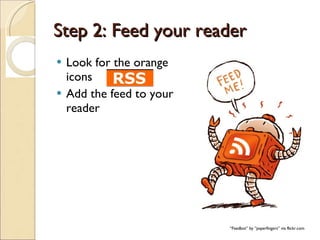
Step 2: Feed your reader Look for the orange icons Add the feed to your reader “ Feedbot” by “paperfingers” via flickr.com
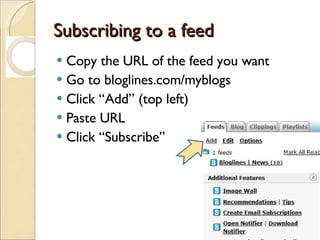
Subscribing to a feed Copy the URL of the feed you want Go to bloglines.com/myblogs Click “Add” (top left) Paste URL Click “Subscribe”
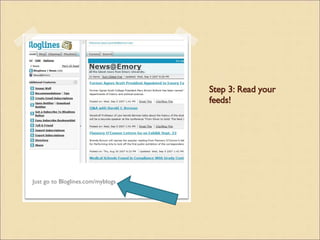
Step 3: Read your feeds! Just go to Bloglines.com/myblogs
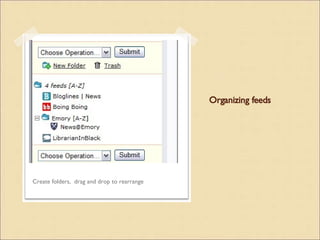
Organizing feeds Create folders,  drag and drop to rearrange
RSS AND DATABASES Feed me some research:

Rss Workshop

  • 1.
    RSS: Information DeliveryMade Really Simple   Jason Puckett, Woodruff Library jason.puckett@emory.edu / IM:JasonPLibrary
  • 2.
    Really Simple SyndicationSites with regularly updated content: blogs, news… Look for an orange icon on sites with RSS “feeds”
  • 3.
    How does itwork? Set up a free feed reader Your sites deliver updates to you Let’s watch a video
  • 4.
    Step 1: Setup a feed reader Go to Bloglines.com and click “Sign up” Other readers: Google Reader My Yahoo Netvibes Others…
  • 5.
    Bloglines.com Click “SignUp Now” in the center of the page
  • 6.
    Step 2: Feedyour reader Look for the orange icons Add the feed to your reader “ Feedbot” by “paperfingers” via flickr.com
  • 7.
    Subscribing to afeed Copy the URL of the feed you want Go to bloglines.com/myblogs Click “Add” (top left) Paste URL Click “Subscribe”
  • 8.
    Step 3: Readyour feeds! Just go to Bloglines.com/myblogs
  • 9.
    Organizing feeds Createfolders, drag and drop to rearrange
  • 10.
    RSS AND DATABASESFeed me some research: