RSS feeds using
     Millennium data

Andrew Preater, University of London
     Research Library Services
 Presented at EIUG 2010, 15th June 2010


             www.london.ac.uk
A short break in County Durham
I work for University of
London Research Library
Services, at Senate House


But I will talk about my
previous development work
at Durham University Library
Introduction

  The problem is the new books list
  We use these to list new items for
  readers as a current awareness tool
  Various ways to do this...
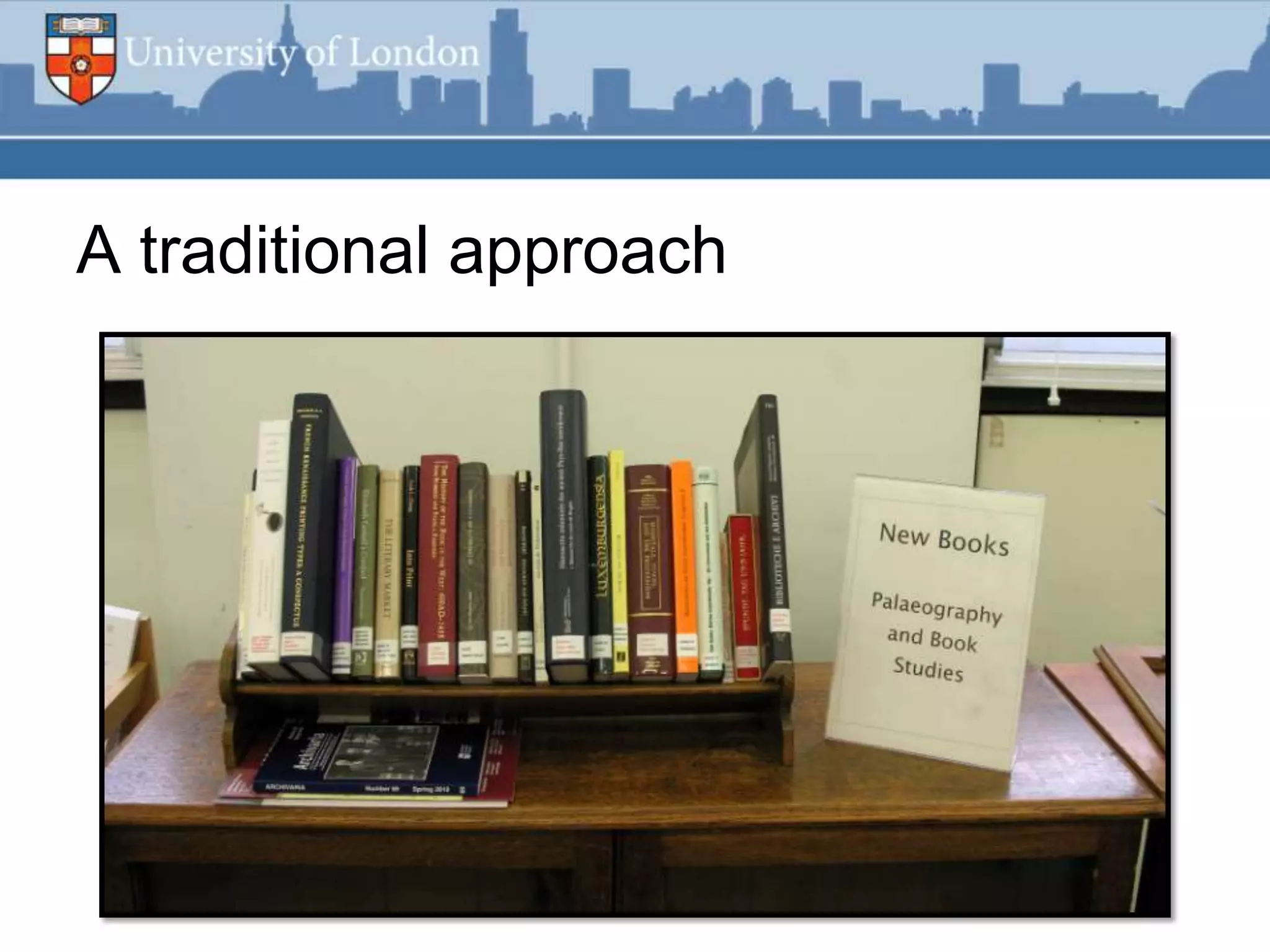
A traditional approach
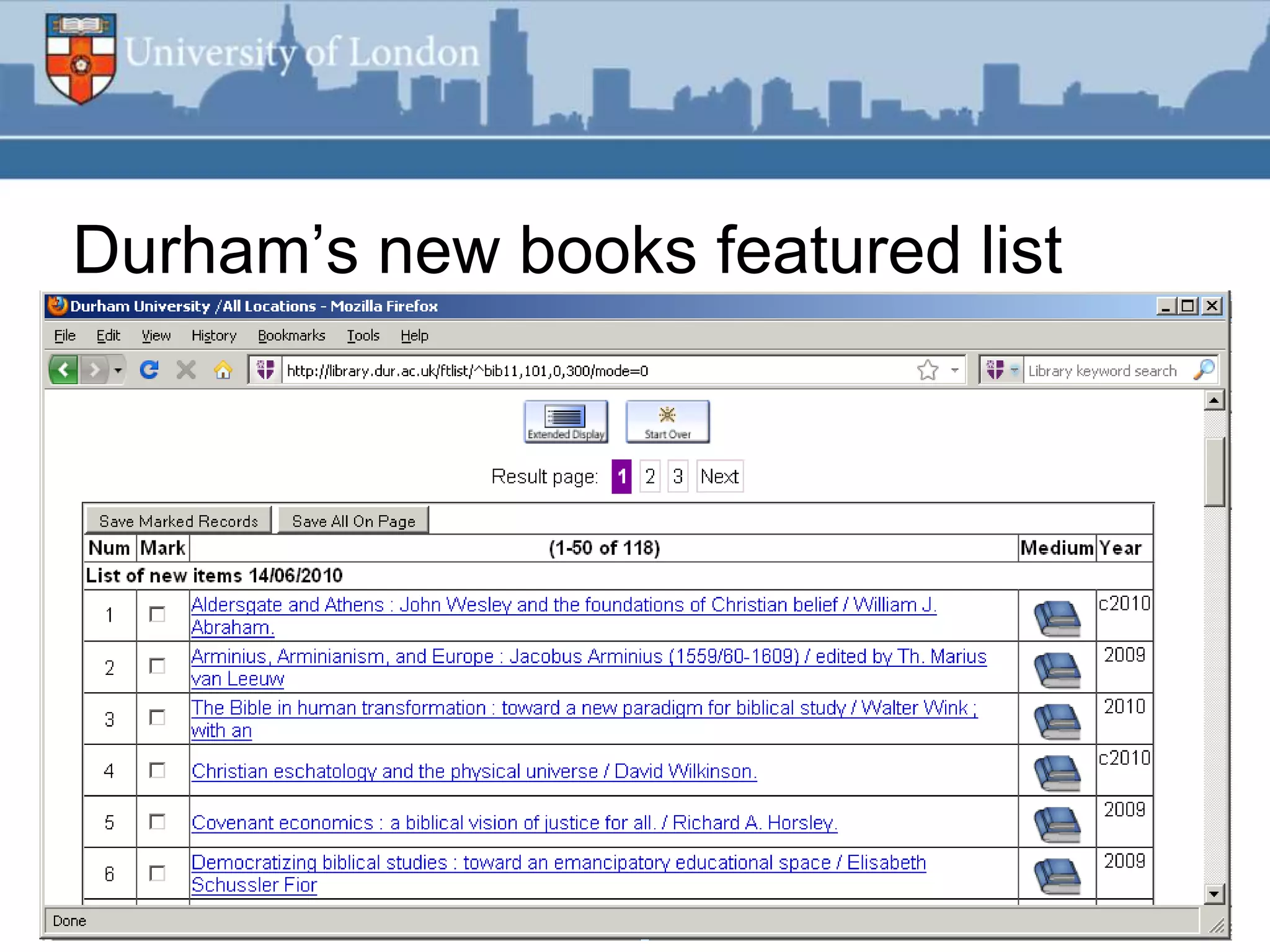
Durham‟s new books featured list
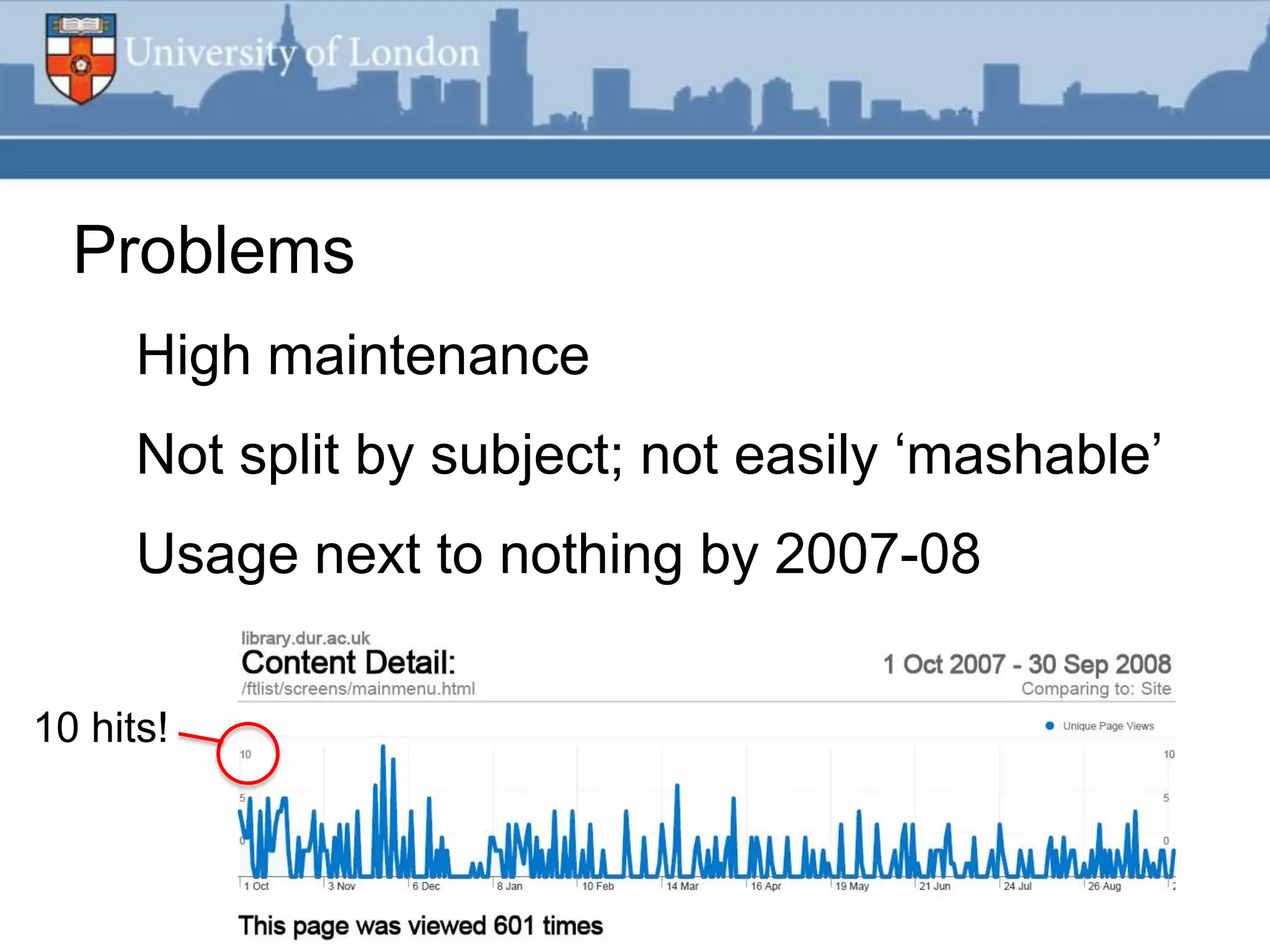
Problems
      High maintenance
      Not split by subject; not easily „mashable‟
      Usage next to nothing by 2007-08

10 hits!
RSS feed improvements
Puts our metadata where the
reader is
Much less work for library
staff
Standards-based XML data,
can be reused elsewhere or
mashed up
                              RSS feed icon from www.feedicons.com
Project as proof of concept
 Low-risk pilot for automated export and
 processing of Millennium data
 Demonstrates this utility for future projects
 Quickest and easiest example using this
 approach
Desired outcomes

 Automated as much as possible

 Minimal effort by non-systems staff to
 maintain

 No special software – no budget!

 Stable and reliable, „just works‟
Software used
Other than Millennium...

1. Linux server with Perl installed

2. MySQL database

3. Web server running PHP
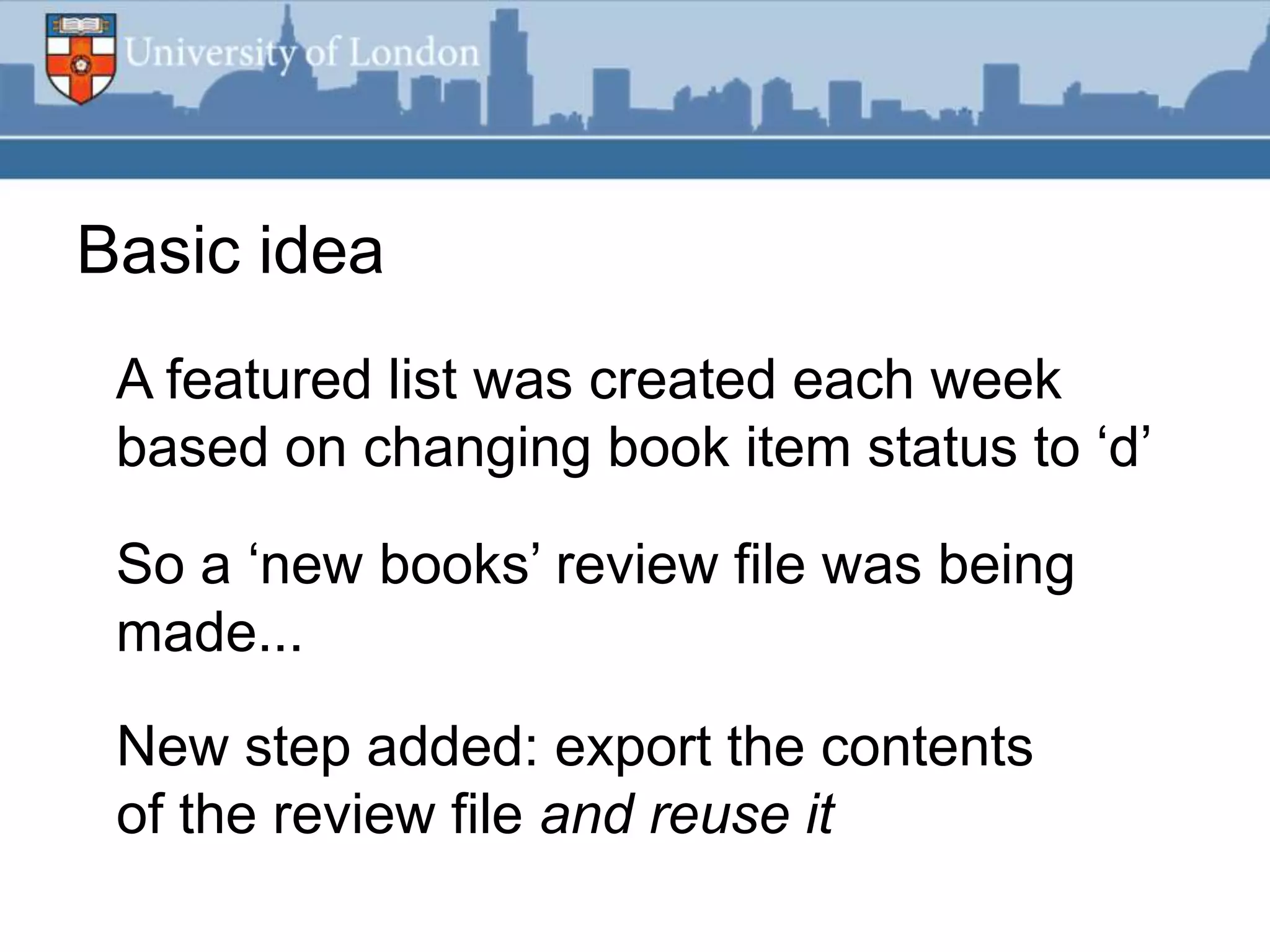
Basic idea
 A featured list was created each week
 based on changing book item status to „d‟

 So a „new books‟ review file was being
 made...

 New step added: export the contents
 of the review file and reuse it
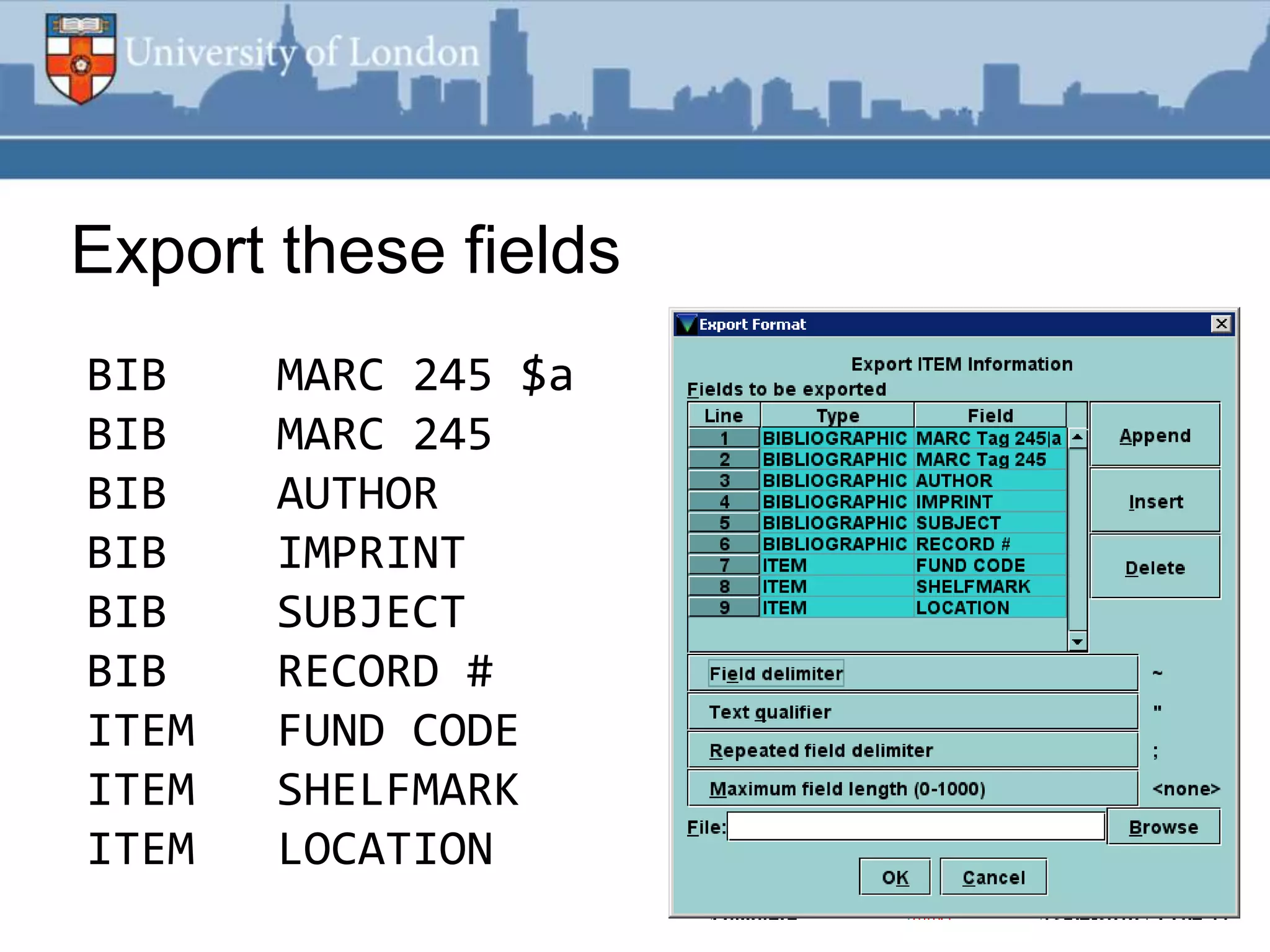
Export these fields
BIB    MARC 245 $a
BIB    MARC 245
BIB    AUTHOR
BIB    IMPRINT
BIB    SUBJECT
BIB    RECORD #
ITEM   FUND CODE
ITEM   SHELFMARK
ITEM   LOCATION
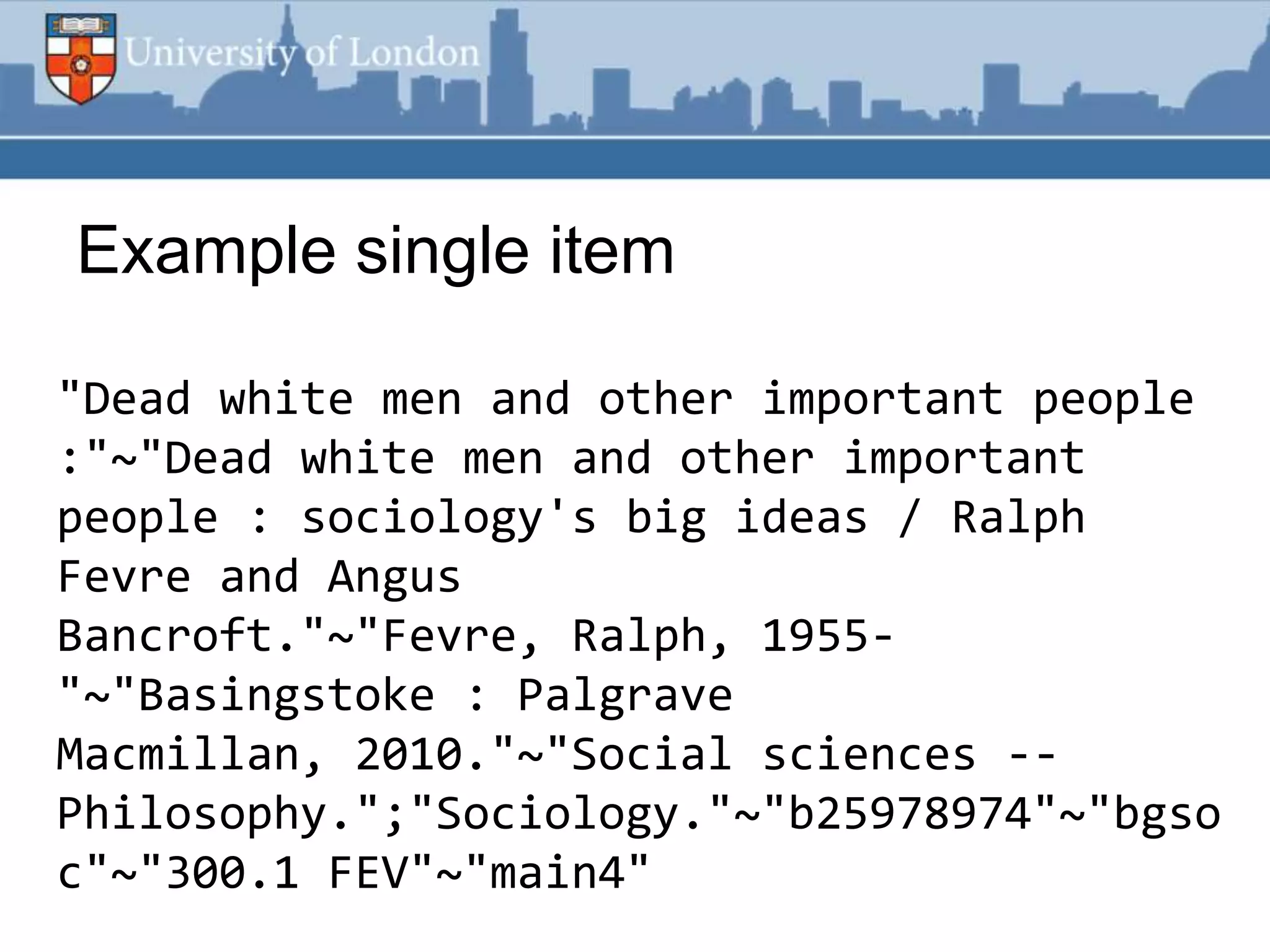
Example single item

"Dead white men and other important people
:"~"Dead white men and other important
people : sociology's big ideas / Ralph
Fevre and Angus
Bancroft."~"Fevre, Ralph, 1955-
"~"Basingstoke : Palgrave
Macmillan, 2010."~"Social sciences --
Philosophy.";"Sociology."~"b25978974"~"bgso
c"~"300.1 FEV"~"main4"
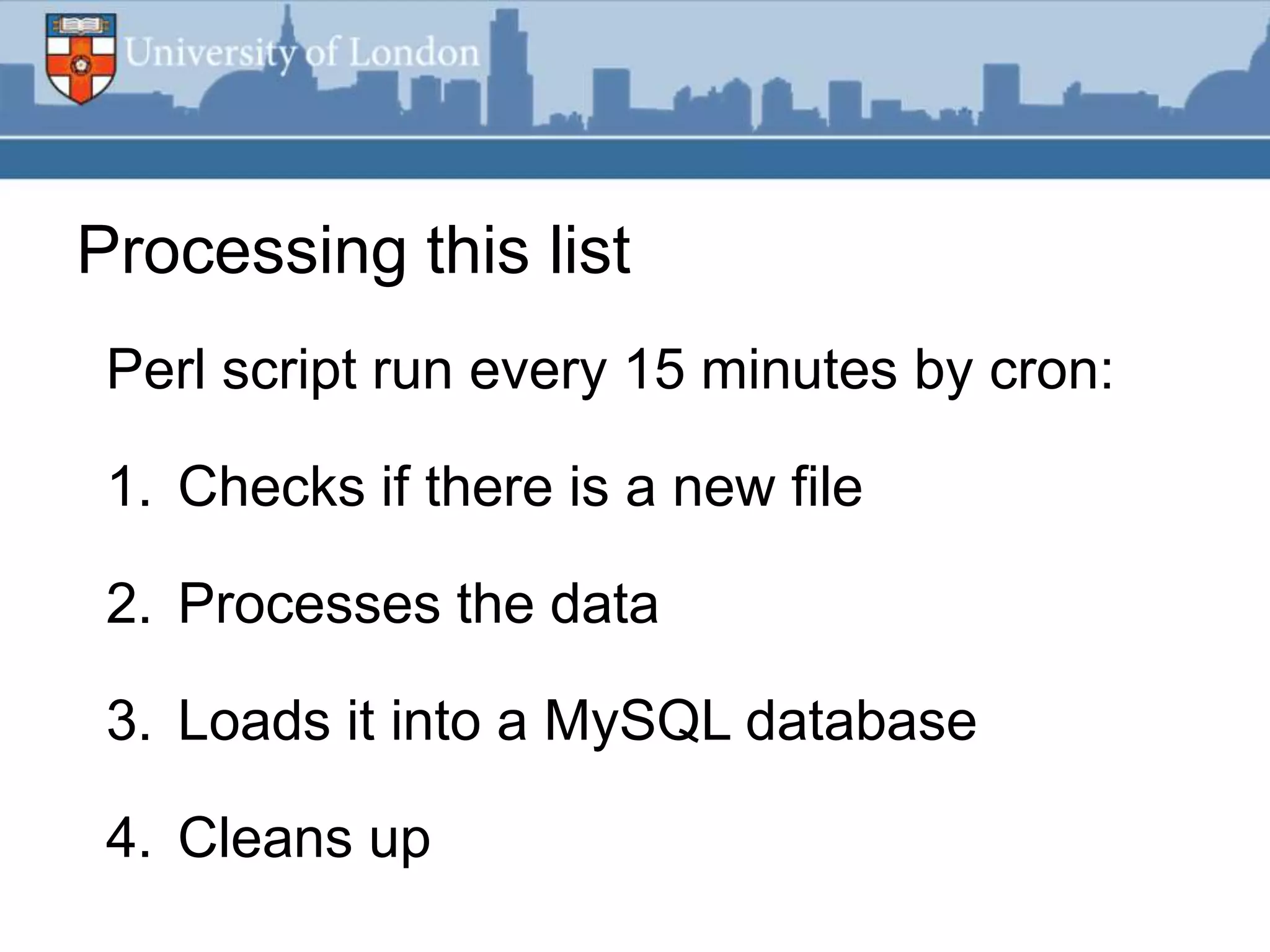
Processing this list
 Perl script run every 15 minutes by cron:

 1. Checks if there is a new file

 2. Processes the data

 3. Loads it into a MySQL database

 4. Cleans up
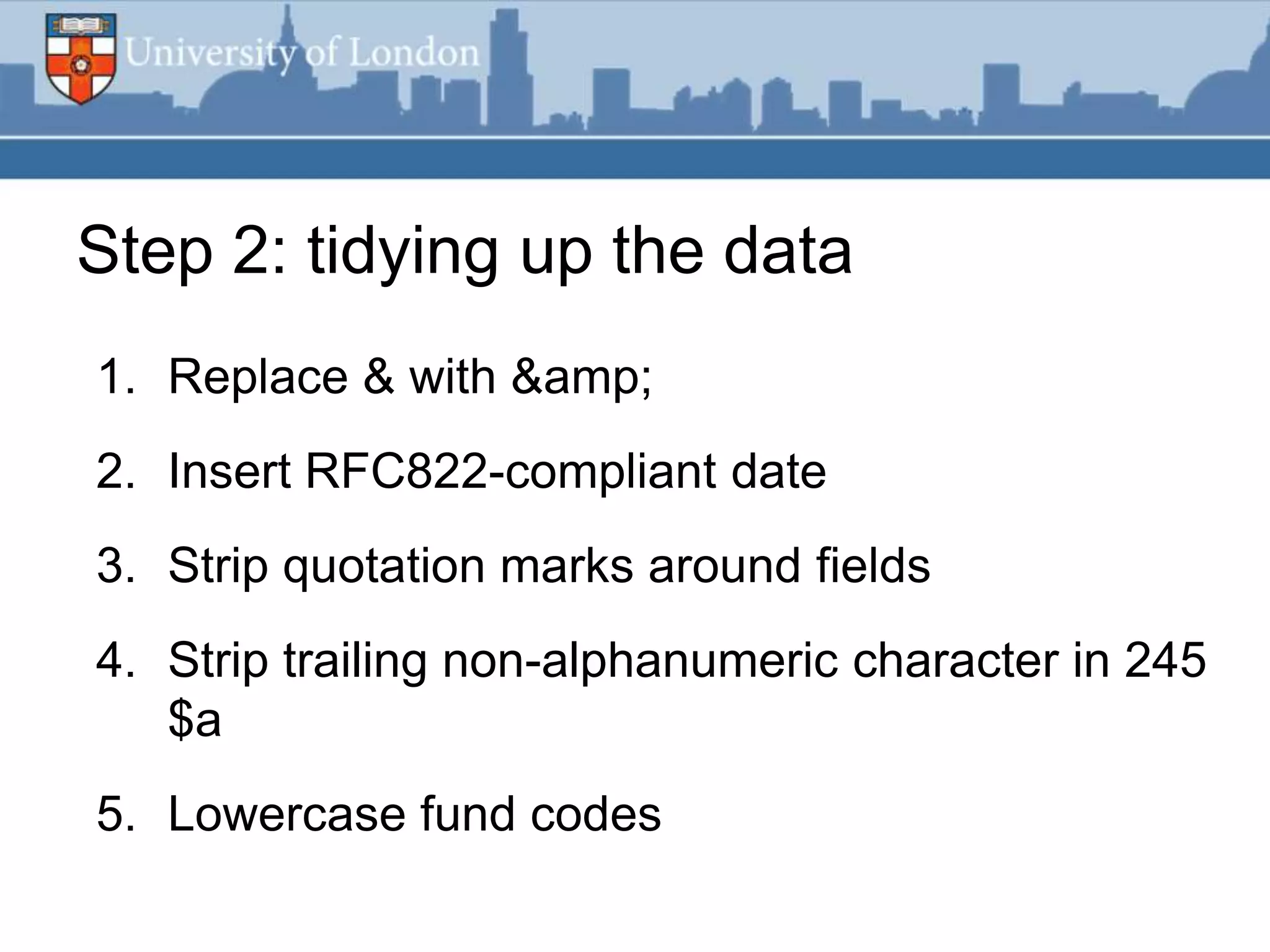
Step 2: tidying up the data
1. Replace & with &
2. Insert RFC822-compliant date
3. Strip quotation marks around fields
4. Strip trailing non-alphanumeric character in 245
   $a
5. Lowercase fund codes
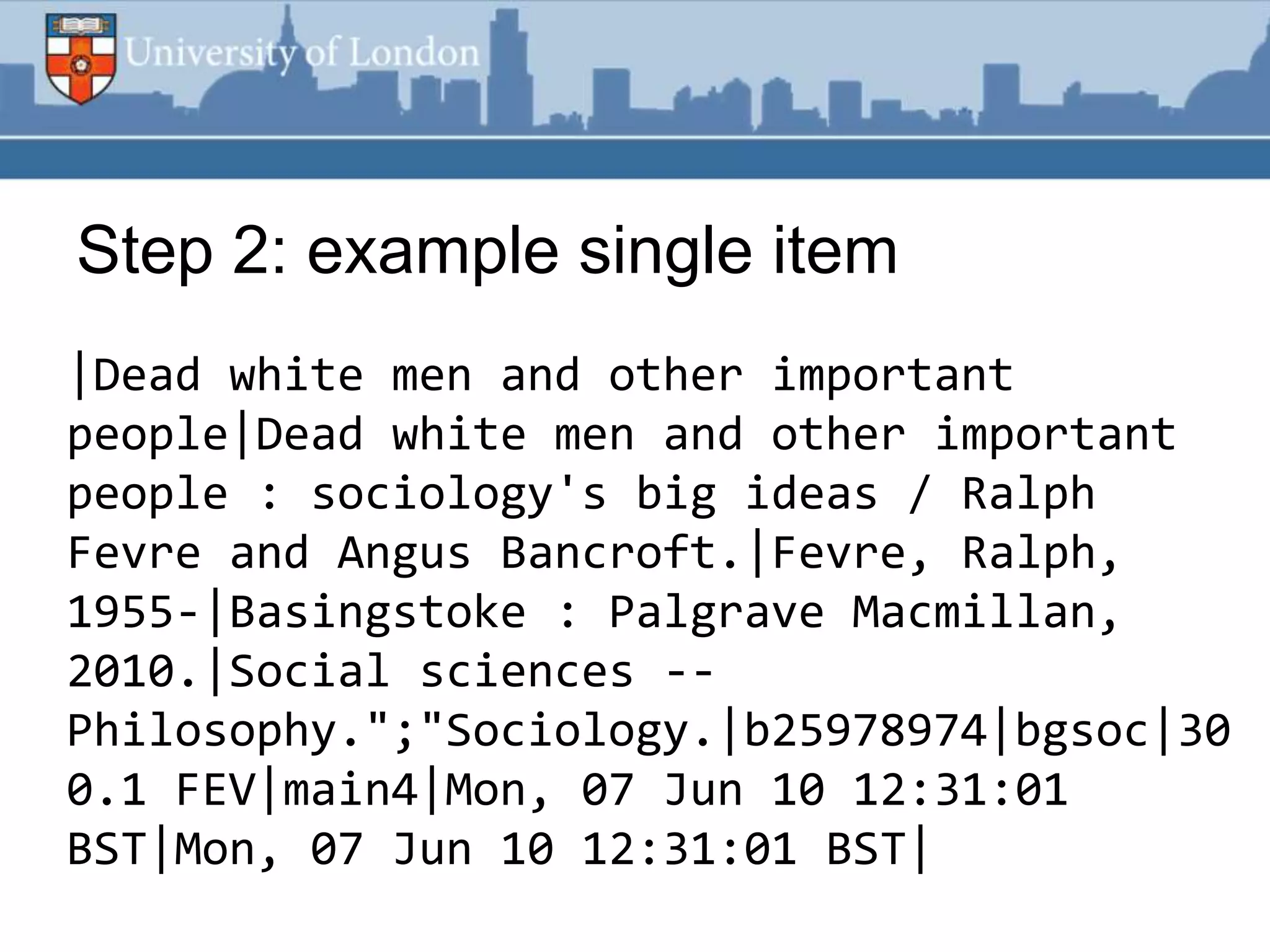
Step 2: example single item
|Dead white men and other important
people|Dead white men and other important
people : sociology's big ideas / Ralph
Fevre and Angus Bancroft.|Fevre, Ralph,
1955-|Basingstoke : Palgrave Macmillan,
2010.|Social sciences --
Philosophy.";"Sociology.|b25978974|bgsoc|30
0.1 FEV|main4|Mon, 07 Jun 10 12:31:01
BST|Mon, 07 Jun 10 12:31:01 BST|
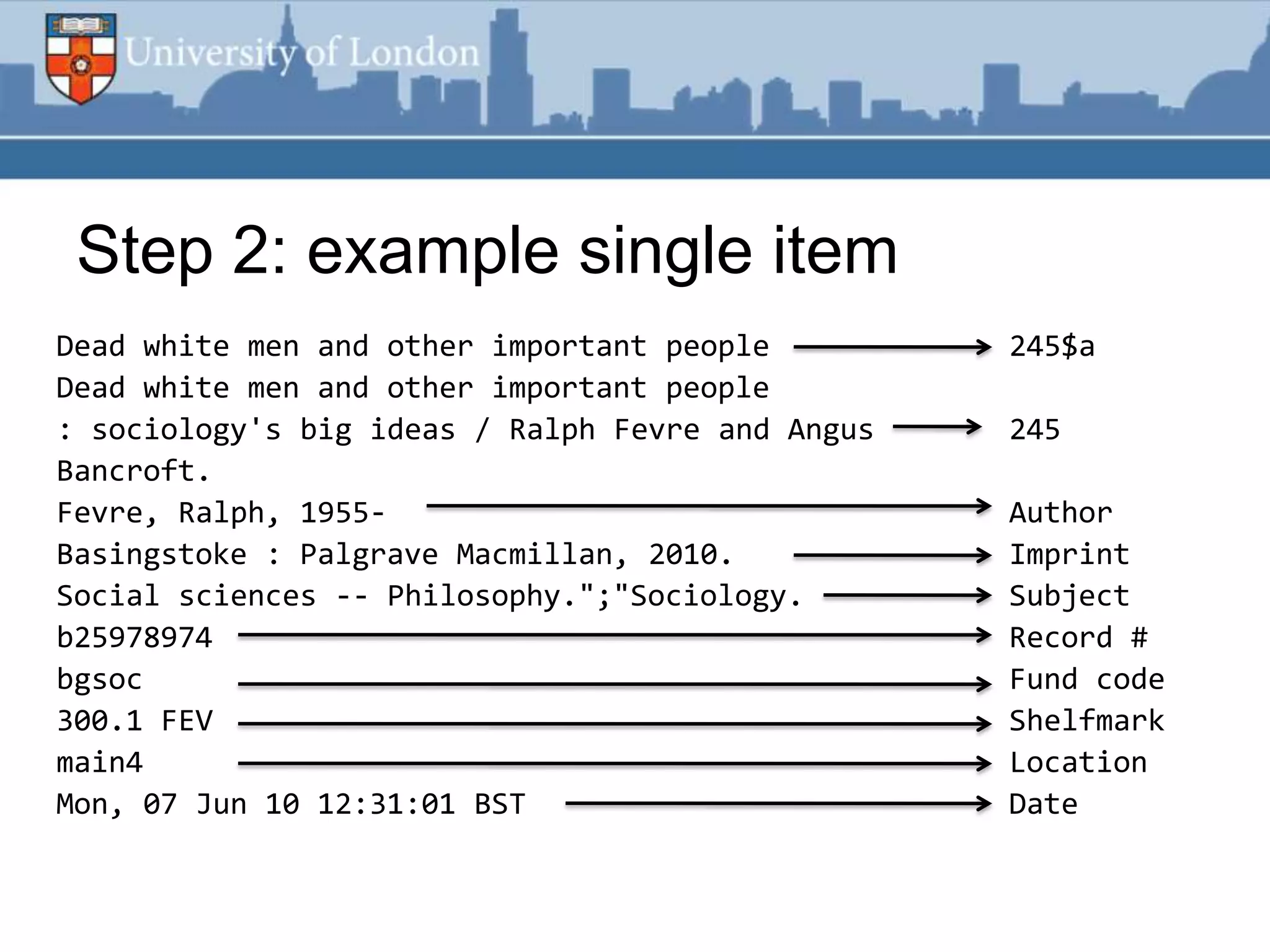
Step 2: example single item
Dead white men and other important people         245$a
Dead white men and other important people
: sociology's big ideas / Ralph Fevre and Angus   245
Bancroft.
Fevre, Ralph, 1955-                               Author
Basingstoke : Palgrave Macmillan, 2010.           Imprint
Social sciences -- Philosophy.";"Sociology.       Subject
b25978974                                         Record #
bgsoc                                             Fund code
300.1 FEV                                         Shelfmark
main4                                             Location
Mon, 07 Jun 10 12:31:01 BST                       Date
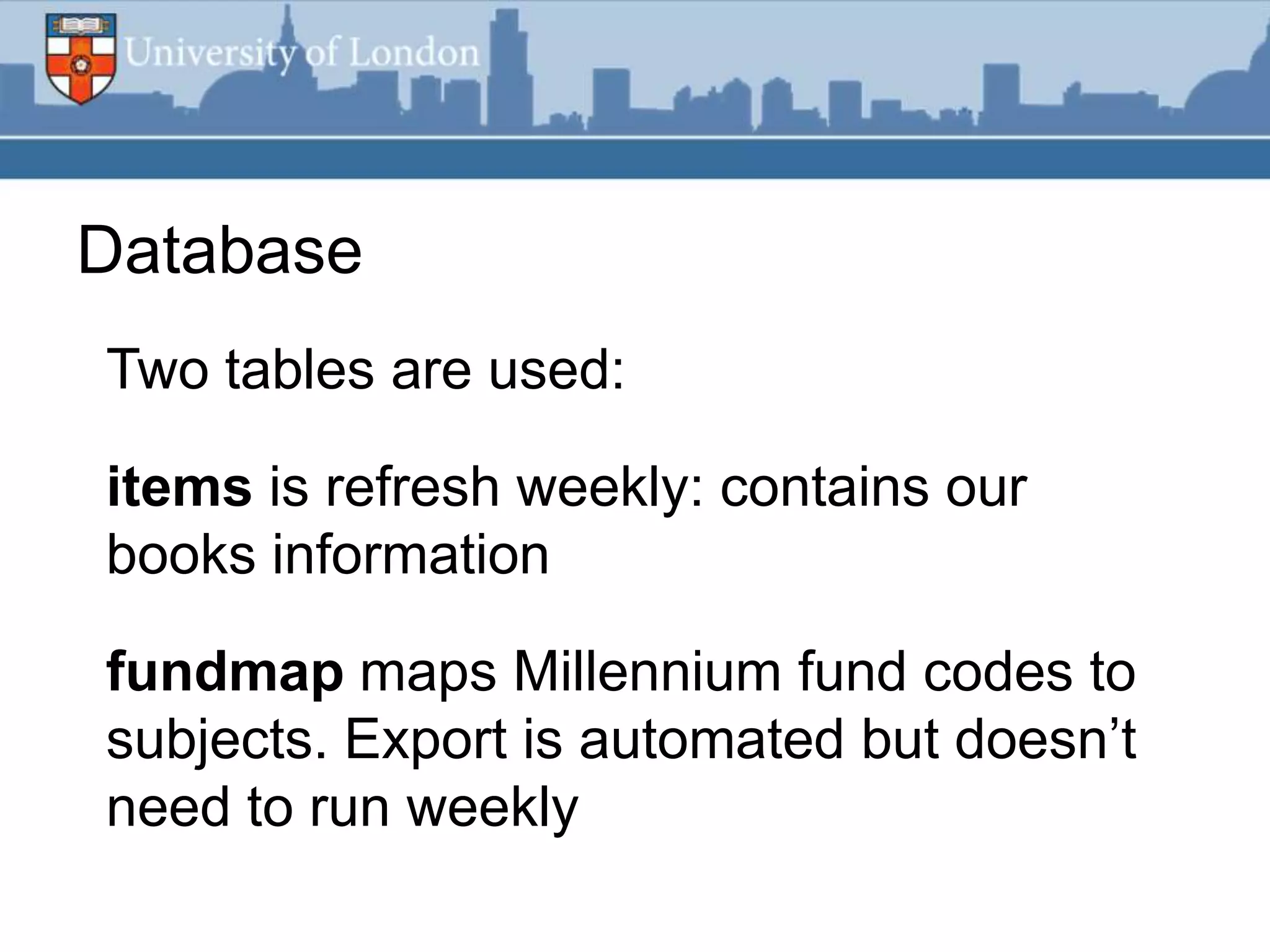
Database
Two tables are used:

items is refresh weekly: contains our
books information

fundmap maps Millennium fund codes to
subjects. Export is automated but doesn‟t
need to run weekly
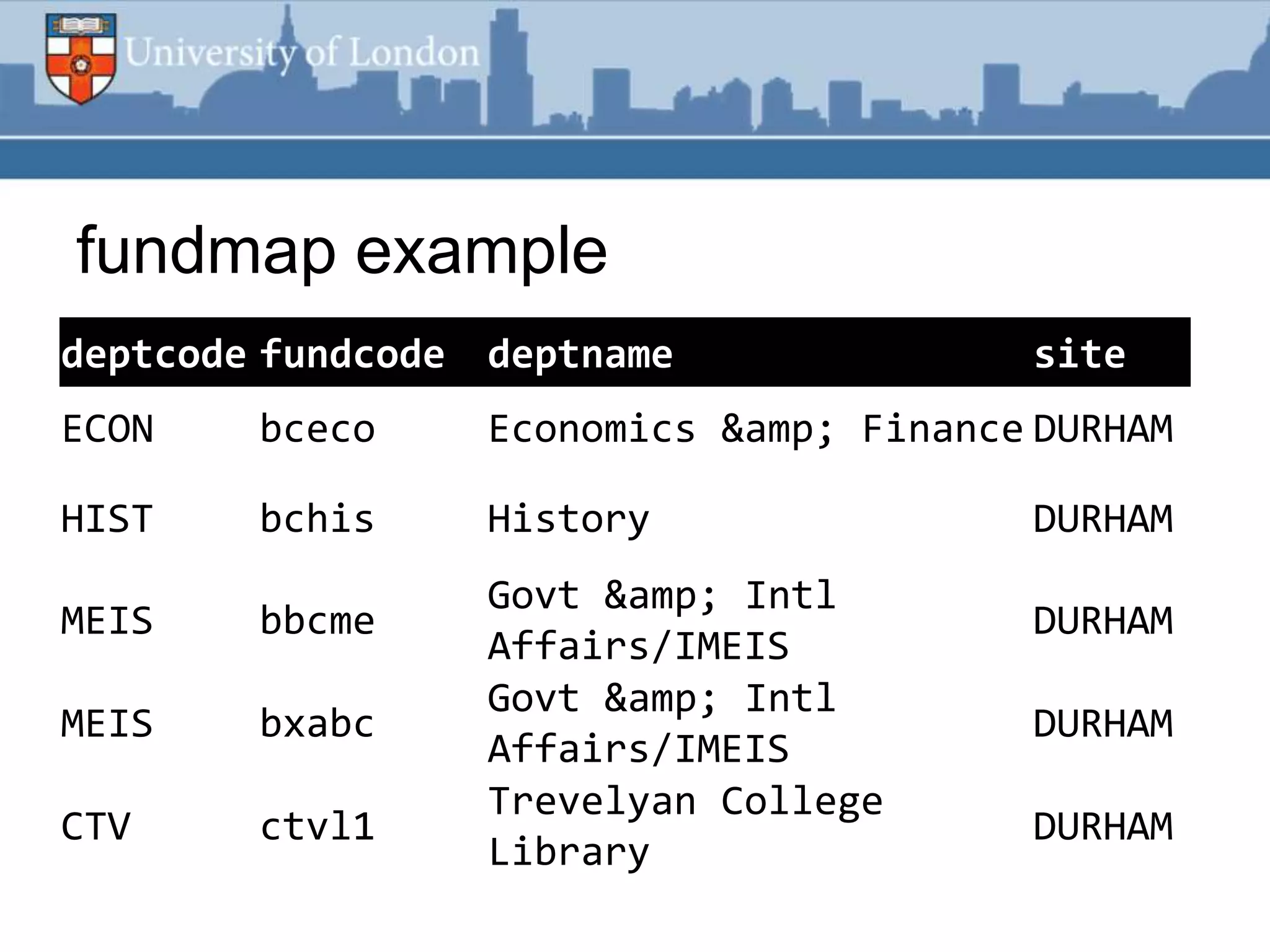
fundmap example
deptcode fundcode deptname
  foobar                                 site
ECON    bceco     Economics & Finance DURHAM

HIST    bchis     History                DURHAM
                  Govt & Intl
MEIS    bbcme                            DURHAM
                  Affairs/IMEIS
                  Govt & Intl
MEIS    bxabc                            DURHAM
                  Affairs/IMEIS
                  Trevelyan College
CTV     ctvl1                            DURHAM
                  Library
Web front end
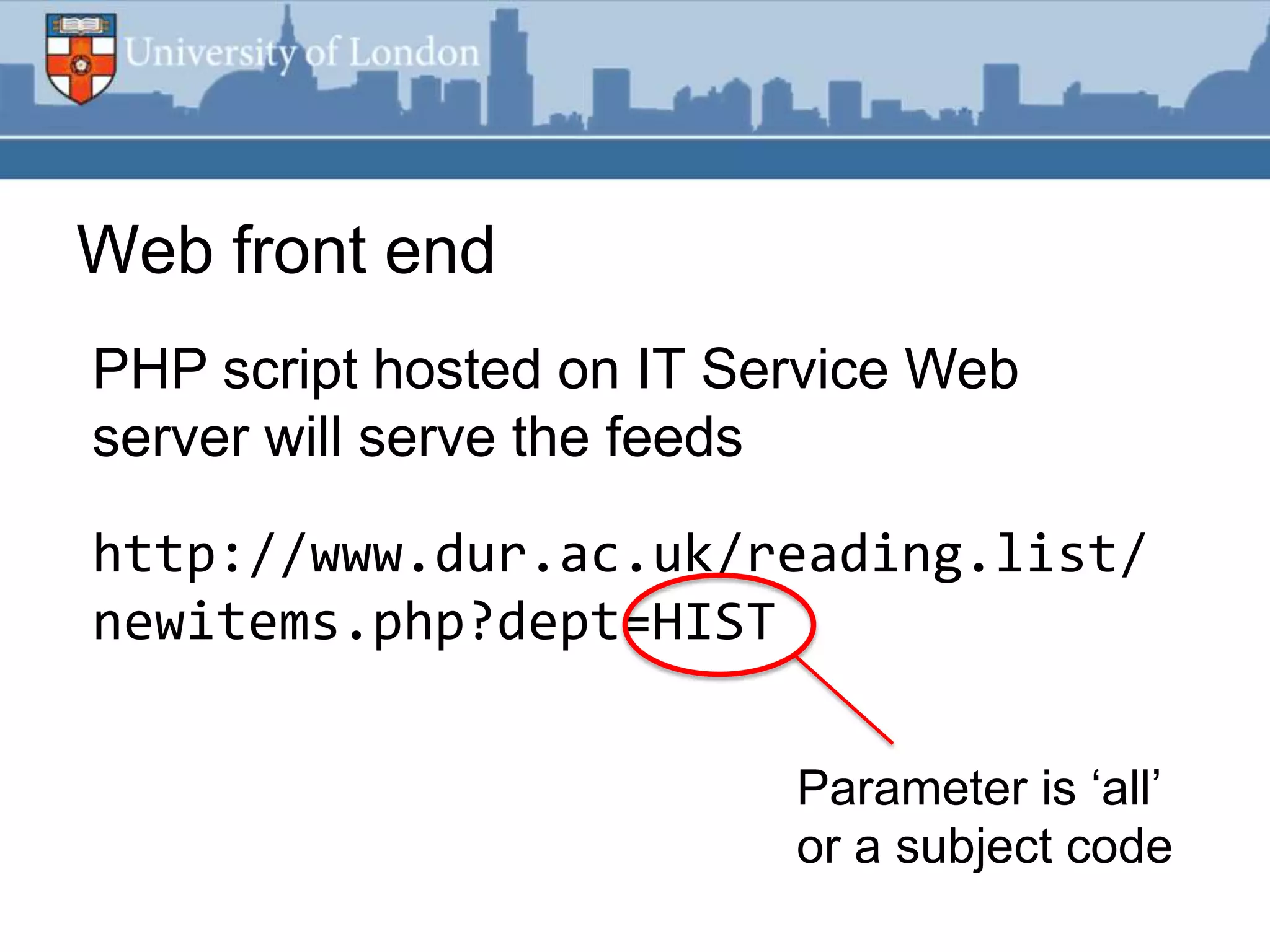
PHP script hosted on IT Service Web
server will serve the feeds

http://www.dur.ac.uk/reading.list/
newitems.php?dept=HIST

                          Parameter is „all‟
                          or a subject code
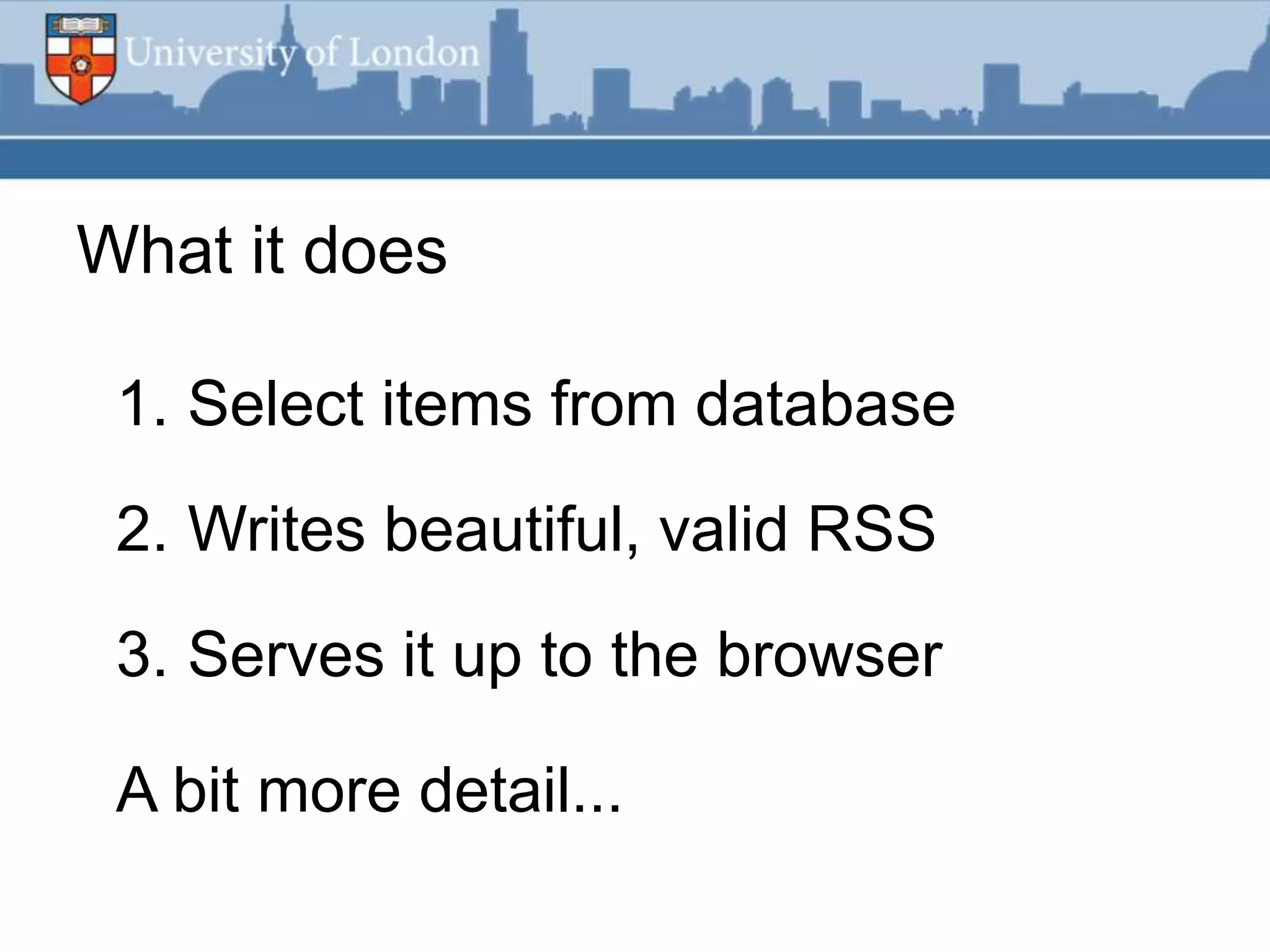
What it does

 1. Select items from database
 2. Writes beautiful, valid RSS
 3. Serves it up to the browser

 A bit more detail...
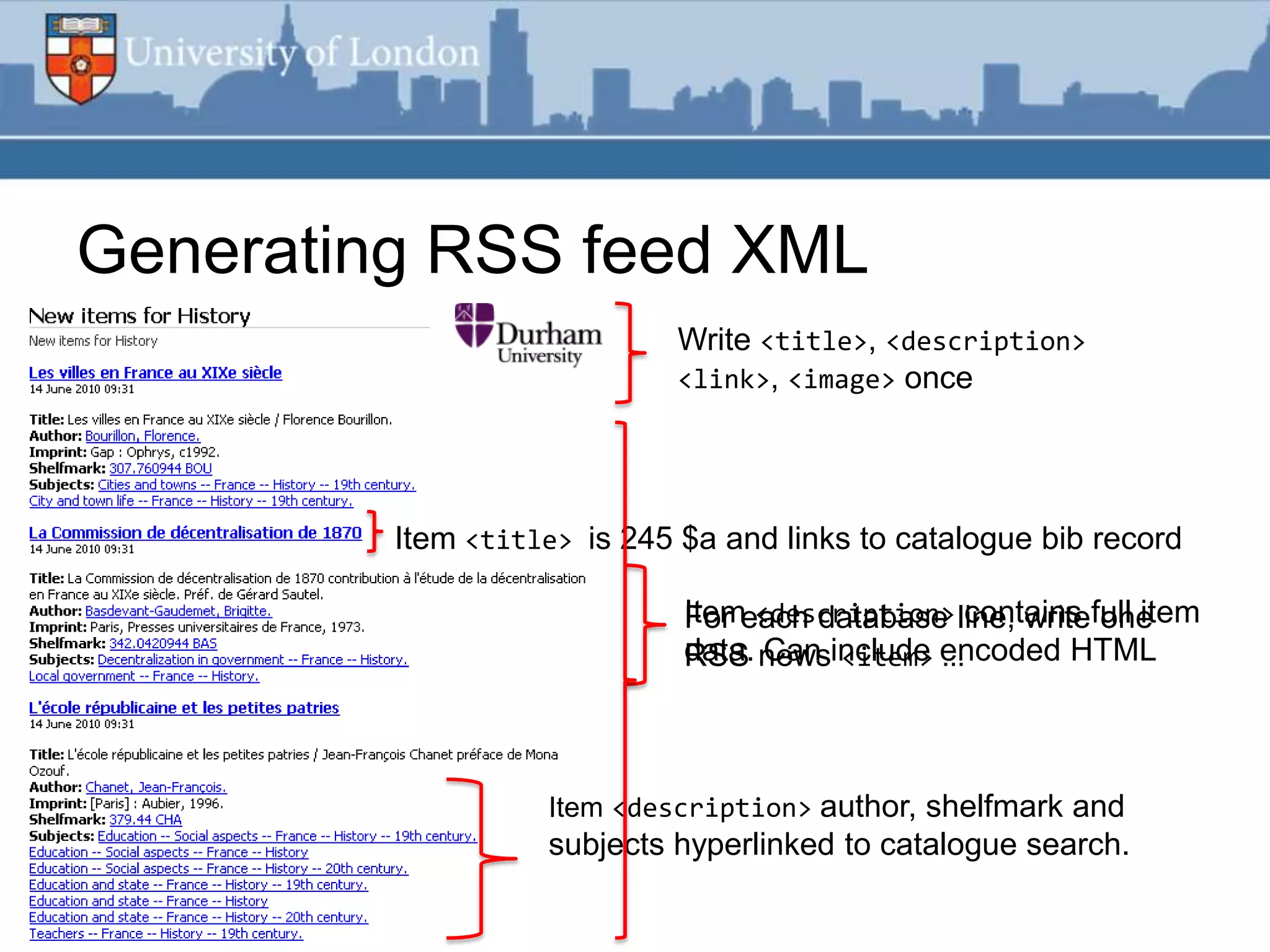
Generating RSS feed XML
                             Write <title>, <description>
                             <link>, <image> once


         Item <title> is 245 $a and links to catalogue bib record

                             Itemeach database line, writefull item
                             For <description> contains one
                             data. newsinclude encoded HTML
                             RSS Can <item> ...


                   Item <description> author, shelfmark and
                   subjects hyperlinked to catalogue search.
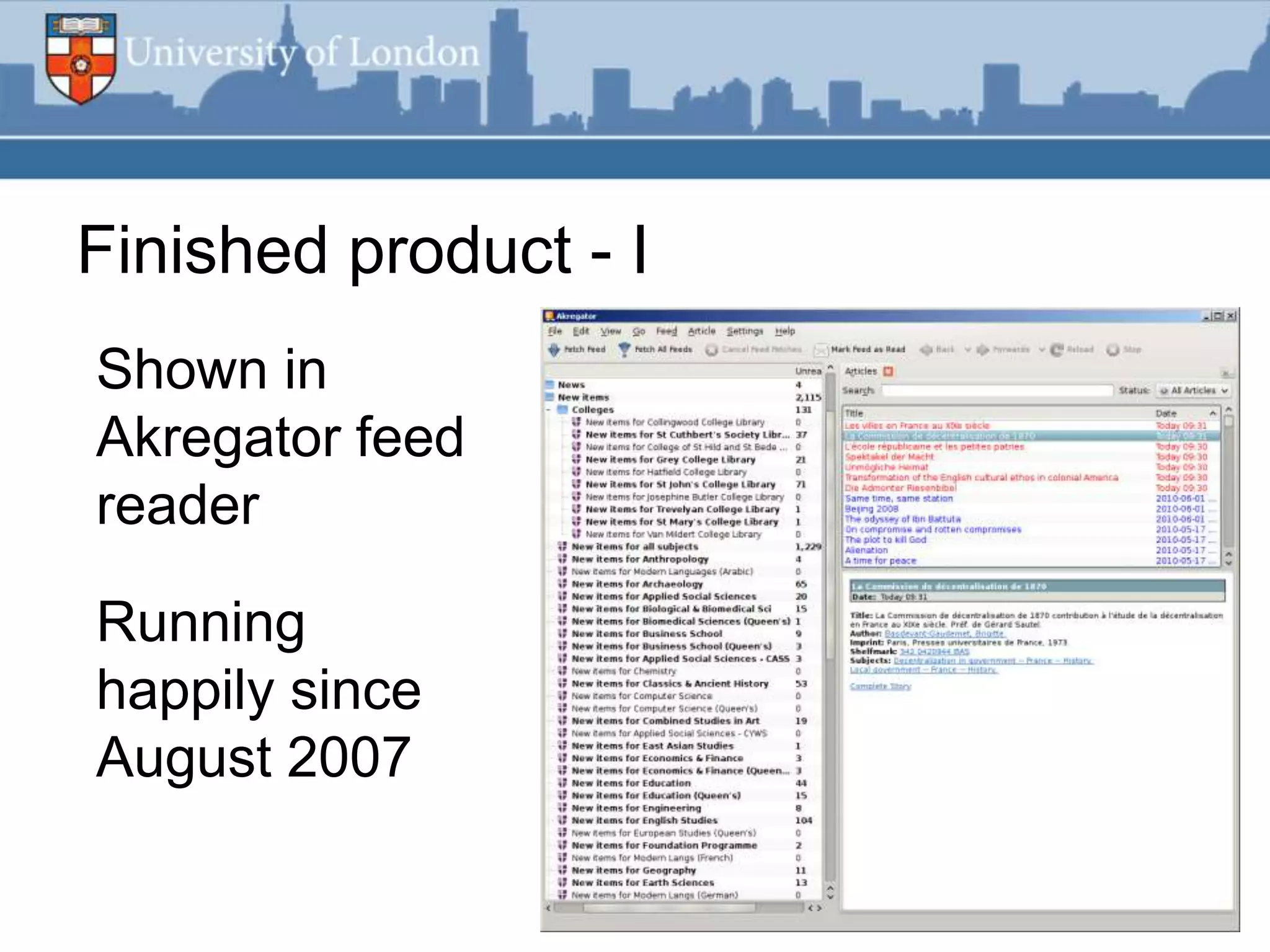
Finished product - I
Shown in
Akregator feed
reader

Running
happily since
August 2007
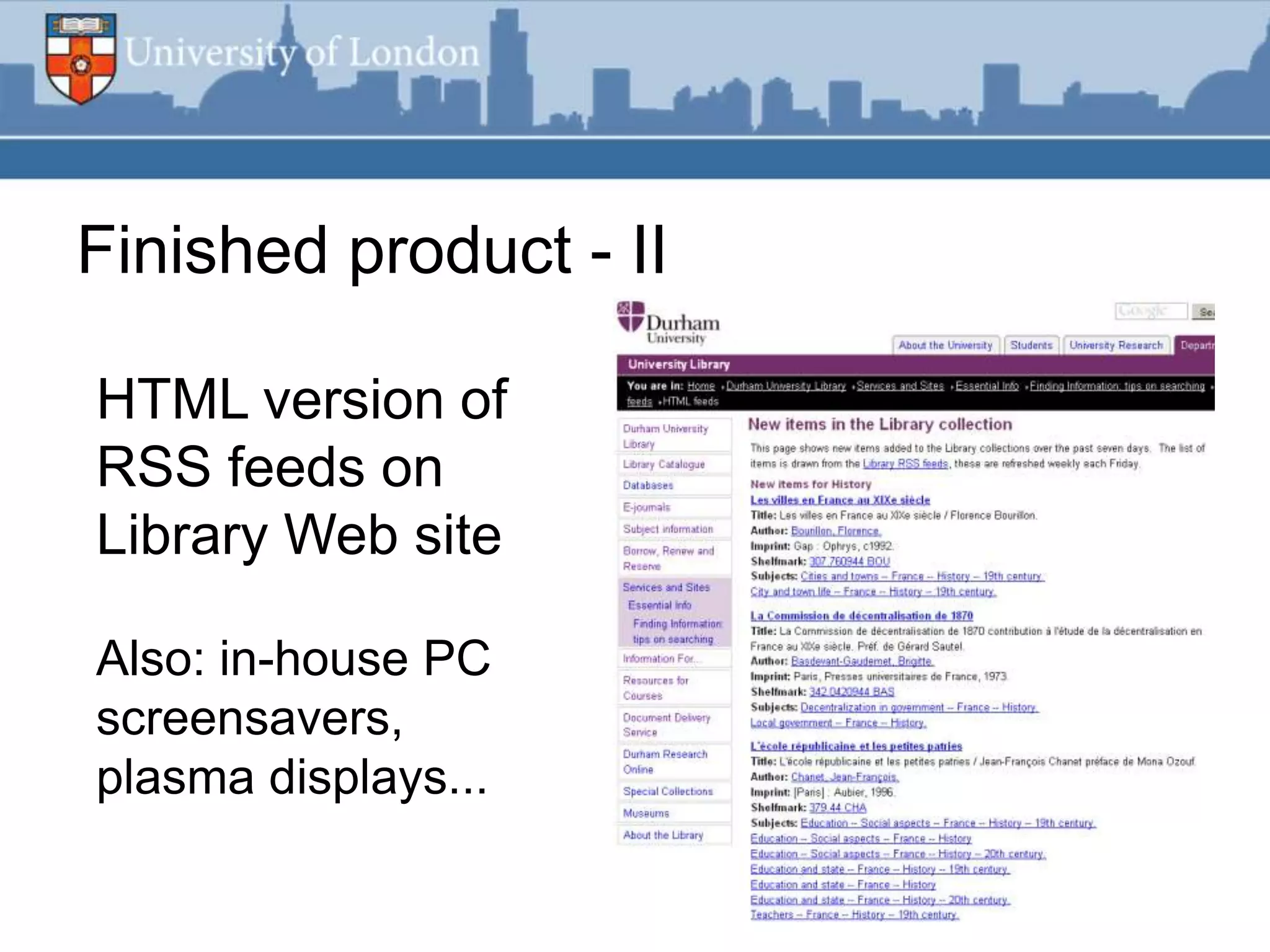
Finished product - II

HTML version of
RSS feeds on
Library Web site

Also: in-house PC
screensavers,
plasma displays...
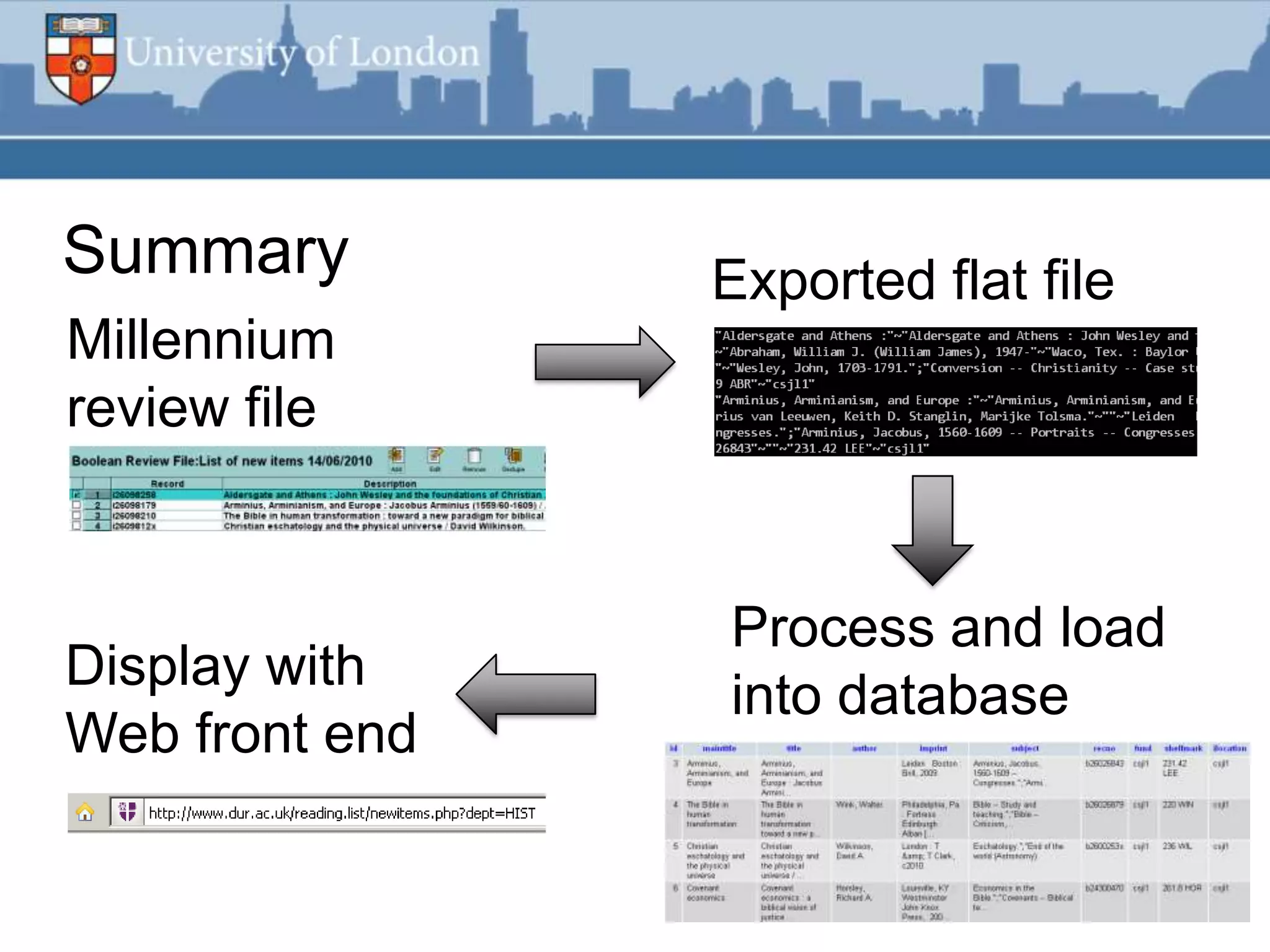
Summary         Exported flat file
Millennium
review file


                Process and load
Display with
                into database
Web front end
Lessons learned
Easiest to use Unicode everywhere

Write valid RSS 2.0 or Atom, use
http://feedvalidator.org for hints

Few complaints; change uncovered a tiny
hard core of featured lists fans
That said...
“Couldn‟t you automate this?”
 You can automate
 much of it with Expect
 or AutoIt

 Recommend Marc
 Dahl‟s presentation on
 Expect for Innopac:
 http://bit.ly/dahl-expect
Following on from this...

 Automated export and processing used for:

 Exporting Course Reserves to Blackboard

 Display of e-resources data in CMS

 Sending fines data to Oracle Financials
Thank you!

        Any questions?

Contact me
Email:   andrew.preater@london.ac.uk
Twitter: @preater

RSS feeds using Millennium data

  • 1.
    RSS feeds using Millennium data Andrew Preater, University of London Research Library Services Presented at EIUG 2010, 15th June 2010 www.london.ac.uk
  • 2.
    A short breakin County Durham I work for University of London Research Library Services, at Senate House But I will talk about my previous development work at Durham University Library
  • 3.
    Introduction Theproblem is the new books list We use these to list new items for readers as a current awareness tool Various ways to do this...
  • 4.
  • 5.
    Durham‟s new booksfeatured list
  • 6.
    Problems High maintenance Not split by subject; not easily „mashable‟ Usage next to nothing by 2007-08 10 hits!
  • 7.
    RSS feed improvements Putsour metadata where the reader is Much less work for library staff Standards-based XML data, can be reused elsewhere or mashed up RSS feed icon from www.feedicons.com
  • 8.
    Project as proofof concept Low-risk pilot for automated export and processing of Millennium data Demonstrates this utility for future projects Quickest and easiest example using this approach
  • 9.
    Desired outcomes Automatedas much as possible Minimal effort by non-systems staff to maintain No special software – no budget! Stable and reliable, „just works‟
  • 10.
    Software used Other thanMillennium... 1. Linux server with Perl installed 2. MySQL database 3. Web server running PHP
  • 11.
    Basic idea Afeatured list was created each week based on changing book item status to „d‟ So a „new books‟ review file was being made... New step added: export the contents of the review file and reuse it
  • 12.
    Export these fields BIB MARC 245 $a BIB MARC 245 BIB AUTHOR BIB IMPRINT BIB SUBJECT BIB RECORD # ITEM FUND CODE ITEM SHELFMARK ITEM LOCATION
  • 13.
    Example single item "Deadwhite men and other important people :"~"Dead white men and other important people : sociology's big ideas / Ralph Fevre and Angus Bancroft."~"Fevre, Ralph, 1955- "~"Basingstoke : Palgrave Macmillan, 2010."~"Social sciences -- Philosophy.";"Sociology."~"b25978974"~"bgso c"~"300.1 FEV"~"main4"
  • 14.
    Processing this list Perl script run every 15 minutes by cron: 1. Checks if there is a new file 2. Processes the data 3. Loads it into a MySQL database 4. Cleans up
  • 15.
    Step 2: tidyingup the data 1. Replace & with &amp; 2. Insert RFC822-compliant date 3. Strip quotation marks around fields 4. Strip trailing non-alphanumeric character in 245 $a 5. Lowercase fund codes
  • 16.
    Step 2: examplesingle item |Dead white men and other important people|Dead white men and other important people : sociology's big ideas / Ralph Fevre and Angus Bancroft.|Fevre, Ralph, 1955-|Basingstoke : Palgrave Macmillan, 2010.|Social sciences -- Philosophy.";"Sociology.|b25978974|bgsoc|30 0.1 FEV|main4|Mon, 07 Jun 10 12:31:01 BST|Mon, 07 Jun 10 12:31:01 BST|
  • 17.
    Step 2: examplesingle item Dead white men and other important people 245$a Dead white men and other important people : sociology's big ideas / Ralph Fevre and Angus 245 Bancroft. Fevre, Ralph, 1955- Author Basingstoke : Palgrave Macmillan, 2010. Imprint Social sciences -- Philosophy.";"Sociology. Subject b25978974 Record # bgsoc Fund code 300.1 FEV Shelfmark main4 Location Mon, 07 Jun 10 12:31:01 BST Date
  • 18.
    Database Two tables areused: items is refresh weekly: contains our books information fundmap maps Millennium fund codes to subjects. Export is automated but doesn‟t need to run weekly
  • 19.
    fundmap example deptcode fundcodedeptname foobar site ECON bceco Economics &amp; Finance DURHAM HIST bchis History DURHAM Govt &amp; Intl MEIS bbcme DURHAM Affairs/IMEIS Govt &amp; Intl MEIS bxabc DURHAM Affairs/IMEIS Trevelyan College CTV ctvl1 DURHAM Library
  • 20.
    Web front end PHPscript hosted on IT Service Web server will serve the feeds http://www.dur.ac.uk/reading.list/ newitems.php?dept=HIST Parameter is „all‟ or a subject code
  • 21.
    What it does 1. Select items from database 2. Writes beautiful, valid RSS 3. Serves it up to the browser A bit more detail...
  • 22.
    Generating RSS feedXML Write <title>, <description> <link>, <image> once Item <title> is 245 $a and links to catalogue bib record Itemeach database line, writefull item For <description> contains one data. newsinclude encoded HTML RSS Can <item> ... Item <description> author, shelfmark and subjects hyperlinked to catalogue search.
  • 23.
    Finished product -I Shown in Akregator feed reader Running happily since August 2007
  • 24.
    Finished product -II HTML version of RSS feeds on Library Web site Also: in-house PC screensavers, plasma displays...
  • 25.
    Summary Exported flat file Millennium review file Process and load Display with into database Web front end
  • 26.
    Lessons learned Easiest touse Unicode everywhere Write valid RSS 2.0 or Atom, use http://feedvalidator.org for hints Few complaints; change uncovered a tiny hard core of featured lists fans That said...
  • 27.
    “Couldn‟t you automatethis?” You can automate much of it with Expect or AutoIt Recommend Marc Dahl‟s presentation on Expect for Innopac: http://bit.ly/dahl-expect
  • 28.
    Following on fromthis... Automated export and processing used for: Exporting Course Reserves to Blackboard Display of e-resources data in CMS Sending fines data to Oracle Financials
  • 29.
    Thank you! Any questions? Contact me Email: andrew.preater@london.ac.uk Twitter: @preater

Editor's Notes

  • #3 I’m going to talk about work I did at Durham University. I no longer work there, having moved to University of London.I’d like to thank Jon Purcell, University Librarian at Durham for permission to talk to you about this system today
  • #4 Problem is the new books listThese are also known as acquisitions and accessions lists which are more horrible, library-jargony terms for the same sort of thing.We’re talking about new books and stuff. New items maybe? Suggestions welcome.What we’re going to do is create lists that make readers aware of new items available at the library.
  • #5 Note: I do not recommend doing this as your only way of advertising new stock.
  • #6 Durham’s previous solution was a featured list.
  • #7 Problems of this… The featured list was taking up substantial staff time in manual tweaking each week The list wasn’t split by subject and there was no practical way of achieving this without taking up loads of review files. The list presented couldn’t be easily reused or displayed elsewhere.By academic year 2007-08 usage has dropped to just ~6 unique visitors a week.As the only advertising of new books, that’s not good enough.
  • #8 The idea of moving new books to an RSS feed is one of those “obvious” Web 2.0 improvements libraries come up with.RSS feeds allow readers to view the lists wherever they want in their choice of client. “Save the time of the reader”.We can move much of the processing to automated scripts. “Save the time of the staff”.Better, we can reuse the RSS feeds to push our new books lists to other places – like the Web and twitter. We’ll get on to that stuff later.
  • #9 An important real reason for doing this was to pilot this approach of data export and processing.Making RSS feeds of new books is low-risk and demonstrates this technique is workable before we start asking other University departments to do development work of their own to reuse our data.
  • #10 So this is what I wanted to see at the end.I wanted a system that would run without requiring constant attention or manual fettling of data.It was important this didn’t introduce additional, onerous work for our cataloguers.Even more important,I had no budget any extra software.
  • #11 I’m just going to assume everyone has a Millennium server.I wanted to make use of the excellent database and Web hosting platform provided by Durham’s IT department, so my choice of technologies was made.Of course you could use different scripting languages and databases. You might even run it all on Windows… but friends, why punish yourself?
  • #12 I mentioned the featured list being created each week.This was based on marking items as “new” by changing their item status. “New books” as an idea was already integrated into the cataloguing workflow.It was an easy next step to export the contents of the review file and reuse it.This might not work for you.At Senate House I’ve found it best to talk to the head cataloguer to work throughabout how to approach this
  • #13 Our cataloguer just needs to export these fields into a tilde-delimited text file.This file is saved onto a networked drive that will be accessible to my Linux server for processing.
  • #14 Sorry for putting this wall of text in front of you.I wanted you to get an idea of what we’re actually working with.
  • #15 Onwards… several Perl scripts running on a Linux server now do all the work here.Here’s how it works in practice:On a Friday morning, a cataloguer saves a copy of the exported list of new items.Shortly after, the script will run and notice there is new data. This is processed, then loaded into a database.It’s worth looking at the “processing” stage in a bit of detail. I promise not to subject you to pages of Perl script…
  • #16 This is what “processing” the data means. I want to demystify this.Basically we’re just getting it into a form that can be loaded into MySQL.The program loads the exported data,rewrites itto tidy up the formatting, then writes it out into another file…
  • #17 This is the processed version of the same item we looked at before.This is loaded straight in to a MySQL database by the Perl script.
  • #18 For clarity I wanted to break this item up to show you where the data has come from in Millennium[This can be skipped]
  • #19 A little bit about the database.There are two tables – items contains the new books themselves, whereas fundmapis a table to relate the Millennium fund codes to the subjects they represent.At Durham, the fund codes used can be trusted to always relate to the department they were purchased for.This won’t work very well at Senate House - I’m looking at using item locations instead.
  • #20 Here’s a snippet of the fundmap database to show you what it looks likeWe’re going to use the deptcode (department code) from this database to clump together multiple fundcodes into one subject department or subject name.I’ll spare you the gory detail as it involves SQL.
  • #21 The final step is a PHP application that will actually serve the RSS feeds to the end user.In PHP because that’s what is supported on the IT Service Web server.Down the bottom is the form of the URL for querying the database for new items.We’re using the history department code here.
  • #22 This is a very broad outline…The PHP program connects to the database and selects items, either all of them or a subject name.The sorting of the list will happen at this stage – our feeds are sorted by shelfmarkwhich is DDC.I don’t want to wade though the whole PHP script telling you what it does, here are some highlights...
  • #23 This is finished, formatted RSS feed.Firstly the program writes in what are called the “channel” elements, data that describe the feed as a whole.Then for each entry retrieved from the database, we write out an “item” element.The &lt;link&gt; element is a link to the OPAC bib record display. You can include HTML in an RSS &lt;description&gt;. Most clients will render it.I’ve hyperlinked author, shelfmark and LC subject headings to searches in the OPAC. Subject headings are an attempt to provide some “find more like this” functionality.Presentation is meant to be simple. Everything has to make sense displayed out-of-context, away from a desktop PC. The 245$a is used to present a nice short title for reuse elsewhere for example.
  • #24 So here’s the finished product in an RSS news readerAs you can see I’ve not been keeping up with new books at Durham.It’s been working with very few problems since August 2007.
  • #25 Here’s an example showing reuse of the RSS feeds to provide a display of new book on the Library Web site.The feeds can be reused elsewhere such as in-house screensavers, flat screen displays
  • #26 This is a summary of the process.- Start with a review file.- Export the bib and item data to a flat file.- Process it, then load into a database.- Use this as a basis for creating RSS feeds
  • #27 Some lessons learned during this process.It’s easiest just to make everything use Unicode end-to-end from the very beginning.It’s polite and quite easy to write valid RSS or Atom feeds. Use feedvalidator to provide tips on good practice even if yours are already valid.We had very few complaints except from one or two people who’d been using the featured lists extensively.Only one person really ranted on about it…
  • #28 Yes indeed, we can automate the review file and export stage.I recommend Expect
  • #29 Following this trial I implemented more automated export and processing of Millennium data.Any of these could easily be a separate presentation…!- The Course Reserves creates an XML feed of reading lists items which is read in by Blackboard- The e-resources feed creates chunks of HTML which are reused in the CMS to list databases and e-journals information- The fines feed securely uploads patron data direct to the university treasurer for end-of-year fines clearing purposes.