Rediff News Publishing
System using MongoDB
Subramanyam Yeleswarapu
Agenda
•  Use Cases
•  MongoDB Usage
•  Architecture
•  Q & A
Use Cases
•  Rediff Maps
•  Core Publishing System
•  Newsletter
Rediff Maps Use Case
•  Upload excel file and select the data
•  Match data to Map attributes
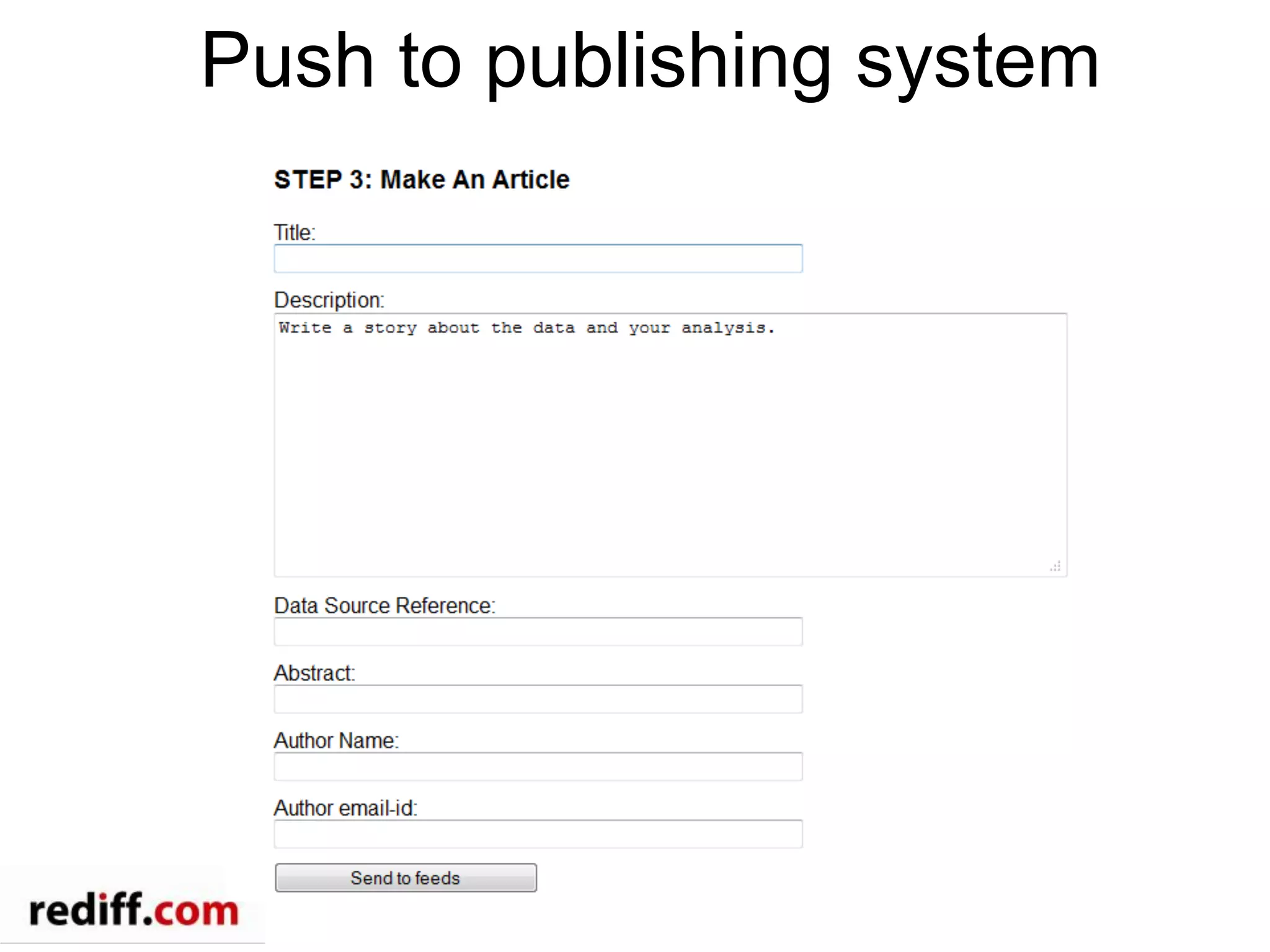
•  Author an article that consumes data
generated by data science team
•  Visualize data on the map
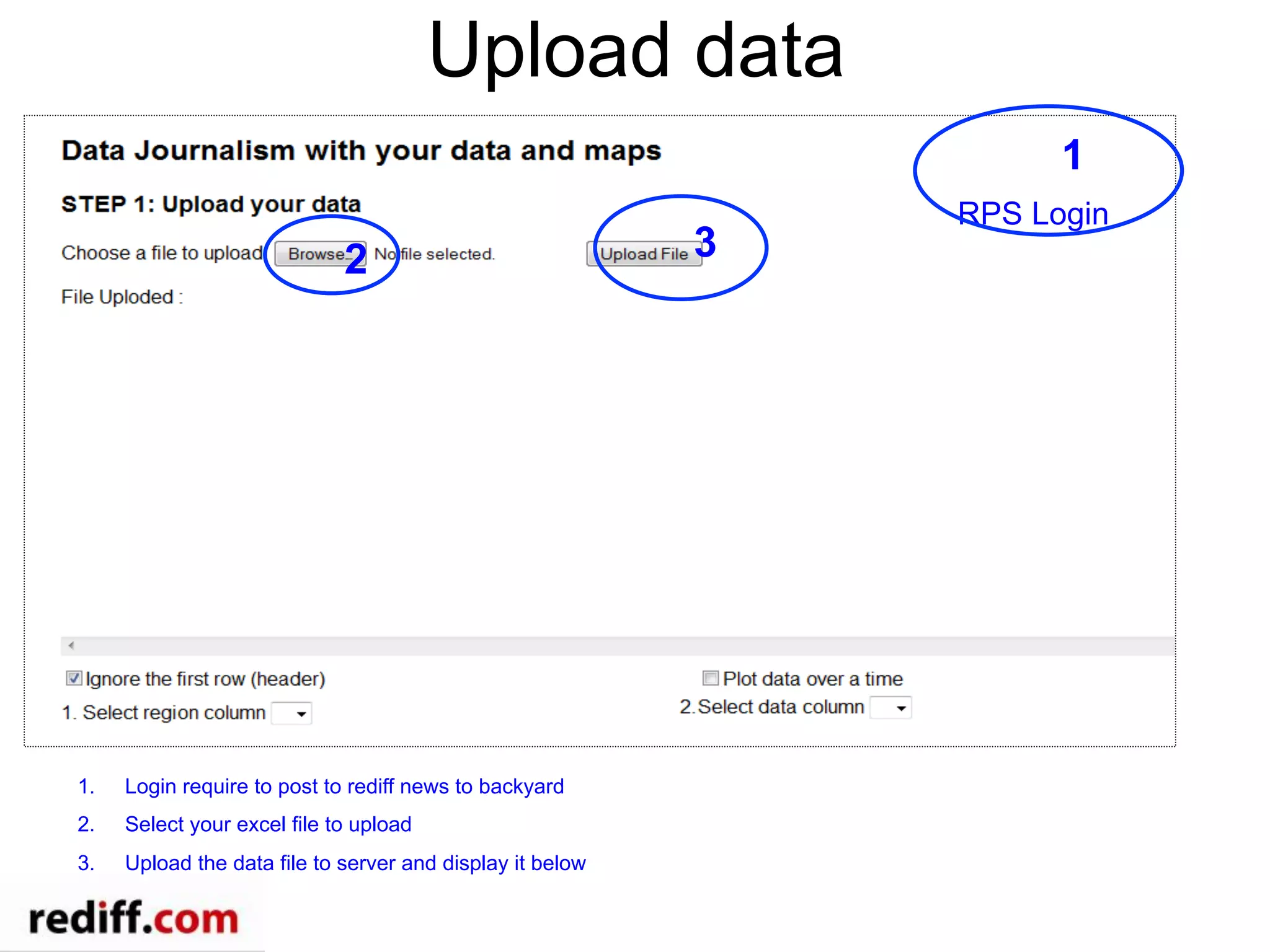
Upload data
2 3
RPS Login
1
1.  Login require to post to rediff news to backyard
2.  Select your excel file to upload
3.  Upload the data file to server and display it below
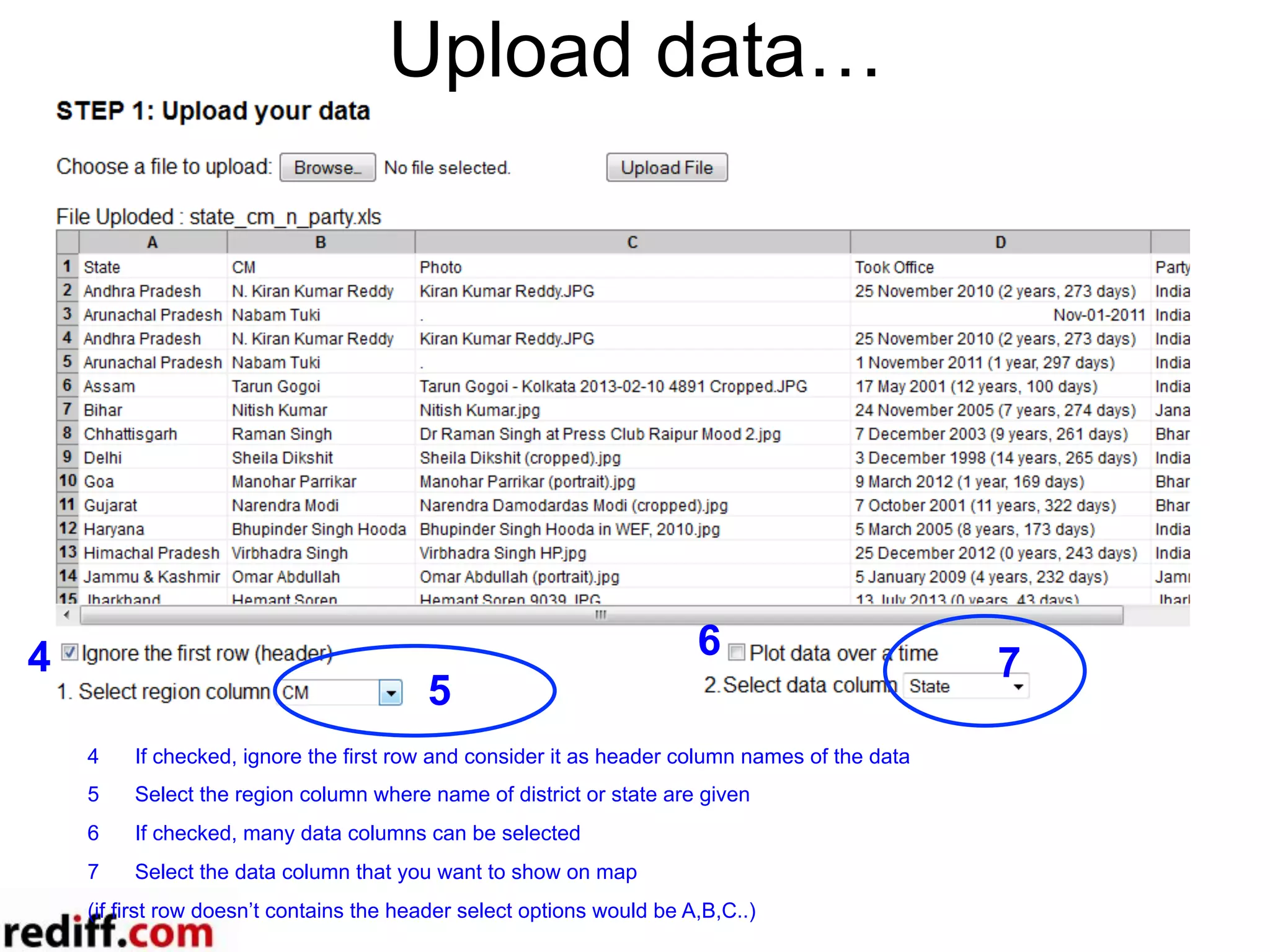
Upload data…
4 7
6
5
4  If checked, ignore the first row and consider it as header column names of the data
5  Select the region column where name of district or state are given
6  If checked, many data columns can be selected
7  Select the data column that you want to show on map
(if first row doesn’t contains the header select options would be A,B,C..)
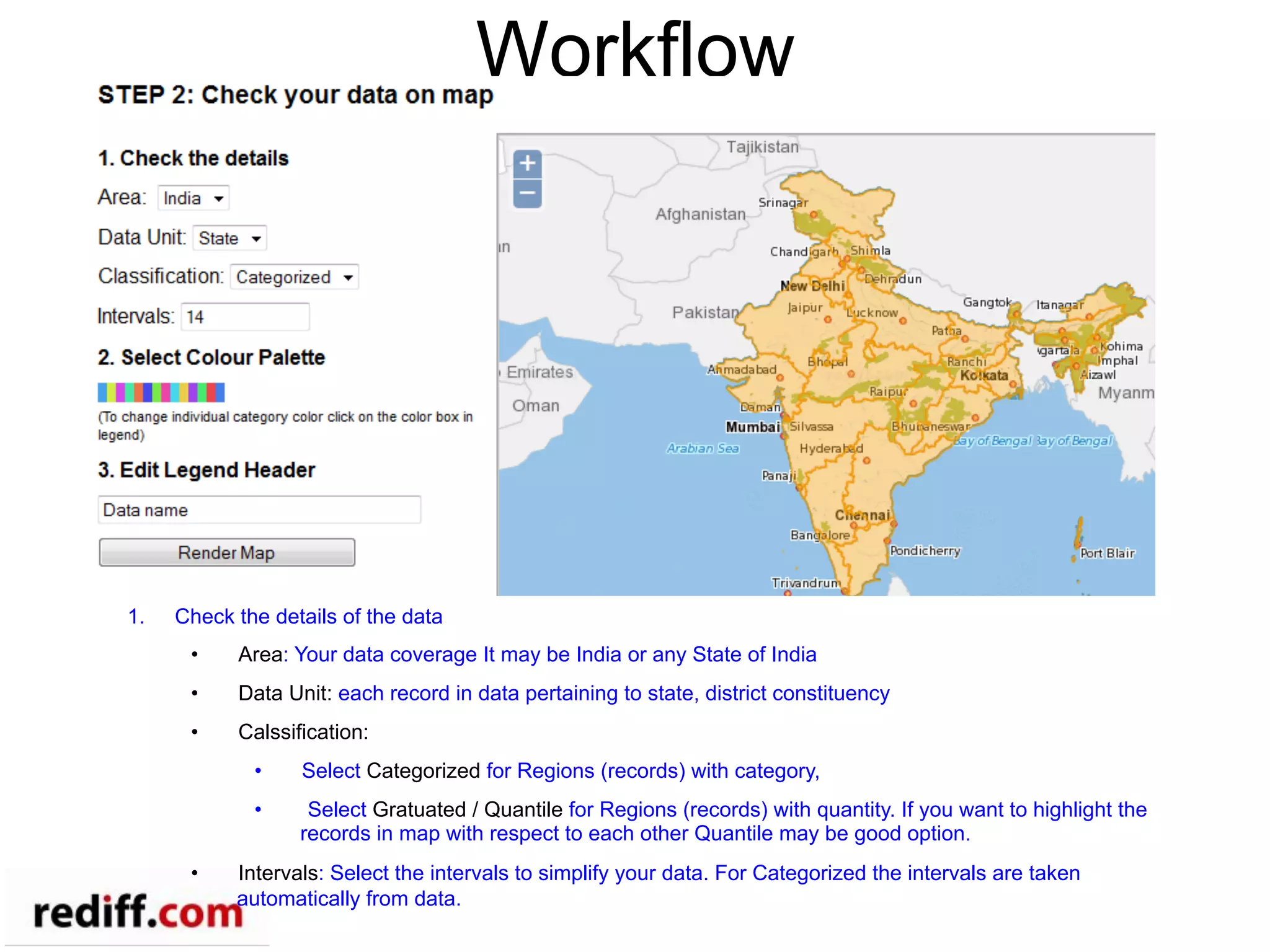
Workflow
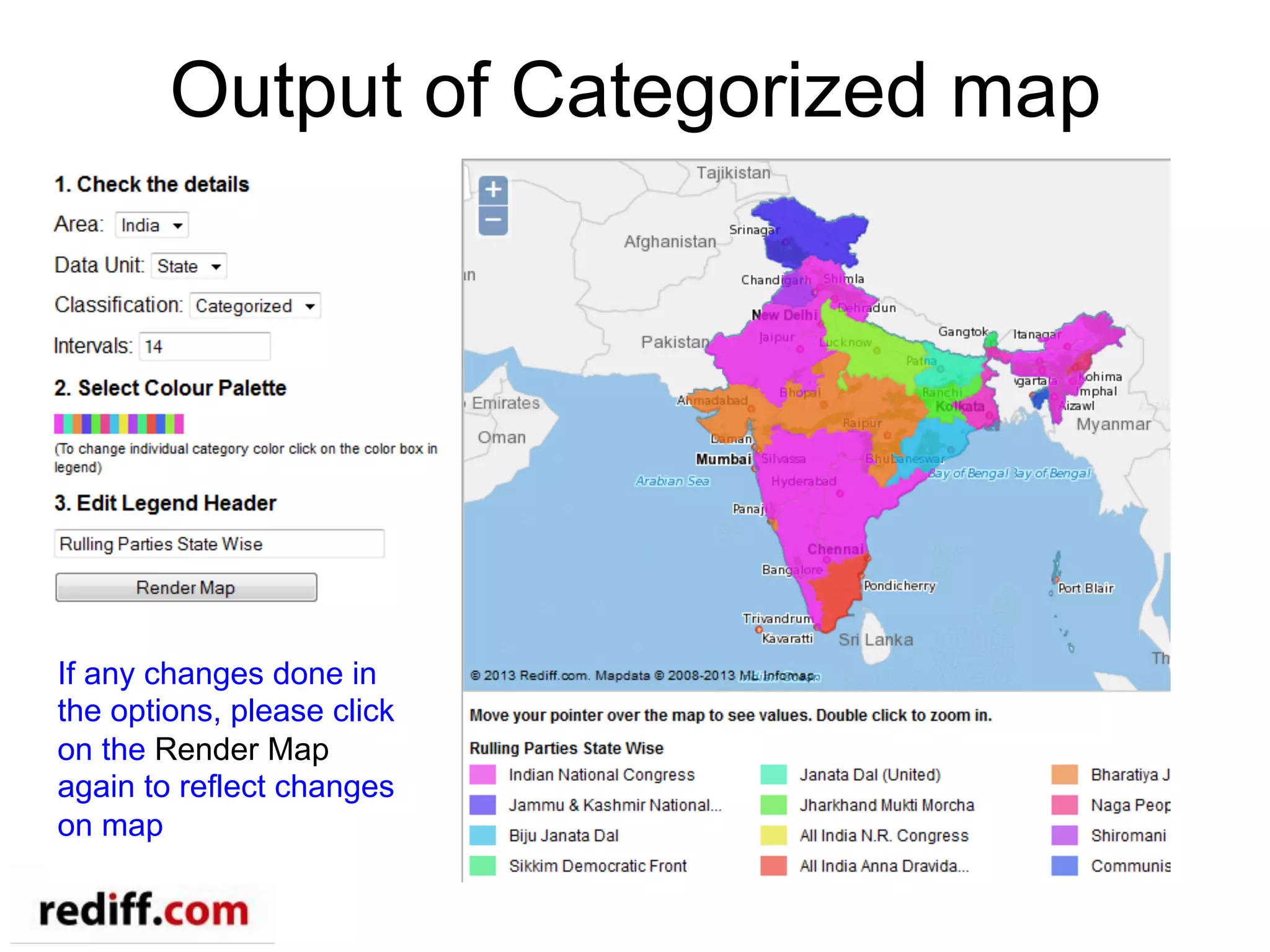
1.  Check the details of the data
•  Area: Your data coverage It may be India or any State of India
•  Data Unit: each record in data pertaining to state, district constituency
•  Calssification:
•  Select Categorized for Regions (records) with category,
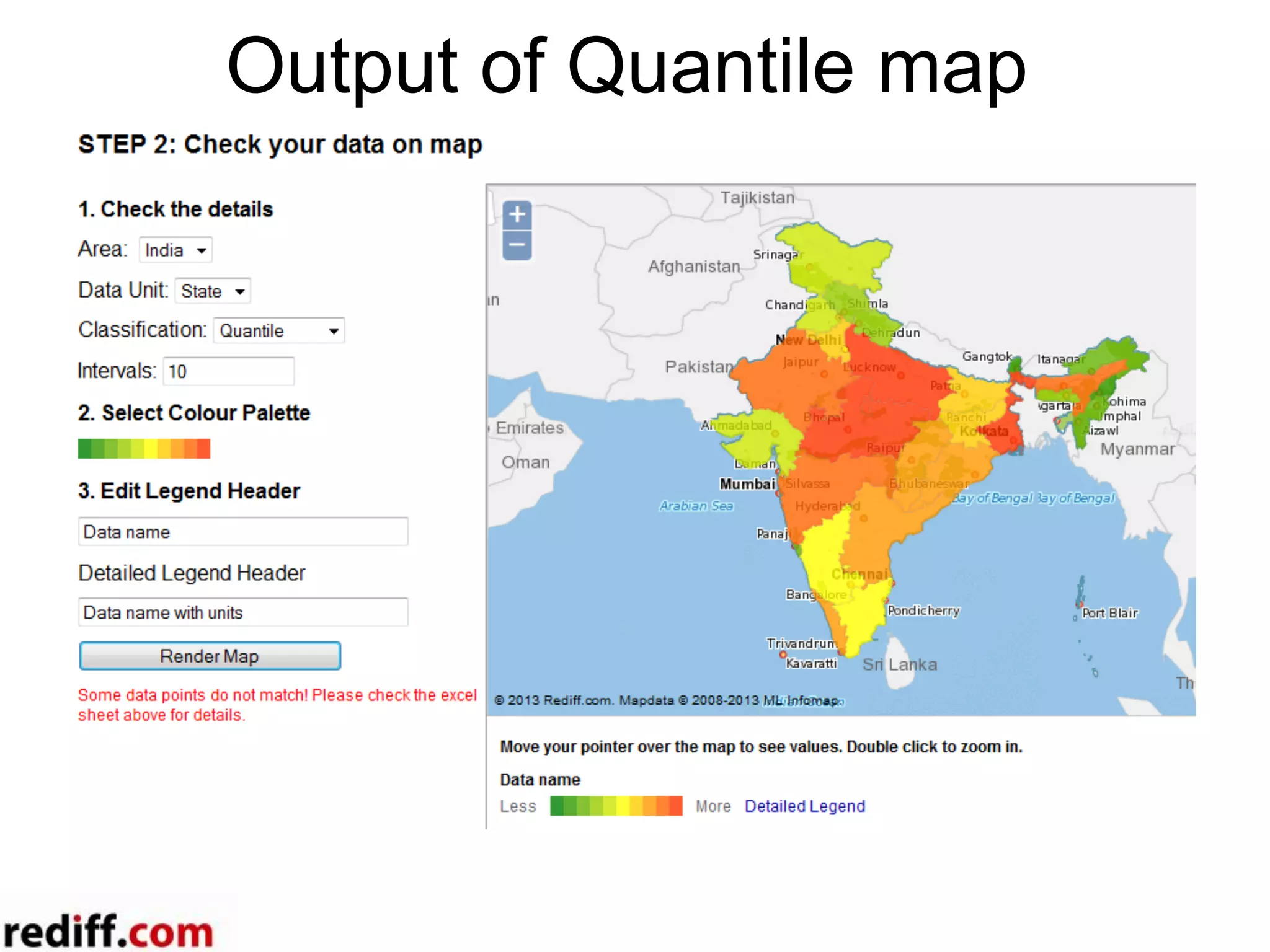
•  Select Gratuated / Quantile for Regions (records) with quantity. If you want to highlight the
records in map with respect to each other Quantile may be good option.
•  Intervals: Select the intervals to simplify your data. For Categorized the intervals are taken
automatically from data.
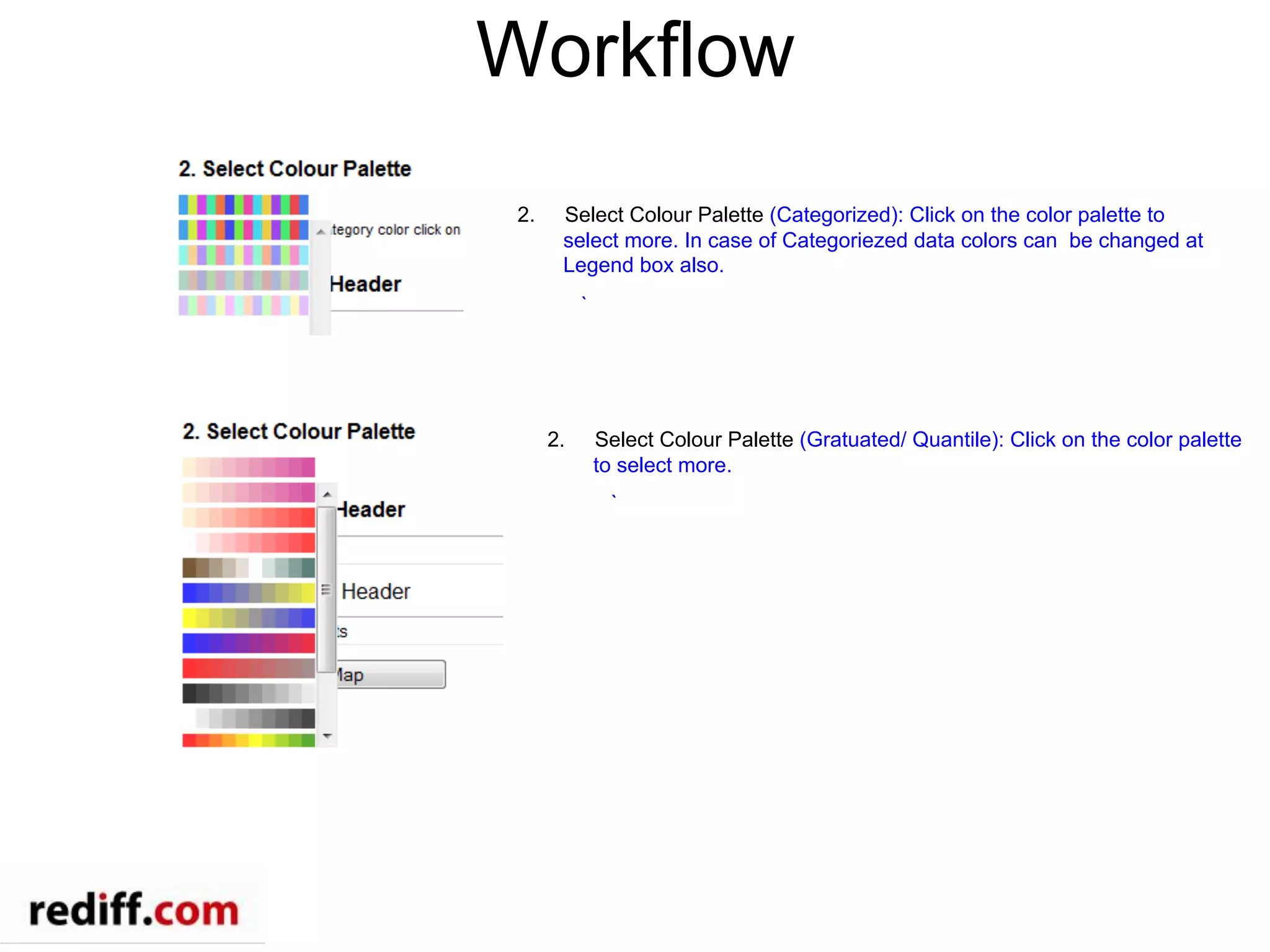
Workflow
2.  Select Colour Palette (Categorized): Click on the color palette to
select more. In case of Categoriezed data colors can be changed at
Legend box also.
`
2.  Select Colour Palette (Gratuated/ Quantile): Click on the color palette
to select more.
`
Output of Categorized map
If any changes done in
the options, please click
on the Render Map
again to reflect changes
on map
Output of Quantile map
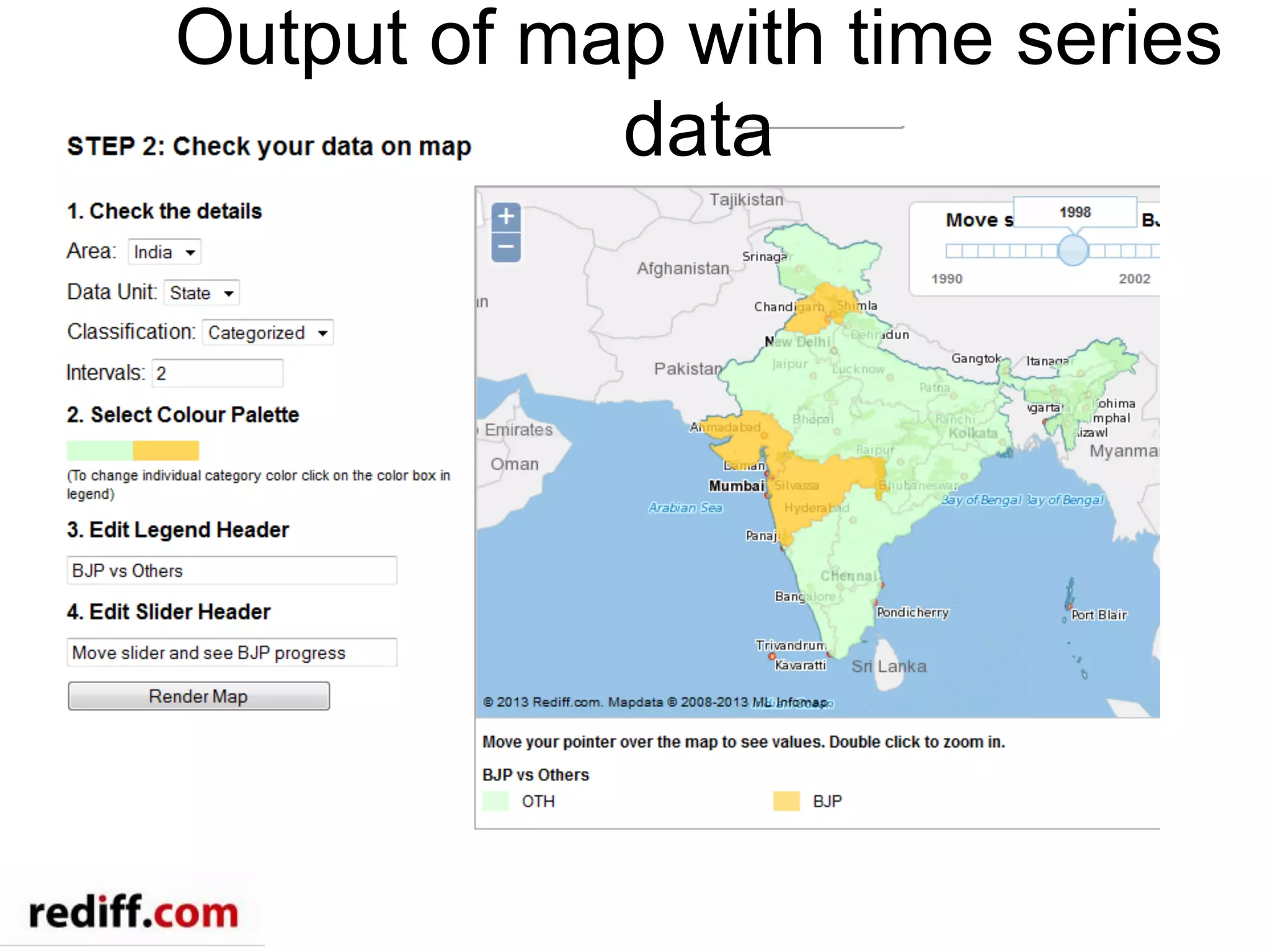
Output of map with time series
data
Push to publishing system
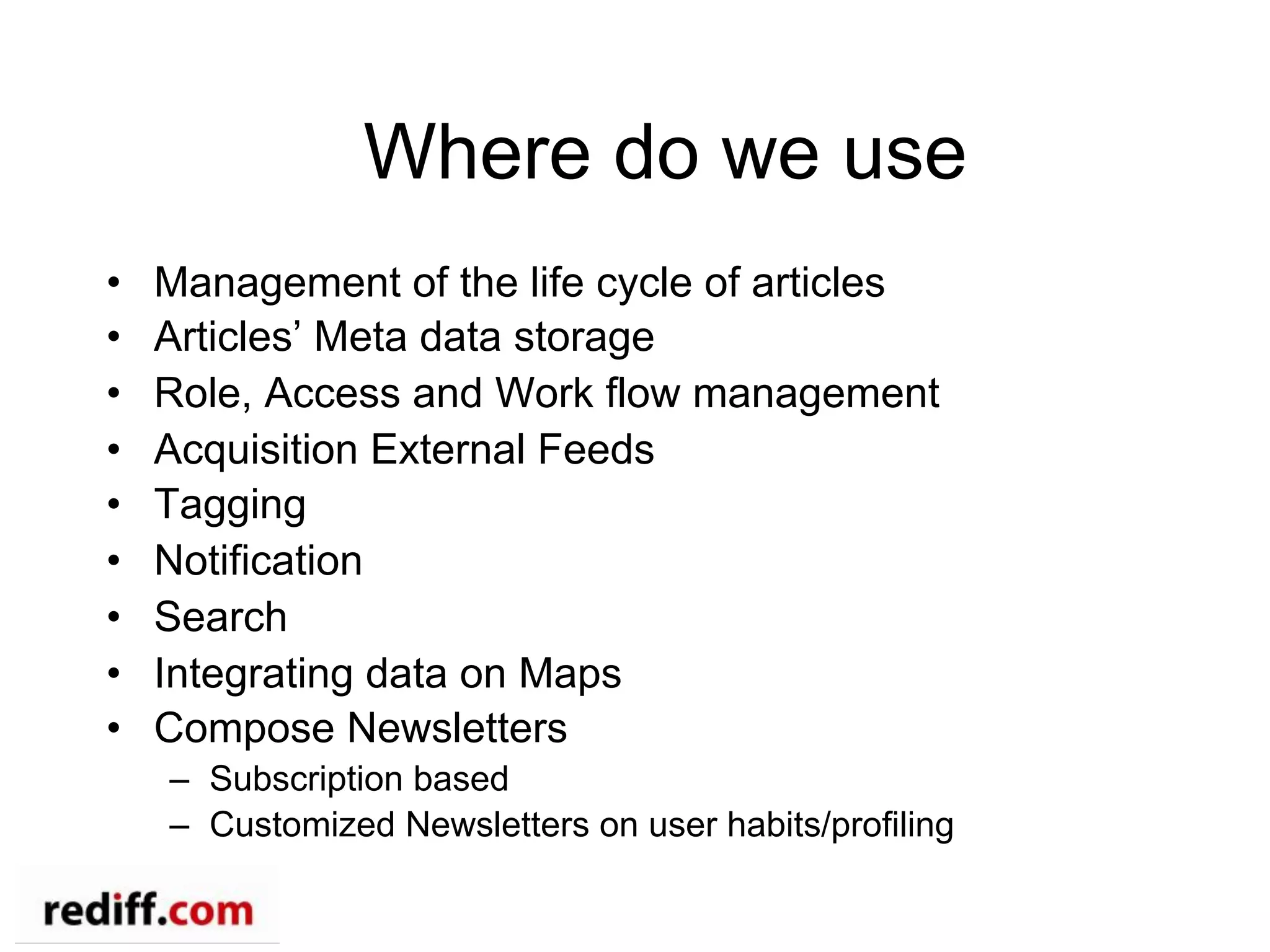
Where do we use
•  Management of the life cycle of articles
•  Articles’ Meta data storage
•  Role, Access and Work flow management
•  Acquisition External Feeds
•  Tagging
•  Notification
•  Search
•  Integrating data on Maps
•  Compose Newsletters
–  Subscription based
–  Customized Newsletters on user habits/profiling
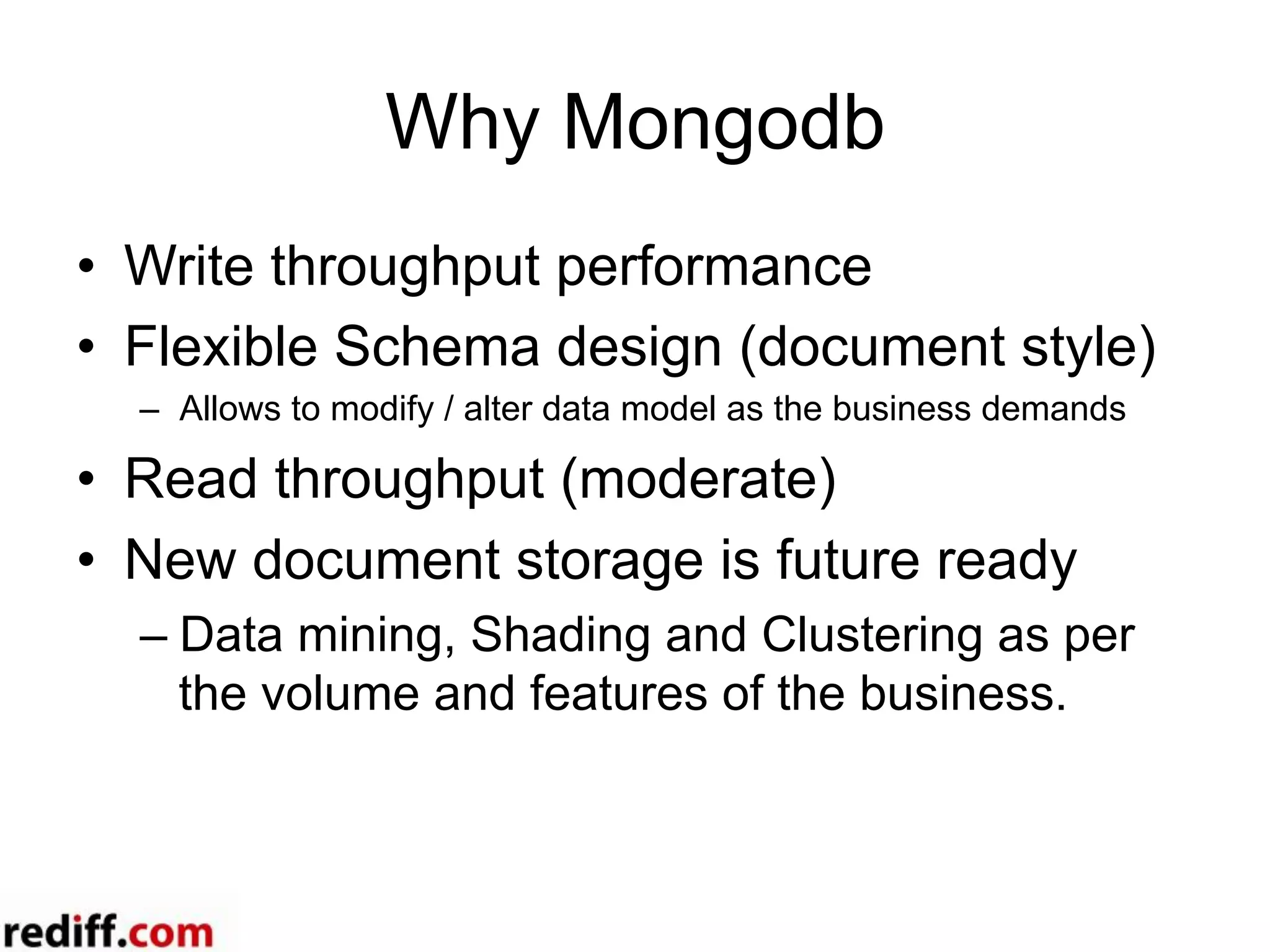
Why Mongodb
•  Write throughput performance
•  Flexible Schema design (document style)
–  Allows to modify / alter data model as the business demands
•  Read throughput (moderate)
•  New document storage is future ready
– Data mining, Shading and Clustering as per
the volume and features of the business.
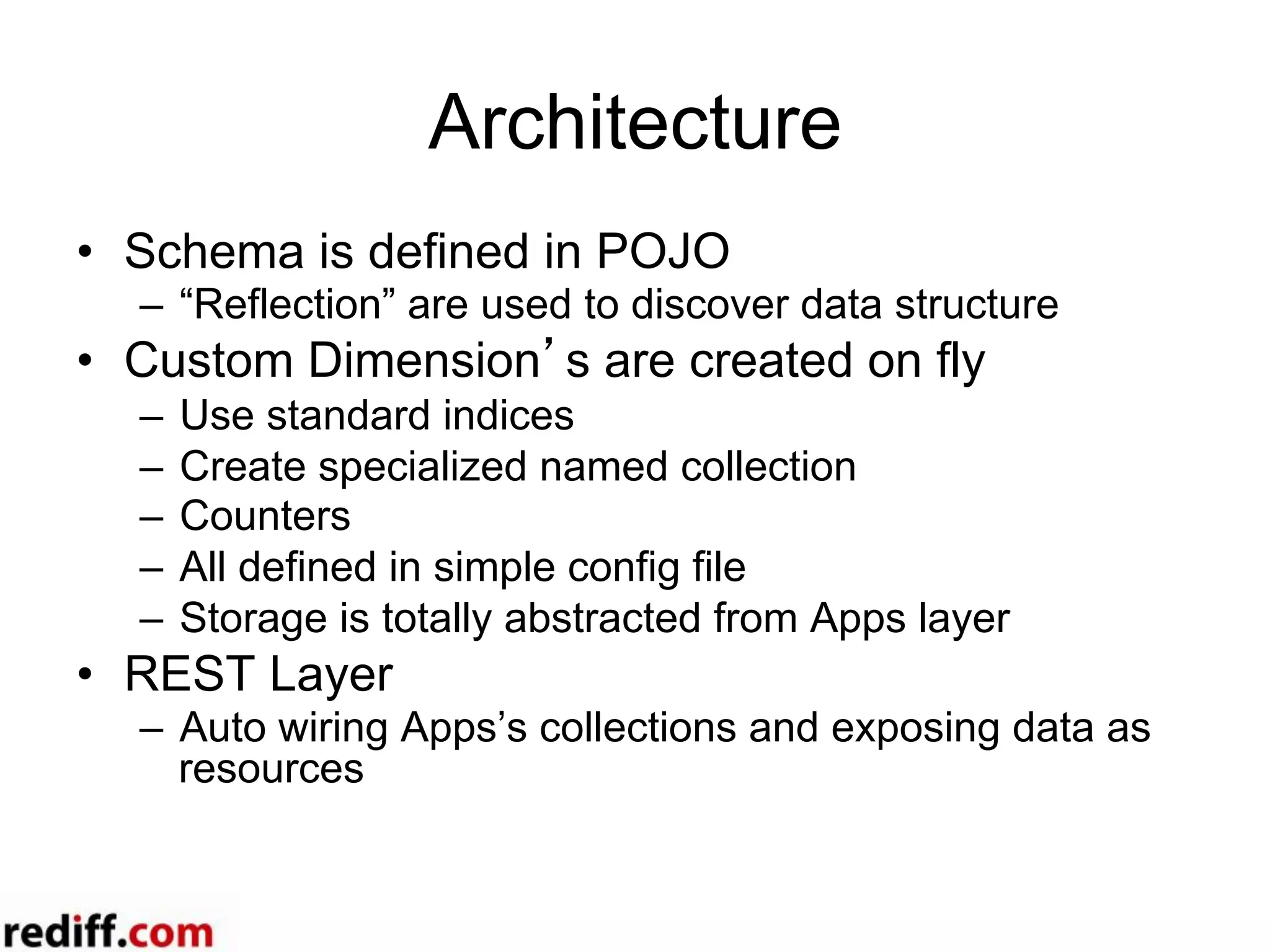
Architecture
•  Schema is defined in POJO
–  “Reflection” are used to discover data structure
•  Custom Dimension’s are created on fly
–  Use standard indices
–  Create specialized named collection
–  Counters
–  All defined in simple config file
–  Storage is totally abstracted from Apps layer
•  REST Layer
–  Auto wiring Apps’s collections and exposing data as
resources
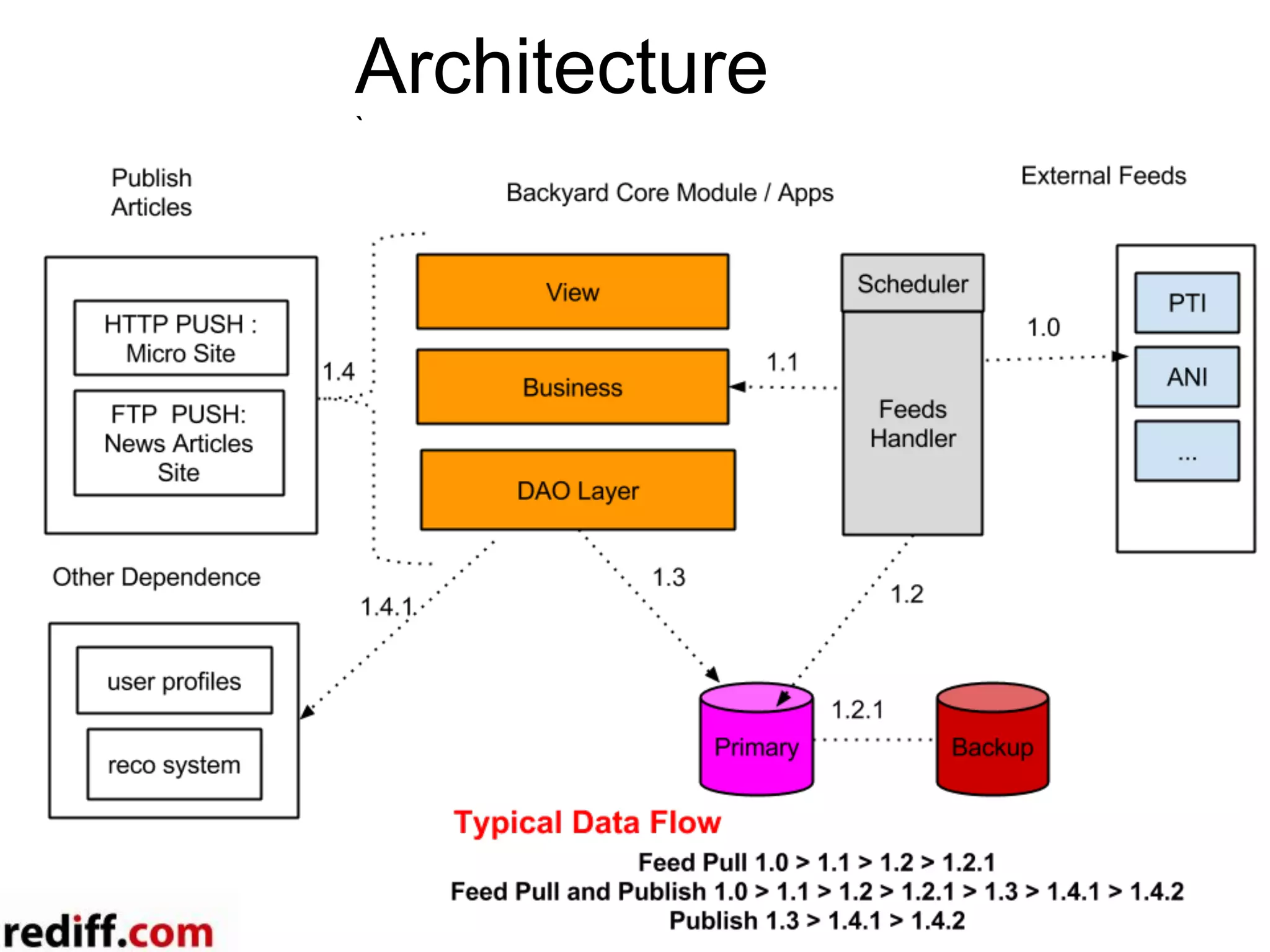
Architecture
`
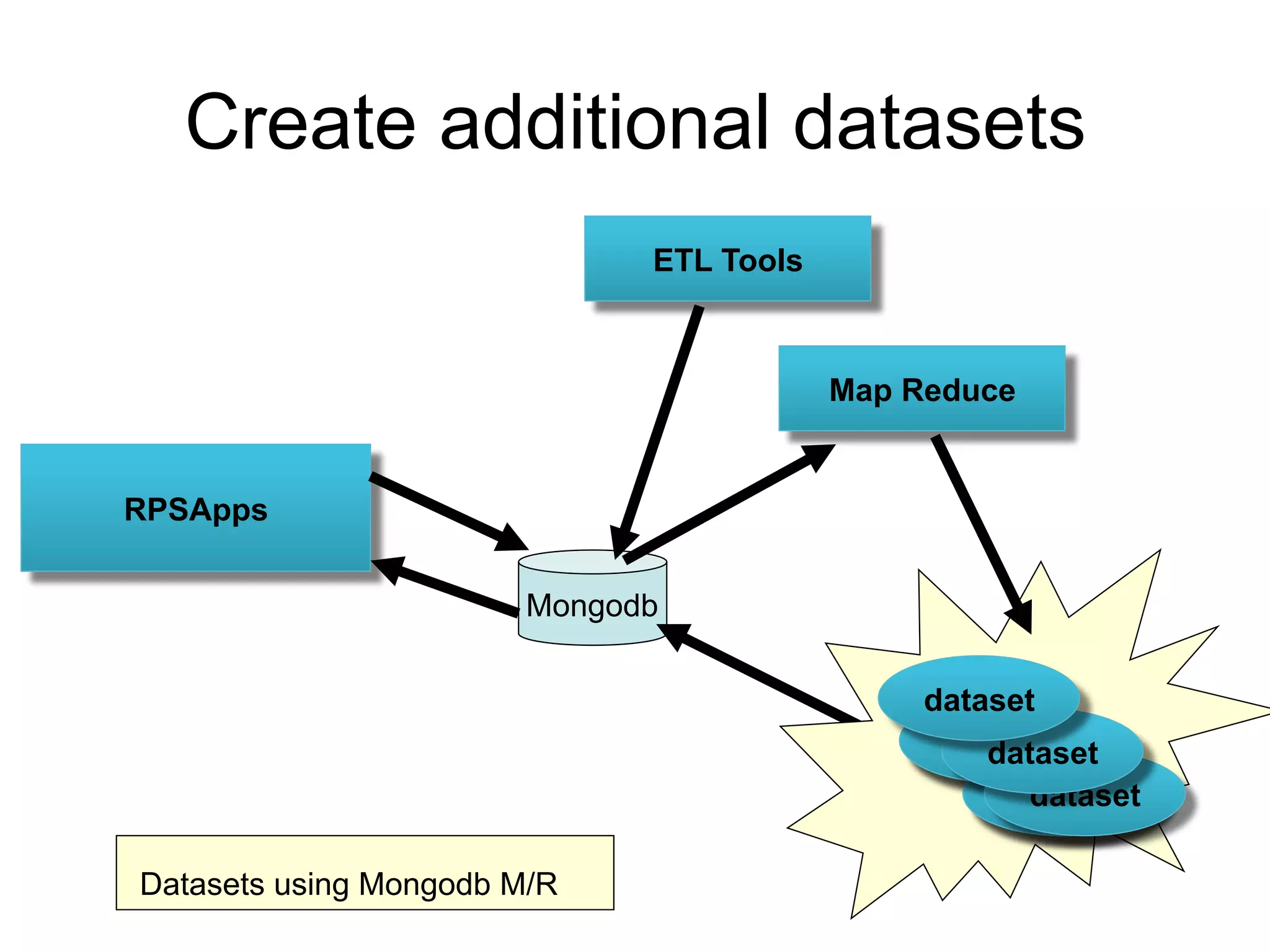
Create additional datasets
RPSApps
Mongodb
ETL Tools
dataset
dataset
dataset
dataset
dataset
dataset
dataset
Datasets using Mongodb M/R
Map Reduce
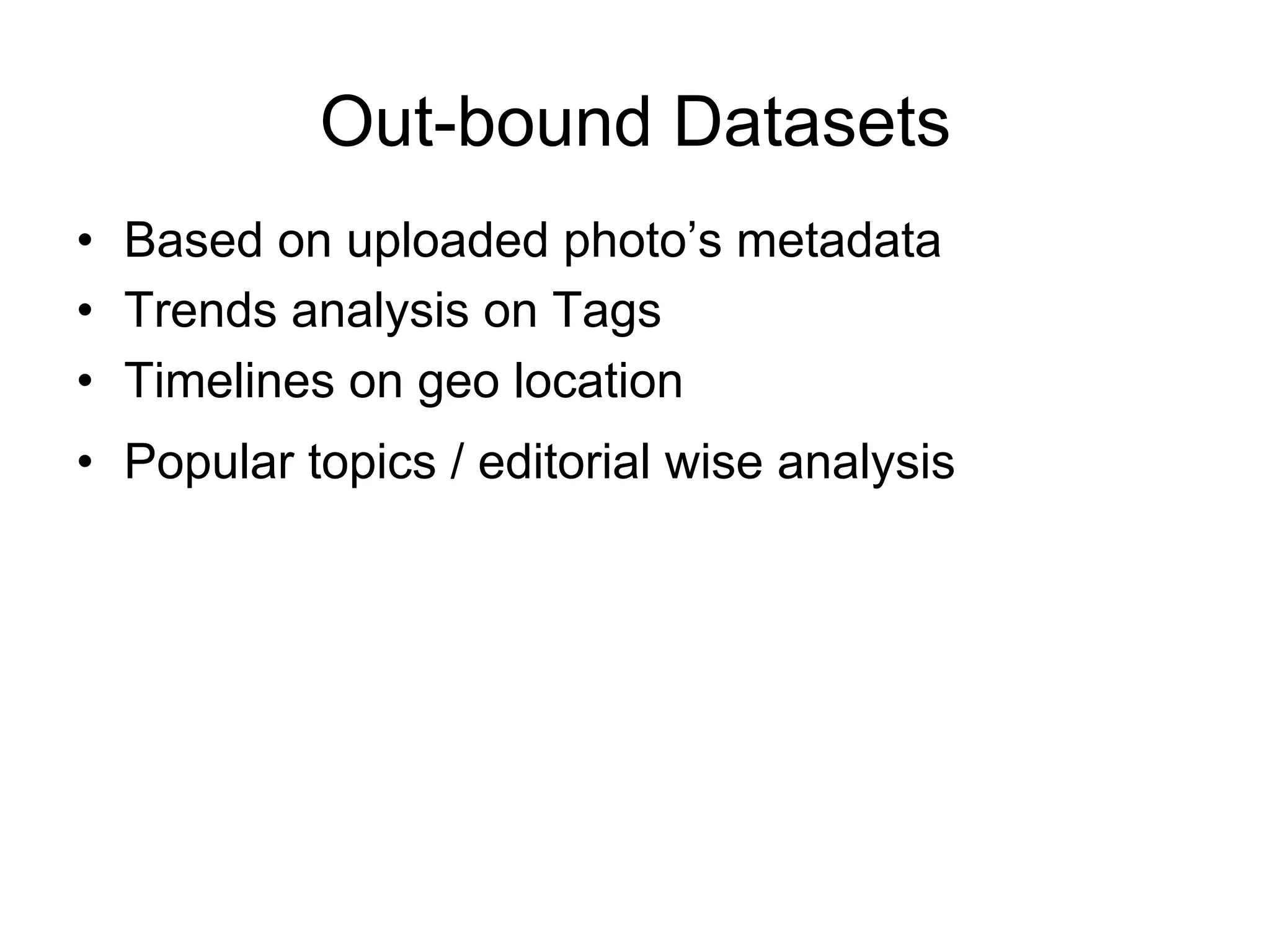
•  Based on uploaded photo’s metadata
•  Trends analysis on Tags
•  Timelines on geo location
•  Popular topics / editorial wise analysis
Out-bound Datasets
Use Case
•  Article Publishing
•  Newsletter Publishing
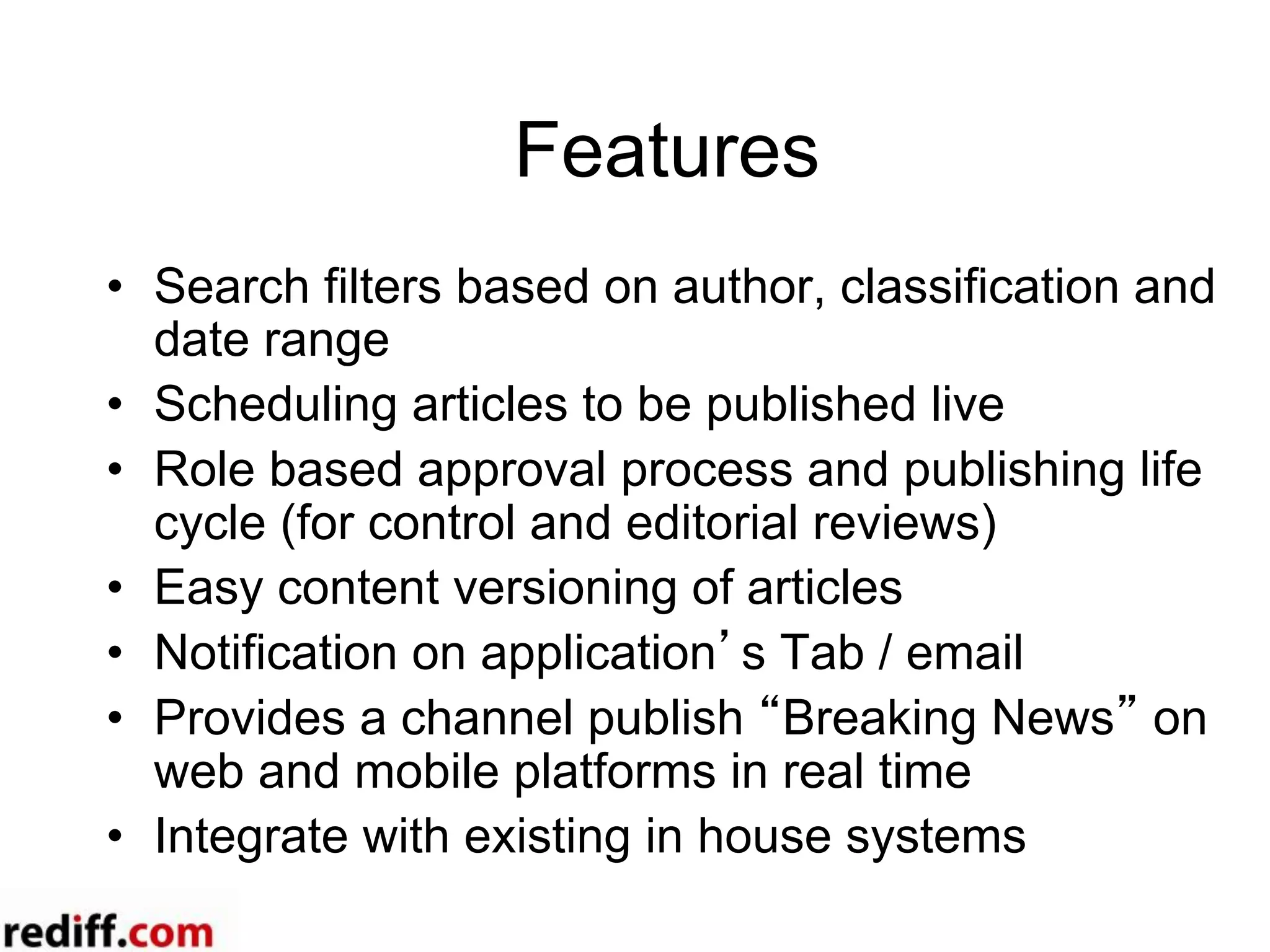
Features
•  Search filters based on author, classification and
date range
•  Scheduling articles to be published live
•  Role based approval process and publishing life
cycle (for control and editorial reviews)
•  Easy content versioning of articles
•  Notification on application’s Tab / email
•  Provides a channel publish “Breaking News” on
web and mobile platforms in real time
•  Integrate with existing in house systems
Add on features
•  Auto RSS Feeds creation and publishing
•  Data Journalism Simplified
•  SEO friendly (adding meta tags that helps to
rank up in search results)
•  Newsletters creation and publish process
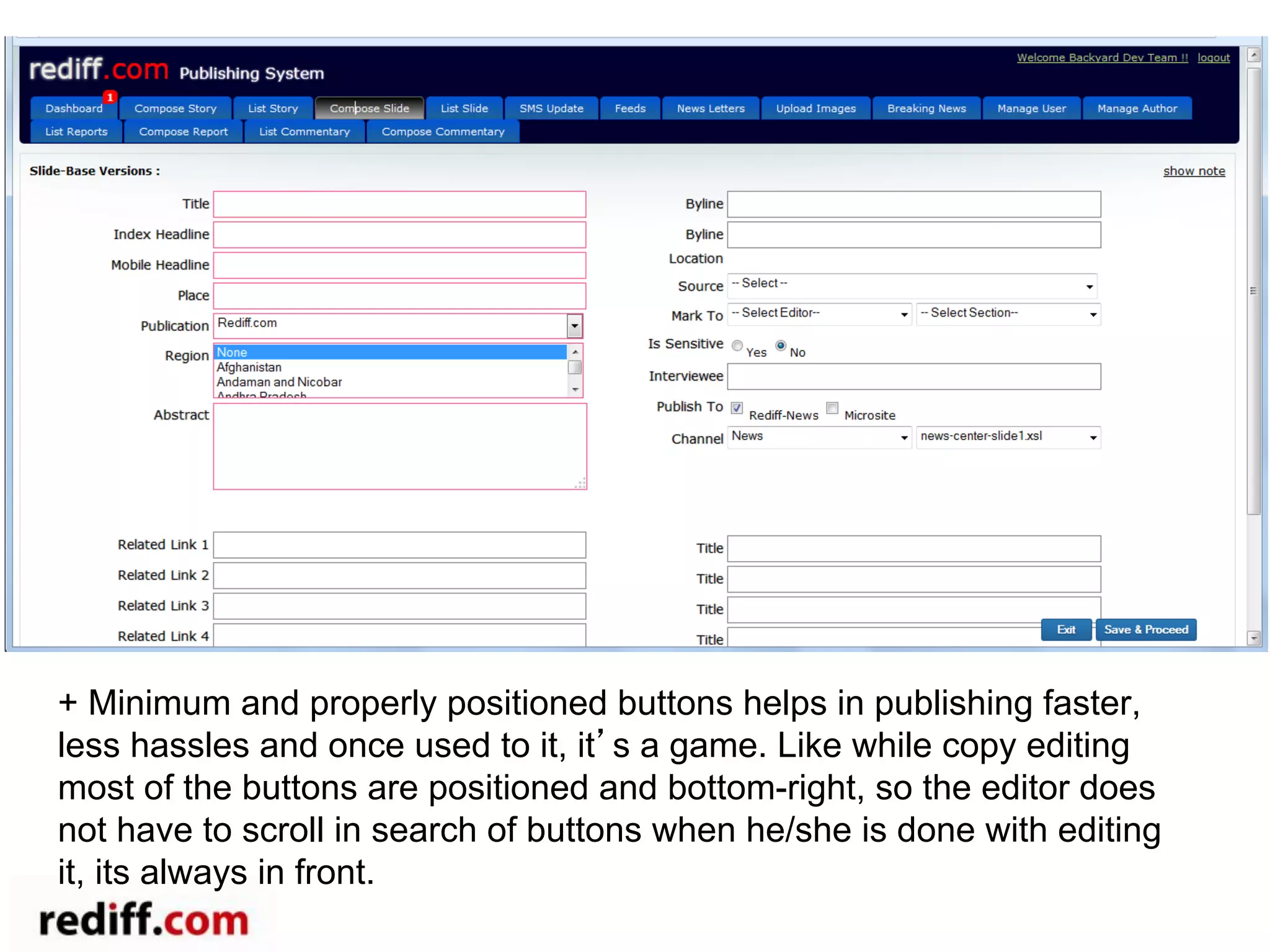
+ Minimum and properly positioned buttons helps in publishing faster,
less hassles and once used to it, it’s a game. Like while copy editing
most of the buttons are positioned and bottom-right, so the editor does
not have to scroll in search of buttons when he/she is done with editing
it, its always in front.
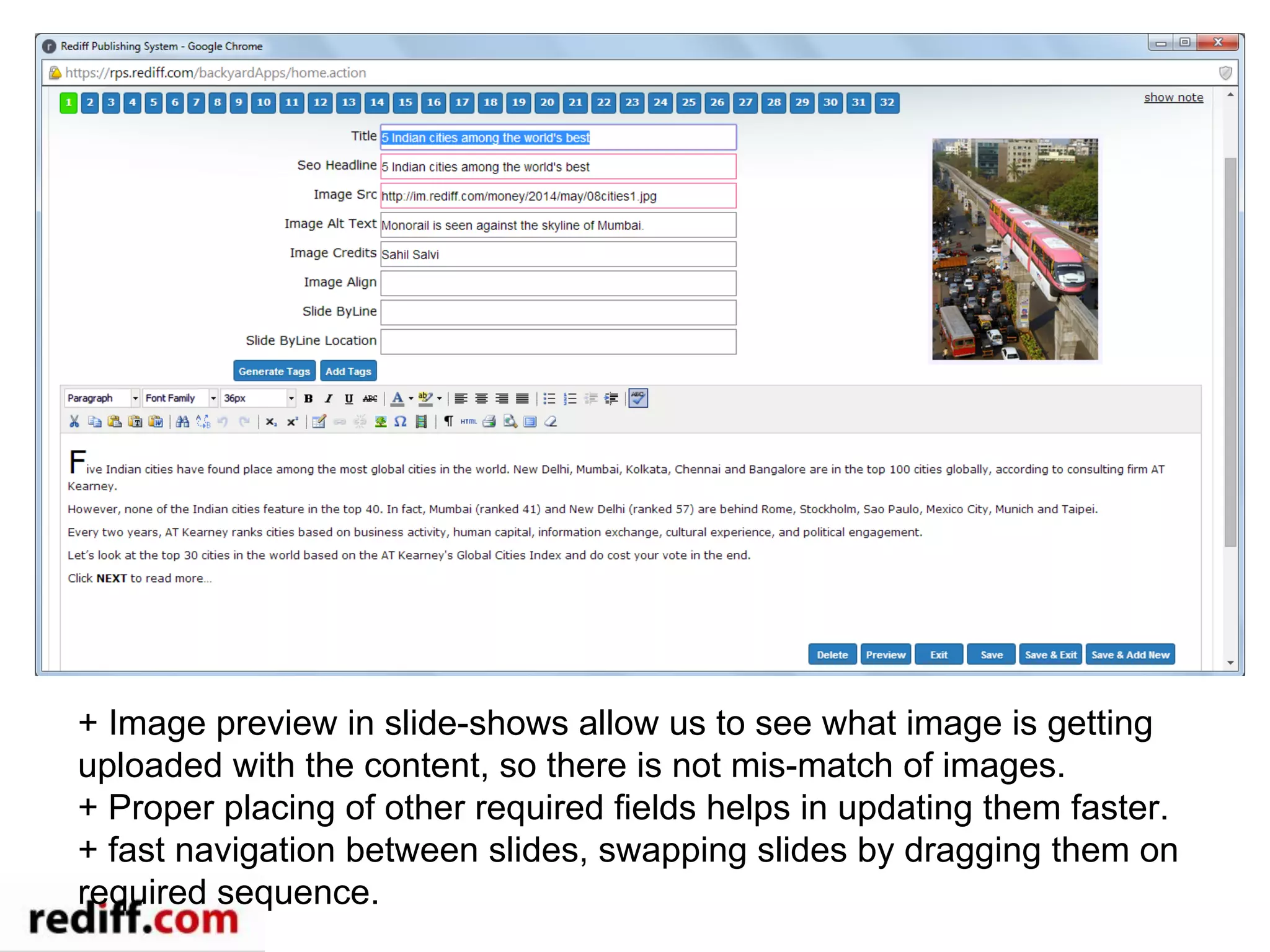
+ Image preview in slide-shows allow us to see what image is getting
uploaded with the content, so there is not mis-match of images.
+ Proper placing of other required fields helps in updating them faster.
+ fast navigation between slides, swapping slides by dragging them on
required sequence.
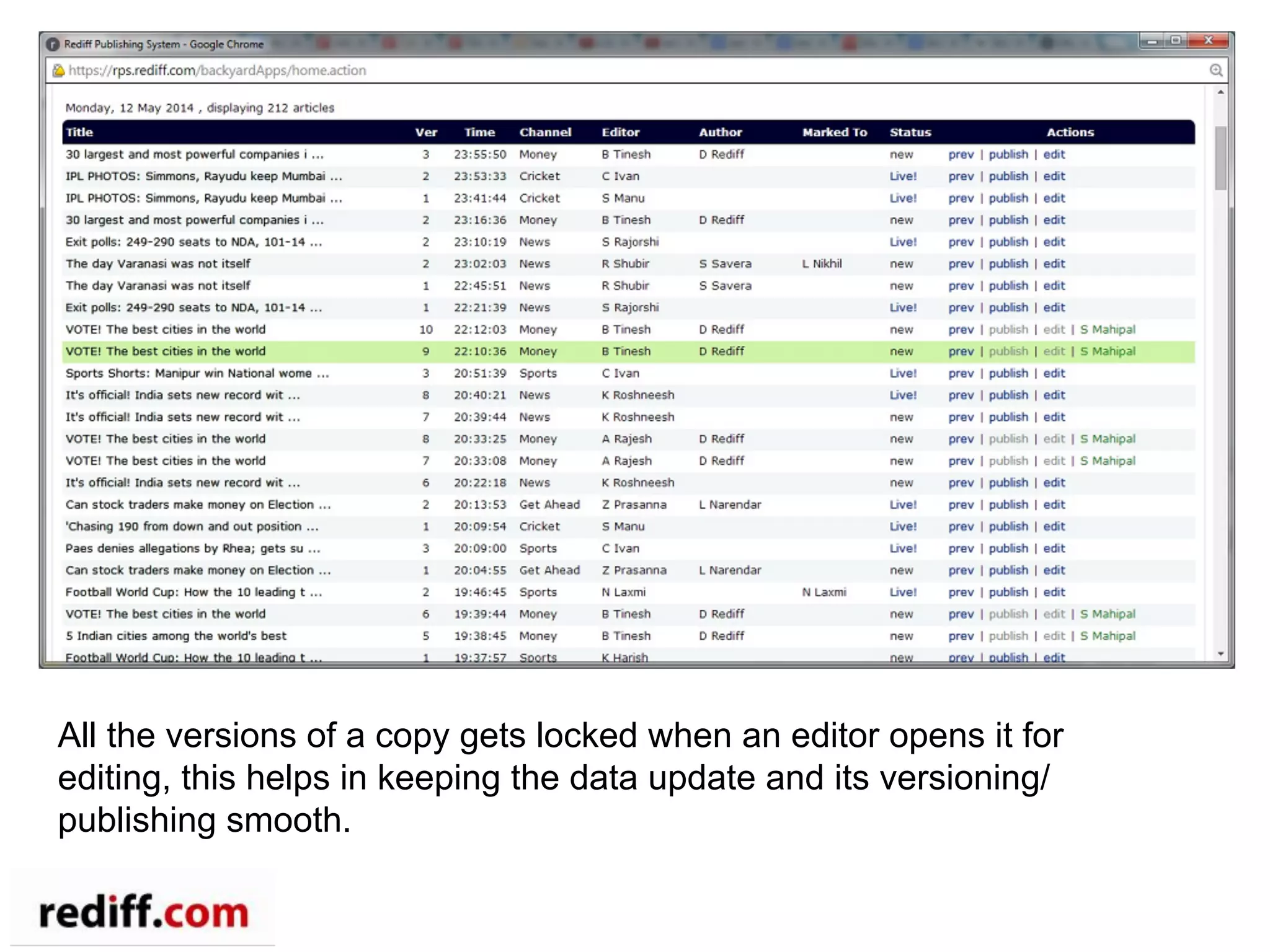
All the versions of a copy gets locked when an editor opens it for
editing, this helps in keeping the data update and its versioning/
publishing smooth.
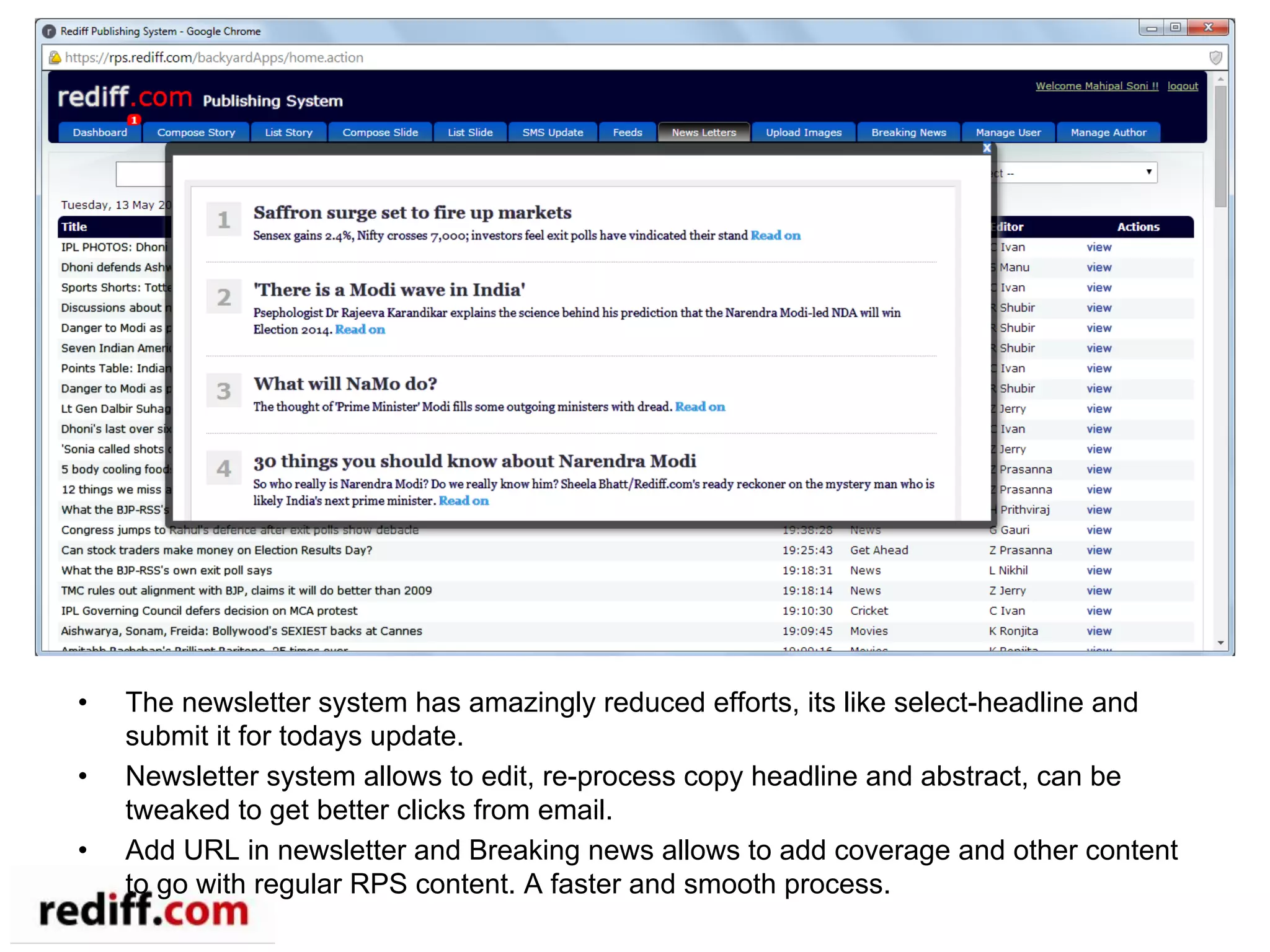
•  The newsletter system has amazingly reduced efforts, its like select-headline and
submit it for todays update.
•  Newsletter system allows to edit, re-process copy headline and abstract, can be
tweaked to get better clicks from email.
•  Add URL in newsletter and Breaking news allows to add coverage and other content
to go with regular RPS content. A faster and smooth process.
Thank You

Rpsonmongodb

  • 1.
    Rediff News Publishing Systemusing MongoDB Subramanyam Yeleswarapu
  • 2.
    Agenda •  Use Cases • MongoDB Usage •  Architecture •  Q & A
  • 3.
    Use Cases •  RediffMaps •  Core Publishing System •  Newsletter
  • 4.
    Rediff Maps UseCase •  Upload excel file and select the data •  Match data to Map attributes •  Author an article that consumes data generated by data science team •  Visualize data on the map
  • 5.
    Upload data 2 3 RPSLogin 1 1.  Login require to post to rediff news to backyard 2.  Select your excel file to upload 3.  Upload the data file to server and display it below
  • 6.
    Upload data… 4 7 6 5 4 If checked, ignore the first row and consider it as header column names of the data 5  Select the region column where name of district or state are given 6  If checked, many data columns can be selected 7  Select the data column that you want to show on map (if first row doesn’t contains the header select options would be A,B,C..)
  • 7.
    Workflow 1.  Check thedetails of the data •  Area: Your data coverage It may be India or any State of India •  Data Unit: each record in data pertaining to state, district constituency •  Calssification: •  Select Categorized for Regions (records) with category, •  Select Gratuated / Quantile for Regions (records) with quantity. If you want to highlight the records in map with respect to each other Quantile may be good option. •  Intervals: Select the intervals to simplify your data. For Categorized the intervals are taken automatically from data.
  • 8.
    Workflow 2.  Select ColourPalette (Categorized): Click on the color palette to select more. In case of Categoriezed data colors can be changed at Legend box also. ` 2.  Select Colour Palette (Gratuated/ Quantile): Click on the color palette to select more. `
  • 9.
    Output of Categorizedmap If any changes done in the options, please click on the Render Map again to reflect changes on map
  • 10.
  • 11.
    Output of mapwith time series data
  • 12.
  • 13.
    Where do weuse •  Management of the life cycle of articles •  Articles’ Meta data storage •  Role, Access and Work flow management •  Acquisition External Feeds •  Tagging •  Notification •  Search •  Integrating data on Maps •  Compose Newsletters –  Subscription based –  Customized Newsletters on user habits/profiling
  • 14.
    Why Mongodb •  Writethroughput performance •  Flexible Schema design (document style) –  Allows to modify / alter data model as the business demands •  Read throughput (moderate) •  New document storage is future ready – Data mining, Shading and Clustering as per the volume and features of the business.
  • 15.
    Architecture •  Schema isdefined in POJO –  “Reflection” are used to discover data structure •  Custom Dimension’s are created on fly –  Use standard indices –  Create specialized named collection –  Counters –  All defined in simple config file –  Storage is totally abstracted from Apps layer •  REST Layer –  Auto wiring Apps’s collections and exposing data as resources
  • 16.
  • 17.
    Create additional datasets RPSApps Mongodb ETLTools dataset dataset dataset dataset dataset dataset dataset Datasets using Mongodb M/R Map Reduce
  • 18.
    •  Based onuploaded photo’s metadata •  Trends analysis on Tags •  Timelines on geo location •  Popular topics / editorial wise analysis Out-bound Datasets
  • 19.
    Use Case •  ArticlePublishing •  Newsletter Publishing
  • 20.
    Features •  Search filtersbased on author, classification and date range •  Scheduling articles to be published live •  Role based approval process and publishing life cycle (for control and editorial reviews) •  Easy content versioning of articles •  Notification on application’s Tab / email •  Provides a channel publish “Breaking News” on web and mobile platforms in real time •  Integrate with existing in house systems
  • 21.
    Add on features • Auto RSS Feeds creation and publishing •  Data Journalism Simplified •  SEO friendly (adding meta tags that helps to rank up in search results) •  Newsletters creation and publish process
  • 22.
    + Minimum andproperly positioned buttons helps in publishing faster, less hassles and once used to it, it’s a game. Like while copy editing most of the buttons are positioned and bottom-right, so the editor does not have to scroll in search of buttons when he/she is done with editing it, its always in front.
  • 23.
    + Image previewin slide-shows allow us to see what image is getting uploaded with the content, so there is not mis-match of images. + Proper placing of other required fields helps in updating them faster. + fast navigation between slides, swapping slides by dragging them on required sequence.
  • 24.
    All the versionsof a copy gets locked when an editor opens it for editing, this helps in keeping the data update and its versioning/ publishing smooth.
  • 25.
    •  The newslettersystem has amazingly reduced efforts, its like select-headline and submit it for todays update. •  Newsletter system allows to edit, re-process copy headline and abstract, can be tweaked to get better clicks from email. •  Add URL in newsletter and Breaking news allows to add coverage and other content to go with regular RPS content. A faster and smooth process.
  • 26.