The document discusses Telelogic Rhapsody, a model-driven development tool for designing technical and embedded systems. It addresses key challenges in systems development such as effective collaboration, managing requirements changes, and testing. Rhapsody uses model-driven development approaches like UML/SysML modeling, requirements traceability, model-driven testing, and automatic code generation to help developers meet schedules, reduce errors, and facilitate team collaboration.
Introduction to Telelogic Rhapsody, a model-driven development tool for system and software design.
Key challenges include communication, integration, complexity, and time pressures affecting development.
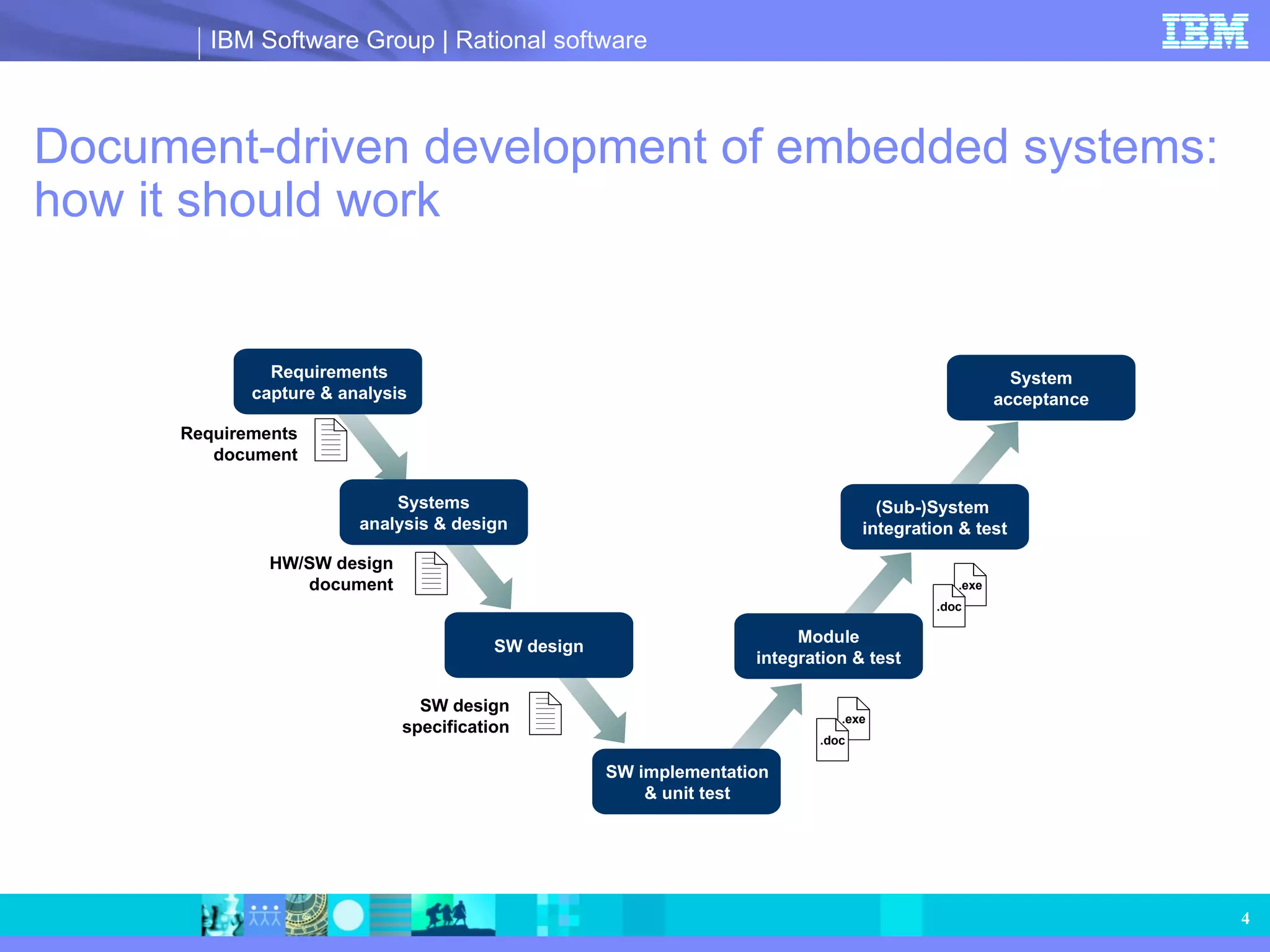
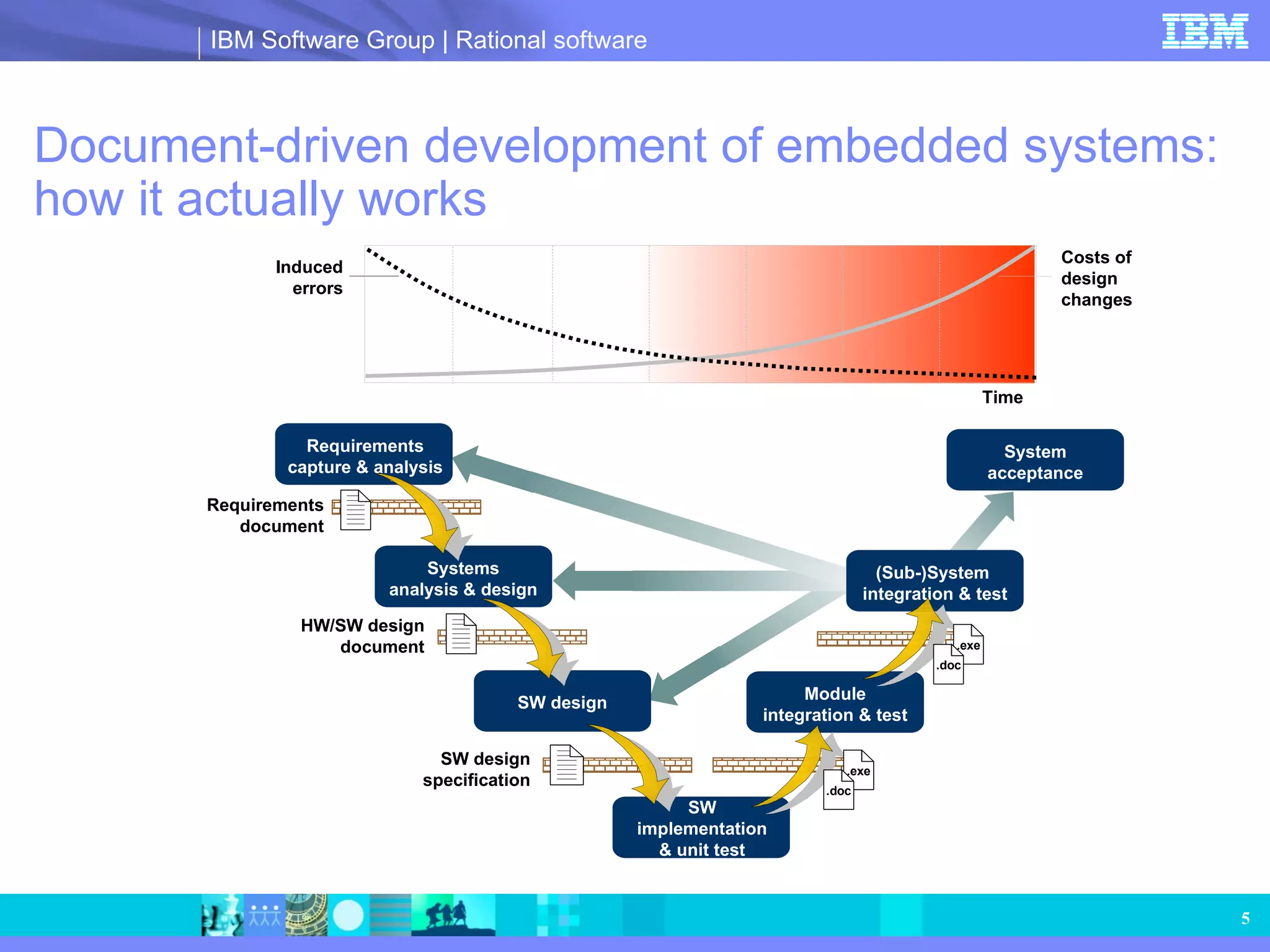
Contrast between ideal document-driven embedded systems development process and actual process issues.
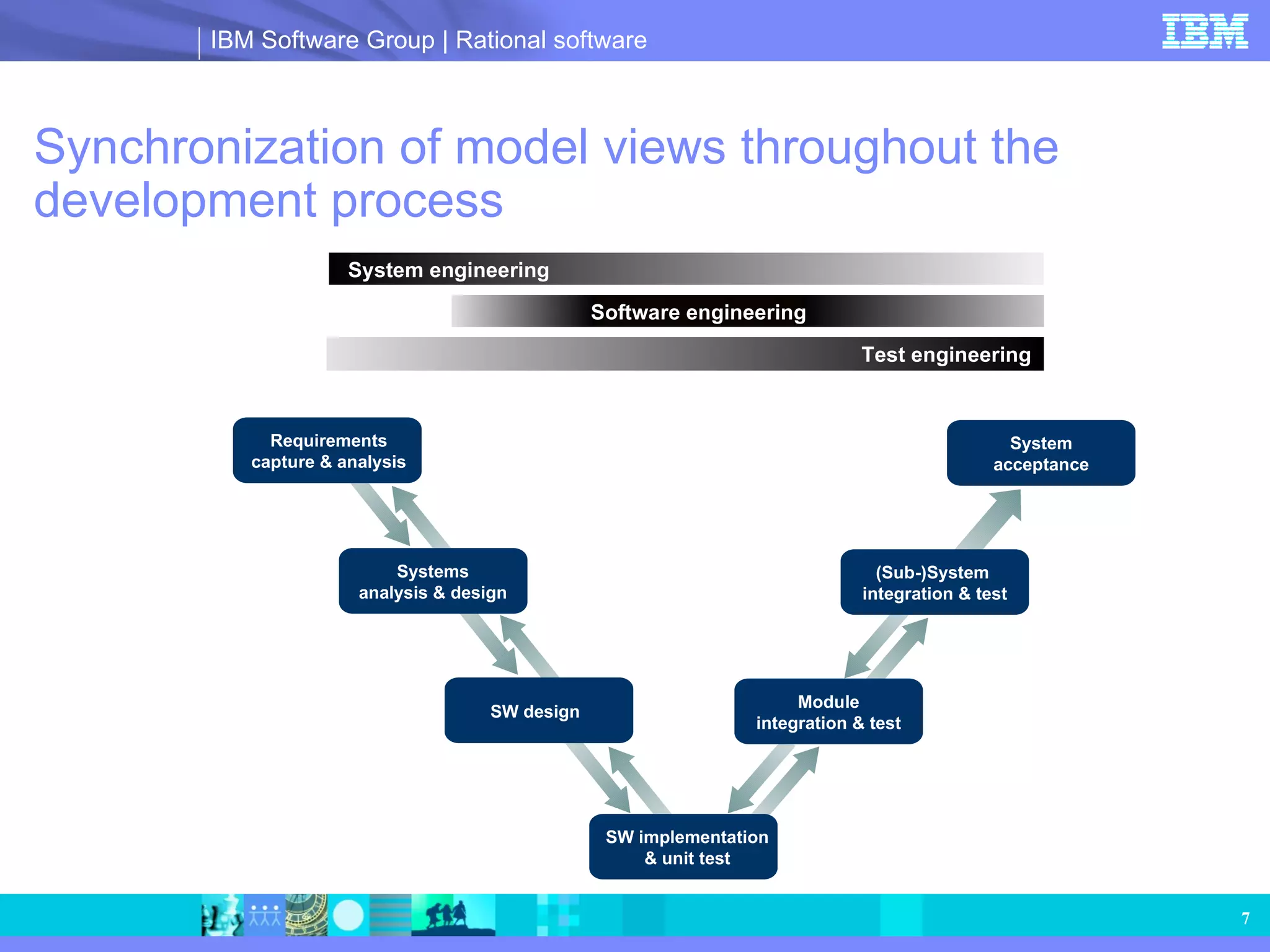
Model-driven development enables concurrent engineering, improving design and testing efficiency.
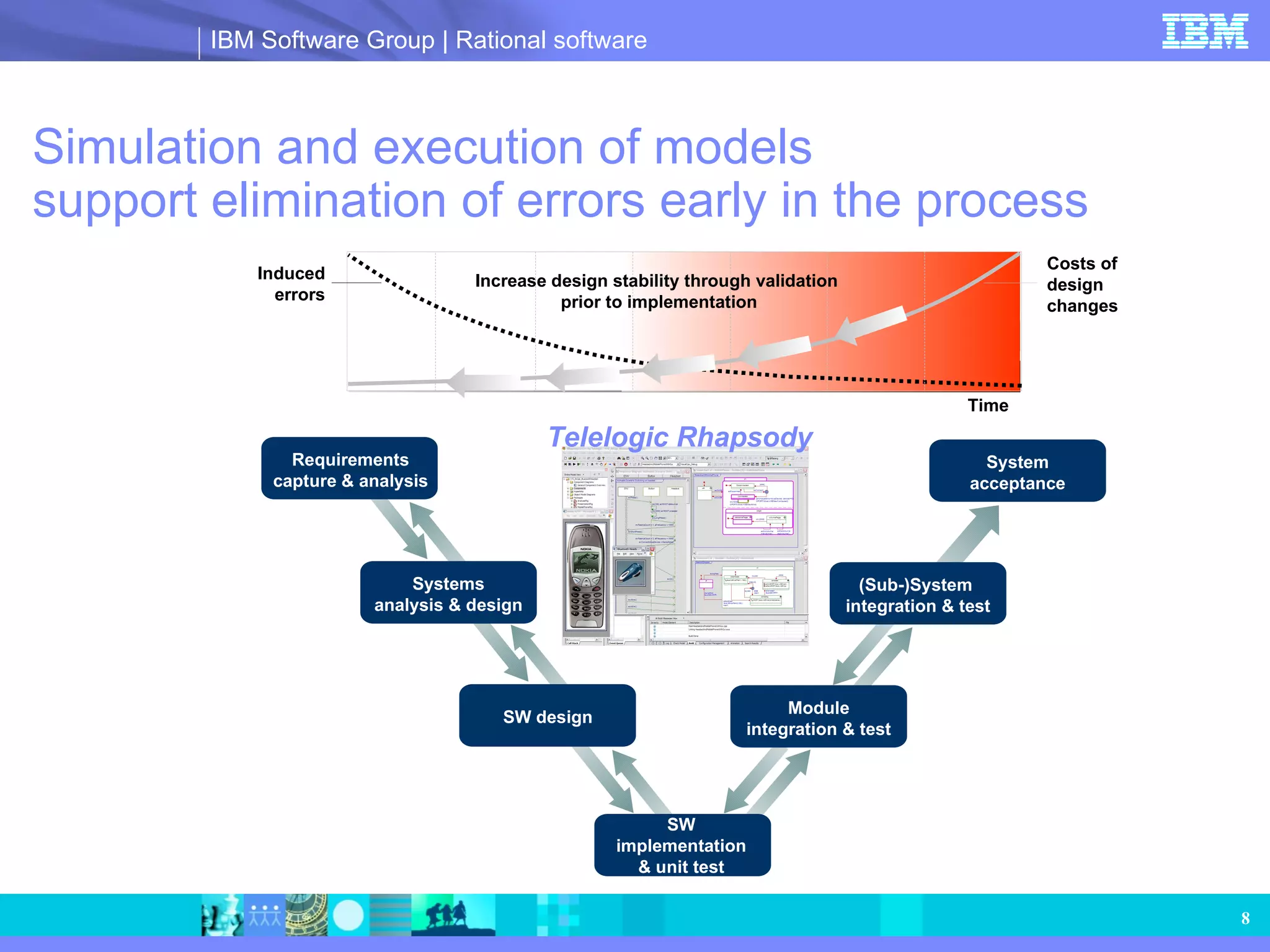
Benefits of simulation for error elimination and better design validation before implementation.
Overview of UML and SysML diagrams utilized for systems modeling and requirements capture.
Extending Rhapsody for domain-specific models, focusing on graphical design and legacy reuse.
Tools for capturing requirements, ensuring design meets them, and analyzing design impacts.
Strategies for model-driven testing to minimize defects and enhance test coverage and automation. Creating graphical mocks for communication and supporting design validation during development. Facilitating the reuse of existing code and collaborative work across large teams with version control.
Automatic generation of customizable documentation from Rhapsody models to support project needs.
Incorporating Agile principles into model-driven development for flexibility and iterative progress.
Advancements in integrating Simulink and Rhapsody for a seamless modeling and testing environment.
Telelogic Rhapsody Model-driven development for systems design and software development of technical, realtime or embedded systems
2.
Systems design andsoftware development dilemmas Need to communicate effectively with customers, suppliers and multidiscipline project members Ability to effectively collaborate within large teams, often distributed around the globe Effectively managing ever-changing and evolving requirements Deal effectively with complexity of the problem domain Spending more than half the development time for integration and testing Shrinking development schedules Parallel development Increasing complexity and quality Reducing functionality in order to meet deadlines Fixed resources Pressure to lower costs
3.
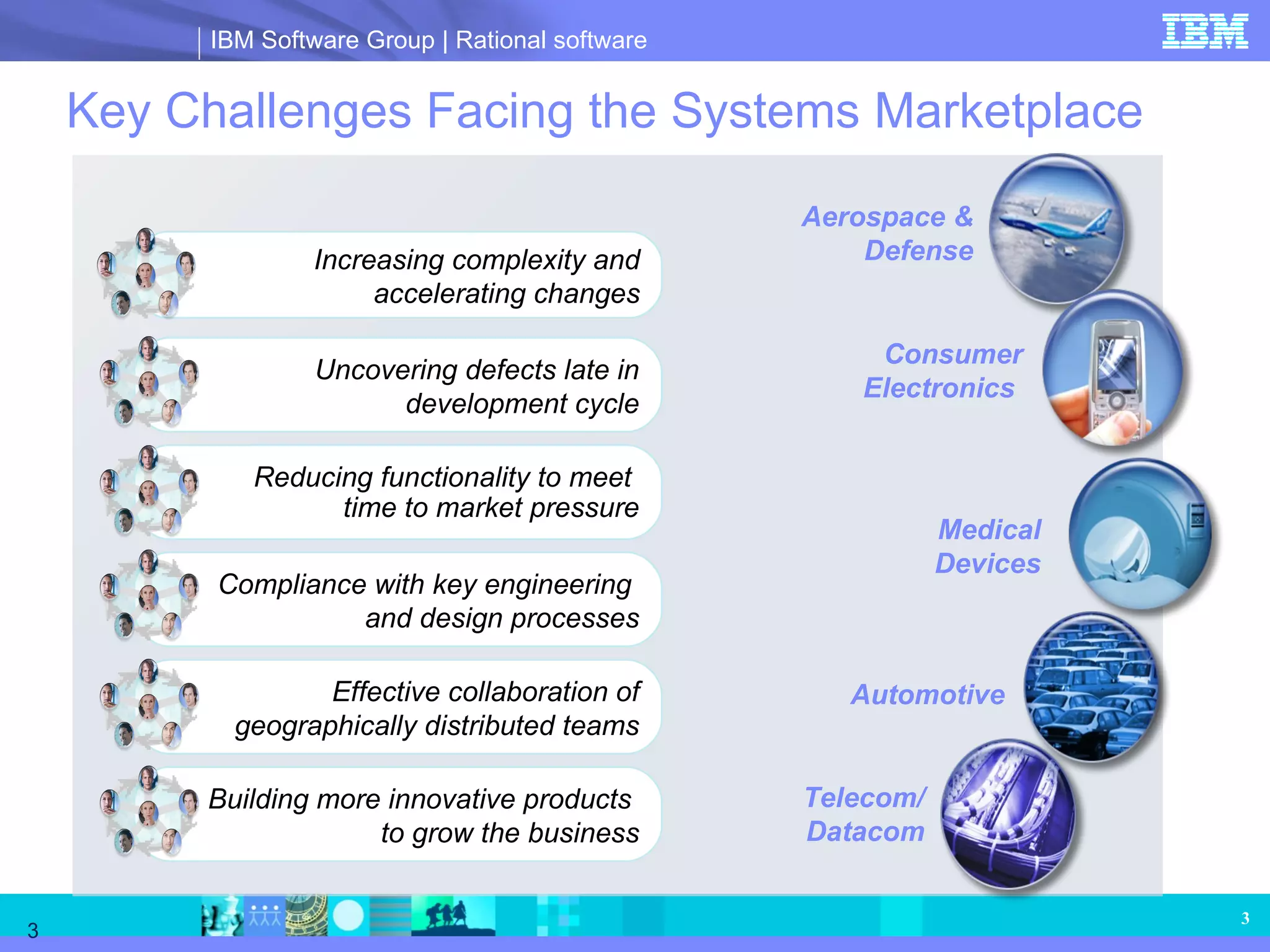
Key Challenges Facingthe Systems Marketplace Uncovering defects late in development cycle Compliance with key engineering and design processes Effective collaboration of geographically distributed teams Building more innovative products to grow the business Increasing complexity and accelerating changes Reducing functionality to meet time to market pressure Aerospace & Defense Automotive Telecom/ Datacom Consumer Electronics Medical Devices
4.
Document-driven development ofembedded systems: how it should work Module integration & test System acceptance (Sub-)System integration & test .exe .doc .exe .doc Requirements capture & analysis Requirements document Systems analysis & design HW/SW design document SW design SW implementation & unit test SW design specification
5.
Document-driven development ofembedded systems: how it actually works Costs of design changes Time Induced errors Requirements capture & analysis Systems analysis & design HW/SW design document SW design SW implementation & unit test Requirements document SW design specification Module integration & test System acceptance (Sub-)System integration & test .exe .doc .exe .doc
6.
MDD breaks downthe walls, enabling concurrent engineering SW design SW implementation & unit test Requirements capture & analysis Systems analysis & design System acceptance (Sub-)System integration & test Module integration & test Software Engineering System engineering Test engineering Software engineering
7.
Synchronization of modelviews throughout the development process Requirements capture & analysis Systems analysis & design System acceptance (Sub-)System integration & test Module integration & test SW design SW implementation & unit test Software Engineering System engineering Test engineering Software engineering
8.
Simulation and executionof models support elimination of errors early in the process SW design SW implementation & unit test Increase design stability through validation prior to implementation Requirements capture & analysis Systems analysis & design System acceptance (Sub-)System integration & test Module integration & test Software Engineering System Engineering Test Engineering Software Engineering Costs of design changes Time Induced errors Telelogic Rhapsody
9.
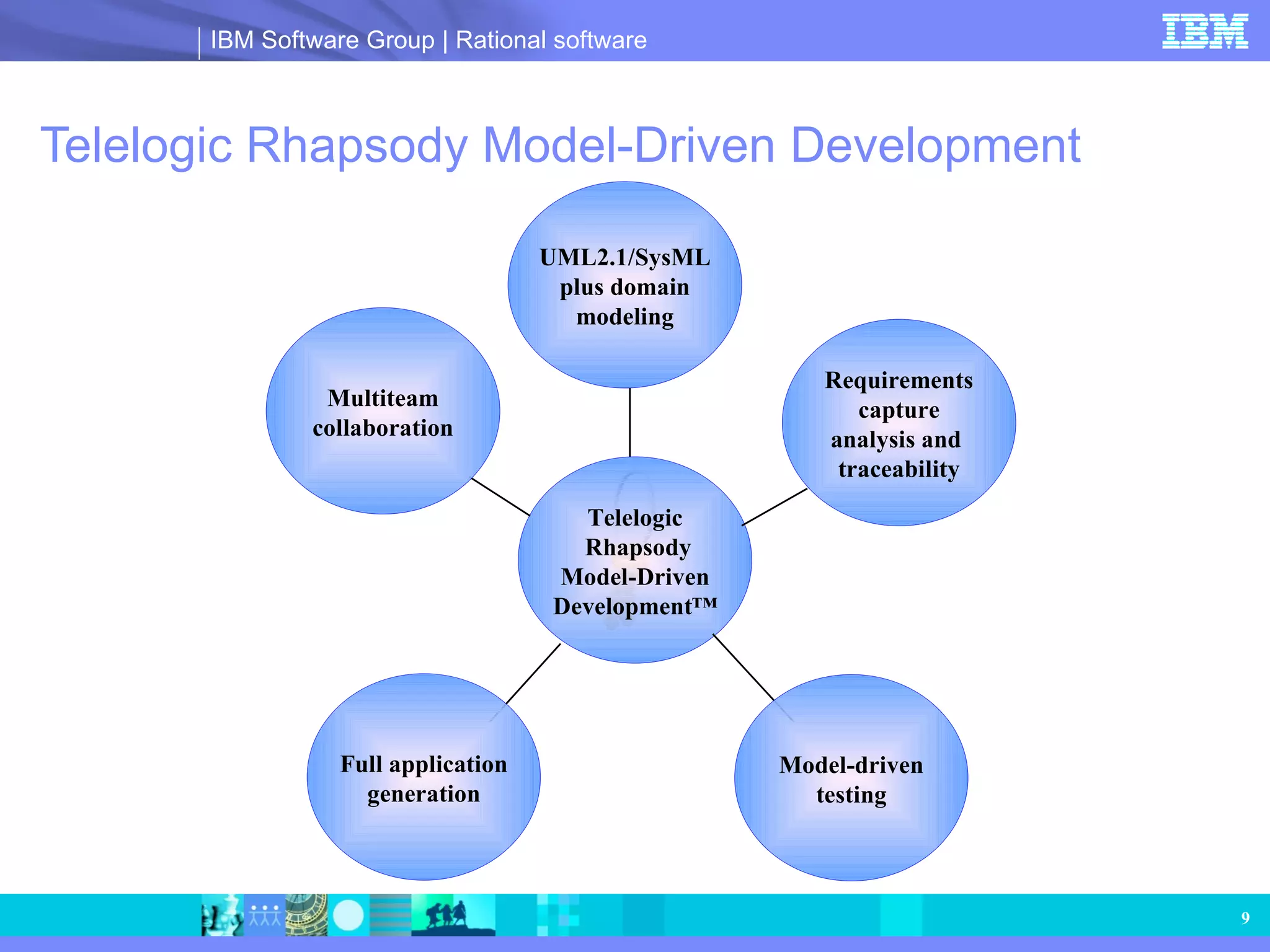
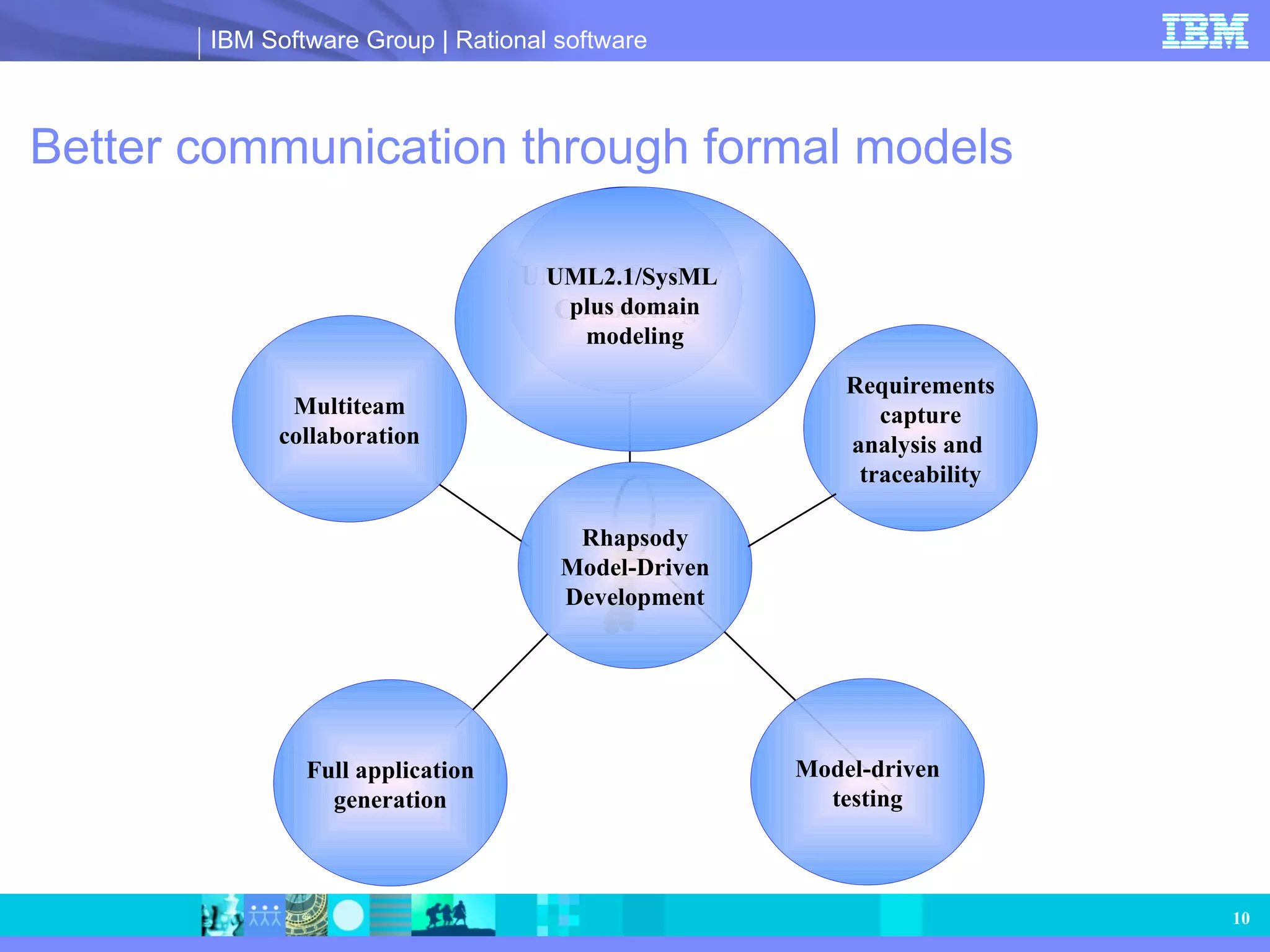
Telelogic Rhapsody Model-DrivenDevelopment Telelogic Rhapsody Model-Driven Development™ UML2.1/SysML plus domain modeling Requirements capture analysis and traceability Model-driven testing Multiteam collaboration Full application generation
10.
Better communication throughformal models Multiteam collaboration Full application generation Model-driven testing Rhapsody Model-Driven Development UML2.1/SysML/ C Modeling Requirements capture analysis and traceability UML2.1/SysML plus domain modeling
11.
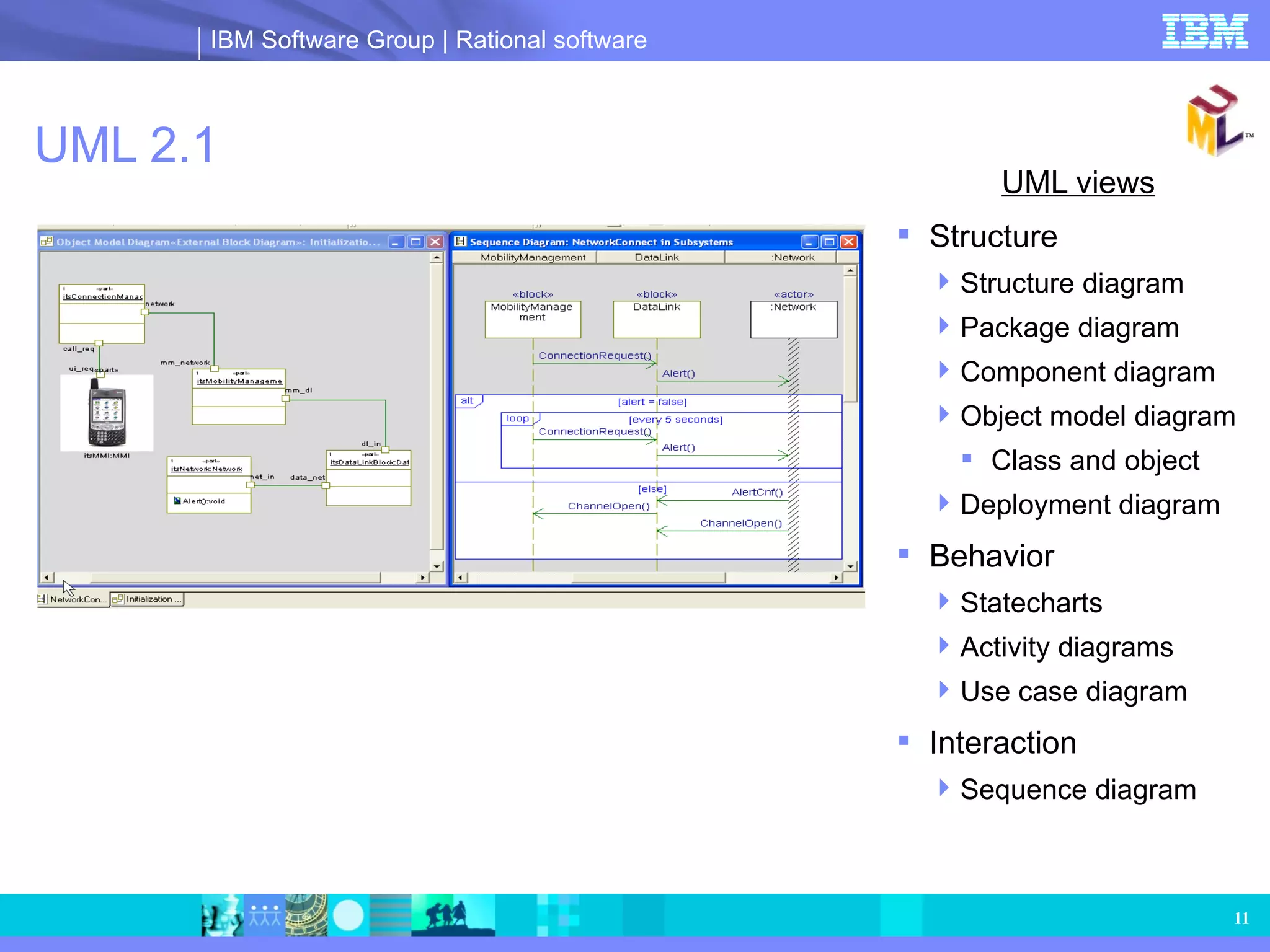
UML 2.1 UMLviews Structure Structure diagram Package diagram Component diagram Object model diagram Class and object Deployment diagram Behavior Statecharts Activity diagrams Use case diagram Interaction Sequence diagram
12.
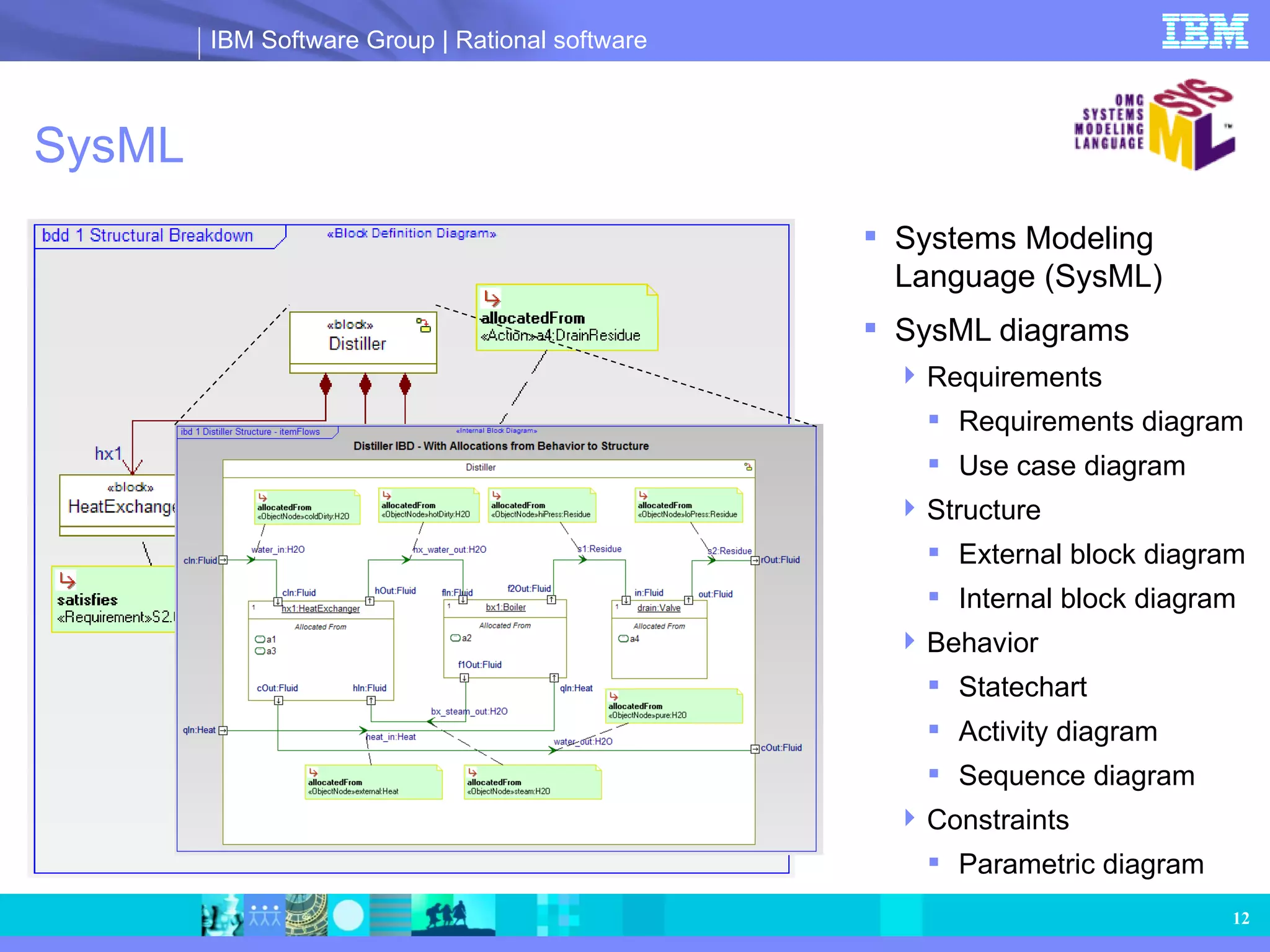
SysML Systems ModelingLanguage (SysML) SysML diagrams Requirements Requirements diagram Use case diagram Structure External block diagram Internal block diagram Behavior Statechart Activity diagram Sequence diagram Constraints Parametric diagram
13.
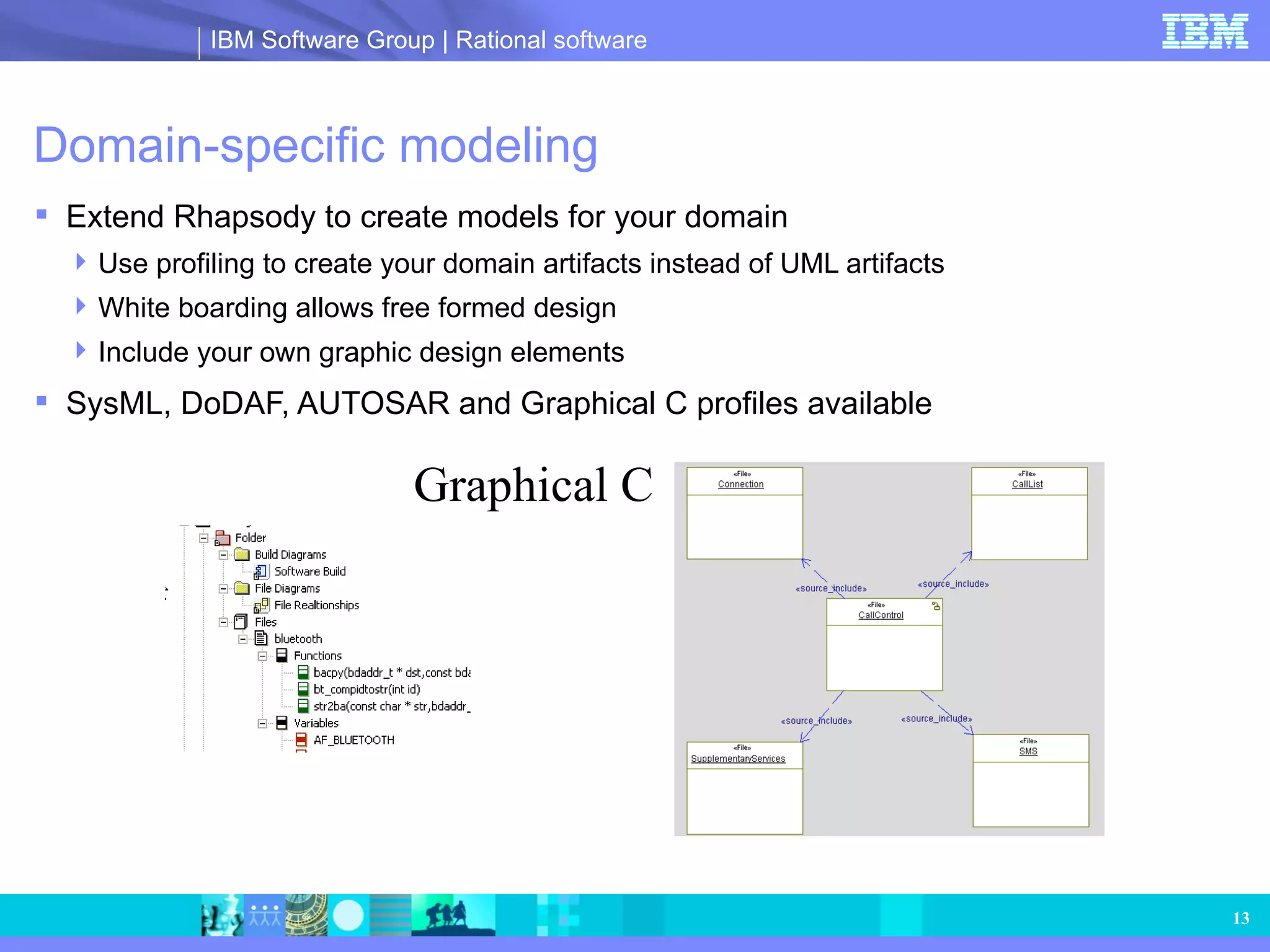
Domain-specific modeling ExtendRhapsody to create models for your domain Use profiling to create your domain artifacts instead of UML artifacts White boarding allows free formed design Include your own graphic design elements SysML, DoDAF, AUTOSAR and Graphical C profiles available Graphical C
14.
Legacy model reuseImport and reuse your old Rational or XMI-compliant models directly into Rhapsody
15.
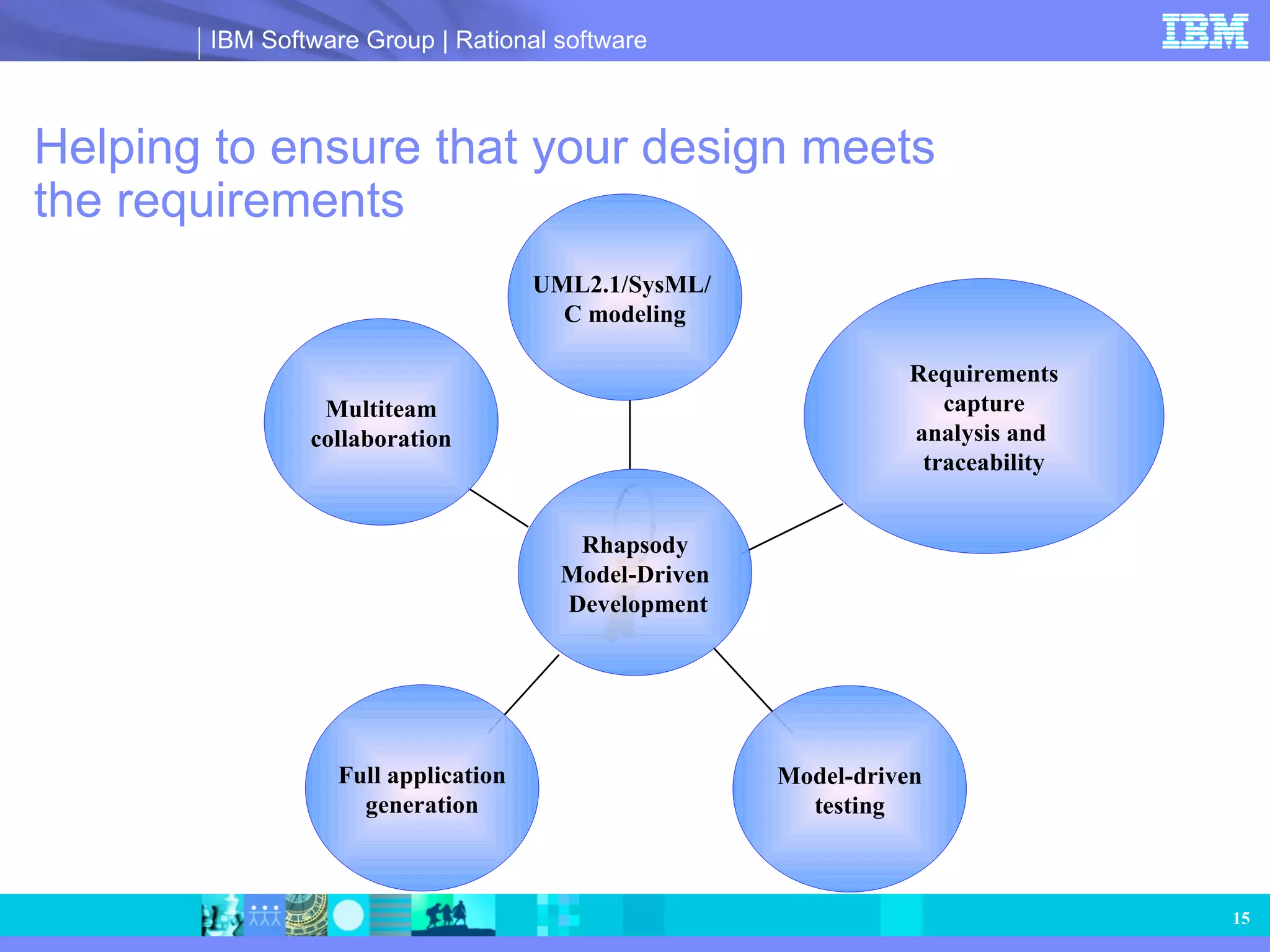
Helping to ensurethat your design meets the requirements Model-driven testing Multiteam collaboration Full application generation Requirements capture analysis and traceability Rhapsody Model-Driven Development UML2.1/SysML/ C modeling
16.
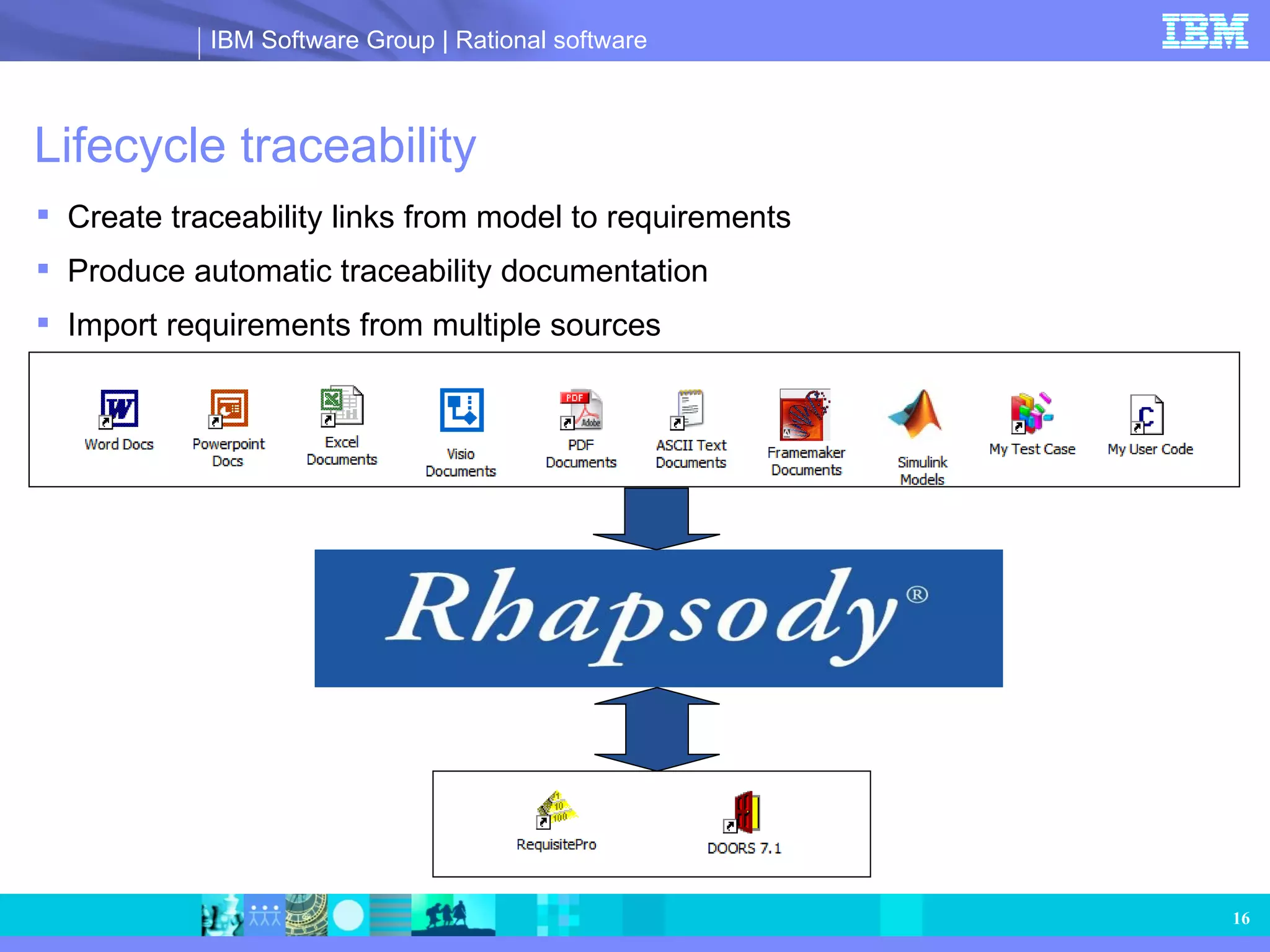
Lifecycle traceability Createtraceability links from model to requirements Produce automatic traceability documentation Import requirements from multiple sources
17.
Visual requirements captureUse requirements and use case diagrams to define requirements Supplement definitions and descriptions with tags and constraints Describe requirements behavior using sequence, activity and state diagrams Include advanced graphics and icons with domain-specific modeling
18.
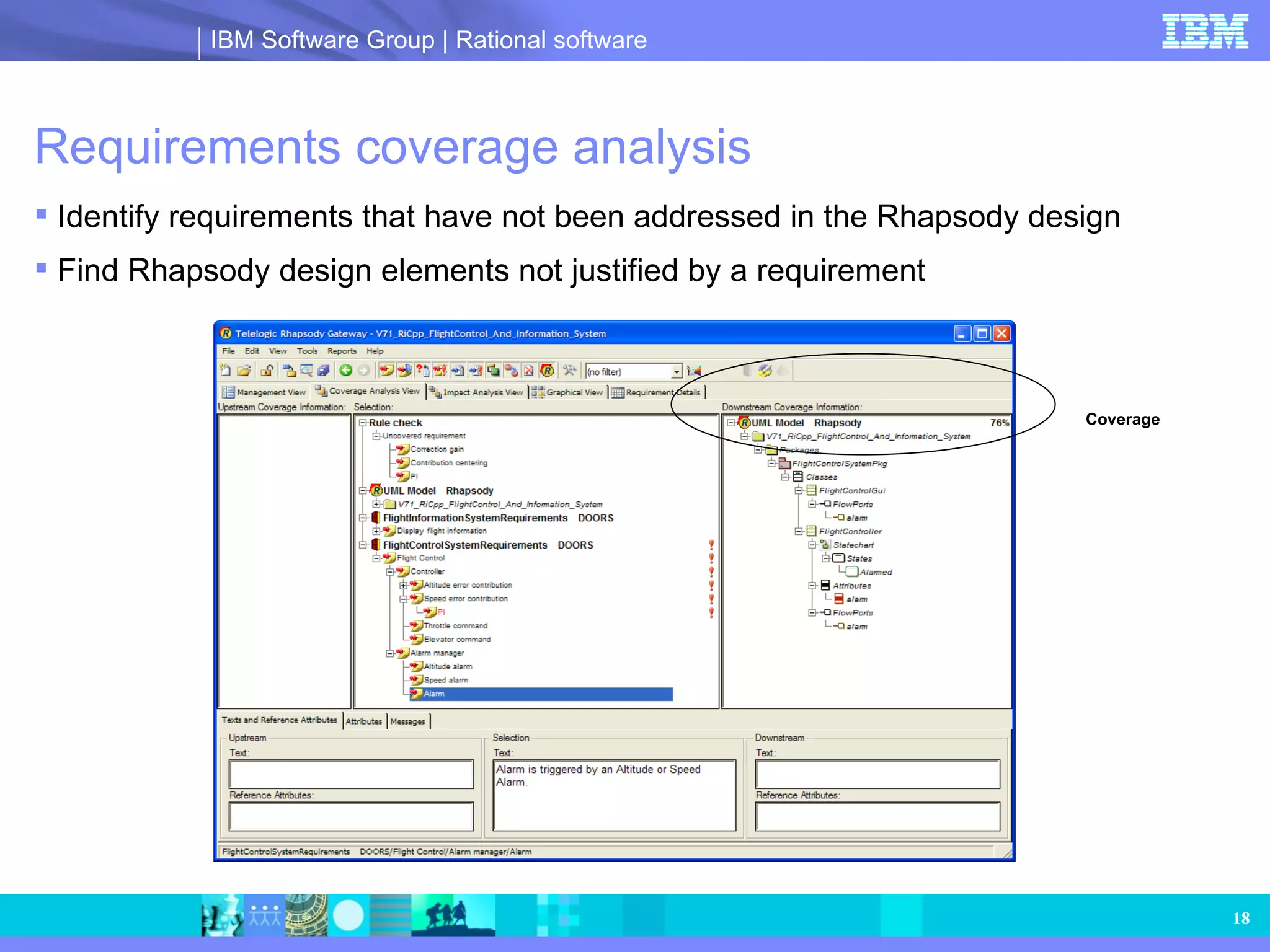
Requirements coverage analysisIdentify requirements that have not been addressed in the Rhapsody design Find Rhapsody design elements not justified by a requirement Coverage
19.
Change impact analysisLocate elements potentially impacted by a requirement change Determine requirements possibly impacted by a design change
20.
Helping eliminate defectsearly and validate against the requirements Model-driven testing Multiiteam collaboration Rhapsody Model-Driven Development UML2.1/SysML/ C modeling Requirements capture analysis and traceability Full application generation
21.
Model-driven testing Bringthe benefits of abstraction and automation to testing Reduce defects early in the process when they are less costly to fix Deliver products meeting customer expectations Simulation Finding & Correcting Errors Sequence Diagrams Requirements-based testing Automated unit testing Host based Target based
22.
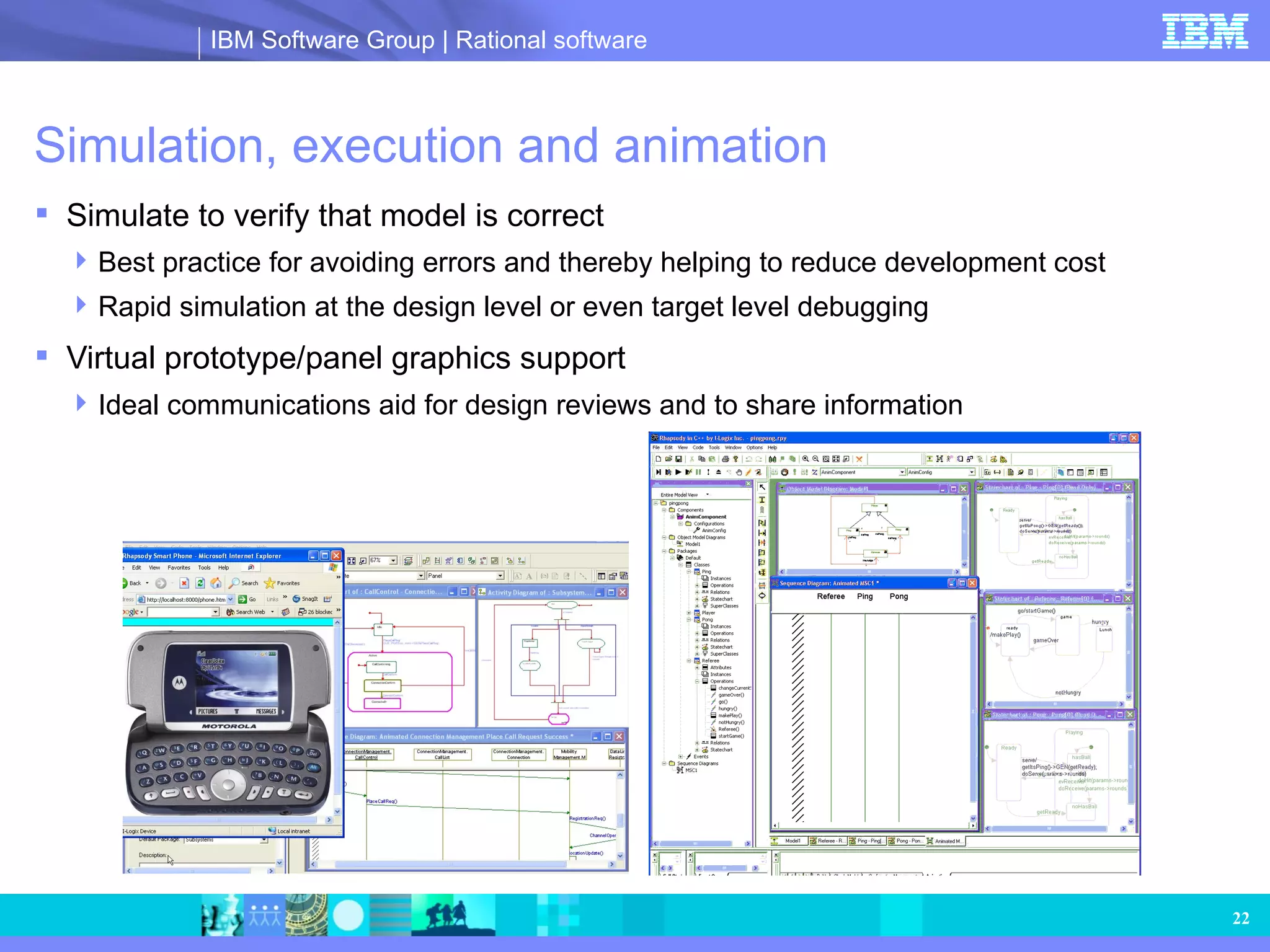
Simulation, execution andanimation Simulate to verify that model is correct Best practice for avoiding errors and thereby helping to reduce development cost Rapid simulation at the design level or even target level debugging Virtual prototype/panel graphics support Ideal communications aid for design reviews and to share information
23.
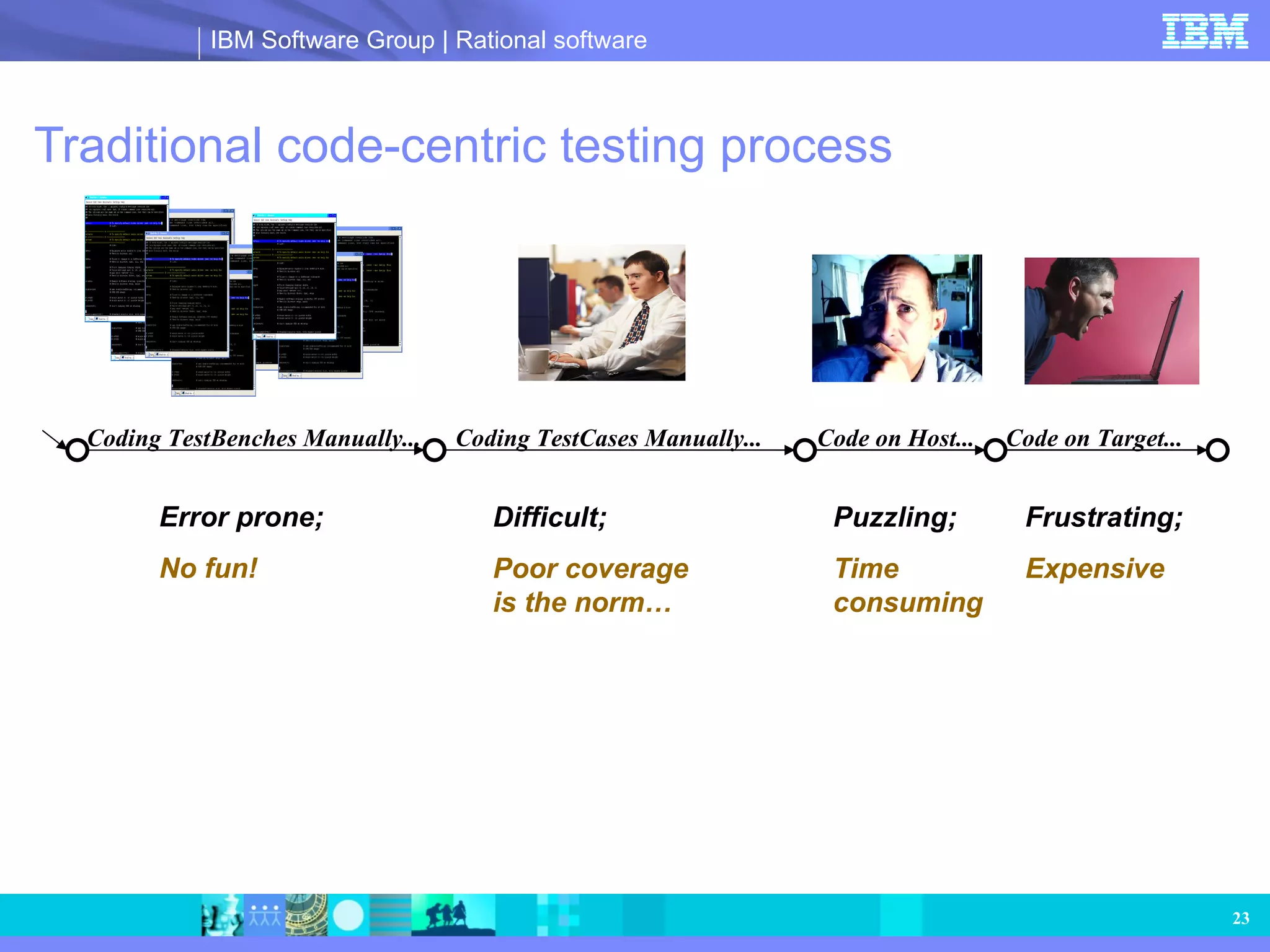
Traditional code-centric testingprocess Coding TestBenches Manually... Error prone; No fun! Code on Host... Puzzling; Time consuming Code on Target... Frustrating; Expensive Coding TestCases Manually... Difficult; Poor coverage is the norm…
24.
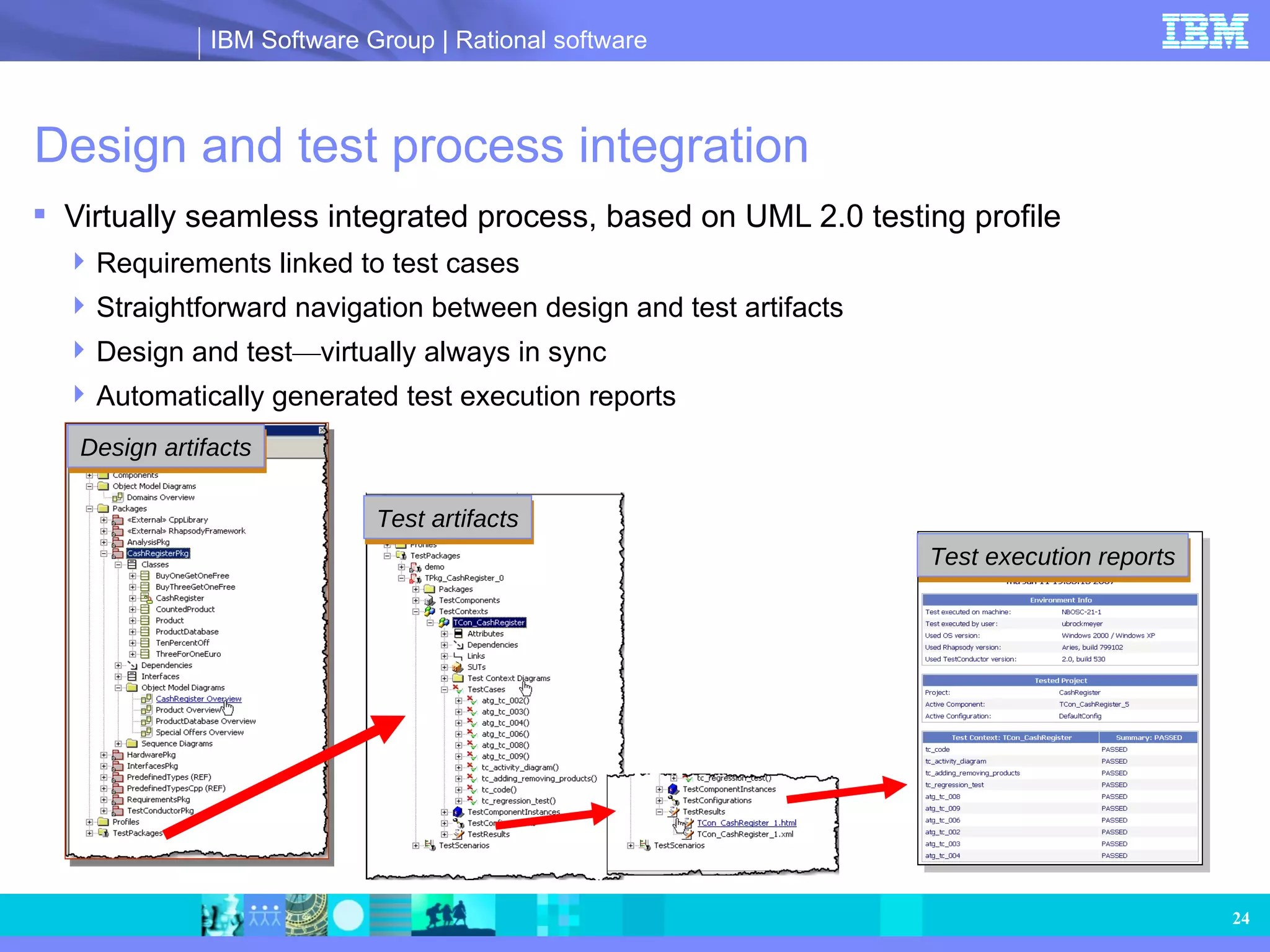
Design and testprocess integration Virtually seamless integrated process, based on UML 2.0 testing profile Requirements linked to test cases Straightforward navigation between design and test artifacts Design and test — virtually always in sync Automatically generated test execution reports Design artifacts Test artifacts Test execution reports
25.
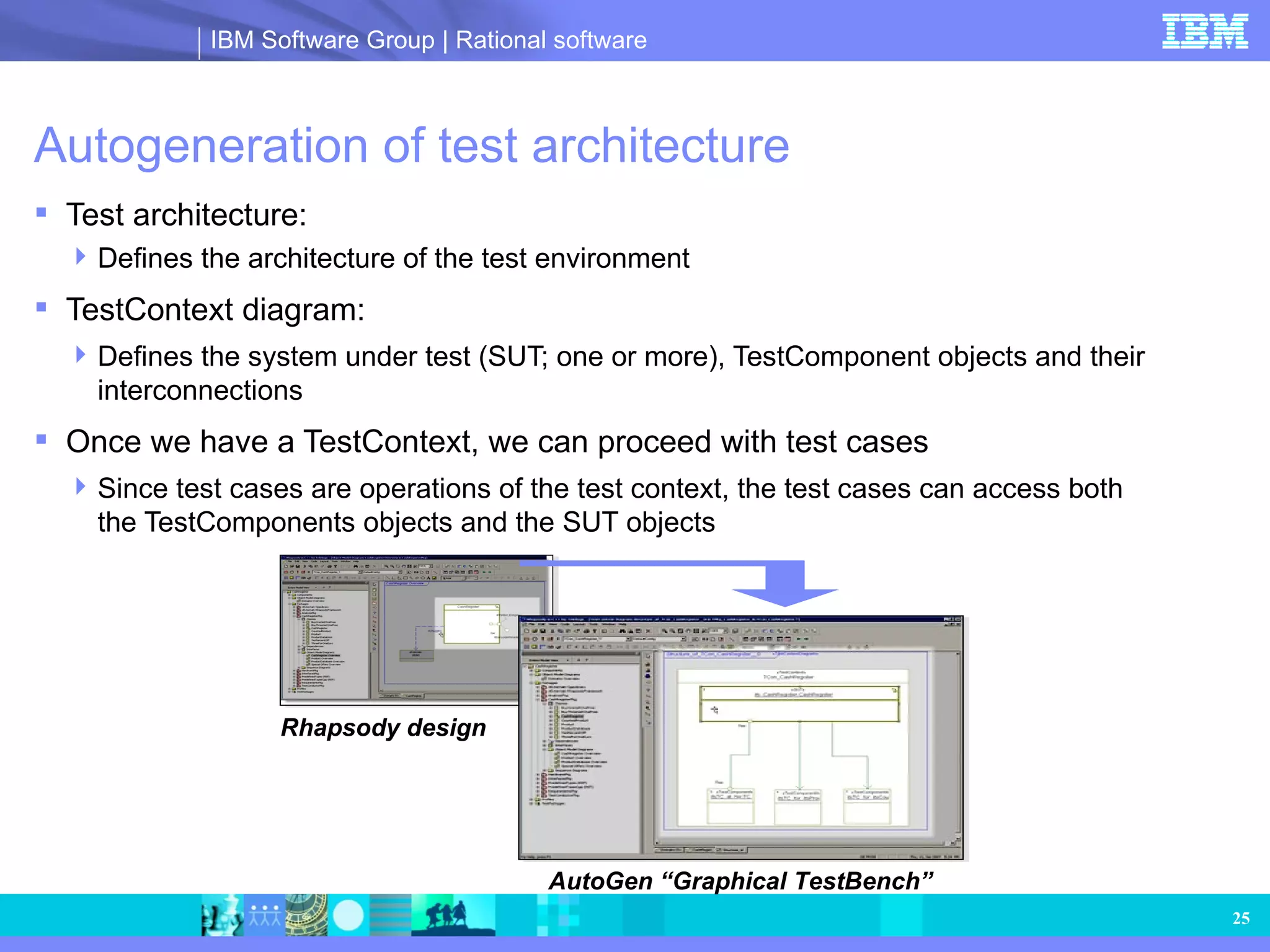
Autogeneration of testarchitecture Test architecture: Defines the architecture of the test environment TestContext diagram: Defines the system under test (SUT; one or more), TestComponent objects and their interconnections Once we have a TestContext, we can proceed with test cases Since test cases are operations of the test context, the test cases can access both the TestComponents objects and the SUT objects Rhapsody design AutoGen “Graphical TestBench”
26.
Multiple types oftest cases “Use the right tool for the right job” Can describe complex testing scenarios Allow for testing of complex designs Flow charts Capture complex testing scenarios Graphical Easy to communicate Auto test generation Automatic Very high coverage Regression testing Code Minimal learning curve Only snippets of code Integrate with existing test cases Sequence diagrams Capture required behaviors Capture approved behaviors for regression testing Rhapsody TestConductor™ ATG
27.
Model-driven testing processCoding Test Cases Manually... Coding Test Benches Manually... Code on Host... Code on Target... AutoGen Graphical TestBench UML testing profile Code TestCases Graphical TestCases AutoGen TestCases Rhapsody design Host based Target based
28.
Graphical panels Createmock-ups of interface to effectively communicate intended design behavior to customers Modify, monitor and analyze data values during simulation to help ensure that the design is correct early in the process
29.
Automatic test generationAutomatic test generation (ATG) provides model-driven test generation Generates test cases with high coverage of the model Consistent with the UML testing profile Automatically generates tests from the model Coverage of states, transitions, operations, events Produce all relevant combinations of inputs for MC/DC analysis Perform regression testing on the model Export to third-party tools for testing the implementation Requirements capture & analysis Systems analysis & design System acceptance (Sub-)System integration & test Module integration & test SW design SW implementation & unit test .exe .doc Verified and validated model ATG Hardware-in-the-loop testing Software-in-the-loop testing
30.
Telelogic Rhapsody Model-DrivenDevelopment Telelogic Rhapsody Model-Driven Development™ UML2.1/SysML plus domain modeling Requirements capture analysis and traceability Model-driven testing Multiteam collaboration Full Application generation
31.
Meet time-to-market pressures,producing complete applications faster Telelogic Rhapsody Model-Driven Development™ Model-driven testing Multiteam collaboration Full Application generation UML2.1/SysML plus domain modeling Requirements capture analysis and traceability
32.
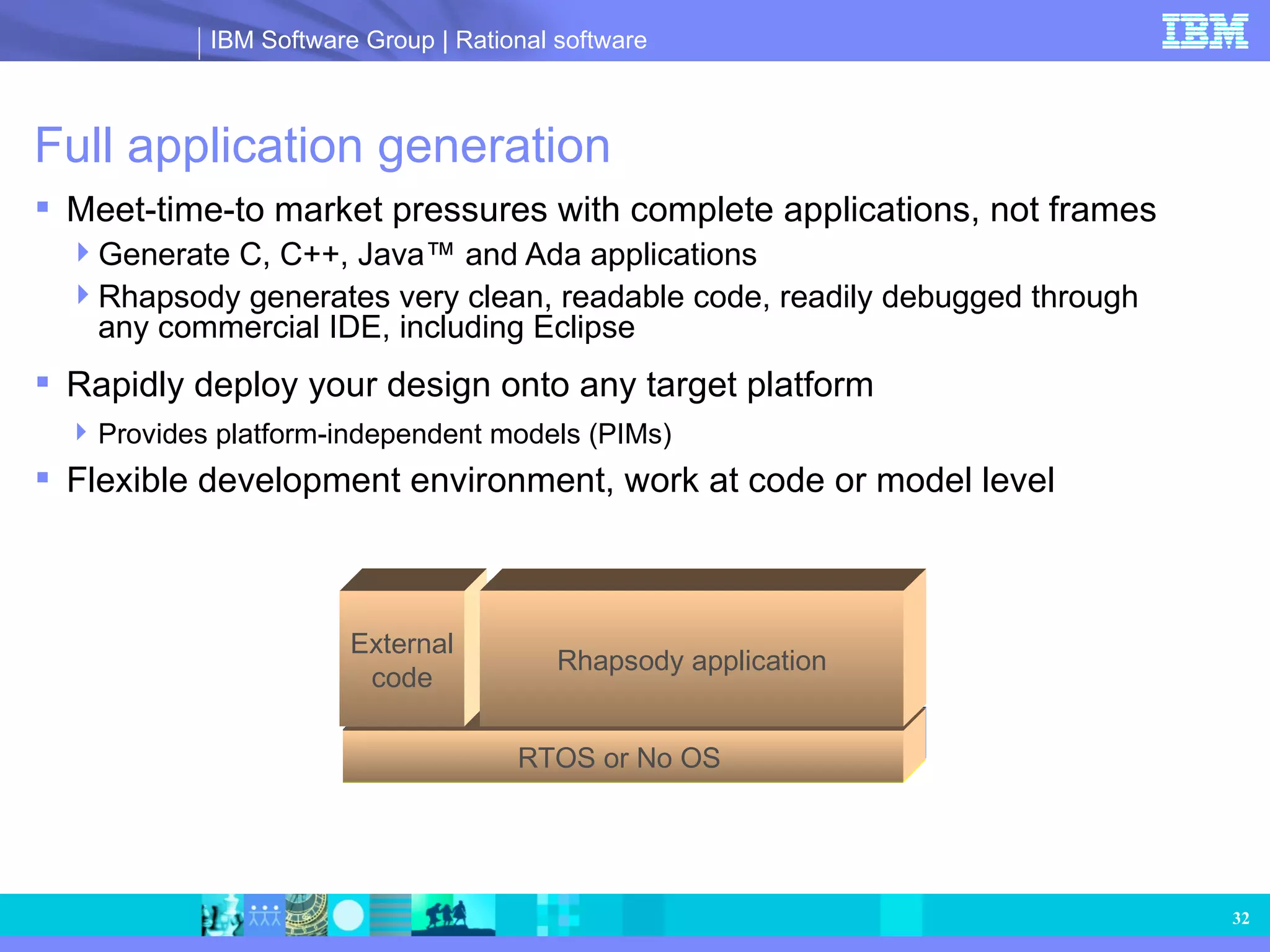
Full application generationMeet-time-to market pressures with complete applications, not frames Generate C, C++, Java™ and Ada applications Rhapsody generates very clean, readable code, readily debugged through any commercial IDE, including Eclipse Rapidly deploy your design onto any target platform Provides platform-independent models (PIMs) Flexible development environment, work at code or model level Linux Vxworks 16-bit/no RTOS RTOS or No OS External code Rhapsody application
33.
Reuse existing code(IP) Reuse code from other projects Integrate code developed by a third party Visualize in the model for better understanding Reference third-party code within Rhapsody
Rhapsody works theway you do Work at the code or model level Reduce learning curve and increase effectiveness Dynamic Model Code Associativity (DMCA) keeps design and code in sync Change one view, the others change automatically Critical for realtime embedded software development DMCA
36.
Rhapsody integration withEclipse Integrated MDD within Eclipse environment Work in either the code or Rhapsody; both stay in sync Leverage Eclipse to tailor the environment for your needs Eclipse code editor Rhapsody diagram editors
37.
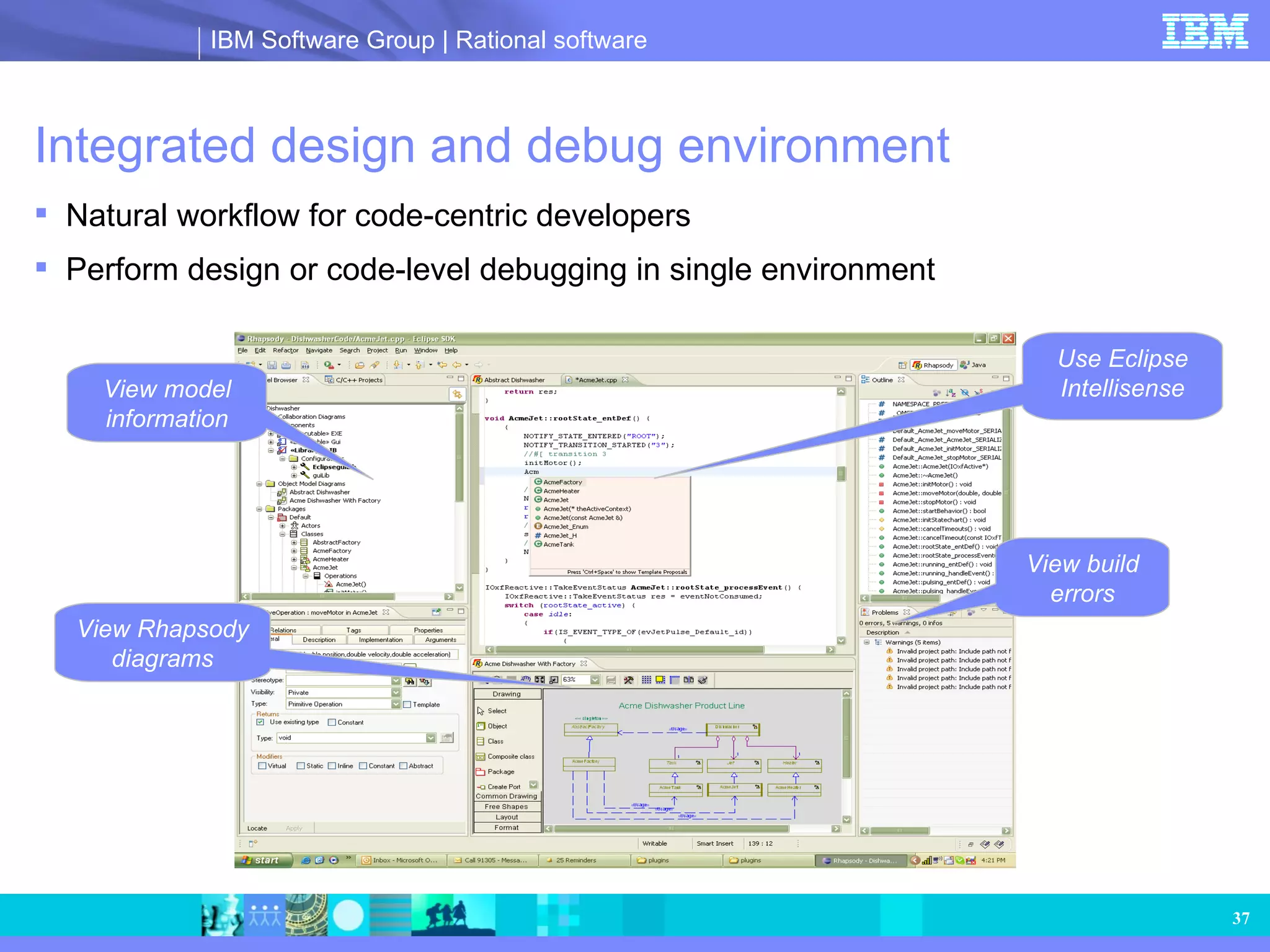
Integrated design anddebug environment Natural workflow for code-centric developers Perform design or code-level debugging in single environment Use Eclipse Intellisense View build errors View Rhapsody diagrams View model information
38.
Enables diverse teamsto effectively communicate and work together Full application generation Rhapsody Model-Driven Development UML2.1/SysML/ C modeling Requirements capture analysis and traceability Multiteam collaboration Model-driven testing
39.
Multiteam collaboration Rhapsodypromotes concurrent collaborative large-scale engineering Largest Rhapsody deployment: 1,200 users Share and collaborate globally Interfaces with all the popular CM tools Check in/out model information to the CM system Understand changes with graphical differencing and merging Communicate design behavior with graphical prototypes and mock-ups Promotes both opportunistic and strategic reuse via modeling and automation
40.
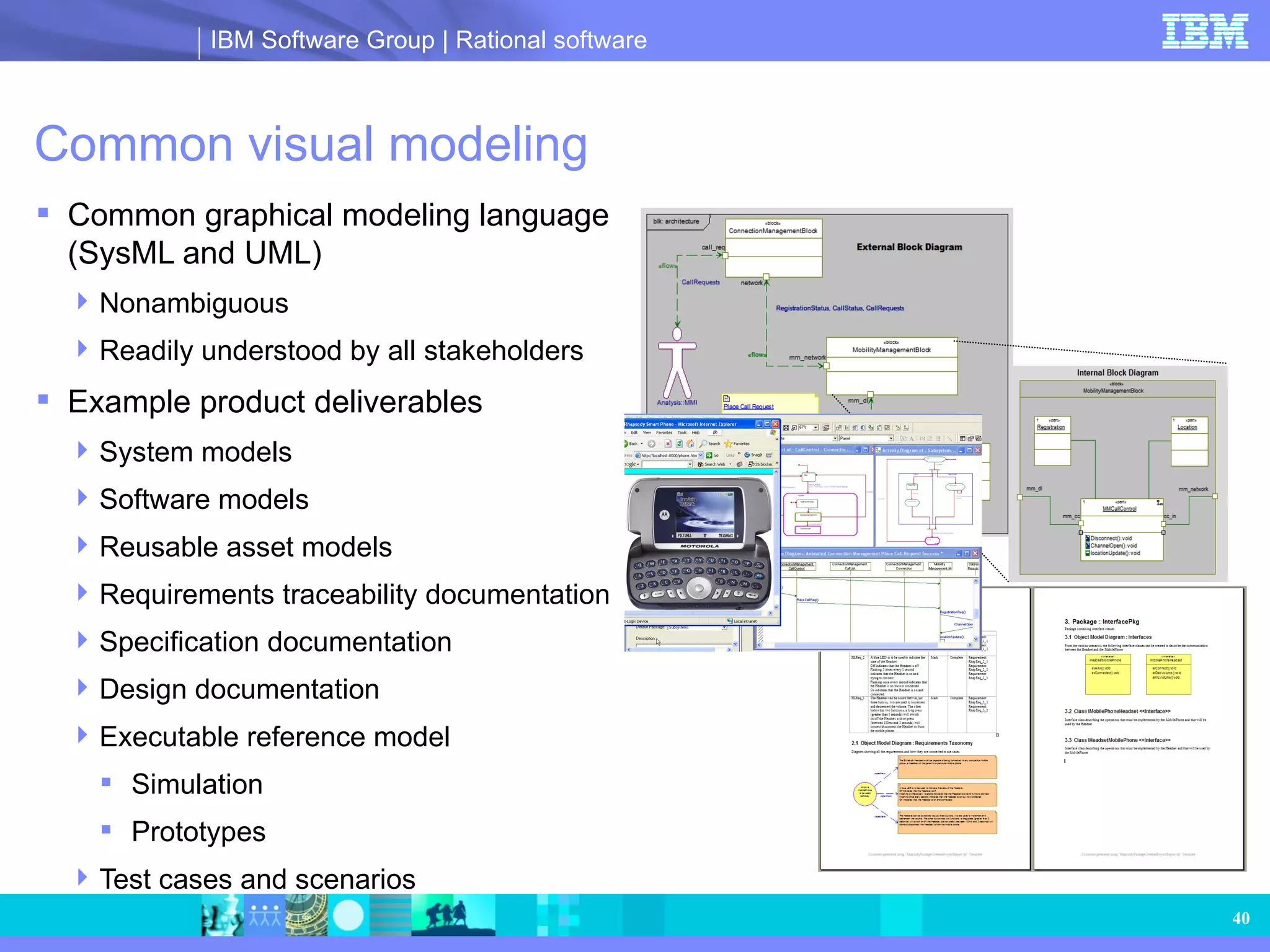
Common visual modelingCommon graphical modeling language (SysML and UML) Nonambiguous Readily understood by all stakeholders Example product deliverables System models Software models Reusable asset models Requirements traceability documentation Specification documentation Design documentation Executable reference model Simulation Prototypes Test cases and scenarios
41.
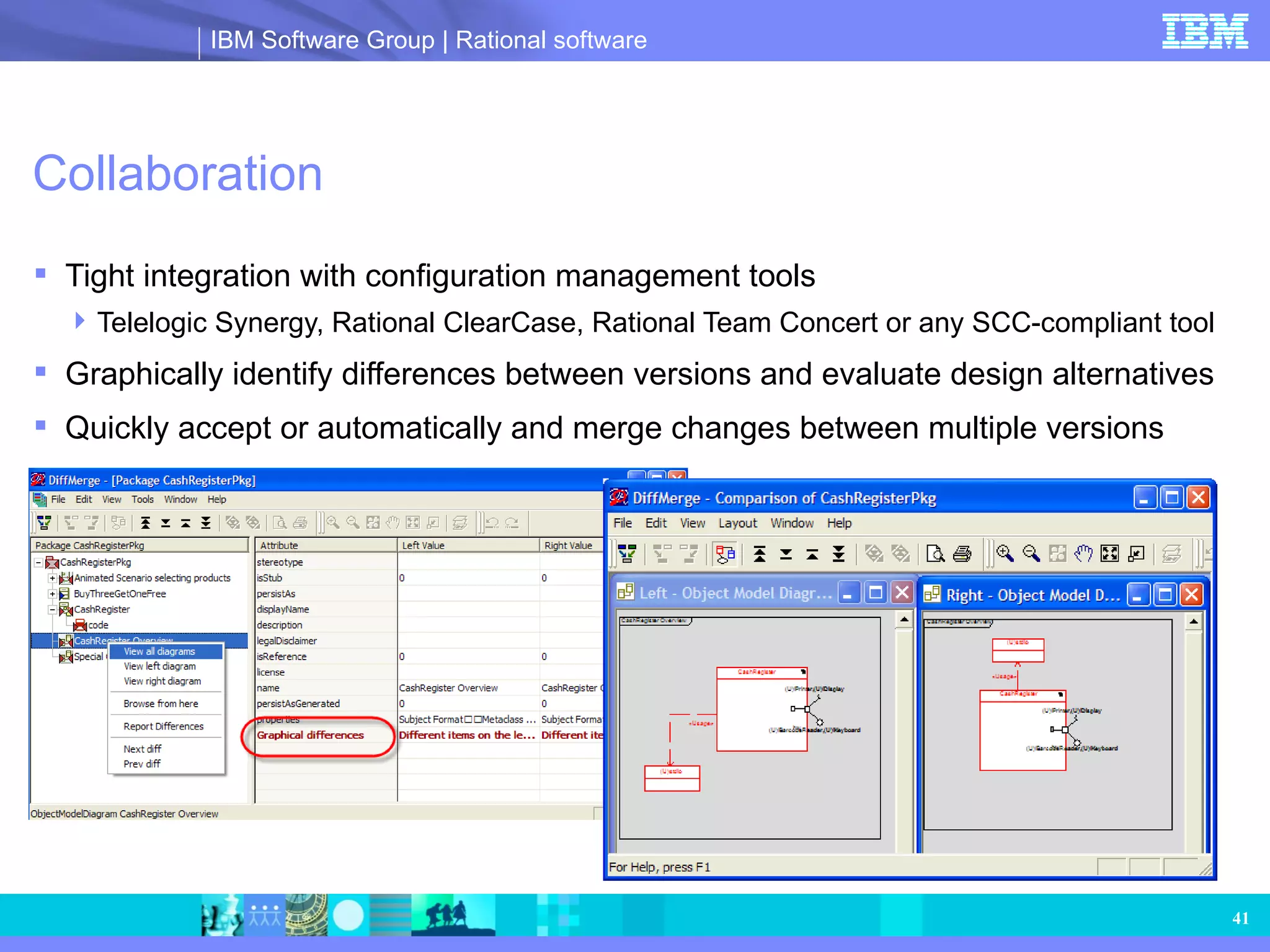
Collaboration Tight integrationwith configuration management tools Telelogic Synergy, Rational ClearCase, Rational Team Concert or any SCC-compliant tool Graphically identify differences between versions and evaluate design alternatives Quickly accept or automatically and merge changes between multiple versions
42.
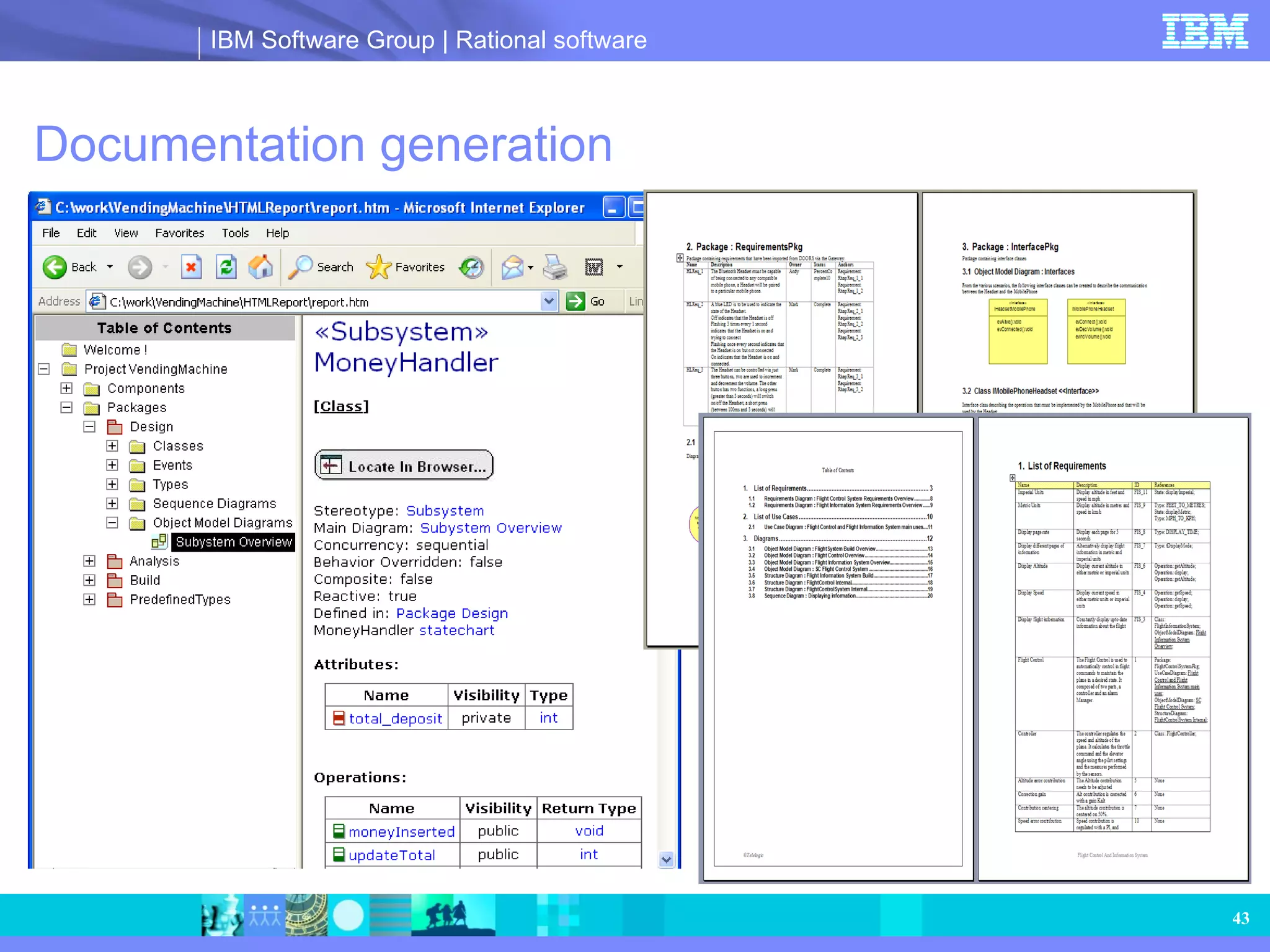
Customizable automatic documentationgeneration Customize reports the way you want to Wizard-based document generation provides exceptional flexibility Generates documentation in HTML, Microsoft® Word, PowerPoint, Rich Text Format (RTF), etc. from a Rhapsody model Compatible with most word processing systems via RTF Creates hyperlinks for fast report navigation Wide choice of out-of-the box templates, plus ready customization Enables collaboration via sharing of templates and subtemplates
Opportunistic and strategicreuse of assets Readily identify reusable assets via models Flexible model management using the model browser Multiple projects open in a session promotes easy referencing of reusable assets Partial model loading and unloading of elements enables easy loading of reusable assets Transition from a reusable asset to an implementation using model-driven architecture (MDA) technology Create reusable PIMs Transform PIMs to platform-specific models (PSMs) using the realtime framework Create implementations from PSM using either parametric or rules-based code generation PIM Asset 1 PIM Asset 2 PIM Asset 3 PIM Asset 4 PIM Asset 1 PIM Asset 2 PIM Asset 3 PIM Asset 1 PIM Asset 4 Product A Rhapsody Generated Code Platform (Hardware, RTOS) RTOS adaptor Asset 3 Asset 2 Asset 1 Product B Rhapsody Generated Code Platform (Hardware, RTOS) RTOS adaptor Asset 4 Asset 1
45.
Agile principles andMDD with Rhapsody Rhapsody supports graphical programming of the working application while documentation is automatically generated Flexible environment supports working at model or code level Work in an iterative, incremental development fashion producing working parts of the design in short time frames while executing and validating each part on target or host Support team collaboration with customers and business stakeholders via graphical models and prototypes as opposed to code based designs Respond to changes using dynamic links to requirements and automatic graphical differencing and merging
Open solution Requirementsmanagement Configuration management Documentation Photo realistic panel graphics/HMI Test Continuous modeling Tool interoperability IDEs Realtime operating systems and operating systems (sample) Configuration management OSs Compilers Rhapsody Requirements management Documentation Test HMI CORBA COM Push-button CORBA (Tao) and COM support
48.
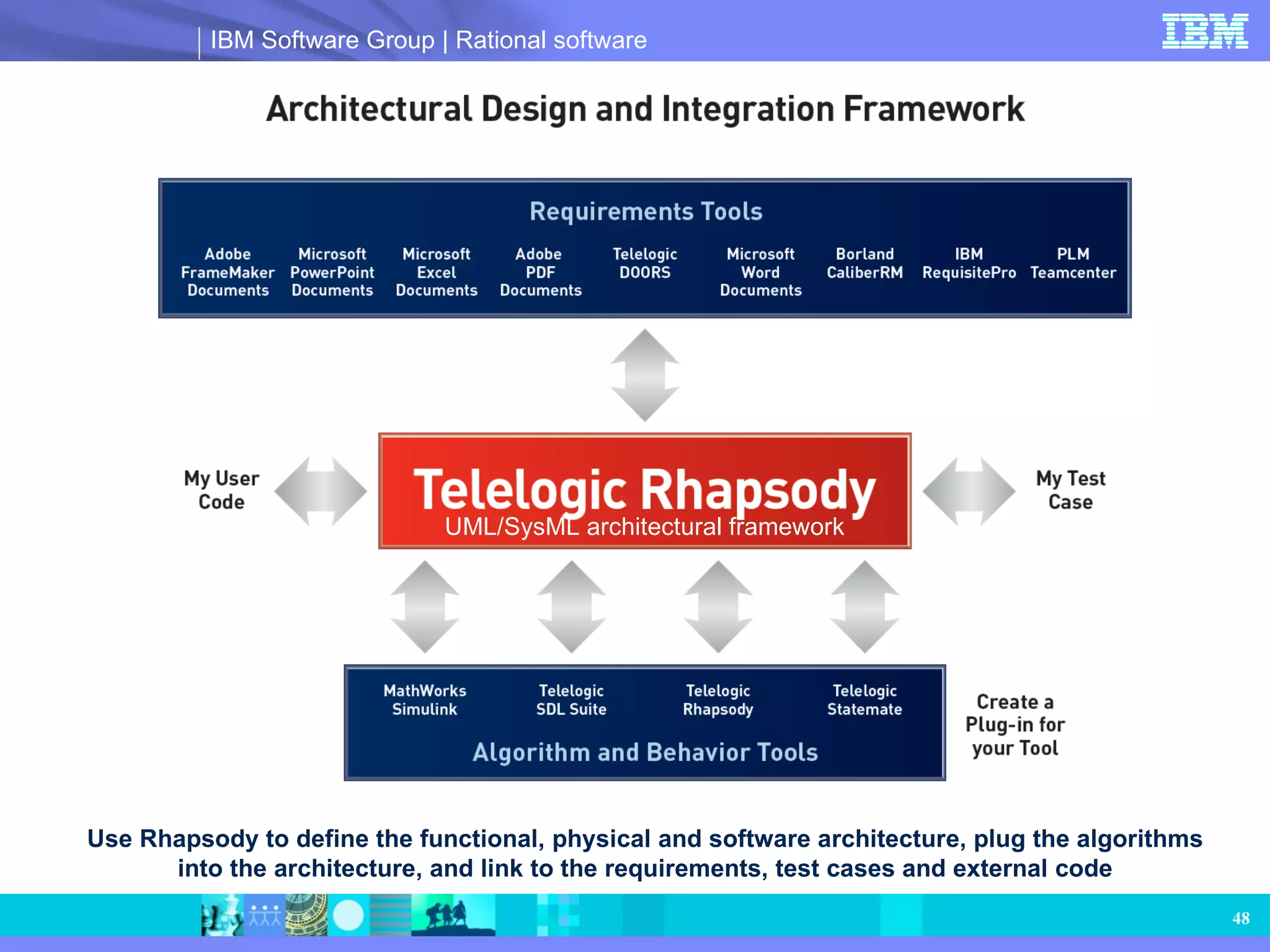
Use Rhapsody todefine the functional, physical and software architecture, plug the algorithms into the architecture, and link to the requirements, test cases and external code UML/SysML architectural framework
49.
Comprehensive system designarchitectural design Statemate model functional algorithm Simulink model computation algorithm Rhapsody model logical algorithm Algorithms implemented in external code Telelogic SDL Suite ™ model protocol algorithm Architecture captured in Rhapsody Rhapsody Statemate Simulink SDL
50.
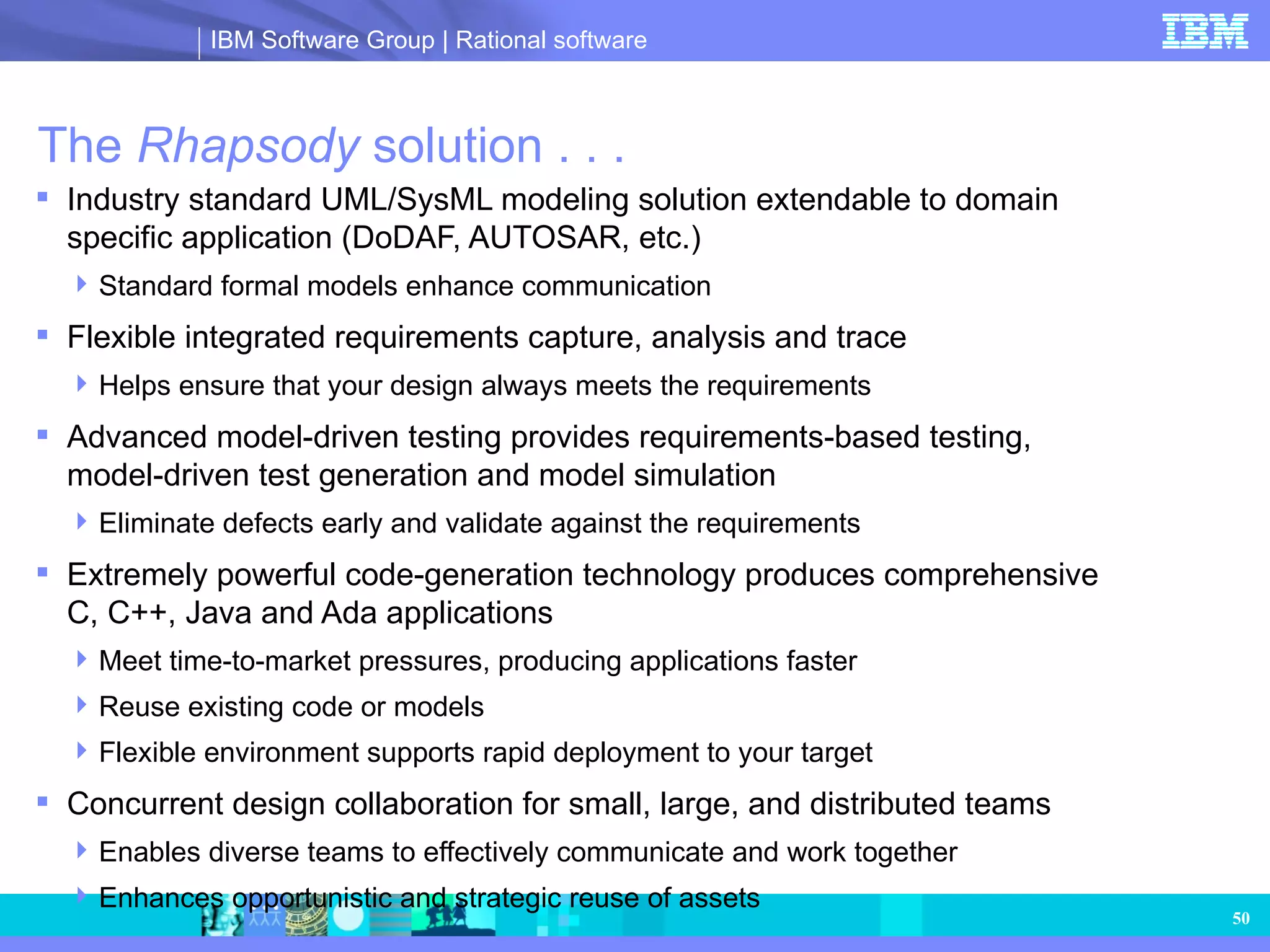
The Rhapsody solution . . . Industry standard UML/SysML modeling solution extendable to domain specific application (DoDAF, AUTOSAR, etc.) Standard formal models enhance communication Flexible integrated requirements capture, analysis and trace Helps ensure that your design always meets the requirements Advanced model-driven testing provides requirements-based testing, model-driven test generation and model simulation Eliminate defects early and validate against the requirements Extremely powerful code-generation technology produces comprehensive C, C++, Java and Ada applications Meet time-to-market pressures, producing applications faster Reuse existing code or models Flexible environment supports rapid deployment to your target Concurrent design collaboration for small, large, and distributed teams Enables diverse teams to effectively communicate and work together Enhances opportunistic and strategic reuse of assets
51.
For more informationTo learn more, please visit: www.telelogic.com Learn more at about Rational software at: ibm.com/software/rational
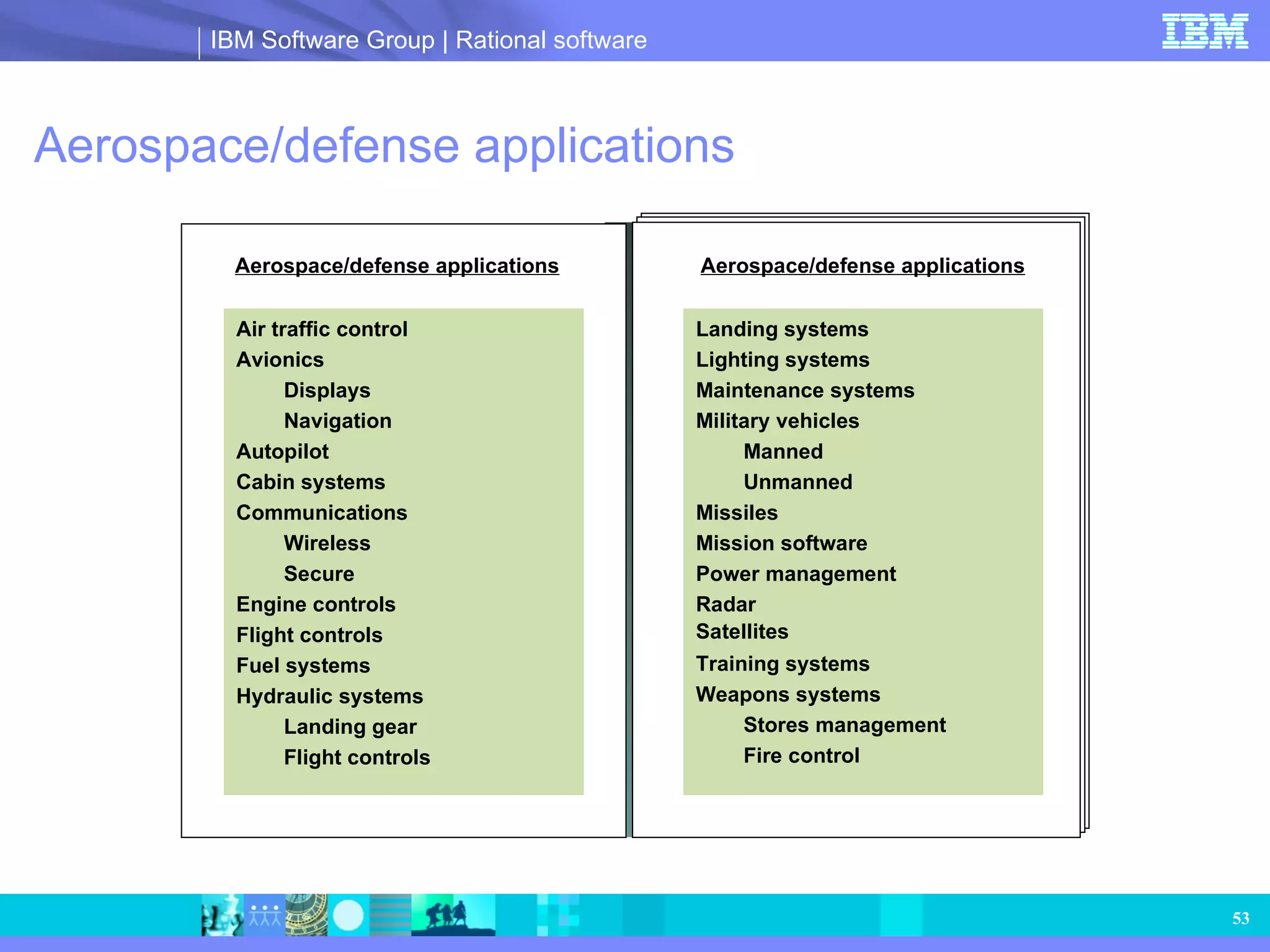
Aerospace/defense applications Aerospace/defenseapplications Air traffic control Avionics Displays Navigation Autopilot Cabin systems Communications Wireless Secure Engine controls Flight controls Fuel systems Hydraulic systems Landing gear Flight controls Aerospace/defense applications Landing systems Lighting systems Maintenance systems Military vehicles Manned Unmanned Missiles Mission software Power management Radar Satellites Training systems Weapons systems Stores management Fire control
54.
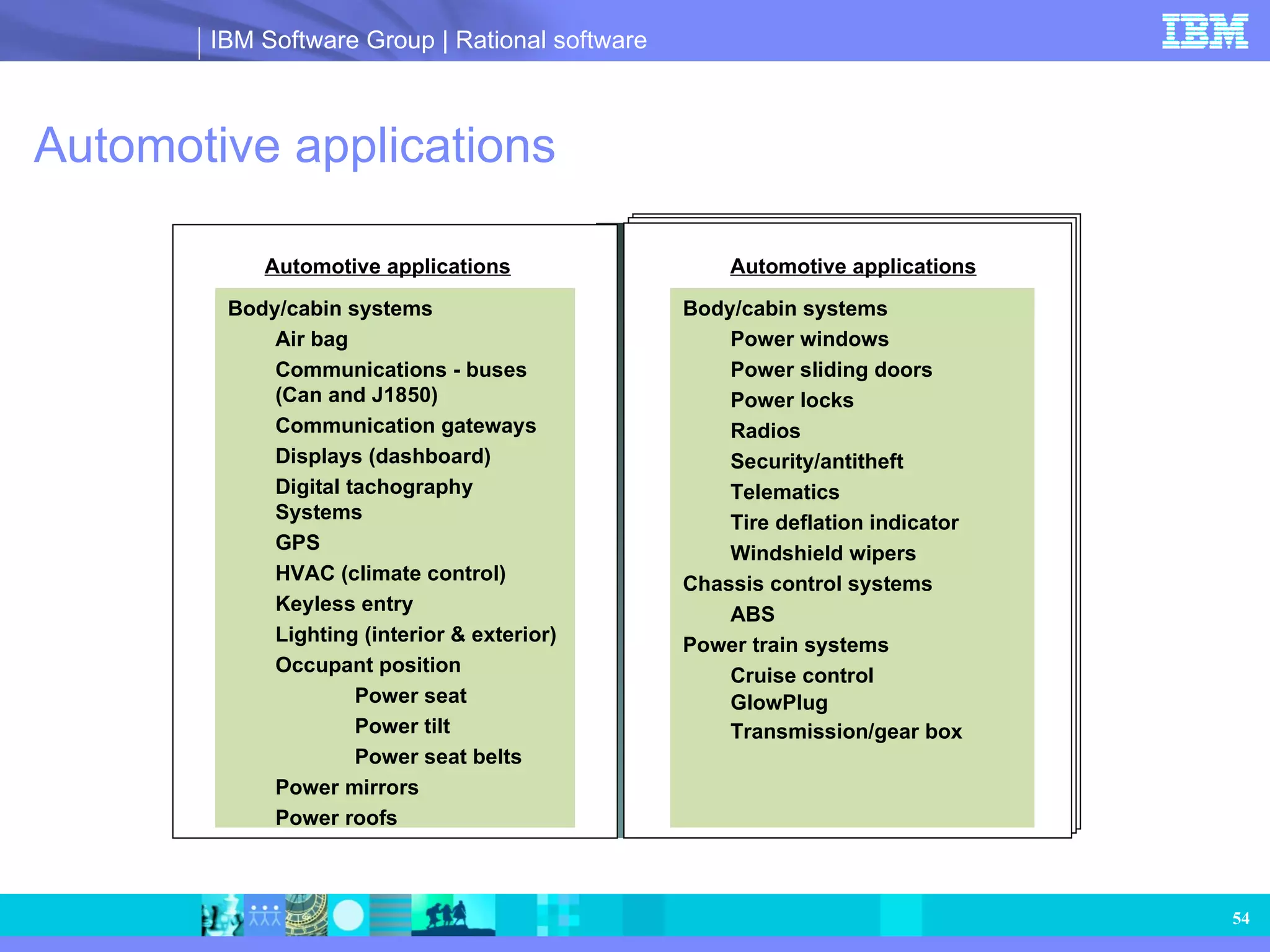
Automotive applications Automotiveapplications Body/cabin systems Air bag Communications - buses (Can and J1850) Communication gateways Displays (dashboard) Digital tachography Systems GPS HVAC (climate control) Keyless entry Lighting (interior & exterior) Occupant position Power seat Power tilt Power seat belts Power mirrors Power roofs Automotive applications Body/cabin systems Power windows Power sliding doors Power locks Radios Security/antitheft Telematics Tire deflation indicator Windshield wipers Chassis control systems ABS Power train systems Cruise control GlowPlug Transmission/gear box
55.
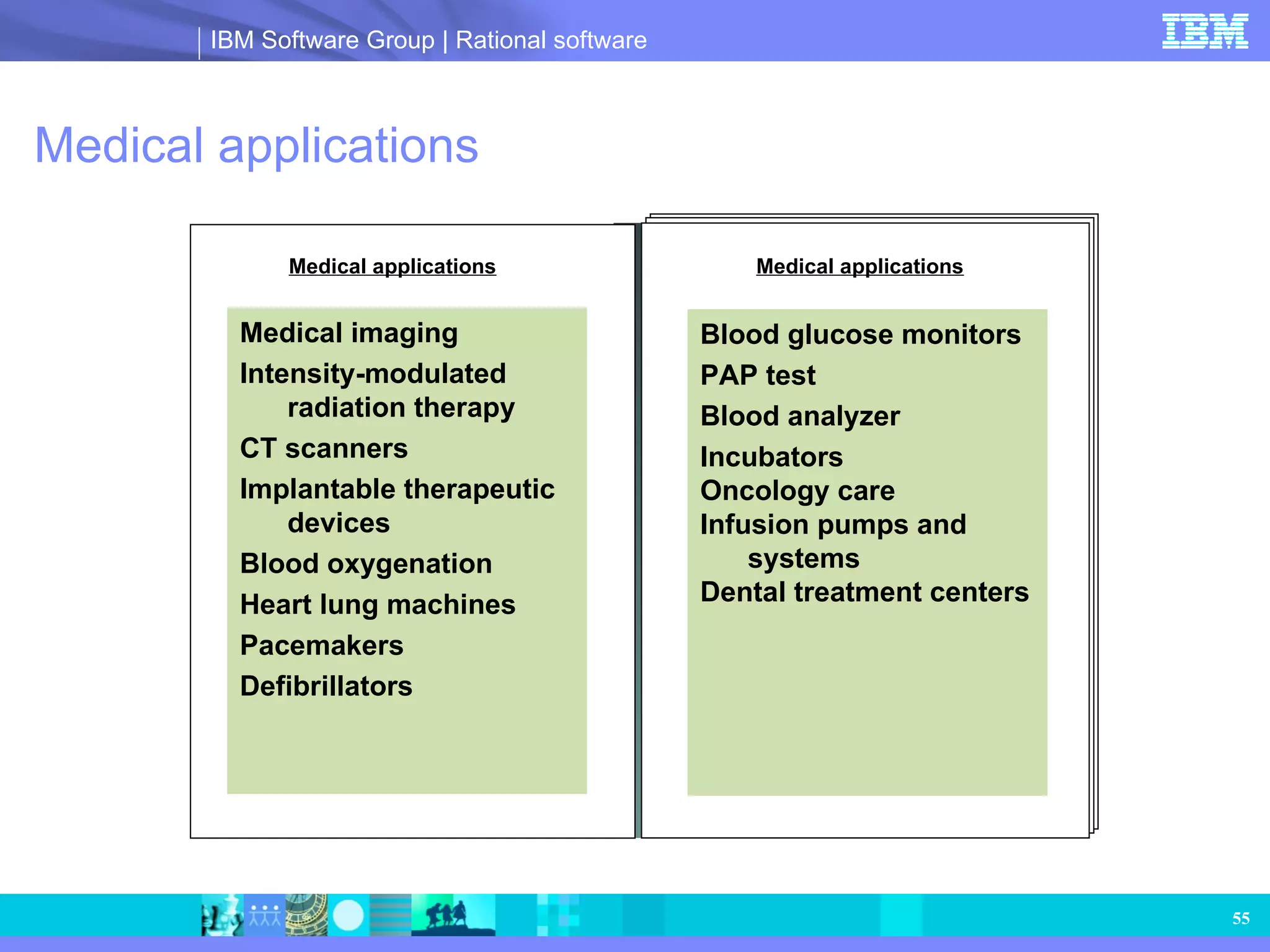
Medical applications Medicalapplications Medical imaging Intensity-modulated radiation therapy CT scanners Implantable therapeutic devices Blood oxygenation Heart lung machines Pacemakers Defibrillators Medical applications Blood glucose monitors PAP test Blood analyzer Incubators Oncology care Infusion pumps and systems Dental treatment centers
56.
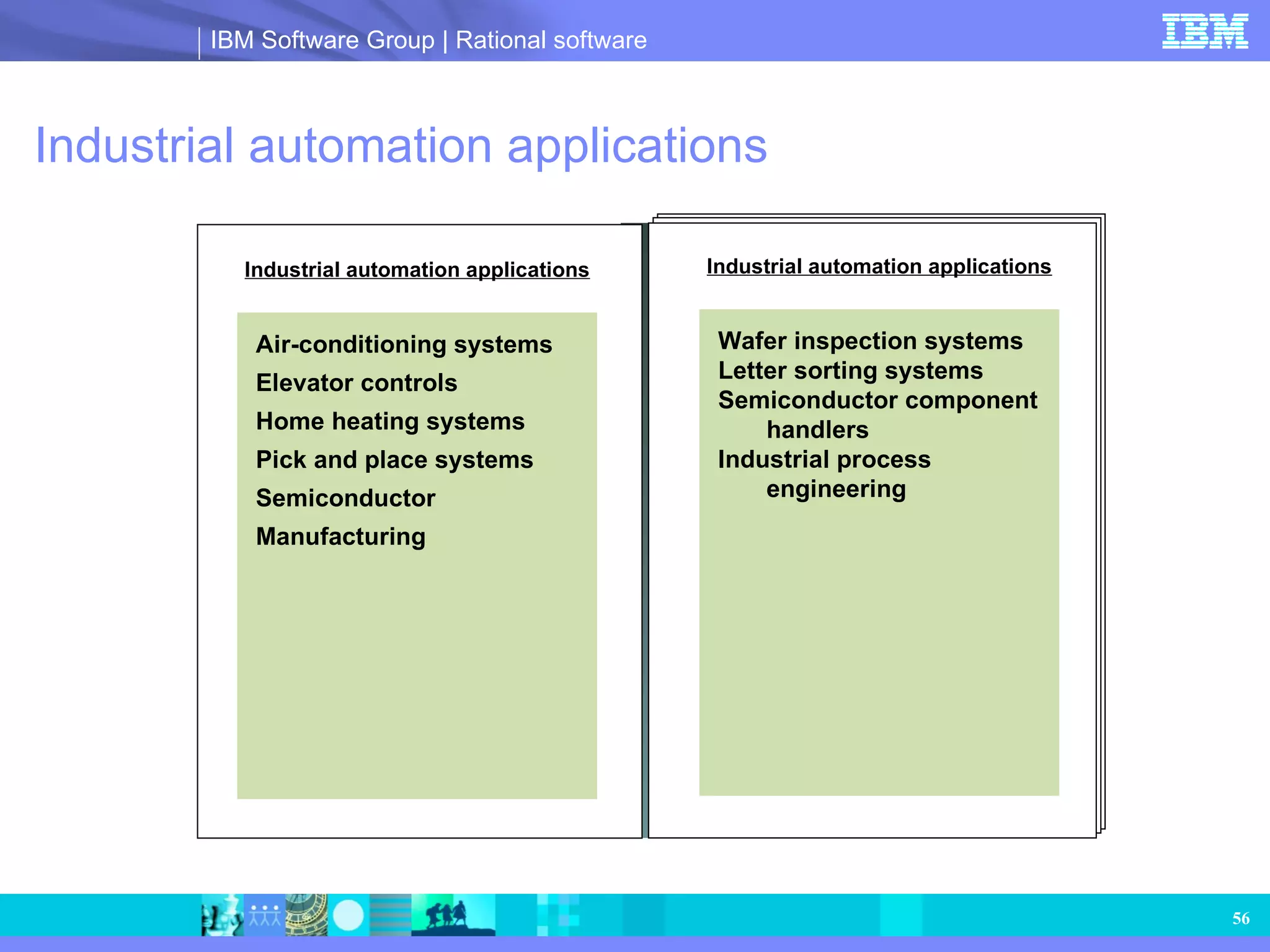
Industrial automation applicationsIndustrial automation applications Air-conditioning systems Elevator controls Home heating systems Pick and place systems Semiconductor Manufacturing Industrial automation applications Wafer inspection systems Letter sorting systems Semiconductor component handlers Industrial process engineering
57.
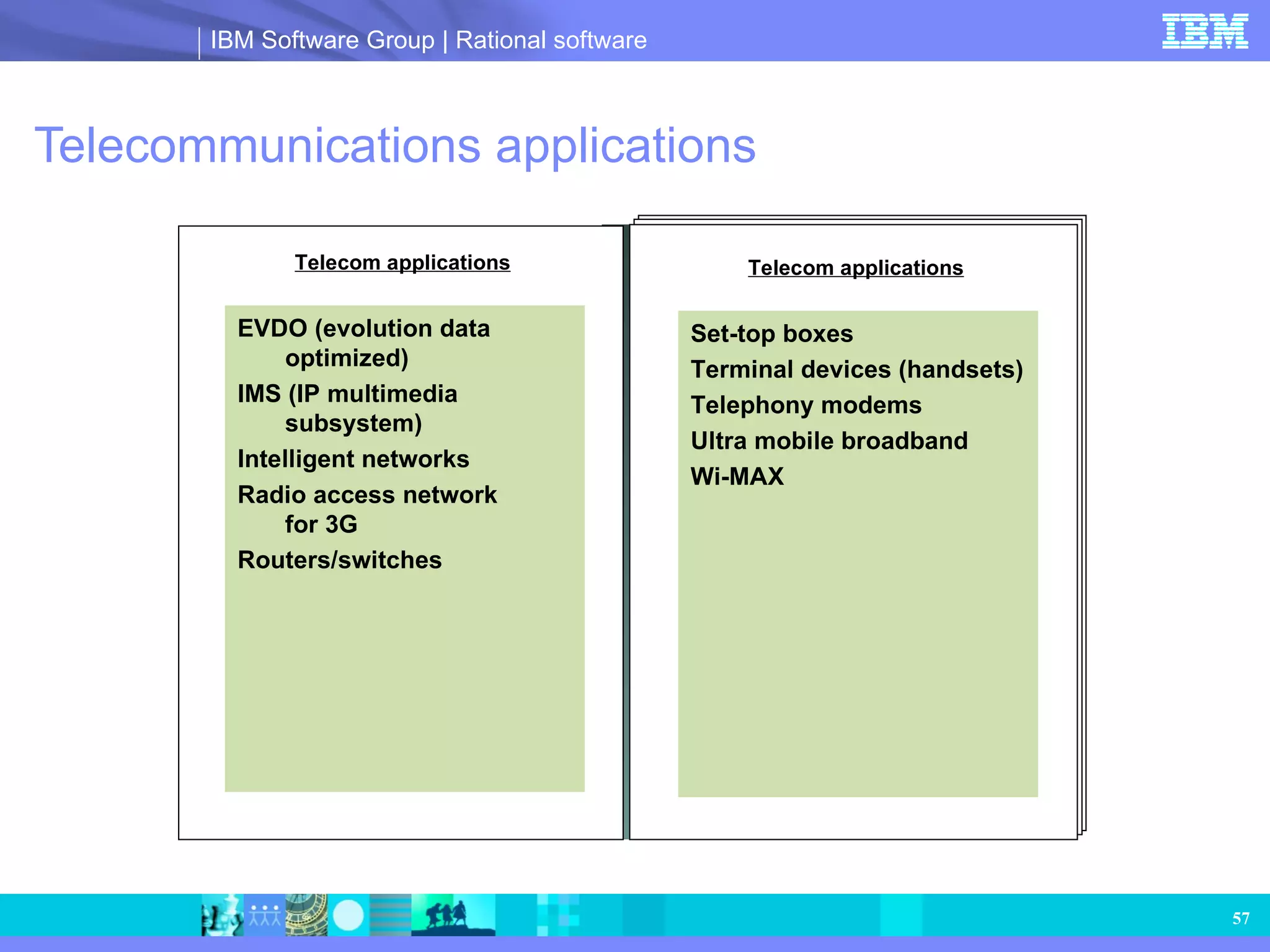
Telecommunications applications Telecomapplications EVDO (evolution data optimized) IMS (IP multimedia subsystem) Intelligent networks Radio access network for 3G Routers/switches Telecom applications Set-top boxes Terminal devices (handsets) Telephony modems Ultra mobile broadband Wi-MAX
58.
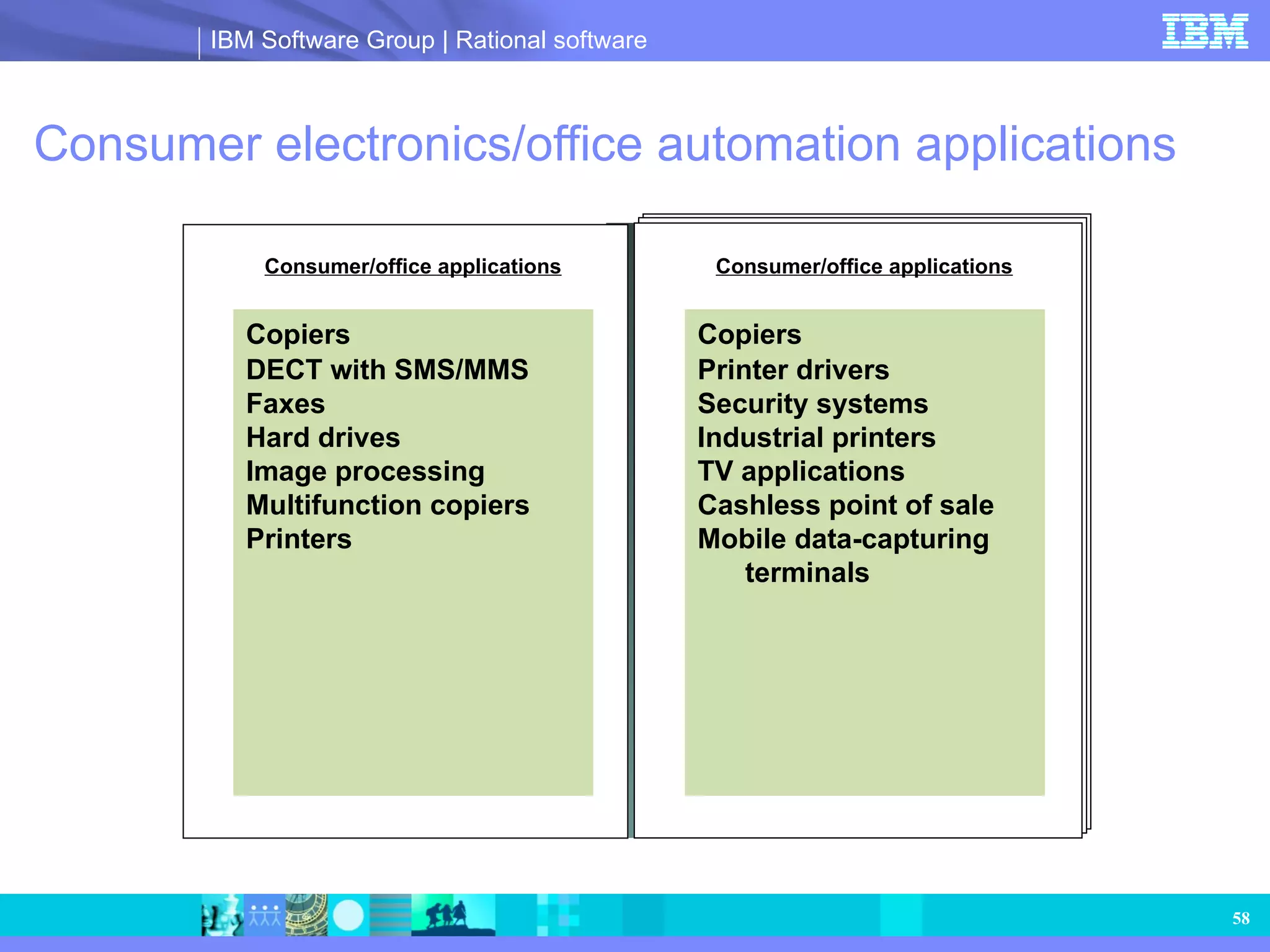
Consumer electronics/office automationapplications Consumer/office applications Copiers DECT with SMS/MMS Faxes Hard drives Image processing Multifunction copiers Printers Consumer/office applications Copiers Printer drivers Security systems Industrial printers TV applications Cashless point of sale Mobile data-capturing terminals
59.
IBM services Customerservices Technical support Client center Administrative support Consulting Best practices assessment Process and methodology Consulting and mentoring Training Tool training: dedicated for systems engineers Dedicated for software engineers Process training, including Harmony process training and modeling guidelines handbook UML or SysML training Department of Defense Architecture Framework (DoDAF) training Rapid deployment package Custom courses Tools Consulting Customer service Training
60.
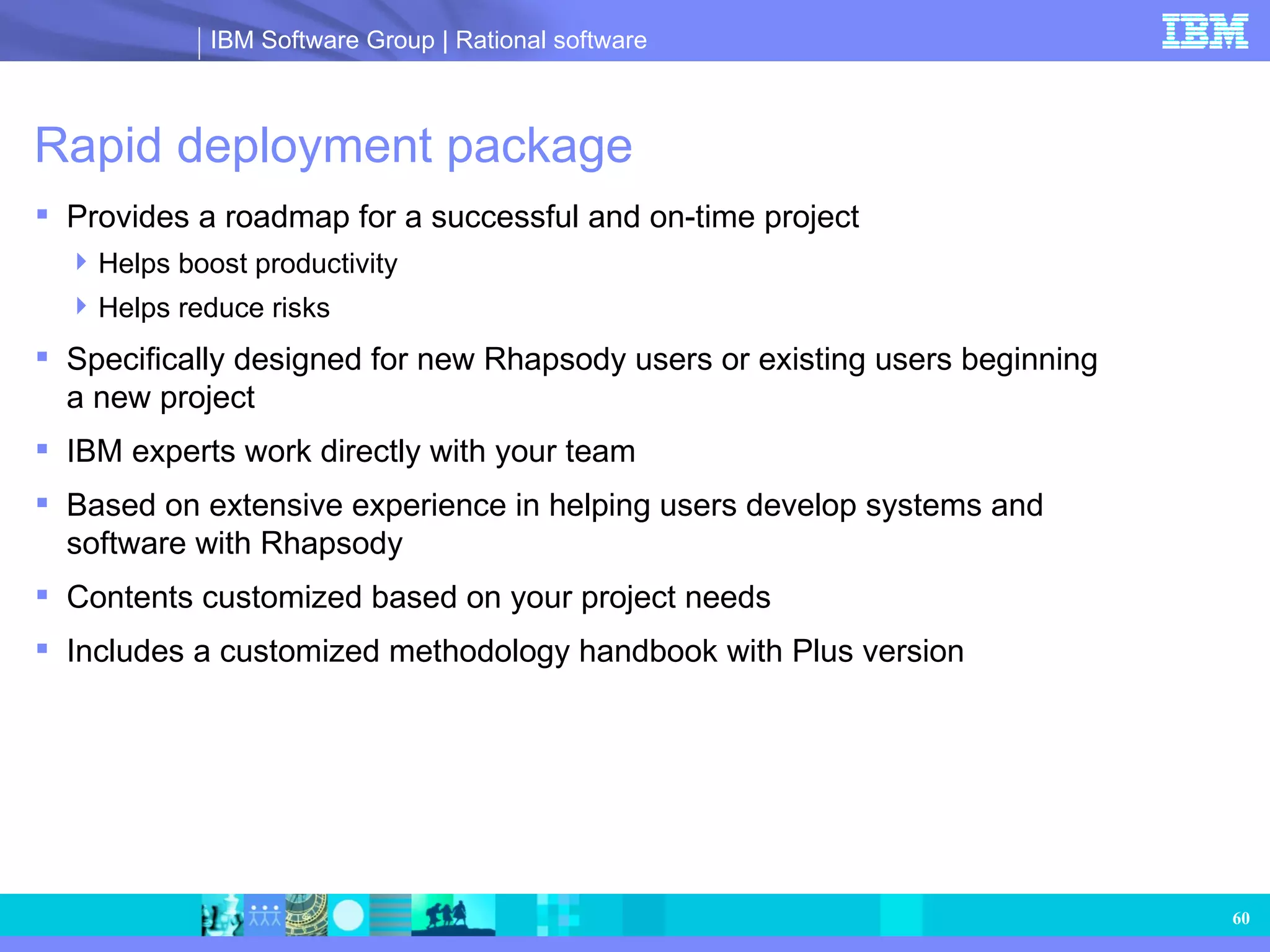
Rapid deployment package Provides a roadmap for a successful and on-time project Helps boost productivity Helps reduce risks Specifically designed for new Rhapsody users or existing users beginning a new project IBM experts work directly with your team Based on extensive experience in helping users develop systems and software with Rhapsody Contents customized based on your project needs Includes a customized methodology handbook with Plus version
61.
Rapid deployment package:how it works Definition of goals, requirements, deliverables, milestones, etc. Develop methodology designed to use Rhapsody optimally within your process Teaches the concepts and techniques used to apply Rhapsody for systems engineering Collaboration with experts to get you started Periodic reviews to help ensure that Rhapsody is being used to its fullest potential Info gathering Kickoff workshop Essentials training Consulting/mentoring Best practice reviews Exact content based on your needs
62.
Rapid deployment package— the handbook Customized for your goals Tailored to your process Includes Process description Modeling guidelines Traceability guidelines CM guidelines Illustrations Completed by the end of rapid deployment package (RDP) Modeling guidelines handbook Info gathering Kickoff workshop Essentials training Consulting/mentoring Best practice reviews Exact content based on your needs <<Back
63.
Open, extensible andconfigurable Goal: customizable framework so that users have full control The framework is delivered as a Rhapsody model Provides a clear understanding of its component structure and functionality, to support fine-tuning Model includes all requirements and design rationale so it’s readily understood Validation suite can be made available professional services Facilitates scaling down for smaller footprint applications Pick and choose only the necessary components Customize components Facilitates certification of the framework such as DO-178B Scalable — helps ensure that you include only the components you need; no dead code Customizable — you can fine-tune the implementation to help meet the safety-critical standards
64.
Agile and RhapsodyModel-Driven Development for embedded systems development
65.
Agile software principlesImplementation versus exhaustive planning and documentation Iterative, incremental development and testing of working parts of the design completed quickly Team collaboration with customers and business stakeholders Responsiveness to ever-changing requirements, virtually any time in the development cycle
66.
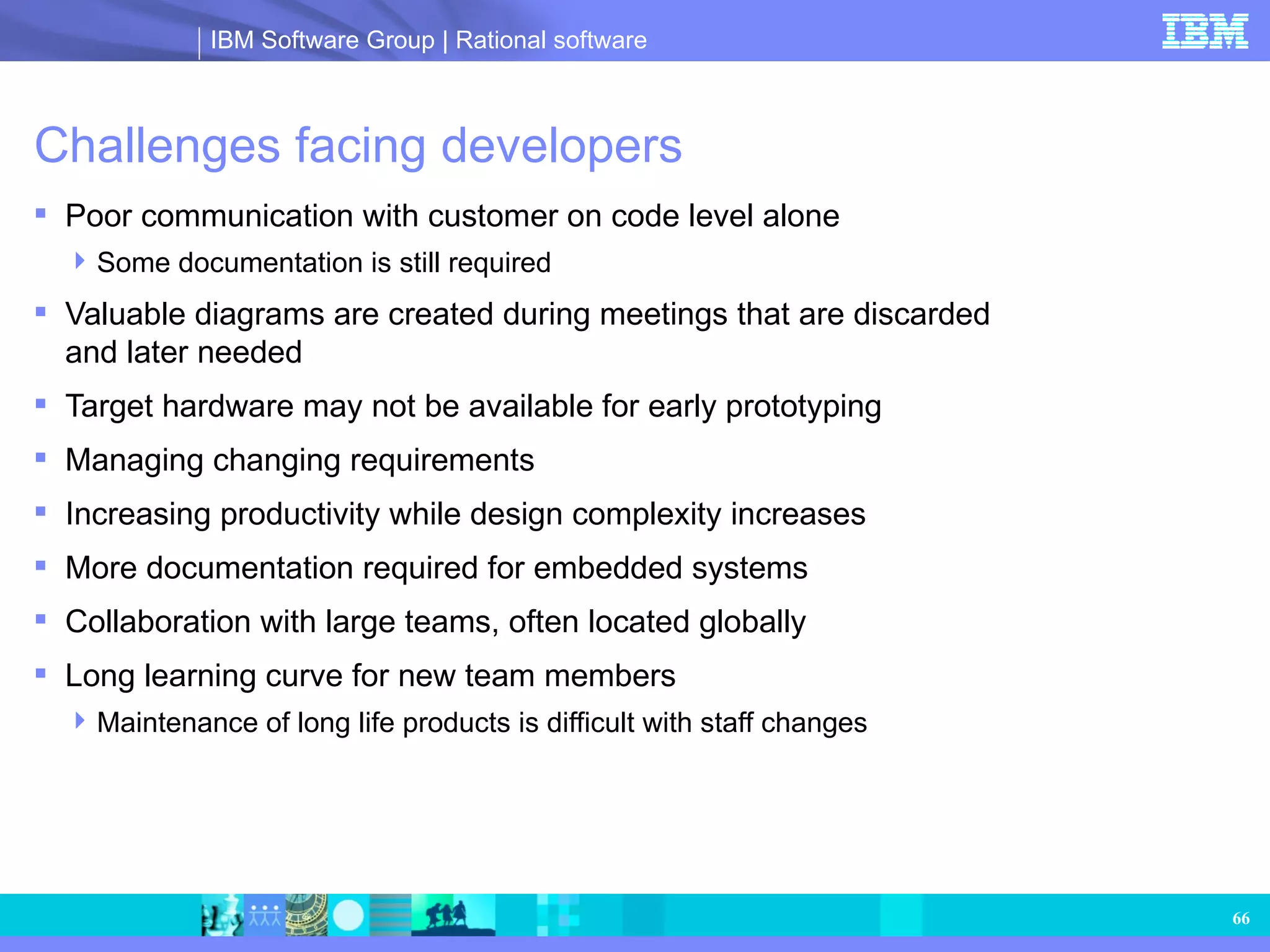
Challenges facing developersPoor communication with customer on code level alone Some documentation is still required Valuable diagrams are created during meetings that are discarded and later needed Target hardware may not be available for early prototyping Managing changing requirements Increasing productivity while design complexity increases More documentation required for embedded systems Collaboration with large teams, often located globally Long learning curve for new team members Maintenance of long life products is difficult with staff changes
67.
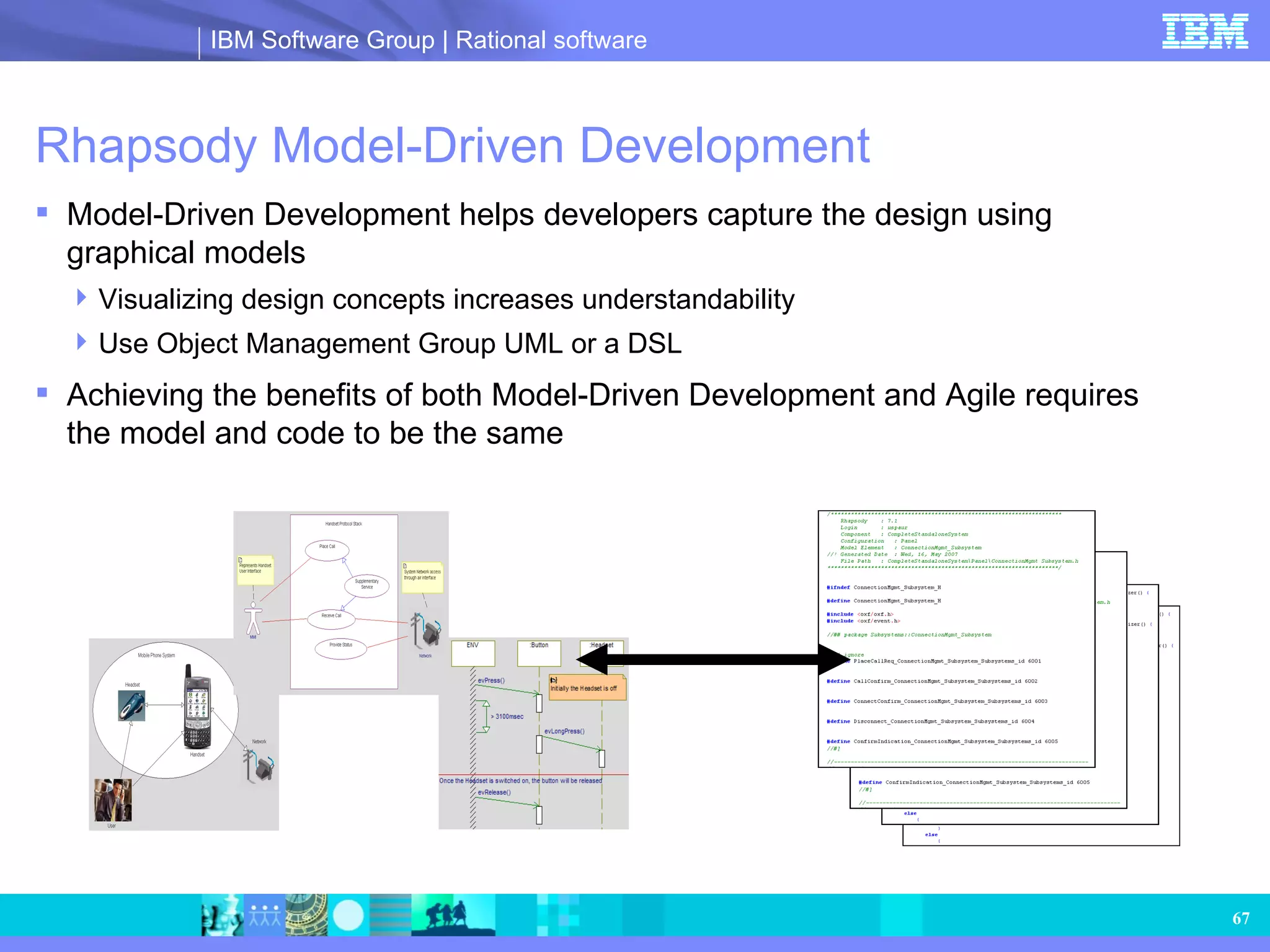
Rhapsody Model-Driven DevelopmentModel-Driven Development helps developers capture the design using graphical models Visualizing design concepts increases understandability Use Object Management Group UML or a DSL Achieving the benefits of both Model-Driven Development and Agile requires the model and code to be the same
68.
Agile and MDDwith Rhapsody Rhapsody enables graphical programming of the working application while documentation is automatically generated Empowers individuals to work the way they want to get the job done the way they know how at either the code or model level Work in an iterative, incremental development fashion producing working parts of the design in short time frames while executing and validating each part on target or host Enable team collaboration with customers and business stakeholders via graphical models and prototypes as opposed to code based designs Ability to respond to ever-changing requirements, virtually anytime in the development cycle using dynamic links to requirements and automatic graphical differencing and merging
69.
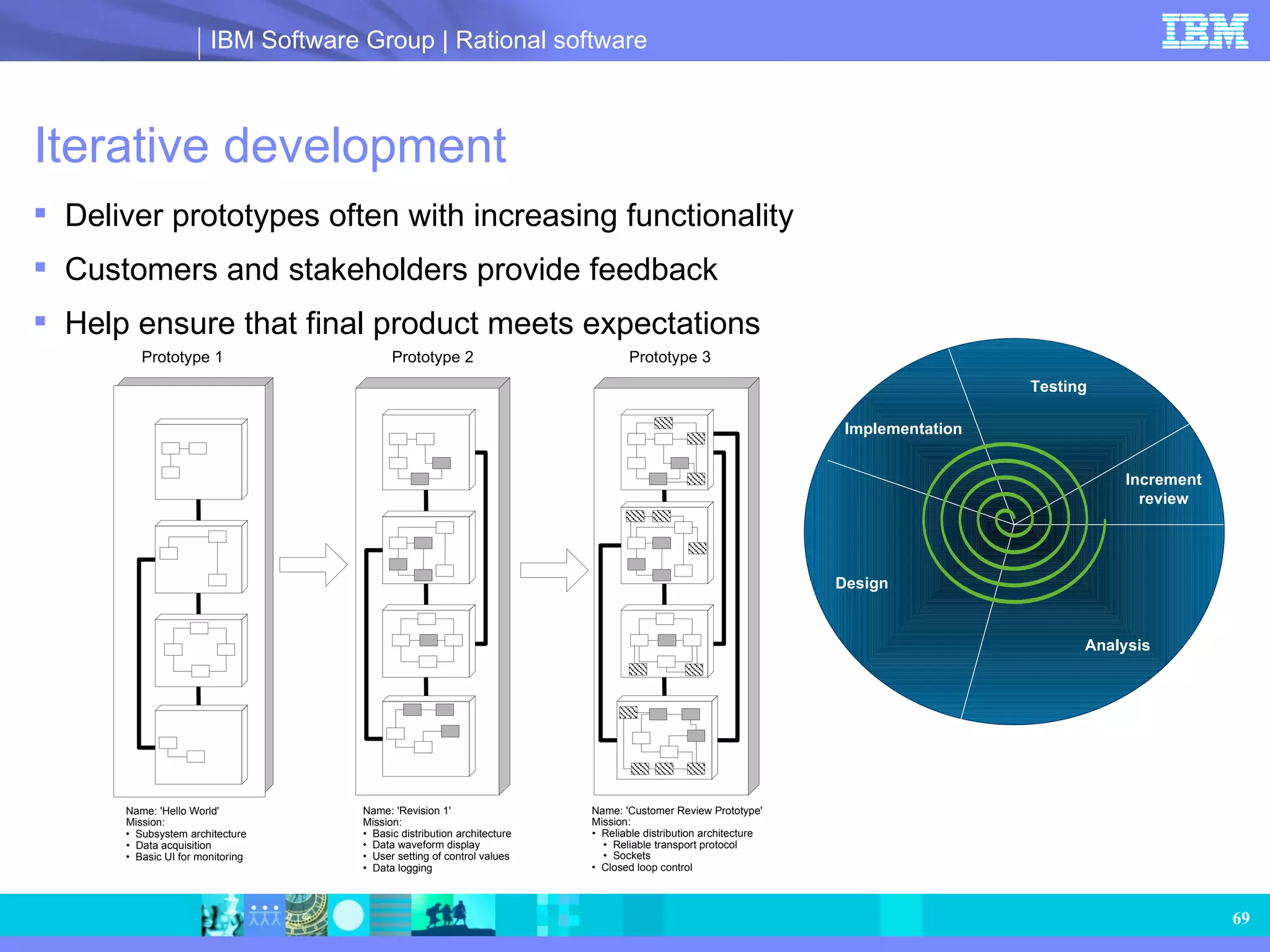
Iterative development Deliverprototypes often with increasing functionality Customers and stakeholders provide feedback Help ensure that final product meets expectations Prototype 1 Prototype 2 Prototype 3 Name: 'Hello World' Mission: • Subsystem architecture • Data acquisition • Basic UI for monitoring Name: 'Revision 1' Mission: • Basic distribution architecture • Data waveform display • User setting of control values • Data logging Name: 'Customer Review Prototype' Mission: • Reliable distribution architecture • Reliable transport protocol • Sockets • Closed loop control Analysis Design Implementation Testing Increment review
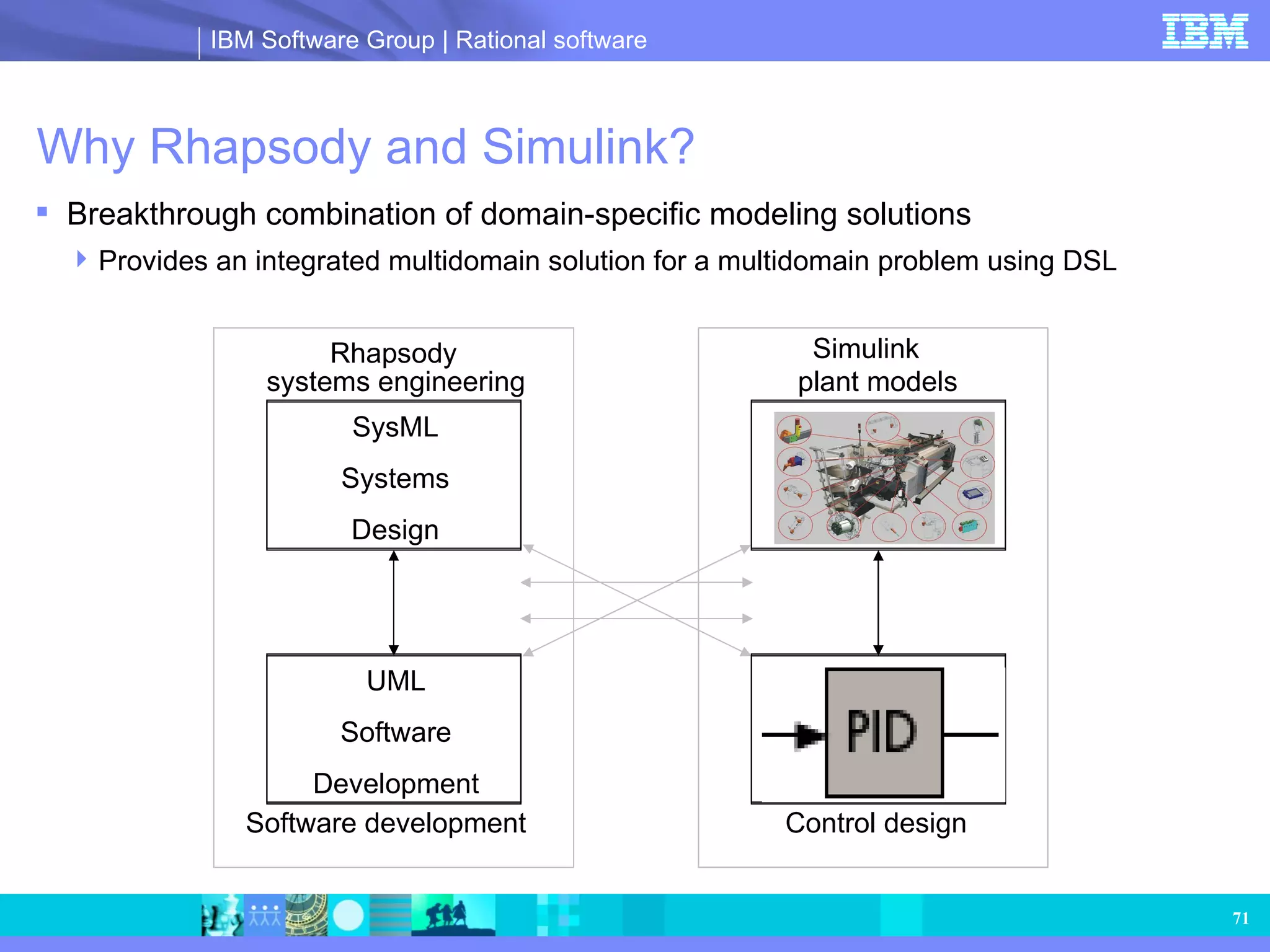
Why Rhapsody andSimulink? Breakthrough combination of domain-specific modeling solutions Provides an integrated multidomain solution for a multidomain problem using DSL Physical Plant Models Control Algorithms SysML Systems Design UML Software Development Rhapsody Simulink systems engineering Software development plant models Control design
72.
Rhapsody and Simulinkoverview Simulink dynamic control design combined with UML software development and SysML systems engineering First direct integration of UML and Simulink First integration of SysML and Simulink Test your design against physical plant behavior Include complex mathematical control algorithms in your design Only environment that combines: Requirements Physical, functional and software architecture Logical algorithm development Mathematical algorithm development Physical plant behavior Seamless process support for modeling -> execution -> code generation Flexible approach supports multiple workflows
73.
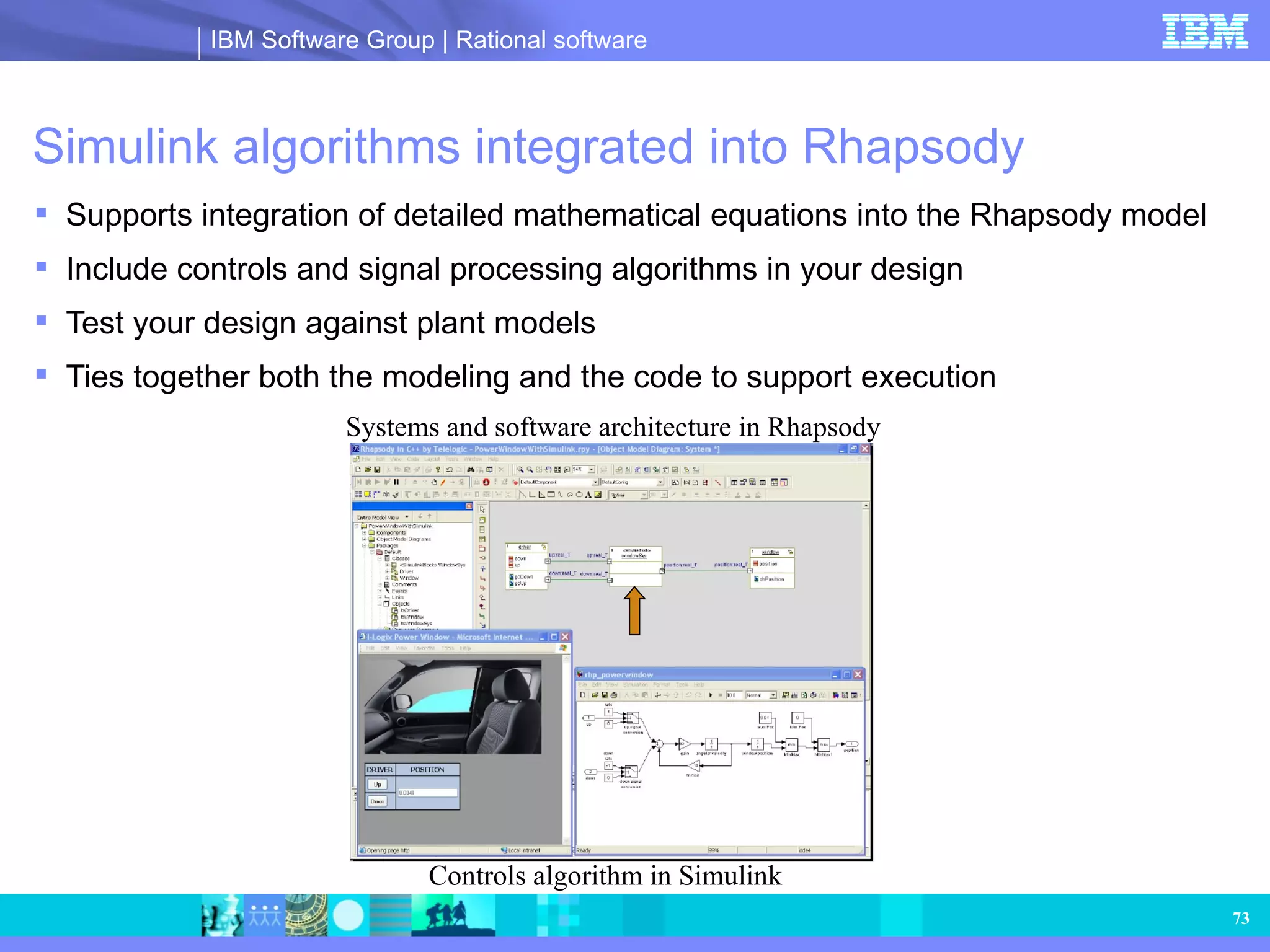
Simulink algorithms integratedinto Rhapsody Supports integration of detailed mathematical equations into the Rhapsody model Include controls and signal processing algorithms in your design Test your design against plant models Ties together both the modeling and the code to support execution Controls algorithm in Simulink Systems and software architecture in Rhapsody
74.
Simulink integrated intoRhapsody: advantages Allows engineers to use the right tool for the job Allows each group of engineers to use the tool most suitable for their own needs Enables a best-in-class, domain-specific model–based design and development environment Supports the natural workflow of a Rhapsody user Create a Simulink block in Rhapsody Automates I/Fs and integration of Simulink code Combined model can be executed to help ensure proper behavior of the system Actual production code is tested as a complete system in the software environment Supports the model-based definition of systems that have both logical and dynamic algorithms combined with functional, physical and software architectures
75.
Rhapsody plugged intoSimulink Simulink model with a block to represent the Rhapsody design Rhapsody design