What is program?
Aset of logically valid instructions
given to the computer in order to
solve a predefined problem is called
program.
3.
What is Programming?
Thetechnique followed to write the program
is called programming. Basically it follows
“Divide and Rule” policy. According to this
policy programming is divided into two parts.
• Procedure Oriented Programming (POP)
• Object Oriented Programming (OOP)
4.
POP
• In POPthe program is divided into smaller
parts known as procedures or functions where
each function carries out a specific task.
• The language which follows POP is known as
POPL(Procedure Oriented Programming
Language)
• ‘C’ is a POPL developed by Dennis Ritchie at
Bell Laboratory in 1972.
5.
Limitations of POP
•It is difficult to understand a small
function as a part of whole program.
• It does not give security to the data
members.
6.
OOP
• In OOPthe program is divided into smaller parts
known as objects.
• The object is a real world entity having physical
and logical existence.
• The programming language which follows OOP is
called OOPL( Object Oriented Programming
Language).
• C++ is an OOPL which was developed by Bjarne
Stroustrup at Bell Laboratory.
7.
Elements of Clanguage
• Alphabets (A-Z, a-z)
• Numerals( Decimal(0-9), Octal(0-7), Hexadecimal(0-
9,A,B,C,D,E,F), Floating point numbers)
• Special Symbols(,,;,.,:, etc)
• Identifiers
• Literals
• Keywords
• Operators
8.
Identifiers
• It isthe name given to the memory location.
• It can be a name of function, variable,
constant, array etc
• It has a property called data type which
decides the capacity of an identifier.
• In C programming the following types of data
types are available
9.
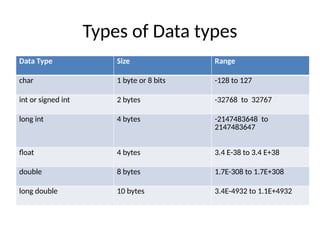
Types of Datatypes
Data Type Size Range
char 1 byte or 8 bits -128 to 127
int or signed int 2 bytes -32768 to 32767
long int 4 bytes -2147483648 to
2147483647
float 4 bytes 3.4 E-38 to 3.4 E+38
double 8 bytes 1.7E-308 to 1.7E+308
long double 10 bytes 3.4E-4932 to 1.1E+4932
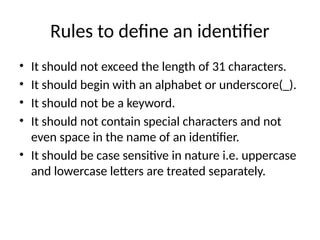
Rules to definean identifier
• It should not exceed the length of 31 characters.
• It should begin with an alphabet or underscore(_).
• It should not be a keyword.
• It should not contain special characters and not
even space in the name of an identifier.
• It should be case sensitive in nature i.e. uppercase
and lowercase letters are treated separately.
12.
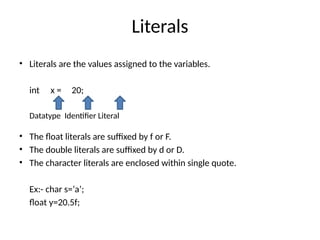
Literals
• Literals arethe values assigned to the variables.
int x = 20;
Datatype Identifier Literal
• The float literals are suffixed by f or F.
• The double literals are suffixed by d or D.
• The character literals are enclosed within single quote.
Ex:- char s=‘a’;
float y=20.5f;
13.
Keywords
• Keywords arethe reserved words having
specific meaning and they can be used in
specific place. All the keywords should be
written in lower case.
• Some of the keywords present in ‘C’ language
are as follows:-
• auto, break, case, char, const, continue do,
default, double, else, enum, extern, float, for,
goto, if, int, long, etc
14.
Operators
• Operators arethe special symbols used to do
different operations on the operands. On the
basis of operations operators are divided into
following categories.
1. Arithmetic operators:- +, -, *, /, %
5/2=2.5
5%2=1
2. Relational Operators:- <, >, <=, >=, ==,!=
Bitwise Operators
• Theseoperators operates on Binary Digits (bits)
• Some of the bitwise operators are
1. Left Shift(<<)
2. Right Shift(>>)
3. Bitwise And(&)
4. Bitwise Or(|)
5. XOR(^)
6. Complement(~)
17.
Special Operators
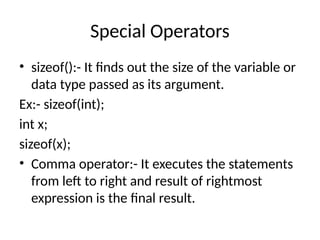
• sizeof():-It finds out the size of the variable or
data type passed as its argument.
Ex:- sizeof(int);
int x;
sizeof(x);
• Comma operator:- It executes the statements
from left to right and result of rightmost
expression is the final result.
18.
Structure of aProgram
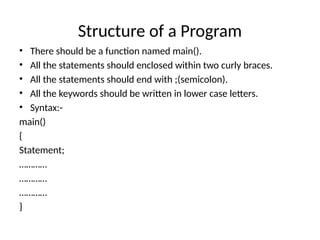
• There should be a function named main().
• All the statements should enclosed within two curly braces.
• All the statements should end with ;(semicolon).
• All the keywords should be written in lower case letters.
• Syntax:-
main()
{
Statement;
…………
…………
…………
}
19.
Header File
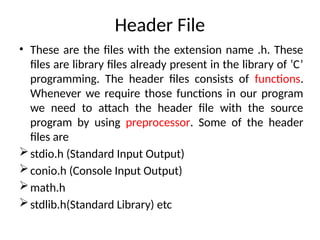
• Theseare the files with the extension name .h. These
files are library files already present in the library of ‘C’
programming. The header files consists of functions.
Whenever we require those functions in our program
we need to attach the header file with the source
program by using preprocessor. Some of the header
files are
stdio.h (Standard Input Output)
conio.h (Console Input Output)
math.h
stdlib.h(Standard Library) etc
20.
Preprocessor
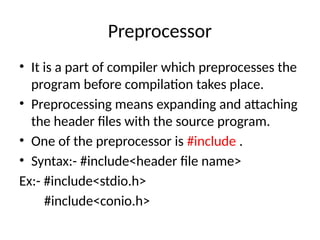
• It isa part of compiler which preprocesses the
program before compilation takes place.
• Preprocessing means expanding and attaching
the header files with the source program.
• One of the preprocessor is #include .
• Syntax:- #include<header file name>
Ex:- #include<stdio.h>
#include<conio.h>
21.
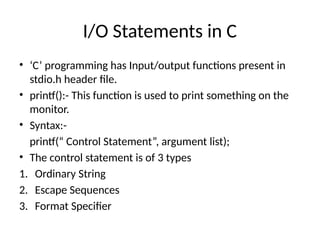
I/O Statements inC
• ‘C’ programming has Input/output functions present in
stdio.h header file.
• printf():- This function is used to print something on the
monitor.
• Syntax:-
printf(“ Control Statement”, argument list);
• The control statement is of 3 types
1. Ordinary String
2. Escape Sequences
3. Format Specifier
22.
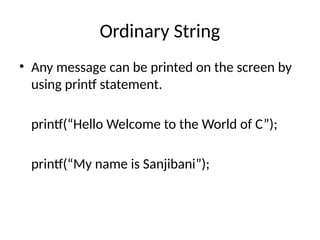
Ordinary String
• Anymessage can be printed on the screen by
using printf statement.
printf(“Hello Welcome to the World of C”);
printf(“My name is Sanjibani”);
23.
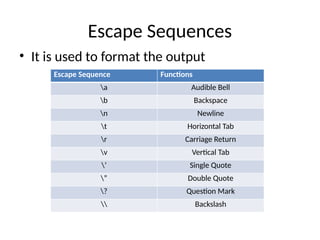
Escape Sequences
• Itis used to format the output
Escape Sequence Functions
a Audible Bell
b Backspace
n Newline
t Horizontal Tab
r Carriage Return
v Vertical Tab
’ Single Quote
” Double Quote
? Question Mark
Backslash
24.
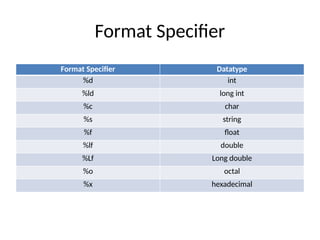
Format Specifier
Format SpecifierDatatype
%d int
%ld long int
%c char
%s string
%f float
%lf double
%Lf Long double
%o octal
%x hexadecimal
25.
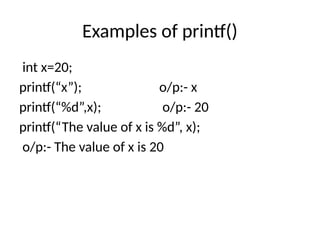
Examples of printf()
intx=20;
printf(“x”); o/p:- x
printf(“%d”,x); o/p:- 20
printf(“The value of x is %d”, x);
o/p:- The value of x is 20
26.
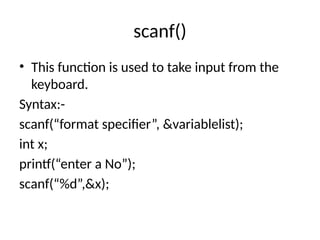
scanf()
• This functionis used to take input from the
keyboard.
Syntax:-
scanf(“format specifier”, &variablelist);
int x;
printf(“enter a No”);
scanf(“%d”,&x);
27.
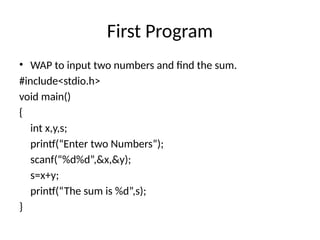
First Program
• WAPto input two numbers and find the sum.
#include<stdio.h>
void main()
{
int x,y,s;
printf(“Enter two Numbers”);
scanf(“%d%d”,&x,&y);
s=x+y;
printf(“The sum is %d”,s);
}
28.
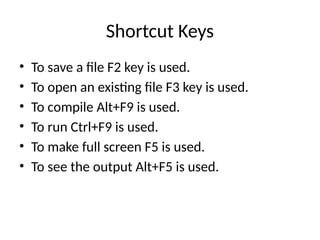
Shortcut Keys
• Tosave a file F2 key is used.
• To open an existing file F3 key is used.
• To compile Alt+F9 is used.
• To run Ctrl+F9 is used.
• To make full screen F5 is used.
• To see the output Alt+F5 is used.
29.
Decision making andbranching statement
• C programming has decision control
statements which controls the flow of
instruction execution.
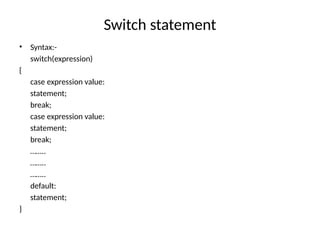
1. if
2. switch
3. goto
Programs based onif….else
• WAP to input a no and check whether it is
even or odd.
• WAP to input a number and check whether it
is positive and negative
• WAP to input 3 numbers and calculate
average. If the average >=30 then print pass
otherwise print fail.
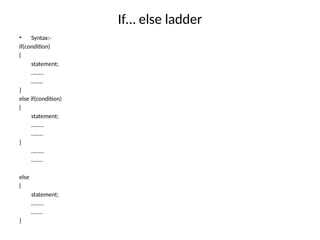
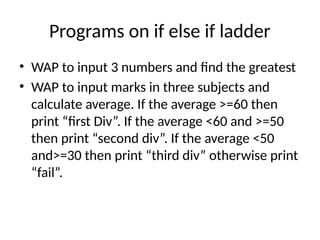
Programs on ifelse if ladder
• WAP to input 3 numbers and find the greatest
• WAP to input marks in three subjects and
calculate average. If the average >=60 then
print “first Div”. If the average <60 and >=50
then print “second div”. If the average <50
and>=30 then print “third div” otherwise print
“fail”.
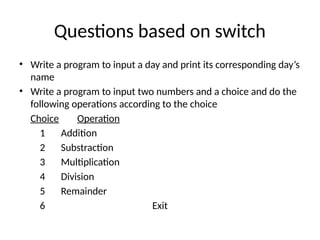
Questions based onswitch
• Write a program to input a day and print its corresponding day’s
name
• Write a program to input two numbers and a choice and do the
following operations according to the choice
Choice Operation
1 Addition
2 Substraction
3 Multiplication
4 Division
5 Remainder
6 Exit
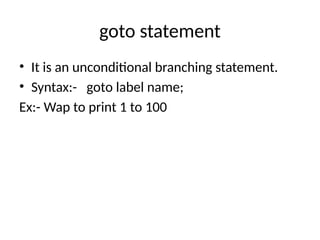
36.
goto statement
• Itis an unconditional branching statement.
• Syntax:- goto label name;
Ex:- Wap to print 1 to 100
37.
Some questions basedon goto
• Wap to print the following series
• 1 4 9 16 25 36 ………100
• 1 4 10 22 46……… upto 100
• 2 4 6 8 10 ………50
38.
Looping
• It executesa group of statements repetitively
till the condition is true. Some of the looping
statements available in C are
• while
• do…. while
• for
Questions based onwhile loop
• Wap to print 1 to 100
• Wap to print the sum of all the numbers from
1 to 100
• Wap to input a number and find its factorial.
• Wap to input a no and find its divisors
41.
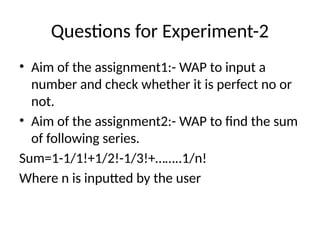
Questions for Experiment-2
•Aim of the assignment1:- WAP to input a
number and check whether it is perfect no or
not.
• Aim of the assignment2:- WAP to find the sum
of following series.
Sum=1-1/1!+1/2!-1/3!+……..1/n!
Where n is inputted by the user
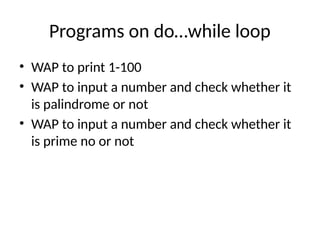
Programs on do…whileloop
• WAP to print 1-100
• WAP to input a number and check whether it
is palindrome or not
• WAP to input a number and check whether it
is prime no or not
Programs based onfor loop
• WAP to print 1-100
• WAP to print 100 to 1 backwardly
• WAP to print all the prime numbers between 1
to 100
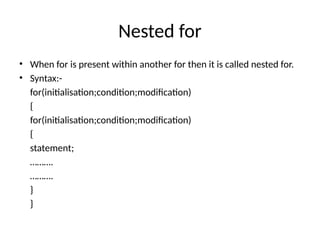
46.
Nested for
• Whenfor is present within another for then it is called nested for.
• Syntax:-
for(initialisation;condition;modification)
{
for(initialisation;condition;modification)
{
statement;
……….
……….
}
}
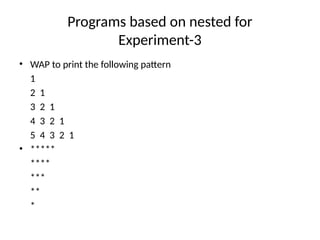
47.
Programs based onnested for
Experiment-3
• WAP to print the following pattern
1
2 1
3 2 1
4 3 2 1
5 4 3 2 1
• *****
****
***
**
*
48.
Array
• Array isa homogeneous data structure which
keeps similar types of elements in consecutive
locations of memory. The index of an array
starts with 0.
• Array is divided into following categories.
• 1D Array
• 2D Array
49.
1D Array
• Whenan array is declared the compiler allocates
space in memory sufficient to hold all the elements
of the array, so the size of array should be known
at the compile time. Hence we can’t use variable
for specifying the size of array in declaration.
• Syntax:-
datatype arrayname[size]; x
• Ex:- int x[10];
float y[5]; 0 1 2 3 4 5 6 7 8 9
5 2 6 4 8 7 1 9 3 1
50.
Initialisation of 1Darray
Syntax:-
datatype arrayname[size]={value1,value2,……};
Ex:- int x[5]={10,20,30,40,50}
int x[]={10,20,30,40,50}
51.
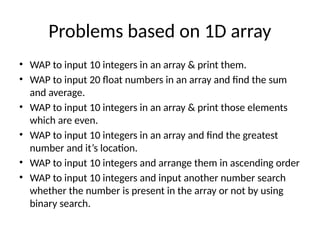
Problems based on1D array
• WAP to input 10 integers in an array & print them.
• WAP to input 20 float numbers in an array and find the sum
and average.
• WAP to input 10 integers in an array & print those elements
which are even.
• WAP to input 10 integers in an array and find the greatest
number and it’s location.
• WAP to input 10 integers and arrange them in ascending order
• WAP to input 10 integers and input another number search
whether the number is present in the array or not by using
binary search.
52.
2D Array
• Itis otherwise known as matrix.
• It has two subscripts i.e. row and column.
• Syntax:- datatype arrayname[row][col];
• E.g.:- int x[4][4];
• Index starts with 00,01,02
and so on.
53.
Initialization of 2Darray
• A 2d array can be initialised in the following
way.
• Int x[2][2]={1,2,3,4}
• Int x[2][2]={{1,2},{3,4}};
• Int x[][2]={{1,2},{3,4}};
54.
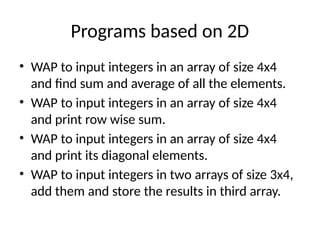
Programs based on2D
• WAP to input integers in an array of size 4x4
and find sum and average of all the elements.
• WAP to input integers in an array of size 4x4
and print row wise sum.
• WAP to input integers in an array of size 4x4
and print its diagonal elements.
• WAP to input integers in two arrays of size 3x4,
add them and store the results in third array.
55.
String in C
•String is a collection of characters under one
name. String starts with index 0 and ends with a
special character known as null character or ‘0’.
• Syntax:- char stringname[size];
• Ex:- char x[30];
• To input a string
printf(“Enter a string”);
scanf(“%s”,x);
56.
gets() and puts()
•These two functions are used in string only. They
are used to take input from the keyboard and used
to give output to the monitor respectively.
• Syntax:- gets(stringname);
puts(stringname);
For e.g.
char x[20];
puts(“Enter a string”);
gets(x);
57.
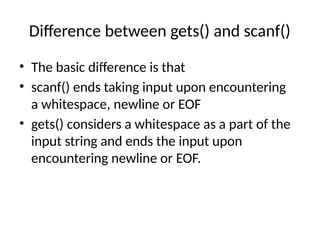
Difference between gets()and scanf()
• The basic difference is that
• scanf() ends taking input upon encountering
a whitespace, newline or EOF
• gets() considers a whitespace as a part of the
input string and ends the input upon
encountering newline or EOF.
58.
Initialisation of string
•The string can be initialised while declaration
in the following manner.
• char x[]={‘c’,’u’,’t’,’t’,’a’,’c’,’k’};
• char x[]=“cuttack”;
59.
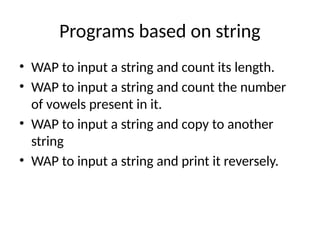
Programs based onstring
• WAP to input a string and count its length.
• WAP to input a string and count the number
of vowels present in it.
• WAP to input a string and copy to another
string
• WAP to input a string and print it reversely.
60.
Functions in C
•A function is a self-contained subprograms that
performs some specific well defined task.
• In C there are two types of function
1. Library Function
2. User Defined Function
• Library functions are present in the C library and
they are predefined. Some of the library
functions are scanf(), printf(), getch(), clrscr(),
strlen() etc
61.
User Defined Functions
•Programmers can create their own functions for
performing any specific task of the program. These
types of functions are user defined function.
• Management of user defined function
• A user defined function can be managed in three
ways.
1. Function declaration
2. Function invocation
3. Function definition
62.
Function Declaration
• Itis otherwise known as function prototype or signature of a
function.
• Syntax :-
• <return type> function name(arguments type);
• The function name should follow the rules of an identifier and it
should not be a keyword.
• The argument type is the type of variables on which function
operates.
• The return type is the type of result the function gives.
• Ex:- int sum(int,int);
void sum(int,int);
• When the function does not return any value its return type is void.
63.
Function Invocation
• Thecalling of a function is known as
function invocation.
• A function is always called within
another function.
Programs based onfunctions
• WAP to input the radius and find the area of a
circle.
• WAP to input the radius and find the area of a
square
• WAP to find the volume of a cube
• WAP to find the value of pi.
66.
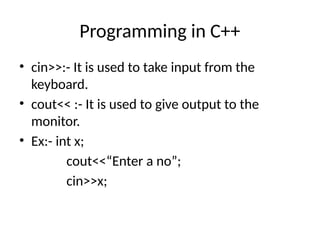
Programming in C++
•cin>>:- It is used to take input from the
keyboard.
• cout<< :- It is used to give output to the
monitor.
• Ex:- int x;
cout<<“Enter a no”;
cin>>x;
67.
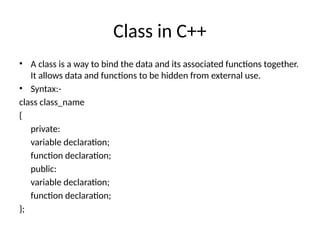
Class in C++
•A class is a way to bind the data and its associated functions together.
It allows data and functions to be hidden from external use.
• Syntax:-
class class_name
{
private:
variable declaration;
function declaration;
public:
variable declaration;
function declaration;
};
68.
Visibility of membersof a class
• The class members are grouped under private, public
and protected.
• In other words it is called the visibility of the members
of a class.
• If the members are private then it’ll be accessed only by
the same class.
• If the members are public then it’ll be accessed by all
the class.
• If the members are protected then it’ll be accessed by
the same class and the class which are inherited from it.
69.
Programs based onclass
• WAP to create a class student having data
members name, roll, age and function
members input() and output().
• WAP to create a class employee having data
members name, code, salary and function
members input(),output(), findpf() and create
an object to access the members.
![1D Array
• When an array is declared the compiler allocates
space in memory sufficient to hold all the elements
of the array, so the size of array should be known
at the compile time. Hence we can’t use variable
for specifying the size of array in declaration.
• Syntax:-
datatype arrayname[size]; x
• Ex:- int x[10];
float y[5]; 0 1 2 3 4 5 6 7 8 9
5 2 6 4 8 7 1 9 3 1](https://image.slidesharecdn.com/reviewofcprogramminglanguage-250302163950-d5eff45c/85/Review-of-C-programming-language-pptx-49-320.jpg)
![Initialisation of 1D array
Syntax:-
datatype arrayname[size]={value1,value2,……};
Ex:- int x[5]={10,20,30,40,50}
int x[]={10,20,30,40,50}](https://image.slidesharecdn.com/reviewofcprogramminglanguage-250302163950-d5eff45c/85/Review-of-C-programming-language-pptx-50-320.jpg)
![2D Array
• It is otherwise known as matrix.
• It has two subscripts i.e. row and column.
• Syntax:- datatype arrayname[row][col];
• E.g.:- int x[4][4];
• Index starts with 00,01,02
and so on.](https://image.slidesharecdn.com/reviewofcprogramminglanguage-250302163950-d5eff45c/85/Review-of-C-programming-language-pptx-52-320.jpg)
![Initialization of 2D array
• A 2d array can be initialised in the following
way.
• Int x[2][2]={1,2,3,4}
• Int x[2][2]={{1,2},{3,4}};
• Int x[][2]={{1,2},{3,4}};](https://image.slidesharecdn.com/reviewofcprogramminglanguage-250302163950-d5eff45c/85/Review-of-C-programming-language-pptx-53-320.jpg)
![String in C
• String is a collection of characters under one
name. String starts with index 0 and ends with a
special character known as null character or ‘0’.
• Syntax:- char stringname[size];
• Ex:- char x[30];
• To input a string
printf(“Enter a string”);
scanf(“%s”,x);](https://image.slidesharecdn.com/reviewofcprogramminglanguage-250302163950-d5eff45c/85/Review-of-C-programming-language-pptx-55-320.jpg)
![gets() and puts()
• These two functions are used in string only. They
are used to take input from the keyboard and used
to give output to the monitor respectively.
• Syntax:- gets(stringname);
puts(stringname);
For e.g.
char x[20];
puts(“Enter a string”);
gets(x);](https://image.slidesharecdn.com/reviewofcprogramminglanguage-250302163950-d5eff45c/85/Review-of-C-programming-language-pptx-56-320.jpg)
![Initialisation of string
• The string can be initialised while declaration
in the following manner.
• char x[]={‘c’,’u’,’t’,’t’,’a’,’c’,’k’};
• char x[]=“cuttack”;](https://image.slidesharecdn.com/reviewofcprogramminglanguage-250302163950-d5eff45c/85/Review-of-C-programming-language-pptx-58-320.jpg)



![[DSC Europe 25] Marcos Heidemann - Beyond the Hype: Making AI Coding Assistan...](https://cdn.slidesharecdn.com/ss_thumbnails/eexkhvldrjsopspdjbur-marcos-heidemann-beyond-the-hype-getting-real-value-out-of-ai-assisted-coding-260121115910-7e9d41ec-thumbnail.jpg?width=640&height=640&fit=bounds)


![[DSC Europe 25] Paula Garcia Esteban -Building the Future: The Role of Data S...](https://cdn.slidesharecdn.com/ss_thumbnails/9ld1r1bsqpwve8qfvphy-paula-garcia-esteban-building-the-future-260122103838-4171f5cb-thumbnail.jpg?width=640&height=640&fit=bounds)
![[DSC Europe 25] Bojan Banjac - AI is always right when it comes to the matter...](https://cdn.slidesharecdn.com/ss_thumbnails/syoxtqierpydwxm5srcb-4-bojan-banjac-ai-is-always-right-when-it-comes-to-the-matters-of-taste-260119101519-694ee7d7-thumbnail.jpg?width=640&height=640&fit=bounds)